Iray Machina Materials for Genesis 3 Female [Commercial]
 GKDantas
Posts: 200
GKDantas
Posts: 200
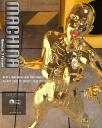
New set of Iray Materials for Genesis 3 Female that can turn her into a Robot like or Future Vigilante with many options to apply to almos any character.
Look how to use the Materials here:
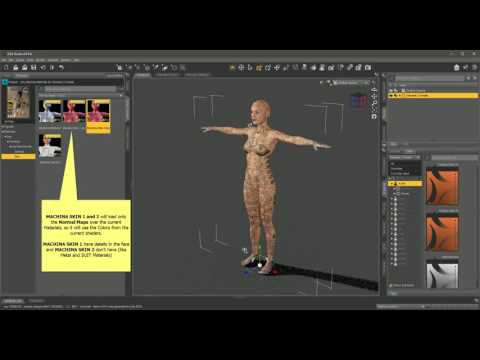
Buy it here at my DAZ3D store and dont forget to post your renders https://www.daz3d.com/gkdantas


main.jpg
1040 x 1300 - 1M
popup_6.jpg
1040 x 1300 - 1M
popup_5.jpg
1040 x 1300 - 2M
Post edited by GKDantas on

Daz 3D is part of 
Connect
DAZ Productions, Inc.
7533 S Center View Ct #4664
West Jordan, UT 84084
Licensing Agreement | Terms of Service | Privacy Policy | EULA
© 2026 Daz Productions Inc. All Rights Reserved.
Comments
Looks great as usual, GK! It's sitting in my cart. I'm just waiting for them to fix the discounts on that sale and then I can start rendering.
I made a quick use of this in:
Cool, if you have more problems let me know and I will try to help, thanks
Cool looks like a motion cap suit now! Thanks
Picked this up right away as well. Looks fabulous and very versatile!
Thanks all! Here is a test with 3D Universe Toon Generation
Ooh, I love that one, GK! She looks great and that background really makes the render pop!
Thanks, I user a lot this GIS Orion station like.
Quickie test render, trying out the Machina Skin 2 materials on HP Aunrae. She makes a good alien. Would love to make the Machina materials emissive, just not sure where to look. Are they a geo shell or a LIE overlay?
The render is real grainy and overlit, since her skin is dark and wanted to see what it looked like real quick. She's wearing a Technophilia Gynoid outfit (part of it) reshaded with Mec4D's shaders. Fun to see the lights bouncing off it.
Ooh, I found it! If you put the same Machina map that's in Metallicity into the Emission Channel, it'll show up.
I did that for torso, arms and legs. The hands glow and I'm not sure how to turn that off, so I stuck gloves on her and am rendering that now.
AMAZING, I think theres no way to turn off since its a map to the whole arms...
Thanks! Here's a test render with the gloves. I'm thinking that original map could be taken into Photoshop, and the hands taken off, then saved as a new map and used in the emissive channel to solve the problem.
Adding some emissive presets to the product would be very cool and make it even more versatile. Loving it so far! Will play more tonight. Natives are restless and it's a gorgeous day here today.
The workaround was successful:
It's taking forever to render with so many emissives, but here's a grainy preview:
Will play with the other options (character and suit) and see what kinds of emissive fun I can get up to!
Really cool. Hope to see this in the gallery here