Can't apply mat to Liam
 RinelleGrey
Posts: 25
RinelleGrey
Posts: 25
in New Users
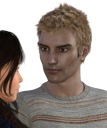
I've just downloaded Liam for Michael 7, and I can't seem to apply the skin mat. It's there, but when I click on it, nothing changes, and the renders aren't right. I've attached an image to show what I mean.
Am I missing something? I've only been rendering for a few months, so it's perfectly possible!
Thanks,
Rinelle
Tyris 06b.png
836 x 1000 - 1M

Daz 3D is part of 
Connect
DAZ Productions, Inc.
7533 S Center View Ct #4664
West Jordan, UT 84084
Licensing Agreement | Terms of Service | Privacy Policy | EULA
© 2026 Daz Productions Inc. All Rights Reserved.
Comments
Have you selected Liam in the scene tab before you clicked on the material?
Yep, he's selected, and I've tried going through both the right hand window, where the scene view and character presets are, and through the content library on the left hand side. Neither works.
The picture in your first post IS the Liam character with his materials. If you're applying the Liam materials to the character pictured, you won't see a change since it's already has Liam's skin.
But the colour of the skin is all grey and strange looking? It doesn't look like that in any of the pictures on the Daz studio site.
I'm pretty sure it's your lighting. Try this:
1. Load Liam character preset
2. I typically do portrait shots, so I Select the Head and click on the View: Frame/Aim tool. It's the icon on the Viewport on the right: A square with the + sign in the center of the square
3. On the Render Settings tab, select he Iray rendering Engine, click the Defaults button and render.
To get the Black background, I go to the Environment tab and set to Backdrop and change the color to black.
Hmm. Yeah, could be lighting. Mine looks pretty similar on default settings. I guess his skin is just a very different tone than the female character I have in the scene with him.
I did also realise that I don't have Michael 7, that he's based on. Could that be messing things up?
That would create a slightly different shape, but it would have no influence on the skin. Liam's one of the G3 characters I own, so I made a comparision render for you. The left hand character is Liam with M7 (he has the better definition), and to the right, it's Liam, without the M7 shape. They're both good looking characters.
If you have another character, like Lucius 7 or George, you could also dial him into Liam instead of M7, and the result would be another very different character.
Thanks! I can see the differences with them side by side like that.
It's possible that you get M7 base character cheap or even for free during March Madness sale, if you want Liam to have the correct shape.
Oh, and one more thing. Liam comes with two settings in Iray, one is the skin, and one is a "legacy" setting. There was a change in how certain values are interpreted between DS 4.8 and 4.9. If you are using the Legacy setting in 4.9, the character's skin will turn very pale/bluish. The other way around, if you use the regular setting of the skin in 4.8, you get lobster man in return.
I see the legacy settings. I wondered what that was for, thanks. I may have clicked it once or twice trying to get something to make any sort of difference, but it made no change!
Every skin I put on the figure, even ones I've used just fine on other figures (such as Grey), looks the same, they all have a greyish tinge. Maybe it's lighting, but I haven't had this problem with any other figure I've used before.
I did accidentally use a 3delight version once, and it looked a lot better, even though I'm rendering in iray.
I have no idea what's going on with this one.
Weird, really. Though, sometimes, DS has a hiccup where you have to setect the actual surfaces in the surface tab beore applying the surface, even if it works fine with the default application on any other time.
What light are you using? I don't even see highlghts reflected from any light in the eyes, so perhaps some soft-light HDRI?
My image was rendered using BOSS lightset, which rocks for portrait and stuff, though I got the Lightroom which was released a couple of days ago, and that also gives great lights.
The changes from 4.8 to 4.9 appear to be the issue. I just imported in the same character into a scene, and they look totally different. The scenes I have been working in up until now were all created under 4.8, so I hadn't come across this issue yet.
Unfortunately, this doesn't help me figure out what to do about it. I suppose I have to redo all my scenes rather than importing new characters in, which is a pain, as I had modified one character rather extensively using morphs. I also don't like the grey hue the characters all seem to have now.
I feel your oain. I am working on a webcomic, and all my characters are created under 4.8. When 4.9 came up with the colour change, I decided to stay with 4.8 as my main engine, and use the 4.9 Beta. Maybe, if DS 5.0 and Genesis 4 shows up, I'll transfer the bunch over, but until then, 4.8 is doing fine....
That said, I still see no reason why you should be unable to apply the 4.9 colour to Liam.
There is a manual workaround, though: Load a fresh 4.9 Liam into the scene, copy the material from him, and apply it to your "old" Liam. Does that work?
I did consider rolling back to 4.8, but render times were SO much slower! (My graphics card wasn't fully supported.) Luckily I don't have previous images to match! That must be a nightmare.
Thanks for telling me about copy, that has helped! At least I can get the face shaping right. Struggling with the eyes though. How can I find out which eyes I applied to a character? Not sure if the ones I have are the same or not, but they definitely don't look the same! (And they're not rendering properly.)
You can go to the surface tab and select the image of the base colour. It has the file name and locations, so you can try and back track from there.
BTW, you could simply safe out your morphed character as a character preset, then you can load it whenever you want. I did save my characters as scene subset, as they have hair and clothes.
So what I'm trying to understand is, if this is a change in the rendering engine, then why haven't the characters in the scenes I have saved changed?
I'm tempted to uninstall the update, put all the characters into a scene, save it, then reinstall the update. ;)
Interesting. When I save the character, and then reimport her, she has the old skin.
How are you saving the character?
Through the save as/character preset option.
I'm wondering if this is just the change between 4.8 and 4.9, or something wrong? I would have thought that if the skin was being rendered differently, then it would apply to all my old saved scenes as well?
I can even have two of the same character in the scene, one rendering just the way it always has, and one rendering strangely, as per the attached pic.
Those two have different skins, it seems. Please check the base material, do they reference the same location?
Try saving as "Scene Subset" and see if this give you the same problem. I haven't had any problems changing scenes between 4.8 and 4.9 BETA, outside of the lobster/ice queen effects due to the different transparency colour.
Hmm. OK, I did use a different skin. I would never have guessed that. Thanks!
Is there any easy way to lighten a skin tone? A lot of the male ones look very dark beside my female above. I opened the default map, and it doesn't look dark at all, so I'm wondering if there's some other setting that's darkening them?
Yes, there are. Maybe you'll check out this thread: http://www.daz3d.com/forums/discussion/54239/
But before you do, please check out this post: http://www.daz3d.com/forums/discussion/comment/1516761/#Comment_1516761
It's entirely possible that you are running into a light issue here.
Thanks, I'll read through those. :)
I'm sure lighting is an issue. I hate lighting! (I'm a photographer, and I hate it in real life too.) It's on my list to figure out, but for now, I've just been using the auto headlamp. Works fine for some skins, but obviously not for others.