How does Content Directory Manager Work? What is the DS content folder? How do I manually install?
 gideon.lupine
Posts: 14
gideon.lupine
Posts: 14
I have 1 entry for "DAZ Connect Data"
- E:\Users\Dredd\Documents\DAZ 3D\Studio\My Daz Connect Library
But I have two entries for "DAZ Studio Formats" and "Poser Formats"
They are:
- E:\Users\Dredd\Documents\DAZ 3D\Studio\My Library
- C:\Users\Public\Documents\My DAZ 3D Library
I have a small SSD drive and I prefer to put everything on my E Drive.
Not really sure what the difference is between:
- My Daz Connect Library on Drive E
- My Library on Drive E
- My DAZ 3D Library on Drive C
I bought "HFS Cybersuit is now for G2M and G2F" and the instructions say:
Installation Instructions:
Merge the folders contained in the product .zip files with the corresponding folders in your main DS content folder.
Look below at the file list for the complete file paths!
But I am not sure which of the three it is. None of them are called "DS content."

Daz 3D is part of 
Connect
DAZ Productions, Inc.
7533 S Center View Ct #4664
West Jordan, UT 84084
Licensing Agreement | Terms of Service | Privacy Policy | EULA
© 2026 Daz Productions Inc. All Rights Reserved.
Comments
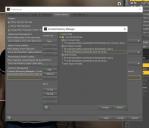
My Daz Install Manager DIM says this:
"My Library" and 'My DAZ 3D Library" are getting me really confused.
If I wanted to move My DAZ 3D Library on Drive C to Drive E, then what would be the best path to give it on drive E?
Would it be
or would it be
Using the My Daz 3D Library for items installed by DIM and My Library fro manual installs and your own files helps to avoid confusion and is the recommended approach, but it isn't compulsory (and in any event the exact folder names don't matter).
Ok, let's dive a little into this. But... In all fairness I also want to point you to the Daz documentation centre which contains a lot of information. However, I'll also be the first to agree that it can get a bit overwhelming, especially when you're just starting.
All 3 entries are content libraries. In other words: physical locations where your data gets stored. Now, Daz can do this in multiple ways:
Daz Connect
Daz Connect is a relatively new technology which allows us users to obtain & download contents right from within Daz Studio itself. It differs from the previous ('traditional') storage, one of the key differences being the use of DRM. This folder is basicallly the location where all that content gets stored.
My Library
It's basically what it says: this is the physical location where you'll be storing your own work. From poses, to renders, model or light presets: that's what you'd be looking for here. Therefor it's also something which I'd place somewhere next to your other user data which should make it easier to make backups.
My Daz3D library
This is the main content library. Whenever you install something using the Daz Install Manager (DIM) you'll find it ending up in here.
Poser
Another important detail which (in my opinion) sometimes confuses people: DS can use both its own storage format as well as Posers. Poser formatted contents can be recognized by the always existing runtime directory.
If you bought this in the Daz store then things are easy: just fire up the Install Manager, look up the product and let the manager do all the work. But if it's outside material then I definitely agree with Richard up there: unless you have a good understanding of the whole structure it might be best to use your own data folder ("My Library") for this. This helps you keep things separated, and will reduce the risk of your main library getting filled up with (maybe) unneeded stuff.
Foldernames to look out for when dealing with contents: "Runtime" (hints at Poser contents, often used sub folders are 'geometries', 'libraries' and 'textures'). And for Daz contents you'd be looking for names like: "data, presets, poses, props".
Hope this can help a bit as well.
This is something that's very easily misunderstood — the instructions aren't saying you must use the folder named "DS Content", they're saying you should use the folder containing your DS content files. Pretty much everything about DAZ|Studio can be customised, and the name of the content folder is one of them. As long as the folder you're installing into is the one named in the Content Directory Manager, it doesn't matter in the least what the folder name actually is.
So you are saying I can install the directories Data, Documentation, Runtime for my outfit to "My Library" and it will work?
That is why I have two entries in the Connect Directory Manager? It checks the first one for stuff then the second.
One is for Daz Connect, DIM and my own stuff. Each one has a data and a runtime directory. So I have three places for my data and runtime directories.
You can instll it to a folder named "Fred" if you wanted to and as long as "Fred" is set as a library in Studio's Content Directory Manager it will work.