Product Installation Issues
 tradivoro
Posts: 74
tradivoro
Posts: 74
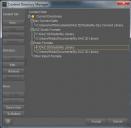
Hi there. I recently installed DAZ Studio. That was not a problem. I clearly stated at the onset of the installation that I wanted the product, add-ons and plugins to install in a different drive and I selected the drive. So, I'm thinking that this is a done deal. I use the install manager and of course, it installs everything on the C drive, even though I had set up DAZ Studio to store content on a different drive.
As you can see from the image below, the F drive is where I wanted the files to wind up, but the install manager put them on the C drive. So, is this as simple as uninstalling all the stuff from the C drive and making sure that install manager installs the stuff on the drive I want? Cause there was obviously no communication between DAZ Studio and the install manager. Any info appreciated, thanks.

Daz 3D is part of 
Connect
DAZ Productions, Inc.
7533 S Center View Ct #4664
West Jordan, UT 84084
Licensing Agreement | Terms of Service | Privacy Policy | EULA
© 2026 Daz Productions Inc. All Rights Reserved.
Comments
DS and DIM are separate as far as I know, so once you've set it up in DS, you will also need to set it up in DIM. Click on those C:/ paths in DS and then hit the remove button on the left. For the Daz Connect Data, you'll need to edit it instead of remove. In DIM, hit the settings button in the upper right corner and click on the Installation tab. There you can set your file paths for everything. On the Applications tab, tell it where all your applications are so plugins will be sent to the right spot there as well.
Rob has a scriptt o set DIM to match DS
http://docs.daz3d.com/doku.php/public/software/dazstudio/4/referenceguide/scripting/api_reference/samples/file_io/install_manager_config/start
(and also one to set DS to match DIM
http://docs.daz3d.com/doku.php/public/software/dazstudio/4/referenceguide/scripting/api_reference/samples/file_io/install_manager_config_import/start )
Thanks for your replies. Richard, I actually understand drives and changing paths better than scripts, so I think I will try the manual approach ChangelingChick recommended, so far I've been successful changing these paths. I've answered my own original question of, if I uninstall the content will it magically reappear again, and yes it does and it allows me ot install it at the new location. The DAZ Connect Data seems to want to remain on the C, even though I changed it, but that doesn't take up too much data, so it's ok if it stays
P.S. will a simple copy and paste from the old directory to the new directory work for the DAZ connect data? Or do they have to be installed so that the system sees all the files?
Yes, that's the way they work, the two programs do not talk to each other. This isn't a problem (usually...) when everything is left at the default settings, but if you need to customise content locations, you must manually check both DIM and D|S preferences before beginning to download content or install plugins.
This is FANTASTIC!!! Thank you, Rob! And you too, Richard for pointing these out :D