GenX problem ...
 shadowhawk1
Posts: 2,211
shadowhawk1
Posts: 2,211
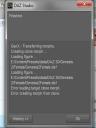
Hey everyone I am having a problem converting characters from V4 to G2F with GenX. I get to the last step where I actually use GenX to create the morph and I get two error messages in the GenX popup window telling me that there is an error loading target clone morph and an error creating morph from clone.It did it with 4.8 and now 4.9. I had 4.8 installed on my C drive and my content on E drive and now I have my 4.9 installed on my D drive and my content is still on my E drive.
Has anyone else had this issue and fixed it? If so I could really use some help!!

Daz 3D is part of 
Connect
DAZ Productions, Inc.
7533 S Center View Ct #4664
West Jordan, UT 84084
Licensing Agreement | Terms of Service | Privacy Policy | EULA
© 2026 Daz Productions Inc. All Rights Reserved.
Comments
Am I the only one having this issue?
I don't have the products, so I can't test it. Are you sure you have both of the needed products? As I understand it, in order to go from V4 to G2F, you need two products - Genesis Generation X2 as well as GenX2 AddOn for Genesis 2. If you have both of them and it's still not working, I really don't know. I wish I had it so I could test it for you. They're definitely on my wish list though. :)
I am at work right now, I know I have one of them I will have to look and see if I have the second one, I only loaded one file so I may not have one of these. Thanks for the comment I will have to take a look and see now.
I really appreciate you stopping by and leaving a comment, I am just about out of hair thanks to all of this.
Looks like you have a folder issue. In your picture, the Data folder (which contains Genesis, Genesis 2 and Genesis 3 morphs) should not normally be in a Presets folder. My best guess the GenX error indicates it's not finding the required clone .dsf file in where it thinks your data folder is located.
Your Daz Library path, according to your picture, would be E:\Content within the Content folder, one would typically find aniBlocks, Animals, Architecture, Data, Documentation, Environments, Figures, Hair, People, Props, Scenes, Shader Prests and other Folders
In the Daz Content Library Manager, your Daz Studio Formats Library would be pointed to E:\Content
Are you only using 1 primary Daz Studio Format library folder or multiple ? Do you install with DIM or manually?
I have two folders, one that is my primary and only Studio content folder, the E;\Content that has all the other folders are inside like you discribed. My other content folder is my Poser runtime from when I used Poser and it is linked in any way to my E:\Content folder.
With that info, your Data folder should be in E:\Content\Data and you should only have 1 Data folder, so I don't know why it's looking in E:\Content\Presets|dataDAZ 3D\Genesis 2\Female\Genesis2Female.dsf to create a clone file.
When you get back home, look and see if you have E:\Content\data\DAZ 3D\Genesis 2\Female\ folder as shown in the attached pic. I've altered he folder path in the image to reflect what you should be seeing.
Also, report back of what you have in E:\Content\Presets\data and confirm that your Edit>Preferences>Content Library>Content Directory Manager Daz Studio Format library is mapped to E:\Content
I manuall install all of my content, I forgot to tell you that before. My process is to unzip all of my purchases and then without changing the base file locations I go in and remove the vanity folders from the people props and other such folders but do not touch my data and runtime folders. I can verify right now that I do only have one data folder, but I will take a screen shot for a visual like you have done. I will also verifymy Edit>Preferences>Content Library>Content Directory Manager Daz Studio Format library is mapped to E:\Content.
Thank you for the tips and things to verify. I work in Iraq, and it is close to 1:30 in the afternoon here so it will be at least 4 hours before I can confirm any of this for you.
You're welcome. I'm sorry I couldn't be more help. I hope you get it figured out soon. :) Keep us posted. I'm looking forward to getting this product (hopefully soon) so I'm curious as to if this is a product issue or perhaps an install issue. Hopefully it's an easy fix. :)
Trust me you were a big help, I am almost positive that I do not have both products so that might be part of the issue as well. I will make sure that I keep everyone informed as I really want to convert the large stable of V4 based characters converted to Genesis 2.
OK, I think I might have found my problem here. As you can see my Data file mirrors what you showed me with your attachment, but it looks like somehow my content folder follows a winding path instead of a direct one. That might explain why I had to go and add each folder to my directory to see it. I am more used to working in Poser than Studio so before I go and screw something up I want to ask. Is this as simple a fix as it looks? Just edit it to remap straight from E:/Content and then remove every thing else? Or do I need to remove everything and remap to my content folder again?
It looks like you have prossibly solved the issue with your suggestions, but I just want to verify the fix before doing it.
Since you install all of your Daz Studio into one folder E:\Content
1. In Content Directory Manager, leave the first two mapped folders as is and have only E:\Content mapped and remove all of the other E:\Content\xxx entries. Leaving three mapped folders.
2. Go to E:\Content\Presets\Data If there are folders and files in there, merge them into E:\Content\Data
3. If you have a Data folder in any of the folders within E:\Content, you should merge them into E:\Content\Data also.
Your Daz Connect Data should only have ONE mapped folder. I can't tell what you have mapped since that category is not expanded. Even if you don't use Daz Connect to install content, you should have at least one folder mapped. In GenX2, there is Connect Path button, that should be mapped to your Daz Connect Data folder.
Hope that helps with your content library issue..
Edit: As an added note: Your E:\Content should contain a Runtime folder. If you have any Runtime folders in any of the sub-folders within E:\Content, you should merge all of them into E:\Content\Runtime.
Here is the expanded view showing the single folder in my connect data. I have never connected to daz connect and have blocked it from connecting to the internet. OK I am seeing something here that maybe you can confirm for me before I do this. The path way to my E:\content folder is a rather conviluted and winding one (not sure how it happened that way) Could this be part of my problem? I am showing a direct path when using GenX E:\Content.
I have also taken a screen shot of my library and as you can see that the very top folder is the folder from C:/Users/clone99/Documents/DAZ 3D/Studio/My Library, the next folder is where my saved scenes are stored, and then all of my folders. If I remove the folders and then update, all of my folders disappear. which leads me to believe that C:/Users/clone99/Documents/DAZ 3D/Studio/My Library is a bad location. I have no folder called "My Library" on my E: Drive.
Oh to answer your question, there is a data folder in the E:\content\presets\Data location. There are no other data files in my content folder and there is only one Runtime folder location.
I'm sorry if you posted about it already, but did you confirm that you have both of the products needed to go from V4 go G2F? :)
I have both but the GexX was installed with 4.8 and the add on with 4.9. I am not sure if that is an issue but I am going to reinstall genX and the add on to 4.9 again to make sure that isn't causing a problem.
According to your pic the top folder is showing E:/Users/clone99/Documents/DAZ 3D/Studio/My Library not drive C: What do you have in there when you click on My Library within the Daz Studio Content library?
If all of your content is installed into one folder E:\Content, my suggestion would be:
1. Content Directory Manager: Daz Studio Formats: Leave the first two folders and E:\Content. Remove all of the other E:\Content\<folder name> entries. Poser Formats: looks fine.
2. E:\Content should contain both a Runtime and Data folder and no where else. If you find Runtime and Data folders elsewhere, move the files into the Runtime or Data folder within E:\Content. If I understand you correctly, you're saying you only have one Data folder and it's located in C:\Content\Presets|Data? Just move that folder out of there so it's in E:\Content\Data is all you may need to do.
With these changes your Daz Studio Formats library should look similar to the attached picture. Where I show DAZ Studio Formats>My Library>list of folders, you'll see DAZ Studio Formats>Content>list of folders. You'll also see My Library (not sure what you have in there) and My Daz 3D Library with your saved scene presets.
I'm not clear what you are saying "The path way to my E:\content folder is a rather conviluted and winding one (not sure how it happened that way)" E:\Content is pretty simple and there is nothing wrong with that.
As far as GenX2 is concerned, it looks for Genesis files based on what you have set in your Content Directory Manager in the Daz Studio Formats section. Since you have E:\Content\Presets mapped, the GenX2 Error message indicates it found the Data folder in E:\Content\Presets. What I am trying to do, and what I am familiar with, is to get your files, particularily the data folder, in the proper location first. We can deal with your GenX2 issue after you've made the changes I suggested.
Granted, the way you have it set up currently, with all of the E:\content\<folder name> entries in the Content Directory Manager may work, sorta, for you, but it's not the preferred way to setup your content library if you have what appears to be a single folder where you install content (E:\Content).
I was initially afraid to say anything as I could tell from the GenX2 error message you have content library setup issues and the more you show me the more frustrated I become telling you what I believe you need to do to get your content library in order. Although I haven't seen what you see when you navigate within your Daz Studio format library, DIM is designed for users who install their content into one folder. If you install manually because you want to organize your files in a particular structure, you're free to do that, but you need to understand how the Content Library works and what happens when you put files here versus there.
Oops, yeah I was looking at the location my where my saved scenes are stored. Sorry about that. I did find a data folder in the preset folder you mentioned and I set it up to transfer as I left for work this morning. I will veriy that the files are properly moved when I get back to my room tonight. The current set up was done by my brother when I first switched over to studio about 18 months ago and I haven't messed with it. I am more familiar with Poser runtimes the the daz contet structure. I can tell you that while I do download my files I do not alter any of the main folders, all my changes are inside the folders, For example inside People/Genesis 2 female/clothing I have subfolders for dresses, shoes, sci-fi and such.
I hope I am not coming off as dragging my feet or appearing to be unappreciative, I am very thankful that you are willing to assist me. I can take a screen shot of something if it will help find a way to fix this. I can provide a screenshot of my content folder set up when I get back to my room.
What I was saying about conviluted was that it does the E:/Users/Clone99/Documents/DAZ 3D/My Library instead of a simple E:/Content. I was a Poser user for many years so I am very careful about making sure I don't upset required folder placement and mirror the way DIM installs content, but I understand your being worried about making suggestions.
I will post an update onne I get to my room after work.
I really do appreciate all the assistance Lindsey, you are giving me avenues to try that I wouldn't have normally understood or thought of.
ZOMG!!!!!! IT WORKS!!!!!
You are so AWESOME!!!!!

 Thank you so much for your help! the Data file in the preset was the issue! you have no idea how happy you have juut made me!!!
Thank you for taking a chance and offering your help. I can't thank you enough for this!!!
Yay! I'm glad you where able to get it fixed! :D Happy morph-transferring! :)
Well I had to reinstall GenX and the add on so you deserve my thanks as well! Your idea was perfect I wasn't aware that I needed the addon so THANK YOU SO MUCH!!!

 !!!!!!!!