How to (don't know the right term) Reset the Base Point On the Transform Tool?
 404nicg
Posts: 270
404nicg
Posts: 270
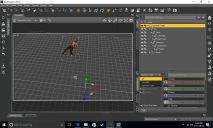
So I have a set of poses that were originally for M4 that I'm trying to use on G2M. When I apply them the parameters are all wacky and G2M goes waaay out of the scene. What makes the pose set pretty much unusuable is that when trying to put G2M back in place, it seems the base point for the parameters tool has been thrown off so it's nearly impossible to rotate or translate the figure without tons of hassle. I attached an image of what I'm talking about. Is there a way to keep the poses but get the transform tool to get back on track with the G2M figure, like it is by default? Sorry if I explained that weird

Daz 3D is part of 
Connect
DAZ Productions, Inc.
7533 S Center View Ct #4664
West Jordan, UT 84084
Licensing Agreement | Terms of Service | Privacy Policy | EULA
© 2026 Daz Productions Inc. All Rights Reserved.
Comments
Did you try saving the pose as a pose preset for G2M and getting rid of the transforms? Go to File>Save as> Pose Prest (make sure G2M is selected in your Scene tab).
When it opens the popup box, you can chose what gets saved with the pose. Click on the arrow so the tree fully expands
and deselect General>Transforms. Usually getting rid of the main one will do it. You might have to get rid of all of them, though, under the various body parts.
Thanks for your response! I actually did but it didn't work
Oh, managed to get screenshots. Did you try getting rid of all of the transform settings?
What poses were you working with? If I have them, I might be able to help you figure it out.
Select the hip bone, i bet all that translation is in there, copy the values to the root and zero out the hip. (leave the rotations as they are though)
Ahhh thank you both very much! I did have to get rid of the transform in the hip as well as the general transform. Your tutorial was very helpful Knittingmommy and thanks for the suggestions fisty!
You're welcome!