
Daz 3D is part of 
Connect
DAZ Productions, Inc.
7533 S Center View Ct #4664
West Jordan, UT 84084
Licensing Agreement | Terms of Service | Privacy Policy | EULA
© 2026 Daz Productions Inc. All Rights Reserved.
Comments
Thank you. It's more the fun of tinkering around than anything else, and the result is certainly mostly illustration purposes for how the product works, and what can and can't be done.
And... Oops... I knew I had forgotten something in the credits!
I think it's this one: http://www.daz3d.com/beach-pod
But I have to check the file first to be sure.
EDIT: Is is, indeed, the BeachPod beach, though I used a different texture on it.
I think someone asked if this works well with pools, I find it works really well with inground pools.
You just need to hide the foam layer, use the clear water material setting, use dead ocean, and slow down the aniblock to 50% speed.
Of course you can also completely change material...
While I'd love to watch your video, the powers that be do not allow it, because the GEMA objects to the SME music you use. (Actually, they are arguing with YouTube for fees about songs by SME, not you.)
So, while I think the still is hilarious...
Thanks.
I'm currently experimenting with having two different ocean segments overlapping, with the more "violent" one reduced along the wave-running axis by 75%. The results so far are quite interesting, but to really make this work, an "end section" part is needed that has no movement. Otherwise, the edge will break through the surface (of either the beach or the other wave segment), and pretty much ruin the effect.
Nice work, I am liking the effects. It definitely looks much more like a shoreline now. The previous video of the rolling ocean in the background with the dead ocean in the foreground really looked nice as well. It almost looked like it could pass for a far-off tsunami if you upped the Y-Scale perhaps.
Anyway, great work.
-P
@BeeMKay, I uploaded a 2nd version without sound for you:
Thank you! George is really having the good life, first pleasure-riding a whale, now whaling around himself in the pool.
The water is Dead Ocean? I presume? It fits the size of the pool nicely, also in regards to the wave hight. Well done.
Yes, dead ocean, and i slowed down the aniblock by 50% to give it a more casual movement. A warning though: Changing the material to a volumetric milk shader geatly increased render time. With water I can get away with 100 iterations, with the milk shader it required 450 iterations to get a non-grainy look, so I went from about 1 minute per frame to over 3 minutes per frame to render.
Talk about render times... I am currently experimenting with transparency maps to approach the wave-at-shore thing from a different angle (as a workaround), and that also increases the render times considerably. But the results of the first test renders are promising.
Here's the (for now) final installment of the tests with the iAWS. Adding transparency maps this time. https://vimeo.com/185394994
EDIT: It's Animated Water System, not animates Oacean System, of course....
interesting effects but does not look like water any more for me
mavbe for some really different use
a teleporter or portal comes to my mind here
maybe some boulders at the shoreline make it look different
The problem is that water has volume, and shore waves has volume... but the waves here are not created for shore waves.
It simply shows, and the cutout opacity map also doesn't catch everything. I hope that the PA will come up with some add-ons for the product, because it just has so much potential.
i think your vids are a big help for philosopher to evolve the product
Thought I'd have a play with this great product. Some of Ron's splash brushes used around the edges of the pallet
Great render!
Let's hope she wasn't shipwrecked by George and his whale...
Great work @chris-2599934. The little splashes add a nice effect too.
-P
really great job. :)
One I did
Sailing Away # Gallery Post
click for best viewed full size 1080HD
@Ivy "One I did, Sailing Away # Gallery Post"
Lookin' good (great actually).
Thank you.FB , I too used a little photoshop to create the boat wakes.
Had a little trouble rendering this at first I had just updated my graphic card driver just before working on this , and the driver was giving me all kinds of problems, crashing Daz & Blue screening my systems. it took me a minute to figure it out. but once i rolled the NVIDIA driver back i was able to render this with out any issues.
Great render Ivy; very realistic looking. And the splashes add a nice effect. It makes me thirsty just looking at it.
-P
@Ruphuss,
Definitely. There are some great ideas in this thread. And considering the product seems to be popular in the store, I will see if I can continue developing upon it further. I would really like to tackle the beach idea, to make realistic waves crashing up on the shorline. So far the solution has eluded me, on how to do this with point level animation. But hopefully I can figure it out.
-P
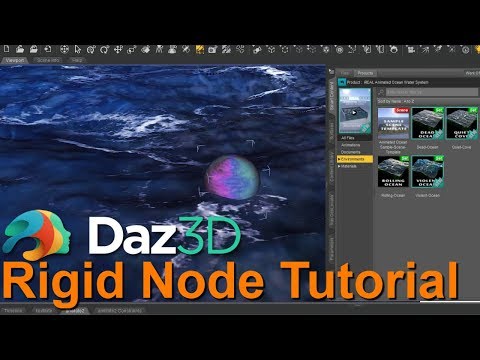
If it's of any help to anyone, I just released a tutorial regarding using rigid body with the water to make an object appear to "float". It's on my YouTube channel: Kallie Experiments
Instead of that shore at the edge why not set a island in the middle of it? Or is that what you've done?
thanks for your attempt of a tut video
but its so silently spoken and then this distracting music all the time very annoying
you can do this better
Fantastic tutorial, thank you for sharing the knowledge