Tin Pan Alley issue
 Super cheese sandwich
Posts: 633
Super cheese sandwich
Posts: 633
in The Commons
I can't find Tin Pan Alley from Stonemason. I have reinstalled it from Daz manager and I don't see results. I even have reinstalled daz but nothing 
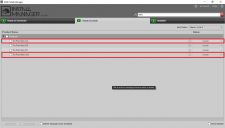
There are some files that I can't install "CA" and "VUE" (Image attached)
Thanks!
DAZ1.png
1280 x 728 - 25K

Daz 3D is part of 
Connect
DAZ Productions, Inc.
7533 S Center View Ct #4664
West Jordan, UT 84084
Licensing Agreement | Terms of Service | Privacy Policy | EULA
© 2026 Daz Productions Inc. All Rights Reserved.
Comments
CA means Carrara, Vue means Vue. These are other programs, so you don't need this files in Studio ;)
I have Tin Pan Alley and will have a look, where the files go. I install most stuff manually, so I hope, I can help you and the files are at the same place as they are installed over manager :)
Ok, look at Probs - Stonemason - TinPanAlley
I look in props but I couldn't find it
How can I install something manually? I have the files in my desk
Thanks!
You have to extract the file. Then there is a folder "Content". Put all folders from there in the folder "My Library" you use in Studio.
Here is a video tut about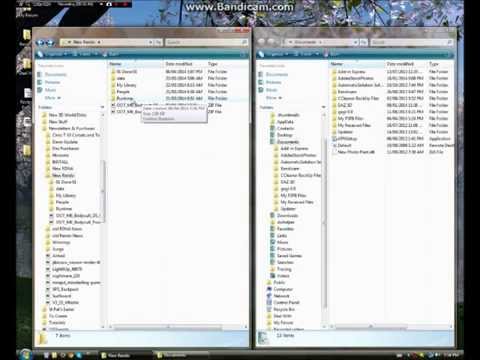
But I do it more easy: In the content folder I pick all folders there and past them in My Library.
First you can have a look in the folders to see, where you can find the stuff in your Library.
I hope this helps.
Here you see what is in Content and on the other pic the folder My Library in Studio
In the Instal Manager, when you have installed it, right click on the file and you'll see an option to see where the files get installed to. They are also links so you can even click on them and it'll open up the folder they get installed in.
Found it! but I found it in a sub sub sub folder in "My content". There is a way to see it in "Smart content"?
Thanks!
Environments > Cityscape