Cockpit seat sitting etiquette
 WendyLuvsCatz
Posts: 41,498
WendyLuvsCatz
Posts: 41,498
Click to play video
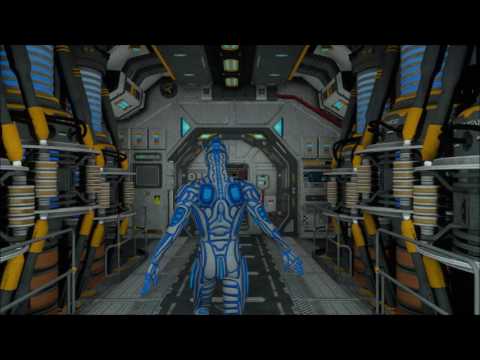
I have this issue with many fixed seats in SciFi sets, Petipet did at least provide arm rests that bend down, what is the the most elegant way of sitting in a cockpit seat?
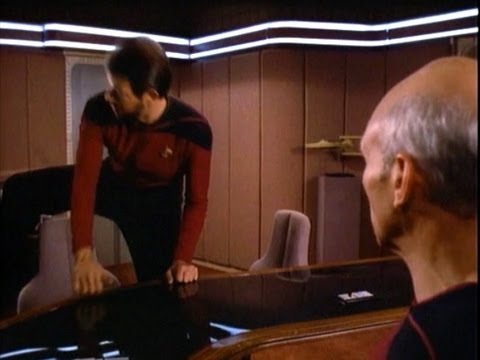
Or any fixed seat, do we do it like Riker?
Click to play video
Post edited by WendyLuvsCatz on

Daz 3D is part of 
Connect
DAZ Productions, Inc.
7533 S Center View Ct #4664
West Jordan, UT 84084
Licensing Agreement | Terms of Service | Privacy Policy | EULA
© 2026 Daz Productions Inc. All Rights Reserved.
Comments
+1 for chair swivels
good shot of Picard's cheekbones
Oh yes facial cheeks, was about to replay video in case I missed some Patrick Stewart butt, not sure I ever seen his butt ages well.
this set says rotating seats
http://www.daz3d.com/dystopian-tribunal-hall
restroom prolly down the hall.
havent found a spae ship with restroom.
lol love how the music changes whe robot starts catwalking down the aisle
This is the kind of environment product tour I like. Into my wish list it goes!
lol love how the music changes whe robot starts catwalking down the aisle
This is the kind of environment product tour I like. Into my wish list it goes!
I have spent about a day messing around with the cockpit by petipet. There are two types of chairs or 'chears as they are mispelled' in there. Ones that slide back and forth at the viewing screen and others in the side areas which swivel. All chairs apparently have the armrest up and back movement. All chairs but those in front of the view screen rotate.
The challenge I have here is I found the chares are overall just way too close to the console. Even rotating them, the characters c
Ah I did not try sliding them
I am in Carrara and while the limits work they are not labeled, I could of course turn of limits then rotate them.
my figure fit ok it was just a bit of acrobatics animating him sitting in it.
it is actually the cockpit and the engine room joined up, which they do.
I think the set would be improved by one chair you can sort of move around independantly. I found the chairs were too close to the dash of the ship, and that I had trouble posing them correctly. I also had to scale my characters down slightly.
tip.png?
nice idea if we moving beyond those archaic 91x91 pngs
Hear hear!
Yeah especially for poses on a 4k monitor. I find myself getting real close to the screen and squinting to make them out!
I have found out by accident when making my own thumbs
if I just render my own, say 300x300 png (to the whatever-preset folder, save it as xxxxname.duf.png, yes to overwrite)
not only I get a crisper nicer thumbnail image, if I mouse hover/linger over the thumb, I will get a larger 300x300 preview!
So go 1000x1000 if you got a power pc to match your 4k screen! lol
On this note, oh the horror of DS openGL transparency! Like huh, what's that thing I just saved? Why does look like a crazy abstract painting?
Honestly though, I'm puzzled by DS sloppy openGL thumb thing...so out of place against the last 2 year's modernized GUI
No idea why DS, a pretty fussing-over-custom-product tool has no simpler
- save thumb default preference (choice of 3delight mid-res default OR iray mid-res default)
- right click on current thumb> save thumb with current render engine
Hm looks like I got another thing to ask for DS 5.0! Unless....thumb update is another recent update I'm not aware of... so I hope lol