-
-
-
-
$18.99
Artist:Compatible Figures:Genesis 9File Formats:DUFSKU:115711Optional License Add-Ons:
$35.00$1.99*Unless otherwise specified, no discounts or offers will apply to License Add‑Ons.
Optional License Add-Ons:
$35.00$1.99*Unless otherwise specified, no discounts or offers will apply to License Add‑Ons.
-
Details
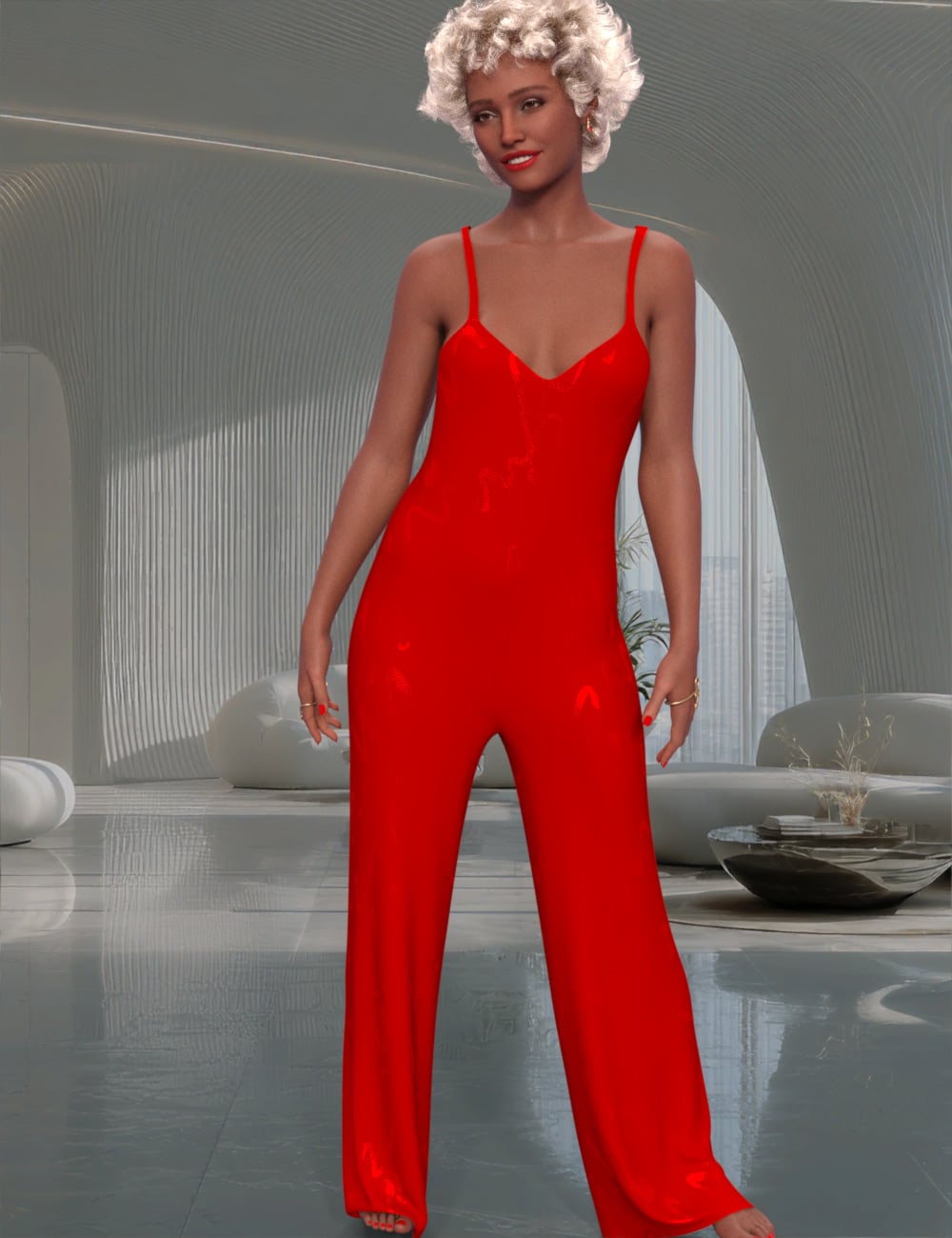
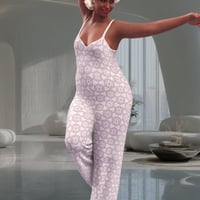
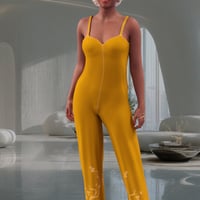
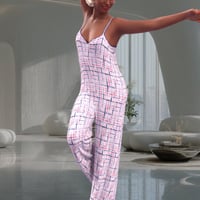
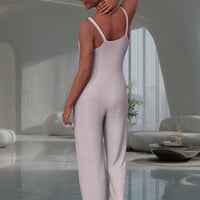
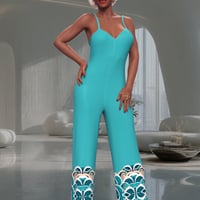
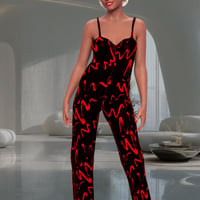
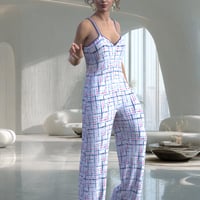
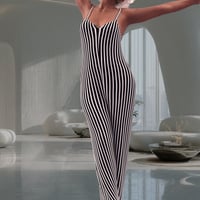
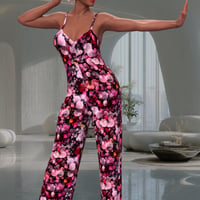
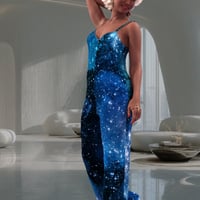
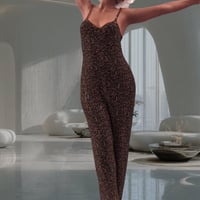
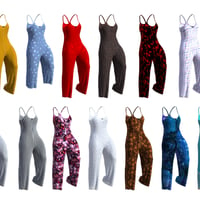
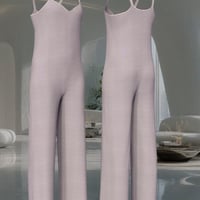
The Sisters in Chaos proudly present Angie, a dForce enabled loose pants suit for Genesis 9. Angie generally sims in one frame, making it very easy to use in your stories. Thirteen unique Iray textures for Angie offer options from everyday to club wear . The pair of Any Color options to allows Angie to fit effortlessly into any scene.
A handful of adjustment morphs are provided to help with difficult poses.
So please add Angie to Genesis 9’s closet and see how much fun Our Dear Girl can get into!
The Standard Invisible floor is included to make floor poses easier. Chairs and such will probably require that item to be granted Static Surface via Edit > Object > Geometry > Add dForce Modifier: Static Surface. It may be easier to resize the Invisible Floor and jockey it into place at the top of the chair's seat.
To use the Any Color options, be sure Angie is chosen in the Surfaces palette, find Base Color (it's near the top) then click gray bar and choose a color you prefer. You can apply the color to all parts of the item at once, or you can select each individual part and make it a different color. Have all the fun you can!!
As ever, not all poses and body shapes work with dynamics. Should a limb pass thru the torso or another body part, or if the bend is too tight, Explosions will happen. Slight pose modifications will cure the latter, but if a body part passes thru another, that pose just can’t be used with dynamics.
And as always, THANKS for checking in.
What's Included and Features
- SIC Angie dForce Pants Suit for Genesis 9: (.DUF)
-
Clothing Pieces:
- SIC Angie
-
Included Morphs:
- Expand All
- Adjust Ankles
- Adjust Buttocks
- Adjust Collars
- Adjust Knees
- Adjust Midriff
- Adjust Thighs
- Adjust Waist Lower
- Adjust Waist Upper
-
Supported Shapes:
- Ally9
- Amala
- Amelia9
- Angela9
- Asha9
- Audrey9
- Ava9
- Bishop9
- Brianna9
- BaseAnimeFFeminine
- BaseAnimeMMasculine
- BaseFeminine
- BaseMasculine
- Calulm9
- Centaur9
- Chert9
- Cheyenne9
- Chloe9
- Freja9
- GenghisK9
- Gren9
- Hanako9
- Harlow9
- Ivar9
- Jennie9
- Josie9
- Julius9
- Julian9
- Kala9
- Kara9
- Kiri9
- Lahr
- Lauryn9
- Lawrence9
- Lyna9
- Madison9
- Michael9Fem
- Michael9
- Minerva9
- Mira9
- Nathan9
- Neanderthal9
- Nikolai9
- Olivia9
- Olympia9
- Pixie9
- SnowQueen9
- Sophia9
- Tara9
- Thimor9
- Thomas9
- Victoria9Masc
- Victoria9
- Valenia 9
- Walter9
- Xiao9
- XiuLin9
- Zack9
- BodyEmaciated
- BodyFitnessDetails
- BodyFitnessMass
- BodyHeavy
- BodyLithe
- BodyMuscularDetails
- BodyMuscularMass
- BodyOlder
- BodyPearFigure
- BodyPortly
- BodyStocky
- BodyThin
- BodyTone
- BodyVoluptuous
- BreastsCleavage
- BreastsGone
- BreastsLarge
- BreastsNatural
- BreastsShape01
- BreastsShape02
- BreastsShape03
- BreastsShape04
- BreastsShape05
- BreastsShape06
- BreastsSmall
- MassBody
- PectoralsCleavage
- PectoralsHeight
- ProportionLarger
- ProportionSmaller
- ProportionSmallerBO
- Other Shapes may be supported in Daz Studio by Auto-follow
-
Textures Include:
- 21 Texture, Bump, Displacement, Normal, Reflection, Specular, and Transparency Maps (4096 x 4096)
- Texture Templates available here: \Runtime\Textures\SIC\AngieGNine\Angie UVs.png
-
Daz Studio Iray Material Presets (.DUF)
- -*- Angie
- SIC Angie Any Color Eyelet
- SIC Angie Any Color
- SIC Angie Black Stripe
- SIC Angie Bramble
- SIC Angie Bubble Gum
- SIC Angie Denim Capris
- SIC Angie Fish
- SIC Angie Galaxy
- SIC Angie Leopard
- SIC Angie Red Squiggle
- SIC Angie Snake
- SIC Angie Squiggle
- SIC Angie Tie Dye
- -*-Options
- SIC Angie Capris Length
- SIC Angie Full Length
- -*- Floor
- SIC Angie Hide Floor
- SIC Angie See Thru Floor
- SIC Angie Show Floor
- Templates are located here: \Runtime\Textures\SIC\AngieGNine\Angie UVs.png
Notes
- This product includes:
- 1 DSON Core Installer













Daz 3D is part of 
Connect
DAZ Productions, Inc.
7533 S Center View Ct #4664
West Jordan, UT 84084
Licensing Agreement | Terms of Service | Privacy Policy | EULA
© 2026 Daz Productions Inc. All Rights Reserved.