-
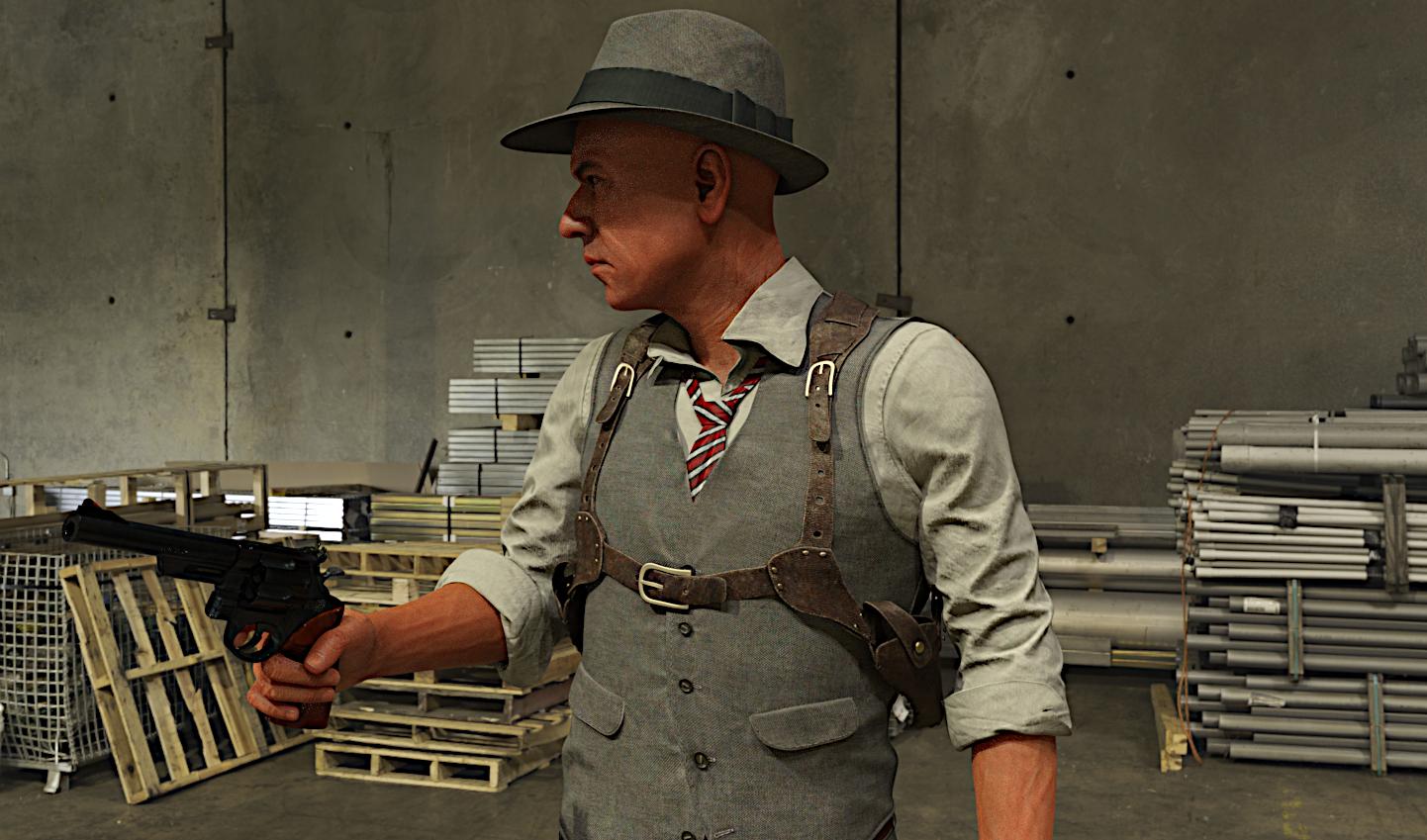
Astronaut for G8.1M. Head morph without textures!
Edit: Please download this morph from here:
The link above (first post in the thread) contains zip files to my updated characters with some fixed issues - in this case the teeth, inner mouth that were misshapen. I also moved somewhat back the Astronaut's jaw and made the lips slightly bigger.
Another head morph for your renders and animations - the Astronaut. You will find the backstory for this character and an image that shows him in "action" here:
This is a tough but very smart guy. I hope that shows in his features...

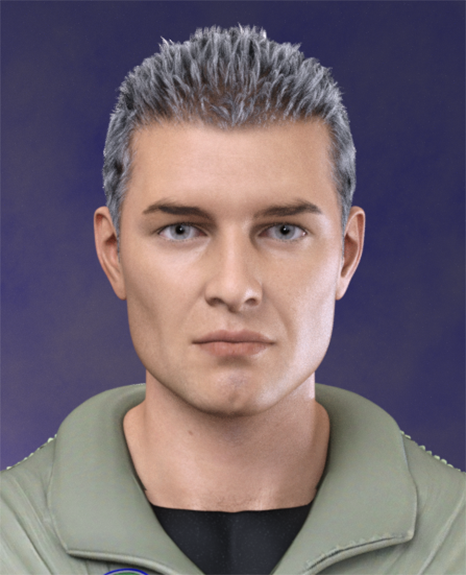
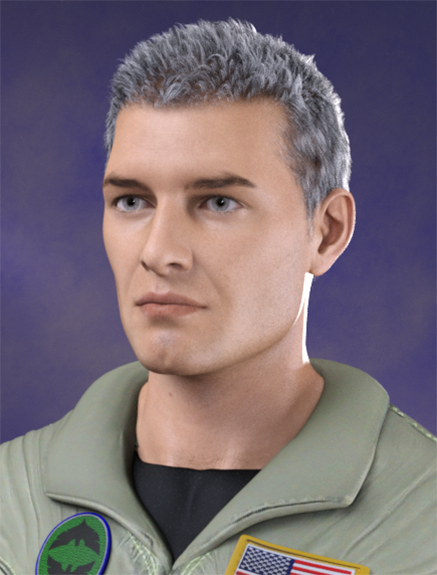
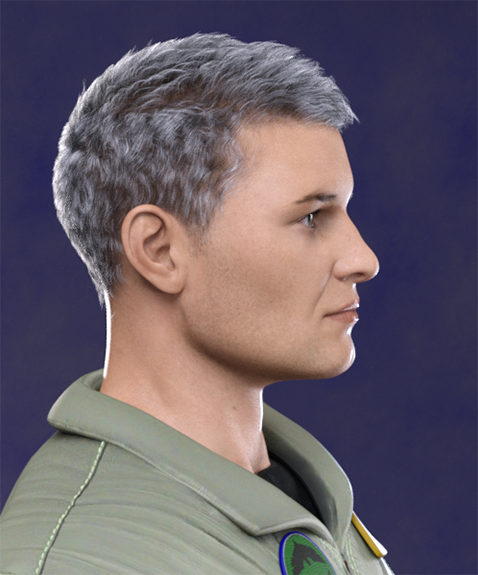
I used in the promo images:
Togatta Hair for G8.*M
Bold Brows II for G8.*M
Flight Suit for G8.*M
Natural Eyes II for G8.1M
Lashes Utilities for G8.*M
BOSS Portrait Light Set
Commercial and noncommercial use.
Have fun!
AOBB
Star Trek Builders Unite 8: THE REBOOTDemonslayer said:
I've been working with XCalpro's Gorn head, retexturing and creating morph targets. :)
For anyone interested, I also have created a fan film called "The Gorn Imperative."
Please enjoy!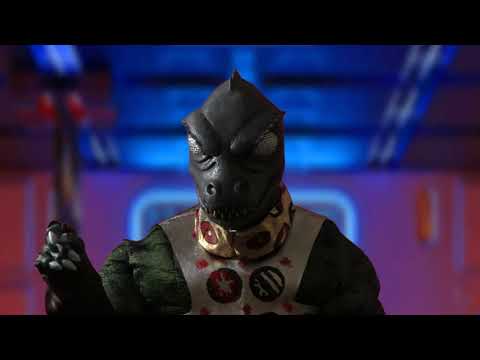
I watched it a few months ago. I'd really like to see where you take the sequel, especially since the Gorn are so severely underutiilzed in Star Trek.
Eris and AerisI would be very surprised if the horns were baked into the morph. They're probably geografts.
Aerys looks amazing! The first male character since Jonas that I like and could live in the same universe as all the Thorne girls.
Star Trek Builders Unite 8: THE REBOOT
Any chance we will be sharing that morph ?Demonslayer said:I've been working with XCalpro's Gorn head, retexturing and creating morph targets. :)
For anyone interested, I also have created a fan film called "The Gorn Imperative."
Please enjoy!
I can't get the morph loader pro tool to work.Sorry for the late response!
I am trying to morph a stock genesis 8 basic female. Just for the sake of troubleshooting, I am using the .obj export just as it is as the morph object.
Eyelashes were removed before export.
I don't see resolution settings anywhere can you elaborate.
The help is much appreciated!
 Star Trek Builders Unite 8: THE REBOOT
I've been working with XCalpro's Gorn head, retexturing and creating morph targets. :)
For anyone interested, I also have created a fan film called "The Gorn Imperative."
Please enjoy!
Could Luthbel PLEASE update Eldritch Seeker to G8/8.1 ?lou_harper said:
My problem is this. Shirt doesn't follow lower arm bend. Upper arm is fine, but anything below the elbow is nada. Same with coat.
Could be because of the morph since it works fine for me. I just tried it our on GM8 and I think it autofits well
 Duplicate formula found.....
Just to chime in case anybody sees this thread (and Alice is in a grab bag sale,) the issue is reported as fixed on the read me page.
-
2021-07-15 - Fixed Alice duplicate formulas with another character
So hopefully that takes care of the problem and future potential buyers coming across this thread are not put off the product.
Also as an extra PSA, PAs, please don't use generic names for morphs, ever. You can use a simple name as -part- of the name, but you need to add something to it, like your PA name, to prevent these kinds of issues from happening. Additionally, the QA at Daz needs to stop allowing Genesis characters that have simple morph names from releasing, period. I know that Daz cannot list every single G8 product on the planet to prevent duplicate names, especially ones from other stores. But they can look at the morph list on a product and see names like "Alice Head" or "Alice Body", and consider that maybe somebody has used that name before at some point in time. They should then automatically reject the product and have the PA rename the morphs, with either their PA initials or how about a random number. Hey, the number 42 sounds pretty cool. I bet there is no "Alice Head 42" or "Alice Body 42" in existence for Genesis 8 Female! It should be standard practice at this point, as this duplicate ID mess has been going for years, a decade even, and only will get worse without proper guidelines in place for all products that have Genesis morphs in them.
How to make Simple Morph creation workflow just like we have when using Hexagon Bridge ?DaremoK3 said:
I'm working on it, but it won't be a 'live' bridge like the Hexagon one.
However, it does circumvent using manual OBJ import/export, and Morph Loader Pro -- It utilizes straight vertex (point cloud) return files with delta changes from a simplified facet mesh export through an exchange folder with Blender.
First gen prototype :
https://www.daz3d.com/forums/discussion/comment/6389836/#Comment_6389836
Oops, sorry Ken, I must have been responding as your post appeared.
Daz Studio 5 development updateRuthven said:
What I would like, is Smart Content showing ALL your files/products for a given category, not only the first some-hundred of them. This is really important when you own hundreds of products and can't remember all of them. I understand this would mean it becoming slower in displaying your items, but Daz developers can try to optmize it!
And when you have many hundreds of products, how does 'smart' content make it any easier than following a logical path in Product Library? No mistaking morph presets or material presets for characters etc...
Why do some characters load from the smart content figure window, and others don't?As noted above, a character is a set of shapes, materials, and occasionally other items (eyebrows, facial hair, etc.) for a base figure. The actor (as labeled in Daz Studio) is the character preset that loads the base figure and applies the initial shapes, materials, and other items.
I beleive that what you are calling "morph presets" above are the same as a Shaping Preset. A shaping preset allows you to save morph settings for a particular figure, which can be applied to any other figure of the same generation (or shared between G7, G8, and G8.1 if you have the same packages across them) as long as the morphs are present. For example, if you take the base Genesis 8 Female and use the Genesis 8 Female Body Morphs and/or Genesis 8 Female Head Morphs to create a unique look, you can save that preset so it can be applied to another G8F figure. A custom designed morph (like a deformed arm) that is created somewhere else and imoprted into Daz Studio with Morph Loader (or included with a character or other product) would be a morph asset.
A materials preset is similar to a shaping preset in that it allows you to save the specific mix of materials you have applied to the figure. Really, all the materials included with a character are materials presets (skin, eyes, lips, nails, etc.) and can be applied to any figure if the same generation (Genesis - Geneis 2) or multiple generations (Genesis 3 - Genesis 8.1), though only forward, so a G7 material will load for G8, but not vice versa by default. Of course in most implementations, while you can apply eyeshadow across figures, it replaces the whole face material so if the base skin is from a different character package, the face will not match.
All products in the store list everything you get in the What's Included and Features section, down to the textures. The "Details" is just the sales pitch, and some PAs are much better at writing them than others. I wish more items would call out the DAZ assets used in the promo images and note items that are not from DAZ like custom characters, assets from other stores, etc. ( i.e. hair and outfit not sold by Daz), but I know that there are many PAs who commission the promo images and don't have this info.
ETA note about sharing shaping presets between G7-G8.1.
I can't get the morph loader pro tool to work.felis said:
You haven't stated what it is you are trying to morph.
Some typical issues is, forgetting to set resolution to 'base' or remove eyelashes before exporting.
And the tear if using 8.1.
I can't get the morph loader pro tool to work.You haven't stated what it is you are trying to morph.
Some typical issues is, forgetting to set resolution to 'base' or remove eyelashes before exporting.
Genesis 8 model without faceCheck or google ITF Merchant Morph . That freebie came with FLAT eyes and nose
Why use custom characters?Shapemorph is very important for me since I`ve trying hard to make my output as stylized as possible . So shape for gene pool over material sets /texture maps . the exception will be Transfer Map tools
I rarely rebuild my character to next gen because mostly they have extreme stylized morph which (at least for me) works better in old genesis lines .
But for normal girl renders I would go into recent Genesis lines and doing morph editing via Photoshop Liquify in postwork rather than in DAZ studio itself
I can't get the morph loader pro tool to work.Hi.
I'm getting a "Geometry did not match, failed to create morph." while trying to use the morph loader pro tool.
I'm using a .obj as the morph file, exported straight from daz studio. I also compared the export with the original. Same geometry, same scale.What could be causing this? Any way to get a more detailed error description of what went wrong from daz?
Daz studio ver. 4.20.0.2
How to make Simple Morph creation workflow just like we have when using Hexagon Bridge ?DaremoK3 said:
I'm working on it, but it won't be a 'live' bridge like the Hexagon one.
However, it does circumvent using manual OBJ import/export, and Morph Loader Pro -- It utilizes straight vertex (point cloud) return files with delta changes from a simplified facet mesh export through an exchange folder with Blender.
First gen prototype :
https://www.daz3d.com/forums/discussion/comment/6389836/#Comment_6389836
Cool I`l checking out !! And also thanks for @marble for information
Why do some characters load from the smart content figure window, and others don't?I'm still not clear on the nomenclature. I get that there are base figures and morph presets, and materials. It's not clear to me whether a 'character' is different from an 'actor'. Nor is it clear whether 'shaping and material presets' represents a different thing than the other two.
One problem I have with the Daz business model is that they don't seem to have many standards that vendors have to conform to, especially in product description. Some are quite clear on what you're getting, others are not. I think that if Daz did impose more consistency, it would make paying customers more likely to continue with the system rather than buy a few things, get frustrated, and bail out to Character Creator and Blender. Plus, it would be the 'right thing to do' for the paying customers.
Also, the controls for setting up scenes and poses are the most primitive I've yet seen. How about getting just a touch modern?
How does this workI didn't say it was JUST a head morph, because it definitely does come with other items. However, the first bullet point says "Character HEAD morph and preset".
How does this workGordig said:
FSMCDesigns said:
The link posted shows it is a complete figure, morphs, skin, hair and clothing. If the OP just got a head morph, they need to contact the seller
The description says it's a head morph.
This is what i am seeing. While it doesn't mention a body more, it comes with all the other things which i consider more than just a head morph.
Description:
Death Stranding Mama for G8F is Character and Outfit for Genesis 8 Female.
this product includes:
– Character head morph and preset
– Outfit and props with some moveable bones and Deforce modified
– The material textures is for iray render
– HD Skin
– Hair with moveable morphsDaz 3D is part of

Connect
DAZ Productions, Inc.
7533 S Center View Ct #4664
West Jordan, UT 84084Licensing Agreement | Terms of Service | Privacy Policy | EULA
© 2026 Daz Productions Inc. All Rights Reserved.