-
[Released] Turbo Loader for Genesis 8 and 8.1 [Commercial]
smaker1 said:
If you bought plenty of G8 characters and now time to load G8 in DS4 take a very very long time. This tool disable/enable morphs to have a shorter loading time. For myself I had more or less 12 mn to load one G8F before disabling morphs and now it take 1mn 30. It could be better but I kept a group of morphs I use very often to tune the characters .
With Turboloader you don't need to uninstall/reinstall products or manage multiple libraries
If you need a specific character who's morphs are disabled : you use Turbo loader to enable the morph (and under morphs automatically) before using it. A game changer at least for myself :-).
If you don't have any problem with G8 loading time you don't need this product . 12 mn was not acceptable for me on my old config and I don't talk about scenes with 2 or 3 G8 :-) !
There are also plenty of other options explained in the description. Hope a non tech guy give you a better understanding of this tool
So I don't need it, my G8 chars loads in about four seconds with 2000+ morphs and aliases installed.

Anyway, great work with the product, the more tools DAZ Studio gets, the better.
Thanks for the explanation!
[Released] Turbo Loader for Genesis 8 and 8.1 [Commercial]smaker1 said:
If you bought plenty of G8 characters and now time to load G8 in DS4 take a very very long time. This tool disable/enable morphs to have a shorter loading time. For myself I had more or less 12 mn to load one G8F before disabling morphs and now it take 1mn 30. It could be better but I kept a group of morphs I use very often to tune the characters .
With Turboloader you don't need to uninstall/reinstall products or manage multiple libraries
If you need a specific character who's morphs are disabled : you use Turbo loader to enable the morph (and under morphs automatically) before using it. A game changer at least for myself :-).
If you don't have any problem with G8 loading time you don't need this product . 12 mn was not acceptable for me on my old config and I don't talk about scenes with 2 or 3 G8 :-) !
There are also plenty of other options explained in the description. Hope a non tech guy give you a better understanding of this tool
Thank you for explaining @smaker1 I would also recommend watching the video; I think that helps.
[Released] Turbo Loader for Genesis 8 and 8.1 [Commercial]smaker1 said:
RiverSoftArt said:
smaker1 said:
Hello
so far my experiments:
- before any TL optimization : G8F load in 12mn34 sec approx
- I made a config with all base characters, body/faces adjustements , expressions: 1mn 30. GREAT!
Nice! 8.38x speed increase!
Thank you for sharing this.I saw that if I do a massive update (e.g. total deactivation for example), the first time I load G8F, time is mostly the same. In the log, I saw an update of a cache file that take a long time. A second G8F loading and time is completely different !
May be another option:
I took an old scene and, of course, plenty of morphs were not found. I activated the missings one as mentionned in the manual and made a config. Would it be possible in TL to read the scene without loading it in DS4 to make a config file ? This option exists but with a loaded scene. That would prevent the time lost to load the scene, list the missing morph, then activate them (paste name is a good way to optimize the search thanks for the idea) and then reload ? I have plenty of old scenes :-)
This is a different problem as it requires reading and understanding the scene file, going to the morphs referenced in the scene, opening and reading their files (as morphs can engage other morphs), repeat. Much harder and more error prone. That said, this is something I am working on as part of something I am tentatively calling Turbo Loader Booster Utilities: an on-demand enabling of the asset/scene morphs.
 Unfortunately, it requires a rewrite of some of Turbo Loader to support it as assets like shape files do not store the relative path of a morph in the file.
May be something between the 2 ? Identify the top morph used in the scene and list them in a text file. Then I can go in Turboloader a load them manually. If the first step is quicker than loading the scene in DS4 and having DS4 look for all missing morphs in my "big" data folder, that's already very interesting.
I've already gotten it working (for figures and scenes) to start extensive testing, just not for preset shapes. Unfortunately, that looks impossible unless DS exposes some new functionality in the API. I can enable the morphs for a preset shape, but DS will not load that morph and create the needed property so the preset shape still does not work (oh well).
[Released] Turbo Loader for Genesis 8 and 8.1 [Commercial]If you bought plenty of G8 characters and now time to load G8 in DS4 take a very very long time. This tool disable/enable morphs to have a shorter loading time. For myself I had more or less 12 mn to load one G8F before disabling morphs and now it take 1mn 30. It could be better but I kept a group of morphs I use very often to tune the characters .
With Turboloader you don't need to uninstall/reinstall products or manage multiple libraries
If you need a specific character who's morphs are disabled : you use Turbo loader to enable the morph (and under morphs automatically) before using it. A game changer at least for myself :-).
If you don't have any problem with G8 loading time you don't need this product . 12 mn was not acceptable for me on my old config and I don't talk about scenes with 2 or 3 G8 :-) !
There are also plenty of other options explained in the description. Hope a non tech guy give you a better understanding of this tool
The sudden death of interactive licensesNylonGirl said:
nonesuch00 said:
However, more then the higher polygons, the massive texture material sets mean you'll have some editing to do for newer iRay products to get them to work reliably in Unity. e.g. I used DAZ to Unity to transfer a boat load of dog props and accessories to Unity. It worked like a charm but the material sets were apparently much more than Unity could handle so if I'm going to make the game I want I'm going to have to manually edit those models as exported to Unity. I'd like DAZ to Unity to allow an option for use to adjust the maximuim resolution of material sets that get exported from DAZ Studio to Unity!
I thought Unity was supposed to have some feature that automatically resampled everything to optimize it for Unity. Or maybe that was Unreal. I don't know why I comment on these things.
Well Unity 2021.2.14 did not or maybe I just didn't add the right Unity module. It's been 7 years since I earnestly messed about in Unity. A couple of weeks ago I finally did again.
[Released] Turbo Loader for Genesis 8 and 8.1 [Commercial]RiverSoftArt said:
smaker1 said:
Hello
so far my experiments:
- before any TL optimization : G8F load in 12mn34 sec approx
- I made a config with all base characters, body/faces adjustements , expressions: 1mn 30. GREAT!
Nice! 8.38x speed increase!
Thank you for sharing this.I saw that if I do a massive update (e.g. total deactivation for example), the first time I load G8F, time is mostly the same. In the log, I saw an update of a cache file that take a long time. A second G8F loading and time is completely different !
May be another option:
I took an old scene and, of course, plenty of morphs were not found. I activated the missings one as mentionned in the manual and made a config. Would it be possible in TL to read the scene without loading it in DS4 to make a config file ? This option exists but with a loaded scene. That would prevent the time lost to load the scene, list the missing morph, then activate them (paste name is a good way to optimize the search thanks for the idea) and then reload ? I have plenty of old scenes :-)
This is a different problem as it requires reading and understanding the scene file, going to the morphs referenced in the scene, opening and reading their files (as morphs can engage other morphs), repeat. Much harder and more error prone. That said, this is something I am working on as part of something I am tentatively calling Turbo Loader Booster Utilities: an on-demand enabling of the asset/scene morphs.
Unfortunately, it requires a rewrite of some of Turbo Loader to support it as assets like shape files do not store the relative path of a morph in the file.May be something between the 2 ? Identify the top morph used in the scene and list them in a text file. Then I can go in Turboloader a load them manually. If the first step is quicker than loading the scene in DS4 and having DS4 look for all missing morphs in my "big" data folder, that's already very interesting.
The sudden death of interactive licensesnonesuch00 said:
However, more then the higher polygons, the massive texture material sets mean you'll have some editing to do for newer iRay products to get them to work reliably in Unity. e.g. I used DAZ to Unity to transfer a boat load of dog props and accessories to Unity. It worked like a charm but the material sets were apparently much more than Unity could handle so if I'm going to make the game I want I'm going to have to manually edit those models as exported to Unity. I'd like DAZ to Unity to allow an option for use to adjust the maximuim resolution of material sets that get exported from DAZ Studio to Unity!
I thought Unity was supposed to have some feature that automatically resampled everything to optimize it for Unity. Or maybe that was Unreal. I don't know why I comment on these things.
More Non-photorealistic Renders (NPR III)G8F using Sakura 8, but with her morphs set at 50% and some of her pre-packed morphs applied and 3D Outlaw's default eye morph added. If you own Sakura, buy 3D Outlaw's companion product. You'll be glad you did!
I like this. It's Iray Sketchy again, but I'm getting a similar effect to using PWToon after you've played with the Rim boundaries. I applied my sharpen/blur postwork and then bumped the vibrance up.
 Looking for tutorials, resources, tips and tricks for sculpting custom morphs (G8F)
Generally speaking, invest in some morphs along the lines of what you are after and see how they are done. Making the morph is one thing, getting it to work well as part of the figure is another.
[Released] Character Converter from Genesis 2 Male to Genesis 8 Male [Commercial]Colin said:
Thanks for your support. Can you provide examples of what you mean by "morphs OUTSIDE of DS"? Are these the .dsf files that reside in either "My Library" or "My DAZ3D Library" or some other location?
Yes, I meant the .dsf files in My Library... your converted morph files (don't touch My Daz3D, those are from Daz)
I've spent all day experimenting with the Conversion Process options as well as numerous Tolerance slider settings. So far, no difference.
Fortunately, over the years I acquired a morph named "Inflate Teeth" which completely resolves the issue, although, I have to manually select it for each Genesis 2 figure I've converted so far.
Sorry it hasn't worked for you. I am glad you have a solution though.
[Released] Character Converter from Genesis 2 Male to Genesis 8 Male [Commercial]Thanks for your support. Can you provide examples of what you mean by "morphs OUTSIDE of DS"? Are these the .dsf files that reside in either "My Library" or "My DAZ3D Library" or some other location?
I've spent all day experimenting with the Conversion Process options as well as numerous Tolerance slider settings. So far, no difference.
Fortunately, over the years I acquired a morph named "Inflate Teeth" which completely resolves the issue, although, I have to manually select it for each Genesis 2 figure I've converted so far.
The sudden death of interactive licensesRenderDictator said:
Still disturbing to see how Daz really buries interactive licenses (and thus also all purchases of potential game items). A short time ago, it was commonplace to have them regularly on sale für $5. Now, Daz seems to experiement around the line of $20, which is daring.
I'd like to point out a few things
- At least the unity bridge is in no way reliable in bringing over anything to unity as expected. Most assets turn up below (educated) expectations and some are completely useless.
- Most items are totally not game ready need serious work to be used in a game (shaders, LODs, etc.)
- Item granularity per licensense is essentially random ... one license gets you single dagger, while the other gets you a mega bundle with tons of figures, clothes and environments. The difference in content is actually reflected in the item price, but the interactive licenses cost are basically all the same.
- There is no acceptable way of tracking purchased licenses and relating them to items. It is almost impossible to produce a list of individual items, that are licensend in consequence of the purchased licenses.
That being said, I was okay typically paying 5$-10%=4,50$ per license in addition to the actual item. But anything beyond the 5$ is not interesting, also when comparing to the prices of actual game ready assets from other stores.
The current sales (buy stuff to be allowed to get a few interactive licenses for as "low" as $20) communicate to me, that the usual 5$ are gone. At this point, I wont even purchase the original items anymore, let alone the licenses. Before, I was actually buying a lot of stuff I didnt need, which I considered clever marketing.
To make this very clear: Unless Daz provides quality game-ready assets, the interactive licenses are essentially just a money-printing machine for Daz fooling unexperienced users into thinking, this could be a way of getting their Daz assets into a game. However, this works only as long as the license prices are low enough that quality doesnt matter that much! It was ok for me at $5 to spend hours trying to get some asset over to unity and look/work reasonably ... But I won't do that after paying asset prices+20$+whateverbuyinThe20$require
When I first arrived here in 2018 it was very rare for them to go on sale at all. This site isn't at all friendly to game development anyway.
How many games have you seen use Daz Content other than for Visual Novel Pron? I can only think of Together VR but now that developer is going Mature with Together BnB.
I'm of the mind that Daz can price content the way they want and I will buy if I like the price. Licenses were $5 late last year and $10 for a large chunk of January too.
It's very much a scatter sales model with prices high and the occasional good sale, you've just got to buy when low and avoid when they go high.
I've bought loads of licenses and published absolutely nothing lol...... :)
Looking at those two points
1) Tafi/Daz have tried to help here with the Morph System and now the TAFI items with Decimation and Atlas creation, it's just always been very poor.
2) License Tracking isn't great but it shouldn't be too difficult to create a script on your Product Library now. I've been looking at this but I just get very little time to do my Game Dev or programming now.
I also try to always pay with Paypal as that's the only way you get the actual License product name on an invoice.
Can you delete parts of an item completely?That worked!
So, my process was this:
Select the Parameters tab.
Click the 3 line settings icon above parameters> Preferences > Show hidden properties. Select helmet in Scene, then Currently Used in Parameters.
The one that seemed to work (see attached pic) was FHMCelani8, which I changed to 0% - so that must have been the hidden projection morph deforming the visor.
Many thanks! I then had the fun of battling to put light strip rectangles in the helmet, but I won that (mostly) after an hour! :-)
Issues with "adjust rigging to shape"I'm not sure about those log errors, but it sounds like something is saved oddly in the scene you're loading. Lots of strange stuff can happen when loading a scene witha figure that's got a morph applied that hasn't been ERC Frozen or saved as a proper morph asset yet. I would just start a fresh new scene, load a fresh new figure, and rebuild the morph from scratch. Remember each morph that you load from the morph loader needs to have adjust rigging to shape, and ERC Freeze done before saving as a morph asset. Don't forget to zero the morph slider before saving.
The sudden death of interactive licensesFor the most part it's not cheaper and the quality not better elsewhere. The catalogues are also not as varied as DAZ's.
However, more then the higher polygons, the massive texture material sets mean you'll have some editing to do for newer iRay products to get them to work reliably in Unity. e.g. I used DAZ to Unity to transfer a boat load of dog props and accessories to Unity. It worked like a charm but the material sets were apparently much more than Unity could handle so if I'm going to make the game I want I'm going to have to manually edit those models as exported to Unity. I'd like DAZ to Unity to allow an option for use to adjust the maximuim resolution of material sets that get exported from DAZ Studio to Unity!
I too miss the $5 Interactive License sales and have yet to buy one at the higher prices. I guess I should be thankful because it's saving my a lot of money spend on Interactive Licenses I likely will never use. I have more than a half dozen interactive licenses I have yet to buy the actual models for from past interactive license sales but not even 1 interactive license purchased in any circumstance at the higher prices. That's not saying I won't buy one eventually at these higher prices, but it almost guarentees if it's needed it won't happen unless a game is getting published right now and the license is needed right now. Businesses have always paid more for products and services in those circumstances.
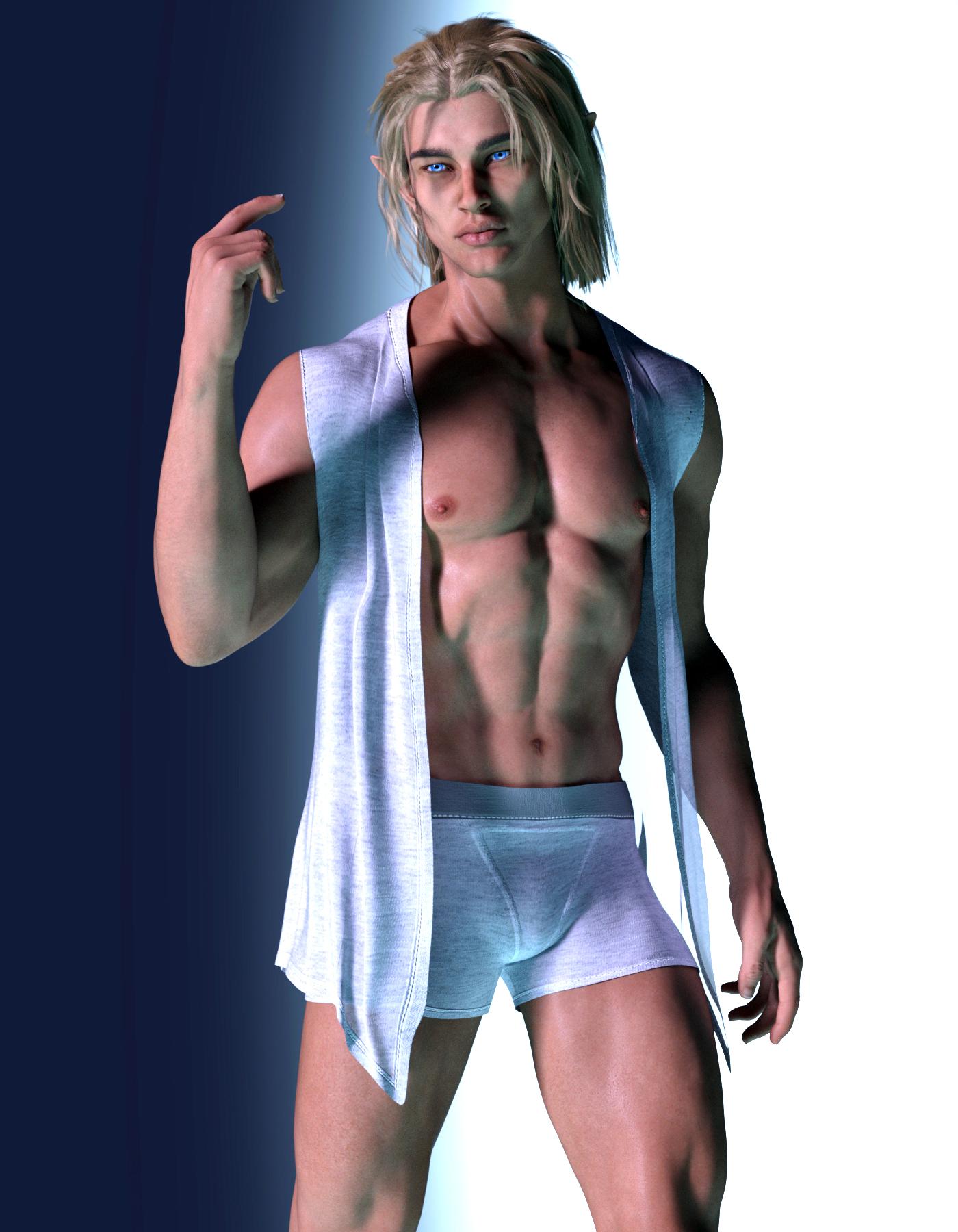
SereneNight’s Sci-Fi Fun Thread 3On the subject of men's releases, I kind of liked this one, its JRH dForce Marcel Home set for Genesis 8 Male. It includes shorts and a kind of nice vest.
I thought it might look nice recolored with some fantasy sheer shaders, but this is how it loads by default. It includes a discard and fold-over chair morph and crumpled on the floor morphs.
 Issues with "adjust rigging to shape"
After upgrading to DS 4.20 I noticed that [adjust rigging to shape] this feature started doing weird things, for instance this morph I've working with las I saved it using DS 4.16 was rearranging the bones correctly inside the mesh however after upgrading to DS 4.20 and opening the same file to keep working on it tweaking the morph a little more now the adjustment moves the mesh itself into weird positions, is this happening to someone else?
Edited for Please put your question in the post body and the title - Daz 3D Forums
A few to viewTorquinox said:
marble said:
On a more serious note, however, this is one of my frustrations ... there is always something that needs fixing. Every time I look at something I've produced I see something else wrong with it.Yes, that's true! And it's ok. I have the same thing with my own work. Many artists have that. There's always something else or something more that can be done. "Art is never finished, only abandoned." It's a common theme. Here;s a nice article about that:
https://coleschafer.medium.com/art-is-never-finished-only-abandoned-86657a05c16b
If you're waiting for your work to be perfect, stop doing that. Accept the flaws. Flaws add character. You're going to make some bad art on the way to making good art. It's all part of the process. Sounds like platitudes, except it's all true! There are no born great artists. There is aptitude, what we call talent. But hard work beats talent if talent doesn't work! And a lot of art is technical. You can learn the techniques and how to apply them. Feel good about what you're doing - There;s no cause for shame. There may be better work out there (there always is!), but there's plenty of worse stuff, too.
Also, if you have time, take a drawing class. See what you learn from that! It might be eye-opening.

I think the point I have been trying to make all along is that I am not aiming for artistic acceptance or for being thought of as an artist. Again, it may be frustrating to keep spotting things that should be better (and I so often start over from scratch on something because that is the only way I can see to get it to look the way I want) but that's no different to anyone else who has a hobby which allows for personal interpretation. I guess you could say that a hobby which allows for personal interpretation is also known as art
.For me, however frustrating it is to keep tweaking the pose or morph, that is all part of what keeps me interested. I wish I could draw or paint like artists I admire but I know my limitations (I should by now as I am over 70) so this kind of hobby is a creative release for me.
Questions and Concerns about using G8.1 figuresDDCreate said:
Won't that mean I won't be able to use those expressions? Not a HUGE loss because I didn't get tons. If I have to choose between expressions, I'll take the Gen 8's. Just curious.
They are all dummy files in those locations, there are no expressions within the files (see for your self), they are there to disable the real expression files that are located in the G8 morph folders (same path except without the "_1" in one of the folder names)
Questions and Concerns about using G8.1 figuresPerttiA said:
Making the G8 base expressions (and any expressions that are using them) work on G8.1 requires removing dummy/placeholder expressions that are installed to G8.1 morph folders - These dummy/placeholder expression files have no other function than to prevent the base G8 expressions from loading.
The dummy/placeholder files are located in;
...\Data\DAZ 3D\Genesis 8\Female 8_1\Morphs\Daz 3D\Base Pose Head\ (255 files)
...\Data\DAZ 3D\Genesis 8\Female 8_1\Morphs\Daz 3D\Expressions\ (24 files)
...\Data\DAZ 3D\Genesis 8\Male 8_1\Morphs\Daz 3D\Base Pose Head\ (255 files)
...\Data\DAZ 3D\Genesis 8\Male 8_1\Morphs\Daz 3D\Expressions\ (24 files)Please make sure you are removing the files from G8.1 morph folders and not G8 morph folders.
Note. If you are logging in to DS and letting DAZ Connect (within DS) to install/update your content, you may have these also in an other location that has "\Data\Cloud\" in it's path
Wow, awesome! I was able to find and delete the files for Base Pose Head and both folders had 255 files likes you said. But the Expressions Folders for each have 120. Which 24 should I be looking for?
Daz 3D is part of

Connect
DAZ Productions, Inc.
7533 S Center View Ct #4664
West Jordan, UT 84084Licensing Agreement | Terms of Service | Privacy Policy | EULA
© 2026 Daz Productions Inc. All Rights Reserved.