-
converted G3 to G2 male mophs not working
Richard Haseltine said:
Please do not multi-post, I've left this one as a courtesy to those who replied even though it is not the first.
Please don't use whatever you used to compose the first post - it came in with light text on a dark ground.
Please do not post images of textures, nude figures.
-----------------------------
An HD morph, which is accessibly only for Daz PAs making content for the store, moves the virtual vertices created by the SubD process. Standard morphs move only the vertices of the base cage mesh to which SubD is applied to smooth out the final shape.
sorry about that i never posted in here so i got a little confused won't happen again, and thanks for answering!
after some reading I realise that these morphs cannot be converted but isnt there a way to maybe copy the shape of the body and face without the HD details i would have really like to use them in g2?
sorry about the 2 extra masseges it got duplicated for some reason
converted G3 to G2 male mophs not workingPlease do not multi-post, I've left this one as a courtesy to those who replied even though it is not the first.
Please don't use whatever you used to compose the first post - it came in with light text on a dark ground.
Please do not post images of textures, nude figures.
-----------------------------
An HD morph, which is accessibly only for Daz PAs making content for the store, moves the virtual vertices created by the SubD process. Standard morphs move only the vertices of the base cage mesh to which SubD is applied to smooth out the final shape.
Transfer a character morph to her fibermesh hairUse Autofit no Transfer Utility.
Transfer a character morph to her fibermesh hairHello,
could anybody, please, tell me how to transfer a character morph to her fibermesh hair?
More in details
from G8.1F to G8.1F head morph of a character.Automatic transfer utility is not providing the result I am hoping for.
Fibermesh done in Zbrush.
Thank you in advance!
AB
converted G3 to G2 male mophs not workingJust tried this myself; indeed, the morph sliders have no effect on the shape. When I use the 'full' LYFR Orc setting, the height of G2M changes (as it should) but again no change in shape...... so I'm afraid in this case it's just not possible to do...
converted G3 to G2 male mophs not workingHi,
I have problem with converted G3 male morph by genX.
I converted the orc male morph from LY Fantasy Races HD Faces and Bodies.
I converted a lot of other morphs and they worked great so I really don't get why these morph aren't working at all, in G3M it seems that the morph isn't using any other morph and it works but in G2M there is no change!
can someone please help me with this?!
thanks in advance.Moving DAZ Content off of C: Drive in 2020Phatmartino said:
This post was originally a question I had about finishing this process halfway through, and I was able to successfully get it done... So I thought I'd change this to lay out the exact steps I used for anyone else who might be looking to do this.
If you already have your Content on a new drive, you can scroll down to the Red Headings and skip straight to Pointing DIM and Daz to your new Content Folder.
Otherwise...
These are the steps to follow in the case that you're a Windows 10 user, don't use Daz Connect and have DIM set to Delete Downloads after Install.
Copying My DAZ 3D Library to a new Drive
There's really one folder that you need to worry about moving for sure, it's C:\Users\Public\Documents\My DAZ 3D Library. This is where your Daz Store bought (and 3rd party Manual Installs if you've done that to the default Data, People and Textures Folders) Content all resides.
I'll mention now, that when accessing this folder in any way using Windows Explorer interfaces of any kind, the above mentioned path is probably:
C:\Users\Public\Public Documents\My DAZ 3D Library
Some of the directions below require the actual physical path which is:
C:\Users\Public\Documents\My DAZ 3D Library.
Just keep this in mind when you have to browse to it in Windows Explorer.
I read when looking into this to use robocopy (which is a native feature in Windows 10) to copy your My DAZ 3D Library folder to another Drive, because it allows you to be sure ALL files are copied, where Windows Explorer is notorious for trying to decide what Hidden Files, or Files it thinks should be Hidden, or empty Folders might not be copied. I don't know for sure that it's absolutely necessary, but it worked perfectly for me.
1. At your Desktop, on the keyboard hit: "Windows Key + R" (R only capitalized so it's easy to see here)
2. In the little interface that opens, type: cmd then hit Enter or the [OK] Button
This opens your Command Prompt where you can feel like a computer enthusiast from the late 20th Century...
3. Here's the string you'll want to input:
robocopy "C:\Users\Public\Documents\My DAZ 3D Library" "D:\My DAZ 3D Library" /xo /e /v /a-:h
The above example can be copied and then pasted into the Command Prompt, assuming you're ok with the new location being D:\My DAZ 3D Library. If you want a different location on your D: Drive or another Drive, E:, G:, etc, just replace the D:\My DAZ 3D Library with your desired path, keeping in mind that the folder at the end of your Path MUST be My DAZ 3D Library. For example, I used G:\DAZ Transfer\My DAZ 3D Library.
If you do want to change that path, it may be easiest to create a new Text Document by right clicking on the Desktop, and pasting the robocopy string you copied from above into the Text Document, make your changes there, then copy the string again from your Text Document and paste that into your Command Prompt (this is because in the Command Prompt you can't edit the middle of a string, you have to backspace to where you want to make a change and re-type everything from there... easier to make changes in the Text Document and Copy/Paste into the Command Prompt, especially in case you were to make a mistake and need to fix it and try again).
You do not have to physically create the new destination My DAZ 3D Library Folder (or Folder Structure) on your D: or whatever Drive you choose before running the robocoy string. Whatever path is in the second set of quotes in the robocopy string will automatically be created when you run the string if it doesn't already exist. Alternatively, you can physically create the new Folder (or Folder Structure) on the new Drive before running the string, as long as you correctly put that path into the second set of quotes in your robocopy string. It might be best to do the first option, let the robocopy string create the new Folder(s), so that you don't inadvertantly end up with something like: D:\ ... \My DAZ 3D Library\My DAZ 3D Library.
4. Whether using the new location in the example robocopy string above or an altered string for a different new location, once you've pasted it into the Command Prompt, hit Enter.
Depending on the size of your Library, it may take a while to copy all that DAZ goodness. Consider watching a handful of episodes of something on Netflix or spending some time with your family.
Once it finishes, DO NOT erase that original C:\...\My Daz 3D Library yet... Keep it around until you've successfully finished the process and confirmed that everything is working with your new location after a few more steps.
Pointing DIM to your shiny new DAZ 3D My Library folder
1. Open DAZ Install Manager
2. Click the Settings Cog in the upper right corner of the window, and in the Dropdown Menu choose Advanced Settings...
3. There are 4 Tabs, choose the one labelled Installation.
4. In the bottom area of the window, there's a field with two column headers, Label and Path. In the field below them there should be one entry, your current default My DAZ 3D Library.
Right click in the open area of that field underneath the entry that's already there, and choose the one option, Add Content Path Shortcut...
5. In the window that opens, there are two fields to fill in...
Label : - This can be anything you want, it's probably for people who set up multiple paths to distinguish them from each other.
Path : - Click the Button [...] at the right end of this field to open a Windows Explorer style interface and browse to your NEW My DAZ 3D Library folder, wherever you ended up putting it.
In this Win Explorer Interface, you want to have your new My DAZ 3D Library folder highlighted either in the hierarchy (Left Column), or in the Right Browsing area, then click the [Select Folder] button at the bottom of the interface.
6. You're back at the Installation Tab now. Directly above the field you just added the Shortcut to, there's a Bar labelled Content Path Shortcuts:
Click that Bar and select the New Shortcut you just made in the last step.
7. Click the green [Accept] button.
At this point, you're set up to have DIM installations go to your new My DAZ 3D Library location. Yay!!
You could go back into the Settings Gog, Installation Tab, and in the bottom field headed Label: and Path:, you could Right Click on the original Default Shortcut (it's not there for me now to confirm exactly what it was called) and choose Remove, but it also doesn't matter if it sits there for the rest of time, so you should wait until you've completely finished the rest of the process and confirmed everything is working before removing it if that's your intent.
Confirm that DIM is set up to Install to your new My DAZ 3D Library folder
If there's anything sitting in the Ready to Download tab under Products (not Product Updates) in your DIM, it is an easy chance to test your work so far and confirm that a new Installation goes to your new My DAZ 3D Library.
1. Use DIM to install something that currently is not. Hopefully if you"re going through this process there's a good chance there's something you've un-installed or never installed because of it's size for you to use. If so, go ahead and Install it.
2. Maybe you're familiar with browsing your Content using the Content Library Tab in Daz, or going to actual Texture folder locations to do some editing, or installing things manually from Renderosity or Freebie sites... If so, use your knowledge to browse in Windows Explorer to your new My DAZ 3D Library, and search in any way you can for the product you just installed. Worst case scenario, while browsed to your new My DAZ 3D Library folder, you could use the Search feature to look for the product by name.
Hopefully you'll find it's been installed there... You can also browse to the same location in your original C:\Users\Public\Public Documents\My DAZ 3D Library and confirm that the newly installed product IS NOT there as well.
If both of the above are true, there's not much left to do!
Pointing DAZ to your shiny new DAZ 3D My Library folder
1. Open Daz Studio
2. Go to your Content Library Tab
If somehow it's not docked somewhere or something that you don't use regularly, in the Main Menu Bar select:
> Window > Panes (Tabs) > Content Library
3. In the Content Library Tab's Left Column / Folder Hierarchy (it can be easiest to look at if you collapse everything as far as possible by clicking any "Down-Pointing Arrows" so that they point to the Right), you're looking for 2 Folders:
> DAZ Studio Formats
> Poser Formats
4. Start by Right Clicking on > DAZ Studio Formats and selecting Add a Base Directory...
5. No matter where the Windows Explorer style interface that opens is currently pointing to, use it to browse to your new My DAZ 3D Library folder. This is the same as when we did it in DIM, you want your new My DAZ 3D Library folder to be highlighted either in the Left Column Folder Structure or in the right side browsing area, and hit the [Select Folder] button at the bottom of the interface.
6. Click the Right Pointing Arrow next to > DAZ Studio Formats to expand it, and you should now see 3 folders under it:
> My Library
> My DAZ 3D Library
> My DAZ 3D Library
The bottom > My DAZ 3D Library is the one you just added. You can confirm this if you like by right clicking on it and choosing Browse to Folder Location...
7. Right Click the MIDDLE (first of the two) > My DAZ 3D Library and select Remove Base Directory.
ALMOST DONE!!!
8. Now repeat the same exact process starting from Step 4 just above, this time Right Clicking on > Poser Formats (instead of > DAZ Studio Formats) selecting Add a Runtime Directory..., etc. Finish the rest of the Steps exactly the same way, only under > Poser Formats (instead of > DAZ Studio Formats) and dealing with Runtime Directory instead of Base Directory.
Now you should be fully migrated and set up to have your new My DAZ 3D Library used by both DAZ and DIM.
Deleting your original My DAZ 3D Library folder
Try using Daz Studio for a bit. Close it, re-open it and make sure everything is working properly, then when you feel comfortable doing so, you can travel over to your poor old C: Drive and delete your old My DAZ 3D Library folder.
1. In Windows Explorer, browse to:
C:\Users\Public\Public Documents\
2. With the folder My DAZ 3D Library selected in the Right Browsing area, on your keyboard hit Shift + Delete. This is a Keyboard Shortcut to bypass the Recycling Bin.
3. A window will pop up asking "Are you sure you want to permanently delete this file/folder?"... Click [Yes].
This may take at least a little time depending on the size of your Library, but once it's finished, so are you! Congrats!!
Hopefully this helps out anyone who might be in the same particular situation I was, feel free to ask any questions at all. If I can't answer them, there are several abolutely brilliant people who already responded to help me and will if needed for any questions that come up.
Hi there, amazing amazing guide, thank you so much.
I have followed the step you have mentioned accordingly. And everything seems to work fine.
However, when I try to install some new products by the DIM, it says "download failed" . And I'm wondering if you might help me sort out that lil issue.
With some products it works, with some others, it just doesn't and keeps saying "download failed".
Everything seems to be set accordingly, and the Daz Studio is also in accordance with your instructions.Please, let me know and thank you in advance.
How do I create more material zones? new: how to increase polygons ... Possible?It would probably be easier to use a map. You could divide the emsh in a modeller, then use the Transfer utility to rig that to match the original and transfer the morphs.
Diffeomorphic DAZ Importer version 1.6.0 released@plsgohots A more detailed and precise description would help. Anyway mhx has limits to transfer the animation back to daz studio since it uses a different structure than the daz rig and some retargeting is needed. To retarget by hand you can use any retargeting tool available for blender there are many.
Or you can animate with the simple-ik rig that uses the exact daz rig so no retageting is needed.
Ladies AND Laddies of Mousso appreciation threadLove this thread - always great to see how people render the awesome Mousso figures.
One thing I did find with her latest model MSO Eunji is that there is a Echo morph listed in the asset file instead of Eunji. Aslo when Eunji is loaded in the scane tab she is listed as MSO Mina (from the Sweet Chaoz bundle).
When I get a chance I will raise a tciket to Customer Service. Anyone else have the same issue.
David
Suggestions for Recreating An Alien Horror Scene?I'm trying to recreat a horror scene like in the Alien movie where the xenomorphs were bursting out of human bodies. Then suddenly I realized there is no such a morph to creat a realistically looking open wound/slash/cut on both g8f and g8m. Can anyone make some suggestions as for how to circumvent this situation? Geometry editing? Transparency/material manipulation? Thanks!
Secret Aztec Templelink because I keep having to look it up reading this thread

https://www.daz3d.com/secret-aztec-temple
a send to Hexagon and the smooth brush could probably reduce it too
I don't own it or I would create a thin lipped morph in Zbrush for you
AOBB's The Scandinavian for G8.1M head morph. No materials nor textures.@SapphireBlue - your image is just soooo cool. It could be in some great magazine! "Your" Scandinavian looks much better than "mine"! Wonderful job and great posing! Thank you and I'm honored that you made a special place in your gallery for your renderings using my morphs.
@Three_Wishes - Those A-ha guys were really good looking and the video for "Take On Me" was a real blast. Another of their songs that was popular and I loved was "Hunting High and Low".
@Kainjy - It would be great to turn this head morph into a product and make it easier to use. Thank you for the willingness to help! I really appreciate it !

I have created a new head morph that still requires some work and as I have a guest now for a longer while staying at my place I don't really have time to finish her. In the end though I'll upload her:
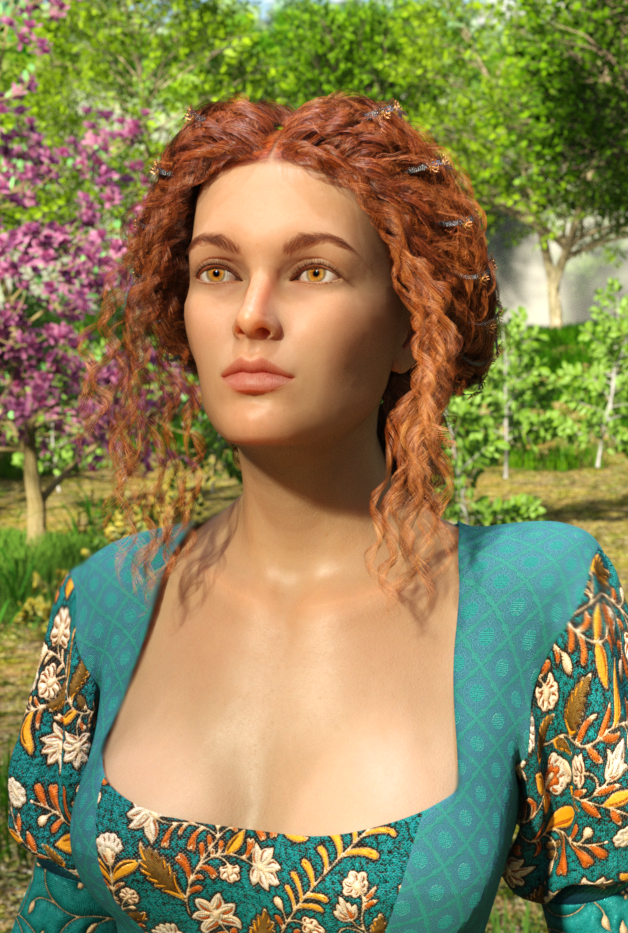
You will find another image with her here:
https://www.daz3d.com/gallery#gallery=newest&page=1&image=1215716
Thank you for all your appreciation. It's like having honey poured all over my heart.
AOBB
Daz Studio 4.16 | Meet the MetaMixer ToolkitQuasar said:
I want to use this but I'm disappointed we have to buy the extra add-ons for characters we already own. The add-ons would be great for people who don't have or want to buy the full characters. I hope DAZ will update all their characters for this some day. I'd love it if PAs could add their characters to it as well.
My point exactly. This stuff is starting to remind me of my other hobby of miniature painting. Getting nickel and dimed at every chance. I bought a 3d printer to get away from having to spend $40 on one single miniature made from .08$ worth of plastic. To me, this is a useful tool, but the fact that you have to buy an extra set of morphs to use the morph for a character you've already spent a lot of money on comparatively (let's face it, the Daz named characters used to count for something, but now they are just another character, of which there are many PA characters that are arguably much better quality, for half the price, which will often include the HD morph for free(again the nickel and dime)). Kaylesse used to be my go-to for these characters, but alas, has sold his soul to the overlords ( I'm being facetious, don't take all my words as serious, I tend towards the sarcastic when I'm typing on the internet), HM has taken his old spot. I mean, take Coral, for example, if that character had not been bought or commissioned or whatever Daz is doing now with Kaylesse, she would have been a base price of like $30, HD sculpt included. Add that your new release discount or PA sale or whatever and you could have gotten her for 'round about $20. You can't even get her HD morph for that now. Daz must have recognized this and made him an offer he couldn't refuse, to get the competition out of the way.
Guess all I'm saying is the add-on bundles are nice for people that aren't going to buy the full characters, but for someone that already bought the characters, it leaves a sour taste in the mouth to have to shell out even more money to use this fancy new feature.
How do I get this render result?This is a face transfer with the face transfer fix. I look for a figure that's about my age and apply their skin. The first one has Floyd 8 skin, second is just regular face transfer.

 For those who use M4/V4?! :)
Are there still people whol ove the old V4 and M4 people here? Well i am back with a new laptop and DS3, of all things .lol.
I am planning to make new celebrity morphs, that require no added morphs. Maybe they will even transfer to the new characters? I dunno, since i have not been around for ages. First one is Ian Somerhalder, that i once had made on another laptop but possibly lost.
[Released] Turbo Loader for Genesis 8 and 8.1 [Commercial]StarLabz said:
I rechecked my main directory and searched for the .tlOFF files and i have 1300+ morphs that are still off. thats not including the ones in other directories.
Why doesn't the G8 Script load all morphs from the directory(s) as i thought it did when watching you video. I think clearing the cache did this or am i mistaken?
It sounds like you hit the Clear button at one point (and then Saved the Settings). See explanation later in post.
OK, updated. Figured out how to reset each directory OPTIONS.G8 Script.Reset Morph Directory. Had to do this for multiple directories but that looks liek it fixed that.
Glad you found it.
But since i RESET the CACHE i will hyave to load my LOADED 20-30 min G8 figure again...... to fix this????? ugh.
This still doesnt explain why when i saved the All Enabled preset that it didnt include all my morphs or when i saved a Disabled all, (Which worked beautifully loading a clean g8 btw!!) it wouldnt recognize a few of my morphs on your pruduct even though they were in the same folder (ie. Head / Body) as one of them that was turned off in the Disabled All preset, but didnt include/recognize/load that other morph. I even checked to see if the file was locked / in use / or compressed and it wasnt. Just your program didnt recognize them even as a morphs even though they kept loading on the g8 perfectly fine.
TL uses the morph list as its "memory" of where ALL morphs (except for ones in products like G8 Essentials) are located on your system. When you ask it to inspect a figure, it looks over the loaded figure and adds all morphs on the figure to the morph list. However, if Daz Studio has not loaded those morphs for some reason (an error in the .dsf?), TL does not see them.
When you disable morphs (turning from .dsf to .tlOff) and load a figure in a new scene, Daz Studio no longer sees those morphs and they are not loaded. Inspecting the figure at this point will NOT find those morphs as they are no longer on the loaded figure. If you accidentally cleared the morph list (clearing TL's memory) and re-inspected, the morph list will be missing all those morphs as TL no longer remembers the old morphs and the loaded figure does not have them either. That is why you needed to reset.
The presets save a portion of TL's memory. If you save an Enabled preset, it will save a list of ALL the CHECKED morphs in the morph list. If you had some unchecked, they are NOT saved and not remembered in the list. Only an All preset saves all morphs in the morph list. However, if you install a new product with new morphs, these morphs are not in the presets as TL did not know about them at the time it saved the preset. You need to save the preset again (without clear the morph list!).
Brightness Manager (Commercial)Bought it yesterday, great product (as is your Projection Morph Manager) It's super easy to use.
Must haves for me, this allows more customization in a quick way!
Thanks Zev0 and team!
How do I get this render result?Sorel said:
To be perfectly blunt the face textures are awful to begin with, I'm assuming you used face transfer or another program that does somehting similar. There is so much stuff baked into the face textures that it will probably be difficult trying to achieve a similer look to the examples you want.
I would agree, your issue is the face-transfer or whatever was used; fix that, then worry about other aspects
Question on Creating a Smooth Foot (No Toes) or Amputee MorphInstead of collapsing the toes vertices, I scaled them down to .001, Vertex order remains. Just a quick made morph:
Daz 3D is part of

Connect
DAZ Productions, Inc.
7533 S Center View Ct #4664
West Jordan, UT 84084Licensing Agreement | Terms of Service | Privacy Policy | EULA
© 2026 Daz Productions Inc. All Rights Reserved.