-
Diffeomorphic DAZ Importer version 1.6.0 released
When I import the standard JCMs it adds custom properties to the rig's object data. So the shape key is driven by the custom properties. When I look at other people's blends, the JCM shape keys are driven directly by bones.
How do I do this with diffeo? Because if I disable drivers in the morph section, it disables the JCMs when posing. I want the shape keys driven directly by bones so that they don't get disabled.
Example on shape key pJCMCollarTwist_p30_L
This is what I see on mine:

This is what I see on others: Auto Muscle Enhancer HD [Commercial]
I got it! The morph looks great! The last issue was occuring because I was selecting the wrong morph to ERC freeze. Not having an understanding of how this process led me to do that, but now I understand that the freeze should be ocurring on the bone pose morph and not the AME morphs.
Still gotta figure out what's going on with the teeth/gums... the veins morph still does some crazy things there (and clearing selected deltas from favorites doesn't solve the problem), but I'm glad I was able to get through that tutorial.
Freebie Challenge April 2022-"New Beginnings" - Main ThreadHoping for Peppers
I don't usually enter more than once, but I was so inspired by my trip to Costco and Home Depot on my day off. Except I planted tomatoes and flowers. Postwork in Photoshop to smooth out rough polygons (original in attachments).
Click image for full size.
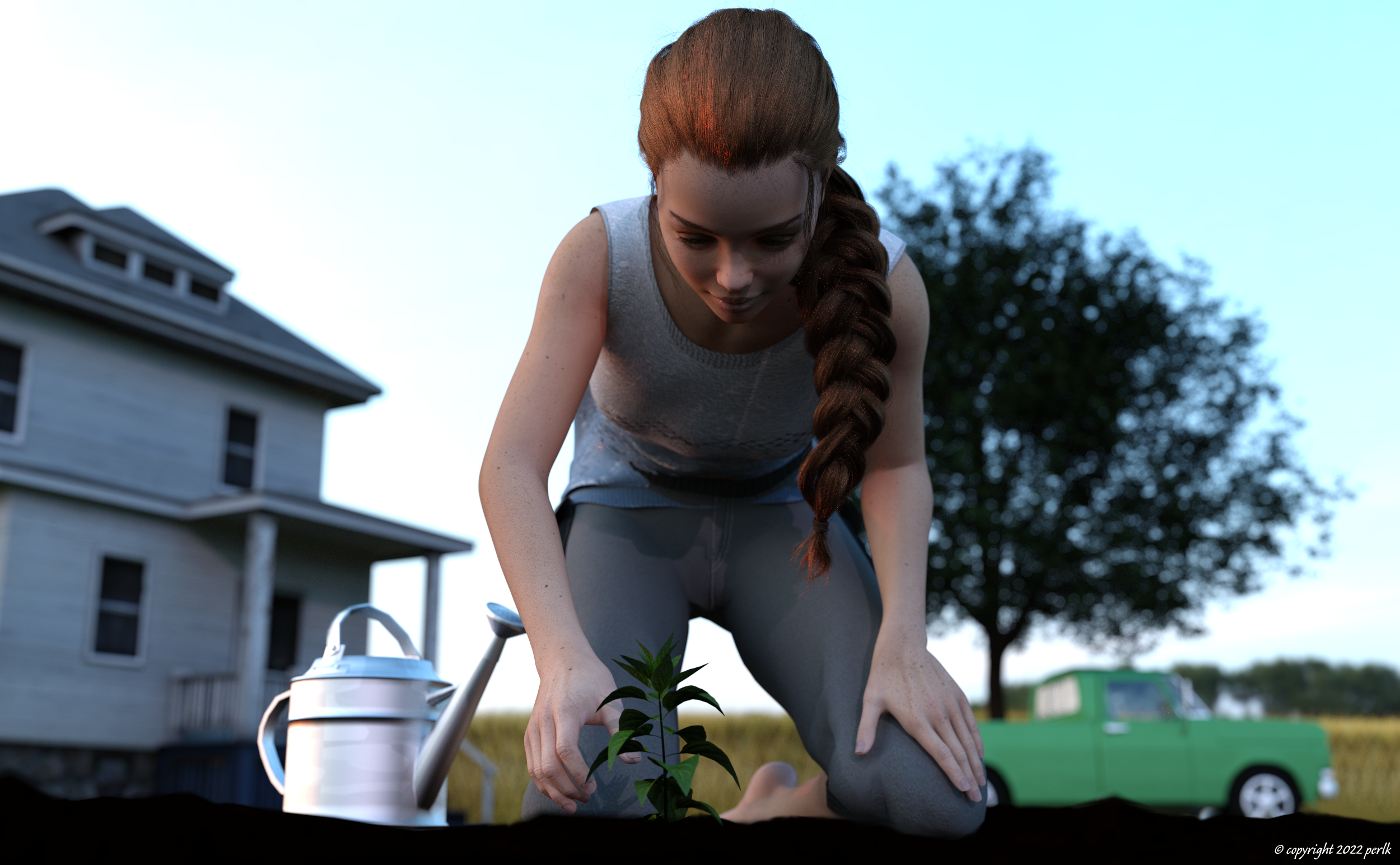
No count: Genesis 8 Female, metal shader for watering can
- Props - Stable Builder (used terrain prop, and modified in geometry editor to hide the weeds)
- Microfibershader (colored brown, for terrain prop)
- Champ de ble (wheat field, for non-French speakers)
- Skin with freckles
- Candy braids hair for Genesis 8 Females
- dforce Shirt for Genesis 8 Female
- dforce Pants for Genesis 8 Female
- Pose (Kneeling) 7 (modified slightly)
- Bell pepper seedlings (modified in geometry editor to hide 3 of the 4 seedlings)
- The Old Truck
- Tulip Tree (Liriodendron) 12m
- Watering Can
- 3D Farm House Low-poly Free
- Industrial Sunset HDRI
Paid: Mckenzie HD for Genesis 8 Female (young female morph)
Auto Muscle Enhancer HD [Commercial]Below is what my left Neg Morph looks like in the property heirarchy. The right one has nothing in the 1st or 2nd stage.
Makes sense I'd be missing the Left Forarm bend freeze properties in the 1st stage since I haven't been able to get through step but I'm not sure on the 2nd stage property.
Given what you see, would you recommend I start over again and give it another go after deleting the neg morphs?
Auto Muscle Enhancer HD [Commercial]My first thought is that the negative morph is being controlled inadvertently by another movement to the 25% setting. If there is no "change or Delta" to the parameter it will not show up in the list. Try zeroing the pose, then while in the edit mode go to "Show in Property Heirarchy", open the window up and expand to look at the controllers. If something isn't correct, you can remove it and try again, no harm no foul.
Attached is what it should look like, three first stage controllers, and then when you are done, a final second stage (multiplier) controller. You are almost there, it is a bit tedious the first time thru, but the techniques you are learning are invaluable! TD
Mirror rigging? (solved)I misunderstood.
I thought it could mirror, as in create, but it mirror as in transfer values. Now the options also make more sense.
Auto Muscle Enhancer HD [Commercial]terry_duquette said:
FriendOrFeaux said:
Thanks for this Terry. I'm on my 4th attempt to get this to work but haven't gotten it yet. Here's the two issues I've had so far:
-Step 18 when setting the AME Body to 20% or more and the Flex size to 50% or more... the R Bicep Muscle and R Bicep Pose 01 are affected, but the L Bicep Muscle and the L Bicep Pose 01 sliders do not move. I want to say one of the times I've tried going through your document it did impact both, but at least the last two times it has not. Any tips on why this may be happening?
-Step 21: The Pose 01 Parameters do not show up in the ERC Freeze Dialog. Any idea why that may be the case?
For Step 18, it sounds like your pose is not symmetrical, D.Masters morphs are triggered by certain bone movements in relation to each other, so the right arm seems to have hit those triggers, where the left has not (try raising the shoulder, that one is especially important along with the hand bend)
For step 21, the parameters will not show up if you did not "unhide" . the tell tell sign is that the letters in the parameter box will be white and easily readable.
Hope that helps, don't give up, you will really like the results once you get it working!! TD
Alright I've made it a bit further. Pretty sure I got the arms into symmetry which gave both arms values (although they weren't the same). So that's fine. The other issue seemed to be caused because on Step 19 I didn't "Set the Bicep Pose to the previous value". I had only had the Muscles set to 100% and the Neg Morph set to 100%-the previous value of the muscle. After correcting updating those values the parameters showed in the ERC freeze dialog.
But now I'm having the same issue but in a different step... I got the first ERC freeze with the hand bend to work (step 26-28) but then at Step 29/30, after zeroing the figure pose and then setting the left forearm bend and twist both to -90% and the left Neg morph to 25%, when I go to ERC freeze the Neg morph does not show up. Thoughts?
Problem with Mercy HD (Colm Jackson)There is absolutely nothing wrong with this character. The problem is the way Smart Content is showing you it and I can't see how its doing that as I'm another 100% manual install person. There *are* different makeup materials for G8 and G8.1 and you have applied the wrong one. Simple as that! There are different nail materials, base materials, everything.
The nipples 'issue' is, again, not really an issue. The base material does not provide a texture as I suspect CJ imagined and modelled the character as a younger girl, not an adult (that's certainly I how see her). Some artists prefer to drop elements of anatomical realism for underage characters and that seems perfectly reasonable to me. What it does come with is a morph that alters the body geometry for use under clothing, should you so wish.
Your problem here then is Smart Content and not the character.
I've just opened up the manifest file and, assuming you used DIM, you'll find all of the the materials and more in your installation under People -> Genesis 8 Female -> Characters -> Mercy HD -> Materials -> Iray -> Genesis 8.1 Female.
Another vote here for installing everything manually and creating your own structure...
Downgraded to Genesis 3 from Genesis 8Gator said:
kyoto kid said:
...as to UVs be careful as I discovered some textures have hierarchal presets and will not transfer. This applies to skin, hair, and sometimes clothing.
There is a way to make them work but I find it a bit of a bother.
As to older generation genesis characters/figures, I still use G2 for background characters and G1 for some of the toon and special characters that were not updated to later generations.
The clothing converters I am having trouble with are the Gen4 to G3 ones as for some reason they don't "see" the Poser Content folder which is where these install. My system sees it fine so not sure what the issue is..
That shouldn't bother me at all, because I'll go in and manually point to the textures.

I made my own shaders to convert Genesis 3 figures to use Dual Lobe Specular, and Chromatic SSS. Takes some manual fiddling but is worth it IMO.
One thing that has irked me for a while is that most of the skin textures for characters here use JPGs, and use overly aggressive compression at that. I've bought a few Genesis 8 figures when sales have been good, but also with a closer eye towards ones with good textures like Babina 8 whom the forum sold me on....I actually use Skin Builder 3, Beautiful Skins for G3, Growing up Skins for G3M, and N.G.S. Anagenessis 2 frequently, particularly with G8 conversions. I have no expertise in creating skin shaders from scratch.
Leanne 8.1FSMCDesigns said:
Looking at the description, it says this
What's Included and Features
- Leanne 8.1: (.DUF)
- Character Preset
Is there no seperate head and body morph?
There's a seperate head slider that works independent of the body.
MCM does not work correctlyyangxf_008 said:
Richard Haseltine said:
MCM is Morph Controlled Morph, it's a morph that depends on another, usually correcting for the way another property mixes with the cotnroling morph. What are you trying to do or expecting to happen?
Genesis 8 can save MCM properly and also work properly.
Genesis 8.1 can't save MCM properly, 8.1 MCM will lose ERC(multiply).
The hair was done on Genesis 8 and saved, on 8.1 in doing MCM always appears ERC(DeltaAdd) without ERC(Multiply). No matter how to save it, it does not appear.
I had to do Genesis 8 hair and Genesis 8.1 hair to make sure the MCM saved properly。
Tristan 8.
Alex Capital is part of Genesis 8.1 and Tristan 8 is part of Genesis 8. Does the same style of hair have to be saved 2 times in 8 and 8.1 respectively at once?
MCM does not work correctlyRichard Haseltine said:
MCM is Morph Controlled Morph, it's a morph that depends on another, usually correcting for the way another property mixes with the cotnroling morph. What are you trying to do or expecting to happen?
Genesis 8 can save MCM properly and also work properly.
Genesis 8.1 can't save MCM properly, 8.1 MCM will lose ERC(multiply).
The hair was done on Genesis 8 and saved, on 8.1 in doing MCM always appears ERC(DeltaAdd) without ERC(Multiply). No matter how to save it, it does not appear.
I had to do Genesis 8 hair and Genesis 8.1 hair to make sure the MCM saved properly。
Leanne 8.1Looking at the description, it says this
What's Included and Features
- Leanne 8.1: (.DUF)
- Character Preset
Is there no seperate head and body morph?
Is Asking for a SMILE Too Much?
Reminds me I need to put in a ticket for a character, Eilish for G3F if I recall correctly. Her teeth are totally busted. I recall running into that myself with a character I created in Zbrush, I think the problem was creating the morph with Mouth Realism HD on.barbult said:I want to see the teeth. Many characters have terrible teeth textures or distorted teeth shapes. A smile promo would help identify those issues, too.
Auto Muscle Enhancer HD [Commercial]RenderPretender said:
Update: The vendor pushed a corrected file and the tongue/teeth issue has been resolved.
Can you explain how this works? I am having issues with this product (specifically the veins morph) distorting various parts of the mouth, particularly the teeth. What is the process I need to do so that I have files correctly set up to not have this happen any more?
Thanks.
AOBB's The Scandinavian for G8.1M head morph. No materials nor textures.Thank you so so much for the lovely words and the likes, AOBB!!
 I was glad to see the BW renders of all the glamour morphs getting noticed in the gallery crowd - I don't think people were expecting 1940's characters and photo styles all of a sudden... Alluring and Rugged's romance especially is doing rather well and pulling on some heart strings!
  It's only superceded in popularity by a humorous Felton puppet render I recently did, whose popularity is one of those weird surprises...
"Take on Me" and "Hunting high and low" were also my favorites of a-ha - such great videos for both of them!! And yes, there seems to clearly be a bit of the a-ha guys and James Dean in my render of the Scandinavian! Hahaha
Got a little busy these past few days, so I'll continue uploading more of the AOBB morph renders this week!Oh, Serene looks classic and great!! I used to enjoy the Pre-Raphaelite style a lot - the flooding of detail and colors, and lush characterization and symbolism. I was intrigued by Dante Gabriel Rosetti's work as the combination of life story, paintings, real life muses and poetry was very interesting. I've been meaning to do some renders inspired by Kinuko Y Craft's illustration style (she has some Pre-Raphaelite influence in her work I feel) - so perhaps that is now Serene's destiny!!
Can't believe your updated morphs and Serene are already up! Will go download everything... Thank you!
Running a script stored in the data folder from a file in the content directoryHi, I'm working with MikeDs Hierarchy Preset suite, specifically the MS Load (Hier) Material Preset Script Maker. In the help file it states the following:
"Moving the new script into another folder
If you need to transfer the script into another folder, you have to move the used assets into the same folder as well. What about if you are a content creator and you don’t want to show all the files to the customers? For example, you may have a cloth item, and some buttons on it (like the example 1, in the “Tasks examples” paragraph), you don’t want to show every Material Preset file for the buttons to the customers. An easy way is to move the new script for the cloth with the Material Preset files it uses into a location in the /data/ folder of your product and then put a link for the saved script into the Material folder of the Content Library. In that way you can link only the scripts, the (Hier.) Material Presets files and/or the Layered Preset files you want to be shown. The new scripts will still be working as their new folder will include the assets, they used, as well."
Can anyone help with a practical example of how to accomplish this. "Put a link" implies a relatively simple, non technical solution but an afternoon of researching and I'm none the wiser and ended up down a rabbit hole of calling scripts from other scripts and so on, hence the question here. If there is a non-scripted solution to this all the better!!!
My thanks in advance!
2nd of nine lives Cat Girrrl render thread prrr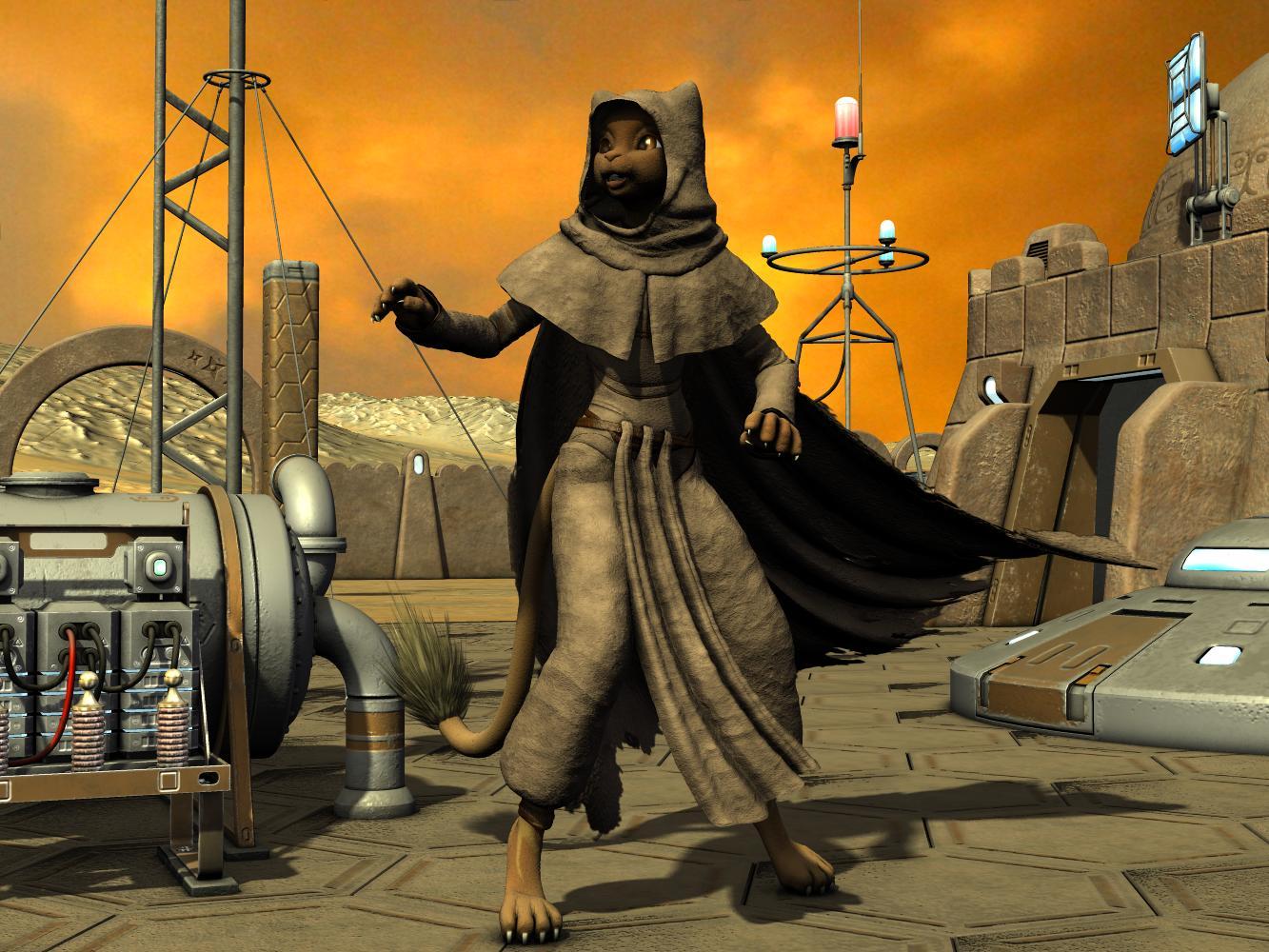
Creating a morph to suggest her ears "tent-poling" her cowl (from Shukky's "God of Death" freebie collection for A3) prompted me to dress Mzzkiti (using Melody for A3) in desert garb. Is she on Tatooine or Arrakis? Maybe she's in some arid environment within her own proper continuity. Meh, who gives a flying fudge?! Hmm...airborne brownies...is that a "thing", something that can be marketed? Why am I rambling?
 GENERAL FREEBIE REQUESTS part 3
I need a script/plugin that can scan my entire library of characters to detect and fix morph conflicts and character name conflicts.
Has anyone seen one?
Poseable Fantasy Ears for G8I too would love some geograft ears that had enough geometry they could be morphed and leave plenty of detail. I find myself rendering V4 and M4 heads and then using photoshop to transfer the ears to a G8 figure. I'd rather skip that step.
Daz 3D is part of

Connect
DAZ Productions, Inc.
7533 S Center View Ct #4664
West Jordan, UT 84084Licensing Agreement | Terms of Service | Privacy Policy | EULA
© 2026 Daz Productions Inc. All Rights Reserved.