-
Filament Renders
caravelle said:
richardandtracy said:
I tend to go on the principle that "If the description is inadequate to tell you how to use the product, don't buy.". I'm left completely baffled by that filament product, and would never spend my money on it. Regards, Richard.
That's how I see it too. If a product is not sufficiently explained and needs umpteen pages of attempts to explain it in forums, the developers can keep it.
I have to point out the hundreds of pages explaining how to use DAZ Studio, not to mention the hundreds more explaining how to use iRay in the forums.
-- Walt Sterdan
Filament Rendersrichardandtracy said:
I tend to go on the principle that "If the description is inadequate to tell you how to use the product, don't buy.". I'm left completely baffled by that filament product, and would never spend my money on it. Regards, Richard.
That's how I see it too. If a product is not sufficiently explained and needs umpteen pages of attempts to explain it in forums, the developers can keep it.
Filament Renders@von Hobo: I tried it (click to enlarge):
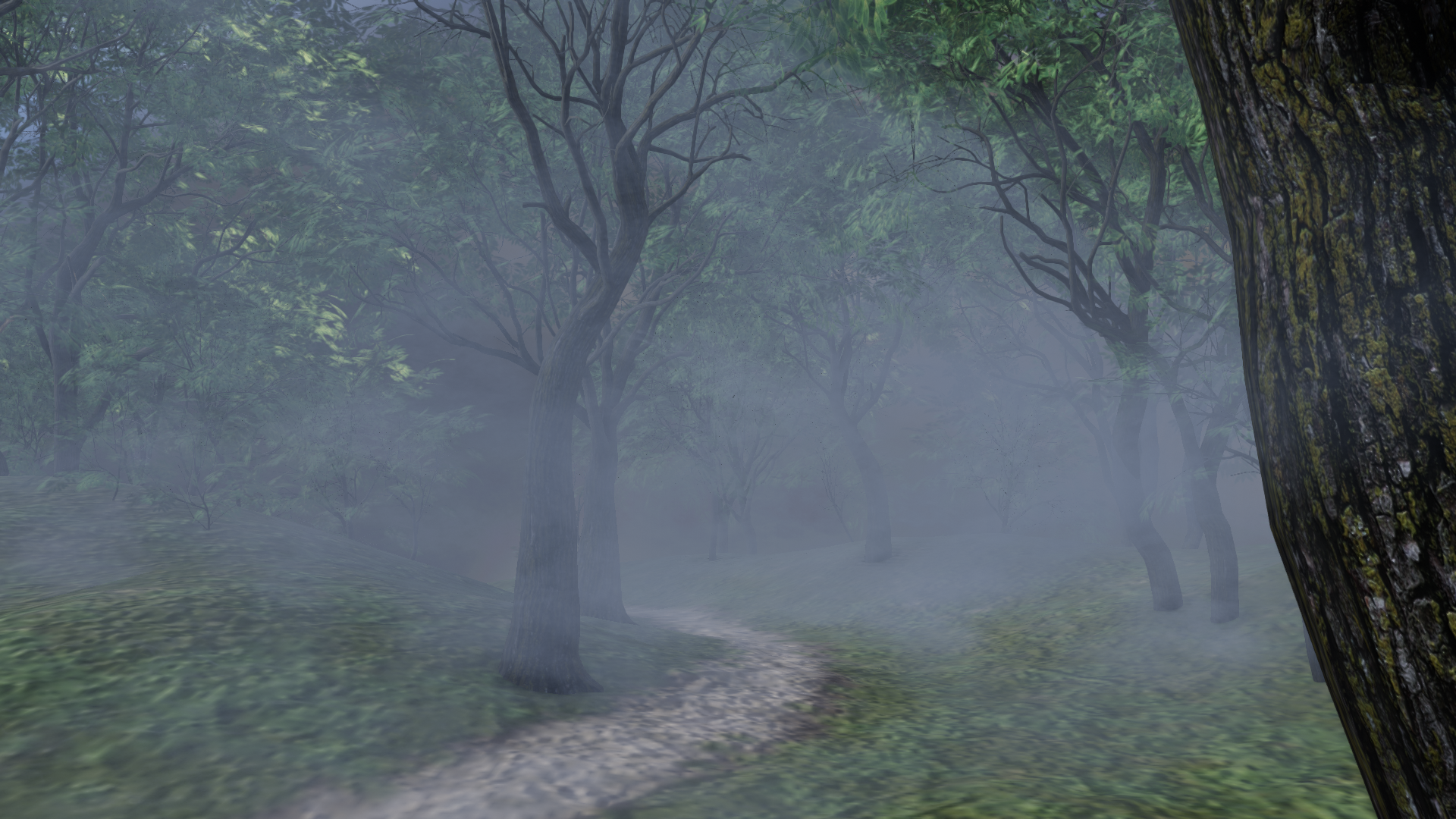
Of course with more talent and investing more time especially in lighting and postwork you can achieve better results in filament. But you will never reach IRAY quality, especially when organic material (e.g. plants) is involved.
If you still want to give it a try: go to the product and there to the prop section.
Here you find 2 props: First the atmophere prop in 7 different sizes (for this image i used 64x64). And the mist prop (i used several in my image):
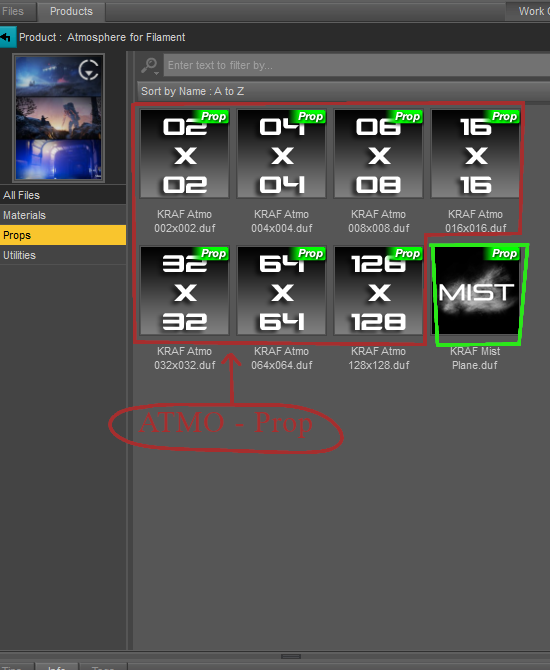
When you load a prop, move it around, scale and rotate it until you are content. Also play with the settings like color and intensity (you find those in the material section).
Good luck!
Filament RendersI tend to go on the principle that "If the description is inadequate to tell you how to use the product, don't buy.". I'm left completely baffled by that filament product, and would never spend my money on it. Regards, Richard.Filament Rendersvon Hobo said:
barbult said:
A Filament render will be exactly what is shown in the Filament viewport. Remember, to render Filament, the selected render engine is Viewport. There is no separate plugin or enhanced features.
So confusing. Thank you for clearing that up for me. So I guess the product I purchased called "Atmospher for Filament" will only work in the Filament viewport, not for Iray renders?
I don't own it, so I don't know what would happen in an Iray render, but that is not its intended usage.
Filament Rendersvon Hobo said:
barbult said:
A Filament render will be exactly what is shown in the Filament viewport. Remember, to render Filament, the selected render engine is Viewport. There is no separate plugin or enhanced features.
So confusing. Thank you for clearing that up for me. So I guess the product I purchased called "Atmospher for Filament" will only work in the Filament viewport, not for Iray renders?
filament
nounnoun: filament; plural noun: filaments
-
-
ASTRONOMY
a slender, elongated body of luminous gas or other material in the sun’s atmosphere, a nebula, or interstellar space.
-
Filament Rendersbarbult said:
A Filament render will be exactly what is shown in the Filament viewport. Remember, to render Filament, the selected render engine is Viewport. There is no separate plugin or enhanced features.
So confusing. Thank you for clearing that up for me. So I guess the product I purchased called "Atmospher for Filament" will only work in the Filament viewport, not for Iray renders?
Filament RendersA Filament render will be exactly what is shown in the Filament viewport. Remember, to render Filament, the selected render engine is Viewport. There is no separate plugin or enhanced features.
Filament RendersIs Filament just a preview then? Nothing more?
How were these final images in the promos of this product created?
Filament RendersYou can go to Render settings and change the render Engine (at the top) to viewport. If your viewport is filament, it will render as that when you click the render button.
Edit: I don't know about the quality of this render, but it does seem to use the exact image from my Filament preview in the new window and allows me to save it.
Filament Rendersfelis said:
If you set your viewport to Filament, you can then set render engine to viewport.
OK. I will try that.
Update: All that did was render the preview in a new window.
Is there a Filmanent Render Engine plug-in for DAZ?
There is no "Filament" choice in the Fender Engine dropdown, only Iray or OpenGL
Filament RendersIf you set your viewport to Filament, you can then set render engine to viewport.
Filament RendersI have a question about rendering in Filament.
https://www.daz3d.com/atmosphere-for-filament
I've purchased this product today, and want to test it on a scene to compare to an Iray render of the same scene.
But how do you render in Filament?
There is a Filament viewport preview but I have no idea how to change the actual final rendering to Filament.
There is no "Filament" choice in the Render Engine dropdown, only Iray or OpenGL.
Is there a Filmanent Render Engine plug-in for DAZ?
characters disappear from viewportIt looks like you have filament mode enabled for the viewport and textured preview in the aux one so differences are to be expected. Not played around with filament much but it looks like your lighting/exposure is wrong for that render mode and/or you have your figures set to be hidden in renders?
Can't get my backdrop to showOh, you are using Filament! No, the Backdrop doesn't display for me in Filament, either. I don't know if that is a bug or by design.
Can't get my backdrop to showHuh, looking at the screenshot, I can't imagine why the Backdrop isn't working. I use that feature somewhat regularly and it looks to be set up correctly. The only thing I can't speak to is use of Filament as the Draw Style... Does the Backdrop show if you change to Textured Shaded or Iray?Can't get my backdrop to showI assume you mean Daz Studio 4.20.x.x? Version numbers are not decimals, so the trailing zeroes count. However, I don't understand what you mean - are you using the Environment pane set to backdrop or are you using the environment map in Render Settings? If its in render Settings are you in Iray or Filament Drawstyle, and is the Draw Dome option on?
Remixing your art with AI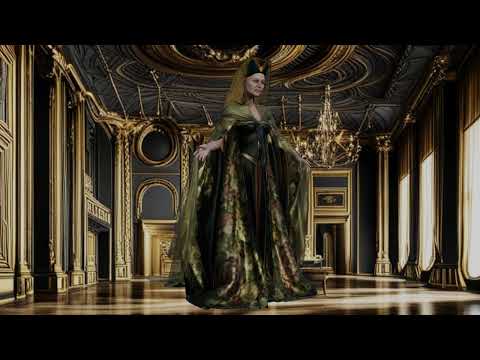
me too
Filament render with AI backgrounds
Kindred Arts Interior Speed lights HELPI also have bought these 2 products, so maybe using the camera from
https://www.daz3d.com/interior-light-pro-for-filament-and-iray
will fix the problem for the time being.
Amazing results: Daz + Stable DiffusionThe best way to use the two together is to use Daz Face Transfer with Stable Diffusion. Start with a base G8 model with 3 directional lights. One light at the default parameters, one at -75 rotation on the Y, and another at 75 rotation on the Y (the goal is to get even lighting with as little shadow as possible. Render a straigh- on headshot. Use that headshot with ControlNet in Stable Diffusion, with the Lineart and Tile models, a CFG of 0.9 and a denoiser strength of 0.7. Put in some prompts, and pick out an image with the best symmetry. Use that for a Daz Face Transfer. If you are serious about using Face Transfer, you should have Face Transfer Shapes too.
Now, put the new character, with the new textures and morphs in a scene and do some renders. The renders don't have to be perfect, you can even use filament renders. Bring a few different renders of the same character back into Stable Diffusion. Use the same ControlNet models, but change the Denoiser Strength to somewhere between 0.2 to 0.5. Use the same prompts you used for the image you used for the Face Transfer. If your Face Tranfer looked good, you're basically just using Stable Diffusion to make the renders look better now. For animation, I use 0.2 to avoid flicker. A denoise strength of 0.5 creates richer images.
A couple other notes. 1. It is best to do separate renders for the background and the character if doing animations. The flicker ends up being much worse if the background is part of the Daz renders. 2. My best results are when I do Canvases of the character's clothing and hair and add those back to the characters after I use Stable Diffusion. So I basically do nude and bald renders in Daz. When I do that, Stable Diffusion usually gives me the best results, especially when I render the hair separately. If you do this, you can use a Denoiser strength up to 0.65 and get some really amazing images with the same character. You may have to go in and do some post work to clean up inconsistencies though (Stable likes to add things when shadows and angles confuse it, like nose rings, belly button rings, moles and freckles.
Daz 3D is part of

Connect
DAZ Productions, Inc.
7533 S Center View Ct #4664
West Jordan, UT 84084Licensing Agreement | Terms of Service | Privacy Policy | EULA
© 2026 Daz Productions Inc. All Rights Reserved.