-
Looking for a specific converter g8 to g9 etc
The menu path of : Convert>Convert selected Genesis 3/8/8.1 figure comes from the product Figure Converter plug-in which is now discontinuted / off shelves
The "built-in" Shape Transfer for Premier members is under: Edit > Figure > Shape > Transfer Character Shapes...
Let's appreciate/discuss today's new releases - more ongoinger threadThe Deep Line Swimsuit doesn't work very well with some characters (here EG Kern), right out of the box. Expecially the navel looks odd, sticking out that way. Had to add a Smoothing Modifier with 6 Iterations, and set the Expand All morph to 4 to fix poke-through. There's a lot new users need to know to make things like this work, I would probably have returned it if I didn't know how to fix it.
RRRR - The Lyrics - Render Contest *CLOSED*Tag: Totte#01
#3522 Cookies And Cocoa Outfit for Genesis 8 Females (#80291)
#5085 The Dirt Road (#89778)
#3122 More Cowbell! for Genesis 8 Male (#68555)
#1262 Lapis morte (#27430)
LB1: #3929 VDB Cloud Collection for Iray (#84695)
LB2: #1942 HDRI Clean Skies (#47613)
LB3: #5469 W Troll Faces Expressions for Gren the Troll 9 (#92677)Also Used:
LY Kieran HD 8.1 + Duola Hair + Glasses Set 1
KOO Malcolm + Caballero Outfit + Long Mane Hair + CC Beard Boss
KOO Alfonso + Gren The Troll Head Morph + Golden Stillness + Daniel Ponytail Hair
Vintage Royal Car
Scripts, Lights and Shaders used:
UHT2 Ultra Salon
RSSY 3DLToIray
Talking Heads: Road To Nowhere
We're on a road to nowhere, come on inside
Takin' that ride to nowhere, we'll take that ride
I'm feeling okay this morning, and you know
We're on the road to paradise, here we go, here we go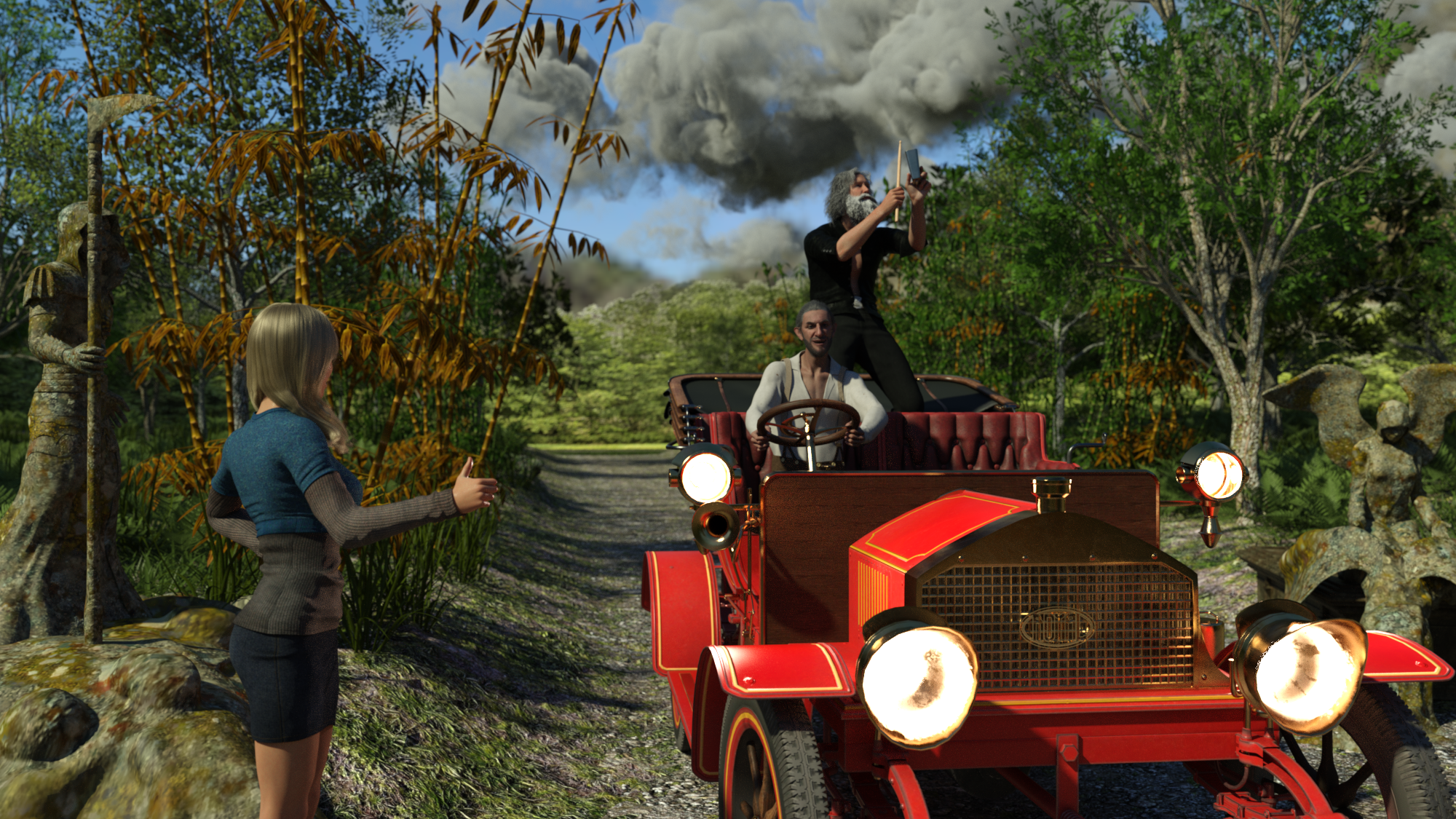 Looking for a specific converter g8 to g9 etc
Umi no Senshi no Ishi said:
Its the converter built into Daz Studio.
From the menu bar - Convert>Convert selected Genesis 3/8/8.1 figure ...
I assume you mean the Shape Transfer premier plugin?
In which case OP might be thinking of either the shape transfer plugin or its predecessor ManFriday's figure converter plugin (not available anymore, here's the link to the commercial thread)
Importing from DAZ to Blender....how ????Singular3D said:
I would love to be able to convert Daz content without studio to Blender
This is exactly what the "morphed" option does in diffeomorphic, you can import content directly from the daz library without the need to export from daz studio. The drawback is this is much less optimized as it imports any and every daz morph into blender, while we usually want to bake the shape and only import jcms. Thus exporting from daz studio is better.
https://diffeomorphic.blogspot.com/2021/03/more-on-morped-fitting-option.html
Why G9’s Surface Logic Breaks Trust—And Why I’m Stepping Away@luci45 no problem! Something to be aware of that I've only very recently discovered is that HD morphs do not transfer to geografts. This shouldn't present much of an issue for the lips because it's quite a small area and most characters come with very detailed normal or bump maps.
HiroToon 4 Angry ExpressionHello all,
Im haing a bit of an unusual issue. I am trying to make HiroToon 4 have an angry face via a face morph and I cant seem to find a morph dial to do so.
Can anyone advise on what is needed to do so? I will need the same for AikoToon 4 as well, so if there are different instructions/products for that, please advise.
Thanks in advance!
-MJHS Viola hair parenting issues
I'm glad to hear they are useful to you.alken said:Thanks for the hair morph updates, they work great.
HS Viola hair parenting issuesThanks for the hair morph updates, they work great.
Script for converting Genesis 9 morphs to Genesis 3 versions?No... AFAIK ~~
However, if you have G9 clone on G3 (make one yourself or with this product: https://www.daz3d.com/mmx-genesis-9-clones-for-all), you can easily convert G9 morphs to G3 by using Transfer Utility > Morph Target ~~
Then, split Head and Body morph as you wish.
I found out a trickSurprise!
It is, ... well kind of.
Step 1)
Send your Hair to Zbrush
Step 2)
In zbrush, click under UV Map, "morph UV"
Step 3)
Use GoZ
Step 4)
You will get a dialog in DAZ to create a new object.
It is the UV morphed version of your hair.
IMPORTANT:
Make sure to uncheck the subdivision box
Step 5)
export this UV morphed hair as an obj-file.
Step 6)
Load this obj-file as a morph target for your hair.
It should look like this:
Step 7)
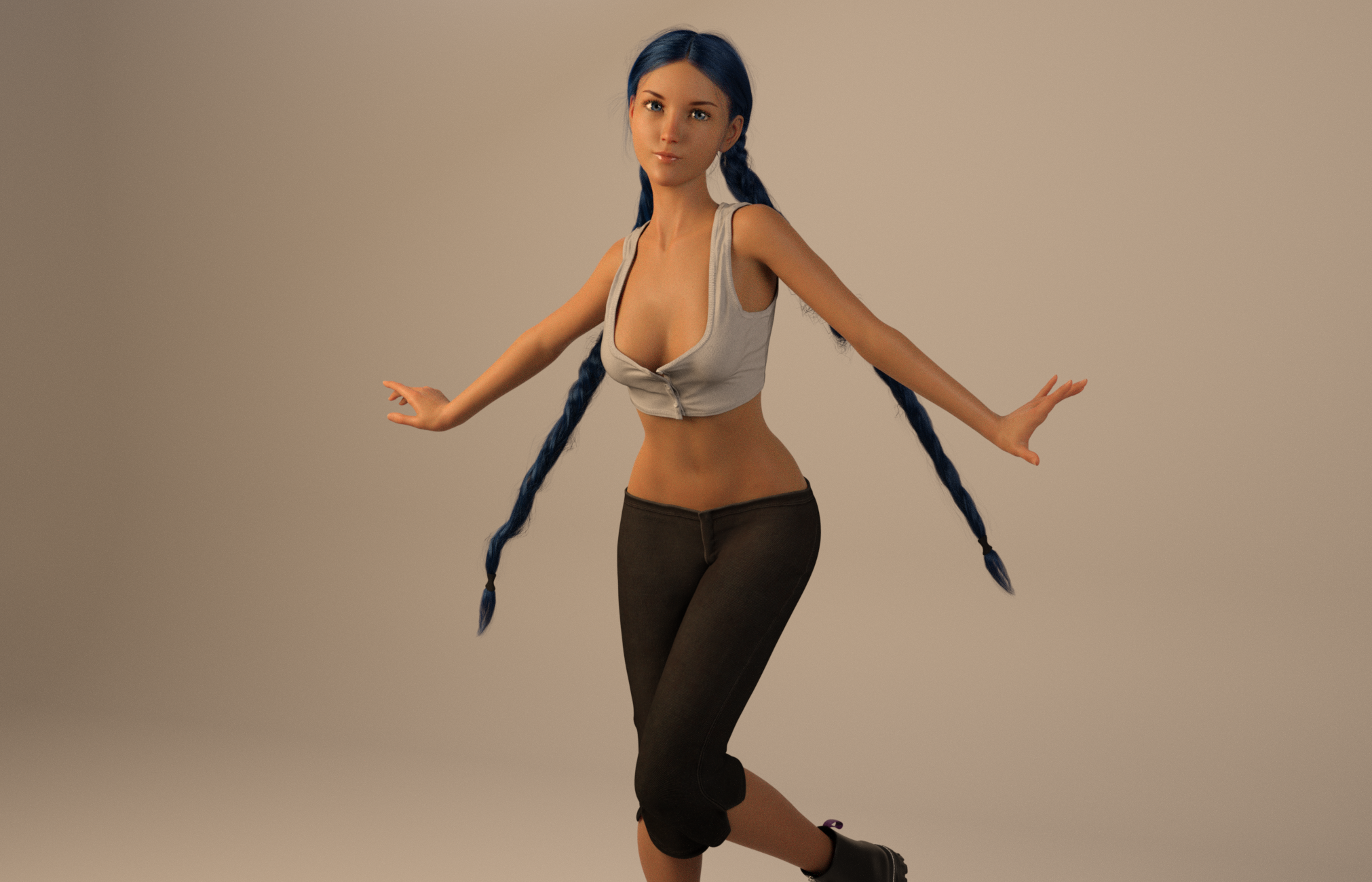
Paint weight maps on the UV morphed meshJINX !!I made a morph for Marigold hair. It will stretch each braid, and the movements has a risk of kinks if dialed much, but it kinda works.
 dForce Vector Ops patch
With Show Hidden enabled, and click Currently Used will show all the changes and morphs there are on the clothing. One of the morphs should be an autogenerated morph to match the character, which it apparently don't do.
For dialing the character out, select the character in Scene tab and click Currently Used it will show the morph that is on the character, and if the character is a single morph you can dial the slider back towards 0 and see if the clothes fit when dialing it back.
Many of my items are not installed by DIMSorry, I misread your post. So the Content folder is inside the actual content directory (e.g. My Daz 3D Library)?
The error in the last post means that the ExP creation tools have not been run or that the installation is off, relative to the figure you loaded (unlikely if it is the base Michael 4). You either need to manually run /Runtime/Libraries/!Daz/DzCreateExPFiles-m4.bat to build the reference files 9and rrun it every time you add or remove ExP morph sets or characters) or you need to install the PowerLoader components so that DS will build the needed files on load each time.
Same JCM fires differently on the same wearable seemingly at random across different load instancescrosswind said:
Oh, got it ~ So it's an issue of outline, and actually you manipulated Face Groups on the geo-shell of outline ~~ But, still I don't think the settings should influent a pJCM / cbs
I further tested a couple of cases in almost the same way as you did... but couldn't reproduce the issue.
Screenshot 1: a corrective morph triggered on the boots by Shin Bend, with ouline all on; (I modified the correctiver morph in Blender and imported to update it so as to make it look more obvious...)
Screenshot 2: turned off some Face Groups on the shell, no change was found to the corrective morph.Edit: I did it by hiding bones of thighs / shins as well as using Auto-Hide on the facets of figure's thighs / shins...., then I got the same result with no issue ~
But look in the second image at the skin of the thigh. There's no Outline on it, which was the issue I was trying to solve for originally that lead to my ill-fated Face Groups re-defining that caused me to make this thread haha.
dForce Vector Ops patchLooks weird.
If you with the jacket selected in Scene tab, in Parateres enable 'Show hidden' and then click 'Currently Used', what does it then show?
I would expect an autogenerated morph for the character, but doesn't really look so in your images.
Same JCM fires differently on the same wearable seemingly at random across different load instancesOh, got it ~ So it's an issue of outline, and actually you manipulated Face Groups on the geo-shell of outline ~~ But, still I don't think the settings should influent a pJCM / cbs
I further tested a couple of cases in almost the same way as you did... but couldn't reproduce the issue.
Screenshot 1: a corrective morph triggered on the boots by Shin Bend, with ouline all on; (I modified the correctiver morph in Blender and imported to update it so as to make it look more obvious...)
Screenshot 2: turned off some Face Groups on the shell, no change was found to the corrective morph.Edit: I did it by hiding bones of thighs / shins as well as using Auto-Hide on the facets of figure's thighs / shins...., then I got the same result with no issue ~
Genesis 2 Appreciation Threadmding said:
@ItsAaron: So this is a selfcreated character of your own! Very nice stylized character with painterly look (esp. eyelashes look like they must have been quite some work) - thanks a lot for the artwork and also for telling us which morph sets and hair you used!
Morph i used Giselle 6, Genesis 2 Head Morphs,
and Creature Creator For Genesis 2 Female(s) for faerie headand the hair is Kyoko Hair MK-3, that's all ;)
Genesis 2 Appreciation Thread@ItsAaron: So this is a selfcreated character of your own! Very nice stylized character with painterly look (esp. eyelashes look like they must have been quite some work) - thanks a lot for the artwork and also for telling us which morph sets and hair you used!
Same JCM fires differently on the same wearable seemingly at random across different load instancesEvening folks,
This program is gaslighting me. I've got a wearable that has JCM's that will be different seemingly at random from one load to the next. Sometimes I'll load it and the shin bend 90 JCM will look really nice. Other times it'll look jaggy and gross. I can't isolate anything that would explain this. It's loaded on the same figure every time. No smoothing modifiers to interfere.
EDIT: I've solved the mystery but I don't entirely understand why this would be causing the issue itself. The control instance I was using had a custom facegroup on the figure. (to hide the specific polys on the leg covered by the boot on the Toon Outline, since the boot is actually smaller than the figure so the leg is hidden and the relavant polys need to be hidden on the toon outline too or it floats in space). Any instance I loaded where it was just the shaping morph applied did not have this face group defined, so no issues were observed. Any instance I loaded where I used a character preset (which had the facegroup baked in) would have the issue.
Why would a face group affect JCM calculations though? I thought they were just Daz's version of selection sets. UI elements essentially.Daz 3D is part of

Connect
DAZ Productions, Inc.
7533 S Center View Ct #4664
West Jordan, UT 84084Licensing Agreement | Terms of Service | Privacy Policy | EULA
© 2026 Daz Productions Inc. All Rights Reserved.