-
DAZ Studio 4.9 Pro, General Release, Now Available!
My biggest issue with the smart content pane is that the way it is categorized is just not intuitive nor is it conducive to my work flow. Since I was pretty much able to define my own categories with the advent of Daz Studio Advanced (name drop) I have gotten very comfortable with a specific layout and flow for finding content. I see how DAZ has it set up and it seems logical at first but not so much in practise. Thanks to my experience with the old school "Dressing Room" tab from way back when, if I was to look for say Sky Princess for Morphing Fantasy Dress. It would look something like this...
People > Genesis (or Victoria 4.2) > Wardrobe > Morphing Fantasy Dress (I didn't bother to put it in a "Dresses" category since I used it often, Same with the "Basic Wear") > Expansion Pack 2 (for example) > Materials
Granted it seems like a lot of clicking but what you would have us do is Wardrobe > Dresses > Morphing Fantasy Dress > Expansion Pack 2.. followed by
Materials > Wardrobe > Morphing Fantasy Dress > Expansion Pack 2. That just seems so redundant and with my setup, you can get both the Dress and the Expansion and the Textures in one forward movement.Personally, I would like to see a similar pane to the Smart Content pane that allows us to create our own Categories. Not sure if it works that way now as I have not tried yet but you get the point.
On a side note, show of hands, who here has completely obliterated and reset their database in order to try and understand the Smart Content pane, and are now not only being distracted by the intricacies and lack of documentation but discouraged from making the art you really want to? Am I the only one? I doubt it.

You can still create your own categories -- that's what I do, and my system works better for me that the defult categories. Smart Content still works with custom categories.
DAZ Studio 4.9 Pro, General Release, Now Available!My biggest issue with the smart content pane is that the way it is categorized is just not intuitive nor is it conducive to my work flow. Since I was pretty much able to define my own categories with the advent of Daz Studio Advanced (name drop) I have gotten very comfortable with a specific layout and flow for finding content. I see how DAZ has it set up and it seems logical at first but not so much in practise. Thanks to my experience with the old school "Dressing Room" tab from way back when, if I was to look for say Sky Princess for Morphing Fantasy Dress. It would look something like this...
People > Genesis (or Victoria 4.2) > Wardrobe > Morphing Fantasy Dress (I didn't bother to put it in a "Dresses" category since I used it often, Same with the "Basic Wear") > Expansion Pack 2 (for example) > Materials
Granted it seems like a lot of clicking but what you would have us do is Wardrobe > Dresses > Morphing Fantasy Dress > Expansion Pack 2.. followed by
Materials > Wardrobe > Morphing Fantasy Dress > Expansion Pack 2. That just seems so redundant and with my setup, you can get both the Dress and the Expansion and the Textures in one forward movement.Personally, I would like to see a similar pane to the Smart Content pane that allows us to create our own Categories. Not sure if it works that way now as I have not tried yet but you get the point.
On a side note, show of hands, who here has completely obliterated and reset their database in order to try and understand the Smart Content pane, and are now not only being distracted by the intricacies and lack of documentation but discouraged from making the art you really want to? Am I the only one? I doubt it.
Where is victoria 4That's not the Victoria 4 base, its an add-on for Genesis 2 Female to use V4 textures and clothes. This is the V4 base: http://www.daz3d.com/victoria-4-2-base
Sorry, misunderstood what you were trying to do. To use V4 textures on Genesis 2 Female they need to be saved as .duf material presets. Load Genesis 1, apply the material preset, and then save it as a new material preset.
The V4 clothing won't show up in Smart Content when you have G2F loaded. You'll need to find it in the Content Library pane > Poser Formats > [content library name] > Figures; check the readme for the exact folder names if you're having trouble finding it.
Where is victoria 4I sure hope someone can help. I purchase and installed victoria 4 base today, (http://www.daz3d.com/victoria-4-for-genesis-2-female) as well as the elite package(http://www.daz3d.com/v4-elite-bundle.) I've been messing with Daz for a few months and find the storage awkward, but I thought I had a good handle on it until today. The victoria base does not show up in either my smartcontent panel or my Content library. After using the search button in the content library I located a set victoria 4 uv option. I've done that but the clothing I purchased for the victoria model are still not showing up and I can not apply the material files from the victoria elite downloads to the 'genisis' figure that has the set victoria applied to it. If anyone knows where I am supposed to look or what I am doing wrong I would love a heads up. Thanks! ~~Elisabeth
Locating Content not installed via Daz Connect.No no no, you misunderstand, I am talking about products missing before I install them. Yes they show up when I use the DIM. But I am saying if I was to use only the Daz Connect, one thing that does not show up along with 1200 items is for example Victoria 4.2 So if I was to rely solely on Daz Connect I would be missing content.
Locating Content not installed via Daz Connect.No, it is not showing them at all, but again I am noticing it with 4th Gen products, so that may be why. I haven't really noticed it with genesis-related or Nex Gen (for lack of a better term) Daz products, because I haven't really been testing it out with anything other than 4th Gen products. Just off the top of my head, as basic as it can be... Victoria 4.2 base. Does not show up in the Smart Content pane for any tab.The 4.2 Bodysuit and wet maps and stuff all do but not the base. Now if I install it via the DIM, it shows up with a thumbnail and meta data and in the DIM it even gets a lil check mark for meta data.
Mei Lin 7 announcedhttp://www.daz3d.com/m-65-american-icon-for-genesis-3-female-s
Supported Shapes:- Arabella 7
- Bethany 7
- Eva 7
- Gia 7
- Karen 7
- Mei Lin 7
- Olympia 7
- The Girl 7
- Victoria 7
for me, it's simply superb news
...bugger, no shape support for Josie7 and the texture set has an urban camo scheme as well. Would have been great for my Leela character.
How I can locate Hexagon? Help please!Sometimes programs get installed in an oddball folder like in downloads. One thing you can try is download a free hex model like http://www.sharecg.com/v/13081/favorite/5/3D-Model/Starter-Dress-for-Victoria-4 and then unzip and double-click the hxn file... Hexagon should open it if its installed correctly on your system.
New to Victoria 4.2As you've noticed, the 4th generation figures don't load with the morphs already active the way the Genesis figures do. There are 3 ways to activate the morphs:
1 - In the Poser Formats > Pose > Daz' Victoria 4 > Morph Injections folder there are presets to inject sets of morphs (or individual morphs if you don't want them all loaded). Note that these just activate the morphs, you still need t go to the Parameters pane to dial them in,
2 - If you use DS and install the Powerloader package then a dialog box will open when you load the figure in which you can specify what morphs to inject.
3 - To make her load like Genesis does, load her and inject all the morphs, then save it as a Scene Subset. The Scene Subset will load with all the morphs available but won't use memory for them if they are left at their default values.
How I can locate Hexagon? Help please!I want to create a new morph from Victoria 7 with Hexagon. I can't locate it. I bought hexagon. What I can do? Thanks!
Victoria 4.2 base in 4.9 pro issues.How did you install Victoria 4.2 base?
NEW! Novica & Invited Guest Contributors Tips & Product Reviews Pt 6Have to agree on the float. I ended up not buying either one. I did get five things for about $6, including the Modern Brides. Would be a nice background scene (there are some wedding things in the store) and having a wedding scene in a book allows for SO much to happen/go wrong or just to showcase gorgeous plants/flowers/formal setups.
I got Dark Fantasy Weapons (.98)
Dual Wielding Poses (Gen2, Gianni) ($1.25) GREAT starting positions to tweak for other poses
Aim And Shoot (Victoria 6 and Olympia 6) ($1.36) as I have NO clue on posing for archery and at that price, it wouldn't be worth my time to do it anyway!
That Platinum Cocktail Dress ($2) and Modern Brides ($1.20) all added up to $6.79 with the PClub discount of $6. I'm done.
And no, no Encrypted stuff for me. I'm not one of the adamantly opposed people, but 1. I am using 4.8, building extensive custom Categories, and not switching back and forth to 4.9. I don't have the time or patience to make a list of what is encrypted and what isn't, so I'm keeping it simple and avoiding encrypted unless it really has a WOW!!!!!!! factor. Even then.....2. I have more than what I can use in a year. So if I still want it (I don't NEED anything at this point) then I'll get it.
BTW, let's chat about that. This is a "no one is going to judge you whatsoever" if you get encrypted content. Feel free to showcase it (as I won't be getting most of it probably, depends on the releases) as we want all products covered. You don't have to explain why you got it, defend it, nada. If it's good and you want it, and are comfortable with encrypted, or are using 4.9 so it doesn't matter if it's encrypted, would love to see it showcased too. Just please identify at the time that it is encrypted, it's a hard habit to break to NOT look and see first, and I keep forgetting. It will help those people who are not using 4.9 (and may have nothing to do with encryption.)
Happy rendering. I have to go read the Reality Users Manual and get questions ready for Paolo on the Reality thread here in the Art Studio. Tune in tonight at 8pm Eastern (7PM Central time and 6 PM Mountain Time and 5PM Pacific Time. I was curious- In Alaska, that will be 4PM and Hawaii 3PM) Even if you aren't there when it starts, you can read up/catch up and Paolo will take additional questions as the evening goes on.
New to Victoria 4.2Hey all!! It's me again...Supernewb!! Anywho, I just recently got my hands on V 4.2 and immediately I found she's an ENTIRELY different animal than G2 or G3!! For starters, she has a dial in from the outset that I simply don't comprehend. So many options as to how she can come in the scene that I need to underdstand. Which I' sure leads to the next wall I hit as it appears she's got some secret way of manipulating her features..I'm SO spoiled by Genesis 2!!
Any tips/tutorials one can suggest??
How do I make my original character have a track in the sequencer?When I expand a character like Victoria 4.2, I see a track, then model, then body parts. My character shows any groups I've made and parts.
Locating Content not installed via Daz Connect.Okay, well that is something. Thank you for that, much appreciated. At the same time it lays to rest any fears I had of being pigeon-holed into using Daz Connect only since you do have a todo list for the DIM.
Forgive me, I tend to be a very cynical person and even when I try to control it, I don't do a very good job either, so apologies for the previous bouts of sarcasm.
My main concern is that I love my 4th Generation content. Simply put. One massive hurdle for me is that regardless of all the morphs that are available for the multiple generations of Genesis, Xameva's Perfect Victoria 4 Complete sculpt set, is still second to none. Not to mention the thousands of products I have purchased not just from DAZ, but Runtime DNA (yes I am aware of the merger and again, am looking forward to it), Renderosity, Renderotica, MostDigitalCreations (on of my favorites), YUR Digital (owned by a friend), Optitex (dynamic cloth), InLite Studios (sparse catalog, but love the quality of the products), and so on.. I can understand not wanting to provide for 4th Gen from here on; we all need to move on and even though I myself have fallen prey to my own "complacency stifles creativity" mentality, DAZ started the interest in it so it should continue to be supported. At this point and for a while since I could remember, it honestly feels like DAZ doesn't even want to support it anymore. If that is the case then fine, it is your company you do what you want with it. We vote with our wallets so it is up to us to decide what to do next, but please just say it. Own up to it and stop letting us play this guessing game of "what if", that is teh most frustrating thing about DAZ is that when they say one thing, you don't actually know what to expect, and normally that would not be a problem for any other company but WE are a community based on your product. It would absolutely not be what it was if not for us. DAZ may have created it, but WE made it what it is. At the same time, if that is NOT the case then DAZ hasn't done a very good job of putting out those types of fires in the past. I mean there is a REASON why so many of us feel this is the case in the first place, ya know?
Now, if I am wrong about all of this (a very real possability) then what in 4.9 allows us to continue to install, locate, organize and use older or non-daz content? Because if I am wrong and really just blowing it all out of proportion then tehre has to be something I am missing. Much like the 1200 products of mine that do not show up in the Smart Library pane as an option for installing, but do in the DIM.
Victoria 4.2 base in 4.9 pro issues.does anyone else have victoria 4.2 in daz 4.9? and if so does it work? I have tryed everything and mine simply will not show up, it's in the list, but simply a box with a triangle in it, says file not found. Ive reset everrythong, reinstalled several different times, and even redownloaded it and installed it again, it just doesnt exist apparently.
Has anyone else came across this and knows what to do? I bought some content based on victoria 4.2 base, and i cant use any of it.
Runtime DNA Merges With Daz 3DThat's no moon...its Daz3D!!! Great news :-)...
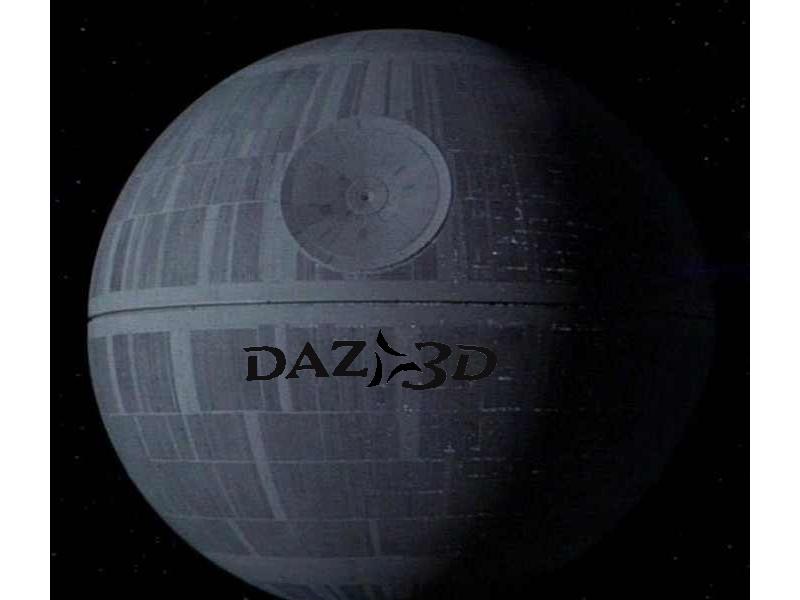
 needs this playing in the background.
I can see it now, the Imperial Lord Outfit for Victoria 8. Features black plastic helmet, and a black battlesuit known to some as a small bikini, with 7 inch heels.
Edit: woah the forum automagically embeds youtube videos, I didn't know that. Also it has 35M views and is 8 years old so if there were going to be copyright issues linking it they'd have happened a long time ago, in a galaxy far, far away.
What's that old expression ...? Oh yes, "Sith happens"
 Runtime DNA Merges With Daz 3DThat's no moon...its Daz3D!!! Great news :-)
...
needs this playing in the background.I can see it now, the Imperial Lord Outfit for Victoria 8. Features black plastic helmet, and a black battlesuit known to some as a small bikini, with 7 inch heels.
Edit: woah the forum automagically embeds youtube videos, I didn't know that. Also it has 35M views and is 8 years old so if there were going to be copyright issues linking it they'd have happened a long time ago, in a galaxy far, far away.
Panties and ThighsIt seems to me that we should not be required to learn modelling skills, external software and the complexities of rigging just to get a purchased item of clothing to look like the item it is supposed to be. OK, one might say that clothing converted from previous generations of figures can't be expected to be perfect but I'd respond with two points: (a) I didn't expect autofit to deal with the conversion, I actually bought products from this store which claim to handle the conversion properly. And (b) This particular issue is not entirely restricted to converted clothing. There are plenty of examples of G3F shorts, etc. which display the same distortions.
Granted, the SickleYield G3F templates are mainly for dresses and tops - not for pants - so I'm not criticising the product. Wear Them All has this statement on the product page:
All clones were made to be the exact projections of legacy figure shapes and can be used with all existing projection templates for Genesis 3 Female to fit every piece of conforming clothing from pants and shirts to footwear and headwear and even hair, as well as any full body clothing in DAZ Studio.
By the way, I checked those panties on V4 and they do not distort in the way they do when converted to G3F.
In all other respects, I'm very pleased with the conversions using these two products. I was just hoping that someone with a better understanding of the technology might have some ideas on how to fix the pants. Perhaps it is not the conversion but a limitation of the G3F figure? Yet I have panties from Out of Touch which, while they stretch a little, do not display that kind of distortion.
Ideally, Valzheimer might be able to figure out a workaround and issue an update? One can only hope.
Hi, yes distortions happen because previous generation clothes was intended for generation they were created for and they lack in JCMs whereas geometry of new/G3 clothes is created from beginning to fit G3 geometry (back cross-fit can also give distortions because geometries missmatch). Just as shoes would never fit 100% perfectly same may happen with other things like fitting the crotch, as there isn't other template to use to fix that other then using either Full Body or Pants.
However workaround I'd suggest is the same I suggested under the Read Me for shoes - using Generic type of Smoothing (instead of Base Shape Matching) and in this case also using Weight parameter higher (I got best results with pushing it from 0.5 to 0.7). Not all clothes will act the same so it's on you to discover what gives you the best results, but here's one example of working with shorts and panties fitted from Victoria 4 to Genesis 3 Females. I also always convert older items to SubD (1, 2 or 3 value) to get higher resolution.
Hope that helps :)
V.
Thank you like a 100 times over for this info! I had wondered how to fix this and tried using the weight map brush to smooth this out but couldn't seen to get it right!
I just tried this on a couple of items. Not 100% perfect, but way better than the alt!.
V4 internal anatomy be fit to genesis 3?Hi, just wondering if anyone owns the v4 internal anatomy bundle and can confirm that it ca be "fit to" the genesis 3 characters such as victoria 7.
Daz 3D is part of

Connect
DAZ Productions, Inc.
7533 S Center View Ct #4664
West Jordan, UT 84084Licensing Agreement | Terms of Service | Privacy Policy | EULA
© 2026 Daz Productions Inc. All Rights Reserved.