-
Cell Shading shaders by Crescent
Hi guys,
First off I want to say that I am not trying to advertise pwToon at all. I recently bought it and like it a lot, but mostly I am just pointing out a cool little freebie shader kit for it that I found. There is a shader pack by Crescent that gives pwToon a Cell Shading effect, and while I haven't mastered it yet, it's certainly nice! The readme that comes with it says that it is a freebie, redistributable and even allowed to be edited!
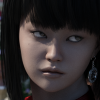
Below are links to the file, a guide on deviant art, and a render. The Shaders are by Crescent, the guide is by CyonixGFX on Deviant Art, and the render was done by myself.
Shaders: http://depositfiles.com/files/oxbyb5ocm
Guide: http://cyonixgfx.deviantart.com/art/Cel-Shading-in-DAZ-Studio-156161543
Render (Thin Cell Shading):
http://i48.tinypic.com/1079q1x.pngPlease do read the guide, it is extremely well made and informative. Hope you all enjoy it like I do! The guide is 2 years old, but still works witth DS4.5
Edit: The render is using Hitomi for Genesis (If you happened to read by post about trying to figure out what figure to buy, I chose her xD) and was done extremely quickly, so excuse the lack of detail.
Using DAZ to create character sheets... help :PSon of Belmont said:For something like this I would normally create a toon render with pwtoon or even just a normal render that uses the default grey material, then set the opacity of the rendered image down to something like 25% in Photoshop or a similar program, print it out, and draw over the top. Alternatively I sometimes skip changing the opacity and just draw over the image on tracing paper because it’s easier on the eyes. As far as I know not even higher end 3d programs can do exactly what you want although it would be damn great if they could.Also
a bit off topic but how do the visual style shaders compare to pwtoon? Would it be worth picking them up if you already have pwtoon or do they do pretty much the same thing?Hi there, i'm the creator of Visual Style. :)
There are a couple of big differences between pwToon and Visual Style.pwToon is a mostly automated shader, with your shader colour being automatically multiplied over the base colour. This makes it harder to create zany colour combinations, as the shadow colour you set will always look different in the final render. Visual Style is more of a manual shader; it requires quite a bit of tweaking, but you get more control over the final look (the colours you set will look the exact same in the final render). On the other hand though, pwToon is the only toon shader out there with support for even-width lines (although they do take a long time to render), so that's exclusive to pwToon. Visual Style's only "exclusive" feature is the use of Ambient Occlusion for more detailed soft shading (it's heavily inspired by Visual Novels/Dating Sims).
EDIT: @Chris: Re-reading this topic, it sounds more like you'd benefit from an M4 with a custom texture that is literally just the outlines of the main muscle groups with no shading whatsoever. If you buy the muscle maps, you could trace over them in Photoshop to create the new 'guide' texture.
Just purchased pwToon shader and I see literally no differenceThis should help you - http://www.poseworks.com/shaders/pwtoon/
Just purchased pwToon shader and I see literally no differenceIt's possible you're missing a step.
It sounds like you've selected the object, surface and applied "pwToon" properly.
You next have to apply one of the presets (pict 2); I like "Snazzy Toon", but use others as needed.
In the Render menu, you have to make sure that the 3Delight engine is selected ("Best"). You should probably select "Default" rather than "Cartoon", but I don't remember if it makes a difference if you're using the 3Delight engine.
Lighting helps, I like to use UberEnvironment to test the shaders initially.
Hope that helps.
-- Walt Sterdan
Just purchased pwToon shader and I see literally no differenceI have all of my surfaces correctly displaying "shader:pwToon" in the surfaces tab (I am using DS4.5, it says it was supported). From what I'm reading, it should be noticeable in the active viewport, but it is not. I tried rendering, and I still get nothing.
Is there supposed to be a new render option? I still just have normal one and the normal cartoon one.
Help with cartoon renders - floor black! SOLVEDThank you so much, Jimmy....
I have PWToon but I prefer the way the Daz Toon Shaders work on the skin...but you've given me a place to concentrate....
I guess my way forward is to use the shaders on all the surfaces and render with the non-toon renderer....?
Many Thanks
OM
Help with cartoon renders - floor black! SOLVEDI tried this with a Plane Primitive in DS4P, the toon renderer does that circular thing on that as well.
I experimented with Shaders, and the ones I tested do taht as well, except for pwToon. When I applied a pwToon shader, it covered the whole plane with no circular mark. I don;t know what the answer is, or why DS does it that way, but pwToon shaders seem to work.Cartoon rendering and problems with upgrading to 4.5?I've been learning Daz Studio for about 10 days now and I'm getting the hang of it....
I wanted to do cartoon/comic type renders so that's a whole new skill set...and a bit more kit.
Anyway, I upgraded to 4.5 and, before I did so (just to be on the safe side) I copied my library to my desktop and then dragged it back and merged it after the 4.5 install....
The renders for my toons are much, much better and so much faster - Is that an effect of the upgrade?
When I clothe my character, though, I don't see the clothing in the viewport - although when I render, the clothes are there...and fitted????
Also...I think because I merged my library - I am getting the odd error message telling me there are duplicate ID's - I'm guessing I probably need to go through all my content libraries and remove/delete any duplicates????
Any help on Cartoon rendering would be very gratefully received...especially with lighting - as this does seem to adversely affect the renders for cartoon shaders - I have and have tried PWToon; Some free celshaders (forgotten who did them) and the Daz defaults - which, IMHO are the best ones :)
GET DAZ STUDIO 4.5! See why you should do it today!inquire said:Morgan R. Lewis said:I'm having a problem with pwGhost and DS 4.5. I upgraded to 4.5, reset my pwGhost download and installed version 1.2. But when I try to render, all I get is a solid flat color instead of the pwGhost effect. While rendering, it gives me this error message:3Delight message #45 (Severity 2): S2069: the interface of shader 'F:/DAZ/DAZStudio4/shaders/pwGhost.sdl' is invalid
The file is there, so I'm out of guesses.
I have noticed the shader presets for the SuperSuit have stopped working in DS4.5, at least in the Macintosh version. I have filed a bug report on that. Perhaps you should file a bug report about pwGhost.
SuperSuit presets are working for me so far on Mac Os X Lion 64-Bit - without any download reset / re-install of the SuperSuit files (also added this info to a bug report).
As for shaders, at least UberSurface2 (12700_UberSurface2DS4_1.3_ds.zip), pwSurface2 (8258_pwSurface2_1.2_ds.zip), pwToon (7253_pwToon_1.2_ds.zip - mac), and pwEffect (5387_pwEffect_1.2_ds.zip) are working for me. I don't own pwGhost, so cannot help with pwGhost.
Plugin version numbers for DS 4.6Updates May 16
Items which have not been updated should still work in DS4.6
Thanks to Jay Nola for providing this list.
These have been updated for 4.6
Genesis Starter Essentials (1.13)
3D Bridge for Photoshop (1.3.0.8)
GoZ for DAZ Studio (1.3.0.8)
Decimator for DAZ Studio 4.5+ (1.4.0.18)
DSON Importer for Poser (1.1.0.18)
Dynamic Clothing Control (1.3.0.18)
Mimic Live! (1.3.0.18)
Elite Human Surface Expansion Pack 1 (1.1)
omAreaLight Light Shader for DAZ Studio (1.3)
pwCatch (1.2)
pwEffect (1.2)
pwGhost (1.2)
pwSurface 2 (1.2)
pwToon (1.2)
pw Shaders Bundle (1.2)
UberEnvironment Light Shader IBL/HDRI (1.3) (no update needed from June version)
UberEnvironment HDRI Pack 1 (1.1 for DS4 / 1.1 for DS 2 & 3)
UberHair Shader Upgrade for UberSurface (1.3) (no update needed from June version)
Uber Lighting Bundle (see each item in the bundle for the current version)
UberPoint Light Shader for DAZ Studio (1.3)
UberSoft Lighting Kit (1.3)
UberSpot Light Shader for DAZ Studio (1.3)
UberSurface2 Layered Shader for DAZ Studio (1.3)
Genesis Generation X (1.2)
GenX AddOns for Gen 3 (1.2)re PoseMaster, cridgit says:
I can confirm PoseMaster works in 4.5 but I have noticed not all the tests pass. This is due to something having changed in how DS handles node scaling but it won’t affect 99% of your pose transfers. I’m still investigating the root cause and will possibly be releasing an update if deemed necessary.Faceshop is now at version 8EZ. FaceShop tutorial videos and current versions of FaceShop can be downloaded from:
http://www.abalonellc.comIf you have FaceShop 7+ Abalone LLC has a new plugin (dll) that works with the release version of DAZ Studio 4.5 and not the RC versions.
It is are out for 32-bit and 64-bit for PC and the Mac version is in the works. according to Abalone LLC.To use replace the existing faceshoploader.dll in the Studio “plugin” folder.
They can be downloaded at this link.
http://www.abalonellc.com/free-upgrade-for-existing-pro-users.html
Alessandro_AM has updated INFINITO 1.1 to work with 4.5. The new versions can be downloaded at:http://www.alessandromastronardi.com/INFINITO1.1_4.5/infinitoPlugin.OSX.32.zip
http://www.alessandromastronardi.com/INFINITO1.1_4.5/infinitoPlugin.OSX.64.zip
http://www.alessandromastronardi.com/INFINITO1.1_4.5/infinitoPlugin.WIN.32.zip
http://www.alessandromastronardi.com/INFINITO1.1_4.5/infinitoPlugin.WIN.64.zip
You do not install Darkside with 4.5, it is built in.If you have multiple copies of DAZ Studio and want to have the Photoshop Bridge work for both you need to install one version to the Adobe Plugins folder and the other to your Alternate plugins folder that you set in preferences in Photoshop or Photoshop Elements. You can’t put both versions in the same plugins folder.
Other updated plugins are in the works and will be released by venders when they are done and many have announced that they are working on them now.
Please report any updates to items on this list and things I don’t have on it.
Updated Genesis & Genesis 2 Products List & Thing To Be Aware OfUpdates 8-18-2012
Thanks SimonJM, Mike has the Dystopian Weaons Cache added to his list.
When I contact support on Monday about a tech issue I need to let them know the online Read Me for it doesn't indicate that it has been updated.
Added:Adrenaline Rush for Wicked Bolero (1.0)
Anime School Girl Textures (1.1)
Genesis Starter Essentials (1.3)
Jade Assassin (1.1) (The current version gives duplicate error)
SciFi Renegade (1.3)
SciFi Renegade Textures (1.1)
Wicked Bolero (1.0)
Wicked Red Cape (1.3)
Wicked Red Carpet (1.0)
Wicked Wear Future (1.2)
Wicked Wear Future Textures (1.0)Updated:
Elven Hair for Genesis (1.1)
Some prop and scene items have been included on this list when they come with poses, etc. specifically for Genesis.
The following stuff isn't on the list, but I'm posting it here so it can be found easily as it is related to updates and to save people the trouble of having to look through multiple threads and posts..These have been updated for 4.5.
Elite Human Surface Expansion Pack 1 (1.1)
omAreaLight Light Shader for DAZ Studio (1.3)
pwCatch (1.2)
pwEffect (1.2)
pwGhost (1.2)
pwSurface 2 (1.2)
pwToon (1.2)
pw Shaders Bundle (1.2)
UberEnvironment HDRI Pack 1 (1.1 for DS4 / 1.1 for DS 2 & 3)
UberHair Shader Upgrade for UberSurface (1.3)
Uber Lighting Bundle (see each item in the bundle for the current version)
UberPoint Light Shader for DAZ Studio (1.3)
UberSoft Lighting Kit (1.3)
UberSpot Light Shader for DAZ Studio (1.3)
UberSurface2 Layered Shader for DAZ Studio (1.3)These were updated a while back and not because of 4.5:
Visual Style Shaders (1.1)
Elite Human Surface Shader hasn't been updated. I contacted support to see if it had been last week after resetting all my elites that came with it.
Genesis Starter Essentials (1.3) is your basic content that was included in the older Daz Studio installer, but it is now in a separate installer.
If you have FaceShop 7+ Abalone LLC has a new plugin (dll) that works with the release version of DAZ Studio 4.5 and not the RC versions.
It is are out for 32-bit and 64-bit for PC and the Mac version is in the works. according to Abalone LLC.To use replace the existing faceshoploader.dll in the Studio “plugin” folder.
They can be downloaded at this link.
http://www.abalonellc.com/free-upgrade-for-existing-pro-users.html
Alessandro_AM just updated INFINITO 1.1 to work with 4.5. The new versions can be downloaded at:
http://www.alessandromastronardi.com/INFINITO1.1_4.5/infinitoPlugin.OSX.32.zip
http://www.alessandromastronardi.com/INFINITO1.1_4.5/infinitoPlugin.OSX.64.zip
http://www.alessandromastronardi.com/INFINITO1.1_4.5/infinitoPlugin.WIN.32.zip
http://www.alessandromastronardi.com/INFINITO1.1_4.5/infinitoPlugin.WIN.64.zipDaz Studio 4.5 versions exist for these plugins now.
3D Photoshop Bridge
Decimator for Daz
Dynamic Clothing Control
GoZ
Mimic LiveYou do not install Darkside with 4.5, it is built in.
If you have multiple copies of Daz Studio and want to have the Photoshop Bridge work for both you need to install one version to the Adobe Plugins folder and the other to your Alternate plugins folder that you set in preferences in Photoshop or Photoshop Elements. You can't put both versions in the same plugins folder.
Other updated plugins are in the works and will be released by venders when they are done and many have announced that they are working on them now.
Please report any updates to items on this list and things I don't have on it.
I'll be contacting support on Monday about the duplicate error with Jade Assassin (1.1).
GET DAZ STUDIO 4.5! See why you should do it today!DAZ_Spooky said:
Strange because everything we can see from this end has the 1.2 files which are the ones that work with DAZ Studio 4.5.namffuak said:DAZ_Spooky said:namffuak said:I give -- what is the bundle name for the PW Shaders Bundle (sku 13222)? I'm not finding it under 'pw' or 'poseworks'.Yeah - but that isn't what shows in my itemized order history; I'm trying to find it to reset the download.
OK, I found it -- "The Poseworks Shader Collection" and I'm not sure this bundle has been updated - pwToon shows version 1.1.Looking further into it.
The bundle was "Poseworks Shader Collection 2009" and the sku was 8254 back then.
GET DAZ STUDIO 4.5! See why you should do it today!
Strange because everything we can see from this end has the 1.2 files which are the ones that work with DAZ Studio 4.5.namffuak said:DAZ_Spooky said:namffuak said:I give -- what is the bundle name for the PW Shaders Bundle (sku 13222)? I'm not finding it under 'pw' or 'poseworks'.Yeah - but that isn't what shows in my itemized order history; I'm trying to find it to reset the download.
OK, I found it -- "The Poseworks Shader Collection" and I'm not sure this bundle has been updated - pwToon shows version 1.1.Looking further into it.
GET DAZ STUDIO 4.5! See why you should do it today!DAZ_Spooky said:namffuak said:I give -- what is the bundle name for the PW Shaders Bundle (sku 13222)? I'm not finding it under 'pw' or 'poseworks'.Yeah - but that isn't what shows in my itemized order history; I'm trying to find it to reset the download.
OK, I found it -- "The Poseworks Shader Collection" and I'm not sure this bundle has been updated - pwToon shows version 1.1.Cy's Renders ThreadSeems like everybody's got their own render thread, so I guess I'll make one as well! I'll start with a few of my older renders, all of which were rendered in DAZ Studio 2.3 (Wanna see the full-size render? Just click on the render's name and it'll take you to the full-size render on my dA account)
1) Visit Honolulu - A 2nd-place entry from a DAZ Beginner's Contest back in May 2010.
2) Wanna Race? - Apparently, I made this one back around November 2009. Can't believe it's been THAT long since I made this one...
3) Konnichiwa! - This one's from February 2010 and was my first ever render using the awesome pwToon shaders. Oh, and it got 2nd place in the DAZ Beginner's Contest that month as well :)
Also, why is it that images you upload in a post don't stay in the order you upload them?
Toon Shader ProblemsI received a response from Daz support-
Hi Danny,
We actually don't provide tech support for any of the content that was obtained from the free archive. These toon shaders are not part of the default DS4 content as was suggested by some members of the forum. (Unless I'm completely blind and can't find it)
It sounds like a bug report has already been created so there isn't much more I can do from there. These shaders were designed for DS3 and so I'm not sure whether or not they will be updated for DS4.
If you are looking for a good toon shader I would recommend pwToon:
http://www.daz3d.com/shop/pwtoon
The Visual Style Shaders are also really good for characters:
http://www.daz3d.com/shop/visual-style-shaders/
August 07, 2012 14:32
Using DAZ to create character sheets... help :PFor something like this I would normally create a toon render with pwtoon or even just a normal render that uses the default grey material, then set the opacity of the rendered image down to something like 25% in Photoshop or a similar program, print it out, and draw over the top. Alternatively I sometimes skip changing the opacity and just draw over the image on tracing paper because it’s easier on the eyes. As far as I know not even higher end 3d programs can do exactly what you want although it would be damn great if they could.
Also
a bit off topic but how do the visual style shaders compare to pwtoon? Would it be worth picking them up if you already have pwtoon or do they do pretty much the same thing?DAZ Studio 4.5 RC 3 Is Now Available for Download
Okay good. That's what I was expecting to see. :)Renpatsu said:Skiriki said:adamr001 said:Looks like the update didn't make it to the store yet. Sorry!Can you give a yell when they're updated?
I just reset mine and they were at 1.2 - 27th July 2012 and are working properly in the RC3 build. That is for the following pw products I got:
pwSurface2
pwEffect
pwToon
Edit: On another note, uberSurface2 seems to work ok without update.DAZ Studio 4.5 RC 3 Is Now Available for DownloadSkiriki said:adamr001 said:Looks like the update didn't make it to the store yet. Sorry!Can you give a yell when they're updated?
I just reset mine and they were at 1.2 - 27th July 2012 and are working properly in the RC3 build. That is for the following pw products I got:
pwSurface2
pwEffect
pwToon
Edit: On another note, uberSurface2 seems to work ok without update.Some AnimeIt depends on what kind of anime style you are trying to achieve. Visual Style was created to specifically recreate the style of Japanese Visual Novels first and formost, with many presets with soft colours and coloured outlines. Visual Style can be further edited to achieve something closer to an OVA anime style (which you seem to be going for in these renders). A user example of how this looks can be seen here:
http://iroha.b.dlsite.net/archives/1565398.html
And here is my own attempt at recreating an OVA style image someone showed me (which I don't have on me unfortunately, so I can't show a comparison):
However, Visual Style does lack the ability to create even width outlines, a feature that is exclusive to PWToon.
Daz 3D is part of

Connect
DAZ Productions, Inc.
7533 S Center View Ct #4664
West Jordan, UT 84084Licensing Agreement | Terms of Service | Privacy Policy | EULA
© 2026 Daz Productions Inc. All Rights Reserved.