-
Weird Effect from Hexagon Bridge Morph for Victoria 7
You need to reverse out the V7 morph from your new morph - as it is you are applying the Victoria 7 shape (and any other morphs set) twice. If possible, which it should be here, it's better to work from the zeroed shape (Edit>Figure>Zero>Zero Figure), but if you use the Advanced controls for the Hexagon bridge (Edit>Preferences>Interface>Bridges>Hexagon>Show Advanced Options) there is an option under the morph labelled reverse Deformations - turn that on and only the changes made in hexagon will be included in the morph.
Weird Effect from Hexagon Bridge Morph for Victoria 7Hi All,
I'm trying to create a Victoria 7 morph for DAZ Studio, using Hexagon. Here are the steps I followed:
1) Open DAZ Studio to new scene and load V7 character.
2) Select V7 and then File>Send to Hexagon.
3) In Hexagon, select V7, then switch to Select Faces and use Lasso mode to select a ring of faces (polys) around V7's neck.
4) Rescale (yellow box in Hexagon) inward slightly, so the neck looks compressed.
5) Switch to Select Object and again select V7, then File>Send to DAZ Studio.
6) This prompts me to create a morph (I named it TightCollar) and opens DAZ Studio, with the TightCollar morph available and set to 0. So far, so good.
But when I select the TightCollar morph and slide it to 100% (the 'full' setting of the morph I created) the morph 'compresses' V7's neck ... and also affects the rest of her body. She looks emaciated and the curves between her polys lose their smoothness.
What am I doing wrong?
Thanks for your help,
CrissieB
Victoria 7 vs.Victoria 4No. Victoria 4 is the generation 4 character of Victoria following the generation numbering system, not to be confused with G, G2 & G3 which are all Genesis based.
V7 is a Genesis 3 based character and has no association to V4 apart from the obvious confusion arising from the continuing use of the name "Victoria" . If you're confused by all the "Victorias" and "Vs" and "Gs" floating about, you wouldn't be the only one.
Novica & Forum Members Tips & Product Reviews Pt 7Well, this is the epitome of a statement. "10 morphs for hair" in the specific lists of morphs of Belinda Hair. No, really? I thought it was morphs for her clothes. This is silly!
10 Morphs Hair
13 Morphs Long
14 Morphs BangsThe total lack of effort telling what the morphs are is disappointing. I wanted to know if that one side of the hair does anything other than hang behind her, down the back. Anyone who owns that hair, will you try it and tell us? Frankly, compare that description with Katharina Hair
There should be a standard template for hair artists and all products, frankly, requiring certain aspects to be explicitly stated. I know, broken record. But morphs for the hair is a "will buy it, not buy it" factor.
EDIT: And then there's this one: Betty Hair. You get to guess the styles and morphs, and you're talking SIXTEEN actions you, as a buyer, don't know.
05 Adjustment Morphs
12 Bang Morphs
05 Bangs over eyes Morphs
06 Front Morphs
08 other Hair Morphs
08 StylesIs this how you want to have Morphs listed ;-)
Poser vs. DAZAgain, Blender is completely free and has one of the best manuals and range of learning materials of any 3D program I've seen (especially because a lot of it is actually written in human rather than programmer.) Obviously it's going to cost money to have staff dedicated to documentation... but shouldn't that be a high priority position for any company? What's the point of constantly bringing in shiny new features to bloat up a program that people struggle with the existing features (or don't even know they exist) because no one explained them properly?
Blender's manual is the work of, largely, a community of folks-- not really different from forum threads here. It is as good as the work of the volunteers who write it. As open source software, the guts of Blender are more visible to folks documenting it. When I try to understand DS' implementation of iRay's instancing, for example, there's no ability to look at the code repository, not Daz' and not Nvidia's. I can only see what it is that they've said about what they've done. That makes it more difficult for volunteers, even knowledgable ones, to contribute documentation.
Looking at the Poser/Daz world, there are any number of threads here and on other forums that expose far more functionality than the formal documentation ever did. Guys like BagginsBill and contributers to the Poser Node forum on RuntimeDNA-- just amazing innovations, stuff that was never in the documentation, all kinds of innovations with respect to the Firefly renderer. Similarly on this forum you'll find knowledgeable folks filling in the gaps from experience . . . that's why forums are valuable.
In the world of closed source commercial software, the way its typically works is this: the priority is development, with some 3rd party contractor coming in after a package is completed to write it up. Sometimes a shop will have an in house documentation guy, sometimes not. When looking at hobbyist level software-- which is what DS is-- there's not the same commercial motivation to document for customers. When you look at a big commercial package, which is being sold to corporate accounts, there's not just documentation, there's support, eg feedback from developers about what does and doesn't work, bug fixes, etc.
Blender also has something which commercial software typically doesn't have, for competitive reasons-- a very clear roadmap of functionality to be added to future modules. With Daz for example, as we iterate in the 4.9 releases, obviously there's a 5.0 out there, that likely has some big changes . . . I don;t think anything about it has been announced; Daz isn't going to tip their hand too openly about what for them has commercial value.
That said, the Blender documentation is not at the level of Autodesk's -- you pay your $3600, and you do get something for it.
Without really disagreeing with what you said, there are two things I have issues with there:
The first is that the forums here aren't the same because they aren't particularly easy to navigate if you're looking for various bits of info. You can find information on specific topics (sometimes) but it usually involves going to google instead of the forum search and then sifting through pages and pages of information for that bit you're after. From memory Daz did give us a wiki to write the manual for them but then no one really used it.
I get the idea that smaller companies work this way, but also I have issues with the idea that that's okay and that because we're all fine with it, it continues to be the way things are done. Why should you have to buy an expensive piece of software to be able to learn about all the extensive features put into a program in a reasonable manner? It's not just about being well documented: it's about paying any attention to them at all. The features are all there in Studio and clearly took quite a bit of effort to design and implement. Why is it so hard to make any sort of effort to advertise them - it's not just lack of detailed information; there are a load of features that are just never introduced at all.
I mentioned earlier that most of us receive daily emails from Daz: why can they not spare 2 lines of text to mention that they just put up a youtube tutorial or a simple have you tried this tool thing (or in an ideal world, give it a bit of explanation and then have a small render contest around it) ? But no, the only focus is on Victoria Clone 3574286 and her latest intense bikini armor, buy these deals that we can't actually program our store to manage properly, and not a thought to providing so much as a hint that make a customer want to poke around in the program a little more than they might otherwise.
Genesis (1) female shortage of shoes/heelsNow that I am home, (it's hard to copy links on a smart phone) I went through my shoe wardrobe for G1 Females:
http://www.daz3d.com/high-boots-3-for-v5
http://www.daz3d.com/ropesandals-for-v5
http://www.daz3d.com/v5-shoe-pack
The Over the Knee Lace Up Boots are an upgrade from V4, and are also available for G2 separately. So the textures in Hot Boots work for all three versions.
http://www.daz3d.com/hot-boots
http://www.daz3d.com/wm-cowboy-boots-for-genesis
'Cause you gotta have cowboy boots.
Also, do a search for 'Shoes', then refine the search by Figure - check off Genesis and Victoria 5.
These are mostly flat sole shoes - because I can't stand platform shoes - 'ankle brakers' are the most horribly uncomfortable shoes in the world! Not to mention I seriously sprained my ankle wearing a pair - Never again!
3D Art Freebie Challenge ---April: “When I Grow Up I Want To Be A Woodland Fairy” (Main Thread)Forest Fairies
A little girl and her younger brother are walking in the forest and stumble upon the home of the forest fairies.
Not counting: Genesis 2 Female & male, Toulouse Hair, Basic Hair
# = requires free registration
1) Forest #
2) Large Morphing Mushroom Prop for Daz 4.6 #
3) Fennja's Mushrooms #
4) Wynter Fairy for V4 part 1 & 2 #
5) Wynter Fairy Hair for V4 #
6) Love Fairy Outfit #
7) Love Fairy Character #
8) Love Fairy Textures #
9) fae flowery wand #
10) SY Easy Godrays DS #
11) Rainbow Sandals for Aiko3, Aiko3 LE, Genesis 1 & 2 #
12) Genesis 2 Female Children's Dress #
13) Genesis 2 Children #
14) G2M Casual Shoes #
15) Genesis 2 Male Casual Shirt & Trousers #
16) Genesis 2 Male TShirts #Paid: V4 Hero Pro Pack (used for the render Victoria 4.2 figure and Shigi Hair)
Thank you for participating Jonttex82. Cute Avatar. Orco is quite a little character.
All links verified.
ENTRY ACCEPTED
Please transfer to the Entries Thread.
Victoria 7 vs.Victoria 4I'm new to DAZ Studio although in the 90s I used Bryce and Poser.My question concerns whether I need Victoria 4 if I have Victoria 7.Any thoughts on that ?
beginnerNot knowing what sort of hardware you have, I'm wondering what you are trying to do. Do you just want to move around in the 3-D "virtual space" with actors and a few props, or are you looking to head in the direction of some specific artwork.
I've been trying this out for a couple of years; I have DS 4.8 up and running, and also an older one. Never seen any "interactive" tutorials, but I have watched some video clips. Often I find the narrator says "right?" and "ok!" much too quickly and then moves on to something radically new.
It is much easier to render a piece of fruit, say, with different lighting and surface textures, than it is to do two clothed figures fighting or dancing.
One surprise, for me, was that there's no real "collision detect" function when you are assembling a scene... things slide in an out of each other, elbows "poke through" sleeves and so on. A bit confusing at first but great if you want to do Gumby who, you may recall, could literally slip inside a giant book. Genesis and Victoria 4 can do that too, and DAZ cars can drive right through walls etc.
I did not know there was an Iray preview mode that consumes resources so there you go! Learn something every day.
Rendering Skin in the ShadowsThank you very much for your imput. Can I just ask an off topic question since it seems you might know the territory. What is the difference (if any) between V4 and Genesis 2? I have bought and succesfully used some G2 products on my G3 models but I am wary about purchasing V4 products to also use in the same way with my G3 models...any imput? Thank you again.There is a great deal of difference between V4 (part of "Generation 4") and all Genesis figures. Just about everything is different in terms of how morphs work, how the joints work, how clothing is fitted. There are ways in which you can exchange assets between these generations, for example, you can use the skin texture maps from V4 on Genesis 1 as is. On Genesis 2, I believe you need a product such as this. If you are fairly new to DAZ and have no Generation 4 or older products already personally I don't recommend looking back to Generation 4 (other than for textures, perhaps, bearing in mind the above conditions). You will be facing an entirely new learning curve for what I think are uncertain benefits.
3D Art Freebie Challenge ---April: “When I Grow Up I Want To Be A Woodland Fairy” (Main Thread)Forest Fairies
A little girl and her younger brother are walking in the forest and stumble upon the home of the forest fairies.
Not counting: Genesis 2 Female & male, Toulouse Hair, Basic Hair
# = requires free registration
1) Forest #
2) Large Morphing Mushroom Prop for Daz 4.6 #
3) Fennja's Mushrooms #
4) Wynter Fairy for V4 part 1 & 2 #
5) Wynter Fairy Hair for V4 #
6) Love Fairy Outfit #
7) Love Fairy Character #
8) Love Fairy Textures #
9) fae flowery wand #
10) SY Easy Godrays DS #
11) Rainbow Sandals for Aiko3, Aiko3 LE, Genesis 1 & 2 #
12) Genesis 2 Female Children's Dress #
13) Genesis 2 Children #
14) G2M Casual Shoes #
15) Genesis 2 Male Casual Shirt & Trousers #
16) Genesis 2 Male TShirts #Paid: V4 Hero Pro Pack (used for the render Victoria 4.2 figure and Shigi Hair)
How Does DAZ Studio 4.9 Organize content? Victoria 4.2 appears under humans section but Michael 4...I used the Install manager to install all my bought DAZ 3D content which included Michael 4 and Victoria 4 and so on. Many things.
Then i went to browse for content under People/Humans and only Victoria 4 appears. I was wondering why Michael 4 wasn't there. But when i change to the BY Letter listing. MIchael 4 does appear under letter M. But why doesn't he appear in the By category listing?
MEC4D PBS shaders vol.2 -Released- [Commercial]First of probably many images to come. I might do an environment next. used the fashion leather, baby blue cotton, and blue denim.
 Need help organizing figures and clothes *Solved
Answer: No I did not use DIM wiht my old poser exe's. Please follow though this process with me as I reinstalled Daz Studio to try again.
1 Did I mess up my Content Directly manager? I do not remember there being 2 directories under the poser Formats. Note at this time I have no figures or clothes added. **See picture below.
2a. Do you really use DIM to install the old Victoria 4 content with DIM? I was told to make a separate library with a fake Poser.exe file and install to there. That way the old poser stuff would be together.
2b. I will be installing a lot of old content as you see from my list above I am worried that installing a terabyte of old poser stuff will just give me a mess again. Thoughts?
3. How do I use DIM to instlal old exe Victoria 4 Poser files?
I REALLY want to get this organized with all my old poser stuff and keep it separate or my newer fresh content which does not work together. My concern stems from even with DIM it is hard to tell what clothes fit what figure if you have lots of bought material.
Novica & Forum Members Tips & Product Reviews Pt 7Legacie Hair (V4,G2F, G3F)
Yes, I think the hair strands could be a little thicker at the hairline. I did move the hair in studio just now to test it (and see if user error) and there is a slight movement that would get a bit more, but it would still be approximately the same.
Aibell looks like fun- like a little schemer!
Basic 4.9 Help?OK Please follow though with me as I may messed up stuff uninstalling and trying to organize stuff. To answer you question: I only used DIM to install the items I got free form DS and Carrara 8.5 pro. My really old exe's I let them install so no i did not fully use DIM which made my horrible mess. Also I uninstalled everything to get a clean start.
1. In DS/ Content Directory manager I no longer see any sub directories under the Poser Formats. Can I get this back?
2. Do you really use DIM to install the old Victoria 4 content with DIM? I was told to make a separate library with a fake Poser.exe file and install to there.
3. I will be installing a lot of old content as upi see fom my list and like Geoffrey_Woodget I am worried that installing a terabyte of old poser stuff (see my list above) will just give me a mess again. Thoughts?
I am starting fresh and really want an organized data base. Thanks!
Poser vs. DAZAnother issue Poser has with any new users, is it needs to hook them in quickly. It is only a matter of time before a new user discovers the bulk of the figure assets available both as freebies and commercially are not compatible with the figures in Poser, and before long will discover DAZ, and shortly after DS.
Oh, I don't think it's come anywhere close to that, yet. There are still tons and tons of Poser-ready products out there, including a huge number here at DAZ. However, the vast majority of those items were designed for V4/M4, not any of the SM native figures, while most of the remainder are created for either the Hivewire figures or DAZ's Genesis/Genesis 2 figures. Even if SM pulled the plug on Poser tommorrow, people would be able to continue using Poser for years, but with few PAs seeming to be interested in developing content for Pauline/Paul and the other major addition to Poser 11 - the superfly renderer, the question becomes whether people will be willing to continue to upgrade to new versions for increasingly smaller benefits.
More seem to support Daz I'll grant you, but that is the crux, it's only perceptions and opinions we can offer; Poser seems to be well supported. Victoria 4 products still appear, and that isn't because Daz Studio users (generally) require them; and after ten years or so, new innovative and simply different products must be getting incresingly difficult to think of - at least that haven't already been done for Poser's main go-to figure: Victoria 4.
Novica & Forum Members Tips & Product Reviews Pt 7Legacie Hair (V4,G2F, G3F) on Ronya HD for Victoria 7
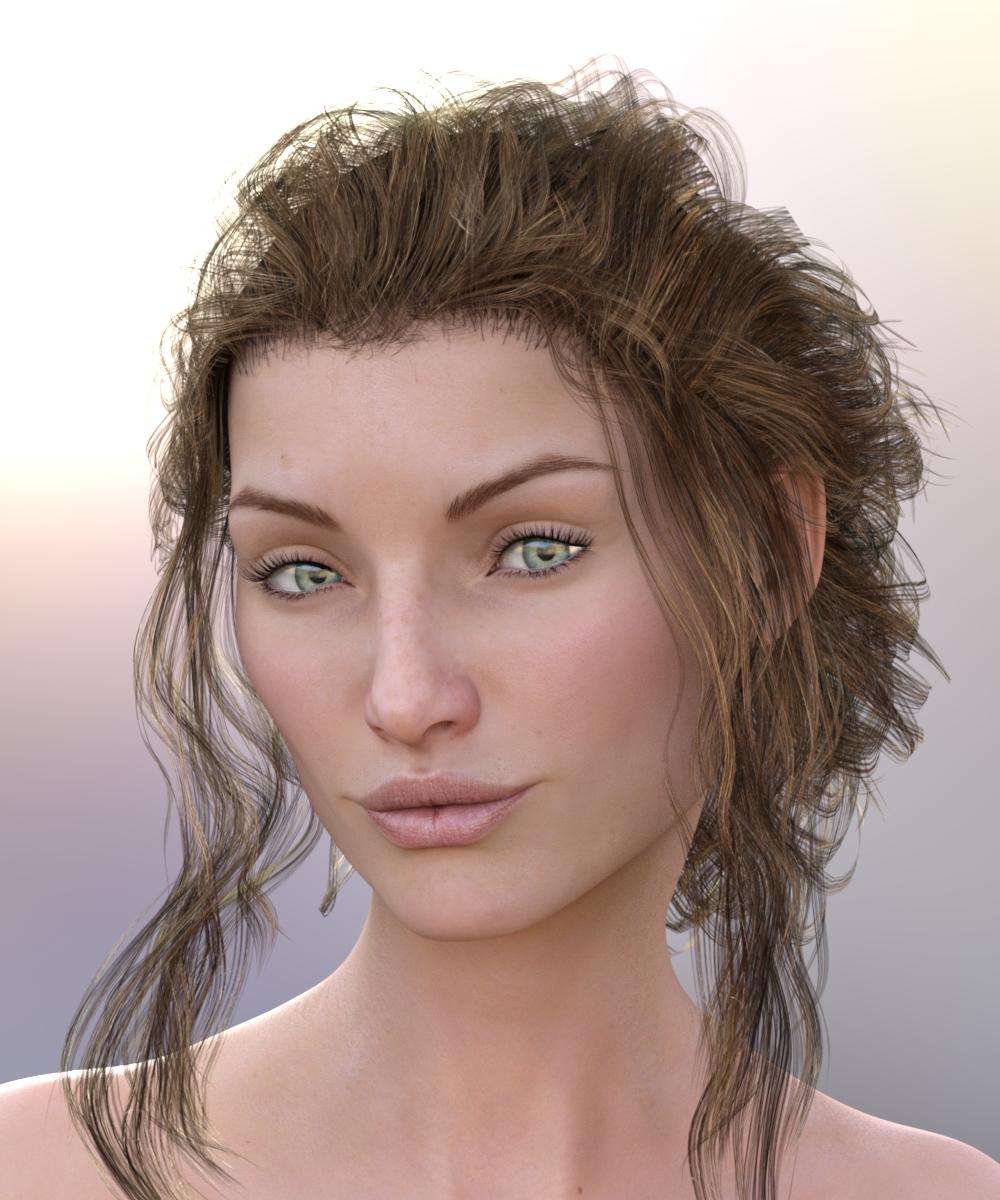
If you haven't taken a look at the three varieties of Legacie Hair, you'll be pleasantly surprised. You can really change up the hairdo, so be sure and surf through the thumbnails. I didn't check to see if there was a way to shorten the front strands, the slider that "removes" them tends to pull them back, not straight up, from what I can tell. (I'm tired so will double check that tomorrow.) The hair overall has quite a few morphs and I do like it. And wow, covers three generations all in one product!
I am trying to figure out the lighting products I bought, I just clicked on a setting and this was what I got. (Yep, that easy.) This is the iRadiance Light Probe HDR Lighting for Iray Expansion 1. I clicked on Enable Dome and just picked one of the brightness options. I'll have to play around and figure out what I'm doing.
 Need help organizing figures and clothes *Solved
I have failed installing product logically and had to re-install Daz Studio twice now. Is there a good tutorial that explains managing libraries and sorting product? The exe installer just put stuff everywhere. Should I install the exe to a temp directory and manually move it into organized libraries?
What I have learned so far is that I made a separate Library folder for Victoria 4 produce and placed it to a poser library with a fake poser.exe file in it. Then finally linked it to Daz Studio.
Are there any other libraries that I should be grouping product in? I am trying to stick with older item so I can use them with Carrara. Some of which are Victoria 4&5, Michle4&5, Aiko3-6, The Girl 4&5, Genasis2(and maybe 1), Tori5, and Millennium Big Cat.I thought I read somewhere to install Genesis 1&2 in the same library and put Victoria 5 in there. Is that right? Should any other products go in there?
Finally my new install I did let The Daz install Manager add in my Carrara 8.5 (http://www.daz3d.com/carrara-8-5-pro) items as well as the one that came with Daze Studio. in the native directory. Should I remove them and put them in sorted libraries too? How will leaving them effect my separate libraries? I am just so confused about how random this is organized.
Thanks for any helpPoser vs. DAZI can understand long time Poser users sticking by their app, as they have invested so much time getting to know how to use it. It would take them a while to get up to speed with DS, and they are likely to prefer the Poser UI, simply because they are familar with it. I do wonder though why a new user would choose Poser over DS, and if SM can not attract new users to their app, then the program will slowly die off, it may take a while, but you can not rely on loyal customers indefinitely.
I started out looking for some sort of poseable figure for drawing in Photoshop. After several searches I heard about Poser, tested that, heard that most people used Daz figures (ie Victoria) and from there found Daz Studio and found it much nicer than Poser.
The point of the story I want to highlight though is that I was looking for a 'doll' for Photoshop. Everyone knows PS; I'd never heard of Poser, let alone Daz Studio. If I'd known about Fuse at the time (or if Fuse had become a tiny tiny bit more integrated into PS) I'd never have discovered these two 3D apps, or how much fun and what results you can get from 3D, which would have been a huge shame.
Daz 3D is part of

Connect
DAZ Productions, Inc.
7533 S Center View Ct #4664
West Jordan, UT 84084Licensing Agreement | Terms of Service | Privacy Policy | EULA
© 2026 Daz Productions Inc. All Rights Reserved.