-
3D Comic Book Tips And Pictures
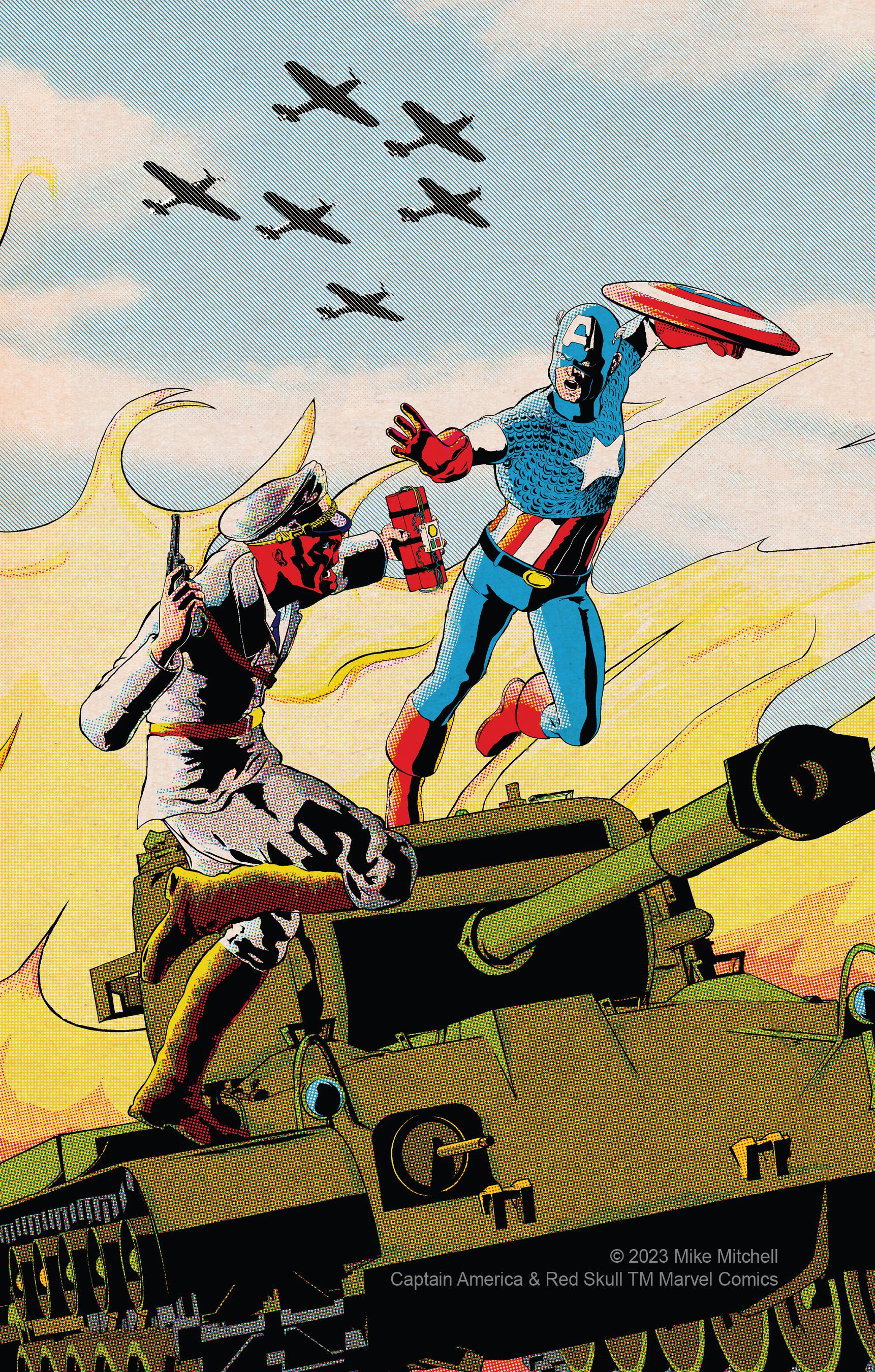
One of my more recent illustrations.
Created as the cover for a fanzine, this illustration shows that there's still plenty of life in Michael 4, who is the base figure for both Cap and the Skull. Created by compositing multiple b&w renders created in Poser 13. Clean up was in Clip Studio Paint, and the color was added using Retro Supply Co.'s ColorLab brushes. This was created for print, so the halftones were set up for that purpose. Unfortunately, they sometimes look a little weird when resized for display online. If you'd like to see the color dots in more detail, open it to 100%.
 One Skin Texture That’ll Fit Every Generation of Genesis & Michael 4 ?
If i got it right, you can use any genesis 1/2/3/8/8.1/9 skin texture on every genesis generation and even between male and female using tools like
https://www.daz3d.com/genesis-3-uvs-for-genesis
or the new
https://www.daz3d.com/genesis-9-uvs-for-genesis-8-and-81-female
and tools like this to use the texture on another gender:
https://www.daz3d.com/genesis-3-uv-swap-male-and-female-base
That is quite easy when you get used to it.
But there it ends, you can't go down to Michael 4 or Victoria 4 without doing all the work with photoshop or gimp yourself...
ETA: Of course, you can use M4/V4 skintextures on higher genesis generations, just like g9 on v4 / m4 is not possible with uv tools alone.
One Skin Texture That’ll Fit Every Generation of Genesis & Michael 4 ?Is there a skin texure or resource I could use on all the generations of DAZ figures? Preferably Iray.
Render your buys! Use buys from the current month and the previous month of salesJust to switch up a little, only store-bought characters here. (True, I only bought them at these most fabulous PA sale prices for their skins ... but Jack at least gets one shot in my gallery.) I had this new boat and these cool rocks and thought, what can I do with these?
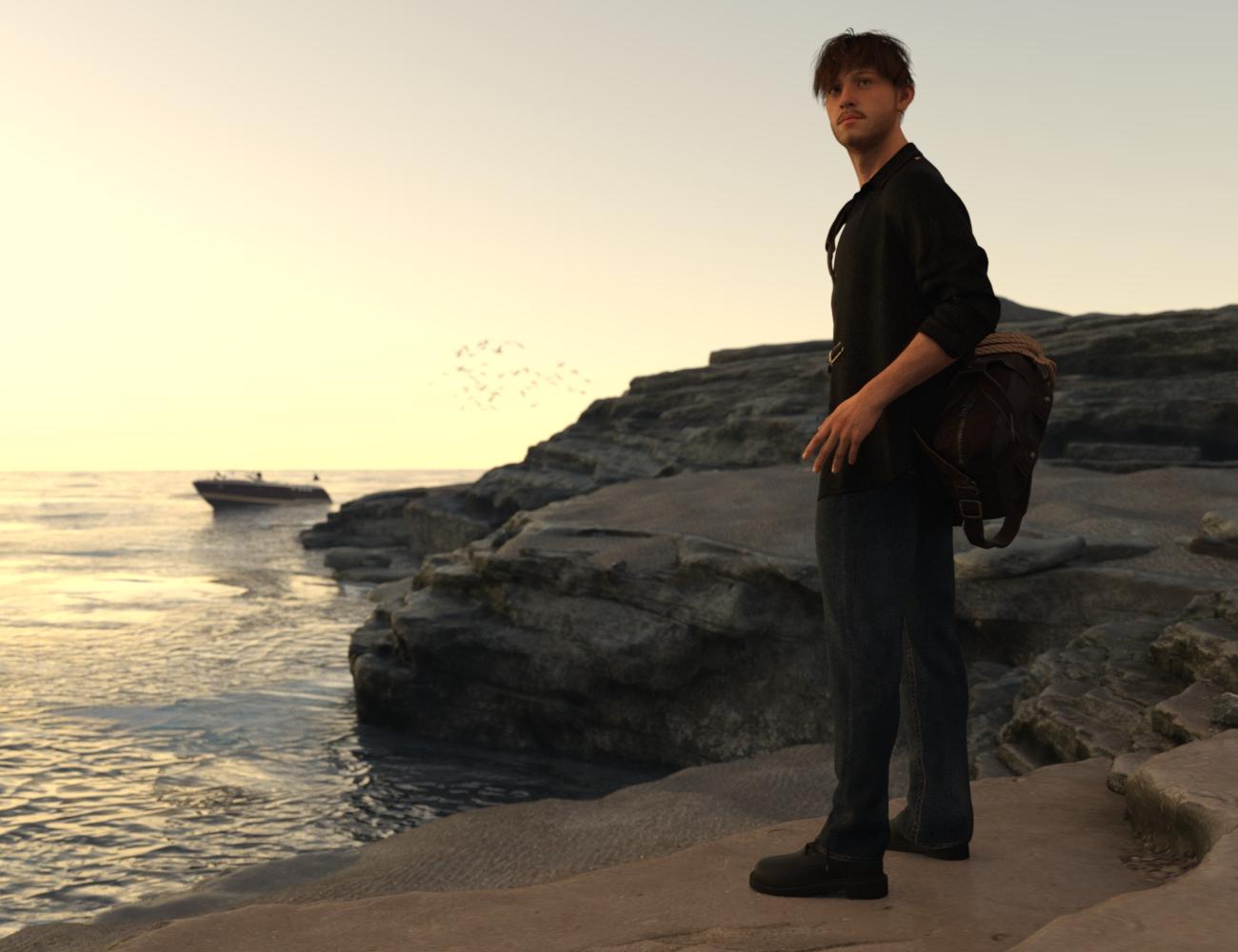
https://www.daz3d.com/1stb-layered-rocks-outcrop
https://www.daz3d.com/ravi-speedboat
https://www.daz3d.com/jack-hd-for-genesis-9
https://www.daz3d.com/kuj-fashion-jacket-suit-for-genesis-9It's a little cheaty to count the stuff you can't see in the boat, but for the record, that's Henryk out there, and he isn't nekkid:
https://www.daz3d.com/henryk-for-michael-7
https://www.daz3d.com/alex-hair-for-genesis-2-male-s-genesis-3-male-s-and-michael-4
https://www.daz3d.com/fashion-army-outfit-for-genesis-3-male-si buy figures from daz. BUT will they load into Poser where I want them?Which? Victoria/Michael 4 and earlier are Poser figure - Genesis are native Daz Studio figues which do not currently work in Poser directly. Check the file formats listed under What's Included on the product page for other things.
Trouble with GenX 2 / Help with ReturningDrowElfMorwen said:
It explicitely states, "Between the Genesis figures." I feel like to anyone reading that page, that would mean ALL the genesis figures--the product description needs to be updated. It doesn't help products never have a date-of-release, so there's nothing to compare it to.
The main product description already clearly sates the supported figures: "The GenX2 plugin includes support for the generation 4 Poser figures (Victoria 4, Michael 4, and Kids 4) as well as for Genesis (version 1). Further figures are supported by add-ons sold separately".
And for the record, the release date can be found in the product readmes.
An environment like "Loft 4 Lease" is very dark in Nvidia preview and render [SOLVED]If you look at the product it has Michael 4 walking through the space, so pre-iray and possibly pre-Genesis 1
Loft 4 Lease (DAZ Studio) | Daz 3D
Sometimes, switching to 3delight rendering and seeing how it renders for these older products, is an option too.
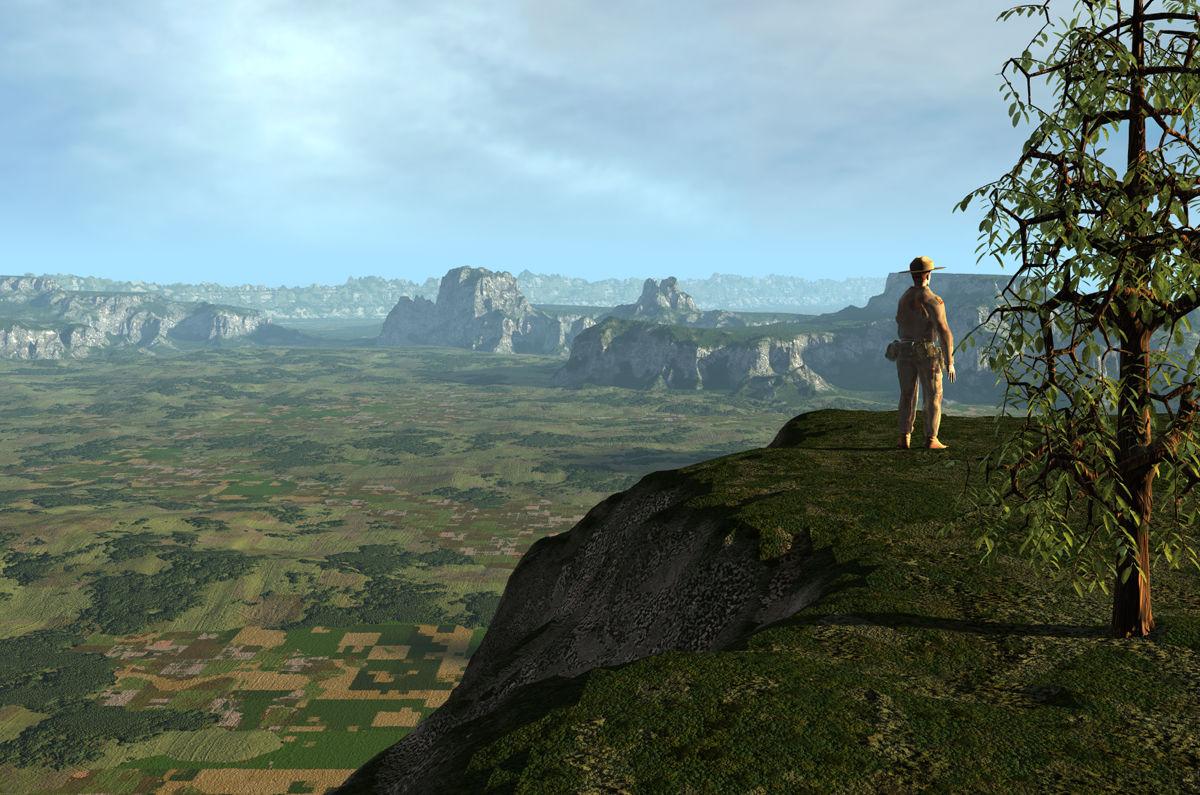
New characters in my Genesis 9 folderIt makes me miss all the Michael 4 face character dials, and the M4 Elite characters.Show Us Your Bryce Renders Part 13One terrain from Environment-Inclement Weather, two terrains from HRT-4 and two self made ones. The materials are from HRT-1 and Vegetation. A Bryce tree and Michael 4. Sky and ambient light by an HDRI from HRT-4 and the key light by the sun.
 A way to better organize content
I eventually decided nothing was going to straighten out the unfindability problem except having multiple libraries. I have a passel of them.
- Main (most buildings, prop sets not otherwise classifiable, shaders, lights, other utilities)
- Animals 1 (old animal models)
- Animals 2 (2nd generation animals)
- Hair (all hair, since it's relatively easy to put hair on any generation)
- Cloaks and MFDs (since a lot of cloaks and morphing fantasy dresses can share textures across generations)
- Nature (plants and natural environments. A lot of Flink's stuff in here, manually installed.)
- Hivewire (Dawn, Dusk, Luna, Diva, Hivewire Horse, etc., manually installed.)
- Vehicles
- Millennium 3 (Victoria 3, Michael 3, etc. I've been around long enough to have these.)
- Millennium 4 (Victoria 4 and Michael 4)
- Genesis 5
- Genesis 6
- Genesis 7
- Genesis 8
- Genesis 9
- Resources (This is mostly stuff that doesn't get used directly in Daz Studio. I only put it in a library because it's the easiest way to download the giant tutorials.)
- Incomplete Items (usually something where I accidentally bought an add-on before the main item. Sticking them here keeps them in mind.)
- My Projects
I do almost all my Daz downloads with Daz Install Manager. Some things, like brush sets, other non-Studio items, and items that might not show up in DIM, I may manually download and put elsewhere. Items from elsewhere I download, unzip, and install manually the old-fashioned way.
In Studio I ignore the Smart Content tab and use the Content Library tab instead, because too many items don't show correctly in Smart Content.I added the above libraries manually to Daz Install Manager (gear icon, Advanced Settings, Installation). I decide which library an item belongs in when I download it, and manually direct DIM to install it there.
I also added these libraries manually in Daz Studio, in the Content Directory Manager (in my installation, reachable from the hamburg menu near the top of the upper left panel.). Every library needs a Daz library section and a Poser section. Most of the newer content appears under Daz, but Millennium 3, Millennium 4, and some of my older animals, plants, etc. show up under Poser instead.It took me several days to figure out how to set this up, and then to reinstall everything to the right library. But it's the best arrangement I've tried so far. If I find something in one of my libraries, I usually know what it goes with automatically (or what I can easily mix it with, for hair, cloaks & MFDS). If I find only part of an item because it hasn't installed completely correctly, or it doesn't work right, I have some chance of figuring out where the pieces are supposed to be, and which files I might need to edit to fix it, or to add.
Afterthoughts:
1. Multi-generation products are usually a pain, demanding manual fiddling. If the DIM installers separate Genesis 6(2) from Genesis 7(3), no problem. But often mulitple generations are in the same installer, and they'll put multiple generations in the wrong library. There is often no help for this but to do multiple manual installation and prune the duplicates out of the library they don't belong in.
2. It's been convenient for me to keep Hivewire stuff together. But, generally, separating by store isn't useful, since there are a lot of add-ons at other shops for Daz products.
3. The main reason for separating Animals (and creatures) by generation is that I have some really old ones and they don't have the geometry of later models. I might not want to put them in close focus in a scene where other models are more recent.
4. That's an argument that I should've done this with plants, too, instead of stuffing them all in the Nature library. Except I don't close focus on plants very often.
5. So you might make other decisions about what libraries to separate, and what goes together, than I did.6. Backup your libraries. Old sysadmin here: if you don't have 3 copies, you don't have any.
7. You'll end up making some decisions about which is more important, if you don't want to install to multiple libraries very often. Some people might want to install prop sets into the libraries of the figures they have poses for. I don't pay any attention to poses, since I always have to alter them anyway, so I toss most prop sets into Main, including props like a bunch of melee weapons with poses for, e.g., Genesis 6 Male. It means I can easily see my entire collection of swords across every era, but I don't automatically know which figures already have poses for them.
Universal Hands And Feet Control (commercial)Artini : yes you can! You can alternate with any scene camera you want via a dropdown menu, but as soon as you touch a camera dial in the interface, (the ones to rotate the view or zoom in out), the active camera will be the hand or foot camera again. But you have this easily accessible (left of camera controls) dropdown menu to browse all the cameras of your scene (only the perspective and the hand/foot camera are controlled by the interface dials, in order to make sure you don't accidentally lose your other scene camera settings)
DoctorJellybean : Thanks a lot, that's nice!
Kersey : no there is no interest in having it doubled. They act the same way, the difference is that the universal product is simply generalised to work on all generations after (and including) and Victoria and Michael 4, and is complemented by feet control interfaces (for the same "all" generations).
Universal Hands And Feet Control (commercial)Universal Hands And Feet Control is a set of tools allowing you to ease the hands/fingers and feet/toes (+individual toes for the concerned generations) for any figure of any generation, from Victoria and Michael 4 to Genesis 9 (including all Genesis generations).
From the compact interfaces allowing you to easily change your hands and feet poses, you can:
- control a dedicated "hand focused" or "foot focused" camera allowing you to check the hand/foot pose from any angle and distance you want while you pose the hand/foot.
- access all the fingers/ individual toes (when they exist) rotation properties (bend, twist, side-side) in an optimized a single tab, avoiding the fastidious selection of fingers or toes bones (which can only be done in the scene tab for toes) to pose them. Only this drastically makes your workflow more comfortable, but there is more :
- you access all the hands and fingers (and feet and toes) Pose Controls properties, in the same interface, and you can easily swap from bones adjustments to Pose Controls adjustments.. but there is more :
- you can zero indivdual fingers/toes (or zero all at once) even if you used Pose Controls, thanks to integrated baking utilities, automatical for given operations (zeroing triggers a bake) and if you prefer you can click a button to trigger the bake to transforms action on hand/foot (then the pose controls are zeroed but the pose is kept, allowing you to work more freely on further adjustments)
Please note concerning feet only that very old generations "lack of individual toes" and cannot allow the bake of every foot pose controls (because for these very old generations some of the pose controls act on morphs, and not on bones rotations).
Said differently what can you do with Universal Hands And Feet Control ? You can ease and speed up the hands and feet pose process. NO MORE need to select a bone, modify, select another bone, modify, select anohter bone, modify, search for a pose control, adjust pose control, reselect a bone, modify....... Everything is there, right under your eyes : adjust fingers without selecting any bone in a very well organized interface, even the bones which cannot be selected from the viewport (metecarpals, individual toes). In the same interface, find all the concerned pose controls, and feel free to use them since you can bake them whenever you want, you can zero individual fingers, toes, hand, foot...
Make this fastidious process finally fun and creative!
I'll try to see later if I manage to post images, in the meantime you can find the images here : https://www.daz3d.com/universal-hands-and-feet-control
As usually this thread is for any question, remarks, issues, feedback you could have, and as usually I'll be here to answer!
Using old figures including .DAZ formatHello
I am new to DAZ 4 although I used DAZ 2.3 for many years.
I have a large amount of figures largely Victoria 4.2 and Michael 4. These are in the .DAZ format. I appreciate that the file format has changed in the interim. Is there a way to load these into DAZ 4?
I tried putting the folder into "My DAZ 3D Library" and it appears in content but the program does not seem to recognise them.
Anyway it is nice to be back into DAZ after a long time and I look forward to any help the community can give.
Genesis eyes in CarraraJonstark said:
On the other hand, you could use something like PhilW's Bright Eyes to simply put a glow map in the glow channel, that gives very crisp fake specular effect. The drawback is that the glowing 'glint' is part of the eye texture, and moves with the eye, so it doesn't work as great in animations. But for still images it looks pretty good. Bright Eyes for Carrara | Daz 3D
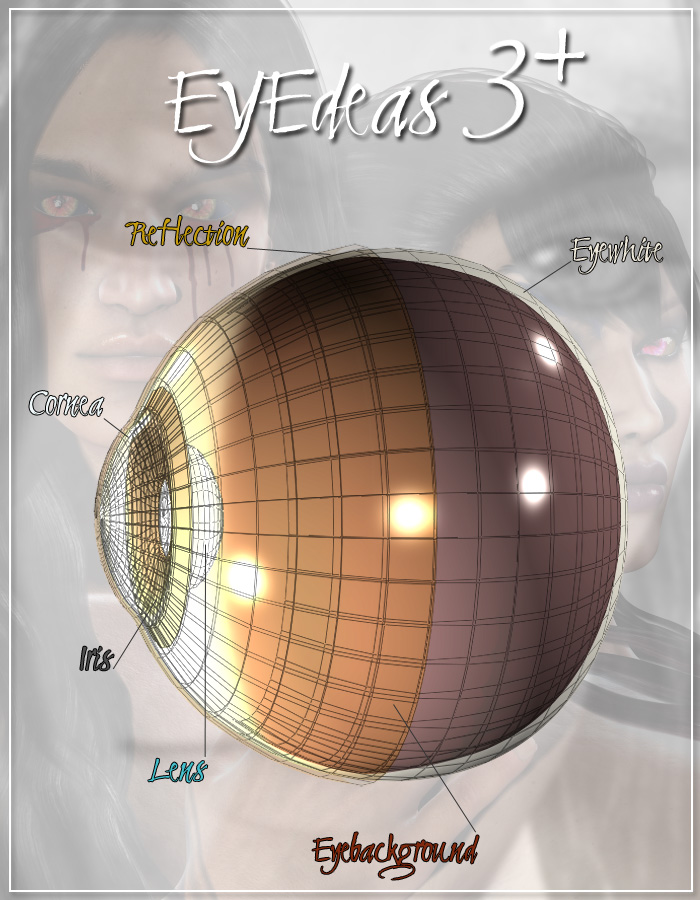
Eye Surface for Genesis includes Bright Eyes for Carrara and the main Bright Eyes productr for free. Before finding this, I was using EYEdeas 3+ by Arki (as props parented to the hidden Genesis eyes)
Genesis is the only generation of Daz figure which lacks that additional layer - a layer that makes all the difference in the world, so Daz corrected that for every generation since.
Here's a quote from Eye Surface store page
When Genesis was launched, it offered untold flexibility in many areas, but one area that was missing from previous generation figures was the Eye Surface, which allowed special effects to be applied across the whole eye, especially to provide reflections and reflection maps.
It was so useful that it was re-introduced on the Genesis 2 figures, now called EyeReflection. Which left Genesis as the only figure without this useful extra eye surface.
Enter "Eye Surface for Genesis" which adds this feature in the same way as adding clothing, but fitted to the eye! And it follows Genesis shape morphs incredibly well, even for large eyed characters such as Aiko 3. I have included an Offset parameter in case an extreme morph produces any poke through with the underlying eye model.
As a bonus, I have included my Bright Eyes Bundle so that you can add 55 preset eye reflections in DAZ Studio, Poser and Carrara! But you are not restricted to this, you can add your own surfaces and shaders to use the Eye Surface for real reflections or use the EyeSurface shaders from Victoria 4 or Michael 4 products, etc.
Get Eye Surface for Genesis - and add a twinkle to Genesis's eyes!
Here's the figure of EYEdeas 3+
 Celebrity Look-a-Likes for 3D figures Part 4
nemesis10 said:
Haruchai said:
Choppski said:
Does anyone know of a good Jon Snow (Kit Harrington) morph?
The only one I know of that I think is meant to be him is Winter Prince by Tempesta3d at Rendeosity. It is for Genesis 3 Male.
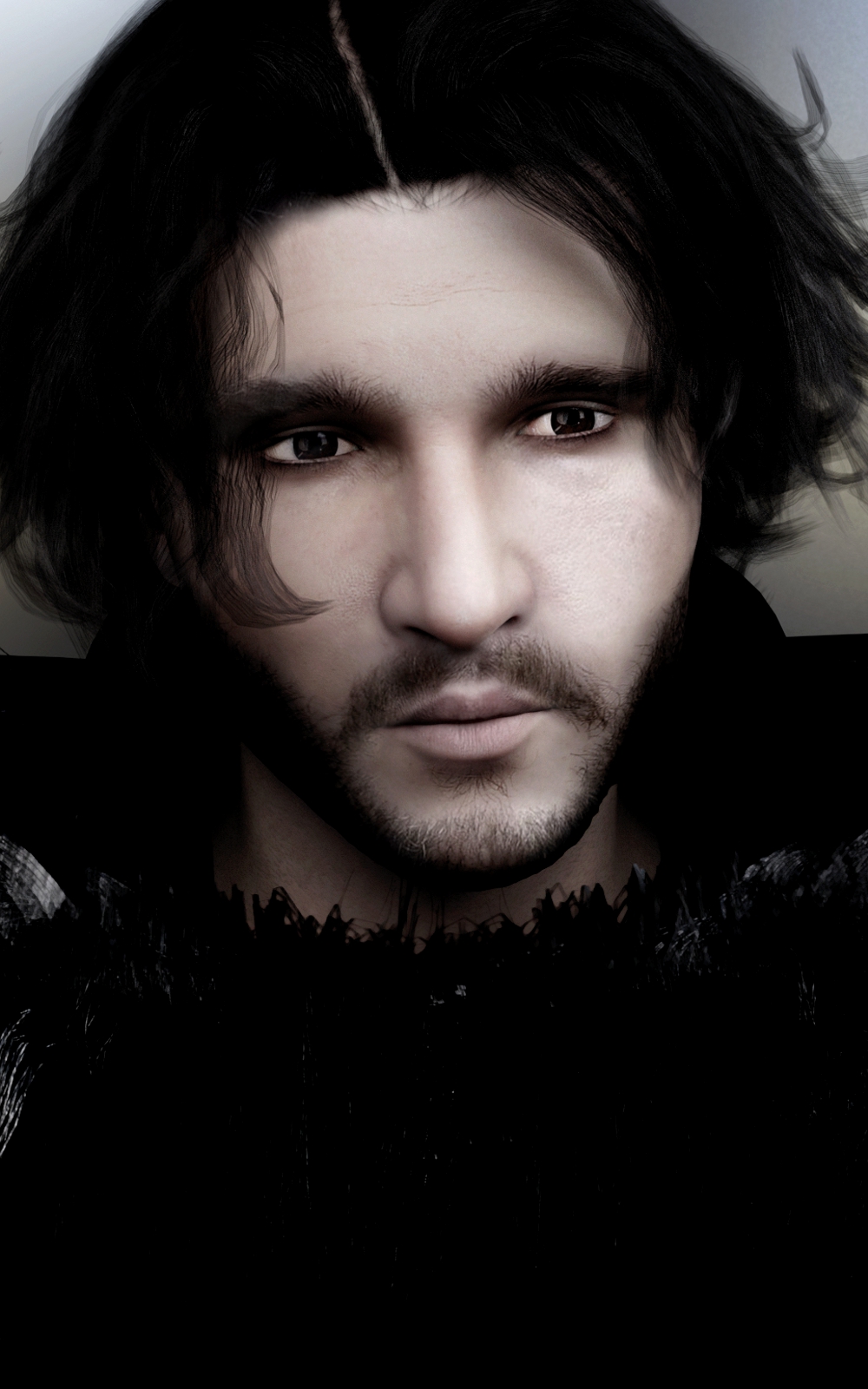
there is https://www.daz3d.com/hinkyhunks-john-crow-for-michael-4 but I don't think it is the best resemblance
Celebrity Look-a-Likes for 3D figures Part 4nemesis10 said:
Haruchai said:
Choppski said:
Does anyone know of a good Jon Snow (Kit Harrington) morph?
The only one I know of that I think is meant to be him is Winter Prince by Tempesta3d at Rendeosity. It is for Genesis 3 Male.
there is https://www.daz3d.com/hinkyhunks-john-crow-for-michael-4 but I don't think it is the best resemblance
Jungle Peril accessoriesThere's a free one in this set
https://www.renderosity.com/freestuff/items/60179/michael-4-world-war-ii-headwear-pack-ii
Skin Builder 8 Merchant Resource for Genesis 8 Female (Commercial)Continued saga from the posts up above...
Okay... So I got things going real well... Created the textures for 6 characters and then went back to verify how things looked.
BTW... If you don't own one, you should. get yourself a screen calibrator. I highly recommend the "datacolor... SpyderX Pro". I had one a long while back but lost it in in a fire when our home burnt to the ground. I have 3 monitors hooked to my computer (and wish there were 6) and I noticed that each screen showed the same character looking a bit different... so much so that some of the characters that I purchased looked terrible. My new Spyder arrived a few days later. Ta! Da!. I loaded in the characters that I had created textures for and had to redo all of them... Time lost! What I noticed next was in a matter of days, the screens started to change a small bit. What I do now is to leave the Spyder attached all the time. Before I start a "session" where I'm going to use Skin Builder 3 or 4, I do a "Re-calibrate" that only takes a couple of minutes on my main middle monitor where I work with Skin Builder. I can calibrate the other 2 monitors when needed.
Now for the reason that I'm back on here. As I said in my very first post, "No software is any better than its manual". The "sheet" that comes with Skin Builder is lacking in so many ways. If anyone wants to create a "good" YouTube video on how to use Skin Builder, let me know and I'll do all I can to support you.
And so, after re-doing the 6 character skins, I went back to make sure that everything worked. Damn ! ! !
The Skin Builder 8 "sheet" doesn't even cover how to save your character with its new skin. It takes you to where you have your character all textured... then shows you how to set up the folders for the Presets and Textures... and nothing more.
So, when I got to that point, and had created all of the presets, I exited Skin Builder 8 and immediately did a "File... Save as... Scene Subset"... I created one inside the "Characters" folder and and another in the "Characters —> individual character" folder.
( I also have to update a spreadsheet where I keep a record of every DAZ item that shows the complete paths of every part of that item. So far there are 5070 rows with up to 9 columns in width. I started using DAZ back in 2010 and so I have a lot of characters and other items. I also deleted all of my Victoria 4, Kids 4 Michael 4, Genesis 2 Male, and Genesis 2 Female items.)
Yeah, I know... I keep getting side tracked.
Anyhow, when I went to load one of my new characters, it immediately showed me a long list of items that it couldn't find. In researching this, I found that when you finish creating your character and exit Skin Builder, your character only has all of the temporary locations that the program used, rather than the ones you set up in the final "save" tab. The characters will load fine until you clean out the temporary folder.
What the "sheet" failed to tell you us is that, after finishing creating all of your textures and closing Skin Builder, you have to go back and load the original character and then apply all of the Presets... and then save the character as a Scene Subset. Yep... more time lost.
Hope this saves you some heartburn....LOL
BTW... Skin Builder allows you to create great looking skins, however, I sure wish it had one more setting... one for Contrast. Looks like I'm going to have to load the final textures of some of my "creations" into Photoshop just to make adjustments to the contrast.
Hava a happy!
Dale R.
Genesis 8/8.1 Female Bodies Look AwfulHi everyone!
For awhile now I haven't been able to make any full renders. I was getting so upset with how ugly they looked. I finally realized that there is something wrong with Genesis 8/8.1 Female bodies. It doesn't matter if it's just the base bodies, or other characters that are G8/8.1 it just looks awful. I have submitted multiple tickets and am still waiting. I'm sure you all understand how frustrating it is not to be able to make anything! I have searched 'Currently Used', I have searched 'Hidden Morphs' I have uninstalled and reinstalled the entire Genesis 8 Starter Essentials quite a few times as well as DAZ itself. G8M, G3M&F, G2M&F as well as Michael 4 and Victoria 4 are all fine. I have attached pictures of what is happening. I used Leda head to show that the head is fine and used the bodies for G8.1F, Victoria 8, Victoria 8.1, Charlotte, and Gia. As you can see ... they look awful :(
Any help would be appreciated. I am so frustrated and upset and feeling down.
Thank you!Pre- Genesis 9It is interesting to me when people proclaim that they are NOT going to use the currently newest model for whatever reason. I've been watching this happen with each and every new generation since Victoria and Michael 4. I must be an outlier then, because I am always eager to see what the new generation offers and do what I can with it as soon as I can. Having Genesis 9 in my library doesn't preclude me from using Genesis 8, or 3, or 2, or even Victoria 4 if I feel like it - and sometimes I DO feel like it and do so with no need to disparage any other generation. I'm NOT criticising or complaining, just observing. :)
Maybe I am just an Old Fart on The Block (not related to The New Kids on The Block musical group), but it is amusing to me to read all these heartfelt declarations. I just sit here on my porch, rocking in my rocker, grinning, waiting for the next kid that needs to be told to "Git off'n muh lawn!", watching the world spin on by.Daz 3D is part of

Connect
DAZ Productions, Inc.
7533 S Center View Ct #4664
West Jordan, UT 84084Licensing Agreement | Terms of Service | Privacy Policy | EULA
© 2026 Daz Productions Inc. All Rights Reserved.