-
AIUTO...CHI CONOSCE L’ITALIANO? PARTE TREDICI
Imago said:
Muscleman said:
MA secondo voi, qual'è il metodo più semplice per fare della buona erba/grass in DAZ Studio, senza che ti esca fuori un fila da giga di dati!?!?! Sto diventando matto!....ho provato a farlo in blender con le particelle ma viene una cosa spropositata esportato poi ....
Io uso dei displacement 8000x8000 perlin noise in modalità due colori bianco/nero BMP. Erba buonissima (meglio di quella di Crios
 ). Se hai pazienza puoi anche associarci una Transparent per avere delle zone vuote o le Geoshell per mescolare più tipi di erba.
Ricopri anche dieci chilometri quadrati con erba senza alcun impatto sulla RAM o la velocità di render. Non con Iray, però, lì devi usare delle TIFF 256x256 e ripetere il tiling fino a riempire il terreno, sperando che i 1024Gb di VRAM delle tue quattro RTX 3090 Super riescano a contenere cotanta abbondanza di dati.

Ah, Ragazzone! Dimenticavo per puoi anche farla muovere al vento o al passaggio di un personaggio/oggetto con dei Dformer o dei morph basilari, basta utilizzare come base un plane con abbastanza suddivisioni da potere avere delle zone specifiche ben circoscritte.
pJCM Poses - For Clothing Creators - QuestionsHello,
I come back late because I have been fighting for a week on my clothes!
I declared victory too quickly!
here is what happens:When I choose Files Morph (example:pJCMCollarUp_55_L) in Morph Loader Pro, I check the boxes like my previous screenshot.
My garment on Genesis 8 Female works perfectly in zero pose. I raise my arm, the garment and her morph does its job.
If I choose any pose (where the arm is raised) it doesn't work anymore. My change only works if Genesis is in the Zero position.I tried a thousand things: turn off and turn on my computer, close the DAZ Studio software, renew a character, throw away the clothes, put on a new one, etc. etc. Nothing changes.
I started from scratch. New transfer utility and restart from scratch.
I think (not sure) my problem is:
- if, when I use Morph Loader pro, in the "Overwrite Existing" box I leave "Make Unique" the following message appears:
"pJCMCollarUp_55_L (my example) already exists.Please enter a new name"
I give up and if the garment is no longer "fit to" Genesis: the morph appears!!!??? I can delete it (and in the Data folder and also in "parameters"), I don't save my clothes, I restart my software..the morph still appears. I have to start over from the beginning (throw away the clothes, etc.)- If, when I use Morph Loader pro, in the "Overwrite Existing" box I put "Deltas and ERC Links" everything works, it accepts the morph etc but it only plays when Genesis is in position zero...
Is it related to the "Deltas and ERC Links" function (what is it for?)
Here I am now lost.. I don't know what to do.. I try to pay attention to each step but I'm sure I'm missing one thing but which one?
thank you please help me
Patrick
PS: "Well language barriers always complicate matters ;-)"....Yes !!!!!
Daz to Blender not installing correctly?I am having a huge issue with D2B bridge. On Daz Central it lists version 2.4.0 'Daz 3D Genesis 3/8 transfer to Blender"
However, when I install it, Blender describes the plugin as "Import Export DAZ (.duf, .df) Importer" ver 1.6.2
I have tried to uninstall/reinstall but nothing seems to work. Am I doing something wrong? I can't import my Daz Gen 8 female to Blender on this current version.Celebrity Look-a-Likes for 3D figures part 3Haruchai said:
HID3D
Abbie - Amber Heard
Alina - Chloe Grace Moretz
Blair - Blake Lively
Carlie - Rosie Huntington-Whiteley
Charlie - Hailee Steinfeld
Dahlia - Jennifer Lawrence
Dannie - Alicia Vikander
Ebony - Zoe Krazitz
Elle - Elizabeth Olsen
Fiona - Candice Swanepoe
Grace - Emma Stone
Helena - Saoirse Ronan
Jane - Krysten Ritter
Jessie - Jessica Alba
Joana - Ana de Armas
Karen - ?
Kelly - Kendall Jenner
Maggie - Margot Robbie
Mei - ?
Michonne - Zendaya Coleman
Mikaela - Megan Fox
Milla - Miranda Kerr
Nozomi - Nozomi Sasaki
Rena - Rihanna
Selene - Kate Beckinsale
Tammy - Imogen Poots
Tina - Cameron Diaz
Vanessa - Morena BaccarinAnd to help anyone wondering about the rest the ones below are non celebrity characters -
Amber - Original character
Anna - Original character
Kyoko - Original character
Mai - Original character
Marley - Original character
Misato - Original character
Nana - Original character
Rei - Original character
Yuki - Original characterHID, when you appy the morph to G8F model it only adds the face,arms,legs, the torso and back of head nothing!
Carrara Challenge #62 "Clowns and Other Circus Stuff" -Had to rattle my memory a little because I don't use V4/M4 much anymore. Here is a workflow to get a mesh from Carrara to Daz Studio and convert it into a conforming figure for the V4 generation, or any similarly rigged figure. The key is to load a V4 (or whichevr figure) in Daz Studio and convert the rigging to weightmapping, and then convert to triax weights. Once V4 is converted to triax weightmapping, the transfer utility in Studio can be used to transfer the rigging to your mesh.
- to start - load your V4 figure in Carrara along with whichever mesh you want to use. I modeled a quick shirt. You could load anything you want and then use Carrara's vertex modeler to adjust to V4.
- export the mesh as an obj from Carrara using the Daz Studio Full Scene preset.
- start the free plugin known as Daz Studio. Load a V4. Edit, Figure, Rigging, Convert to General Weight, Convert to Triax
- import the mesh obj. use the preset labeled Carara. It will match the export Daz Full Scene preset from the second step.
- the mesh should align as per your scene in Carrara
- select the mesh. Use the transfer utility. Edit, object, transfer utility. V4 is the source object. Your mesh is the target. If desired, show option and choose if any useful.
- Result in Studio, mesh should be a figure and conform to poses of V4.
- Save your converted mesh. I unconformed the mesh, deleted the V4, and then saved as a scene preset. Not sure if that is best but it worked.
- Start a new Carrara scene. Load V4. Load your saved converted mesh figure. Use Fit To to conform your new cloth item to V4.
** There is bound to be some rough fits with weightmapping etc, especially with sucky mesh like my test mesh.
Thank You for Memphis, 3DUniverseJames_H said:
I liked the look of this. But not impressed that it is 10% cheaper today on special offer. All the more so as the banner with the item was not of use to me because I have what I want from the relevant store. I'm not unhappy with my purchase, but I wonder why anyone should buy anything new if this is the new approach.
Looking forward to using this soon.
After 7 years, I know that Daz does what Daz decides to do ... all too frequently, it does not make sense. But, they have useful products and I am already invested in this. interestingly, this time I had to wait a day to transfer some funds and the strange twist on prices worked my way when I made the purchase today.
I think what I have learned is that once they get a deal good enough for me to bite, do not look back ... especially considering what I could be paying for items at other 3d market places. I also have more sympathy because I have learned to model a few of my own hard-to-find pieces and realize how much time and effort these things take.
But this is all off topic.
Back on topic, once the electricity settles down, I can download the new characters and maybe post some art.
Carrara Challenge #62 "Clowns and Other Circus Stuff" -UnifiedBrain said:
Diomede said:
This is the old spirit of the challenges that I liked the best, stretching are skills and challenging us to get out of our comfort zone.On a mico level, I do that in every Challenge. But learning animation is on the macro level, because characters tend to move and clothing must conform. Until now, I have successfully avoided thigs like transfer utilities and clothing converters, because I can make just about anything fit in the Carrara modeling room in a single frame render. Now I find myself flailing away in DS, hoping to get something to work.
For example, I am currently trying to get a clothing item (OBJ) to fit V4. I can get it to conform to G3 in DS, but where to go from there?
In short, to do what I want, I now apparently have to relearn DS.
I also have to learn how to conform clothing.
I also have to learn how to use the Carrara animation timeline.
I also have to learn basic animation skills (ironically, this may be the easiest part).
I also must brush up on video editing skills.
For sure, all of these things are valuable. And if HW extends this Challenge for another month of two, I might get something done.

Have to admit, I am counting on this challenge having a longer than typical period of time for works in progress.
Other than encouragement, admit I can't be of much help for the animation timeline, basic animation, or video editing. However, I might be able to help with the V4 issue. Carrara 8.5 is fully compatible with the rigging setup of Victoria 4, Michael 4 and similar Poser figures prior to Poser 9. Daz was making figures and content for Poser prior to the release of their genesis figures. V4's native rigging is actual for Poser. Do you have an old version of Poser(or even a new one)? Not necessary, just curious. Do you have the VWD draping plugin and Philemo's bridge? Again, not necessary, just want to know the options.
Can you provide more specifics? Did you model the OBJ? Is it a clothing item made for a different figure? Does it generally line up with V4, or is significant alteration required? You have quite a few choices. One option is to attach the obj directly within Carrara without ever going to Studio. Probably not what you are going to want to do, but again depends on the specifics.
Carrara Challenge #62 "Clowns and Other Circus Stuff" -Diomede said:
This is the old spirit of the challenges that I liked the best, stretching are skills and challenging us to get out of our comfort zone.On a mico level, I do that in every Challenge. But learning animation is on the macro level, because characters tend to move and clothing must conform. Until now, I have successfully avoided thigs like transfer utilities and clothing converters, because I can make just about anything fit in the Carrara modeling room in a single frame render. Now I find myself flailing away in DS, hoping to get something to work.
For example, I am currently trying to get a clothing item (OBJ) to fit V4. I can get it to conform to G3 in DS, but where to go from there?
In short, to do what I want, I now apparently have to relearn DS.
I also have to learn how to conform clothing.
I also have to learn how to use the Carrara animation timeline.
I also have to learn basic animation skills (ironically, this may be the easiest part).
I also must brush up on video editing skills.
For sure, all of these things are valuable. And if HW extends this Challenge for another month of two, I might get something done.
GENERAL FREEBIE REQUESTS part 3@shadowbox24 - will this 1943 inspired shirt dress do?
I'm working on packaging it up, but it'll have 4 different colors.
(Kudos to AOBB for the lovely morph!)
Downloading OptionsI just looked at the link you gave me and it's above my paygrade. I have no idea what to do with it.
I was wondering about something else. Could I start over by uninstalling Daz and DIM and installing them onto D drive? Then I transfer the files like before from one computer to the next?
Projection Morph Manager (Commercial)I absolutely love every product from zev0.....but this one. It has serious potentail but falls short due to placement of morphs. I do not place my morphs i created in zBrush or other software in the normal actor field and have my own folders on the the G8 tree. IF you dont have your morphs inside the HEAD / Body / hidden / Etc actor field then this script is useless. Also i thought it would be useful in really straighening the morphs out like in the chest area, but it looks like all this app does is look at what is in the actor field / hidden field etc, and lists them. Ummm, couldnt i just go to the clothing and look at the mporhs i used on G8 (generated morphs) and just dial it down??? I really thought this was the real deal script that would just smoothen out those crazy morphs while sticking close to the body and not just "Zeroing" or "changing the values that anybody could just go ont eh clothing and do it themselves..... Donk... Not only that, create and actual .proj morph to be saved out so everytime you dial in that specific morph it WORKS like Projections do. This isnt a projection manager at all imho... it's just a LOOK AT those MORPHS i used on my g8, but wait ONLY in these areas, sorry.... Anyone could do the same by just zeroing out those morphs on the clothing.... WHAT???
Looking for full body and head body suit for G8F and G8MThank you RichardandTracy. I tried that. I have a morph to hide ears for G8F and tonight downloaded a morph for G8M. Comics always (well almost always) have no ears in face cowls but realistically we have ears. I tried the no ears on G8M and didn't like the look. There is a material group that allows the ear part of the suit to be hidden and I would have been happy with that. Now I have both options. Thank you all.
Is there anyway to fix this clothing distortion?Gordig said:
What figure are you using? Did you model the clothing on the default figure or the modified character? If you used Transfer Utility, what were your settings?
Genesis 8 female and clothes are from V4
Carrara Challenge #62 "Clowns and Other Circus Stuff" -Headwax said:
Bunyip02 said:
Doing the Harlekin Walk starring Aiko 3
Let me know if you can't see the video, newbie at work !!!
Animation is based on a bvh file, spent over 5 hours correcting glitches, just noticed I missed a few. Please excuse the sliding feet !
really nice work, terrific to see how your animation is turning out
I had a play with puppeteer and also saving master poses to make a walk cycle but failed miserably heh
have you thought about using morph targets instead of the bones morphs move verticies in straight lines so you need a few morphs to describe an arc
here's one fromn 2009 done in anim8or which had lousy skeletons at the time - so i used to use morphs for everything
Thanks !!!
Have been meaning to get into animation for a couple of years - get too easily distracted doing renders !!
Bones I have been using for animation, yet to consider using morph targets.
Nice work in the anim8or clip !!!
3D printer looks awesome !
DaztoBlender vertex errorThat image shows the reason very clearly, this morph is not supported. You have to try other morphs or use diffeomorphic's daz importer for this morph
Defect on the joints of the clothesCatherine3678ab said:
iacoposk8 said:
I tried to morph only the shirt but always the same problem. I think the problem is that I made them with marvelous. When it does the simulations, one for each pose, he changes everything. For example, if you lift the shoulder, it will not only change the area around the shoulder, but will generate creases on the belly, shoulder and even the wrist. So if you have a pose where the character has the torso bent and the arm raised, there should be a morph that changes the torso area and one of the shoulder, so instead there are two for the shoulder and two for the torso creating interference. Is there no way to tell daz to only consider part of the morph? Because it would be a shame not to be able to use marvelous.
Because I would be sorry not to be able to use marvelous.
I changed the drive folder with the new morphs and the daz file (.duf), so it is easier for you to find my errors.
Thanks
Marvelous is used for making the clothing .obj files. I do not have Marvelous Designer, I have used dForce to help start morphs so would think that such can be done using M.D. however as I did in using dForce, it could be that you still need to use a modeler such as Hexagon or Blender or Zbrush, etc. to polish the morph. AND you would have to use some of the other tools in D/S to clean up your morphs so that each pJCM is basically affecting ONLY the joint area it is supposed to be affecting. In lifting up the arm, that would be the armpit area, not the entire shirt. In one of those tutorials of mine I did cover how to clean up the morphs however you may find this video helpful. I think there are a couple such tutorials on YouTube. This is one:
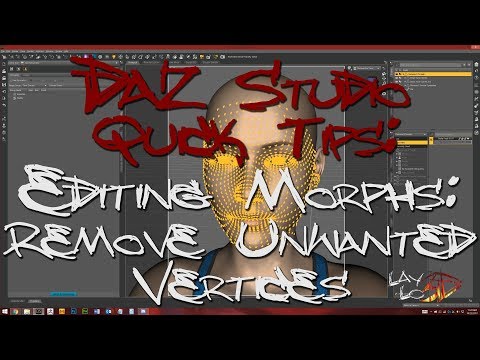
with this trick he improved a lot!
Defect on the joints of the clothesCatherine3678ab said:
Okay, took a look at the new files. It's okay to delete all of those now 'cause friend you're going to need to start over anyways.
Couple of tips: .duf files do not import. There's a folder arrangement required when sharing those which can be covered later. Esp. while learning, it would be an idea to NOT encrypt your files - makes finding where you put everything a little easier ;-) Also save the files to the appropriate locations.
I imported the cloth which now is just the top. Okay. I ran the utility and made it into a clothing piece. Not so okay. BUT the good news is, that once you get all the necessary steps figured out, yes with M.D. you can make marvellous clothing "for" use in Daz Studio.
The curves on the seams illustrate that the seams are not welded together. You want these welded together.
Now while I do not own M.D., I have imported a number of clothing .obj files made in M.D. - and sadly most of them are not worth the time required to 'fix' them. So far, you have it right -- single mesh! Yes. It just needs to be welded.
Now, this I do not know, but if there's a way to make the clothing, single mesh, welded together and NO seam tubes ... paradise!!!
Otherwise it's a trip to the modeler to remove all the seam tubes and weld the sections together. Then the uvmap would need to be redone too of course.
Headus UVlayout is 'the' uvmap maker of many {industry standard somebody said}. Or of course in the modeler of your choice. {if the model can be made all in M.D. and it does the uvmap too, that's great.}
Once you get just the top finished, saved, THEN work on just 2 arm morphs. Let's get the workflow happening first.
To share product files: Collector folder > Content or My Library > data > your name > the relevant subfolders AND {Content or My Library} > People > Genesis 8 Male > Clothing > your name > the relevant subfolders.
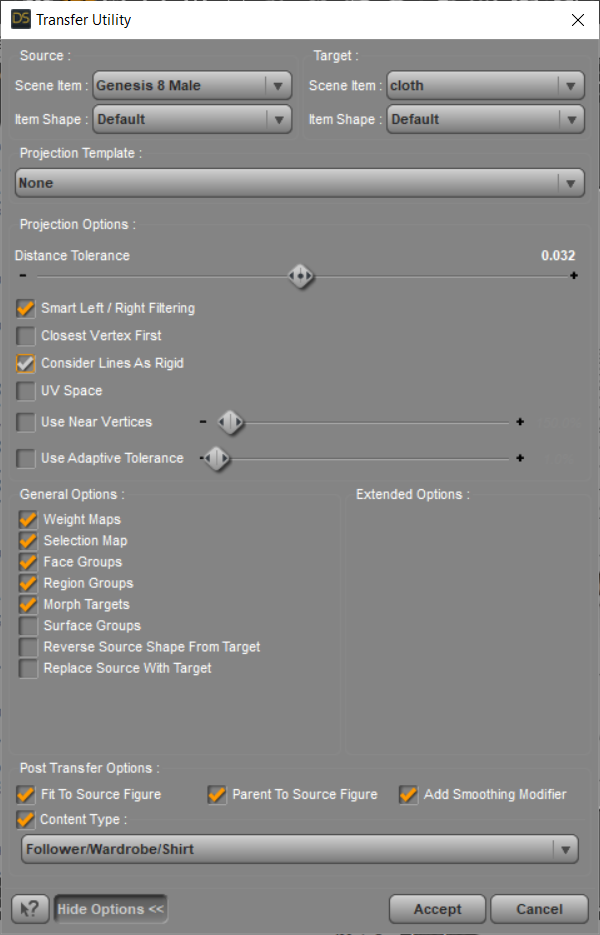
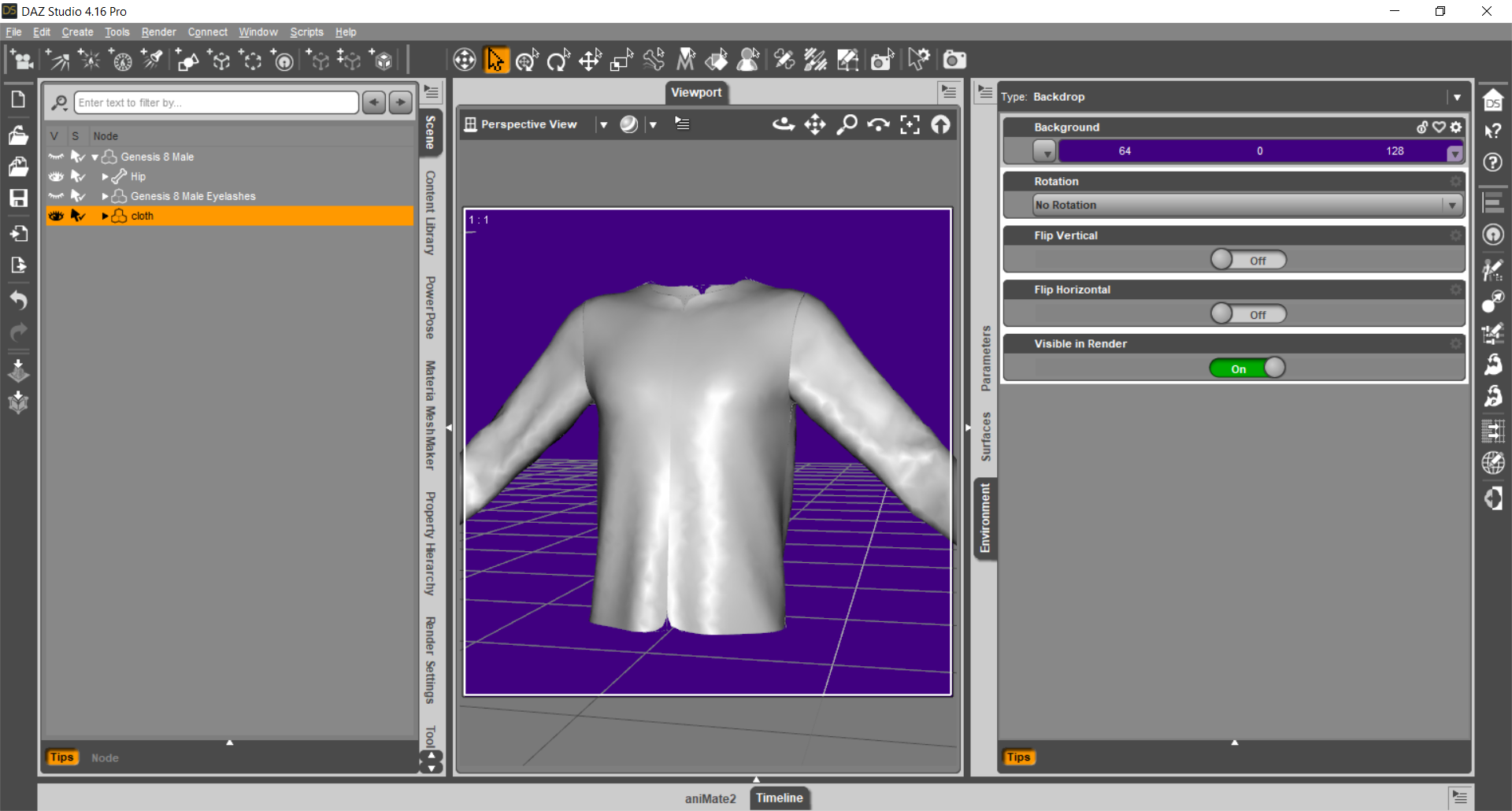

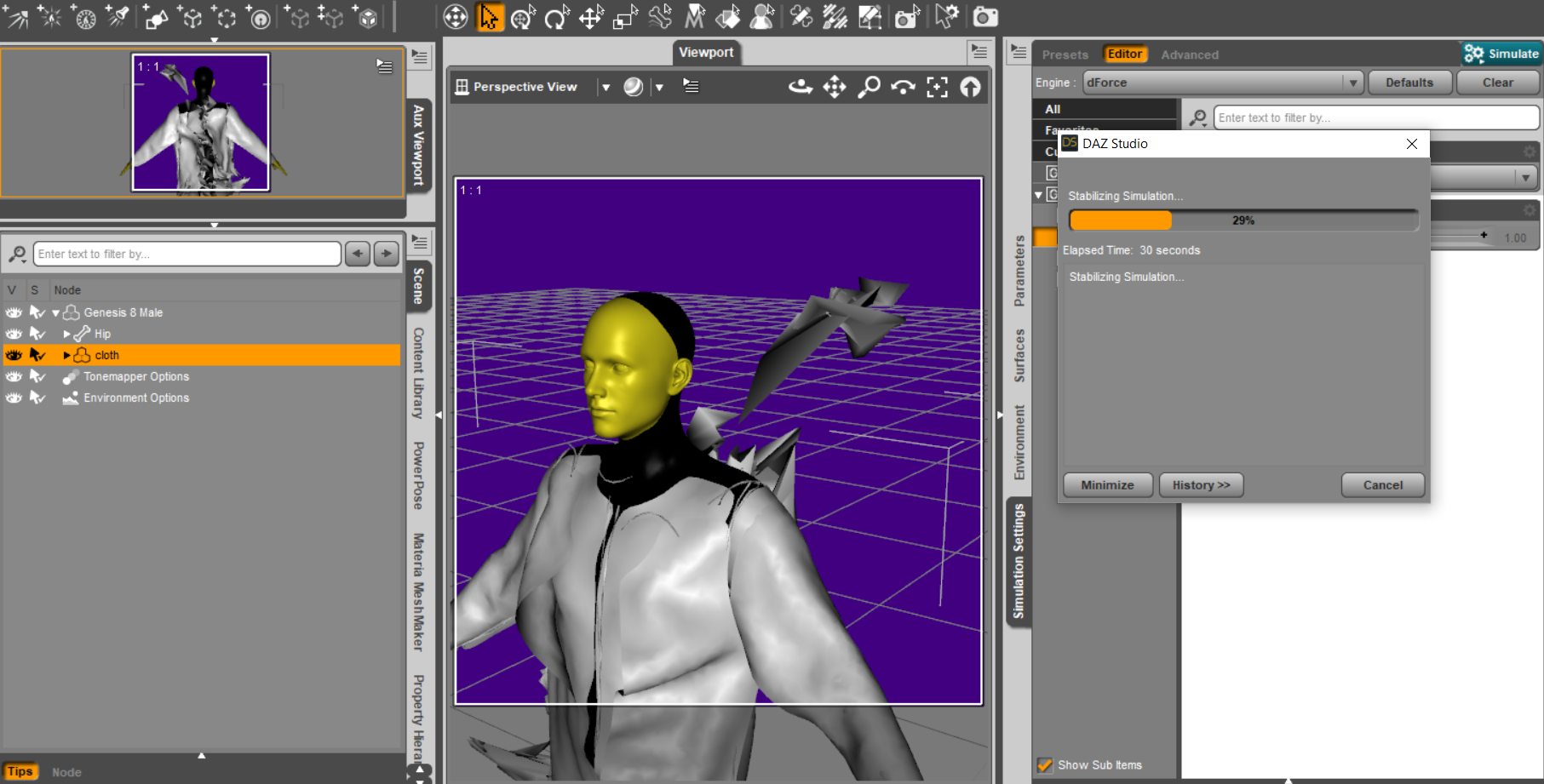
I will never stop thanking you, if you come to Italy I will offer you a beer :)
So the problems you have found are mainly two if I understand correctly:
1) The morph must not modify the whole object but ONLY the interested part
2) For the "fault" of the marvelous seams it is as if the shirt were several objects close together, not a single object. All seams or just the back seams?
Is there anyway to fix this clothing distortion?What figure are you using? Did you model the clothing on the default figure or the modified character? If you used Transfer Utility, what were your settings?
How to get "armpit folds"? (solved)
Oh!If it's a morph, Maybe I can get the details like the reference by lifting the limit by 200% I think, Thanks for your answer! I never noticed that item! thanks! !('▿')Gordig said:Skin Folds and Creases gets you a little bit of that, but I'm not aware of anything as detailed as your reference image.
Carrara Challenge #62 "Clowns and Other Circus Stuff" -Bunyip02 said:
Doing the Harlekin Walk starring Aiko 3
Let me know if you can't see the video, newbie at work !!!
Animation is based on a bvh file, spent over 5 hours correcting glitches, just noticed I missed a few. Please excuse the sliding feet !
really nice work, terrific to see how your animation is turning out
I had a play with puppeteer and also saving master poses to make a walk cycle but failed miserably heh
have you thought about using morph targets instead of the bones morphs move verticies in straight lines so you need a few morphs to describe an arc
here's one fromn 2009 done in anim8or which had lousy skeletons at the time - so i used to use morphs for everything
Daz 3D is part of

Connect
DAZ Productions, Inc.
7533 S Center View Ct #4664
West Jordan, UT 84084Licensing Agreement | Terms of Service | Privacy Policy | EULA
© 2026 Daz Productions Inc. All Rights Reserved.