-
Import marvelous designer to daz3d settings.
Does anyone know the settings for importing OBJ into DAZ so that it fits perfectly to the model?
And by setting, I mean these.
Daz Studio 6 Beta - version 6.25.2026.19821! (Updated July 23, 2026)I have another possible bit of weirdness to bring up if someone can clarify it for me. On my MacMini M4 (the same one I had used to look at the Universal Draw Style earlier with no issues), I had been using D|S 4.23.0.03 to convert old environments and materials to .duf and Iray mats. I had a set that only the primary mat converted, so I tried applying the Poser mats, then seeing if I could convert it again. No good. So I tried to save as a scene sub-set and it did save, but on the main drive's My Library. I clicked on that and the .duf file tried to open D|S 6.25.2025.16407 and it failed. I got a weird message that I tracked down in my log.txt as:
2025-06-15 07:45:14.064 [INFO] :: Location = /Users/maryemcneil/Library/Application Support/DAZ 3D/dson/cache
2025-06-15 07:45:14.064 [INFO] :: Disk Total: 3.6 TB (3996329328640)
2025-06-15 07:45:14.064 [INFO] :: Disk Avail: 2.8 TB (3090253221888)
2025-06-15 07:45:14.064 [INFO] :: Creating Image Manager...
2025-06-15 07:45:14.064 [INFO] :: Creating Help Manager...
2025-06-15 07:45:14.064 [INFO] :: Building Help Index...
2025-06-15 07:45:14.064 [VERBOSE] :: Reading: ./docs/DAZ Studio/DAZStudioHelp.dsx
2025-06-15 07:45:14.065 [VERBOSE] :: Reading: ./docs/DAZ Studio/inlineHelp/_.dsx
2025-06-15 07:45:14.072 [VERBOSE] :: Reading: ./docs/DAZ Studio/inlineHelp/About Hardware.dsx
2025-06-15 07:45:14.072 [VERBOSE] :: Reading: ./docs/DAZ Studio/inlineHelp/Progress.dsx
2025-06-15 07:45:14.072 [VERBOSE] :: Reading: ./docs/DAZ Studio/inlineHelp/ViewportTools.dsx
2025-06-15 07:45:14.073 [VERBOSE] :: Reading: ./docs/DAZ Studio/inlineHelp/Views.dsx
2025-06-15 07:45:14.073 [VERBOSE] :: Reading: ./docs/Plugins/DrawStyles/DrawStyles.dsx
2025-06-15 07:45:14.073 [VERBOSE] :: Reading: ./docs/Plugins/FaceTransfer/FaceTransfer.dsx
2025-06-15 07:45:14.074 [VERBOSE] :: Reading: ./docs/Plugins/IrayRenderer/IrayRenderer.dsx
2025-06-15 07:45:14.074 [VERBOSE] :: Reading: ./docs/Plugins/LayeredImageEditor/LayeredImageEditor.dsx
2025-06-15 07:45:14.074 [VERBOSE] :: Reading: ./docs/Plugins/ScriptIDE/ScriptIDE.dsx
2025-06-15 07:45:14.074 [VERBOSE] :: Reading: ./docs/Plugins/Timeline/Timeline.dsx
2025-06-15 07:45:14.075 [VERBOSE] :: Reading: ./docs/bookmarks.dsx
2025-06-15 07:45:14.075 [INFO] :: Creating Multimedia Manager...
2025-06-15 07:45:14.075 [INFO] :: Creating Content Manager...
2025-06-15 07:45:14.077 [INFO] :: Scanning Import folders...
2025-06-15 07:45:14.077 [INFO] :: Scanning Content folders...
2025-06-15 07:45:41.102 [INFO] :: Creating Render Manager...
2025-06-15 07:45:41.115 [INFO] :: Creating Texture Converter Manager...
2025-06-15 07:45:41.116 [INFO] :: Creating Texture Baker Manager...
2025-06-15 07:45:41.117 [INFO] :: Creating Device Manager...
2025-06-15 07:45:41.117 [INFO] :: Creating CallBack Manager...
2025-06-15 07:45:41.158 [WARNING] :: Failed to create NSOpenGLContext
2025-06-15 07:45:41.159 [INFO] :: Initializing OpenGL extensions...
2025-06-15 07:45:41.159 [WARNING] :: GLEW initialization failed: Missing GL version
2025-06-15 07:45:41.159 [WARNING] :: OpenGL version on this machine is not supported, Daz Studio cannot start!
2025-06-15 07:46:50.154 [INFO] :: Daz Studio failed to startup.
2025-06-15 07:46:50.154 [INFO] :: Begin Application cleanup...
2025-06-15 07:46:50.154 [INFO] :: Clearing Delayed Delete Stack...
2025-06-15 07:46:50.154 [INFO] :: Shutting down Plugin Manager...
Is this because I had the Beta open? Or that it might because the .duf tried to open Daz Studio on its own? (I have done that before without issue on the Release and Beta versions, and also when I had a version of D|S open already at the same time.)
When I opened D|S6 to follow what CES3D had described, again, no issues. It opened just fine.
Not sure if this is me or the program being an Alpha.
Mary
(If those images show up here, please ignore. Not sure how they attached themselves.)
I am posing this question because I suspect I am failing at thisYou cannot find it in Smart Content, as it haven't metadata.
If it is a shape, you will only find it in Parameters > Actor (or Shape), not as a character.
If you find one of the files from the install, what is then the full path to it?
Products Showing but Missing?felis said:
The product you showed is an imported product from Renderosity, and those haven't got metadata.
Yes, but as I said in my first message, I use Content Package Assist to create DIM packages, which creates meta-data. All of these products were working in Smart Content previously. And if I re-install them through DIM, they work again. I just don't want to reinstall a bunch of products, if there's a way to fix this.
Products Showing but Missing?The product you showed is an imported product from Renderosity, and those haven't got metadata.
Prop Creation in 3DS Max - Best Practicessavagestug said:
vectorinus said:
First you create some object in any 3d application. Then export it to obj format. Launch Daz Studio and import this object into the program. Details (for Blender) here:
Your prop is in the Daz Studio now. Morphs for it are created in the same 3D application (the object is morphed by the tools of your program). Then the morphed object is also exported to obj file.
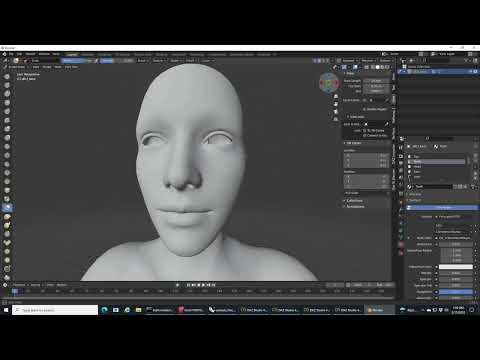
But now you don't import the object into Daz Studio as usual. You have to transfer it using the Morph Loader Pro plugin (with your prop active in the scene, of course). Details at the end of this video:
Thanks, I have already seen those videos, and they were helpful. I am more looking for modeling best practices for models to be exported to DAZ. All quads, or tris OK? I'm curious, as when I try to make changes to models in DS I frequently run across what I thought was undesirable, namely lots of really long, skinny tris. None of the tutorials I have been able to find address this question.
Long skinny tris are a no-no in any 3d software, not just DS. Ngons are also not desirable because of the way they could triangulate after exporting. Keep away from those two things and try as much as possible to keep a logical quad-based topology whenever possible. Triangles are ok, but should be kept to a minimum only in areas where they are unavoidable or will not create pinching or artifacts in a render when smoothed (subdivided). 3dsmax has many good tools to keep everything quads, so you should be ok.
DIM Installed Products Don't Show Up in Smart ContentI recently ran out of space on my hard drive and made a second DAZ library on another drive. Had a couple of issues, but DIM is now correctly installing the products to the new library, and they show up in the registered folders on the Content Library tab. The only remaining problem is that the newly added products don't show up in Smart Content. I have tried to re-import metadata, and that worked in adding the products I installed beforehand as a test (two products in the new library on the new drive that now show up in smart content) but everything I install afterward does not show, and I'm loathe to re-import metadata every single time I install something. Is there anything I'm missing or that I can do to fix this? I'll really appreciate any help you can provide.
Free Toon Characters – Released Early!Sorry for not getting more tips and tricks up sooner, I lost a little too much time getting the Webboids re-rigged, etc., so I'm a little off my original timeline.
Speaking of timeline, Petege gave us the ability to convert G3 and G8 poses to the Webboids, which lets us use our existing libraries for posing, which to me is huge.
If we want to convert Mixamo poses (still and animated) the Webboids work fairly well for that.
I had originally intended to convert a bunch of Mixamo animations and poses to Webboids and share them, but I've looked online and I am unable to find anywhere that states clearly that it's legal to do so. As far as I can find, Mixamo allows people to download and use the poses for free, both privately and commercially, but nowhere can I find anythings stating that we can share the raw data, which is what I'd be doing. If anyone can find anywhere that if officially states otherwise, please let me know and I'll start build a library to share.
In the meantime, here's what you have to do to make your own...
You need a free Adobe account to access Mixamo:
Once you have your account, let's make an animated Webboid pose.
First, let's load a Webboid in their default pose. In this image, I've added shorts (for the DAZ censors) and eyebrows (certainly not needed).
Ideally, don't add any clothing or add-ons, for the pose just use the base Webboid to keep things simple.

Select your Webboid and choose Export/FBX; you should get this menu popping up:
 These settings work best for me, but your mileage may vary. I'm using the DAZ Alpha, 2025. If these settings don't work for you, you may need to tweak some settings, like version of FBX, turning limits on or off, etc.. Hopefully these will work.
Once exported, go to Mixamo.com and import your figure. If there's no issues, the "AUTO-RIGGER" will show up and show your Webboid animated in their default idle/glancing around pose.

If the Webboid has come in this far, you can hit "NEXT" and it'll take your Webboid to the pose library and viewport.
Pick the pose you want (there's lots to choose from!) and see it applied to your Webboid. I've chosen "Sitting Idle" because I need to sit my Webboid down at a starship console.
Once you've chosen your animation or pose, hit "Download" and you'll be presented with some options:

You can set your frame rate to 24, 30 or 60 fps (I like to use 24) but I'd recommend using "Keyframe Reduction". If you don't, it keyframes pretty much every frame, which can be a hassle to work with if you want to make any changes. For my purposes, I use "non-uniform" but experiment to find what works best for you.
Return to DAZ Studio and with a new, empty scene, import your FBX. I find these settings work well for me (my export/import versions of FBX don't match, you can experiment with which version or versions work best for you):

And if it imports correctly, you should see something like this:

Note all the keyframes showing; this was exported *without* reducing keyframes... basically, the stuff of nightmares (at least to me).
Let's make a pose preset for this animation.
Select Save as/Pose preset:

For my pose, I'm going to export the whole animation using these settings.

Now, with animated poses, you can take one animated pose and make a whole set of single-frame poses by scrubbing through the timeline to find a single pose you'd like to save and do the same steps as for an animation but select either "Current Frame Only" or a range or subset of a *piece* of the animated pose.
I've saved mine in a "Mixamo Poses" folder. Now, let's make a new file import our Webboid and apply our "Male Sitting Idle" pose to him.

And you can see it works:

Let's see how it works with other Webboids; let's dial in a female Webboid with a few different morphs dialled in:

And applying the pose, we get this:
 As is common with applying poses meant for one figure to another, you might need to fine-tune the pose, but for the most part they should work fairly well. If you do need to adjust the pose, you can save the adjusted pose for your dialed-in figure.
Hopefully this will help you to make new pose libraries for yourselves.
smooth modifier, sofa 2-3 charactersYou can't have multiple separate objects collide with the same item. A work around that I have seen is to pose the characters and export them all as a single .obj file, then import that into the scene and set the collision to the imported .obj.
This video shows how you can do that. https://youtu.be/yDmF7NDAr2Q?si=2zPoxKhiFsl_8LxU
It would be quicker than rendering 3 versions of the scene and then compositing them.
get D-Former from MorphRichard Haseltine said:
I'm afraid the dForm doesn't leave any history, not even that the morph was created from a dForm (instead of another tool in DS, or a bridge to another application, or a simple OBJ import/export) so theer isn't any way to reverse the process if you don't have a saved scene or dForm preset.
thank you! Is there any workaround I could try, like selecting the vertices of the Morph and creating a D-Former with those?
EDIT
also, I did something wrong that now D-Formers don't show Unused Maps to be added when I select Weight instead of Sphere. DAZ crashed. What could I be doing wrong? Should I reinstall?
EDIT_2
I restarted the program multiple times and it fixed the problem in the EDIT. Also, I selected all the vertices the Morph affects and filled the Weight Map and started painting and smoothing them so I create a new morph and I won't delete the D-Formers this time. But I have another problem: I forgot how to add the same D-Form to multiple objects, like moving the eyelashes when moving the eyes.
get D-Former from MorphI'm afraid the dForm doesn't leave any history, not even that the morph was created from a dForm (instead of another tool in DS, or a bridge to another application, or a simple OBJ import/export) so theer isn't any way to reverse the process if you don't have a saved scene or dForm preset.
iRadiance - HDR Mesh Lights Volume 2 for IrayWrite Idea said:
Richard Haseltine said:
Write Idea said:
Zo said:
Hi guys,
I bought this product from outlet store today, but it does'nt appear in product list ( either Smart content or Content librairy, i see the lite version but the full version is not found, i try to uninstal re install, removed lite version but no chance, any idea ?
* I use 4.24.0.3 premier version
Thanks
I can confirm the same.
It does work if you install in manually, however, not in smart content.
Smart Content is not an installation method, if you mean Daz Connect (installing through Daz Studio rather than Install Manager or manually) then many scripts are not written in a way that can cope with the different file locations and the way the location is reported when installed through DS.
When I install something manually, say something I purchased off Renderosity, it will appear in the Content Library, not in Smart Content. That is what I was referring to.
Content from other sites may well lack metadata, and if not it will have to be imported rather than being added during isntallation (exept for a few products that have Install Manager compatible zips). This will not be related to things working or not, however.
Daz studio 4.24.0.3 does not detect Premier, for example "Aiko 9" fails to loadHello Richard,
The option to update metadata is indeed checked.
Daz studio 4.24.0.3 does not detect Premier, for example "Aiko 9" fails to loadIs the option to update metadata checked in the Login dialogue?
Walk Designer for Genesis 9things like Mimic, Anilip, etc., that auto-generate lip sync. Performance capture is different in that it can automate a lot more of the actor's portrayal of the character. But it's still highly beneficial to edit these automated results to help finalize what we see on screen.
Indeed and its really a shame that Daz abandoned
the mimic pro software as it had a powerful editing feature where you could adjust the phonemes much like aniblocks to get a more accurate performance and even import a real life reference video as a guide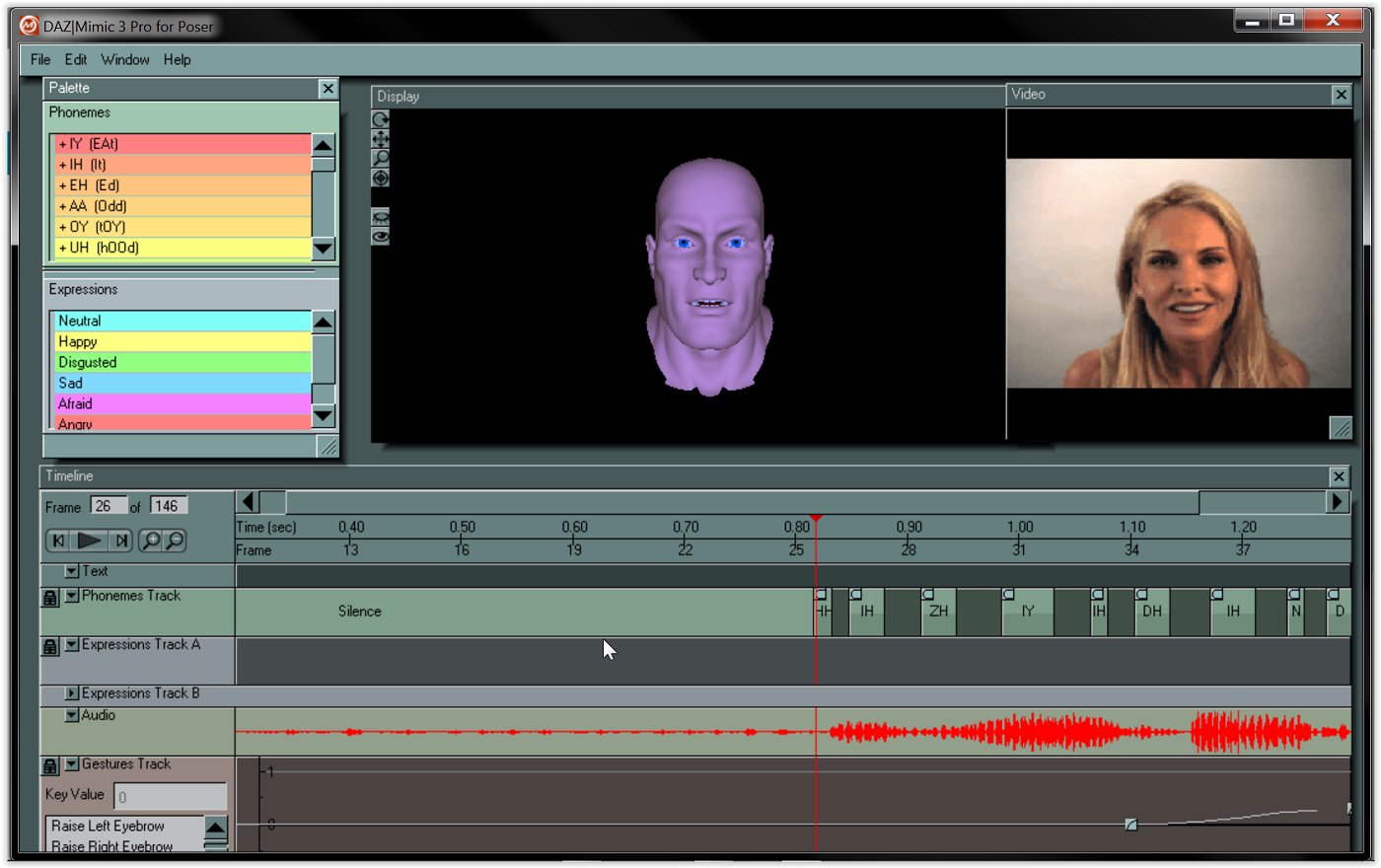 Walk Designer for Genesis 9
perhaps it would be possible to build-up a library of 'Viseme Partials' so that we can pull them from the library at will and just drop them onto the aniMate timeline, sliding them around and adjusting their length until they fit the speech!
So now I'm going to suggest a purpose-designed viseme sequencing system from 3DU.
Daz Genesis 8.1 and higher already have industry standard FACS system to support most of the Major facial mocap systems that is how PA solutions like "Face Mojo" were created.
https://www.daz3d.com/face-mojo--facial-mocap-retargeting-for-genesis-9
No need for 3DU to invent new manual lipsinc solutions and if cost is an issue just use diffeo
and import your G8-9 into Blender for free facial mocap from any video
 DAZ to Metahuman?
for metahuman head, there has already been mesh to metahuman workflow for years.
For metahuman body you would need to import your body morphs on a metahuman topology, so can use faceform wrap to create this, or a metahuman topology with genesis clone shapes on it to transfer daz figure morphs to via the transfer utility tool (transferring favorited morphs). Note: faceform wrap can also transfer textures to new topology too. But metahuman already has hundreds of textures anyway, so not sure texture transfer is really necessary.
Buy Something That Doesn't Work in Carrara? Post your Questions and Workarounds here. (please)RuudL said:
Have you tried copy and paste from one scene to the other?
you can have more than one scene file open in Carrara
no, not copy/paste I admit,
I have tried import, load from browser, drag into scene from browser to scene not anything selected, drag onto head etc
right now am rendering her with a DAZ polygon hair as gave up
can try later
Genesis Poses converted for use with UE5 skeletonI believe you can use the animation retargeter for that. Import the Genesis animation and then right click on the animation and select Retarget Animation and select the UE5 skeleton as the target and Gen8/9 as the source.
Can't seem to get imported expressions to work on HD Mesh.Had a bit of trouble getting expressions imported with figures via Favorites, but got that figured out. Whenever I import a model via Diffeo, I get a normal "Model Name" and "Model Name HD". Since I do a lot of closeups, I prefer to work with the latter. But the only expressions that seem to work are the FACS ones. If I try something like "JW The Cool Boy" from JWolf, nothing but the eyes move or the jaw just opens up.
To clarify, the imported favorite epxressions work as expected with the normal (non-HD) version. But only a couple seem to move the eyebrows/mouth a bit on the HD version. Am I missing a step? Using the wrong expressions? Is not possible? Do I have to use the HD Morphs addon for it? Kind of lost after trying several different things before positing here.
TIA.
Daz 3D is part of

Connect
DAZ Productions, Inc.
7533 S Center View Ct #4664
West Jordan, UT 84084Licensing Agreement | Terms of Service | Privacy Policy | EULA
© 2026 Daz Productions Inc. All Rights Reserved.