-
Mousso characters - expressions dont seem to work
Making the G8 base expressions (and any expressions that are using them) work on G8.1 requires removing dummy/placeholder expressions that are installed to G8.1 morph folders - These dummy/placeholder expression files have no other function than to prevent the base G8 expressions from loading.
The dummy/placeholder files are located in;
...\Data\DAZ 3D\Genesis 8\Female 8_1\Morphs\Daz 3D\Base Pose Head\ (255 files, can be more if you have additional DAZ expression packs)
...\Data\DAZ 3D\Genesis 8\Female 8_1\Morphs\Daz 3D\Expressions\ (24 files, can be more if you have additional DAZ expression packs)
...\Data\DAZ 3D\Genesis 8\Male 8_1\Morphs\Daz 3D\Base Pose Head\ (255 files, can be more if you have additional DAZ expression packs)
...\Data\DAZ 3D\Genesis 8\Male 8_1\Morphs\Daz 3D\Expressions\ (24 files, can be more if you have additional DAZ expression packs)Please make sure you are removing the files from G8.1 morph folders and not G8 morph folders.
Note 1; If you are logging in to DS and letting DAZ Connect (within DS) to install/update your content, you may have these also in an other location that has "\Data\Cloud\" in it's path
Note 2; Do not remove any files from "FACS" or "FACSExpressions" folders3D Art Freebie Challenge August 2022 - "Sniff, sniff... what's that smell?" - Main Thread Only3D Art Freebie Challenge August 2022 "Sniff, sniff... what's that smell?"
"Smells like..."
[Best watched at full size for details.]Starring: Alysha, Claire and Barret
The tale: (Entirely fictional)
Smell like... uhhmm teen spirit? The famous American rapper Dr. 2-PIC, who had been in the studio all day recording his latest album, took a short break and, while enjoying a hand-rolled cigarette, spoke to 2 fans who happened to see him standing outside the studio building. Claire was so nervous she poked him with the old-fashioned notepad for his signature and Alysha went all out taking pictures. Barret (his real name) became slightly annoyed by his manager who yelled at him to come back inside. "Whot man? Whot strong smell?"
Non-Motion Picture Soundtrack:
Nirvana - Smells Like Teen Spirit (© 1991) https://www.youtube.com/watch?v=hTWKbfoikeg
COUNTABLE FREEBIES: (Alphabetic order)#01! 100yen Lighter by Laboratory108
http://www.lab108.x0.com/lab108/personal.html (item 10)#02! 20 Smoke Transquares by SnowSultan
https://www.sharecg.com/v/28949/browse/11/Poser/20-Smoke-Transquares **#03! 33 Eyes Materials for the Genesis 8 + 8.1 people by LevKornowska
https://www.renderosity.com/freestuff/items/88372/33-eyes-materials-for-the-genesis-8-81-people **#04! 330ml Broken Bottles by richardandtracy
https://www.renderosity.com/freestuff/items/89523/330ml-broken-bottles **#05! 420 by DivabugDesigns
https://www.renderosity.com/freestuff/items/80344/420 **#06! Alysha for Genesis 8 Female by emotionaldreams
https://www.renderosity.com/freestuff/items/83613/alysha-for-genesis-8-female **#07! Artist's Sketchbook/Notebook by Nathraiben
https://www.sharecg.com/v/43435/ **#08! Barret Wallace for G8M by Shinteo
https://www.patreon.com/posts/barret-wallace-46215543#09! Bear Ring by kalhh
https://www.deviantart.com/kalhh/art/Bear-Ring-853733610 **#10! Beer Bottle for Daz Studio by forged3DX
https://www.deviantart.com/forged3dx/art/Beer-Bottle-for-Daz-Studio-608260601 **#11! Bishop Necklace G8M - FREE by SdeB
https://www.sdebstore.com/collections/free-stuff/products/bishop-necklace-g8m-free **#12! Braid Bracelets for G3M, G3F, G8M, and G8F by Fisty
https://www.sharecg.com/v/92874/gallery/21/DAZ-Studio/Braid-Bracelets-for-G3M-G3F-G8M-and-G8F **#13! Cargo Short G8M - FREE by SdeB
https://www.sdebstore.com/collections/free-stuff/products/cargo-short-g8m_free **#14! Chameleon ROse2 for Genesis 8 Female by zoro_d
https://www.renderosity.com/freestuff/items/85859/chameleon-rose2-for-genesis-8-female **
[Lashes morph used]#15! Chewing gum by TrekkieGrrrl
https://www.sharecg.com/v/18199/poser/Morphing-chewinggum **#16! Cigarettes by TrekkieGrrrl
https://www.sharecg.com/v/18207/poser/Cigarettes **#17! Claire for G8F and G8.1F by Shinteo
https://www.patreon.com/posts/claire-for-g8f-67510833#18! CRP Couples Poses 09 to 12 by crpprod
https://www.renderosity.com/freestuff/items/92617/crp-couples-poses-09-to-12 **#19! Crushable Can by TrekkieGrrrl
https://www.sharecg.com/v/18196/poser/Crushable-beer-can **#20! Dante DMC5 Free Stubble for Genesis 8 Male by InTheFlesh
https://sharecg.com/v/94752/gallery/21/DAZ-Studio/Dante-DMC5-Free-Stubble-for-Genesis-8-Male **#21! Disposable Ballpoint Pens by richardandtracy
https://www.renderosity.com/freestuff/items/92636/disposable-ballpoint-pens **#22! Drinks by klausdbg
https://www.sharecg.com/v/74240/gallery/5/3D-Model/Summer-IV-Drinks **#23! ED's Brick Shader (Iray) by Edheldil3D
https://www.deviantart.com/edheldil3d/art/Freebie-ED-s-Brick-Shader-Iray-788871766 **#24! Graffiti Street Art Wallpaper
https://wallpaperscraft.com/wallpaper/graffiti_wall_city_colorful_62146#25! Heavy Curb G8M - FREE by SdeB
https://www.sdebstore.com/collections/free-stuff/products/heavy-curb-g8m-free **#26! Hoop Earrings for Genesis8 Female by Afrodite-Ohki
https://www.renderosity.com/freestuff/items/92631/hoop-earrings-for-genesis8-female **#27! Iray car related shader presets 'megapack' by Tom2099
https://www.deviantart.com/tom2099/art/Iray-car-related-shader-presets-megapack-539622361 **#28! Iray Jewelry Shaders by AllenArt
https://sharecg.com/v/95893/gallery/21/DAZ-Studio/Iray-Jewelry-Shaders **#29! Joint scan (FBX) by PreyK
https://sketchfab.com/3d-models/joint-scan-0198702303f6405497751c20acbbf2c4 **#30! Koelle Alaaf! by klausdbg
https://www.sharecg.com/v/79631/gallery/5/3D-Model/Koelle-Alaaf%21 **
[Crowncork used, customized texture]#31! Labeled Whiskey Bottle by Area-50
https://www.sharecg.com/v/24358/gallery/11/Poser/Botles **
[Label used]#32! Little Flower Studs for Genesis 8 and/or 8.1 Female by AllenArt
https://sharecg.com/v/98499/gallery/21/DAZ-Studio/Little-Flower-Studs **#33! Mini Dress 5 for G8F by Most Digital Creations
https://www.most-digital-creations.com/g8f_mini_dress_5.php *1#34! My Heart Necklace for Genesis 8 Female by Amy Aimei
https://www.deviantart.com/amyaimei/art/My-Heart-Necklace-for-Genesis-8-Female-729010047 **#35! OnFleek for Genesis 3 & 8 Female(s) by AprilYSH
https://aprilsvanity.com/shop/onfleek-for-genesis-3-8-female-s.html#36! Oracle for G8F by Shinteo
https://www.patreon.com/posts/oracle-for-g8f-39112022
[Bracelet]#37! Pavé Bangle for G8F/G8.1F by AllenArt
https://sharecg.com/v/97614/gallery/21/DAZ-Studio/Pav%C3%A9-Bangle-for-G8F-G8.1F **#38! Piercing Gaze for Genesis 8 Females by SWTrium
https://www.renderosity.com/freestuff/items/83703/piercing-gaze-for-genesis-8-females **#39! RAV Hayajuku Real Tattoos FOUR for Genesis 8.1 Females by Ravenstone
https://www.renderosity.com/freestuff/items/89767/rav-hayajuku-real-tattoos-four-for-genesis-81-females **#40! RE5 Sheva Alomar Head Morph for G8F by TritiumCG
https://www.deviantart.com/tritiumcg/art/RE5-Sheva-Alomar-Head-Morph-for-G8F-822643742 **#41! REAL Hairy for Genesis 2 Male ***FREE*** by MikeyFTL
https://www.deviantart.com/mikeyftl/art/REAL-Hairy-for-Genesis-2-Male-FREE-859328094 **#42! Rihanna - Head and Body Morphs for G8F by TritiumCG
https://www.deviantart.com/tritiumcg/art/Rihanna-Head-and-Body-Morphs-for-G8F-838891936 **#43! Rimless Sunglasses G8F-FREE by SdeB
https://www.sdebstore.com/collections/free-stuff/products/rimless-sunglasses-g8f-free **#44! Side Swept ROse Hair (G3F,G8F) Part 1&2 by zoro_d
https://www.renderosity.com/mod/freestuff/side-swept-rose-hair-g3f-g8f-part-1/79533 **
https://www.renderosity.com/mod/freestuff/side-swept-rose-hair-g3f-g8f-part-2/79534 **#45! Simple Used Ashtray by 3-d-c
https://sharecg.com/v/38258/gallery/11/Poser/Simple-Used-Ashtray **
[Cigarette buds]#46! Smartphone Prop by Foxclaw
https://www.renderosity.com/freestuff/items/87343/smartphone-prop **#47! SuitWell Watch G8M - FREE by SdeB
https://www.sdebstore.com/collections/free-stuff/products/suitwell-watch-g8m-free **#48! SY 200 Morphs for Genesis 8 Head and Body by SickleYield
https://sharecg.com/v/91888/view/21/DAZ-Studio/SY-200-Morphs-for-Genesis-8-Head-and-Body **#49! Texture Pack 02 by Spacebones
https://sharecg.com/v/63522/gallery/6/Texture/Texture-Pack-02 **#50! Winebottle by TrekkieGrrrl
https://trekkiegrrrl.dk/prp1.htm (item 4)
NO-COUNT ITEMS:--- CariqueB by hindudreams
--- Nose Ring 01 for G2F, G3F and/or G8F by AllenArt
--- Scene Lights for Iray by Lali Kamala (The Holiday Loyalty Sale 2021 Free Item)
--- Skirt Outfit Watch for G8F by Tab (Y_Personal)PURCHASED/PAID FOR ITEMS: None 100% Freebies
*1 E-mail address required
** Registration required
#x! Countable Items (Bold ones are used by me for the first time I think.)
--- No longer available freebies
++ Free with DAZ Studio (or the Essentials)
$x. Purchased/Paid For Item
Rendered with DAZ Studio 4.10.0.123 (nVidia Iray)Other free software used: GIMP v2.10.32 and Irfanview 4.60
Postwork: used the AltaLux Image Enhancement Filter (Effect) by Stefano Tommesani that comes with Irfanview and some filters (oa) that come with GIMP. Also used mcjLut by mcasual (https://sites.google.com/site/mcasualsdazscripts9/mcjlut) with the free RocketStock LUTs.
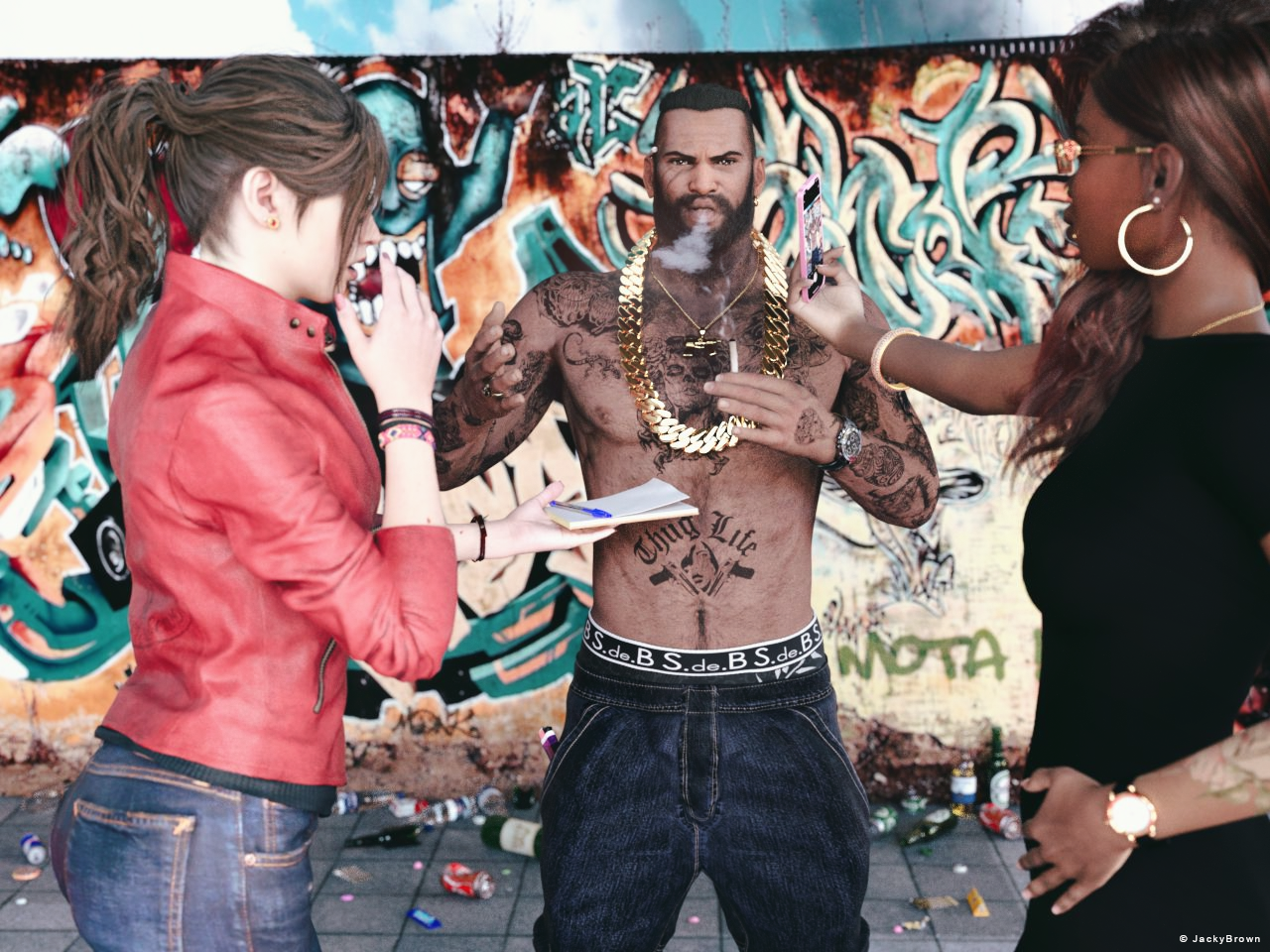
"Smells like..."
Diffeomorphic DAZ Importer version 1.6.0 releasedSome morphs that are driven by bone rotation/bend are important for realism when posing since the default Daz JCMs are kind of dumb.
For example, these:
https://www.daz3d.com/skin-folds-creases-hd-for-genesis-3-and-8-bundle
https://www.daz3d.com/auto-shape-enhancer-for-genesis-8-male
How do you set up these ERC type morphs in Blender with Diffeo? Does one just import as custom morph?
How to actiavte a pJCM only when two other PJCMs are in certain range?Yes, if you choose a proerpty to Attenuate By then it weakens the effect according to the strength of that proerpty - so if you have Morph A as the controller, Morph B as the attenuator, and morph C as the sub-component, all at 100%, then C will have the value of A times B - so if A is at 100%, B is at 50%, then C will be at 50%. If A and B are at 50%, C will be 25%.
How to actiavte a pJCM only when two other PJCMs are in certain range?ekajuan_9f765a669b said:
So... you mean, lets say
Morph A has Morph B as a subcomponent.
Morph A will be listed under Morph B as the controller?
Exactly
How to actiavte a pJCM only when two other PJCMs are in certain range?So... you mean, lets say
Morph A has Morph B as a subcomponent.
Morph A will be listed under Morph B as the controller?
Celebrity Look-a-Likes for 3D figures part 3Haruchai said:
mike242910 said:
AbrahamRockwell said:
Haruchai said:
New Clone Series entry from ROMFX at Renderhub. Wania - Elizabeth Olsen
Not directly related to this morph, but does anyone know where I could find the 'Scarlet Witch' outfit that he used in a promotional render for his character (or at least the 'Crown')?
I've checked my 'regular' places but so far haven't found one (many 'Comic Book Accurate' versions, but so far no MCU version).
good question. I'm more concerned abut the outfit itself, but we have similar aims.
The only places I have seen that costume in 3D is in the game Fortnite and the mobile game Future Revolution so my guess is it's a game rip. It certainly looks game quailty in the promo pic. Probably best to see if you contact the artist direct at this point.
There is a page over at pixelsizzle with a collection of different scarlet witch costumes. I think the INNModels one is your closest bet.
AIUTO...CHI CONOSCE L’ITALIANO? PARTE TREDICIla cosa funziona se il morph rende il personaggio solo più magro.. se il morph allunga le braccia/gambe/torso o cambia anche di poco la posizione degli arti salta ovviamente. A me infatti da problemi con Davac che è un nano (annullando il morph il vestito torna alla sua dimensione originale)
L'altra soluzione sarebbe creare un morph che ripristina la mesh del vestito... se O.C.A.2022 sa esportare e reimportare un morph ci mette 1 minuto a farlo (non deve neanche aprire il file del modello 3D con Blender)AIUTO...CHI CONOSCE L’ITALIANO? PARTE TREDICIIo in casi come questo applico solo i morph del viso e se necessario un po' di fattore di scala per rimpicciolire/ingrandire il personaggio. In genere se una figura è completamente vestita non si nota troppo la corporatura, il fatto che sia muscoloso ecc.
O.C.A.2022 said:
Grazie Kainjy.
La deformazione più fastidiosa avviene su vestiti rigidi, le armature appunto, ma non solo su quelle di altre figure, tipo da V8 a M8, cosa che sarebbe, come dire, normale. Il mio problema riguarda i morph di personaggio M8, quale ad esempio The Cursed HD, che essendo molto magro, nell'applicare un armatura medievale, questa si adatta in modo irrealistico. Quello che mi chiedevo e se esistesse un modo per applicare un vestito con autofit, ma che non comprendesse gli adattamenti morph. Nell'immagine che ho allegato potete vedere cosa indento guardando l'armatura del busto, diventa come una maglietta aderente, molto brutto da vedere.
Kainjy said:
Dipende dal tipo di vestito.. magari qualche immagine e info aiuterebbe a capire il problema.
- l'armatura/vestito è un prodotto DAZ o l'hai convertito te ?
- lo hai applicato alla sua figura originale o hai usato autofit ?
- Che tipo di problema hai ? E in che aree ?
flexion morphs?charles said:
Flexions have a huge issue with flex quad left distorting to insaine degress of like -800+...I've reported this a year ago and it's still hasn't been fixed.
This is was a thread asking what they are and how they might be made, not about a specific morph set.
AIUTO...CHI CONOSCE L’ITALIANO? PARTE TREDICIKainjy said:
Per riportare l'armatura alla sua forma originale basta selezionarla e andare nei suoi Parameters.
Scorrendo troverai attivo (è nascosto.. attiva la visualizzazione dei parametri nascosti) il morph del tuo character: basta abbassarlo o ripotarlo a 0 (lasciando però al 100% quello del tuo personaggio).L'importante è che il tuo character non sia di altezza o pose diverse dal G8 standard (ad esempio sta cosa non funziona coi nani tipo Davac)
Se fa così si deforma male tutto al 90%. (⊙x⊙;) Quel trucco va bene per piccoli morph come il contorno degli occhi o la forma delle orecchie, se lo fai fullbody nulla rimane a posto.
How to actiavte a pJCM only when two other PJCMs are in certain range?Yes, ERC Freeze (without the attenuate option) will use the 1st Stage, which is a simple relationship - the value of the controller will be multiplied by a constant (e.g. if you want the morph to be 100%, which is to say 1 as a numerical value, them a bend is 30 degrees then it will be a factor of 1/30). The 2nd stage mutliplies the ersult by the value of another slider, which doesn't make sense until the 1st stage can give a potentially non-zero value. It is possible to perform complex operations with these and with additional hidden proerpties between the original controller(s) and the final sub-component.
[Released] Bone Minion for Genesis 8 and 8.1 Poses [Commercial]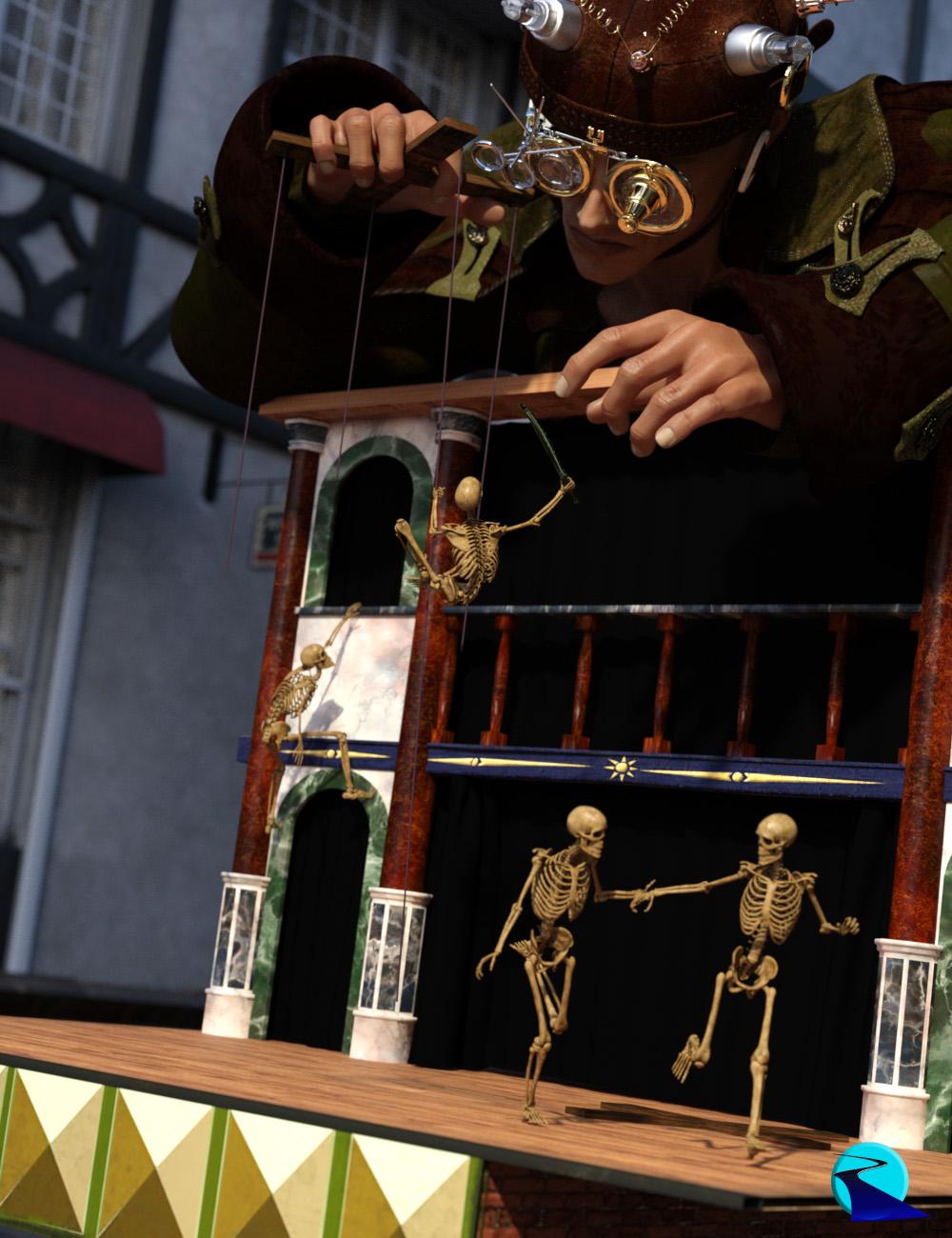 Introducing the Bone Minion for Genesis 8 Poses Bundle, a revolutionary way to use poses from Genesis 8! Stop wasting time and hard drive space converting pose presets, just use them! With Bone Minion, you can directly use Genesis 8 poses for other generations without first converting and saving them to a preset. Your Bone Minion will do the hard work for you by acting as a bone "catcher" for a pose and then transferring (and converting if necessary) the pose to its parent target figure.* Simply load the desired Bone Minion (i.e., Genesis 8 Female Bone Minion for Genesis 8 Female poses) on your Target Figure (Genesis 3 Male), select the Bone Minion, and start applying poses!
- On-the-fly conversion of poses to your target figure
- Directly convert from the source generation to the target generation without converting to intermediate generations
- Works with full poses, partial poses**, hierarchical poses***, and even AniBlocks!
- Automatically applies full poses when they are loaded**
- Cross-gender pose conversion
- Supports pose properties (using the Create Heavyweight Bone Minion script)
- Use pose details on the Bone Minion to apply partial poses
Note that converted poses (and especially props if they are hierarchical poses) may not be perfect and may require tweaking. Facial Bones (i.e., expressions) except for the eyes are not transferred.
* Requires purchase of the correct Bone Minion product.
** Any pose that sets the hip of the Bone Minion will be automatically converted on the fly and applied to the target figure. The Apply Changes script can be used to transfer any pose (including partial poses) on the Bone Minion to its target figure.
*** Hierarchical poses require the props loaded on both the Bone Minion and the target figure. The prop will be properly rotated for the pose but may need to be manually translated to the correct location.
 AIUTO...CHI CONOSCE L’ITALIANO? PARTE TREDICI
Per riportare l'armatura alla sua forma originale basta selezionarla e andare nei suoi Parameters.
Scorrendo troverai attivo (è nascosto.. attiva la visualizzazione dei parametri nascosti) il morph del tuo character: basta abbassarlo o ripotarlo a 0 (lasciando però al 100% quello del tuo personaggio).L'importante è che il tuo character non sia di altezza o pose diverse dal G8 standard (ad esempio sta cosa non funziona coi nani tipo Davac)
Al momento anche io ancora possiedo i bundle gratis di ieri e la transazione risulta ancora valida
You thoughts on Genesis 3 characters to be remade in Genesis 8.1I prefer BlackSmith Pro / Texture Transformer for transfering textures from previous generations. Those that are the default for the specific generaltion as described above can be re-mapped using Studio.
Under surfaces, Map Transfer can be found; simply match the different surfaces Head, lips, arms, whereever to the appropriate groupings (Default Templates).
AIUTO...CHI CONOSCE L’ITALIANO? PARTE TREDICIO.C.A.2022 said:
Grazie Kainjy.
La deformazione più fastidiosa avviene su vestiti rigidi, le armature appunto, ma non solo su quelle di altre figure, tipo da V8 a M8, cosa che sarebbe, come dire, normale. Il mio problema riguarda i morph di personaggio M8, quale ad esempio The Cursed HD, che essendo molto magro, nell'applicare un armatura medievale, questa si adatta in modo irrealistico. Quello che mi chiedevo e se esistesse un modo per applicare un vestito con autofit, ma che non comprendesse gli adattamenti morph. Nell'immagine che ho allegato potete vedere cosa indento guardando l'armatura del busto, diventa come una maglietta aderente, molto brutto da vedere.
Kainjy said:
Dipende dal tipo di vestito.. magari qualche immagine e info aiuterebbe a capire il problema.
- l'armatura/vestito è un prodotto DAZ o l'hai convertito te ?
- lo hai applicato alla sua figura originale o hai usato autofit ?
- Che tipo di problema hai ? E in che aree ?
Da quel che vedo quello è il comportamento normale del autofit, anzi è venuto anche bene rispetto a certi altri casi che ho visto.
Come vuoi che appaia? Più larga? In questo caso, quando fai autofit, scegli l'opzione "Bodysuit" e scegli Loose, questo ti darà un morph per renderla più ampia.
Altrimenti puoi utilizzare qualcosa come questo: https://www.daz3d.com/fit-control-for-genesis-8-female-s per aggiungere svariati morph per modificare la forma della armatura. La versione per G1 va alla grande, non so quella per G8 che è sfondatissimo.
Se poi non andasse ancora bene, deve armarti di pazienza e creare tu i morph specifici e le Rigid maps.
AIUTO...CHI CONOSCE L’ITALIANO? PARTE TREDICIGrazie Kainjy.
La deformazione più fastidiosa avviene su vestiti rigidi, le armature appunto, ma non solo su quelle di altre figure, tipo da V8 a M8, cosa che sarebbe, come dire, normale. Il mio problema riguarda i morph di personaggio M8, quale ad esempio The Cursed HD, che essendo molto magro, nell'applicare un armatura medievale, questa si adatta in modo irrealistico. Quello che mi chiedevo e se esistesse un modo per applicare un vestito con autofit, ma che non comprendesse gli adattamenti morph. Nell'immagine che ho allegato potete vedere cosa indento guardando l'armatura del busto, diventa come una maglietta aderente, molto brutto da vedere.
Kainjy said:
Dipende dal tipo di vestito.. magari qualche immagine e info aiuterebbe a capire il problema.
- l'armatura/vestito è un prodotto DAZ o l'hai convertito te ?
- lo hai applicato alla sua figura originale o hai usato autofit ?
- Che tipo di problema hai ? E in che aree ?
AIUTO...CHI CONOSCE L’ITALIANO? PARTE TREDICIGrazie come sempre Imago
Imago said:
O.C.A.2022 said:
Ciao ragazzi, scusate il disturbo, ma mi servirebbe un vostro parere e soluzione, esiste uno script che impedisca ai vestiti di appiccicarsi e deformarsi (soprattutto le armature)?
Puoi provare con il Smooth Modifier e valori un pò alti (oltre i 4-5) su Smoothing e Impact.
Però non aspettarti risultati grandiosi, di solito le deformazioni rimangono, specie quando applichi un vestito per The Brute (alla vecchia anagrafe The Freak) a Victoria. Per avere qualcosa di perfetto devi andare giù pesante di Morph correttivi o di Rigid Map.
How do YOU keep your database clean and organized?I don't use smart content. I use categories and create my own as I don't like the default categories.
I organise by
animations
environments
figures
hair
lights
render presets
scenes
scripts
shaders
Under figures I have
animals, toons etc
people
poses ( I have a separate pose folder as well as having poses under specific people. I have a lot of pre genesis poses which work fairly well on multiple figures. I also transfer poses when I have a script that will do that. )
People is set up
Genesis Daz figures
Hivewire Figures
Poser figures
Pre genesis figures
There are other folders that cover Nursoda, Mavka, Star other other stand alone figures.
I also have a folder called anatomy and body parts where I keep a reference for wings and horns etc that I can use on multiple figures.
The good thing is that categorising allows multiple references. So I keep a hair folder where all hairs go plus one for the specific character the hair is for. Any hair conversions I do I also have a specific folder with the conversion and copies of the mats for the hair.
Under the specific characters
I have Genesis folders by number, than inside I have male/female folders
Then for Genesis8fem for example
Characters
Clothing Hair
Poses
and anything else relating to the character.
This is time consuming but I can find things super easily when it's setup. I'm still reinstalling at the moment though and it's time consuming.
Face Mojo importing Facial Animation Morphs to Unreal Enginewintoons said:
youcefthomas said:
hey,
did you ever figure out how to get it to work? I'm just starting and wanted to try to make some animations and I cannot get it to work at all. currently using daz studio 4.16.
thanks
Hey
Well, I've found out how to do it, if you want to use face morph capturing, there's a software add on called Facemotion from facemotion3d.com . It actually works with the Unreal if you import it through the bridge from daz studio.
What you will have to remember is this, if you are face capturing, you'll need to add the FaceMotion morphs onto the morphs menu on the Unreal Bridge. So that you'll see the character talking.I'm looking into the FMX Facemation Fbx converter for Blender. Might become useful. Also, they are planning on making one for the Unreal Engine. I hope that comes soon.
When you used the daz to unreal bridge did you choose animation or skeletal mesh? Because I exported a character with skeletal mesh and facemotion morphs with no facial animations to Unreal Engine 5. Then I tried sending the facial animation using facemotion3D using the bridge. Instead of skeletal mesh I chose animation. Unfortunately when I the put in the imported animation to my character in UE5, he still wouldn't talk. Would you mind telling me more on how did you do this? I'm really having alot of difficulties with this.
Daz 3D is part of

Connect
DAZ Productions, Inc.
7533 S Center View Ct #4664
West Jordan, UT 84084Licensing Agreement | Terms of Service | Privacy Policy | EULA
© 2026 Daz Productions Inc. All Rights Reserved.