-
Help finding a character
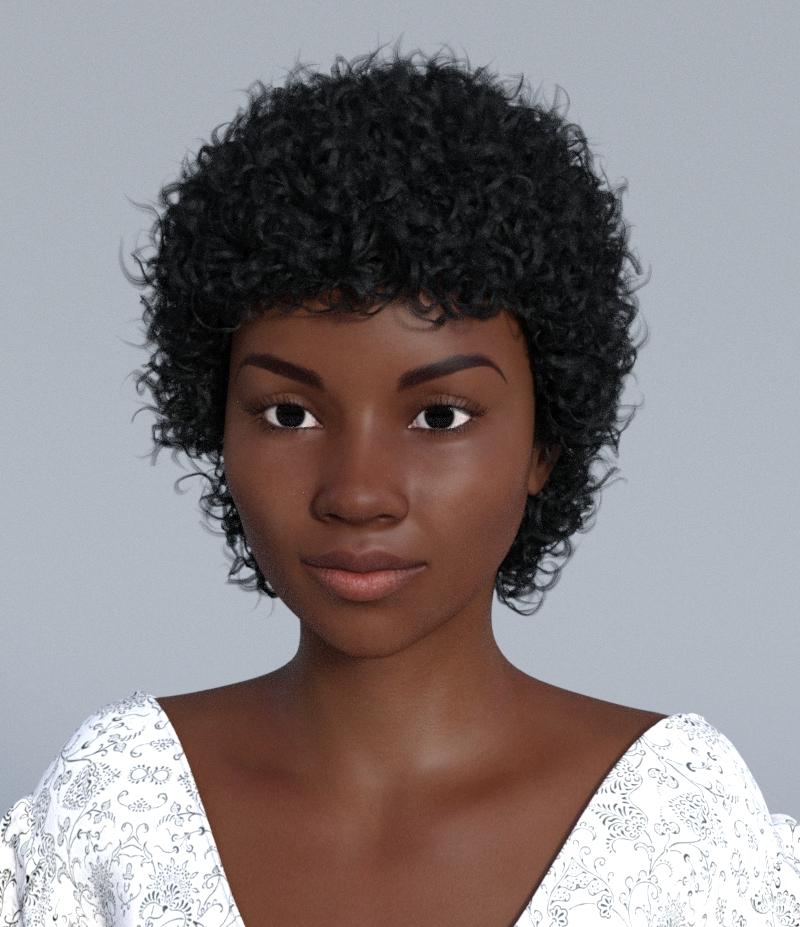
That looks really good - really close to the character I'm looking for. So is that just P3D Ruby from Rendo with the G2F face morphs from Daz?
I'm thinking the skin might be too light but might be fixable in photoshop. I'm really liking the eyes and those great arched brows - those are pretty much perfect.
Thank you for doing this and taking the time to help me - that's really sweet of you!

No problem.

I took a look at the texture, it actually uses the V4 texture that it comes with it for the G2 version. That's why you need this one:
http://www.daz3d.com/victoria-4-for-genesis-2-female
Maybe it goes on sale during the PA sale. It's great to have in any case IMO as there's a ton of V4 textures out there you can use on G2 with it. Otherwise I think there are tutorials on how to do use V4 textures on G2 manually if you don't mind doing the work involved.
And then you need the DAZ G2F Head Morphs plus the V4 base and V4++ morphs (though I don't think the V4++ morphs are necessary to use the G2 version of the character).
And then some Iray shaders or some Iray converter of some kind, as it only has 3DL shaders.
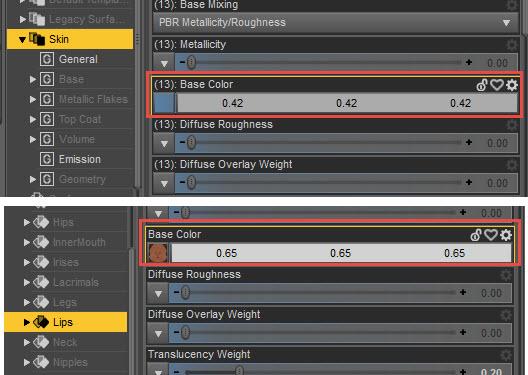
As for the skin color it's actually very easy to change, just change the Base color of the skin, lips and whatever parts you want to change. I've used some light greys here to retain the original color tone but you can also use colors to alter the color tone as well. See screenshots.
 Sunny 7
There have been speculation about Sunny 7 for a while, as there was a name slip a couple months ago, I believe - I was expecting Sunny 7 to be a guy.
In all honesty I don't see anything special about her (or at least not special enough to warrent her being an official "7" character).
Don't get me wrong, I think she's really cute! I just thought that the official numbered figures where supposed to fill a nitch that wasn't there. She just looks like a character you could get with some dial morphing. I mean, there is a reason for the higher prices of these figures, right? There has to be. $45 (base price) just seams kind of rediculous for a character that doesn't really give us anything new that other regular G3F characters don't. I think she's really cute, but I'm just not getting what is so special about her that it warrents charging $45 (again just base price) for?
Again, she's totally cute, just not seeing what the deal is with all the "7" figures that don't really give us anything really new or unique and slapping a $45 price tag on it.
I hope I'm just being all jaded and stuff. Maybe, hopefully, she'll grow on me and I'll see the need for her to be a special "7" figure.
Nearly next to nothing. Diva, you answered your own question. Maybe had some of the other characters not been released, but with the flood gates open on new numbered characters, it ups the expectations on ever release after the last. She's probably good for character collectors or those that dont get to purchase many. She'll sell like hot cakes, but in a week or two, maybe three, she will have been mostly forgotten. I'm saving my cash for Lilith 7 and the rest of the pa sale, as Im still waiting for 3 pa's that have not appeared yet. Hopefully Daz will do lilith some justice. :-)Yeah, I have to admit I'm really looking forward to Lilith and Monique. The only "7" base figure I've gotten so far has been Victoria (and Star 2.0 - but I guess she's not REALLY a "7" figure lol). I'd for sure consider forking out the cash for Lilith and Monique though.
Sunny 7What happened to the natural skin look?
I'm not sure what you mean. There are a lot of people in the world with darker skin - naturally. We get so many white characters every day, and almost all the "7" figures are white, it's good to see some diversity.
Come on, now. You're jumping to entirely the wrong conclusion or interpretation...or something.
By natural skin look, I meant "not too smooth." And I'll leave it at that, so I don't insult any of the character creators.
There was definitely no mention of lighter skin color in my post.
Wow. My kid has dark skin, as did my first husband. Cherokee blood.
I'm sorry, Jan - I jumped to the wrong conclusions. Someone had made comments about her skin being "too dark" and it got my haunches up. I wrongly though you where making a similar comment. Again, I'm sorry for jumping to the wrong conclusion. :)
On the topic of her skin, it does look kind of wrong to me too. Like it's a mature character texturewise and yet young in shape? Sort of like a 20 year old that's been left in the sun for 40 years. Without moisturiser.
Mei Lin and Aiko have also looked considerably more mature than usual though so I wonder if it's an intentional thing.
On the topic of Gen 3 looking more generic than V4 characters, I wonder if that's to do with the low resolution nature of the base model, without HD morphs compensating. It doesn't seem like that'd be the case but I'm not sure why else older characters are so much more distinct. The textures are at a vastly higher standard baseline these days and most PA characters are advertised as HD sculpted, so it's not like things have really gone backwards.
I wish Thorne still made characters like Layla but for Genesis so they aren't trapped in the VA4 dinosaur incompatibility zone. There seem to be ever fewer of the actual fae characters and more just odd "this is a fae sorta" mostly teen mixed more realistic type things. Actually, come to think of it, all of my favourite G2F characters (Haiku, Karyanna, Jas [and of course Giselle 6]) are made by Thorne. In Gen 3 I've only really used Josie much though despite buying all of the others.
Llola's Lovely Ladies... are here!Rendered for the PC Inspiration Contest — February 24, 2016
"Frances Cybele"
PC ITEM USED:
http://www.daz3d.com/platinum-club-items/cybele-hair-for-genesis-3-femalesOTHER ITEMS USED:
http://www.daz3d.com/llola-s-lovely-ladies (Frances)
http://www.daz3d.com/fwsa-hannah-hd-for-victoria-7 (skin) (added some freckles and beauty mark)
http://www.daz3d.com/flashy-hair-for-genesis-3-female-s (earrings)Rendered with 3Delight… tiny bit of postwork and signature done in Paint Shop Pro 7
ENJOY!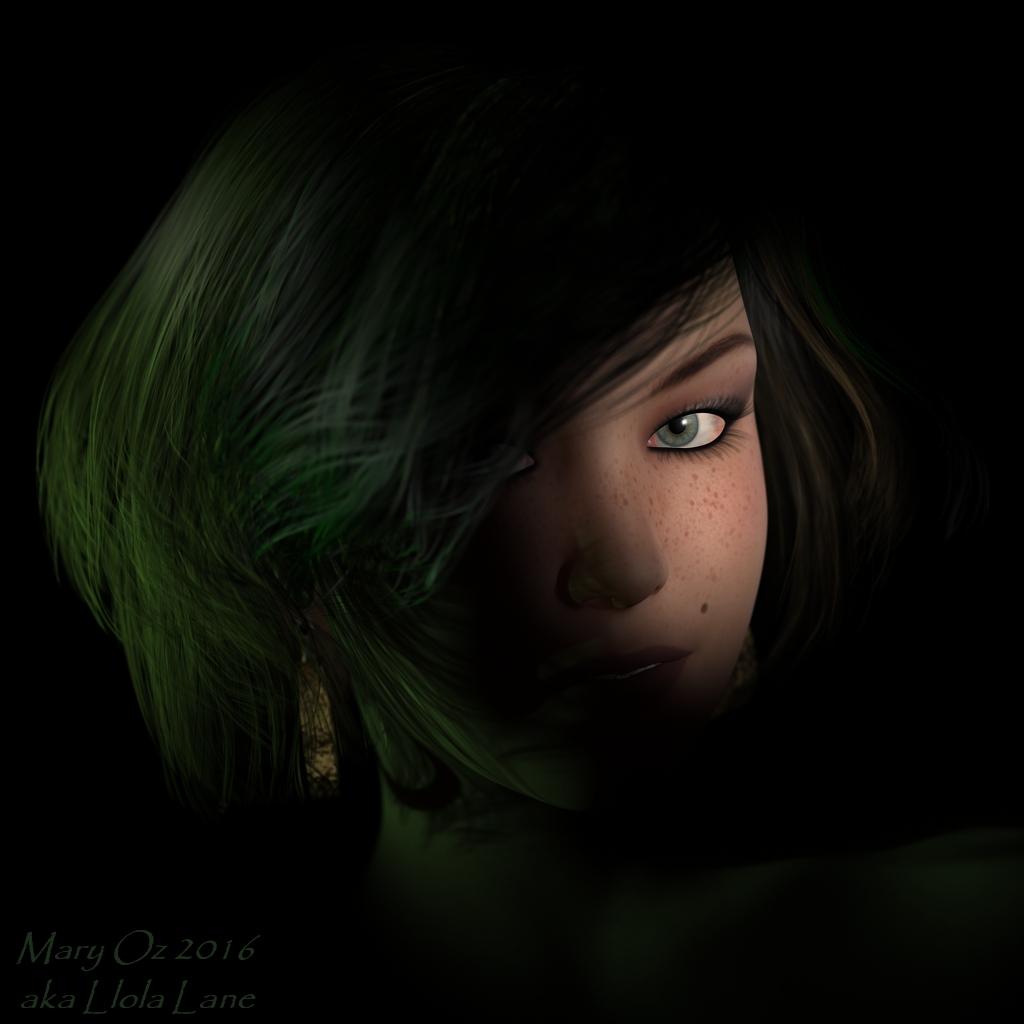 Llola's Lovely Ladies... are here!
Rendered for the PC Inspiration Contest — February 24, 2016
"Vivian Cybele"
PC ITEM USED:
http://www.daz3d.com/platinum-club-items/cybele-hair-for-genesis-3-femalesOTHER ITEMS USED:
http://www.daz3d.com/llola-s-lovely-ladies (Vivian)
http://www.daz3d.com/grace-for-eva-7 (skin)http://www.daz3d.com/victoria-iven-for-genesis-3-females (dress only... texture shader)
My own background texture
Rendered with 3Delight… postwork and signature done in Paint Shop Pro 7
ENJOY!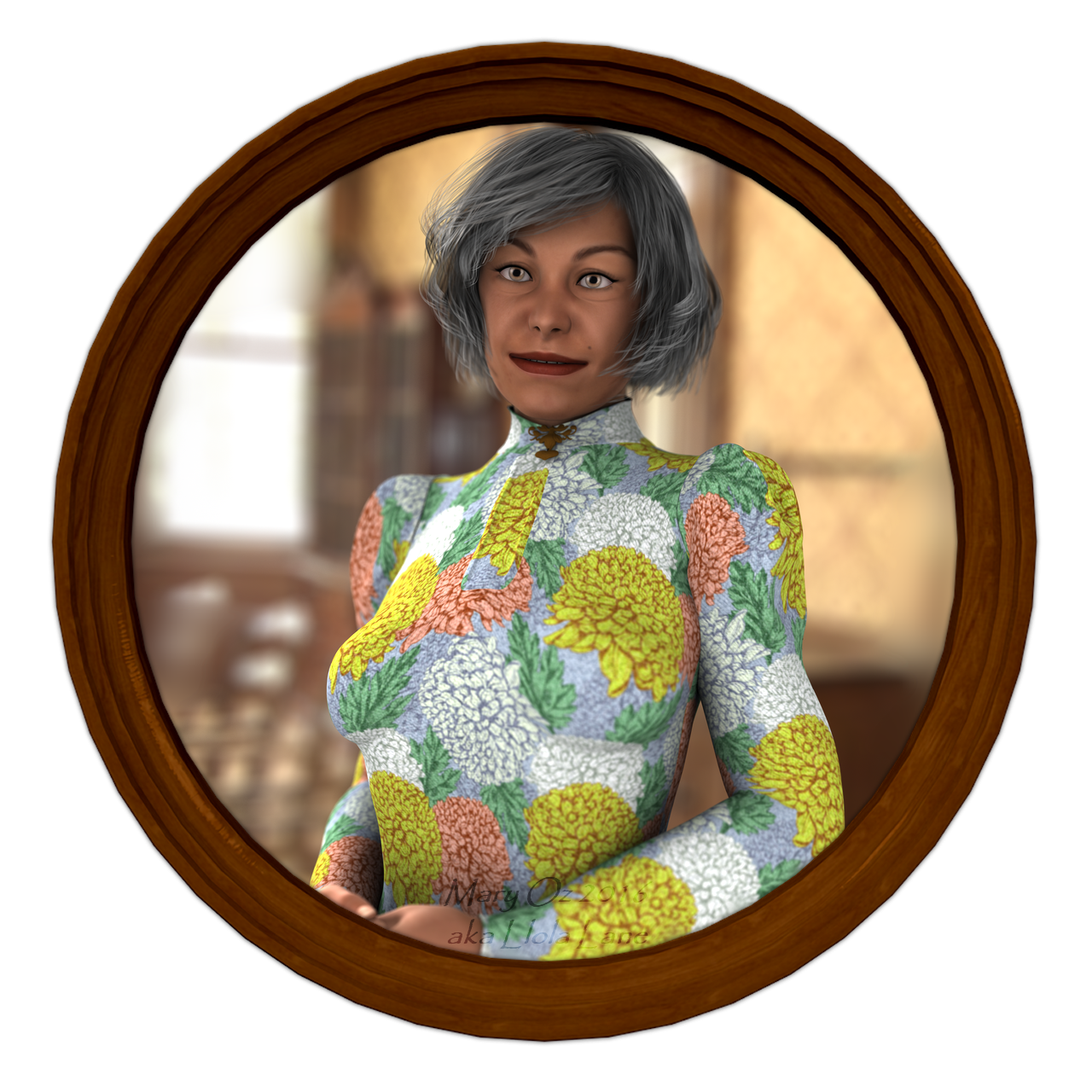 Llola's Lovely Ladies... are here!
Daz PC Inspiration Contest — August 31, 2016
"Solitude"
PC ITEM USED:
http://www.daz3d.com/platinum-club-items/hinata-dress
http://www.daz3d.com/platinum-club-items/quondam
OTHER ITEMS USED:
http://www.daz3d.com/llola-s-lovely-ladies (Glinda)
http://www.daz3d.com/mynx-for-victoria-7 (skin only)
http://www.daz3d.com/bluebell-hair-for-genesis-3-females
http://www.daz3d.com/casual-summer-for-genesis-3-female-s (bracelets/colored)
Rendered with 3Delight… postwork and signature done in Paint Shop Pro 7
ENJOY!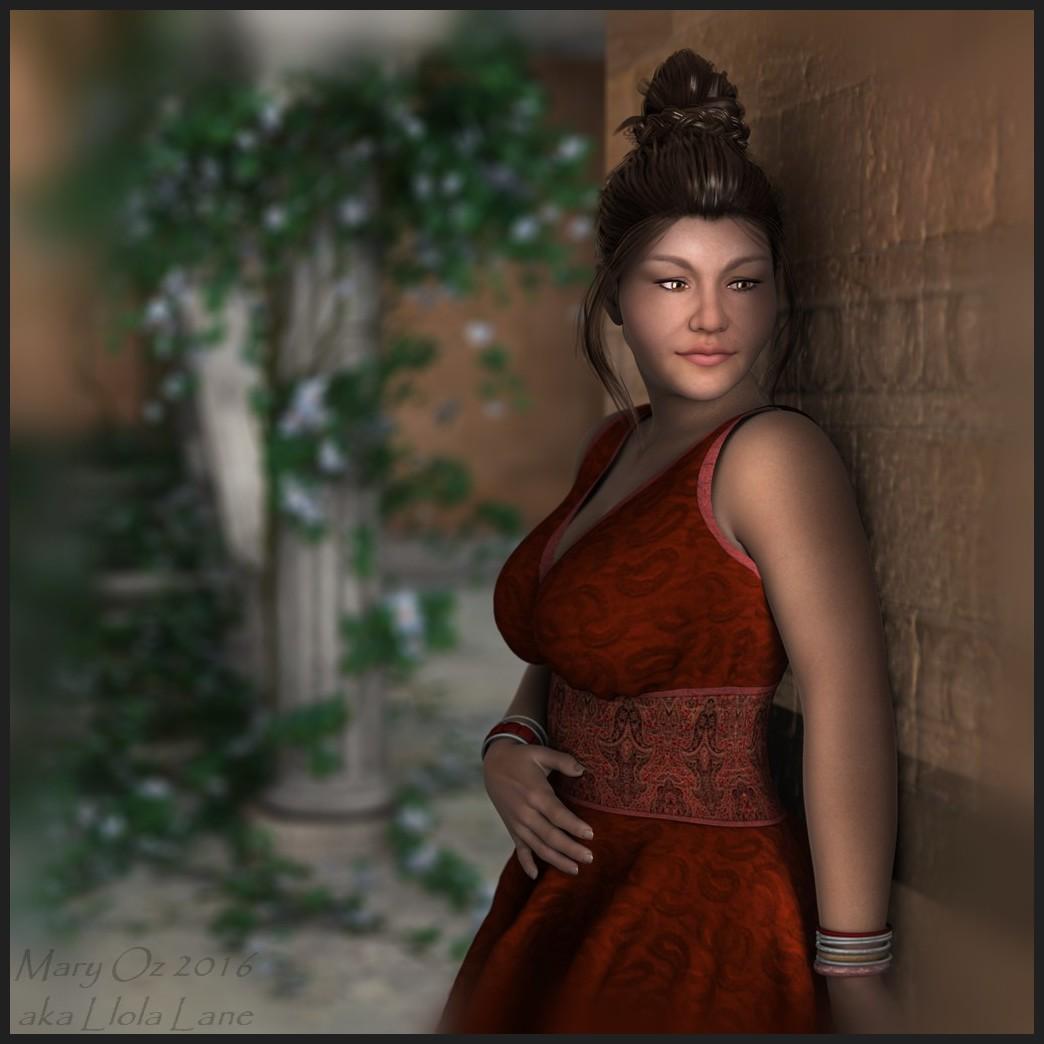 TRANSFER RIG FROM ONE FIGURE TO ANOTHER???
Is it possible to transfer a rig from say, Victoria 4 or Michael 4 to Genesis 3? I have an awful lot (gigabytes) worth of mocap files targeted to V4 and M4 that don't work well with G3 due to the new rig. I'm hoping there is a way to do this because there is a lot I could use G3 for animation wise.
Thanks in advance!
Sunny 7Is it just me thinking that V4 had more individual traits in her morphs than these new generations?
You are correct. Nope, it's not you. Seems as though a lot of these characters look like Victoria's older and younger sisters, though there were a few with some variance.
I miss the variety that was V4.
I fear for Lilith 7.I wish they had put V4's head on G3's body. I never liked the way V4 bended and I don't like her fingers and nails but I love her face and the way it morphs. G3's body is obviously a lot better and waaaaay more morphable but the face just seems too low res or something. I have a ton of morphs but it's hard to get her to look really unique.
Also with V4, I could look at a character and almost know right away who created it, but now all the PA's characters look pretty similar. Not that it's their fault, I think it's just less malleable or something than V4. Especially the lips. It's really hard not to get the same pouffy looking lips. And if Thorne is creating some of these characters, they are not as "Thorny" as the old characters. I still melt when I see the adorable old A3, K4 and even V4 Thorne characters, but on G3, somehow it's not quite as cute... I'm still buying old Thorne stuff in the mega fast grab, but had no interest in Tween Julie.
And although the Iray render engine gives the illusion of photorealism, the characters' s faces just seem more vapid than V4's for some reason. I see some of the work the same PAs are doing sometimes still with V4 on other sites or their older work, and the characters just seem to pop more, like there's more personality, someone real behind the eyes.... V7 is the only character to me that looks like there's an actual personality there and just seems more lifelike. Maybe because expressions work better on her, not sure. There's just an empty, blank stare look to most G3 faces and the expressions mostly don't look real.
Sunny 7I don't think the figures fill niches quite that specifically - "Hollywood Greek Athletic Action" doesn't really strike me as a niche.
I'd break them down more like this (Build/Theme):
Victoria 7/Michael 7: Average/Everyday
Eva 7: Tall/Everyday
Karen 7: Athletic/Superhero
Bethany 7: Voloptuous/Fantasy
Arabella 7: Thin/Vampire
Teen Josie 7: Average/Teen
Olympia 7/Leo 7: Athletic/Greek
Girl 7/Guy 7: Stylized/Toon
Izabella 7: Average/Fantasy
Mei Lin 7/Lee 7: Athletic/Asian
Kalea 7/Kimo 7: Average/Islander
Rune 7/Ivan 7: Athletic/Barbarian
Aiko 7/Kenji 7: Average/Anime
Tween Julie 7/Tween Ryan 7: Average/Young Teen
Sunny 7: Average/Everyday
I'm basing the themes off of a combination of the products in each pro bundle and how the character is marketed.
Edited to reflect Eva 7 is actually taller than Victoria 7.
With those eyes, Josie is far from average; much prefer Sunny to some of the other characters; skin looks great from the promos.
I'm buying the pro bundle for two reasons; price is good, but not the main reason; the main reason is the default UVs. The higher price was always justified because of the new UV sets, but the character is at a reasonable discount so that evens it out some.
First time for ages I'll be able to use every item.
Sunny 7I think Eva is more of a tall skinny/toned while Stephanie was short skinny/toned rather than athletic.
Her product page says...
Her lean yet athletic body makes her a perfect addition the Genesis 3 family. Her petite small frame still maintains a spunk and edge all the while keeping true to the softer side of her Eva with her delicate features and feminine frame.
Height: 5' 11" (181.1 cm)
I like Eva but she doesn't really have an identity as a main figure and Daz's description is just a bunch of feminine traits picked at random.
And there is nothing "average" or "everyday" about Victoria 7. She's tall, curved in the right places, but also athletically muscled well beyond an average person.
I would have liked Sunny to be an updated Kimberly type too. I do like this Sunny too, but her name does not fit her at all.
Sunny 7I don't think the figures fill niches quite that specifically - "Hollywood Greek Athletic Action" doesn't really strike me as a niche.
I'd break them down more like this (Build/Theme):
Victoria 7/Michael 7: Average/Everyday
Eva 7: Tall/Everyday
Karen 7: Athletic/Superhero
Bethany 7: Voloptuous/Fantasy
Arabella 7: Thin/Vampire
Teen Josie 7: Average/Teen
Olympia 7/Leo 7: Athletic/Greek
Girl 7/Guy 7: Stylized/Toon
Izabella 7: Average/Fantasy
Mei Lin 7/Lee 7: Athletic/Asian
Kalea 7/Kimo 7: Average/Islander
Rune 7/Ivan 7: Athletic/Barbarian
Aiko 7/Kenji 7: Average/Anime
Tween Julie 7/Tween Ryan 7: Average/Young Teen
Sunny 7: Average/Everyday
I'm basing the themes off of a combination of the products in each pro bundle and how the character is marketed.
Edited to reflect Eva 7 is actually taller than Victoria 7.
Sunny 7I tried to label all the characters with what I think is the niche they're meant to represent:
Sunny 7: Josie+Victoria / Selena Gomez
Tween Ryan 7: Young Teen
Tween Julie 7: Young TeenKenji 7: Anime / Game
Aiko 7: Anime / GameIvan 7: Mature Mobster
Rune 7: AthleticKimo 7: Islander
Kalea 7: IslanderLee 7: Asian
Mei Lin 7: AsianIzabella 7: Fae / Teen
Guy 7: Toon
Girl 7: ToonGianni 7: Athletic
Gia 7: Athletic2015
Leo 7: Hollywood Greek Athletic Action
Olympia 7: AthleticMichael 7: "Base" + Attractive + Athletic
Arabella 7: Thin / Vampire
Teen Josie 7: Teen
Karen 7: Athletic
Bethany 7: Curvy
Eva 7: Athletic
Victoria 7: "Base" + Attractive + AthleticThe males are actually doing pretty well in this generation (for once.) But there is so much overlap with the females...
Help finding a characterthis is a quick one with Jazmine as a basis, take out all of victoria 7 and dial half half Jazmine and Bethany. Materials in 3delight, so the skin colour might act different in Iray.
 Sunny 7
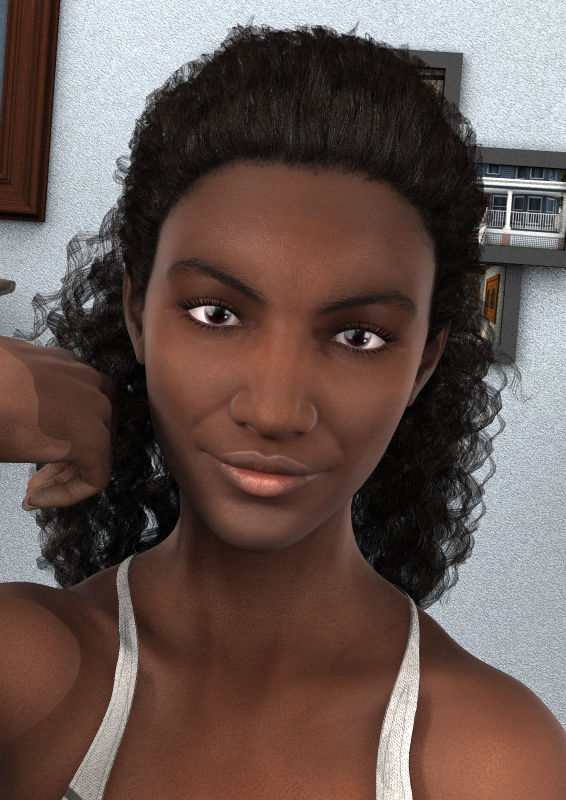
I agree with Xyer0 and Mary that Sunny 7 could easily have been placed in the Teen Josie family as she looks like she could be late teens to early 20's. Alternatively, she could have been placed in the Victoria 7 family as a young V7. Like many other people I think her face is really gorgeous, one of the best for G3F yet, but I see no reason for her being placed as a separate family. What is distinct about her? She is not the youngest, or oldest, or thinest, or fattest or... anything really. Sunny 7 is just a gorgeous character who could belong to one of a few existing G3F families. I have read (haven't downloaded her yet) that she does not have her own UVs. Hurray for that!
To be honest though, if Sunny 7 is meant to be a late teen to early 20's character, the skin texture on the base Sunny 7 looks too old (more like late 20's to 30's), at least from the promo pics. Perhaps too many hours sunbathing without proper sun protection? I wish that the PA had used a younger live model to obtain the skin textures (or one that used sun screen!). Whilst there are only a few (why??) promo pictures for Lindsey for Sunny 7, they at least show a skin texture which appears to be more in keeping with the apparent age of the character.
Fortunately, Lindsey is in the Starter Bundle, unfortunately the Sunny Hair is not! From a customer point of veiw I had expected (and hoped for) the Sunny Hair to be with Sunny in the starter bundle, but alas no. Now I may have to buy the Pro bundle even though it has only one extra item I consider worth having. There is the art of making bundles.
Well technically you could buy the Starter Bundle then use the Sunny Hair to trigger the PA sale 10% discount on both. But at the price you might as well get the Pro Bundle at that point.
Sunny 7I agree with Xyer0 and Mary that Sunny 7 could easily have been placed in the Teen Josie family as she looks like she could be late teens to early 20's. Alternatively, she could have been placed in the Victoria 7 family as a young V7. Like many other people I think her face is really gorgeous, one of the best for G3F yet, but I see no reason for her being placed as a separate family. What is distinct about her? She is not the youngest, or oldest, or thinest, or fattest or... anything really. Sunny 7 is just a gorgeous character who could belong to one of a few existing G3F families. I have read (haven't downloaded her yet) that she does not have her own UVs. Hurray for that!
To be honest though, if Sunny 7 is meant to be a late teen to early 20's character, the skin texture on the base Sunny 7 looks too old (more like late 20's to 30's), at least from the promo pics. Perhaps too many hours sunbathing without proper sun protection? I wish that the PA had used a younger live model to obtain the skin textures (or one that used sun screen!). Whilst there are only a few (why??) promo pictures for Lindsey for Sunny 7, they at least show a skin texture which appears to be more in keeping with the apparent age of the character.
Fortunately, Lindsey is in the Starter Bundle, unfortunately the Sunny Hair is not! From a customer point of veiw I had expected (and hoped for) the Sunny Hair to be with Sunny in the starter bundle, but alas no. Now I may have to buy the Pro bundle even though it has only one extra item I consider worth having. There is the art of making bundles.
Help finding a characterYou could try Cara by Raiya. http://www.daz3d.com/cara-hd-for-victoria-6
You would have to morph her up a bit.
Sunny 7Edit: Does work with some items in the PA sale, but not with the Aiko face morphs (which are showing at 58% for no apparent reason.)
Thouuughts?
My initial thought is that I quite like her as a Victoria replacement, and I like the Starter Bundle over the Pro Bundle for once, but I'm not really seeing any "big savings" compared to other character releases.
Victoria 4 and Poke ThroughThank you, Kerya! I think that might help! :) I'll try it out this evening.
Could Daz Store let us rate/review products?I am sure that PAs are kept pretty busy building new products. It would take far too much time to expect them to go back and rerender promos of back cat stuff TBH.
Then I'll turn that around; why have it still for sale (especially at the full price) if updating how it will look is too much trouble?
Because there are still users who will buy it, even if there's no updated promos or materials, so having it in your store is still worth it. Taking time to create new materials and promos though? The vendor would maybe get a few more sales after update, but on the other hand they could have spent that time to create the materials and promos for a new product, which should generate way more revenue.
When you have bills to pay the choice is quickly done....You ignored the part in brackets, which you haven't addressed. :) I've commented on it elsewhere myself.
Not really; using Victoria 4.2 as an example, DAZ can give it away as a free item or sell it at lower cost because they've already made enough on it to cover what it cost to buy it from the creator. Updating the promotional images likely won't make a significant difference in sales since it's such an old figure now. And, I think most would consider 60% off of whatever the current store price is to be a better deal than 60% off of a substantially lower base price.
60% of a lower price is a better price than 60 of a higher price.
100 - 60% is 40; 50 - 60% is 20.
Of course if its Daz discount-maths, with the way percentages are calculated, I've no clue; each has to be calculated with the various percentages taken into consideration, whilst reading the promo for what gives what, when and how - for how long: is often a guess.
I am sure that PAs are kept pretty busy building new products. It would take far too much time to expect them to go back and rerender promos of back cat stuff TBH.
Then I'll turn that around; why have it still for sale (especially at the full price) if updating how it will look is too much trouble?
Because there are still users who will buy it, even if there's no updated promos or materials, so having it in your store is still worth it. Taking time to create new materials and promos though? The vendor would maybe get a few more sales after update, but on the other hand they could have spent that time to create the materials and promos for a new product, which should generate way more revenue.
When you have bills to pay the choice is quickly done....You ignored the part in brackets, which you haven't addressed. :) I've commented on it elsewhere myself.
With DAZ having sales all the time most people don't buy at full price, especially for older items.
Lowering the base price on older items would be interesting for the PA only if it brings them enough extra sales to offset the money they'll lose on each sale (which will probably made at 60-70% off anyway). And the chances of that happening are rather small, as the DAZ/Poser content market itself is quite small.
Besides just because an item has been released a few years ago doesn't mean it's not worth its original price anymore...
I might have paid full price for one item, ever; but can't be certain.
I know how Daz sales work, and that there are Sales all the time; but for new visitors, it must look strange, when they realise old items are still quite high; perhaps by the time that realisation sinks in though, they discover the mantra: "there will always be another sale".
Actually, to me, getting something that's normally priced at $100 for $40 is a better deal than getting the same item priced at $50 for $20; I'm getting more actual savings that way. Yes, it's the same percentage off, but this way it's more beneficial to the person that made the item.
Sublicense"Handy for Genesis" is from 3dCelebrity. But it is part of the bundle "Victoria pro suite" which is DazOriginals. Am I allowed to use it in an Indy Game with the gaming license for DazOriginals?
Links:
Interesting catch. Based on the facts that
- Handy for Genesis is also part of the Victoria 5 "Starter" and "Pro" bundles
- standard "Starter" and "Pro" bundles for original figures for all intents and purposes should only consist of DAZ Original products
one could assume that
- it was forgotten to add the DAZ Originals tag to Handy for Genesis"
Still, it is probably best if you contact support directly and ask for an official answer:
http://www.daz3d.com/help/help-contact-us
Daz 3D is part of

Connect
DAZ Productions, Inc.
7533 S Center View Ct #4664
West Jordan, UT 84084Licensing Agreement | Terms of Service | Privacy Policy | EULA
© 2026 Daz Productions Inc. All Rights Reserved.