-
Product Updates: DIM Zips starting July 2013
Updated September 24, 2016
Rune Outfit Textures for Genesis 2 Female(s) 11/3/2015 corrected material presets Rune Outfit Textures for Genesis 3 Female(s) 11/3/2015 corrected material presets Roxanne for Victoria 7 1/12/2016 updated nails morphs SeaFolk KelpHair for V4, A4, M4 and H4 6/17/2016 unknown Pharos Fantasy for V4 Ps 6/21/2016 add Pharos Fantasy (PC freebie) to Children of Aten Fantasy Friar Outfit for Genesis 3 Male(s) 6/29/2016 metadata update only Dashing & Daring Poses 6/30/2016 add Ivan 7 poses Blood Red Outfit for Genesis 3 Female(s) 7/21/2016 corrected rigidity on skirt piece Isa for Rune 7 7/21/2016 clarify labeling of wound makeups Hemlock Folly Ca 8/15/2016 content updates (Carrara 8+) Archaic Ruins DS 8/26/2016 unknown (DS4.5+ only) Iyeyasus Tomb DS 9/6/2016 metadata update only Eastern Terrace DS 9/6/2016 add .duf version w/metadata (all version of DS) Eastern Terrace Ps 9/6/2016 no change (all except DS4.5+) MynX for Victoria 7 9/8/2016 content fixes? MynX for Victoria 7 9/12/2016 metadata update only Mini Haven Interior Vignette DS 9/15/2016 metadata update only Eastern Terrace DS 9/20/2016 metadata update, remove pre-DS4.5 material presets (DS4.5+ only; KEEP OLD VERSION if you use older versions of DS also) iray skin needs its own base mixing.As I continue to follow this thread, the original
...unfortunately until Skin Builder Pro 3 comes out (which I believe will also support SSS), I am pretty much limited to the default G3F, Josie 7 and non image mapped presets in Beautiful Skins with G3. About the only adjustments I make is changing the gamma of the map using the Image Editor to lighten or darken skins.
Cannot afford to drop 100s on a bunch of G3 characters/figures just to get different skin maps and certainly not at all up to manually convert older skins to G3 due to the change in mapping structure.
Even the best texture map under necessary consideration of PBR standards won't get you any significant improvement if important parts of the shader still don't fit.
On the Genesis 3's, change the "DAZ-dark-red" Translucency Color to a more appropriate RGB 217-133-114. That's more towards what a regular bled-through dermis skin layer's color will look like "down below".
Translucency Weight for a Caucasian 0.45 to 0.5, Asian 0.45 - 0.35 and African-descent about 0.25. (The higher melanin fractions and melanin type blends from eumelanin to pheomelanin in Asian and African-descent skin is what make their skin tone darker and their dermis' color less influent).
Load a (no make-up) diffuse map of your character in your prefered image editing software and pick the skin tone from forehead or cheek. Put that RBG color value you got into Transmitted Color [avoid "255" for any! of the RGB color channels] and set Transmitted Measurement Distance to 1.00.
Set your SSS Reflectance Tint to a neutral RGB 255-255-255 (RGB 250-255-255 for a more pale, or RGB 250-240-215 for a more tanned look).
Keep your fingers away from Glossy Color. Human skin is a dielectric, and the color of the reflection of a dielectric is always white. Plain white. Neither grey, nor blue, nor pink... nor anything else. Only someone without the slightest idea about physically based shading would do such thing.
To counter too much glossiness, increase Glossy Roughness (decrease Glossiness). Still too glossy, check if maybe Glossy Reflectivity is set to something above 0.58151 (Glossy Specular to something above RGB 63-63-63). That corresponds to a maximum in vitro measured Refractive Index of 1.55 for the stratum corneum skin layer of a human. If you use Top Coat, the default Reflectivity of 0.5 ( the default Top Coat IOR of 1.5) is appropriate.
Below some render examples [DS 4.9.2.70]:
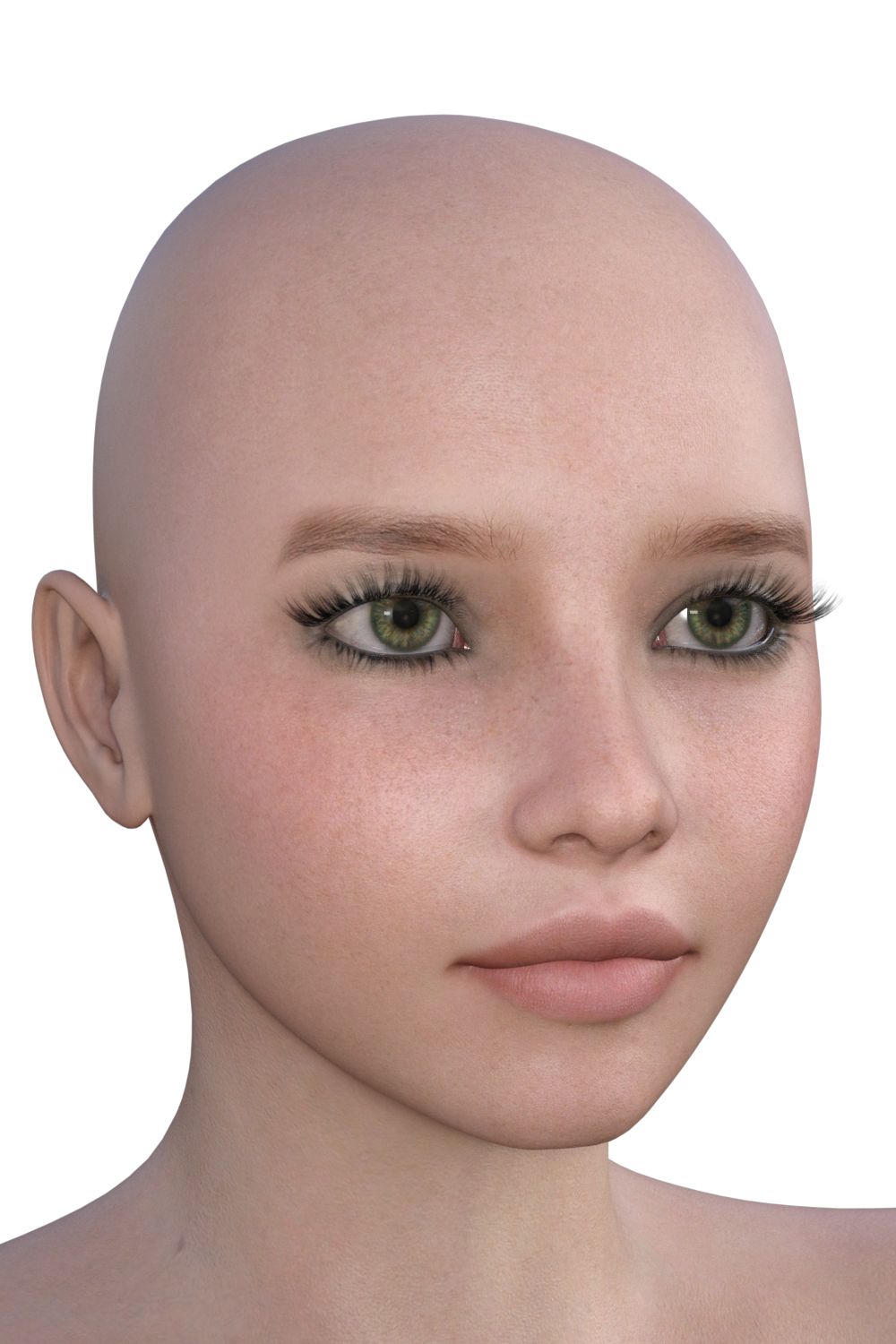
"Victoria 7" with her default material, and one which's material set-up includes the above described changes ("Neutral SSS RT" means SSS Reflectance Tint RGB 255-255-255). The lighting on both is J.Cade's "Painter's Lights Classical 2R", in combination with the "Painter's Lights Studio Neutral" Render-Settings preset.
For the close-up a neutral Spot Light with "Luminous Flux (Lumen)": 15000.0; "Temperature (K)": 5000.0; "Light Geometry": Disc; "Height (Diameter)": 10.00; "Width": 10.00 tied to a Camera with "Focal Length (mm)": 105.00; "Z Translate": 100.00, "Y Translate": "between the eyes", and an "Aspect Ratio (Global)": W: 2.00 / H: 3.00, as recommended by Andy Grimm.
Victoria 4 can "morph into a man", and Victoria 7 (and any other Genesis 3) can, using some "a bit more physically appropriate" parameter values, "morph from mulatta (mulatto) to caucasian".

+10 :-)
This is the kind of detailed explanation I've been trying to find to better understand what's going on under the hood, so to speak. Thank you very much for this. I'm definitely of the school of thought that knowing why something should be done is just as important as what.
iray skin needs its own base mixing....unfortunately until Skin Builder Pro 3 comes out (which I believe will also support SSS), I am pretty much limited to the default G3F, Josie 7 and non image mapped presets in Beautiful Skins with G3. About the only adjustments I make is changing the gamma of the map using the Image Editor to lighten or darken skins.
Cannot afford to drop 100s on a bunch of G3 characters/figures just to get different skin maps and certainly not at all up to manually convert older skins to G3 due to the change in mapping structure.
Even the best texture map under necessary consideration of PBR standards won't get you any significant improvement if important parts of the shader still don't fit.
On the Genesis 3's, change the "DAZ-dark-red" Translucency Color to a more appropriate RGB 217-133-114. That's more towards what a regular bled-through dermis skin layer's color will look like "down below".
Translucency Weight for a Caucasian 0.45 to 0.5, Asian 0.45 - 0.35 and African-descent about 0.25. (The higher melanin fractions and melanin type blends from eumelanin to pheomelanin in Asian and African-descent skin is what make their skin tone darker and their dermis' color less influent).
Load a (no make-up) diffuse map of your character in your prefered image editing software and pick the skin tone from forehead or cheek. Put that RBG color value you got into Transmitted Color [avoid "255" for any! of the RGB color channels] and set Transmitted Measurement Distance to 1.00.
Set your SSS Reflectance Tint to a neutral RGB 255-255-255 (RGB 250-255-255 for a more pale, or RGB 250-240-215 for a more tanned look).
Keep your fingers away from Glossy Color. Human skin is a dielectric, and the color of the reflection of a dielectric is always white. Plain white. Neither grey, nor blue, nor pink... nor anything else. Only someone without the slightest idea about physically based shading would do such thing.
To counter too much glossiness, increase Glossy Roughness (decrease Glossiness). Still too glossy, check if maybe Glossy Reflectivity is set to something above 0.58151 (Glossy Specular to something above RGB 63-63-63). That corresponds to a maximum in vitro measured Refractive Index of 1.55 for the stratum corneum skin layer of a human. If you use Top Coat, the default Reflectivity of 0.5 ( the default Top Coat IOR of 1.5) is appropriate.
Below some render examples [DS 4.9.2.70]:
"Victoria 7" with her default material, and one which's material set-up includes the above described changes ("Neutral SSS RT" means SSS Reflectance Tint RGB 255-255-255). The lighting on both is J.Cade's "Painter's Lights Classical 2R", in combination with the "Painter's Lights Studio Neutral" Render-Settings preset.
For the close-up a neutral Spot Light with "Luminous Flux (Lumen)": 15000.0; "Temperature (K)": 5000.0; "Light Geometry": Disc; "Height (Diameter)": 10.00; "Width": 10.00 tied to a Camera with "Focal Length (mm)": 105.00; "Z Translate": 100.00, "Y Translate": "between the eyes", and an "Aspect Ratio (Global)": W: 2.00 / H: 3.00, as recommended by Andy Grimm.
Victoria 4 can "morph into a man", and Victoria 7 (and any other Genesis 3) can, using some "a bit more physically appropriate" parameter values, "morph from mulatta (mulatto) to caucasian".
Morph Targets do not appear on Victoria 4.2 on daz studio 4.9Victoria 4 does work in the latest DAZ Studio all the generation 4 figure do. The gen 4's ExP morph system requires that all morphs be installed to the same library as the figures, due to this I prefer to install them to their own library that I name "DAZ Generation 4" to make it easy to find. Once morphs are installed they have to be initialized, DIM is suppose to do this automatically. The morphs may also be initiliazed from a batch file (on Windows at least) found in their library folder at; /Runtime/Libraries/!DAZ ; there is a separate batch file for Victoria and Michael.
Morph Targets do not appear on Victoria 4.2 on daz studio 4.9I tried the older Version of DAZ3d studio and it both dont work.
Some Months ago i bought 2 females Meshes for Victoria 4,2. And the complete Morph Targets.
I think victoria 4.2 is no longer supported. Which Victoria has completely made Morphs targets with Faces and Talk Morphs ? As far as i have seen the newest Victiria is the 8. I would eed a new Female mesh for her and the Morph Targets.
So i hoped someone could give me a hint what modell would be the better for work on. either victoria 6 or 8. I must have the Morph targets.
Despite Studio's Popularity, People Still See 'Poser Art'Photorealism? I don't even think that most Pozer/Daz users are even trying to make photorealistic artwork. That's because photorealism is a very complex job even for the professional CGI artists. And most people who use Studio or Poser are definitely just amateurs who use the software for slightly different purposes.
There is something called "Fun" that is just as important to Studio as making art. I myself am not making art. I'm just making fun. As I'm a software developer and not a professional artwork, using CGI is just a way for me to relax. And sometimes I use CGI to illustrate my work by creating images to use on websites I develop or to illustrate technical documents to make them less boring to read. It's not my job to be an illustrator but sometimes the customer isn't providing any artwork so I either has to "steal" it online or make it myself. So I make it myself...
Still, I started in 2005 or so with just Poser and nowadays I combine Poser with Vue for some nicer renders. I still use Victoria 4 as my main female model and I have a lot of additional props for this model to use. The reason is simple, as I just don't have a lot of time to work on CGI as it isn't my main job. So I've taught myself to set up a scene in Poser within 30 to 60 minutes before I export it all to Vue, where I will spend another 15 to 45 minutes setting up the environment and adjusting the materials. And if it is just for my personal fun, it will often include a scandily-clad lady in some fantasy-style pose with grass, water, trees and perhaps even a building. And sometimes even scenes that are a bit difficult to explain, like two primitively-clad ladies drinking wine in a classroom. Because that's where the fun actually starts. That's when I have to come up with a background story behind the image, which is just as fun as making the image itself.
Is it art? Meh. I don't even care. To me, it's just fun. It's different from my regular job, anyways...
Noob having issues with some V4 productsTry selecting the neck of the hair, or the ehad of Victoria 4, to look for the morphs. The older figures did not consistently have the morphs on the figure node to the same extentr as the Genesises
Hey, that actually worked! Thanks! One problem solved lol
Noob having issues with some V4 productsTry selecting the neck of the hair, or the ehad of Victoria 4, to look for the morphs. The older figures did not consistently have the morphs on the figure node to the same extentr as the Genesises
AutoFitting Hair From V4 to G2F And Losing Transform OptionsHello all, so I'm using a braided hair style that has long tails. I own the Victoria 4 for Genesis 2 Female tool and it works great to get the hair auto-fitted to my G2F character's hair. The only problem is once I apply the auto-fit, I lose the ability to control the tails of the hair style using the parameters. Without using auto-fit each little part of each tail is articulate and I have tons of flexibility as far as posing, using the parameters tab. However, once I apply the hair to auto-fit none of the parts of the tail show up in the scene tab and I can no longer control them. Is there a way to fix this? Thanks for any help
Morph Targets do not appear on Victoria 4.2 on daz studio 4.9Daz Install Manager normally installs to the Public Documents folder in "My Daz 3D Library", not in the private folder. Do you have more than one content folder with a "Runtime\Libraries\!DAZ\Victoria 4" folder?
The Victoria 4.2 Base StudioCF has material presets for V4 that are optimized for Daz Studio. The main Victoria 4.2 Base zip has the figure itself.
Noob having issues with some V4 productsOkay, those paths are correct. Can you check if the "My Library" folder has a "Runtime\Libraries\!DAZ\Victoria 4" folder? You should only have the one un "My DAZ 3D Library".
Texture Converter 2 (TC2)There is the Batch Convert Victoria 4 to Genesis 2 Females and its male counterpart. These require the UV maps, sold separately. I've been hoping for a Genesis 3 version of this because it is very simple and converts all the textures in the folder you choose. It does not alter the original texture, it just maps it to the G2 UV.
So to get this image below, I used the converter on Sabby's Kmmi (from the other store,) and used GenX on the morph. After that, I loaded up G2F, added the textures and used V3D's Iray Smart Converter for Genesis 2. That's it. I literally did nothing but click a few buttons. Any idiot could do it, even me! Its not Genesis 3, but I like it.
 Morph Targets do not appear on Victoria 4.2 on daz studio 4.9
I have installed the Elite and Basic Morph targets witzh the download manager. The Files are saved in my Document Private Folder.
I try to activate the Base and the Elite Morphs in the Windows but it doesnt work. The funny thing is that it worked all the Time but now not.
I try the Inject buttons and the single Morphs in the Windows. Only a few Morph Targets are taken. The Body and Head Morphs and the Vagina Grease. But i need the talking Morphs. But they do not appear.
There is a single file on the Download manager from Victoria 4.2. The Victoria Base Studio CF. But i dont know what this file is for.
It worked all the Time but as soon as i have installed a new Windows Version it dont worked anymore.
Noob having issues with some V4 productsHi all. I've only been at this for a little under two weeks so maybe there's something I'm doing wrong, but I am having trouble using some V4 products -- namely, the Strawberry Hair and Ultra Aging Morphs products, in Daz Studio 4.9.
Strawberry Hair: It loads fine, but when I try to style the bangs (the default bang style is unnaturally stiff and bowl-like; I'd like them to appear natural and varied as shown in the promo pictures), I cannot find any sliders to change them. I checked the content library and found an item, "01 + Inject Morphs," but nothing happened when I clicked on that.
V4 Ultra Aging Morphs: This doesn't work at all. There are no shaping/parameter sliders, and when I tried to inject morphs through the content library nothing happened.Since both these issues are both morph-related I thought that could be the problem, so I opened Victoria 4.2 Morphs++ in the content library and tried to use some of the poses there. Not a one worked.
Clicking on these things does do SOMETHING, because for a brief moment a "Loading" box appears, but I see no discernible change in my model.
Another thing possibly significant: all three of the aforementioned products have alert-triangle-inside-a-picture-frame icons next to them in my content library.
Any advice? Thanks!Morph Targets do not appear on Victoria 4.2 on daz studio 4.9Hello.
If i load or pick the morph targets for Victoria 4.2 there happens nothing. The Morph targets arent loading.
Did i miss something or is that an Bug from 4.9 ?
*CLOSED* RRRR What does it mean? Render ContestMy Draw Renomista #3
2461 2161 1736 107
107 DAZ 22298 Sienna Hair for Genesis 3 Female(s) and Genesis 2 Female(s) http://www.daz3d.com/sienna-hair-for-genesis-3-female-s-and-genesis-2-female-s
1736 DAZ 31595 Shadows for Lucid Dream http://www.daz3d.com/shadows-for-lucid-dream
2161 DAZ 18977 Janna Hair for Genesis 2 Female(s) and Victoria 4 http://www.daz3d.com/janna-hair-for-genesis-2-female-s-and-victoria-4
2461 DAZ 10871 Astrid for Stephanie 4 http://www.daz3d.com/astrid-for-stephanie-4Dresses, Characters and Hair... not very defining...
*CLOSED* RRRR What does it mean? Render Contesttag: Renomista #2
Ranger Ronja's Relaxation Retreat
After a long adventuring trip full of slaying dragons and hoarding treasures, Ranger Ronja and her buddy Elizabeth relax a bit in their secret hideaway

My Draw Renomista #2:
1769 587 2300 252
1) 252 DAZ 22474 Dragon Queen for Genesis 3 Female(s) http://www.daz3d.com/dragon-queen-for-genesis-3-female-s
2) 587 DAZ 22511 Hammocks http://www.daz3d.com/hammocks
3) 1769 DAZ 32411 Soraya HD for Rune 7 http://www.daz3d.com/soraya-hd-for-rune-7
4) 2300 DAZ 14731 Towel Set for Genesis http://www.daz3d.com/towel-set-for-genesis
Additionally used.
238 DAZ 23973 Lakeside Folly http://www.daz3d.com/lakeside-folly
1697 DAZ 32087 P3D Aluna http://www.daz3d.com/p3d-aluna
1647 DAZ 30946 The Resort Pool http://www.daz3d.com/the-resort-pool
1739 DAZ 32197 i13 Girlfriends Pose Collection for the Genesis 3 Female(s) http://www.daz3d.com/i13-girlfriends-pose-collection-for-the-genesis-3-female-s
1832 DAZ 32871 i13 FRIENDS! Poses http://www.daz3d.com/i13-friends-poses
1395 DAZ 22673 i13 100 Essential Expressions for Victoria 7 http://www.daz3d.com/i13-100-essential-expressions-for-victoria-7Unfortunaly i could not find any reasonable Terry cloth/Towel IRAY Shader ...
Selbsthilfegruppe DAZ Studio - Beispiele, Fragen, Diskussion und sonstiges GequatscheHallo zusammen,
ich habe vollgendes Problem: Ich hab mir http://www.daz3d.com/jepe-s-wondersheetz-for-victoria-7
besorgt und wollte natürlich gleich loslegen,jedoch tut sich nichts bei mir. Habe die Figur ausgewählt, dann die Pose ausgewählt und das dazugehörige Sheetz. Aber es passt sich nicht an. Auch nicht wenn ich parent to : Genesis 3 auswähle nicht.
Beispiel: Genesis 3 geladen ---> Pose: WSV7-P08 --> Wonder Sheet 08 --> parent to...und nix. Was mache ich denn falsch? :(
LG Mandy
Den "Additional Details" in der Pruduktbeschreibung zufolge muss man den Regler von einem der vier verfügbaren "Drape Morphs" für das Wonder Sheet im "Parameters" Tab anwenden. Will man zu einem anderen Morph wechseln, zuerst den Regler für das gegenwärtig verwendete Morph wieder auf 0.00 setzen.
Selbsthilfegruppe DAZ Studio - Beispiele, Fragen, Diskussion und sonstiges GequatscheHallo zusammen,
ich habe vollgendes Problem: Ich hab mir http://www.daz3d.com/jepe-s-wondersheetz-for-victoria-7
besorgt und wollte natürlich gleich loslegen,jedoch tut sich nichts bei mir. Habe die Figur ausgewählt, dann die Pose ausgewählt und das dazugehörige Sheetz. Aber es passt sich nicht an. Auch nicht wenn ich parent to : Genesis 3 auswähle nicht.
Beispiel: Genesis 3 geladen ---> Pose: WSV7-P08 --> Wonder Sheet 08 --> parent to...und nix. Was mache ich denn falsch? :(
LG Mandy
Flash Sale Alerts II
A Victoria 3 pantsuit for $8 is a good deal?
If it were $5 I would likely have bought them. However, prices were once quite a bit higher than today; DAZ from 2001, thanks to the Wayback Machine...
Wow, and considering inflation that was a LOT back then. Dang, this hobby was pretty much a rich person's hobby back in the day. lol
Well - you would have to buy a computer that was able to render - quite a lot of money in those days too.
Daz 3D is part of

Connect
DAZ Productions, Inc.
7533 S Center View Ct #4664
West Jordan, UT 84084Licensing Agreement | Terms of Service | Privacy Policy | EULA
© 2026 Daz Productions Inc. All Rights Reserved.