-
How do I make the face morph generated from photo transfer symmetric?
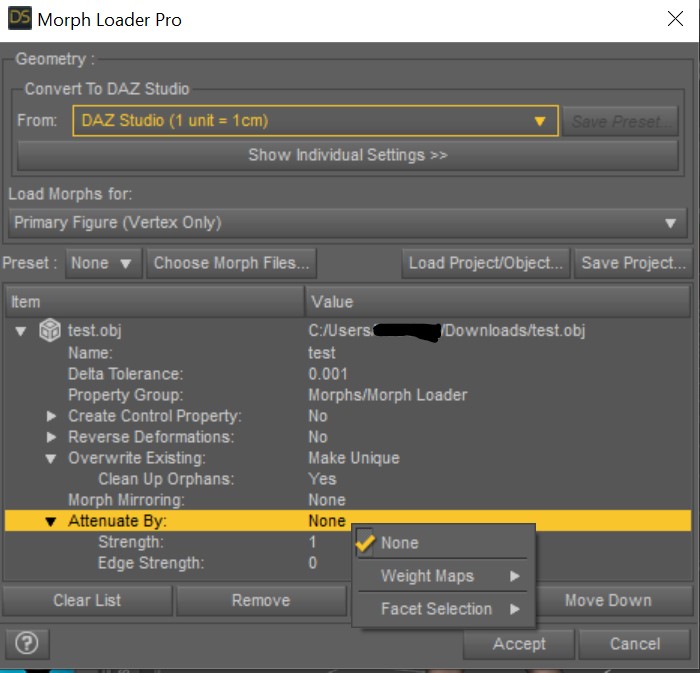
If you had dForm weight map that selected only half of the emsh, vertically, then you could load the morph for one half, then use the Mirroring option and load the other half , then export the result and load as a single morph (on a clean figure).
How do I make the face morph generated from photo transfer symmetric?WendyLuvsCatz said:
there are options with Morphloader and attenuation that you can also use
Sorry what options in Morph Loader Pro and attenuation I can use to create symmetric morphs?
There are weight maps--> bones and facelet selection ---> Face groups /surfaces
 Help to Identify character in promo Image (by Zeddicuss)
Hello
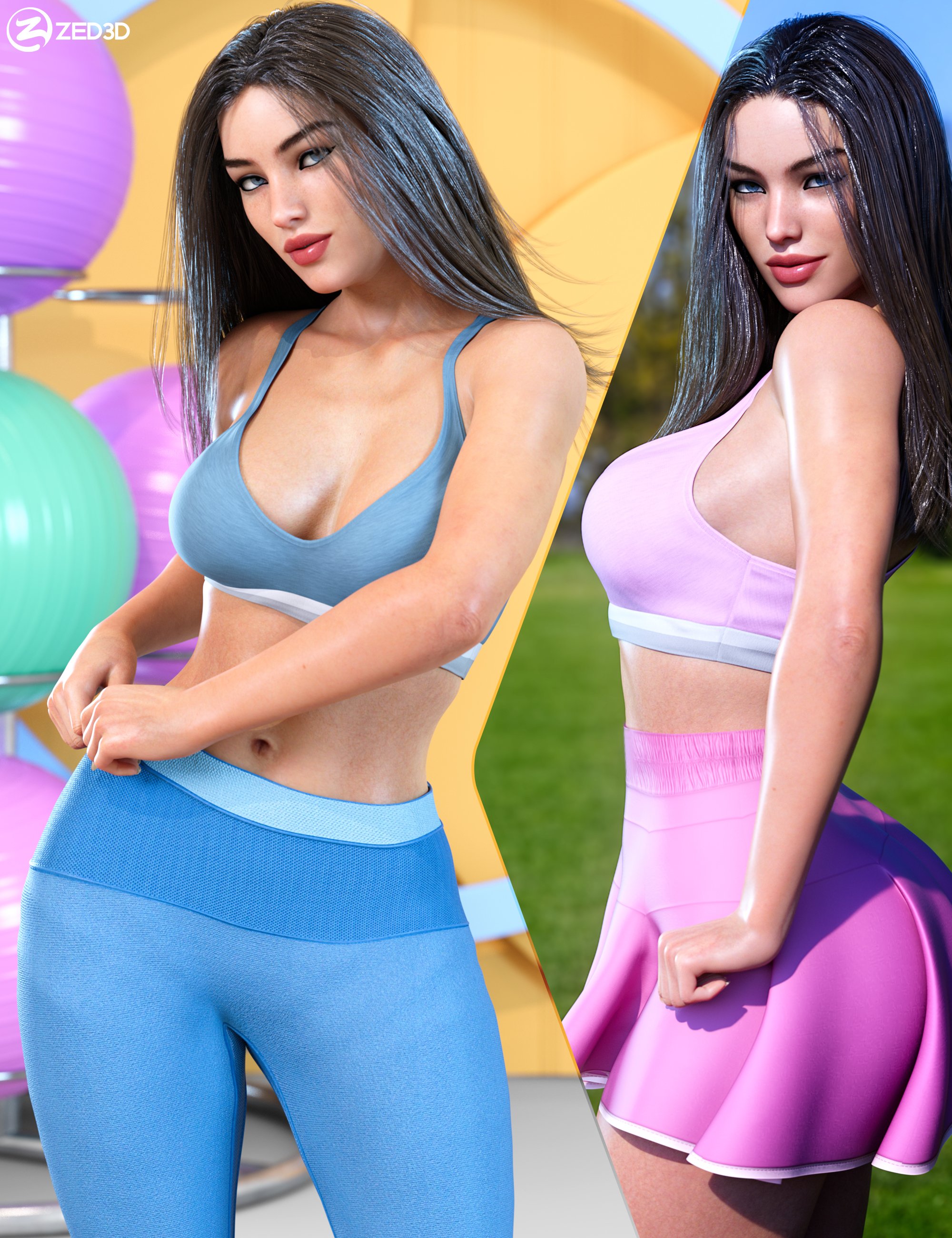
I am trying to figure out where to find (or how to replicate) the female character featured in promo images for "Z Fit Beauty Shape and Pose Mega Set" by Zedddicusshttps://www.daz3d.com/z-fit-beauty-shape-and-pose-mega-set
Is it available on market place ? (whole character or separate morph / skin)
Any hint will help
Regards
Jorge

ps
Also looking for info about female characters featured in promo images for these products:
"Z Lifting and Carrying Utility Pose Collection for Genesis 8 and 8.1" ( https://www.daz3d.com/z-lifting-and-carrying-utility-pose-collection-for-genesis-8-and-81 )
Z Teacher's Props and Poses Collection for Genesis 8 and 8.1 ( https://www.daz3d.com/z-teachers-props-and-poses-collection-for-genesis-8-and-81 )
Peacock Harpy Character- Finished!Hello!
I've been working on reskinning some pieces to put together a Peacock Harpy character. She is starting to come along beautifully, so I wanted to share and get some feedback.
Products used so far:
Erre
KamilyAnn (gives a nice claw type pattern on the hands)
Oso Otter (the fur transfers weird to G8F- but makes it perfect for a feathered look IMHO after some tweaking.)
Yolande Hair
Feather Hawk Hair (I did some work on the feather vanes to even them out since they render jaggedly. Not perfect, but less noticeable now.)
Midnight Bird (I used the textures from the Feather Hawk Hair to reskin the tail to match)
Harpy for G8FI painted the face mask myself. I'm not sure if I will be putting a beak on her face (aka hiding all but the beak on a bird, lol). I originally tried to transfer or modify the morph for Modern Duckie, but I didn't like the results.
My next step is to use the feathers from Feather Hawk Hair to reskin Avija Wings and Tail to match. This will give me an erect feathers option for the tail, too.
What do you think? Constructive criticism is always welcome!
WIP - coming attractions: Grace Kelly@launok - Hello, I have tried to download the 3DF Zephyr program just now as a test via the U.S. mirror download link and it worked just fine. Unfortunately, I don't know of any other places that would legally host download links for this software (which doesn't mean they don't exist). Have you checked your firewall and security program settings? Maybe those are interfering?
@nonesuch00 - thank you for your kind words. Never say never - maybe one day Jane Russell's head morph will appear on this forum...
 Prominent/Bucked Teeth - the best way to do this?
Seven193 said:
Or you sure you really want buck teeth or an overbite? An overbite makes the entire front jaw stick out, so it technically covers buck teeth.
The actress who plays Maggie from The Walking Dead has something like that:
yep, i want both - buck teeth and an overbite.
in this pic of Ms. Jones you can see her upper lip is mostly straight, and the lower lip moves down to make way for her teeth. (i just watched Rogue One and took note of her side shots. in her side profile her jaw seems to be recessed a bit too)
in your pic you can see that it's mainly her upper lip that is raised, instead of the lower lip being pushed down - that to me is a separate thing altogether than what i'm trying to achieve here, but it is also on my list of morphs to make.
Daz PA maelwenn has a figure bundle 'Evelyn and Lynn' for sale here that has exactly that same upper lip morph, so i might either still try to make it myself, or probably take the easy way out and buy Evelyn and Lynn and use maelwenn's mouth morph (i am assuming that's what the 'lips open - apply/remove' preset is referring to)
https://www.daz3d.com/evelyn--lynn-hd-for-genesis-8-female
Merging Geograph from Daz character with DiffeomorphicI ran across this thread as I wanted to do the same thing, use geografts in UE5.
I downloaded the latest blender, this diffeomorphic plugin, followed all the steps and got it set up.
Got the figure and graft sent to blender and after a couple tries, finally got the graft and character merged (using the vague instructions on the diffeomorphic blog)
Except after getting them merged in blender, I exported the figure as a wavefront obj.
I then imported the object back into Daz, converted the obj to a weight mappped figure and used the transfer utility to first transfer only the morphs for the figure from the original to the new
-Click the show uptions button then in the general option uncheck everything except Morph Targets. Select Morph Targets and there is another option to the left, in the dropdown select All (or if you set up favorites, select that option).
- Uncheck all the post transfer options
Then I used the transfer utility again the transfer just the morphs from the geograft to the new figure, this time making sure to uncheck the override existing option as the first time it erased all the previous morphs I transfered.
With all the morphs transfered, I ran the transfer utility 1 more time and transfered the rigging, making sure to uncheck the Morph Targets option this time.
Now I have the rigged figure meged with the geograft with all the morphs available that I was able to send to UE5 via the bridge :)
How do I make the face morph generated from photo transfer symmetric?Do bear in mind that faces are almost never symmetric, but I think you have identified the possible routes to making the morph so.
Need simple standing posesI am looking for simple standing poses for g8 and g3 characters. I want to be able to line up figures and easily compare skin/outfit/hair/morph ect. The standing poses I see in the store usually have stuff going on with the legs, arms, hip rotation, or head.
The standard T-Pose doesn't work because the arms are extended which means the arms collide.
Edit: added example
[Released] Bone Minion for Genesis 2 Poses [Commercial]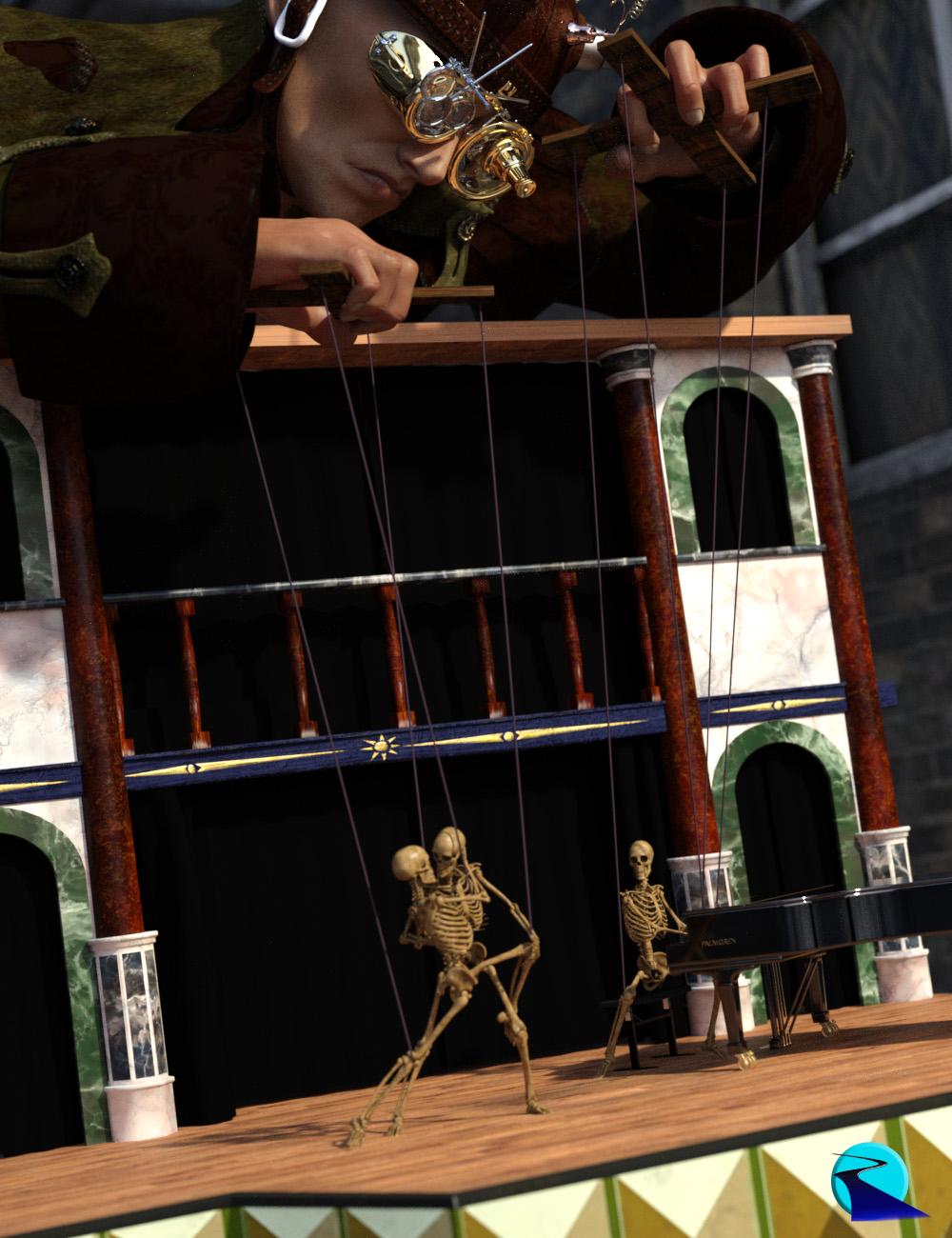 Introducing the revolutionary new way to use Genesis 2 poses for different figure generations! Stop wasting time and hard drive space converting pose presets, just use them! With Bone Minion for Genesis 2, you can directly use Genesis 2 poses for other generations without first converting and saving them to a preset. Your Bone Minion will do the hard work for you by acting as a bone “catcher” for a pose and then transferring (and converting if necessary) the pose to its parent Target Figure*. Simply load the desired Bone Minion (i.e., Genesis 2 Female Bone Minion for Genesis 2 Female poses) on your Target Figure (Genesis 8.1 Male), select the Bone Minion, and start applying poses!
- On-the-fly conversion of poses to your Target Figure
- Directly convert from the Source generation to the Target generation without converting to intermediate generations (i.e., direct conversion from G2F to G8F instead of G2 to G3 to G8)
- Works with full poses, partial poses**, hierarchical poses***, and even AniBlocks!
- Automatically applies full poses when they are loaded**
- Cross-gender pose conversion
- Supports Pose Properties (using the Create Heavyweight Bone Minion script)
- Use Pose Details on the Bone Minion to apply partial poses
Note that converted poses (and especially props if they are hierarchical poses) may not be perfect and may require tweaking. Facial Bones (i.e., expressions) except for the eyes are not transferred.
* Requires purchase of the correct Bone Minion product.
** Any pose that sets the hip of the Bone Minion will be automatically converted on the fly and applied to the Target Figure. The Apply Changes script can be used to transfer any pose (including partial poses) on the Bone Minion to its Target Figure.
*** Hierarchical poses require the props loaded on both the Bone Minion and the Target Figure. The prop will be properly rotated for the pose but may need to be manually translated to the correct location.
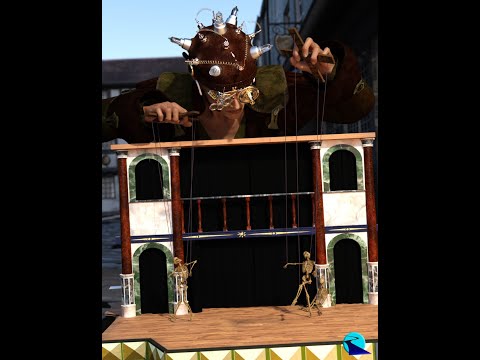 WIP - coming attractions: Grace Kelly
AOBB said:
The best of both worlds is to have a really big screen tv set. Or visit one of these:
The lifecast of GK was shipped today and should arrive on Friday (hopefully!). Then I have to get my husband to shoot the photos of it, so it will take me some time before I'll be done with the sculpt. Just letting you know, so you don't expect the head morph to be ready tomorrow! I believe that sometime next week I'll have it ready for upload. I cannot wait to compare what I sculpted based only on photo references and the lifecast scan - how much they will differ and in what way. It will be a good learning experience!
Oh my gosh, I'm super impressed that you're thinking of getting this ready sometime next week?! I was sure this was a loooong process and we could enjoy your captain's log every week of progress, and ooh and aah over this very interesting task.
 Things take as long as they take in the end, but I'm seriously impressed by how you and perlk tackle all this work so quickly. I've been meaning to work on some little freebies and they just get lost among my gazillion 'current projects', all of which seem to float in time-defying stasis...
  Oh, and how nice to know that others also have commitment phobia! But sadly mine is also often accompanied by finishing-a-project phobia and focussing-on-a-single-project-at-a-time phobia...
  (And I'm totally going off on a tangent, sorry......)Can anyone help identify this figure?
The texture makes me think P3D, but I couldn't narrow down to a specific morph.
How do I make the face morph generated from photo transfer symmetric?I use my own photo to generate a G8 face but due to my personal face's problem, the generated face morph is not symmetric (like left jaw is fatter than right jaw, left side of the nose is thicker than right side of the nose). Daz studio is in short of one-sided morphs unfortunately.
How do I make my face morph symmetric?
I can think of two solutions:
1. Process the photo I use to generate my face with photoshop.
2. Use some tools in Blender or Zbrush.
Of course a tedious solution is to sculpt the exported obj in Blender or Zbrush by hand but I am really not good at this... Does anyone know if there are good plugins in Daz studio or photoshop or blender or Zbrush that can fix this asymmetry issue (balancing and blendering the left and right side)?
Is there a way for easy transfer a 'custom' G3M to G8M?Is there a way for easy transfer a 'custom' G3M face to G8M? I saw a script discussion but from what I read it just transfer the active morphs and when there are no morphs to transfer it does nothing.
What is the best way of transferring skin textures from Gen 8 to Gen 8.1?What is the best way of transferring skin textures from Gen 8 to Gen 8.1?
I have a Genesis 8 figures with layers of textrues i.e. tattos and other skin texture modifications.
When I use the tattoos on the Genesis 8.1 figures they do not align right.
Is there a way to save this skin on the Genesis 8 figure, layers and all, and then transfer the skin layers to a Genesis 8.1 figure?
pJCMs: "Make Unique" vs "Deltas Only"Catherine3678ab said:
When I'm making my pJCMs, I'm making unique pJCMs hence I use the "make unique." [I zap the generated pJCMs] If I want to 'fix' an existing morph then as Richard mentions, it would be 'deltas only.' Whatever works ;-)
Got it! Thanks, Catherine!
Help - Genesis 8 Eyelashes missing morphs?I own Miriam. When I select her, and type lashes in the Parameters search box, loads of lash morphs show up, including Krashwerk's. But yeah Miriam's dial is hidden. However, there's a one-click in her shaping section that applies the morph, along with navel, nails, etc.
Help - Genesis 8 Eyelashes missing morphs?Not impossible. You need to Show Hidden Properties, and then you can see the hidden morph and dial it in yourself.
Help - Genesis 8 Eyelashes missing morphs?barbult said:
I don't own Miriam, but I have some other Mousso characters. Some of those, like Gail and Zsazsa have the eyelash morphs showing up when Genesis 8 Female is selected in the Scene pane. Others, like Albany have the eyelash morphs, but they are hidden. When I load the Albany character preset, the Albany Lashes morph is automatically dialed in, but t0 actually see that, I have to enable Preferences>Show Hidden Properties in the Parameters pane.
Edit: third and fourth attached images are the same. Stupid slow forum software made it look like it wasn't attached, so I attached it again. If I delete it, it will delete all attached images. Forum softaware

Thanks! This helps. It means when you load up a Mousso character it works, but when you load up the base gen8 model and apply head/body morph after the fact it seems to be impossible to apply them this way. Thank you!
Prominent/Bucked Teeth - the best way to do this?hello all.
as per the title, i have been trying to set up a way of doing prominent front teeth which i can dial in to whichever figure i want (just doing G8F for now)
i am trying to aim for a cute/friendly appearance, NOT a goofy look - think Felicity Jones, not Bugs Bunny.
i have made 3 custom morphs:
1 Head - moves the lower jaw back slightly, moves all front teeth forward slightly so they are closer to the upper lip.
2. Teeth - extends the upper central incisors downward, very VERY slightly outward, also makes them a tiny bit wider with a very slight central gap
3. Lips - creates a incisors-width indent on the lower lip (and a really small peak under the upper lip) for when the mouth is closed
using 3 separate morphs should let me fine-tune things better than if i'd done all the above in a single morph, or that's the plan anyway
right now i'm winging it by trying to get a combination that looks right, without knowing how they should *really* be done. i'm kinda sorta ok with how it's going so far, but it could be better (or can it? i find the lower lip doesn't have enough polys for me to make the exact shaped dent that i want)
pic shows the current state of things, perhaps dialed in a bit too high but suitable for demo purposes
any advice to help me make them look more natural? - something i may have missed or not considered? a better approach perhaps?
Daz 3D is part of

Connect
DAZ Productions, Inc.
7533 S Center View Ct #4664
West Jordan, UT 84084Licensing Agreement | Terms of Service | Privacy Policy | EULA
© 2026 Daz Productions Inc. All Rights Reserved.