-
gen4 face emotions to genesis?
Here is a Step by Step on Step 1, Transfer V4 base morphs to Genesis:
1. Open GenX2
2. Click on Load Figure, select Victoria 4.2.cr2 in Figures>DAZ People
3. Click on Apply Pose, select INJ Base V4.pz2 in Pose>DAZ's Victoria 4>Morph Injections.
4. Mode: Selected morphs then go to Select Button: Select: Transfer: All On
5. Shape: Victoria 4
6. Target: Genesis
7. Output folder: enable the check box
8. Click on the Path and select your Genesis' morph folder. Mine is: E:/DAZ 3D/Studio/My Library/data/DAZ 3D/Genesis/Base/Morphs/D3D Gen XTransfer to a folder within the data/DAZ 3D/Genesis/Base/Morphs folder as it's easier to remove them if you need to remove some or all of the transferred morphs.
9. I leave everything else at the default setting. See attached pic.
10. Finally click the Tranfsfer button.
11. Now load a FRESH Genesis figure (not a pre-saved figure).
12. To check for the transferred expression morphs,
Select Genesis, go to the Parameters tab and select Actor>Head>Generation X>Victoria 4 and you should see lots of morphs.
13. Now try your converted to Genesis .fc2 presets on Genesis.gen4 face emotions to genesis?I checked the readme's for those two products and they only require V4 Base. I checked and it does include morph files. I would apply the Pose>DAZ's Victoria 4>Morph Injections>INJ Base V4.pz2 and transfer all of them over to Genesis.
After they are transferred, I would expect your Rendo expression product's Genesis converted .fc2 files should work.
Putting shoes onNeed help with some shoes. I bought a pair of high heels from Renderosity, and I can't seem to fit them on my model. I am 100% sure the shoes are for Genesis 3 Female and that's the model I'm using. Is there a trick to putting them on? They have a "1-click" styles.. Ive tried everything.. They're showing up in my conent Library, and I'm pretty sure I loaded them correclty..
Are you selecting the model first? If the shoes show up by themselves - say, like cameras and lights, they don't want to work correctly by my experience. When The model is selected first, they should fit to her better. When you click the model after selecting (installing) the shoes, they should show up under her name as a part of her, just like her hair and all should.
There are some I've found, that even come with a bundle (the big Victoria 6 and 7 bundles for example) that just don't want to fit 100%. I've found that playing with body shape helps some, too, if you aren't looking for a particular shape. However.....that has made some dresses, skirts, etc not want to render properly.......
3D Art Freebie Challenge -- October: Double Bubble Toil and Trouble -- Main ThreadWitchy Pooh
So I really really like Victoria 2/Roxanne character. I thought since I was rebuilding my content library I would work on getting most of her stuff put back. Her outfit is a combination of the Wedding dress, the Swashbuckler and the Roma dress. With the use of the push modifier and the smoothing modifier I was able to make the kit bash work. That is one of the things I love and hate about DAZ Studio 4+. I do use the smoother and sub-d on Roxanne as well. You may lose some of the small details that Capsces has created but the mesh looks much better after doing these two things. Rendered in DAZ Studio 4.8 with IRay. Post work was to remove poke through and add signature.
Freebies:
Cat: Mesky * Mesky & Blackie by Ynaelis3D.
Cat: Mesky: Pose * MESKY and BLACKIE KITTY SITTING by skylab.
Enivronment: Fruit * Props Pack - Harvest Fruits by Traveler.
Environment: Cauldron and stand * witches couldron and brooms by fairyfantastic/paula.
Environment: Cornucopia * Props Pack - Cornucopias by Traveler.
Environment: dried plants Grass #6 by Drew Costigan.
Environment: Jack o'Lantern * Jack O' Lantern by Richabri.
Environment: Jar * Very Victorian Bell Jars by Skip1871.
Environment: Main house * Fantasy House 1 by DryJack.
Environment: mushrooms * fennjas mushrooms by Fennja.
Environment: Plants Mushrooms by Fringewood. Row 10 third column
Environment: sign * Halloween-props by Petra Schmietendorf.
Environment: Steam * 20 Smoke Transquares for Poser by SnowSultan.
Environment: Tray * Science Equipment 01 by Dryjack.
Evnironment: dried plants Plant #7 by Drew Costigan.
Shader: ground, cauldron * Iray Nobiax Shaders by kaz42.
shader: skirt Gentlemen Adventurers - Courtier by redeyecat.
WitchyPooh: Character Roxanne for V2 by Capsces. direct link
WitchyPooh: Clothing: hat Star Hat by Mada FaerieDreams.
WitchyPooh: Clothing: skirt Wedding Dress Pack for Vickie 1-2 by Jatex-3d.
WitchyPooh: Clothing: socks BAT KneeSocks by BatLab.
WitchyPooh: hair * Lassie of the Seas by Pretty3D.
* indicates free registration is required to obtain the freebieNo Longer Available:
Enviornment: Plant Plantoid Barry by Dinoraul.
Environment: Curtain Curtain N090212 by Richard.
Environment: Fire Camp Fire by Eric VanDycke.
WitchyPooh: Clothing: Apron (cape) and vest RDNA Swashbuckler For V2 by Traveler.
WitchyPooh: Clothing: Shirt RDNA Roma by Traveler.
WitchyPooh: Clothing: Glasses Rustic Pipe and Glasses by Eric VanDycke.
WitchyPooh: Clothing: Shoes Baricther V4 Oxford Heels by Barichter Durandal.
WitchyPooh: Texture Odyssey Rebirth by SnowSultan.No Counts:
Currently the only way to get V1 is with this item Mimic Lite 3.1 V2 is V1 with additional morphs but all you need to make Roxanne work is the blMilWom.obj, which is V1. 3D Art Freebie Challenge -- October: Double Bubble Toil and Trouble -- Main Thread
Toil and Trouble
Not counting: Genesis Child, Sally Mae Hair, Michael 4 (x2), Victoria 4, RDNA Scatters, Shrunken Head
# = requires free registration
1) Zelte und Rucksack (campfire) #
2) Rose's Western V4/A4/S4 #
3) Western Textures Set 2 For Rose's Western V4 #
4) Witch Hat #
5) Monster High Edition for Vic4 (witch's skin) #
6) d-jpp-morphing baton #
7) Old Trees for Daz 4.6 and Poser 10 #
8) F3D_Ruins Elven Portal #
9) Shadow Serpent Figure (2nd item from the top)
10) Stonehenge #
11) Disparate Morphing Broom #
12) Pumpkin Free #
13) A Skeleton #
14) Shape Magic Halloween Kit (cauldron) #
15) SCoM #
16) faerie door #
17) FX Daz Studio #
18) Fennja's Mushrooms #
19) Skull #
20) AAL Plasmaball #
21) Love Fairy Outfit #
22) Love Fairy V4 #
23) Wrist-Neck Restraints #
24) 10ft Easy Pose Chain #
25) Second Earth Ogre #
26) Ogre's Club #
27) AllenArt Drinking Glass prop for Iray with shaders (bubbles prop was used) #
28) Witchy Face Morph For V4 #
29) Indian outfit for M2 (ogres' loincloth) #Paid:
* Millennium Cat #
* Liquid Pack #All links verified
ENTRY ACCEPTED
Please move to Entry Thread.
3D Art Freebie Challenge -- October: Double Bubble Toil and Trouble -- Main ThreadToil and Trouble
Not counting: Genesis Child, Sally Mae Hair, Michael 4 (x2), Victoria 4, RDNA Scatters, Shrunken Head
# = requires free registration
1) Zelte und Rucksack (campfire) #
2) Rose's Western V4/A4/S4 #
3) Western Textures Set 2 For Rose's Western V4 #
4) Witch Hat #
5) Monster High Edition for Vic4 (witch's skin) #
6) d-jpp-morphing baton #
7) Old Trees for Daz 4.6 and Poser 10 #
8) F3D_Ruins Elven Portal #
9) Shadow Serpent Figure (2nd item from the top)
10) Stonehenge #
11) Disparate Morphing Broom #
12) Pumpkin Free #
13) A Skeleton #
14) Shape Magic Halloween Kit (cauldron) #
15) SCoM #
16) faerie door #
17) FX Daz Studio #
18) Fennja's Mushrooms #
19) Skull #
20) AAL Plasmaball #
21) Love Fairy Outfit #
22) Love Fairy V4 #
23) Wrist-Neck Restraints #
24) 10ft Easy Pose Chain #
25) Second Earth Ogre #
26) Ogre's Club #
27) AllenArt Drinking Glass prop for Iray with shaders (bubbles prop was used) #
28) Witchy Face Morph For V4 #
29) Indian outfit for M2 (ogres' loincloth) #Paid:
* Millennium Cat #
* Liquid Pack #gen4 face emotions to genesis?Hi, I didn't understand the first step too...
I have Gen2x, here are my steps:1- in the Transfer Tab, I load the basic V4 figure (Source > Victoria 4.2)
2- I load also V4 Base and Morphs++ (Apply pose > INJ Base V4.pz2; > INJ Morphs++ V4.pz2); Now I can see in the panel "BODY, abdomen, chest, head, hip, lHand, neck, fHand".
3- I move to the Presets tab and click on Add Pose: I select all the files in a V4 faces folder (.fc2). I can see the expression name in the panel.
4- Still in the Presets tab, I change the Shape to Victoria 4 and Target to Genesis 2 Female.
5- The Morphs check in the Translate option is already checked.
6- I change my Preset folder to the one I need and click on TranslateAfter this, I obtain all the expressions but when I try to apply them to my G2F character it changes shape to V4 without any facial expression at all...
What am I doing wrong?
EDIT:
btw, when I finish I have the error message attached, but I don't know how to add those DSF...
Infinite Insanity - There's ALWAYS Another Sale! (Daily Sale Talk)I don't think it is hard to see how the $5 characters that have been released already were picked. They are basically the least recent releases (ie the ones that have been out for longer than 1 year), other than V7. As such males are unlikely to figure, as the least recent is M7, which I doubt they will give away for $5, and after him is Leo 7, who has been out for less than a year. My guess is if there are any further $5 character offers, the most likely candidates would be Karen, and Teen Josie
Also worth pointing out that Victoria, Josie, Michael, and Aiko were highlighted during the PA sale from memory (or at least pretty recently.) Don't remember which others have been.
Newbie questions: Modify figure, morphs, and attaching clothing to V4 figureI'm not sure if your answers will specifically be found here but I found these two links extremely helpful when I was starting.
https://www.youtube.com/channel/UC_zPV2o3aPwY0VFz5FZmEGg
https://www.youtube.com/channel/UC38T95wHAxyCrOO6b1tD7Nw
Victoria 4 is not as poseable as the current models. You probably should know that up front. I could probably walk you through some of your questions but need more information.
1. By modify, what do you mean? Most of the time I load victoria 4.2 through my smart content tab, located on the left hand of the screen. But most of my victoria 4 content, skins, clothing, etc are under the content library tab. If you can't find your content library tab go to windows>panes> content library to make sure it is open on your page. If you have the original set up then it should be on the right hand side of the screen and located below scenes and parameters tabs. It's organized really weird if you are in the poser format though, I must warn you. Clothing seems to be sorted into both poses and under clothing for individual figures. Figures are under figures. Props seem to be everywhere. The hardest part to get used to is that items do not always load with their materials on. So if you have some hand made things made by people and given away free or items purchased from other companies than daz, like I do, then you may end up having to go to materials to put the textures on the items. If I had it to do over I would stick to only working with daz made items until I got used to everything as this made me cray cray when I first started.
2. As far as I know you need the victoria 4.2 model and the morphs. The dim will install them automatically when you download them. Then when you click on victoria 4.2 a window opens giving you the option of which morphs you want applied. I currently have at least five optional morphs to choose from. This starter set gives you both the morphs and the 4.2 model. http://www.daz3d.com/victoria-4-2-complete
3. I mostly answered this in the first paragraph. Make sure you select Victora model in the scene tab and then usually you just double click the clothing item, and if in the poser file section then you must manually apply the 'material' file. Sometimes you can pick different materials in both the daz section and poser section. One clothing piece of info that I wish I had known is that you can take an older piece of clothing and sometimes force it to fit a newer model, but putting a newer piece of clothing on an older model is very difficult. So I would buy the newer model and the older clothing if you are trying to pinch pennies. The trick is to load it onto the model it was made for... example put a v4 outfit on a v4 model. Then unparent that item from the model by right clicking on the item in the scene panel, and fit it to genesis. Once it is fitting nice, then do that again. Unparent it from the genesis and fit it to genesis 2. It's a bit tedious but can save money while learning the program.
Good luck and welcome to my daz addiction. I'm pretty sure I need a seven step program at this point.
*CLOSED* RRRR What does it mean? Render ContestGopherus #7
Dream Home Master Bedroom
Golf Clubs
La Calesita
The Wraith
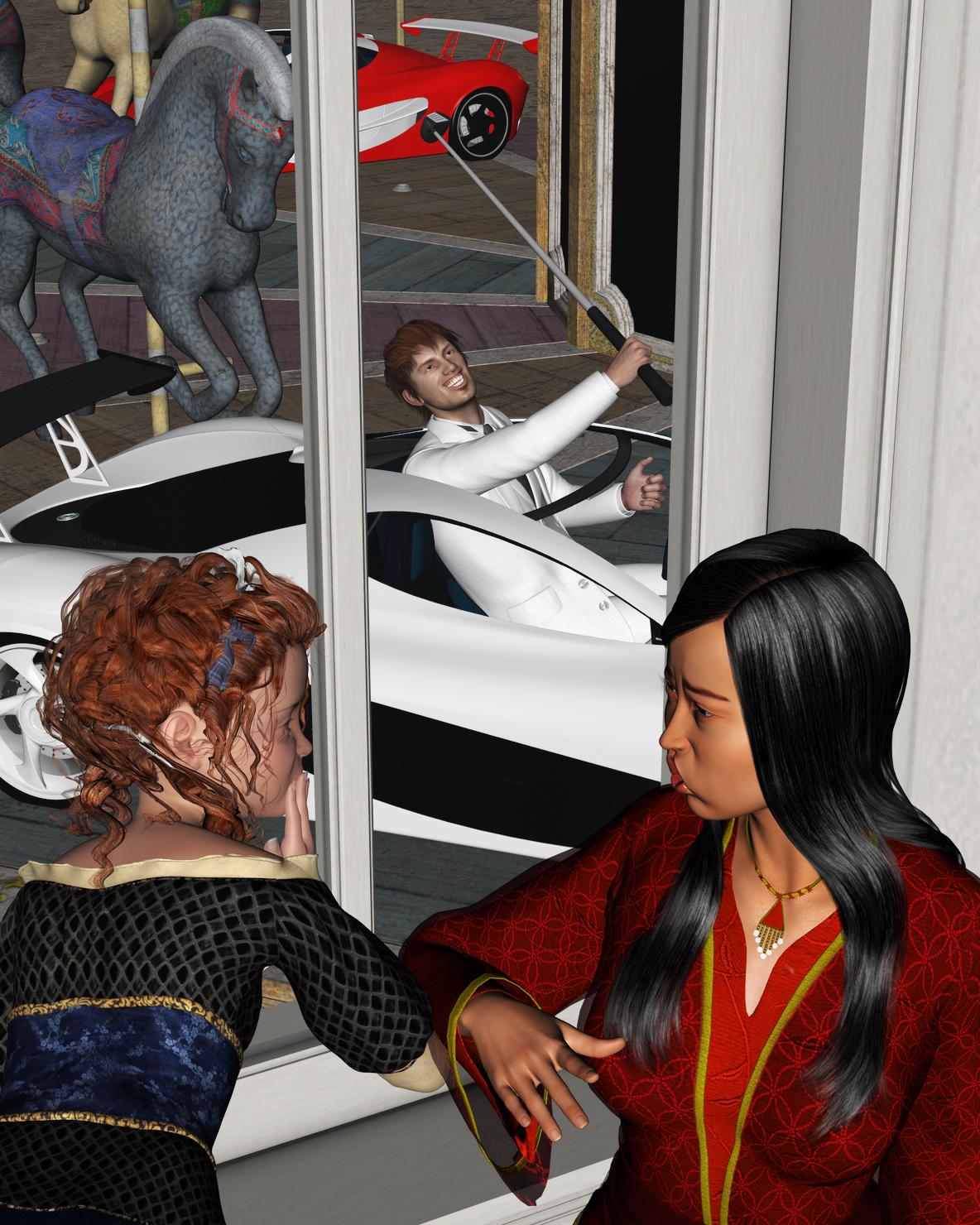
Moroccan Dreams V4 (LB)A 'Raith a'Round, A Round, a'Round
I know you want to play on the carousel your father bought for you, but you have to wait for him to finish his round of Car Polo. You must understand that men must have their games. Just be patient!
 Infinite Insanity - There's ALWAYS Another Sale! (Daily Sale Talk)
Aw yeah secret orange banner has transititoned to Arabella for those that are meant to be qualified to get it and aren't seeing it.
Already have her - Josie got skipped gives a vaaaague hope of some more useful offers during the sale though.
And yet another one I own; some of the more recent ones, I'd be interested in; has the pro bundle been on offer for any of these? Anyone know?
For both Eva and Bethany, the figure, starter bundle and pro bundle showed up in the "Friends of..." category for a short time. I already have Arabella, (I like her, except her eyebrows are placed too high... no longer an issue thanks to Zev0,) but I checked for the bundles anyway. That was at around 1am Daz time, and none of the bundles were in the category. I suspect the reason people were getting the figures for a lot less than $5 had to do with it being in the "Friends of ..." category, too,. DAZ corrected that, apparently, with Arabella.

I have a sneaky suspicion the $5 offer is being made on figures that didn't sell as well as they'd hoped. If I'm right, I'm hoping Izzabella didn't sell all that well... and I'm hoping beyond hope that the Pro bundle will make it into the "Friends of ..." category. I want that bundle, but funds are a bit tapped out after buying a new computer!
Thank you.
Arabella is my favourite skin of the 7 series characters.
Although I mess with them all. I own about a dozen, and use Josie the least.
Aw yeah secret orange banner has transititoned to Arabella for those that are meant to be qualified to get it and aren't seeing it.
Already have her - Josie got skipped gives a vaaaague hope of some more useful offers during the sale though.
And yet another one I own; some of the more recent ones, I'd be interested in; has the pro bundle been on offer for any of these? Anyone know?
For both Eva and Bethany, the figure, starter bundle and pro bundle showed up in the "Friends of..." category for a short time. I already have Arabella, (I like her, except her eyebrows are placed too high... no longer an issue thanks to Zev0,) but I checked for the bundles anyway. That was at around 1am Daz time, and none of the bundles were in the category. I suspect the reason people were getting the figures for a lot less than $5 had to do with it being in the "Friends of ..." category, too,. DAZ corrected that, apparently, with Arabella.
I have a sneaky suspicion the $5 offer is being made on figures that didn't sell as well as they'd hoped. If I'm right, I'm hoping Izzabella didn't sell all that well... and I'm hoping beyond hope that the Pro bundle will make it into the "Friends of ..." category. I want that bundle, but funds are a bit tapped out after buying a new computer!
If that's the case, I'm definitely surprised that Arabella didn't sell well. It's one of my favorite figures next to Olympia.
Agreed, and I too like Olympia second, and maybe equally so. Victoria and Josie I use least.
Material preset did not apply texture appropriately -- now what?The walk through for the initial adjustment of a store bought material preset designed for Studio is complete in my 'First Steps' thread. I want to make a couple of comments here, because there are just one or two slightly different issues when someone sets up a character in Studio, saves as DUF, then loads in Carrara. Ultimately, the endgame is the same in the sense that you want the right color/specular/bump/normal maps to be in the right place, and you want to take advantage of Carrara's subsurface scattering channel (or not) and you want your other settings optimized for Carrara. But one thing to keep an eye on is whether the Daz figure has distinct uvmapping sets for different characters. For example, the G2Fs uvmaps for The Girl 6 may be completely different from the G2Fs uvmaps for Victoria 6. So, a color map for The Girl 6 might map incorrectly if the figure has been set up to use Victoria 6s uvs. You can mix and match the maps as long as they reference the same uvs. If I buy a character pack for G2F, I always check to see if the seller has listed the uvs that are matched in the product description before I buy.
Being aware of how to load and customize maps can open opportunities for other Daz PA products. For example, I acquired Forbidden Whispers G2F merchant resource skin shader pack.
October 2016 New User Contest - Atmosphere (WIP Thread)BorisBadenov
Here is a demonstration of creating a new shading domain on Victoria 6 and making it invisible in the region of the poke-through. This can be convenient if a figure is wearing long pants, etc.
Similar to the harness example, select the"actor" level of the V6 Genesis 2 Female figure. Click the wrench icon to enter the modeling room. Use the selection tools to select the vertexes that would be covered by long pants and boots. Use the menu on the right to create a new shading domain. I named it something that I would remember to make invisible in the alpha channel.
Next, with the actor level still selected, click the paintbrush icon to enter the texture room. Open the shader for your new shader domain. Set the alpha channel to black or zero. That will make those vertexes invisible.
In the attached screenshots, there had been some poke through on the right calf. I used this method to create a new shading domain for the G2F legs. A test render shows that the poke through is fixed.
No one asked me - Diomede screenshots on whatever - Warning AI Discussion OKNow, I can start a fresh empty scene.
Load a new Valerie figure from the content browser.
Highlight the actor level.
Click and drag my saved shader from the shader browser to the multicolored globe at the top of the shader tab.
The optimized shaders for all of the shading domains are applied with one click.
Still with the actor level selected, I can go to the parameters tab, search for "valerie" and then zero out the morphs to return to thebase G2F shape.
I can then dial any shape morphs, such as Victoria 6, and adjust the G2F.
Here is G2F with the Valerie character skin maps and the Victoria 6 morphs.
Store suggestionsLet's say for example you forget that you purchased the Victoria 7 pro bundle and you're like, hey, this starter bundle is on sale and it doesn't say purchased by it (even though you have all of the items in that bundle) so then you purchase that and wasted money on stuff that you already had.
You haven't wasted any money...if you file a ticket with Customer Service explaining that you already had purchased the Pro bundle and don't need the Starter one...you will receive a full refund.
Store suggestionsI wouldn't really consider this a product suggestion, but rather a store suggestion. What I would like to see Daz do as far as their store goes, is to have some sort of way to mark items that you have as purchased even if you didn't actually purchase it. Here's an example to show what I mean. So, let's say you purchase the Victoria 7 Pro bundle 6 months ago, and now today there is a sale for starter bundles. (Might be a little drastic example but it's in order to show the point). Let's say for example you forget that you purchased the Victoria 7 pro bundle and you're like, hey, this starter bundle is on sale and it doesn't say purchased by it (even though you have all of the items in that bundle) so then you purchase that and wasted money on stuff that you already had. Another suggestion I would like to see is for the store to somehow give you an extra discount (like what they have in iTunes with the complete my album option) where the price is reduced on a bundle where you already have some of the items. This one is probably more of an issue for me because I have purchased several bases (for example, the Girl 7 and Belle 6) and would now like to purchase the Pro bundle, but I don't get an extra discount for owning some of the items in the bundle so I feel like I am spending extra money that I shouldn't be spending.
The older generation: Victoria 2/3, Michael 2/3 and their children rendersI decided to start a new thread for older generation figures, as the idea comes up now and then ...
If you are interested in getting these figures (apart from Victoria 2 and Michael 2 - those are vaulted by Daz): Knittingmommy has accumulated links to the store pages: http://www.daz3d.com/forums/discussion/comment/1501496/#Comment_1501496 and there is GiGi_7's thread here: http://www.daz3d.com/forums/discussion/comment/925540/#Comment_925540
Freebies for V2/M2: http://www.daz3d.com/forums/discussion/22725/links-victoria2-michael2-v2-m2-freebie-list/p1
Adventuress
Victoria 3 (in letters THREE - yes, really ...), rendered in DazStudio 3Delight.
I wouldn't call her old if I were you, she has a big sword and knows how to use it!Credits:
Victoria 3 - Daz
Daniela - IllusionsDesigns
Subsurface Skin Shader - Tofusan (a bit modified)
Veronica Year Three - Uzilite
PD Dirty Pretty - Parrotdolphin
Adventure Hair - 3Dream
UberHair Shader Upgrade for UberSurface - Omnifreaker
The Ruins of Angkor Wat - Merlin Studios
Nature Shaders - JGreenlees (Water and Grass, a bit modified)
Songbird ReMix Jacanas - Ken Gilliland
Songbird ReMix Pet Shop - Ken Gilliland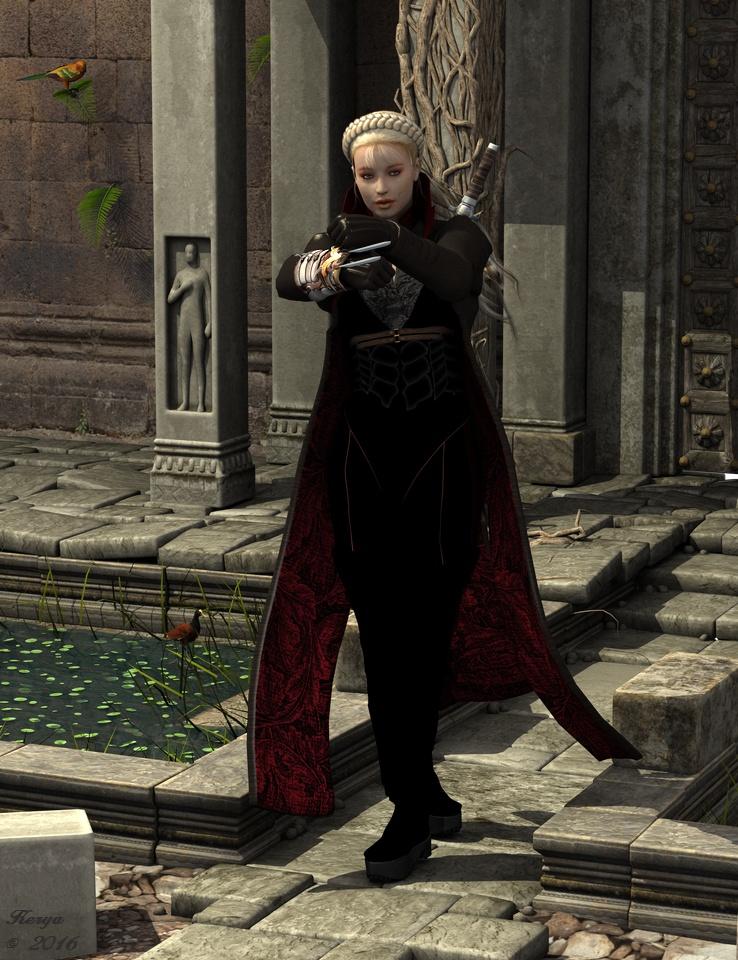
Yeah, never commented on this one...but, she's wearing too much clothing to know 'really how to use' that sword...
 3D Art Freebie Challenge -- October: Double Bubble Toil and Trouble -- Main Thread
Ok here is what I have been doing lately :), Btw I have posted in the entry thread first accidentally, sorry about that.
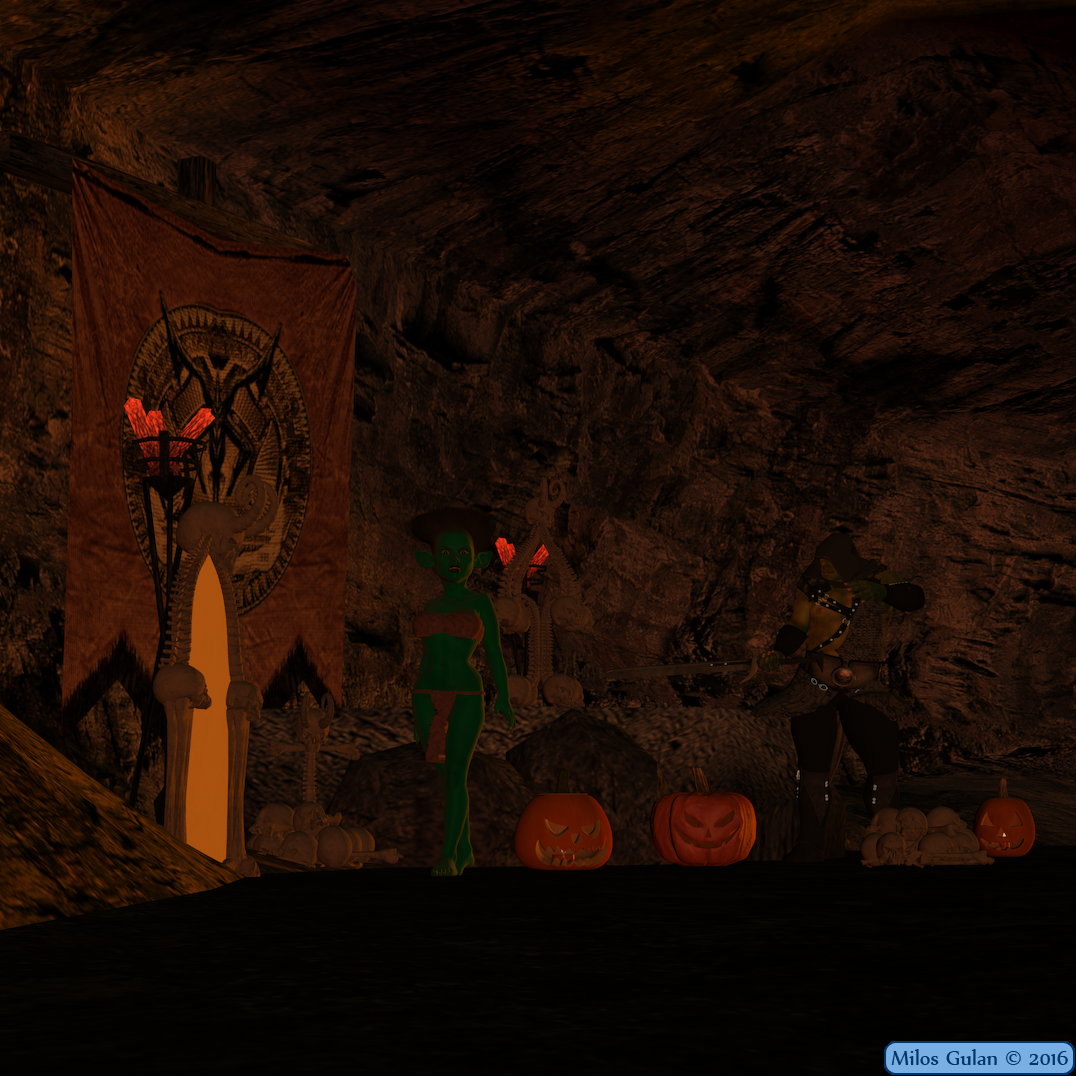
Deeper Underground
*******
My contest entry. It is just try to make a nice Halloween render. I wish I watched this video before I started it, but still I think it turned relatively nice https://www.youtube.com/watch?v=Twog7XFOXnM
*******
Done with Daz Studio 4.9
Items marked with an asterisk require registration.
Not Counting: G2f, G1
Freebies:
1.)* Goblinette
2.) Troll Droll Hair
5.)* Prehistoric Princess for G2f
6.)* Summoner's Sacrifice Place
7.)* DA Jack O Lantern
9.) Bone Marker
10.) Bone Mirror
11.) Bone Thing
12.) Bone Pile
13.)* Render Profiles for DAZ Studio 4.5 (Rendered on Insane)
Paid: Raw Oagre, DragonLord for Genesis
All links verified
ENTRY ACCEPTED
You can correct your entry in the Entries Thread.
 Carrara and Linux? Is it possible?
Hello,
Carrara works considerably well on Linux if you decide to not use Genesis figures, as well as you become patient on rendering previews in shader room, this may be system and drivers dependent, but my experience is that cancelling rendering process usually cause a failure of Carrara under wine.
The main obstacle you may encounter is Rendering, you have to uncheck Texture Spooling in Carrara's preferences for rendering engine to work. Everything else should work pretty well, except dynamic cloth plug-in by Sparrowhawke, last time I tried it it usually hangs on calculating dynamics. Last time I checked, smart content managing system introduced in Carrara 8.5 doesn;t work at all and causes Carrara to get a fatal error. So if you want to use figures like Victoria or Michael etc. the latest that work are generation 4 figures. But I experimented with this like 6 months ago, things might have changed or not.
Sometimes development versions of Wine introduce some changes that may result in unhappy vertex.cmx file, but last time I encountered this issue was very long time ago. But stable branches usually work very well. Spooling texture on disc tick unmarked, patience with preview windows rendering and you are mostly good to go.Sweet! I actually wish there was a tick in Preferences that allowed us to disable the preview render in the Texture room. I don't really need that anyways - just plug in my maps, values and other things... and do a complete test render.
Col to hear that it works though - even with a few small caveats! Thanks JetBird!!!
What is the hair for Ginnifer HD modelYes, I think that is it. Here is the link
http://www.daz3d.com/fwsa-ginnifer-hd-for-victoria-7-and-her-jewelry
Daz 3D is part of

Connect
DAZ Productions, Inc.
7533 S Center View Ct #4664
West Jordan, UT 84084Licensing Agreement | Terms of Service | Privacy Policy | EULA
© 2026 Daz Productions Inc. All Rights Reserved.