-
Is there a magic button to disable skin wrapping for clothing?
only thing that works for me is to send to Hexagon use smooth brush send to Daz studio as morph
Would a hair basemesh purchased elsewhere be easily usable in Daz Studio?Hair usually have a haircap. That haircap matches the head, so when you use it on a morphed character it will still fit.
In order to use a third party hairmesh, you might be able to scale it to match the character and then parent it to the head.
If you want to use it as a generic hair, you need to use transfer rigging, but then it must fit the character before you do that.
DAZ, ZBrush, GoZ. Zbrush Noob with questionsSo, I just spent hours sculpting a character morph from the Genesis 8.1 Male in ZBrush. Just trying to learn all of the tools and stuff. However, when I went to GoZ to put it back in DAZ, it said that the topology had changed.
Steps I took:
Load Genesis 8.1 DEV Load character
Change Resolution to Base
Set Subdivision to 0
File>Send to ZBrush
In ZBrush I loaded the character from the tool
Went into Edit ModeI proceeded to sculpt using the "Move Topological" and "Clay" brushes mostly. I think I may have accidentally used the Z Modeler brush as well (This is what I am thinking affected the topology?)
So, to all of you creating custom morphs, are there brushes I should stay away from? Am I wrong in which brush it was that messed things up? Was it the clay brush? Or the Move Topological?
Any nuggets of information you'd be willing to share I'd be willing to listen as well... I've used Blender and stuff for modelling before, but never quite got the hang of sculpting, and now I want to learn that. I've watched a few tutorials, but there aren't many in-depth ones for DAZ Characters specifically that I could find.Daz Original Characterssupernoob said:
I disagree. I don't think the bare minimum additional textures approach to base character packages is acceptable because there is so much value in the morphs. If the package costs 4 times the price of a PA character, then the package should include 4x the value. It's not just that they don't include a ton of options, it's that they hardly include anything in the package. IMO the morph isn't worth anywhere near 4 times the price. However, I completely agree with you that the base characters stopped meaningfully extending the possibilities some time ago, with the odd exception. IMO that emphasies my view even further, that they're not worth the full asking price, unless someone needs that specific look to fill a niche.
Yes, I mentioned the discounts several times in my original post.
So basically the high price is exactly what the supermarkets / shops do (which I believe is now illegal in some European countries), where they hike the list price up to a ridiculous point, then slash the price with 'amazing discounts' to make it look like a bargain - in the hope that some poor sap doesn't realise how often the 'sales' are on and pays full price, and others simply fall for this predatory 'discount' marketing ploy and rush to buy it at the now 'bargain' price.I think we're actually in agreement about the pricing of core characters. I haven't bought one in a long time, as I can't justify the price when the redundancy factor is high. I can't justify paying more than I would for a quality PA-made character model. I was just explaining Daz's logic in my previous post.
The Daz discount game is neither illegal nor deceptive in American law. I think it's impossible to deny that the appeal of this sort of discounting from a notional list/full price is strongest for consumers that tend toward impatience and irrationality. None of us are completely immune from those tendencies, but for some, it's their usual practice. "More money than sense" is a common idiom for a reason.
Deleting part of a model persistently and distributing a scene that uses itRichard Haseltine said:
If the parts you want to hide belong to a figure a GeoGraft might work - you probably don't need more than a single polygon if there are going to be no holes needing capping, just load/create the mesh and run the Transerfer utility to turn it into a fitted figure, then with the Geoemtry Editor select the parts you want to hide, right-click in the Viewport>Geometry Assignment>Set AutoHide Faces for Attachments, and select the new fitted item you just made (menu names from memory). Loading the new figure will then hide the parts you specified (and, unlike a morph or transparency, will not send them to the render engine).
In this case, I was hiding one out of five shower heads in a wall of showers and, in one case, moving two of the other shower heads outwards. Then, I did the same thing for five of the ten floor drains. Then, I did the same thing for the groups of glass dividers.
The approach I ended up with is probably a bit inelegant, but it is working. I exported the object in Blender, modified it, pulled it back in with Morph Loader Pro, and applied the resulting morph. I then confirmed (by moving the modified .obj files aside and loading the scene from scratch) that the morph is getting stored as part of the scene rather than being applied from the modified object in any way, so that meets my requirement of not having to distribute a modified copy of somebody else's model.
Anyway, to make a long story short, my school (based on FG School) now has locker rooms where the classrooms were (adjacent to the gym as locker rooms should be) and emergency lights in the gym (though I still need to design or find safety cages). I've also built a beautiful two-story band room with glass rails around a partial balcony (and an attached office), made mostly out of Tesla3dcorp High with a bunch of wall and floor and ceiling pieces from Room Creator 2, folders full of music on the desk with custom skins on the folders from "Interiors the classroom", etc.
Now, I just need to add a kitchen to the cafeteria by morphing the back wall out of existence and merging parts of the kitchen from Moonshine Diner, put the FG School classrooms (which I cloned before turning them into locker rooms) somewhere, build a proper shower room for the pool, merge various other parts of Tesla3dcorp high as additional classrooms, build out the second floor, add the elevator interior from Elevator Hallway, put together some other classroom interior sets.... Eventually, this is going to be an amazing set.
Deleting part of a model persistently and distributing a scene that uses it
That's not an open bug. It is over a year old, is on an old version of Blender, is closed and archived, and isn't even a bug at all. It is just how Blender works. It uses the options YOU select for import and export. If you select Keep Vertex Order, it does. If you don't, it doesn't.dgatwood said:If anybody runs into this problem, Blender has a really annoying open bug:
https://developer.blender.org/T68058
where by default, it destroys the vertex order both during import AND export. So you have to explicitly open a "Geometry" disclosure triangle and tell it to keep the vertex order during import, then check a checkbox to preserve it on export. Otherwise, your morphs will be garbage.
Now that I've figured that out, I have a working approach. Basically, I morph the undesirable bits into a tiny ball about a millimeter across and hide it inside one of the parts that I want to keep.
Reversing a scanned smiling character to default face?Hey,
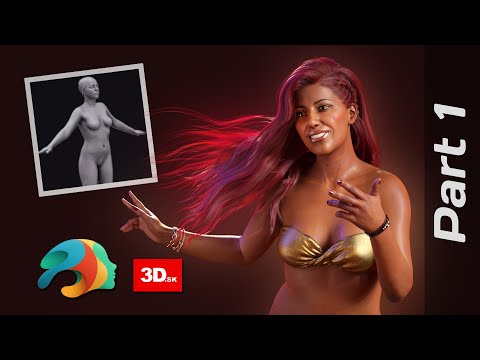
I followed this tutorial to make a gen 8.1 daz character from a 3d scan, and it worked perfectly,
but since the 3d scan I used was a smiling model, my daz model is now smiling too.
I want to somehow change this into a default (not smiling) face.I thought of setting the "Smile Open Full Face" morph parameter to a minus value, but it's not working.
The face doesn't move at all.I don't quite get this, because some of the morphs work this way but this doesn't.
(ex When I set the "jaw open" to a minus value, it makes this figure close it's mouth.)Can anyone think of a smart way to do achieve what I want to do?
Sagan: A DAZ Studio to Blender Alembic ExporterTorkuda said:
Would you like a blender file with say-
A model from diffeo and a model from Sagan demonstrating the fix? I can do that rather quickly.
In the following file I purposfully imported a Sagan alembic to a file where I knew it probably wouldn't recognize the diffeomorphic. It decided NOT to mess up this time but the file will work fine for our purposes anyway.
On the diffeo version of the figure I alphabatized the materials on the shirt, pants and hair just to show it can be done. However, if you select the sagan version of the character model, then shift select the diffeo version, you should only have to hit ctrl L and select "link materials" to have Blender over-ride the materials on the Sagan model with the materials from the diffeo model. You'll notice that if you do that with the character models, the materials will look all jumbled, as the order of the materials doesn't match. However if you do it with the shirts, select Sagan, then diffeo, link materials- the transfer will work just fine.
(Alphabatizing the materials isn't hard to correct, there are arrow buttons by the materials that can do that manually, it's just a bother and I'm sure it was a bother to do it on your end. I'm really just suggesting you bypass exporting texture altogether and just don't alphabetize the material list, letting the end user link materials. It's not a bug I'm complaining about, it's a fix I'm suggesting- and an easier workload.)
https://drive.google.com/file/d/1_kVp-dp3ylrmUCXStYYmCzXoVIIx_ZiI/view?usp=sharing
As always in engineering, I'm sure there's a tradeoff to be made so that the material slots can be referenced by index instead of name in Sagan.
Daz Original Charactersrcourtri_789f4b1c6b said:
Let's separate, for clarity's sake, the terminology, the features that come with the character model, and the pricing issues.
A "Daz Original" is anything maketed as a "Daz Original". I think what the OP is referring to is what Daz has been calling "core characters", which provide the user with special morphs which aren't available with the "base character". Arcadia 8.1 should have morphs that wouldn't be available from dialing body and head shapes with Genesis 8.1 Female. It's these morphs that provide the bulk of the value, and some particular characters will have hard (absolutely necessary) or soft (if you want your figure to have the exact shape you're seeing in promo renders) dependencies on those core character morphs. Core characters don't usually have an unusual number of surface/texture options (makeup, eye colors, etc.), As mentioned, the value is mostly in the shapes/morphs. A core character with too many surface options would make the individual PA-developed character models a little less appealing and more redundant by increasing the "I could already do that with the character models I already have" factor. Those PA-developed character models main selling points tend to be things like minor differences in body or facial geometry, texture options, or inherent HD features.
(To my way of thinking, the new core characters for Genesis 8 ceased to meaningfully extend the types of characters you could make about three years ago. Since then, they're relying on (1) impulse purchases from people who base their decisions on promo renders rather than thinking about whether that core character really extends what kind of human figure they could make from assets they already have, and (2) obsessive collecting with little planning for use. There may be as few as ten female body shapes that have significant commercial appeal. Beyond this, we're really into serious redundancy or small niche appeal.)
As to pricing, I'm always baffled by people who concern themselves with list price. With the Daz store, we're in a situation where most items are discounted most of the time, or sold in a bundle at a discount. With Daz, you really only need to concern yourself with actual dollars (or whatever currency) spent, not percentage discounts off of a not-very-meaningful list price. The higher pricing of core characters is both a residue of the time when those characters were hard dependencies for other character models (I don't believe there are any other characters dependent on Arcadia 8.1--The pricing method is obsolete, but hey, somebody is buying), and a result of the core characters being frequently sold as part of a bundle--the bundle looks like more of a bargain when the core character's price is high.
Yes, from my examples and everything I wrote, obviously I meant 'base characters'.
I appreciate that some of the characters have a very unique shape/morph which may not be easy to replicate with morph packages. This could justify a slight increase of price over the majority of 'other vendor' character models.
I disagree. I don't think the bare minimum additional textures approach to base character packages is acceptable because there is so much value in the morphs. If the package costs 4 times the price of a PA character, then the package should include 4x the value. It's not just that they don't include a ton of options, it's that they hardly include anything in the package. IMO the morph isn't worth anywhere near 4 times the price. However, I completely agree with you that the base characters stopped meaningfully extending the possibilities some time ago, with the odd exception. IMO that emphasies my view even further, that they're not worth the full asking price, unless someone needs that specific look to fill a niche.
Yes, I mentioned the discounts several times in my original post.
So basically the high price is exactly what the supermarkets / shops do (which I believe is now illegal in some European countries), where they hike the list price up to a ridiculous point, then slash the price with 'amazing discounts' to make it look like a bargain - in the hope that some poor sap doesn't realise how often the 'sales' are on and pays full price, and others simply fall for this predatory 'discount' marketing ploy and rush to buy it at the now 'bargain' price.Daz Original Charactersbenniewoodell said:
I remember how with a new DO character, there'd be multiple characters released that utilized the DO character morph. So if you wanted a certain character to look how they should, you needed that specific core character. I don't really see that happening at all anymore.
Aside from that, I've found that if you want to use Daz characters in a program like Blender, even though Diffeo does an absolutely amazing job transferring the materials from Daz to Blender, I've found that some skins from a few PA's don't look right when you bring them over, it's not always guaranteed to look like it does in Daz, but I have never seen a DO character's materials not look stunning in Blender. Someone who really knows materials might know how to fix it, but I've tried playing around with some of the materials and never could figure out what the issue was. So I like getting the DO characters for their skins because I know I can bring them into Blender and it'll look how it should.
I remember those days. If I remember correctly, Victoria 7 was required for a phenomenal number of 3rd party characters. There were a few characters that required 'Sydney 8' that I never ended up buying because I didn't really want to pay for the base character on top, perhaps why the frequency of this 'base reliance' appears to have drastically reduced over the years.
That's interesting. Although I have downloaded Blender, I haven't yet had a chance to explore it and teach myself how it works. I suppose I'll find out about this issue soon(ish). Thanks for the heads-up.
Convert Genesis 8.1 model morph to 8.0PerttiA said:
cprc4080 said:
How do you transfer 8.1 to 8 I need to know please.
What do you want to transfer, morph, textures, wearables and why?
I really need this info too, i would very much appreciate it
Naming convention for saving morphs ?First off I'm not a vendor, I'm an old school user who makes his own content.
However I've fixed enough content sold here, to know that DAZ and a couple of vendors do use underscores in their morph names.
So I don't see any problem with you using them.
3D Art Freebie Challenge June+July 2022 - "The secret life of ..." - Entries Thread OnlyThe Secret Lives of Superheroes
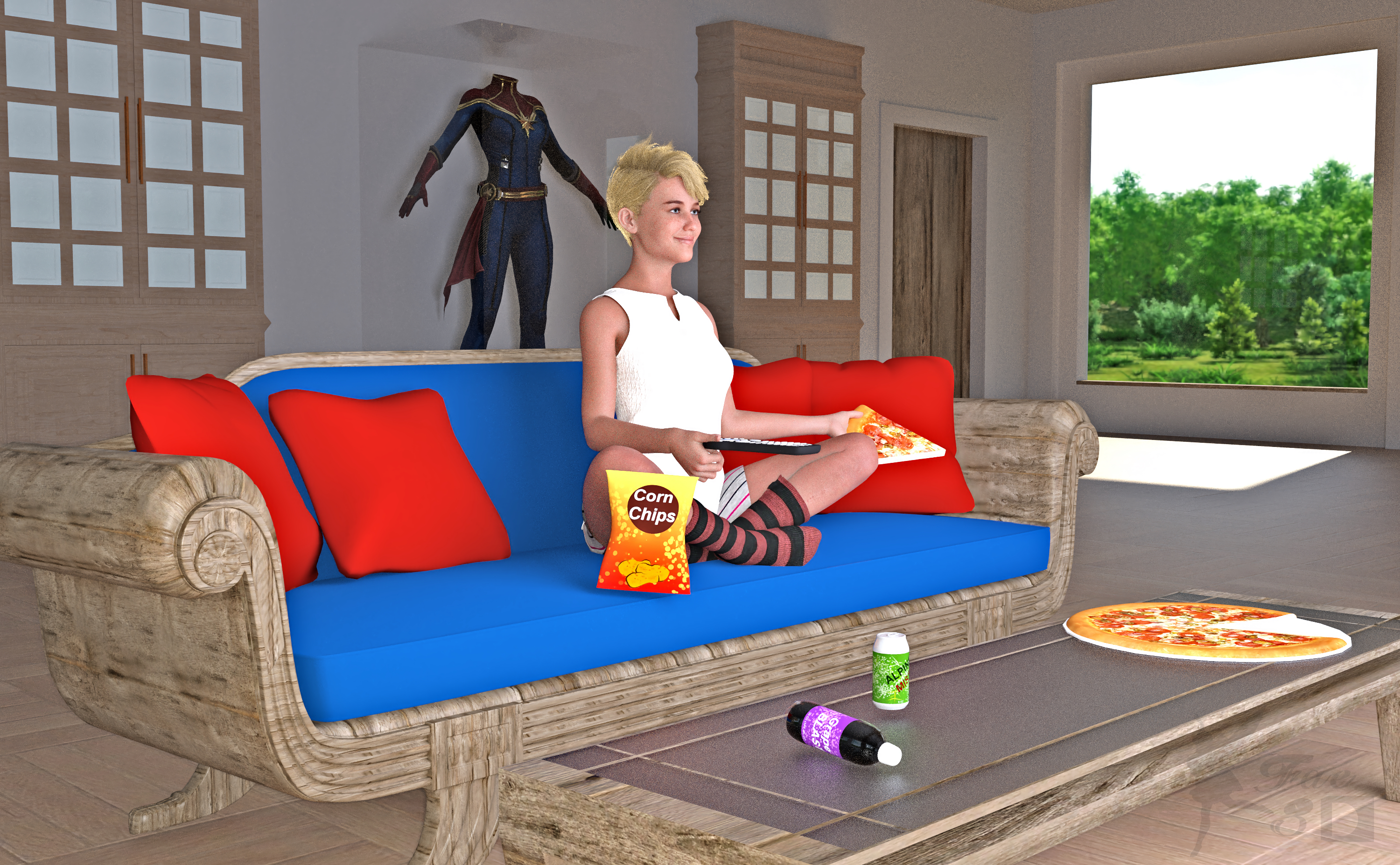
Even superheroes need some time off sometimes! So here's Captain Marvel, watching TV in her comfy clothes and enjoying some junk food XD
Free:
Captain Marvel (Hair and Outfit on Display) - https://www.deviantart.com/dddark898/art/Captain-Marvel-921629533
Wool Socks for Genesis 8 Female - http://www.digi-dotz.com/index.php/free-poses/daz-clothes/206-socks-for-daz-genesis-8-female?highlight=WyJzb2NrcyJd
G8F Shorts & Summer Top - https://www.wilmapsdigitalcreations.co.uk/view_product.php?id=459
25 Beach Photoshooting Poses (Lower Body Pose) - https://www.deviantart.com/hemi-426/art/25-Beach-Photoshooting-Poses-774842043
Media Remotes - https://www.renderosity.com/freestuff/items/74431/media-remotes
Toon Food (Pizza) - http://trumarcar.francemi.net/foodprops_tc.htm (scroll down almost to end)
Classic Furniture Set (Coffee Table) - https://www.renderosity.com/freestuff/items/77267/classic-furniture-set
Office Furniture Set (Bookcases) - https://sharecg.com/v/94502/gallery/21/DAZ-Studio/Office-Furniture-Set
Gas Station & Convenience Store (Chips, Sodas) - https://sharecg.com/v/91301/browse/21/DAZ-Studio/Gas-Station-Convenience-Store
Wood Shaders - https://www.renderosity.com/freestuff/items/89287/woodshader-daz3d-iray
Contemporary Loft - https://www.renderosity.com/mod/freestuff/contemporary-loft/77790
No Count:
Primitive Cubes for Door and Outfit Display Case
Primitive Cylinder for Pizza Plate
Iray Glass Shaders that came with Studio
Mooncraft’s Sleek Sofa (No longer available?)
Paid:
Bridget 8 (Head Morph and Textures) - https://www.daz3d.com/bridget-8
SY Invisilights Iray (to help light the scene) - https://www.daz3d.com/sy-invisilights-iray
ColorWerks Extreme: Hair Texture Blending for Iray and dForce Hair - https://www.daz3d.com/colorwerks-extreme-hair-texture-blending-for-iray-and-dforce-hair
Medea HD for Genesis 8 Female (Expression and Eye Color Only) - https://www.daz3d.com/medea-hd-for-genesis-8-female
I tweaked the materials and the pose. Set up and rendered within Daz Studio Iray. Postwork in Pixelmator. I’ve attached the before post render (the one that says Render) and the finished image file. Captain Marvel is ©Marvel, and ©Walt Disney Company
Daz Original CharactersI remember how with a new DO character, there'd be multiple characters released that utilized the DO character morph. So if you wanted a certain character to look how they should, you needed that specific core character. I don't really see that happening at all anymore.
Aside from that, I've found that if you want to use Daz characters in a program like Blender, even though Diffeo does an absolutely amazing job transferring the materials from Daz to Blender, I've found that some skins from a few PA's don't look right when you bring them over, it's not always guaranteed to look like it does in Daz, but I have never seen a DO character's materials not look stunning in Blender. Someone who really knows materials might know how to fix it, but I've tried playing around with some of the materials and never could figure out what the issue was. So I like getting the DO characters for their skins because I know I can bring them into Blender and it'll look how it should.
OFFICIAL DazToMaya Bridge 2022 (SEPTEMBER UPDATE): What's New and How To Use Itdanielbui78 said:
Venomacid88 said:
So I installed the July update. I chose the module folder in the specified area; which is also the default area that pops up when installing the bridge in Maya from Daz. I ran Maya and the plugin manager didn't find it. I created module folders in 2022 and 2023 as someone suggested, "Just put in Documents\maya\mayaVersion\modules, or create the folder..." That didn't work either when restarting Maya and checking the plugin manager. Any ideas?
Maya modules are not managed by the plugin manager and will not show up there. Please post a screenshot of your maya window and the script console area and any error messages that may be there. Thanks.
Regarding the post-export character issues, please report the following:
- Daz Assets with links to daz store when possible
- Applied morphs and morph strengths
- Morphs selected from Morph Selection Window
Here's the Screenshot from startup on Maya. The DaztoMaya shelf is blank. The Script console doesn't show Daz having any sort of presents in the startup.
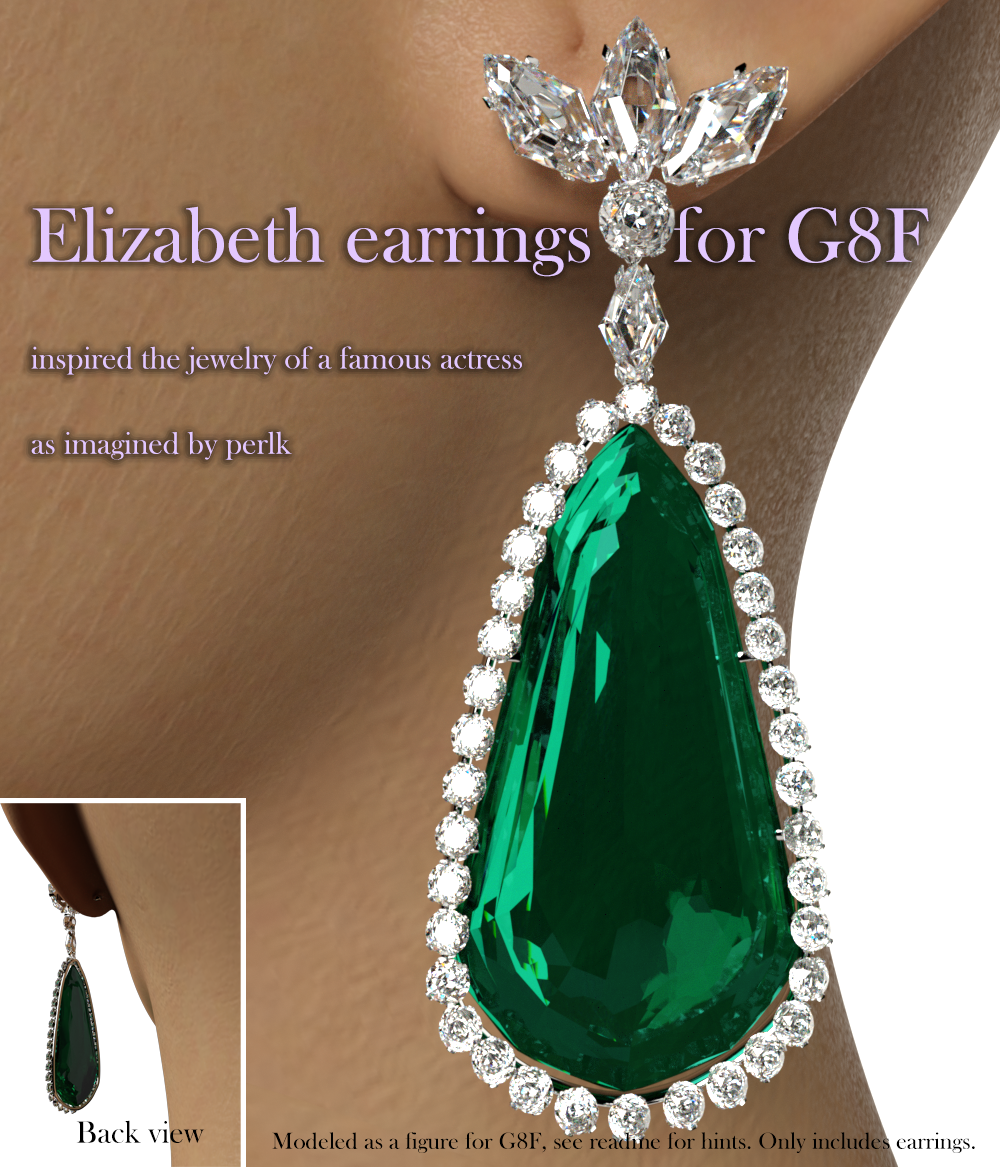
Elizabeth earrings and necklace for G8FHere you go, here's a lovely earrings model to go with AOBB's Violet morph.
https://www.deviantart.com/perlk/art/Free-Elizabeth-earrings-for-G8F-prop-923936127
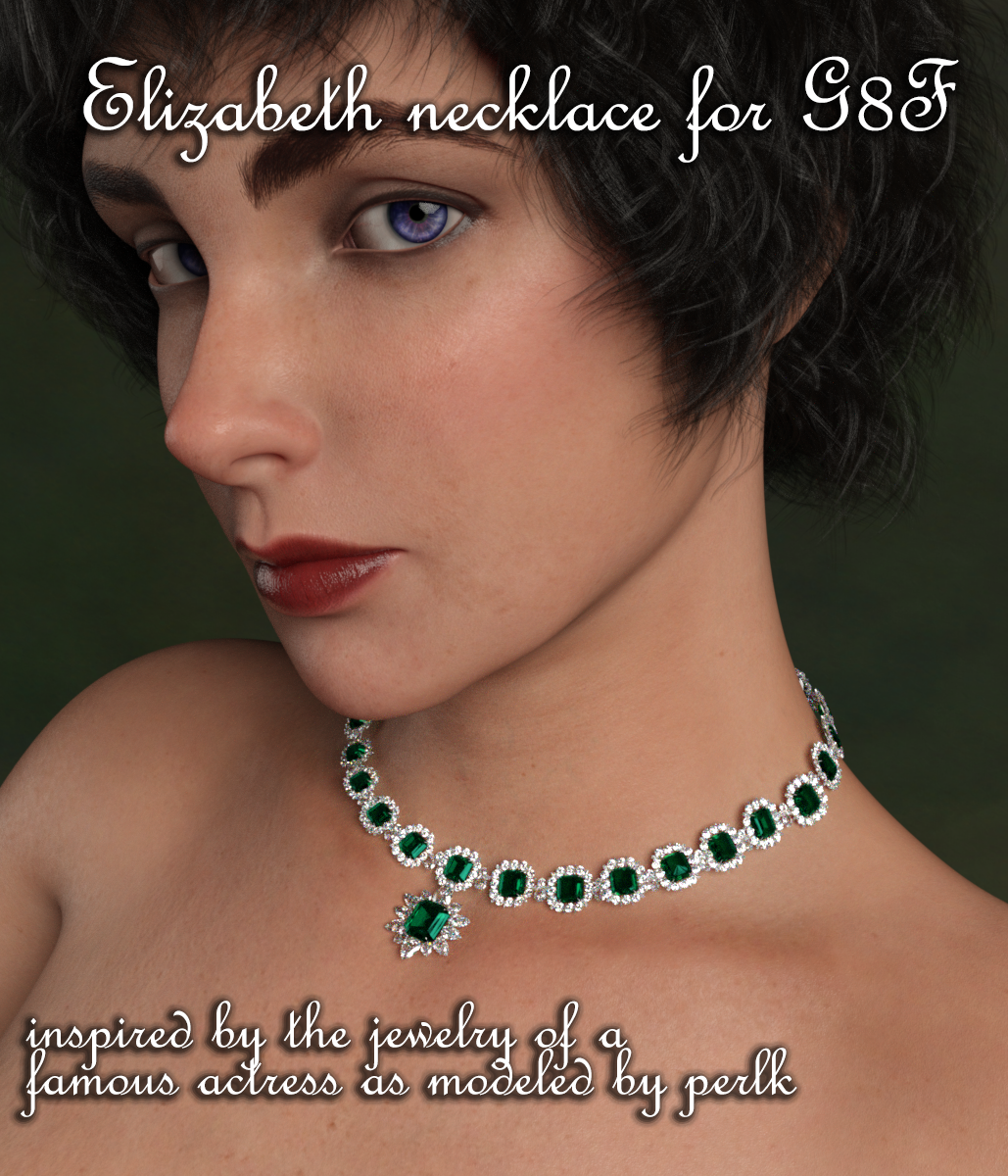
Here is also a necklace to go with the earrings:
https://www.deviantart.com/perlk/art/Free-Elizabeth-necklace-for-G8F-925598110
 DigiDotz Freebie Thread (latest.. JellyOnPlate :-P)
 Here we are..
Halterneck crossover top and a skirt for daz Genesis 8 Female
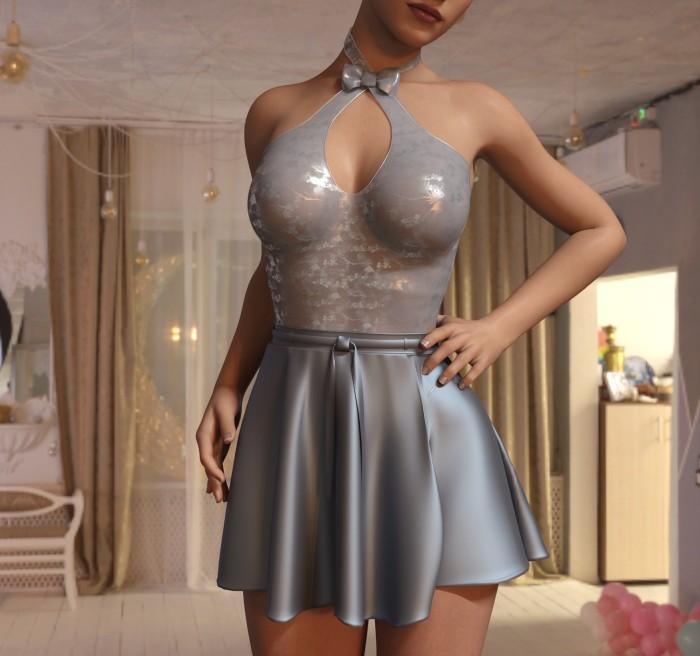
What can I say? Mess about with dforce settings until its ok hahaha
oh - waist morph for better fitting under Parameters>general
I want shape keys to be in Sub1 rather than the base mesh.If you mean you want to create an HD morph, that isn't a facility available to us - only people making content for sale in the Daz store may have and use that feature.
UltraScenery - new territory [Commercial]1. Excellent that neither product was installed from inside Daz Studio (Daz Connect). You did the right thing to leave them alone.
2. I think I understand what you are describing. First, not all products have files that are called "user facing files" by Daz. Some products only have files that are accessed from internal methods. A common example of that are morph packs that are only accessed from sliders in the Parameters pane. UltraScenery Water Pack is one of those products that is accessed only internally, from inside the UltraSceneCreator script, so it is OK to see no preset icons in the Water Pack product. UltraScenery Landscape Features Volume 2 should have some boardwalk props showing in the Product listing, though, so it looks like something is wrong with that installation.
Let's investigate:
- Open DIM and log in.
- Select the Installed tab.
- Type the word Features into the DIM search field in the upper right corner and hit enter.
- Does UltraScenery - Features Volume 2 appear in the list of installed products?
- If so, right click on the product name in the list and select Show Installed Files from the popup menu.
- That will open a window with hyperlinks to every installed file in that product. Did you get a long list of file links?
- If so, left click on one of those links. That will open an Explorer window and show where the file is installed on your hard drive. Look carefully at the entire file path. Is that the correct path to your Daz Studio content library? Take a screenshot that window to keep a record of the exact path to the file.
- You can close DIM now.
- Open Daz Studio.
- Select Edit/Preferences (shortcut F2).
- A window titled Preferences will open.
- Select the Content tab in the Preferences window.
- Click on the Content Directory Manager button at the bottom of the the Content tab.
- A new window titled Content Directory Manager will open.
- In the Content Directory Manager window, expand the Daz Studio Formats section to see what paths you have mapped as content libraries in Daz Studio.
- Do you see the exact path that you saw in step 7 above? Take a screenshot of the Content Directory Manager window.
- If you are comfortable sharing the data, post the two screenshots here for me to examine.
- You can close the Content Directory Manager and Preferences windows now by clicking the Cancel buttons.
Question about Angel Secrets Vol 2felis said:
In order to evaluate a model, you should see at it on unmorphed feet. Feet morph can distort shoes rather much.
Fair point. Here they are by themselves (Fig 1), and a few Wireframe views (Fig's 2-4).
Daz 3D is part of

Connect
DAZ Productions, Inc.
7533 S Center View Ct #4664
West Jordan, UT 84084Licensing Agreement | Terms of Service | Privacy Policy | EULA
© 2026 Daz Productions Inc. All Rights Reserved.