-
How do you make two or more JCMs working together?
ekajuan_9f765a669b said:
I think I know now what's the problem with my pJCMs creation.
I used imported obj from marvelos designer for the pJCMs.
When I posed, MD changed the whole cloth vertices position.
When I imported back as morphs and both collar are rotated.
The whole vertices changes from both morphs are all calculated, resulting the mess.
What I should do was only fix the distorted area, and keep the rest. [correct]Now, how to delete the morphs that I have imported through the morph loader and get back to the original?
ekajuan_9f765a669b said:
@Catherine3678ab
I read your tutorial.
I have a question regarding page 38.
When both pJCM of the legging legs are dialed at 100%, spreading the legs.
There's a bump at the middle. You fixed it in hexagon.
Then, all that I can see you import it back using a bridge to daz as a morph named Splitsideways.How you triggered the Splitsideways latter on, is it triggered automatically when both leg pJCM are activated, or does user dial it manually?
As I mentioned on the 1st page of text, the Gem [the answer to your question] is on page 47.
How to delete morphs, page 52. With D/S closed, go to the folder in which you had saved the morphs and manually delete them. [delete button on keyboard]
How do you make two or more JCMs working together?I think I know now what's the problem with my pJCMs creation.
I used imported obj from marvelos designer for the pJCMs.
When I posed, MD changed the whole cloth vertices position.
When I imported back as morphs and both collar are rotated.
The whole vertices changes from both morphs are all calculated, resulting the mess.
What I should do was only fix the distorted area, and keep the rest.Now, how to delete the morphs that I have imported through the morph loader and get back to the original?
DazToUnreal bug report - Morph export didn't work on child objects of a G8 figureThis is not a bug but well known limitation of official plugins, i.e. Daz To Unreal or Daz To Blender they both don't support geografts and geograft morphs.
To merge geografts and import geograft morphs it needs the Diffeomorphic plugin.
Method 1: Export to Blender with Diffeomorphic - Merge geograft and import geograft morphs with Diffeomorphic - Import back .obj into Daz - Rig and skin weight the model to genesis 8 rig - Transfer the normal morphs and geograft morphs to the new figure - Export to Unreal from Daz (Did not test this method because of too much effort but it may work)
Method 2: Export to Blender with Diffeomorphic - Import geograft morphs with Diffeomorphic - Convert Daz Morphs to shapekeys in Blender - Merge geograft and export to Unreal from Blender
Method 2 is what I'm using for some additional features:
Diffeomorphic rebuilds full daz materials in Blender, it also imports animations and pose presets, and it can convert the Daz expressions / bone drivers to exportable shapekeys for Unreal. These features can not be reserved if export the .obj back to Daz.
Diffeomorphic does not use the FBX and thus not limited by FBX limitations, instead it rebuilds the Daz scene description inside Blender, reserving the Daz material settings, morph settings etc. Using Diffeomorphic in Blender is almost like using Daz, plus all the powerful features provided by Blender e.g. modelling, rigging, integrated with other plugins etc.
Daz To Unreal is still useful for me to quickly send NPCs and animals, monsters etc. to Unreal, those NPCs do not need geografts and they could use the mannequin animations from Unreal market, Daz To Unreal gives a nice animation retargeter for reusing Unreal animations. However making a photorealistic player character with working geografts it needs lots of work especially for female characters. There is almost no usable animation resource in the market place for realistic female player characters, have to make hundreds of animations both in Daz and in Blender, and keep them as feminine as possible with modified genesis 8 female skeleton adding additional breast and butt bones etc.
Update: I've understood why there's almost no usable animations in Daz market after experimenting with animating in Daz. Posing is fine there with PowerPose and other plugins but to animate it... better to export the poses to Blender to animate them. If Diffeomorphic can import the Blender animations back to Daz someone could sell animations in Daz market.
Diffeomorphic can import the Blender animations back to Daz: https://diffeomorphic.blogspot.com/2021/04/save-pose-preset.html
Garden Gate and Estate FenceThanks for the prop Richard, it looks great as usual,
I am not that familiar with morphs yet but if you could make a morph to scale the bars horizontally you could lengten and shorten the fence.
That could be useful if you need a specific length.[Released] Turbo Loader for Genesis 8 and 8.1 [Commercial]AnotherUserName said:
RiverSoftArt said:
AnotherUserName said:
RiverSoftArt said:
AnotherUserName said:
AnotherUserName said:
AnotherUserName said:
RiverSoftArt said:
AnotherUserName said:
RiverSoftArt said:
AnotherUserName said:
Hi all,
How do you remove morphs from the TLManager? I have some products that are no longer in my database but still show up in the list of morphs.
Hmmm, that is something I hadn't thought about. I would enable ALL morphs (or reset Content directories), clear the list, and then rescan.
No, that didnt work. Any other suggestions? Feature for a new version?
If you cleared the list and rescan and they showed up, that means the morphs are still there. They should show up. You would have to delete the morph files for them not to be found.
Yah theyve already been deleted from my ssd. Im wondering if im on the current version though. Ill check version numbers and re-install if I have to.
Ok, so to rehash, the morphs had been deleted from my ssd previous to this issue. I have reinstalled TL. I have enabled/disabled all my morphs and re-scanned in TL. The morphs still show up. As an experiment, I enabled all of the mystery morphs to see what would happen if I tried to load them onto my g8f. TL completes the process with no errors and states "0 morphs enabled (0 failed), 0 morphs disabled (0 failed). I load my g8f and she is completely blank, no morphs at all. I exit, re-launch, and load the test figure. She loads fine, no errors, still no morphs. I re-launch TL and the mystery morphs are still listed and still checked as enabled.
My database is on an external ssd. I just located the TL cache in C:ProgramData:Daz 3d:Turbo Loader. All of the morphs im trying to get rid of are still listed in the cache. I read about an option in the documentation to refresh the cache but I havent seen it in TL.
Are the morph files on disk? Did you CLEAR the morph list before rescanning? (usually you do not do this, but since you have enabled all morphs, this is safe). If you have cleared the morph list and the files are not on disk, there is no way that they would be detected in a new scan.
Ill keep looking to see if its an error on my side. I have been clearing the morph list and ive reset the content directory and the morph directory. I keep coming up blank though. Either way, ill let you know what happens in a few days... Ill give you a break for the weekend :))
Still an outstanding program. I use it everyday and its opened up so much more potential in my d3d!
Could you perhaps share a video of what you are doing? There really is no way for TL to find morphs that don't exist on disk. With the morphs you think are deleted, double click on one and TL will open up File Explorer to where it thinks it found it.
Thats a cool feature, ill try that. I cant really do a video but if I still have problems, ill write it out like im doing a bug report.
Good luck!
How do you make two or more JCMs working together?@Catherine3678ab
I read your tutorial.
I have a question regarding page 38.
When both pJCM of the legging legs are dialed at 100%, spreading the legs.
There's a bump at the middle. You fixed it in hexagon.
Then, all that I can see you import it back using a bridge to daz as a morph named Splitsideways.How you triggered the Splitsideways latter on, is it triggered automatically when both leg pJCM are activated, or does user dial it manually?
second directory to remove morphs that slow loading?over the years I've installed almost everything that has "no user facing files" in the the default location.
Because I break my other content into multiple folders and then add them as directories
it just crossed my mind to install a lot of the morph files that don't get used that often into their own folders and then add them as directories when I want to use something from them
would it speed loading if I reinstalled all of the morphs for 1 2 and 3 in a different folder "my old morph folder"
and would least remove them from the start up ... whjen I'm only using g8 characters
Would daz find the files if the folders were mounted as directories as needed.
create folders with g1, g2 g3 g8 morphs only and than only open the directory that matches the figure you're using?
It should because almost all the characters beyond the bases are in other directories and they all show up in the content library.
--
are there any scripts that could be used to open/close a directory with just a button click or would we still have to use the content directory manager?
Or could a script be written to do that?
Diffeomorphic: how to transfer JCM from character to cloth?Hi everyone,
I can't seem to find the "transfer jcm" button in the tutorial in diddeomorphic 1.62. There is a "transfer shapekey",but the transfered shapekey will not be active with posing. How shall I do it in diffeomorphic?
Thanks!
How do you make two or more JCMs working together?The first time I was introduced to pJCM is when I realize the pJCM of the base character was transfered to the cloth by Transfer Utility.
When I rotated the colar, there was a strech distortion on the armpit. The first thing I did was weight mapping it to distribute the quads evenly.
I thought it was the case.
But what happened was that area becomes bulging.
I think that what's happend when weight mapping while pJCM is on affect.
(Maybe I should delete them all first? I dont know...and I dont know how)Then I learned from a video that the way to fix it is through pJCM.
Soon from this forum I learned that there are many pJCMs default poses commonly triggering cloth distortion
https://www.daz3d.com/pjcm-poses--for-clothing-creators-for-genesis-8That's what I'm working right now.
And soon after that I met many difficulties.
Buttons that used Rigid Follow Node flying all over the place after ERC Freeze,
And now, two pJCM that if triggered together messed the whole cloth shape morph.I'm spending days to understand all of these.
Searching for videos, tutorials, askng this forum, contatct PA customer support, etc.I am still walking in the dark how to prepare a cloth for sell.
Even the link from PA Customer Support on how to do it, is pretty much random videos, which I have to sort out.
Many useful information, but not directly answer my difficulties.I don't know how the existing PA did it?
I wonder, did they go through what I'm going through?How do you make two or more JCMs working together?Catherine3678ab said:
I was thinking that the op possibly meant pJCMS because that's commonly what we put into the clothing.
However I have no idea how or why those sleeves are in those locations, regardless of which control morph was being made.
My thinking [which could be wrong] would be that full JCMs might be made for clothing for sections which are not 'fit to' the character but rather have their own bones, for eg. in a long skirt with a train.
That would make sense...
[Released] Turbo Loader for Genesis 8 and 8.1 [Commercial]RiverSoftArt said:
AnotherUserName said:
RiverSoftArt said:
AnotherUserName said:
AnotherUserName said:
AnotherUserName said:
RiverSoftArt said:
AnotherUserName said:
RiverSoftArt said:
AnotherUserName said:
Hi all,
How do you remove morphs from the TLManager? I have some products that are no longer in my database but still show up in the list of morphs.
Hmmm, that is something I hadn't thought about. I would enable ALL morphs (or reset Content directories), clear the list, and then rescan.
No, that didnt work. Any other suggestions? Feature for a new version?
If you cleared the list and rescan and they showed up, that means the morphs are still there. They should show up. You would have to delete the morph files for them not to be found.
Yah theyve already been deleted from my ssd. Im wondering if im on the current version though. Ill check version numbers and re-install if I have to.
Ok, so to rehash, the morphs had been deleted from my ssd previous to this issue. I have reinstalled TL. I have enabled/disabled all my morphs and re-scanned in TL. The morphs still show up. As an experiment, I enabled all of the mystery morphs to see what would happen if I tried to load them onto my g8f. TL completes the process with no errors and states "0 morphs enabled (0 failed), 0 morphs disabled (0 failed). I load my g8f and she is completely blank, no morphs at all. I exit, re-launch, and load the test figure. She loads fine, no errors, still no morphs. I re-launch TL and the mystery morphs are still listed and still checked as enabled.
My database is on an external ssd. I just located the TL cache in C:ProgramData:Daz 3d:Turbo Loader. All of the morphs im trying to get rid of are still listed in the cache. I read about an option in the documentation to refresh the cache but I havent seen it in TL.
Are the morph files on disk? Did you CLEAR the morph list before rescanning? (usually you do not do this, but since you have enabled all morphs, this is safe). If you have cleared the morph list and the files are not on disk, there is no way that they would be detected in a new scan.
Ill keep looking to see if its an error on my side. I have been clearing the morph list and ive reset the content directory and the morph directory. I keep coming up blank though. Either way, ill let you know what happens in a few days... Ill give you a break for the weekend :))
Still an outstanding program. I use it everyday and its opened up so much more potential in my d3d!
Could you perhaps share a video of what you are doing? There really is no way for TL to find morphs that don't exist on disk. With the morphs you think are deleted, double click on one and TL will open up File Explorer to where it thinks it found it.
Thats a cool feature, ill try that. I cant really do a video but if I still have problems, ill write it out like im doing a bug report.
How do you make two or more JCMs working together?I was thinking that the op possibly meant pJCMS because that's commonly what we put into the clothing.
However I have no idea how or why those sleeves are in those locations, regardless of which control morph was being made.
My thinking [which could be wrong] would be that full JCMs might be made for clothing for sections which are not 'fit to' the character but rather have their own bones, for eg. in a long skirt with a train.
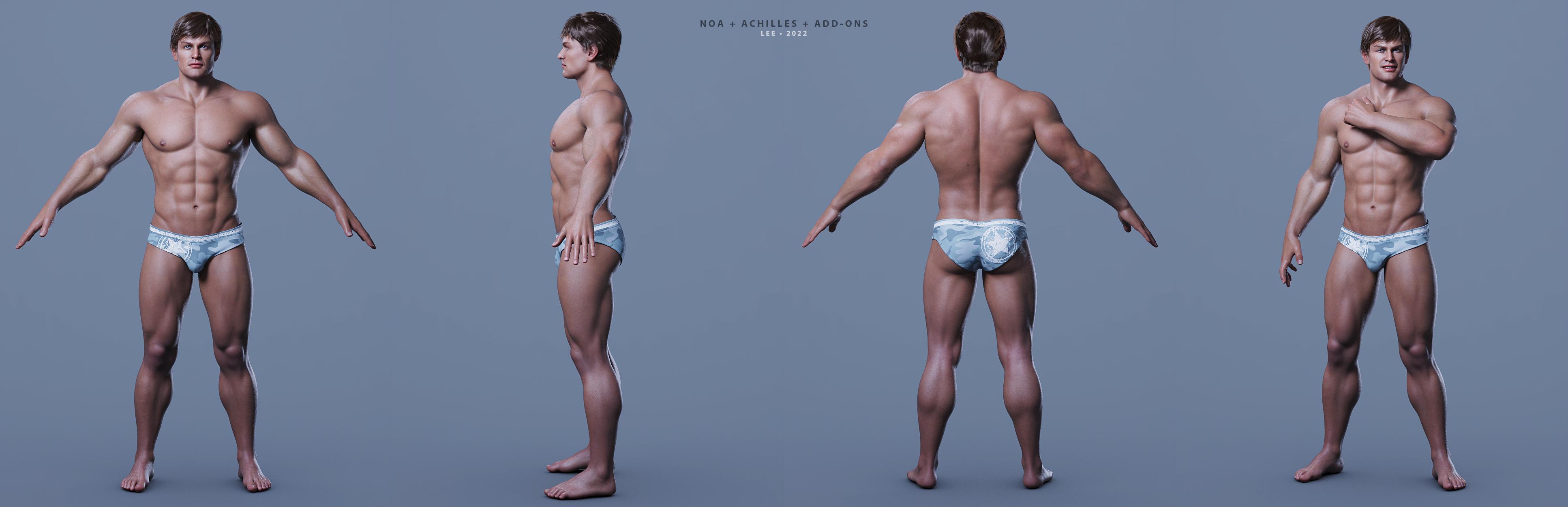
SereneNight’s Sci-Fi Fun Thread 3Here's a quick render of Noa @ 65%, Achilles @ 35%, a very few morph adjustments to the sternum depth/glutes/inner thighs, and 2 muscular figures dialed in at low strength to give him additional muscular volume. I also applied my modified version of Pablo's textures (to work better with my lighting setup.). That's all I remember doing at the moment.
I do like Noa and have picked up a good number of the items that have been offered for him this week.
Lee
 When transferring morphs from G2F and G3F to G8.1F hands get deformed
All these figures have different bones which is what the transfer utility is concerned with - for making clothing.
One can remove unwanted changes and resave the morph.
 You thoughts on Genesis 3 characters to be remade in Genesis 8.1
My thoughts:
New is not always "better" ... I have not been updating all morphs to have the same sets of morphs for every figure ever made. If I want to use a G2F morph, then I'll use G2F. If I want to use a G8.1M morph then I'll use G8.1M.
Technically, yes it's possible to morph the G8 and G8.1 figures in Hexagon -- AFAIK, same as one might consider for any other generation. The mesh is different in places. I always recommend using the bridge to Hexagon, and go very easy or even avoid surface seam areas. One can help Hexagon by removing any fancy shaders from the figures first. If bringing in 2 figures, freeze the one being used as reference and delete it when finished using it as a reference.
Also, remember to have the figures at base resolution and NO eyelashes NO tears [G8.1].The customers normally do not know what or when Daz3D is planning to do a lot of stuff, unless they release word. We know that they are working on a Daz Studio 5.x. I think most of us expect a Genesis 9 to come along with it. When, nobody that knows can say, so we don't know.
DazToUnreal does not import FBX, only materials and texturesThanks, I'll try your solution proposal once if I fix the second question's problem.
I'm actively looking for help but currently no one answer my questions except you, thank you again!
I opened a new topic about this because I started to think this is a bug, you can check here.
DazToUnreal bug report - Morph export didn't work on child objects of a G8 figureJust tested DazToBlender and again, I was not able to access child object (marked as red) morphs.
It seems this is not related to DazToUnreal but a whole transfer system.
I need an explanation. Why aren't the morphs of the child object transferred? I need it transferred.
I see the child object as visually, it's exported but it is useless if I cannot access the morphs for me. Morphs are not exported...Edit: DazToMaya does not export child object morphs either...
Philosophy Behind 8.1 Face Morph Naming?You can get your G8 ones working on G8.1 by following these instructions;
Making the G8 base expressions (and any expressions that are using them) work on G8.1 requires removing dummy/placeholder expressions that are installed to G8.1 morph folders - These dummy/placeholder expression files have no other function than to prevent the base G8 expressions from loading.
The dummy/placeholder files are located in;
...\Data\DAZ 3D\Genesis 8\Female 8_1\Morphs\Daz 3D\Base Pose Head\ (255 files, can be more if you have additional DAZ expression packs)
...\Data\DAZ 3D\Genesis 8\Female 8_1\Morphs\Daz 3D\Expressions\ (24 files, can be more if you have additional DAZ expression packs)
...\Data\DAZ 3D\Genesis 8\Male 8_1\Morphs\Daz 3D\Base Pose Head\ (255 files, can be more if you have additional DAZ expression packs)
...\Data\DAZ 3D\Genesis 8\Male 8_1\Morphs\Daz 3D\Expressions\ (24 files, can be more if you have additional DAZ expression packs)Please make sure you are removing the files from G8.1 morph folders and not G8 morph folders.
Note 1; If you are logging in to DS and letting DAZ Connect (within DS) to install/update your content, you may have these also in an other location that has "\Data\Cloud\" in it's path
Note 2; Do not remove any files from "FACS" or "FACSExpressions" foldersHow do you make two or more JCMs working together?I can't tell exactly what is going on, but I susepct you may not have reversed the deformations correctly when loading the morph - a JCM should not affect areas away from the actual bend at all, so for the collars the worst might be a bit of overlap around the clavicle or upper sternum and even that I would not expect with most outfits.
However, yes there will be cases (e.g. thigh bends) when you can expect problems and yes, in those cases the solution would usually be a morph to correct the overlapping effect that was tied to both JCMs (one by the usual add, one by multiply)
When transferring morphs from G2F and G3F to G8.1F hands get deformedI've gone back and forth a few times to try and figure out where the problem originates. Morphs transferred from G2F to G3F come out fine, but from either of those two going to G8.1F the hands always get mangled. If this is normal, I'd expect to find a post about this by searching the forums. I've come across topics related to morph deformaion, but nothing specifically addressing this specific glitch. I really don't want to have to resculpt my morphs on G8.1 meshes if it can be avoided. I've already had to do that to get the correct form for G3. I might do it again for just one or two morphs, but I really expect better from the Transfer Utility. Can anyone suggest a better solution?
Daz 3D is part of

Connect
DAZ Productions, Inc.
7533 S Center View Ct #4664
West Jordan, UT 84084Licensing Agreement | Terms of Service | Privacy Policy | EULA
© 2026 Daz Productions Inc. All Rights Reserved.