-
and things just keep moving along
We had the DAZ+ sale. It was cut shirt by the release of G9 and V9. The very next day we're off to some warrior stuff, with nothing new for the V9/G9 release. I find that a bit strange after all the hype of the new release...and it just sort of goes fizzle right off.
I was looking forward to the release of the morph kits at least.Genesis 9 Coming Soon! Preorder Victoria 9 HD Todaydonavanneilart said:
Jay Versluis said:
I've been messing around with custom morphs in ZBrush and the figure is much easier to work with than G8 for me. I haven't tried making a bigger character yet, but this is Victoria 9 with ZBrush morphs and I gave her a significantly bigger waistline and a bigger belly. There was a little bit of the usual folding when a character doesn't have a corrective morph for unusual shapes, but it was much easier to smooth out.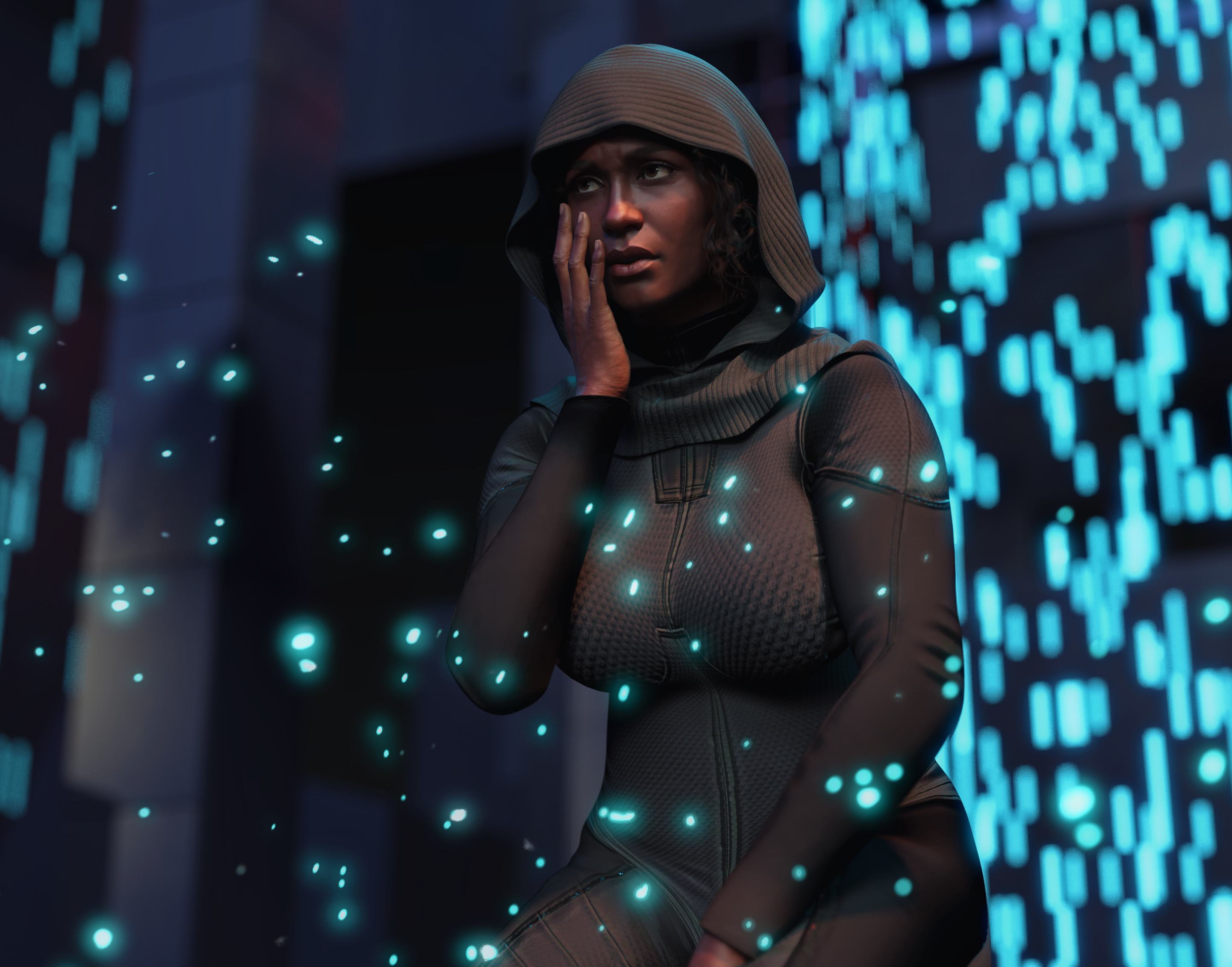
That's fantastic @plasma_ring!! Thank you for sharing

Acutally, the shape looks really natural. I have a feeling -- just from the introduction we've had so far -- that our figures in this generation will look more natural overall -- better proportions, better bending and flexing, less exaggerated features (e.g. breast size). I'm really excited for this!
Thank you, Jay, I'm glad you like it!
And so far I'm pretty stoked about posing and shaping, too. The unified mesh was the big draw for me, but I picked up JWolf's expressions pack and I'm really impressed. I don't usually buy expressions because they can easily look really bizarre on characters they weren't made for, and a lot of my endless tweaking of my characters has been to simplify their features enough that they don't look off when expressing more than three emotions. So far even with different shapes I haven't had any real problems, and can manage expressions that would typically take me hours on a custom shape with some dial noodling. Looking forward to seeing how they work out when I have access to more morphs.
 What is the workflow for creating a head morph for the Genesis 9 figure?
I don't have Genesis 9, but I would say it is 100% the same workflow as before.
The basics are exactly the same. A rigged mesh with : geometry, bones, morphs.
If now Eyes and mouth are separate objects, it means that one has to make morph morphs.
Then I guess now it'll be for G9 : 1 FBM Body slider, 4 (hidden) PHM sliders for each separate head part : mouth,eyes,head, tears, all controlled by a 5th FHM Slider. And a last Ctrl slider that will act on FBM and FHM, thus all the aforementioned sliders.
More objects = more morphs to make = more sliders. But the technique behind all that remains the exact same as the one described in your video.
But again I'm just guessing here as I can't test what I'm saying.
What is the workflow for creating a head morph for the Genesis 9 figure?Hi,
I want to create some freebie head morphs for Genesis 9 but I am not sure how. I have sculpted in ZbrushCore a female head for the base Genesis 9 figure, so now I have a female head on an androgynous body. I started with the androgynous head (no feminine head dialed in at the start).
The position of the eyes of my character is somewhat lower and wider than that of the androgynous base figure, so I positioned the eyeballs in DS in their proper position (with my head morph dialed in of course) and then exported both eyes together in .obj format out of DS. Next I used the Morph Loader Pro to bring them back into DS as a morph. I zeroed the entire figure. When I dialed in to 100% the new eye morph the eyes landed much lower and wider than I initially positioned them (about twice as much as they were meant to shift).
I'm sure there will be more of such hurdles along the way, so I would really appreciate it if someone in the know (maybe from technical support or a PA) explained to me the process of creating a head morph for Genesis 9.
I have made many freebie head morphs for Genesis 8.1, so I have experience in creating them but Genesis 9 is a different story, especially given that the eyes and mouth are separate now.
This is the tutorial that taught me how to make head morphs for Genesis 8.1 (with some slight modifications that I introduced):
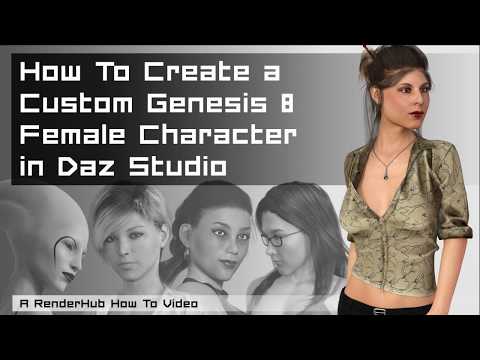
Edit: this tutorial shows morphs from morph kits baked into the custom character morph. This is not allowed, so please disregard this fragment of the tutorial. The proper way to include changes made to your character by using morph kits is explained by Richard Haseltine here:
https://www.daz3d.com/forums/discussion/602546/aobb-s-luminous-v4-for-g8-1f-aka-audrey-hepburn-no-materials-nor-textures-included/p2
I'm posting this link, so you can see what my process is and show me where it needs to be modified.
Thanks in advance!

Regards,
AOBB
Genesis 9 poke throughSupernalPhantasia said:
Neat, changing the viewport subdivisions does indead show the geometry of them better, I can see how they are shaped now. So that does mean there is plenty of geometry there to make any needed morphs, though I haven't checked yet to see if HD/max resolution or full morph creation is accessible to everyone like it used to be or is gated to only PAs as it was on the last generation or so of Genesis - a stupid move for discussion elsewhere.
However, changing the subdivision level of rendering does not fix the poke through, whether both items are 'matching' in subdivisions or not and regardless of where they are set on the scale of 1-5.Nothing has changed in that respect, if one is not a DAZ PA, one can only make morphs to the base geometry which is very low resolution in the chest area.
Genesis 9 poke throughNeat, changing the viewport subdivisions does indeed show the geometry of them better, I can see how they are shaped now. So that does mean there is plenty of geometry there to make any needed morphs, though I haven't checked yet to see if HD/max resolution or full morph creation is accessible to everyone like it used to be or is gated to only PAs as it was on the last generation or so of Genesis - a stupid move for discussion elsewhere.
However, changing the subdivision level of rendering does not fix the poke through, whether both items are 'matching' in subdivisions or not and regardless of where they are set on the scale of 1-5.SereneNight’s Sci-Fi Fun Thread 3I bought the Victoria 9 HD Intro Bundle / Character Essentials too. The FACS and character look great & there are so many adjustments. Did you notice that the body has muscle flex adjustments for when you pose (not body builder type just sort of typical)? At least, that's what I think those are but there is so much to try out.
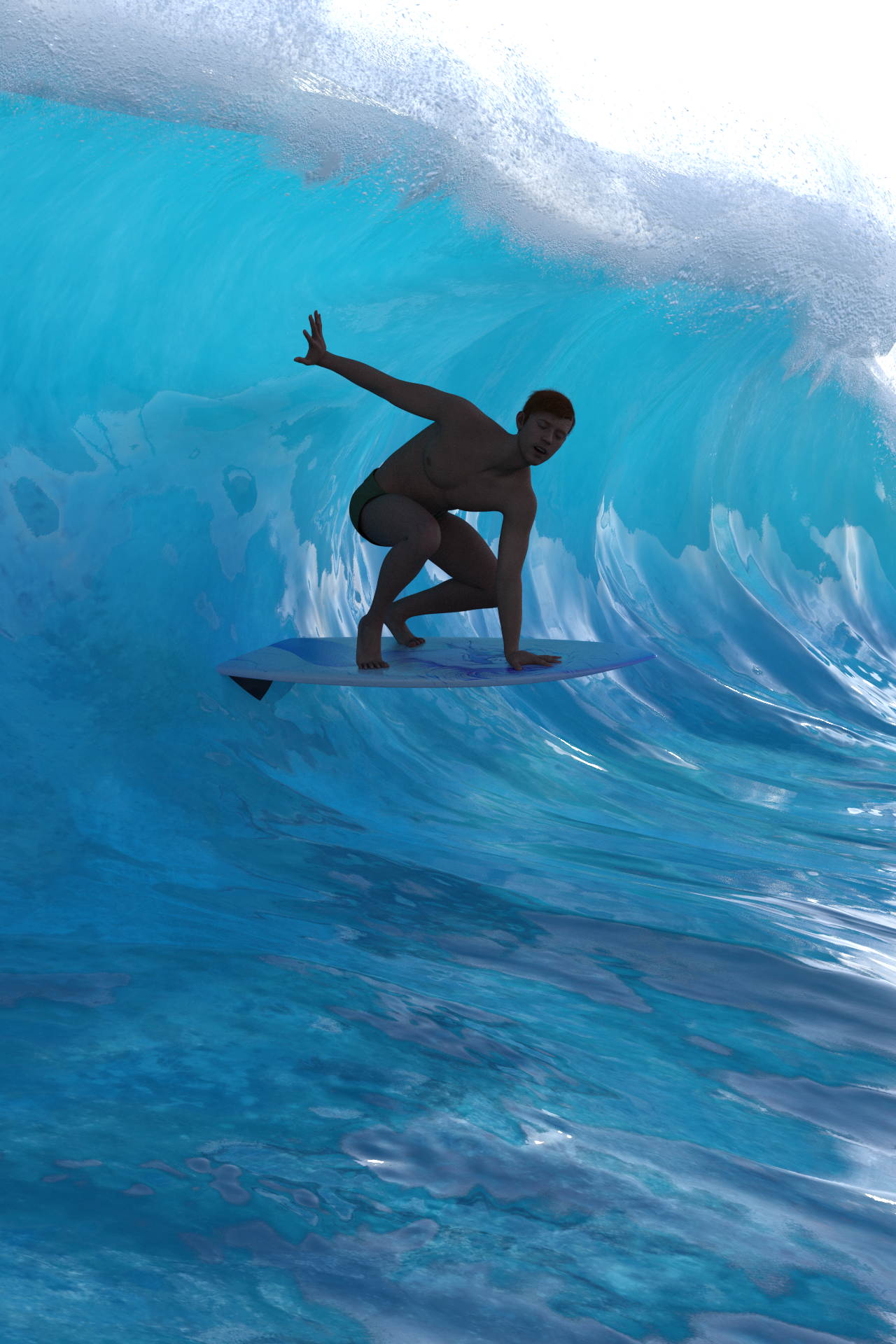
I was on the fence too about the beach bundle, on the one hand the clothing looks less like paper doll clothing from the effects of dForce, and on the other I own similar types of clothing already. What's likely to cinch it though is I want that wave, it's much better wave than what waves I have already for a surfing wave.
The wave you can see looks good. That is G9 with the male far east skin from the G9 Essentials. The hair is a morph of the Pixie hair. The expressions and posing is great but it's been changed so I will need to fiddle and get use to it the new way, example: check out the metatarsal and foot posing now as they are much better but so diffient I have to find reference photos of posed feet to be sure.
The autofit for is hardly working at all so I just put him in the G9 Essentials shorts although autofit is not quite working correct there too, instead of the End of Summer clothing. Propably the most useful thing in that bundle for me are the different casual shoes of which I had hardly any of.
He's about to be flipped off his board by the way.

 Can't create clones of and for g9
Catherine3678ab said:
Eboshijaana said:
I like to create my own clones for auto-fit, so once G9 came out I decided to make ones for 8.1 and a general G9 clone.
Only, despite using a method I know works, neither a g8.1f clone for G9 NOR G9 clone for g81f works. Both complain about geometry being different.
This is VERY curious, not going to lie.? what method are you using?
If the geometry is different possibly you've missed removing one of the several geografts. Base resolution.
I also used Dev versions for both, so there should be no alien geometry.
Genesis 9 clothing questions & answersMada said:
barbult said:
Mada said:
yea the template would be much better to use. I would try exporting an obj instead and use that with the templates
Do you mean use the OBJ I exported from MD with the Transfer Utility in DS, just like we have done for G8?
Yes :)
Thanks, I did so, and it came out much better.
Can't create clones of and for g9lilweep said:
well then the "method you know that works" obviously doesnt work...
(who knows what the method is since it wasnt described in OP)
G9 has different geometry than 8 and 8.1 since it has more verticies/faces, so thats probably why "both complain about geometry being different"
https://www.daz3d.com/forums/discussion/193296/freebie-how-to-create-a-v4-clone-and-transfer-other-figures-for-g8f-now-with-video This is the method used. Works from g1 to g8. So it SHOULD work.
Is this the future for male clothing?Mada said:
So far that's not been my experience, in fact I've been very happy how male clothing look on the male morph :) Michael 9 looks AMAZING
is this a hint that Michael 9 will be out sooner rather than later?
AIUTO...CHI CONOSCE L’ITALIANO? PARTE TREDICIKainjy said:
nel senso che fai un unico morph... se vuoi il corpo maschio lo metti al 100%, se vuoi un corpo femmina al 0%.
Che senso ha avere un morph corpo femminile e un'altro corpo maschile ? Stesso discorso per i capezzoli (ci sono 2 morph.. capezzoli femminili e maschili) e per tutte le altre parti del corpo...
E cmq mi hai dato un'idea per un morph facilmente fattibile
Da quel che vedo fai prima a continuare ad usare G1, specie perchè puoi usarci su abiti, capelli e accessori provenienti fin dalla Generazione 1 (i mitici Victoria1 e amici vari),perfino quelli non-DAZ, fino ad arrivare a G8. E con un trucco veloce perfino G9, adesso.

Con G9 hanno fatto parecchie migliorie (Il rig e gli IK sono ottimi, facilissimo animarlo) ma sono ancora ben distanti dalla flessibilità che erano riusciti a dare a G1. Vediamo cosa esce in futuro ma per ora G1 e basta.
Genesis 9 clothing questions & answersYou misunderstood yes :) The weightmaps are primarly for dforce poke throughs after draping or posing and not meant for animations. It can be used to fix poke through in character morphs as well, and in that case it would be better to export the fix as a morph. That way it will load in the clothing everytime you apply the character morph.
UV/Skin Gen 9 questionvalzheimer said:
Inside Daz Studio: not until someone makes UVs that support old textures.
But if you can overlap the shapes (via using the clone and pose adjustment) you can use external software to rebuild maps for new UVs, like in Blender or Blacksmith.
Getting shapes to align could be done with something like R3DS Wrap pretty easily.
the old software xNormal is pretty good for texture transfer from one UV to another.
(Id probably put all G8 textures on single UDIM before transfering to G9's single UDIM UV map)
Genesis 9 clothing questions & answersA morph will not work for animation/different poses, but just on that specific single pose. A custom weight map will most likely be effective on multiple poses, assuming the poke follows the mesh. Unless I misunderstand what you mean.
Genesis 9 clothing questions & answersThe weightmap is for quick and fast poke through fixes, especially after layers in dforce or extreme poses. If you want to use the fix in multiple scenes then its better to export a morph and import that into your clothing.
How Do I Get the v9 Face in the Makeup Promo?So, DAZ likely created a V9 character morph for the makeup promo and we'll have to wait and see if they release a figure based on that morph. Looks like I'll be keeping my fingers crossed...
Genesis 9 Character EssentialsKnittingmommy said:
While I love that we now have the option of buying a product to get the anatomical elements without buying a pro bundle, it's so sad to see yet another generation with subpar "anatomical elements". I was really hoping they would improve the "anatomical elements" in a more realistic manner or go back to how the G2 male elements worked. But no, yet again, we have male elements where a certain body part is either on or off. There is no way to customize how it looks as if it looks the same on every single man out there. Here's a tip, 3d modelers, it doesn't. That part of the male anatomy is as different as any other part of the body. It comes in all different lengths, both in how it hangs and how it hugs a man's "anatomical elements".
So yet again, I'll probably have to go to a third party seller who actually knows what a man looks like naked in a year or two or whenever someone makes a realistic geograft if I want to create a tastful male nude with realistic anatomy. It's kind of sad that if I want to a realistic male nude straight from the Daz store, I still have to use Genesis 2 males where we have the ability to adjust length of a certain covering at the very least.
It's also kind of sad that I just wrote that whole paragraph trying to be careful of my words so I don't use an anatomically correct, medical term for what I want to describe instead of "anatomical elements" and their parts.
I'm hoping LexaKiness is already planning to do a morph set. I prefer the way the official gens sit on the body, but most of my characters aren't circumcised and the LK morphs are the only realistic option I've seen for representing that in different states of coverage on the Daz anatomical elements.
Genesis 9 clothing questions & answersthanks...I've got it working by fitting it to the base shape and then creating a morph for feminine body shape but the video will be useful also.
Is this the future for male clothing?xyer0 said:
Just have your male identify as female: Voila!
But seriously, I'm concerned about the same thing because I don't want neutered males in skinny jeans and halters. Hopefully the usual suspects will give us a few male staples that fit like men's clothing without shrink-wrapped pecs.
So far that's not been my experience, in fact I've been very happy how male clothing look on the male morph :) Michael 9 looks AMAZING
Daz 3D is part of

Connect
DAZ Productions, Inc.
7533 S Center View Ct #4664
West Jordan, UT 84084Licensing Agreement | Terms of Service | Privacy Policy | EULA
© 2026 Daz Productions Inc. All Rights Reserved.