-
Just Curious - Does DAZ Studio Get As Easy to Use As Carrara?
A large number of DAZ Studio items work with Carrara, sometimes with workarounds, so one is not limited to Poser content. Have used Genesis 9 repeatedly, and also UltraScenery 2 renders as backgrounds.
Some of the vehicles on the way they are rigged do not convert very well with the blended weight option in Carrara.
Have found a few that are not Carrara friendly, so I pose those ones in DAZ Studio and export as obj's, not satisfactory for animation.
As for which is better for animation that depends on your preferences !!!
Just Curious - Does DAZ Studio Get As Easy to Use As Carrara?I've been getting ready for another 48 Hour Contest (a five minute animation in two days, given a genre, character, prop and line of dialogue). I'm doing some Carrara test animations using familiar features, e.g. clips, just to shake off the rust.
I have used DAZ Studio for some great renders with IRAY, but so far I have not tried animation. I recall Dartanbeck saying the animation in DS is, indeed, workable. Having used Carrara for so long it feels like second nature, I'm wondering if DAZ Studio users get to that point. Not trying to start an argument, but I'm obviously partial to Carrara. I would be encouraged to get more into DAZ Studio if users say it can be just as intuitive with continued use. Clearly, the number of products available for DS is growing exponentially, while products for Carrara compatible Poser items is ... not.
 Buy Something That Doesn't Work in Carrara? Post your Questions and Workarounds here. (please)
This one has me baffled. I'm trying to use Auguste Clown. It works fine in Studio an so do all the parts in Carrara except the pantaloons. The skeleton is visible, but the pantaloons are invisible. If I go into the model room they are visible. I've tried changing every visibility setting, creating new shading domains and changing the shaders. It's still not visible. Fiunny thing is is I select "Actor" and detach the skeleton the pantaloons become visisble. Any ideas?
Thanks in advance.
Carrara Community Art Gallery - Show us your Renders!!!Bunyip02 said:
evilproducer said:
Fettbemme said:
very realistic
I still don't know how to make grass in Carrara. So I do it in Vue instead.
I used grass from a Howie Farkes scene, but I have made my own in the past as well. The grasses in the scene are basically vertex models replicated on the terrain.
Renders are looking great EP - welcome back !!!
Thanks.
Carrara Community Art Gallery - Show us your Renders!!!evilproducer said:
Fettbemme said:
very realistic
I still don't know how to make grass in Carrara. So I do it in Vue instead.
I used grass from a Howie Farkes scene, but I have made my own in the past as well. The grasses in the scene are basically vertex models replicated on the terrain.
Renders are looking great EP - welcome back !!!
Carrara Community Art Gallery - Show us your Renders!!!Fettbemme said:
very realistic
I still don't know how to make grass in Carrara. So I do it in Vue instead.
I used grass from a Howie Farkes scene, but I have made my own in the past as well. The grasses in the scene are basically vertex models replicated on the terrain.
Night & Day City - Product Promo [Commercial]Diomede said:
PhilW said:
Speculativism said:
Slight problem.
I do still use Carrara in 2024 so I was interested in Night and Day City which is currently on sale in the store but the instance randomizer plugin isn't downloadable from either the Sparrowhawk site or the Wayback machine.
Is there anywhere else I can get a copy of the plugin?
Alternatively, is the Night and Day City still useful without the plugin?
Here you go, just put the files in your Carara8.5/Extensions folder. Thanks for your interest in the product. The Instance Randomizer was developed for Carrara by Sparrowhawke at my request - I wish we had something similar for Daz Studio, it enables a lot of clever stuff!
Thank you for the instance randomizer. It went missing during my most recent re-installation. Amazing how powerful shader variation can be!
Yes, I wish there was something equivalent in Daz Studio!
Carrara Community Art Gallery - Show us your Renders!!!evilproducer said:
Hi all. Been a long time. Dart and Wendy suggested I come over and post some of my recent renders. We'll see if I can remember how to do this.

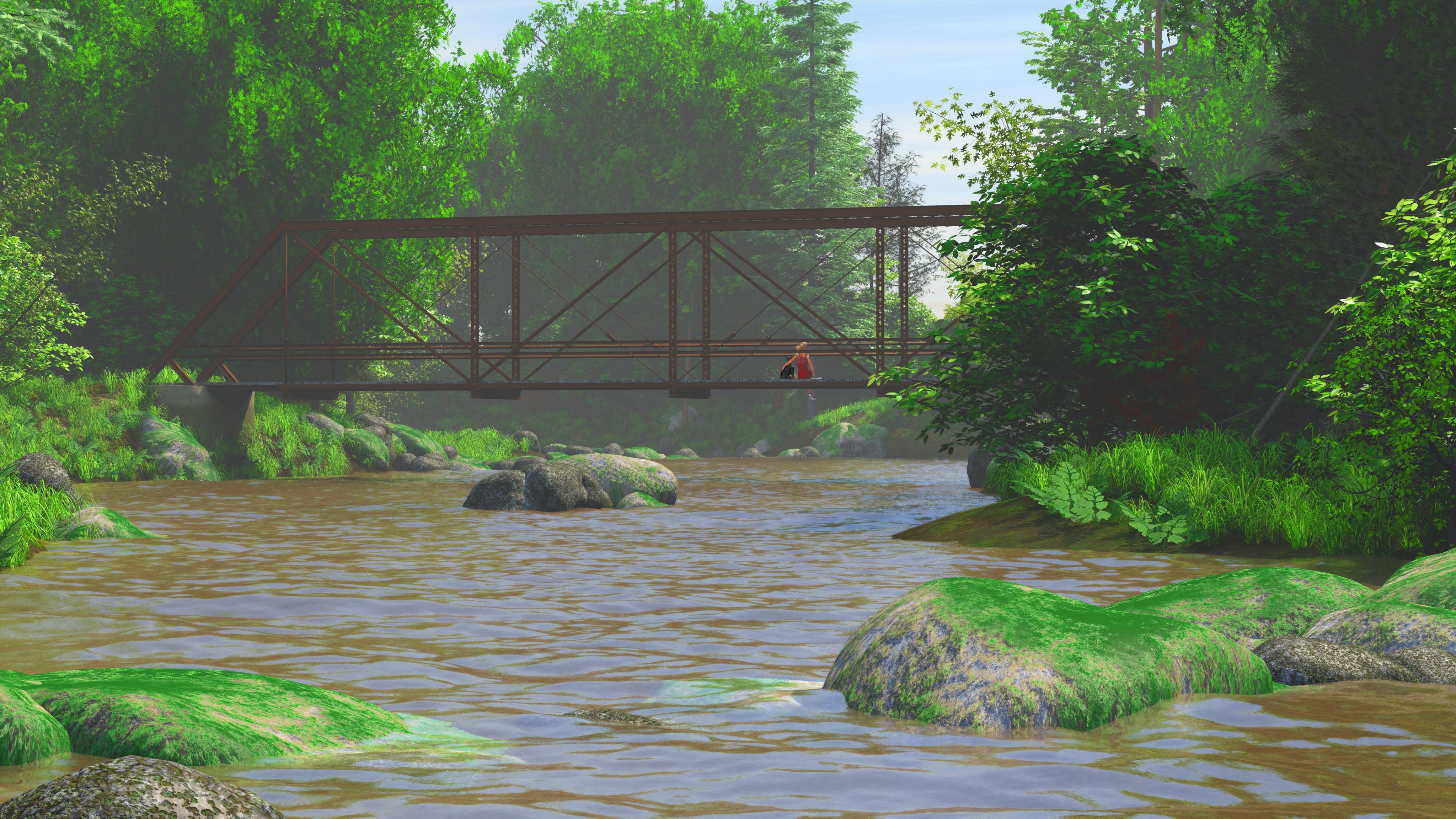
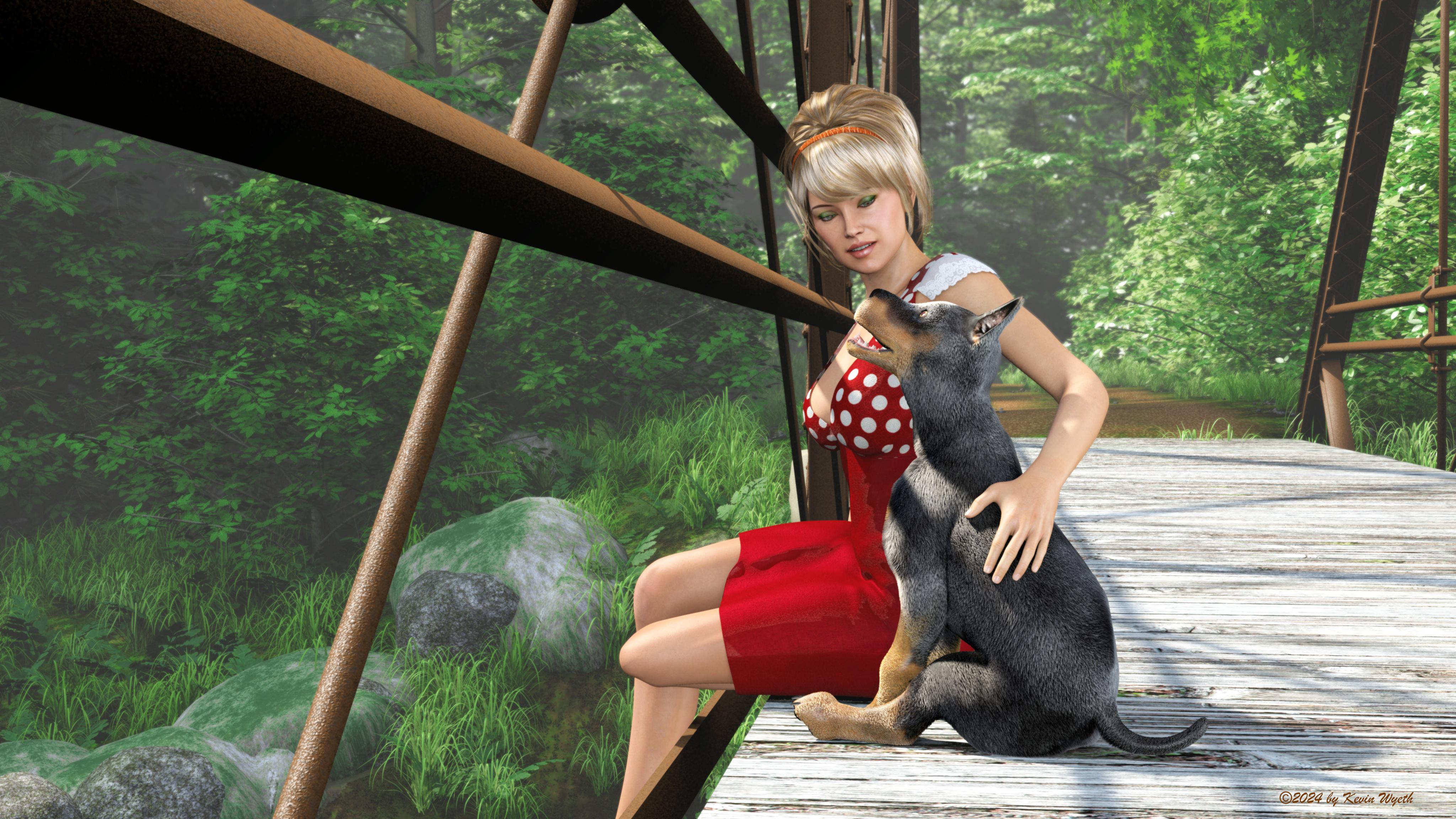
The images in this post use a scene I've been building centered around an old iron bridge I built in Carrara. It is based on a real life bridge in Gilman, Wisconsin (which is a little town in the Northwoods). The bridge is single lane and now is exclusively a pedstrian bridge.
I built a large vertex terrain for the bridge to reside in. The river has an "S" curve to hide the view of the edge of the terrain from most angles. The road leading up to the bridge uses the same trick. Almost all the shaders/textures used on the bridge are procedural with the sole exception of the wooden road deck which is built by using photos of the real bridge's road deck as image maps. I'm most proud of the rust shaders and the concrete footings that hold the bridge. The concrete uses elevation shaders to generate the old high water stains on the concrete.
I used multiple surface replicators for different things, such as two for grass, one for trees, one for shrubs/undergrowth and one for rocks. I originally used Carrara's 3D paint tool to paint the distribution maps on the terrain, and fine tuned them in Affinity Photo. The grass is from Howie Farkes scenes, as well as quite a few of the trees and shrubs. I also have a couple of my own, such as the oak trees and ferns. The rocks/boulders are equally Howie Farkes and my own. The water is the Carrara Ocean primitive with my own shaders.
As far as the images go, I wanted to test figures in the scene, so one image is a distance shot and one is close-up. The woman is sitting with one leg tucked under her, which isn't apparent in the renders, I just didn't feel like reposing her as it took me a long time to get her how I liked her. The Daz Pup uses Carrara hair. However, since I rendered using gamma correction (which washes out the hair), I also rendered a volumetric pass to get the hair on its own layer so that I coiuld correct fior the washed out hair. I also used some other render passes such as depth and object index to help me with adding a DOF in the closeup image. I used a reflection pass on the water to help make blurry refections in the distance render.
Click images for full sized renders.
very realistic
I still don't know how to make grass in Carrara. So I do it in Vue instead.
Carrara Community Art Gallery - Show us your Renders!!!I did a couple cheese-cakey pinup renders. The idea is to do one themed for each month of the year. The first image I did for June. I live in Wisconsin, and in WI, June is Dairy Month. For those not in the US, Wisconsin is known as the Dairy State. June is our time to honor our dairy industry, from the farmers to the cheesemakers and everybody else in the industry. Big cities and little towns (especially the little towns) have dairy themed festivals all through June, including pancake breakfasts (served on a local farm, and usually including plenty of milk to drink and cheesecurds to munch on in addition to the pancakes), to parades, etc. Businesses have sales and specials on dairy products. It's pretty huge. My pinup pays homage to June Dairy month and pokes some fun at it as well.
I built and rigged the milk machine. It is mostly accurate with the caveat that I did exclude a couple vacuun hoses, and the hose that sends the milk to the pipline was too short and didn't extend off camera, so I hid it when I posed the figure. I had to exclude the some of the hoses because with all the other hoses the rig was becoming very unweildy. The bikini top is from DAZ's V4 Basic Wear, that I retextured and grew Carrara hair on. I don't recall where I picked up the shorts. The textures for V4 are the Maya Elite textures which came with Carrara optimized shaders (I think done by Ringo). The hair is from the old Reby Sky bundle. I did extensive work on that to get it to interact with the lighting more like real hair. The eyes were done with Endless eyes with some tweaking on my part.Click image for full size!
(Image removed by mod)
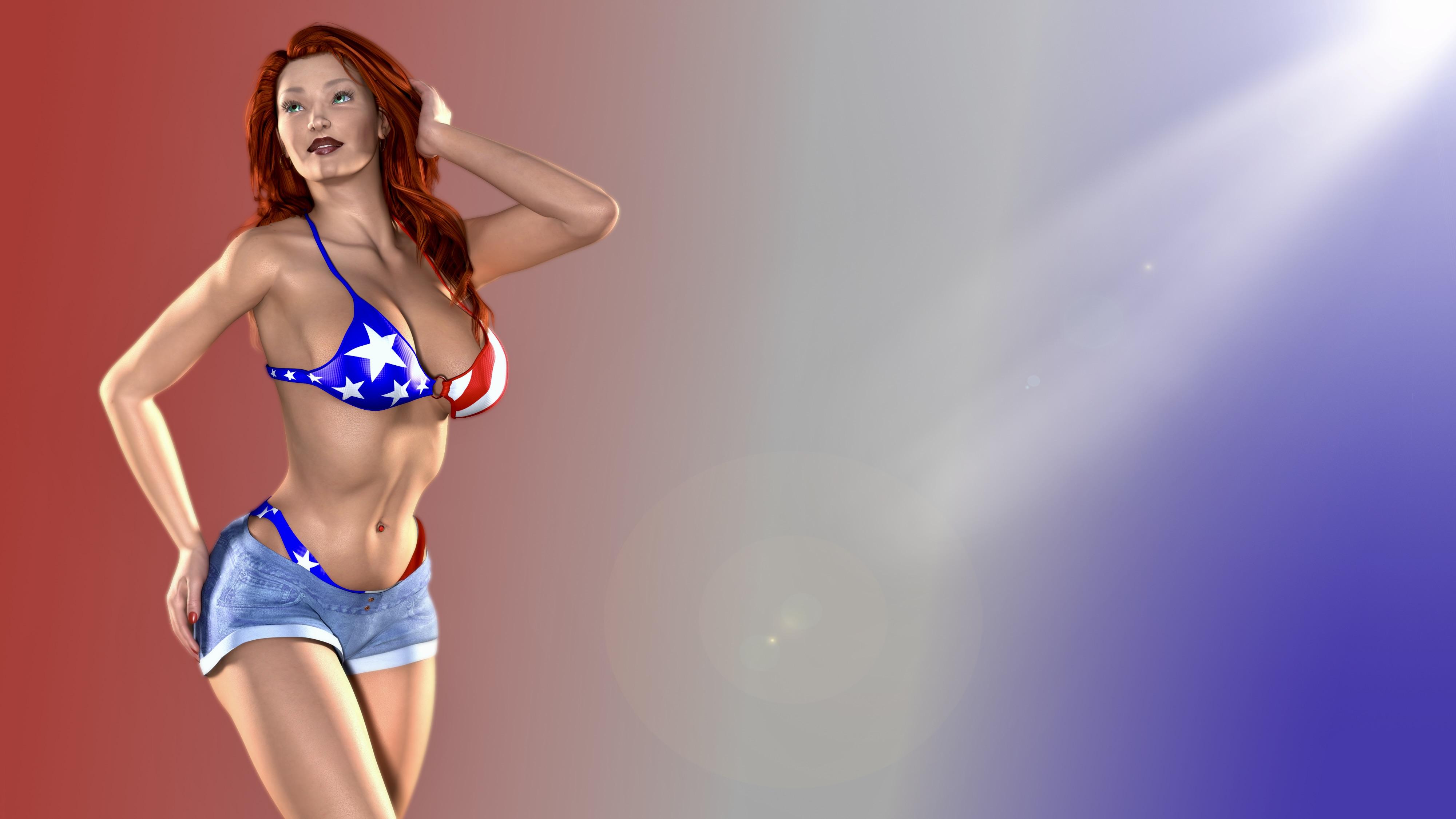
The second image is a 4th of July inspired pinup. It is the same model and same outfit with the addition of new 4th of July inspired textures. I did use the Body suit to get the bikini bottom under the shorts. I had to edit the vertex model for the shorts in the Assembly Room to fix pokethrough from the bikini bottoms. Nothing much else was done on this one. It's kind of cliché, but I like it. I rendered both images with an Alpha channel so that I could comp in a background in Affinity Photo.
Click image for sull size!
 Carrara Community Art Gallery - Show us your Renders!!!
Hi all. Been a long time. Dart and Wendy suggested I come over and post some of my recent renders. We'll see if I can remember how to do this.
The images in this post use a scene I've been building centered around an old iron bridge I built in Carrara. It is based on a real life bridge in Gilman, Wisconsin (which is a little town in the Northwoods). The bridge is single lane and now is exclusively a pedstrian bridge.
I built a large vertex terrain for the bridge to reside in. The river has an "S" curve to hide the view of the edge of the terrain from most angles. The road leading up to the bridge uses the same trick. Almost all the shaders/textures used on the bridge are procedural with the sole exception of the wooden road deck which is built by using photos of the real bridge's road deck as image maps. I'm most proud of the rust shaders and the concrete footings that hold the bridge. The concrete uses elevation shaders to generate the old high water stains on the concrete.
I used multiple surface replicators for different things, such as two for grass, one for trees, one for shrubs/undergrowth and one for rocks. I originally used Carrara's 3D paint tool to paint the distribution maps on the terrain, and fine tuned them in Affinity Photo. The grass is from Howie Farkes scenes, as well as quite a few of the trees and shrubs. I also have a couple of my own, such as the oak trees and ferns. The rocks/boulders are equally Howie Farkes and my own. The water is the Carrara Ocean primitive with my own shaders.
As far as the images go, I wanted to test figures in the scene, so one image is a distance shot and one is close-up. The woman is sitting with one leg tucked under her, which isn't apparent in the renders, I just didn't feel like reposing her as it took me a long time to get her how I liked her. The Daz Pup uses Carrara hair. However, since I rendered using gamma correction (which washes out the hair), I also rendered a volumetric pass to get the hair on its own layer so that I coiuld correct fior the washed out hair. I also used some other render passes such as depth and object index to help me with adding a DOF in the closeup image. I used a reflection pass on the water to help make blurry refections in the distance render.
Click images for full sized renders.
Night & Day City - Product Promo [Commercial]PhilW said:
Speculativism said:
Slight problem.
I do still use Carrara in 2024 so I was interested in Night and Day City which is currently on sale in the store but the instance randomizer plugin isn't downloadable from either the Sparrowhawk site or the Wayback machine.
Is there anywhere else I can get a copy of the plugin?
Alternatively, is the Night and Day City still useful without the plugin?
Here you go, just put the files in your Carara8.5/Extensions folder. Thanks for your interest in the product. The Instance Randomizer was developed for Carrara by Sparrowhawke at my request - I wish we had something similar for Daz Studio, it enables a lot of clever stuff!
Thank you for the instance randomizer. It went missing during my most recent re-installation. Amazing how powerful shader variation can be!
#2 Oldie But GoodieHi guys
I thoght if you feel a bit challenged maybe this will give you a starting point

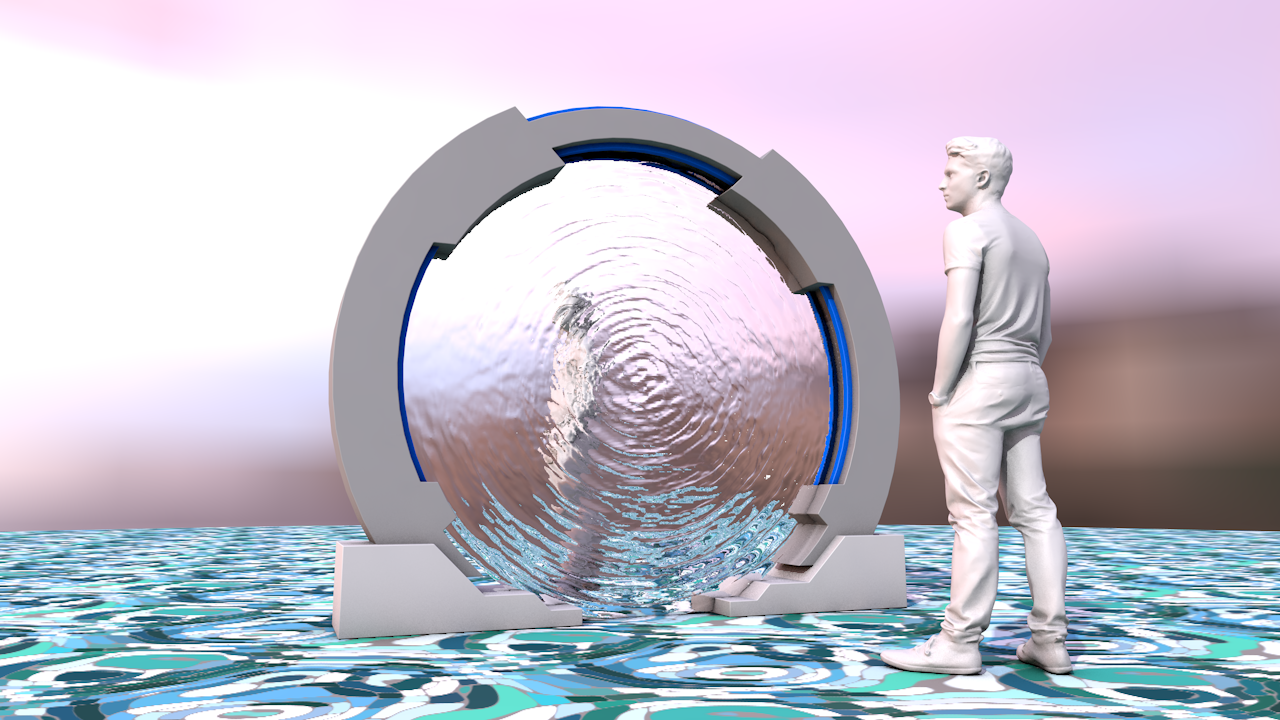
The Stargate is in fact the old OBJECT which you transform into a new setting/environment etc.
You put SG1 team in the gate as if they are walking in or out - or some fighter jet flying through
The File is WaveFront OBJ N-Gons and triangulated for Bryce, Hexagon, Carrara 8, Blender, Cinema 4D R19 with UV-Maps but no textures (the Stargate is old. They had no textures 50 Million years ago)
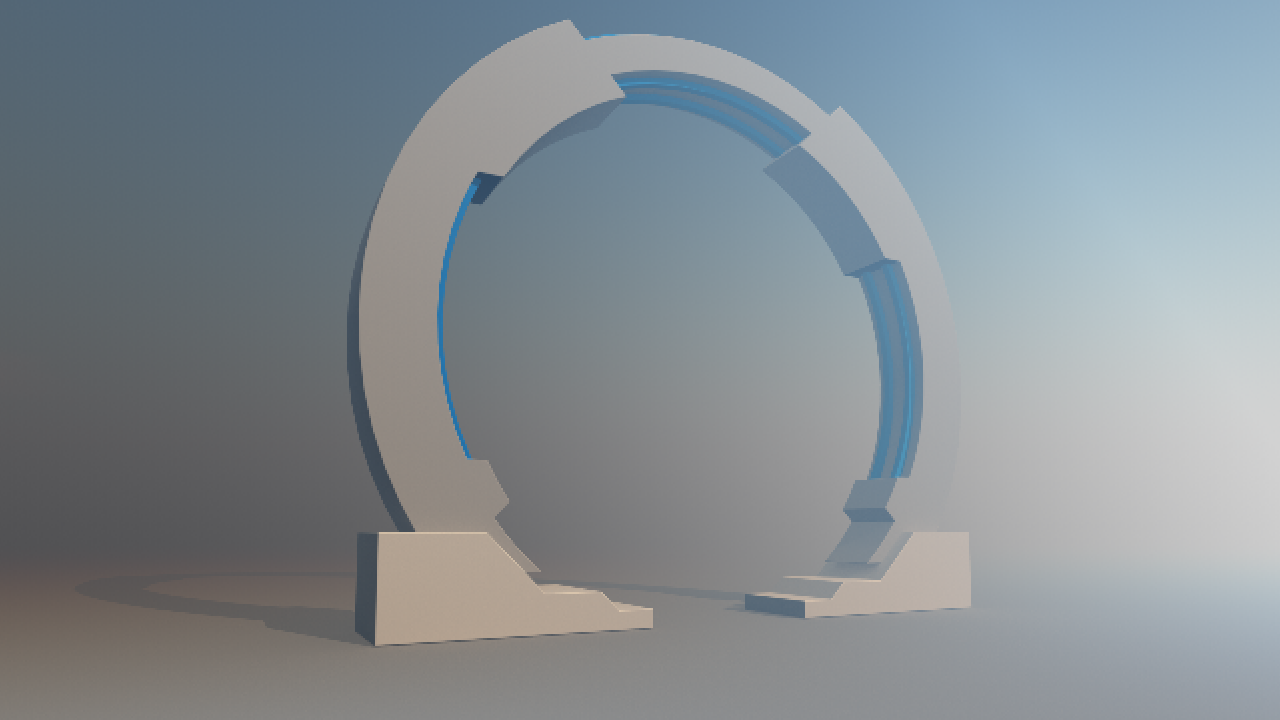
The famous memorable Stargate water-ripple screen as OBJ download
 July 2024 - Daz 3D New User Challenge - Portrait Rendering and L.I.E.
Beginner Challenge - July, 2024
"Portrait Rendering (Expressions and Lighting)"
This month's focus will be Portrait Rendering, with an emphasis on the character's expression and lighting. Portraits are the way we show off the unique aspects of each individual. Expressions should convey their personality. Good lighting will enhance your portrait and set the mood. Portraits don't have to look like yearbook headshots. Get creative, hone your skills, and have some fun in this months contest.
A portrait is a representation of a person, group of people, or even a pet, that displays the expression, personality, and mood of the subject. The focus of a portrait is usually the subject's face, although the entire body and the background or context may be included. Depth of Field is often used to blur the surrounding environment to draw the eye to the subject.
Inspiration:
Portrait Tips and Examples:
Google Search - Portrait Expressions
Beginner's Guide to Portrait Composition
Foundations of Portrait Composition Part I: Framing Your Model
Lighting:
Mastering Lighting in Blender (The first 25 minutes of the video are basic lighting theory and insights.)
Other Helpful Links:
When following tutorials, be cognizant of the different applications (Bryce, Daz Studio, Poser, Carrara, Blender, etc.) and different render engines (3Delight, Iray, Reality, etc). Techniques for one may not apply directly to another. If you have some favorite portrait lighting and composition tips, please share them in this thread.
Composition Golden Ratio helpers:
Bryce
DAZ Studio (Also, DS has a built in Rule of Thirds guide; just select Show Thirds Guide in the Viewport context menu)Rule of Thirds Guide in Daz Studio
Lighting Tutorials:
Tutorials by Szark (Credit is given to Szark for this wonderful thread with links to many tutorials.)
6 Tips for Better Lighting - Blender Guru (Most is general lighting tips, not Blender specific)
Creating And Lighting A Scene With Iray In DAZ Studio
Great Lighting for Dark Backgrounds
High Key Portraits: Take and Make Great Photography with Gavin Hoey
Low Key Portraits: Take and Make Great Photography with Gavin Hoey
Laws of Light: 5 Portrait Lighting Setups
How to Set-Up Camera, Lights, & Displacement in Daz Studio Octane
How to Create the Perfect 3D Scene Lighting with Daz3D
Portrait Tutorials:
Let's Make a Character Portrait - In the Studio with Daz 3D (live streamed in February, 2022 – tutorial starts approximately 14:45)
Daz3D Portrait Tutorial ( magazine article )
Create a realistic portrait in Daz Studio 03: setting up the scene
Some good information on useful portrait cropping
https://digital-photography-school.com/good-crop-bad-crop-how-to-crop-portraits/
The Rule of Thirds in 5 minutes | Creating More Dynamic Framing
And of course its always a good idea to check the portraits contests from the last years:
more....Wacky Modelling ~ In Carrara ~yep, Mr Bobble is versatile

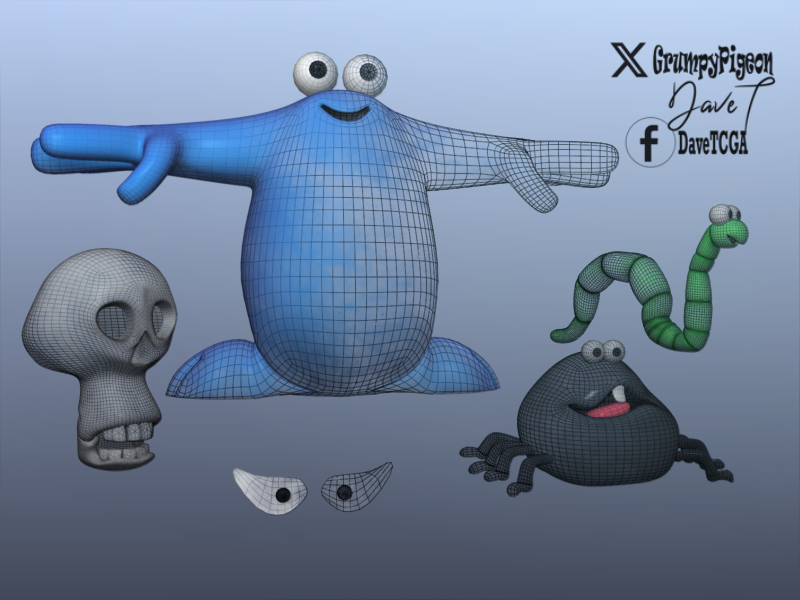
Yesterday the cube was brought forth and several wacky characters and props were created based on an 80's British claymation program which now has a cult following .. some models were also boned and morphed and I even used the Carrara script thingy

The Trapdoor featured a blue creature called Berk, a spider-like creature called Drutt and Boni who was a skull of unknown origin.
 AIUTO...CHI CONOSCE L’ITALIANO? PARTE QUATTORDICI
Imago said:
Muscleman said:
Salve ragazzi, ma un buon programma o plug-in per creare alberi , fiori etc, senza diventare pazzo anche nel texturing per poi inserirli in futuri progetti, dove potrei trovarlo? grazie a prescindere
Puoi usare Carrara, se ce l'hai. C'è una "stanza" apposita dove puoi modificare tronco, rami, foglie e tutto il resto.
Esporti in OBJ e cuoci le textures in una sola cartella.
Altrimenti agguanti questo: https://www.evolved-software.com/treeit/treeit
Quest'ultimo lo trovi perfino su Steam.
Kainjy said:
Muscleman said:
Salve ragazzi, ma un buon programma o plug-in per creare alberi , fiori etc, senza diventare pazzo anche nel texturing per poi inserirli in futuri progetti, dove potrei trovarlo? grazie a prescindere
Plantfactory di Eon (ormai gratuito): https://it.bentley.com/software/e-on-software-free-downloads/
Tutorial: https://youtu.be/u5uT3gId-3A?si=gbcEOjvZ0iphjz11
(ovviamente cambiando i settaggi ci puoi fare anche cespugli, inoltre c'è una libreria di preset già pronti che puoi modificare)
Davvero grazie!
Octane Plugin for Carrara compatibility problem.so glad you got it working and it's not Carrara that's the problem
rather as I said Otoy not supporting later cards with older versions
unfortunate but I guess they want to sell their subscription service
Octane Plugin for Carrara compatibility problem.I finally manage to use Octane render, installing my old GTX 1080 aside my RTX 4070. By default it given me an error and carrara crashed so many times.
BUT, if you go to NVIDIA control panel, 3D configuration, Program configuration and deactivate 4070 CUDA cores for Carrara, then It gonna work smoothly.
I find very sad and unfair that I can't use my 4070 for Carrara plugin, since it was so expensive. But well, this is the solution I found.more....Wacky Modelling ~ In Carrara ~Stezza said:
Mr Bobble in Carrara
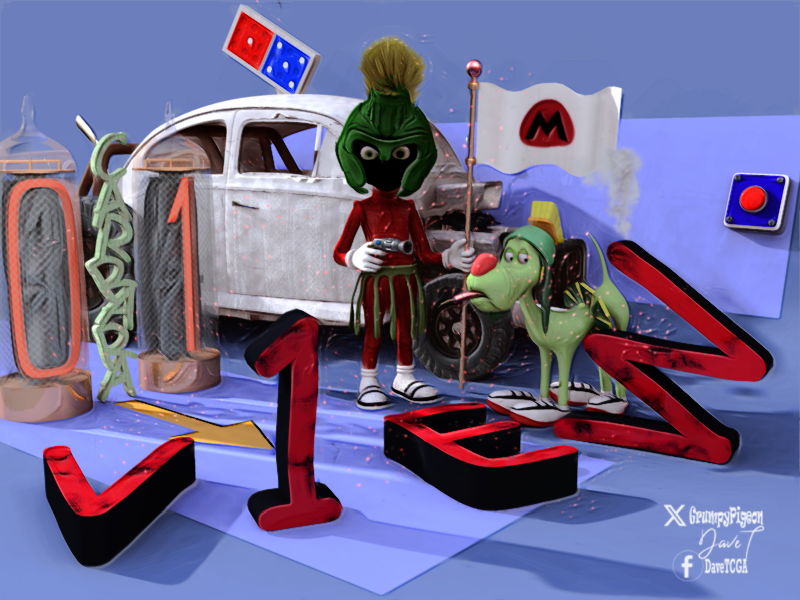
Makes a nice Marvin the Martian !!!
more....Wacky Modelling ~ In Carrara ~Mr Bobble in Carrara
Night & Day City - Product Promo [Commercial]Daz 3D is part of

Connect
DAZ Productions, Inc.
7533 S Center View Ct #4664
West Jordan, UT 84084Licensing Agreement | Terms of Service | Privacy Policy | EULA
© 2026 Daz Productions Inc. All Rights Reserved.