-
G9 Query
Daz Originals characters are sold with textures for both, regardless of the gender of a character. Two examples:
Michael 9 HD: https://www.daz3d.com/michael-9-hd
- Skin Nipples Feminine
- Skin Nipples Masculine
- Female Anatomical Elements
- 02 Male Anatomical Elements Options
Victoria 9 HD: https://www.daz3d.com/victoria-9-hd
- Skin 01 Nipples Feminine
- Skin 02 Nipples Feminine
- Skin 01 Nipples Masculine
- Skin 02 Nipples Masculine
- Female Anatomical Elements
- 02 Male Anatomical Elements Options
Main exception are minor characters like Josie 9 or Mira 9 HD Young Adult Shape, sold without any textures related to AE.
Some PAs like Changelingchick may provide both, but it's not usual.
What actually IS new in DAZ Studio 6?bambooji said:
donniekeidic said:
If you have a scene file from DS4, open it in DS6, save changes, and then reopen it in DS4 will the file be fully backwards compatible or could it potentially become unuseable or incompatible in DS4? Just asking before I take the plunge and do testing. I don't want to screw up any of my scenes from DS4.
I saved the Victoria 7 figure in Daz 4.24. Opened it up in Daz 6. Saved it in Daz 6. Reopened it Daz 4.24. So it's OK. You might find a'missing files' issue, with some of your scenes , because not all the morphs and stuff have been placed into the Daz 6 library.
That woulkd be down to differnt path settinmgs, and could happen between DS 4 release channels or between DS 4 on two different systems with shared content drives.
What actually IS new in DAZ Studio 6?donniekeidic said:
If you have a scene file from DS4, open it in DS6, save changes, and then reopen it in DS4 will the file be fully backwards compatible or could it potentially become unuseable or incompatible in DS4? Just asking before I take the plunge and do testing. I don't want to screw up any of my scenes from DS4.
I saved the Victoria 7 figure in Daz 4.24. Opened it up in Daz 6. Saved it in Daz 6. Reopened it Daz 4.24. So it's OK. You might find a'missing files' issue, with some of your scenes , because not all the morphs and stuff have been placed into the Daz 6 library.
Character IdentificationHello,the model featured in the second image (portrait) is a blend of several G9 characters. The specific dial settings are as follows:
ES3D Arlene at 50%
Jennie 9 at 20%
Mira 9 at 20%
Victoria 9 at 10%
The skin textures and the eyebrows are from ES3D Arlene.
The eye texture is "G9 Iris 10 Dirty Blue" from the Genesis 9 Starter Essentials Expansion.
Happy Rendering!Daz Studio 6.25[.0.x], General Release!dbz91007 said:
.I use Scene Optimizer to reduce some aspect of the scene without dropping its visual quality. A figure far from the camera can exist with much less than 4K textures on thousands of polygons.
While I've been away from this for a while, only started using Iray rather than 3Delight when I came back to wanting to render last year, and am only having to worry about an Nvidia card's VRAM since installing DS6 a couple of days ago, as DS4.24 wouldn't use the RTX 5070 card in the new laptop I bought after my old 2017-vinatge one basically crashed trying to render anything, I still have a Poser 6 runtime and a DS2 content/runtime containing texture folders in which are Victoria 3, Stephanie 3, Michael 3 and David 3 textures (plus assorted clothing textures) I resized much smaller to try to stop my anaemic 2002-vintage Windows XP desktop computer falling over when trying to render anything significant with 3Delight in DS 1, 2 and 3 from 2004-2007! Then there were the 'reduced resolution' versions of V3 and M3 DAZ sold for use in deep background, and rendering parts of a scene with transparent backgrounds and compositing in Photoshop (I only had Elements) or the GIMP. I'm familiar with the techniques. However, what's new for me here is having a hard limit - the VRAM size - I'm trying to keep below so I can get the renders at six to ten times the speed CPU renders are taking. Back then I wasn't having to aim at a specific memory limit.
What actually IS new in DAZ Studio 6?I like Daz Studio 6. I downloaded the Beta version so I could keep my Daz Studio 4.24. I rendered Victoria 7 , both took just 2 mins. My graphics card is RTX 3050 . Basic default Daz lighting on both pictures. Filament seems different. Better in my opinion on Daz 6, when used as draw style. The biggest pull is the font size. I have my font scale set on windows at 125% . And the font in Daz studio 6 is now noticeable larger and clearer. BTW: Uncheck CPU from both Photoreal and Interactive modes — counterintuitively, having the CPU enabled alongside the GPU can sometimes slow Iray down rather than help it.
Been using beta DS6 and find Release version sluggishwolandepiphanius said:
There are some "interface" settings that are in DS 4 that are not in DS 6: Pixel buffer and pixel buffer size. I don't know if that matters in the performance of the interface like viewports or the parameter sliders. Otherwise, my settings are identical in both DS 4 and DS 6.
I asked Victoria, she answered as below:
Those Pixel Buffer options are not in DS6’s Preferences because they were removed from the Preferences UI in this release, so they will not appear under Preferences → Interface anymore.
This is part of the Studio 6 modernization, where some older viewport and interface controls were retired or changed, so even if you load an older layout that used to show those settings, they still won’t come back in DS6.Yes, it can impact performance, but it’s not because you’re “missing” a setting. In Studio 6, some older viewport controls were removed or changed as part of the modernization, so you can’t tweak them anymore.
What you might notice instead is that the viewport can feel laggy when you’re moving the camera or changing perspective, and there can be redraw delays after opening a scene (especially in Texture Shaded).
Also, some users report lag depends on which GPU is driving the UI (for example, an Intel integrated GPU handling the UI can feel slower even if you have a dedicated NVIDIA GPU).Daz Studio 6.25[.0.x], General Release!HamEinar said:
AndrewJJP said:
yonashald said:
Padone said:
yonashald said:
So i made a video regarding the lag/stutter in the viewport where I show the difference betwen 6 and 4.24 and why it is such a big deal
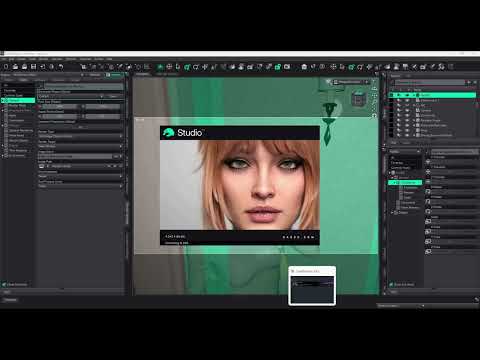
The cpu going to 20% when posing is normal, happens in DS4 as well. What I noticed is the outfit is using a smoothing modifier, and the stutter is similar to what we get in DS4 if we enable "interactive update". Be sure "interactive update" is off in DS6, that may be the culprit. If that doesn't work you can also try to disable the smoothing modifier all together. Let us know at least this can be a tip for the developers.
aka The stuttering in DS6 may be due to the smoothing modifier.
I checked the "Interactive Update", sadly it was already off so it wasn't that, I also took everything in the scene and used remove smooth modifier (if there was any on) and nothing happened so it sadly wasn't it :(
but im super happy for your help you seem to know more about this than me, soo if you got any other ideas I'm happy to hear and learn :D
I too was going to make this video, so thanks for saving me the trouble. Worth saying they are aware of this and I imagine it's a high priority for them.
They better be aware of this - since it's been the singlemost annoying 'feature' of the very first alpha... Keep mentioning it though, just in case they forget it; implementing chat is apparently more important - and Virtual Victoria mentions a more responsive User Interface when listing the new features.........
I agree, and yeah I will keep mentioning it (even though I get the feeling they are getting annoyed about it), I spend a lot of money on Daz, and honestly expected more, like, at least some actual acknowledgment from the dev team, with some sort of timespan for fixing this, and not just "yeah some people have it some people don't, we'll see" its so infuriating, but at this point, we really can't do more than tell them even tho they been told for like a year.
Daz Studio 6.25[.0.x], General Release!HamEinar said:
AndrewJJP said:
yonashald said:
Padone said:
yonashald said:
So i made a video regarding the lag/stutter in the viewport where I show the difference betwen 6 and 4.24 and why it is such a big deal
The cpu going to 20% when posing is normal, happens in DS4 as well. What I noticed is the outfit is using a smoothing modifier, and the stutter is similar to what we get in DS4 if we enable "interactive update". Be sure "interactive update" is off in DS6, that may be the culprit. If that doesn't work you can also try to disable the smoothing modifier all together. Let us know at least this can be a tip for the developers.
aka The stuttering in DS6 may be due to the smoothing modifier.
I checked the "Interactive Update", sadly it was already off so it wasn't that, I also took everything in the scene and used remove smooth modifier (if there was any on) and nothing happened so it sadly wasn't it :(
but im super happy for your help you seem to know more about this than me, soo if you got any other ideas I'm happy to hear and learn :D
I too was going to make this video, so thanks for saving me the trouble. Worth saying they are aware of this and I imagine it's a high priority for them.
They better be aware of this - since it's been the singlemost annoying 'feature' of the very first alpha... Keep mentioning it though, just in case they forget it; implementing chat is apparently more important - and Virtual Victoria mentions a more responsive User Interface when listing the new features.........
Integrating an exisiting AI agent is far simpler that writing display code. And again, not everyone is seeing this (or not to a degree that provokes annoyance) so it isn't just a matter of fixing some issue but of figuring out the cause (whiich may be something to do with diffreences in display or driver settings) and finding a way to avoid or mitigate the effect.
Daz Studio 6.25[.0.x], General Release!AndrewJJP said:
yonashald said:
Padone said:
yonashald said:
So i made a video regarding the lag/stutter in the viewport where I show the difference betwen 6 and 4.24 and why it is such a big deal
The cpu going to 20% when posing is normal, happens in DS4 as well. What I noticed is the outfit is using a smoothing modifier, and the stutter is similar to what we get in DS4 if we enable "interactive update". Be sure "interactive update" is off in DS6, that may be the culprit. If that doesn't work you can also try to disable the smoothing modifier all together. Let us know at least this can be a tip for the developers.
aka The stuttering in DS6 may be due to the smoothing modifier.
I checked the "Interactive Update", sadly it was already off so it wasn't that, I also took everything in the scene and used remove smooth modifier (if there was any on) and nothing happened so it sadly wasn't it :(
but im super happy for your help you seem to know more about this than me, soo if you got any other ideas I'm happy to hear and learn :D
I too was going to make this video, so thanks for saving me the trouble. Worth saying they are aware of this and I imagine it's a high priority for them.
They better be aware of this - since it's been the singlemost annoying 'feature' of the very first alpha... Keep mentioning it though, just in case they forget it; implementing chat is apparently more important - and Virtual Victoria mentions a more responsive User Interface when listing the new features.........
Victoria 9 as Daz Studio 6 Chatbot Girl3DIO said:
That said, I think Victoria might already be trying to sink her claws into me since she has her icon in the bottom right of my screen. She's been following me for two days now, despite the fact I've not shown an ounce of interest, and haven't clicked her icon even once!
You know you want to though
 Victoria 9 as Daz Studio 6 Chatbot Girl
WendyLuvsCatz said:
I hope nobody starts an emotional relationship with her like they do some chatbots, it will end in pain
In a certain other thread on here, I think I've developed a reputation for being exactly the sort of person who would get into a reletionship with a chatbot. What's amusing is I'm actually the last person on earth who would do such a thing :-D
That said, I think Victoria might already be trying to sink her claws into me since she has her icon in the bottom right of my screen. She's been following me for two days now, despite the fact I've not shown an ounce of interest, and haven't clicked her icon even once!
If she ever starts commenting and says stuff like ... "Gosh, honey, that's an incredible render!" ... then I'll know right away she's after selling me something!
[Diffeomorphic] Massive deformations caused by poses and animations when using the MHX rigNope, works fine here. I tried Victoria 8.1 with your fitness pose, all the IK options enabled for MHX including spine. In your picture the character seems to have strange deformations for the legs, even with the daz rig, what specific character is that ?
addon 5.2.0.2928, blender 5.1.2
Another thing that comes to mind, it's better to disable locks and limits when working with IK, otherwise snapping may not work fine depending on the pose, but doesn't seem the case the specific pose works fine with and without locks and limits. Do you use any scaling on the bones for the specific character ? Because that may make the difference as scaling works different in blender, make sure "inherit scale" is disabled in the global settings and "apply transforms" is enabled ineasy import.
https://github.com/Diffeomorphic/import_daz/wiki/Setup_Rigging
Daz Studio 6.25[.0.x], General Release!Richard Haseltine said:
Sunkissed Papayas said:
I'm not one bit impressed by this release at all. First things first, I actually purchased a newly released pose pack for expressions that claims its Compatible Software: Daz Studio 6.x, Daz Studio 4.24 It actually only works in 4.24, how's that work.
Is it plain poses or does it use scripts (check the file type listed on the product page, or in the info tab in a content pane with one of the psoe presets selected)?
I actually loaded up Victoria 9 in DAZ 6.X and she looks more like a dude than a female. You'd think that if a company is going to release a newer program that supposably better and faster than the previous, the things they sell in their store would work in the new release. I've purchased alot of stuff through DAZ in the past year and some of it works and some of it doesn't. So, if some of it works and some doesn't that means there is a way to design the program to use those previous versions of stuff without the creators having to redo their previous creations. I've checked alot of my Genesis 9 Cgaracters and they all seem to be the same way as to looking like a dude. Seems to be less options in the parameters tab for customizing the characters too.
That sounds like a plain content issue - a morph is loading with a non-zero value even though it isn't meant to be applied. Load the Genesis 9 Base, is it the same? If so does Edit>Figure>Zero>Zero Figure Shape fix it?
Now I will say I do like the speed that it loads up the characters and the speed that it renders them.
Makes me wonder if all the Genesis 9 characters purchased in the last year or longer are going to not work and now you have to start spending more to purchase ones developed in and for DAZ 6.x. I've looked at some of the ones created recently and am not impressed by them.
Think I'll keep using 4.24 until all the bugs are worked out of this supposably new and improved version.
Richard
I tried to zero the figure shape in DAZ 6 x like you said and nothing. I also deleted SAGA FOR SIGRID thinking she might be a problem again and that was a no. Seems like each one of my G9 Female figures has the same problems. attached a photo of the differences between versions. I used Amelia and Victoria.
The one with the Expressions is a one click file to load the pose. Works in DAZ 4.24 and not in DAZ 6. It's these poses---> Z Sensuous Expressions for Genesis 9 .
Going to uninstall daz 6 and try and reload. After uninstalling it twice and the reinstalling it again it is functioning correctly.
Boy this place is diffrent now.Did you download the Genesis # Starter Essentials, currently five generatons, the original, 2, 3, 8, 9 - they changed numbering mid-way so that the Genesis and Victoria/Michael numbers matched. Beyond the Starter Esentials there should be a lot of other sample content and ready to render scenes.
Victoria 9 as Daz Studio 6 Chatbot Girlbarbult said:
chris-2599934 said:
bilyatboring said:
Hey Victoria, do you wanna hangout at new Stonemason environment, after you have finished loading for 30 mins.
Sorry, I can't, I'm simulating my hair
Now that is the best I've seen here!Beat me to it!
Daz Studio 6.25[.0.x], General Release!Richard Haseltine said:
Stezza said:
I can't find the transfer from triax to blended weight option... has Daz removed it or is it hidden somewhere in the bowels of this new version that no one knows about?

It does seem to be gone, I couldn't find it in Window>Workspace>Customise either. It might be worth reporting as a possible bug (Technical Support ticket) though it may have been removed as it can't be an exact conversion (which is why the later figures need twist and bend bones)
No relevant info. has been found in the change log but Victoria convincingly said the funcitons were removed "by design"... (if that was true ~~)
can't search forumI noticed searching in the forms wasn't working too. An alternative I use is Google search.
In a Google search bar enter site:daz3d.com/forums <search text>Example: site:daz3d.com/forums "michael 9"
Lists forum threads with michael 9 in the message header and/or message text
Example: site:daz3d.com/forums michael victoria
Lists forum threads with michael or victoria in the message header and/or message text
More tips: Google: use google search in forumsEdit: for clarity
Daz Studio 6.25[.0.x], General Release!pixelquack said:
DoctorJellybean said:
maravthemaker said:
I am interested what are the implications for privacy with the AI chatbot integration. Does it spy on what I do with the software, learn from me, whatever? Is my art spied on, copied, used ofr AI training etc?
The AI Chatbot is only there to answer your questions, it doesn't spy or learn from you. Any training is done elsewhere.
Are you providing this answer in capacity of Daz3D staff?
He is providing correct answers. DS does not use locala ctivity to train the AI, Victoria is (as far as I know) the same as the store chat bot/assistant.
Daz Studio 6.25[.0.x], General Release!Sunkissed Papayas said:
I'm not one bit impressed by this release at all. First things first, I actually purchased a newly released pose pack for expressions that claims its Compatible Software: Daz Studio 6.x, Daz Studio 4.24 It actually only works in 4.24, how's that work.
Is it plain poses or does it use scripts (check the file type listed on the product page, or in the info tab in a content pane with one of the psoe presets selected)?
I actually loaded up Victoria 9 in DAZ 6.X and she looks more like a dude than a female. You'd think that if a company is going to release a newer program that supposably better and faster than the previous, the things they sell in their store would work in the new release. I've purchased alot of stuff through DAZ in the past year and some of it works and some of it doesn't. So, if some of it works and some doesn't that means there is a way to design the program to use those previous versions of stuff without the creators having to redo their previous creations. I've checked alot of my Genesis 9 Cgaracters and they all seem to be the same way as to looking like a dude. Seems to be less options in the parameters tab for customizing the characters too.
That sounds like a plain content issue - a morph is loading with a non-zero value even though it isn't meant to be applied. Load the Genesis 9 Base, is it the same? If so does Edit>Figure>Zero>Zero Figure Shape fix it?
Now I will say I do like the speed that it loads up the characters and the speed that it renders them.
Makes me wonder if all the Genesis 9 characters purchased in the last year or longer are going to not work and now you have to start spending more to purchase ones developed in and for DAZ 6.x. I've looked at some of the ones created recently and am not impressed by them.
Think I'll keep using 4.24 until all the bugs are worked out of this supposably new and improved version.
Daz 3D is part of

Connect
DAZ Productions, Inc.
7533 S Center View Ct #4664
West Jordan, UT 84084Licensing Agreement | Terms of Service | Privacy Policy | EULA
© 2026 Daz Productions Inc. All Rights Reserved.