-
Catalog DeletionsI think the vaulted items are just so they wouldn't test old stuff to see why it can't run on newer software. Or that it's not Iray, and users get annoyed and try to return it. (Might've been what happened with pwToon.)3Delight Useful Stuff?-Put It Here:)
dsum55 said:
vrba79 said:
These two images were rendered with the exact same free shader that comes packed in with Daz Studio: "dzToonMatte". The difference is that the one on the left is the out of the box default setting.
The one on the right has had the bump maps turned off, the Blend Amount set to 75%, a 25% Ambient color applied to the skin and hair and the Outline Threshold set down to 1!
That is all the tweaking the shader requires to give you a nice result!(Lit with a single distant light)
Render time: 3 Seconds(No really!)

@vrba79 Do you have more picture with these settings?
The Blend amount, Ambient and Outline threshold are these setting for all this for all textures? including buildings and landscapes?
This Picture is amazing.
With buildings and landscapes, I'd set the outline threshold to 0, but overall its the same technique. If you don't have CPU that can render VSS very fast, or you didn't hop on the PWToon train in time, something like dzToonMatte is your best bet for cartoon style renders in 3Delight.
More Non-photorealistic Renders (NPR III)vrba79 said:
Alas, ToonyCam Pro is with PWToon in discontinued product heaven. I haven't used it in several years, so I don't even know if it still works as intended.
vrba79, if you follow the latest posts on that thread, zigraphix, the creator of ToonyCam Pro, is trying to put out new products for Daz -- as SketchyCam Pro. By now it should be clear that no single tool gets the job done. Often times we use a number of them and compose the renders for one final image. So I say if zigraphix does succeed, it'll be a welcome new tool for Daz NPR users.
Cheers!
More Non-photorealistic Renders (NPR III)Alas, ToonyCam Pro is with PWToon in discontinued product heaven. I haven't used it in several years, so I don't even know if it still works as intended.
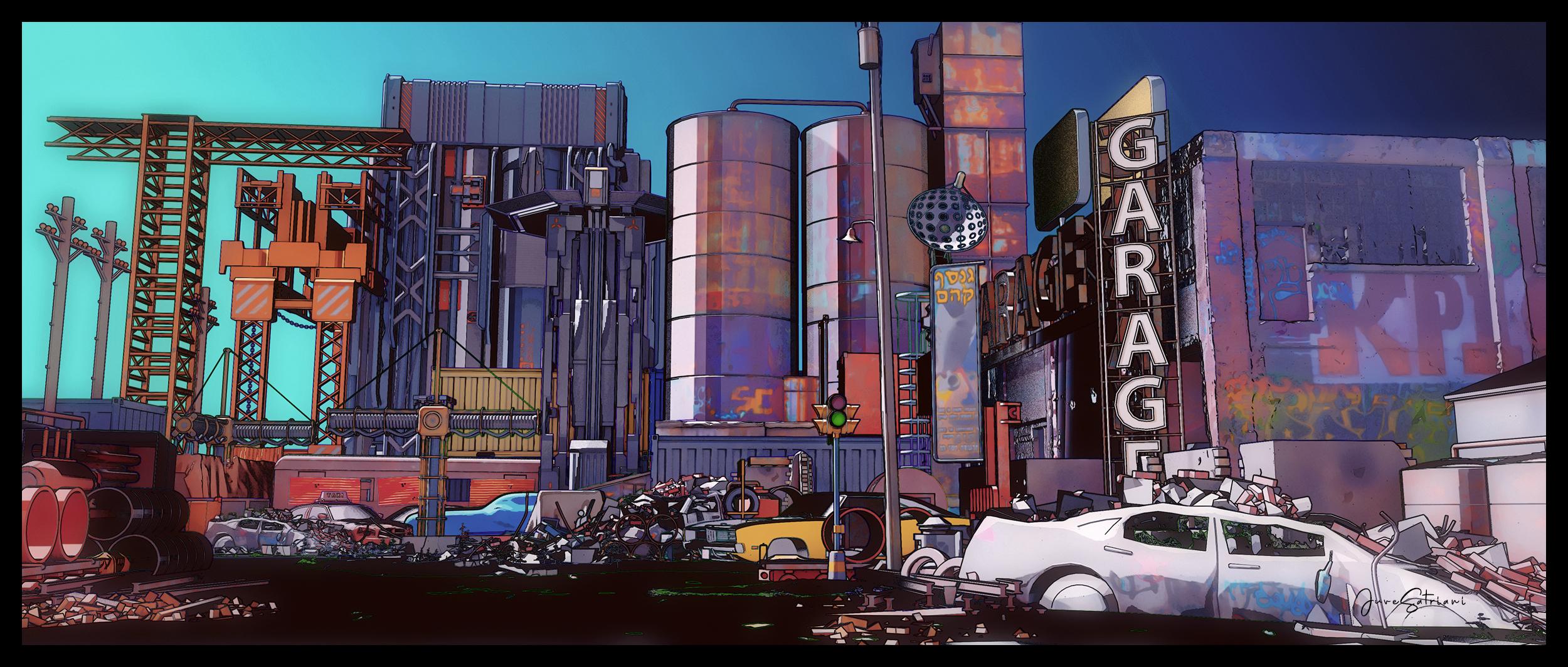
More Non-photorealistic Renders (NPR III)Finally have proper time to reedit this scene . pwToon Multipass and Photoshop
 More Non-photorealistic Renders (NPR III)
juvesatriani said:
@artini , Your NPR images getting awesome . And as Always @vrba79 very nice efforts using your toolls
Here some re-Edit version . Start with pwToon and multipass then getting color shift and post fx in Photoshop to create anime vibe
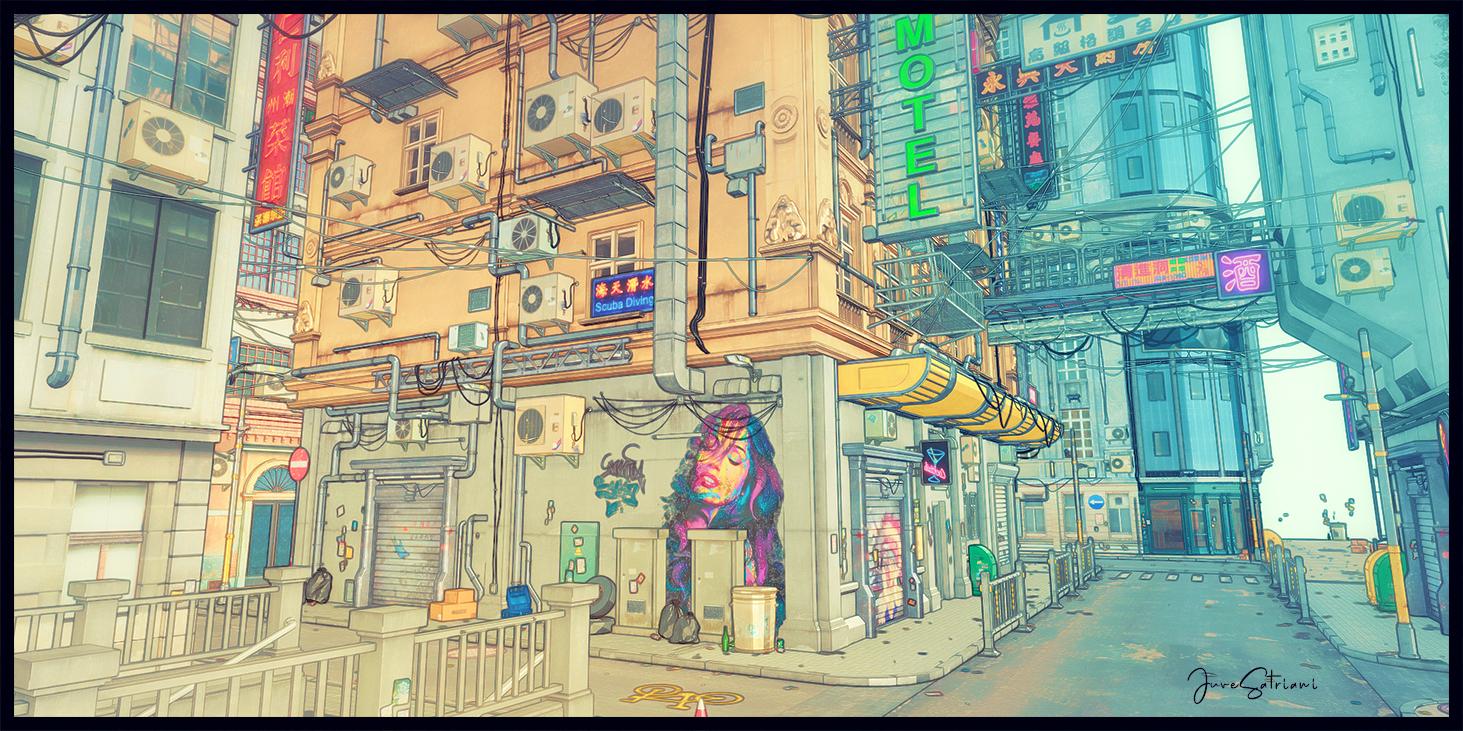
Wow! I could totally see this in an anime! That came out really good! Well done!
DSF exporter ( Blender to DUF prop ) is awesome !!!Hi guys , just report that this tool https://www.daz3d.com/forums/discussion/67464/getting-objects-from-blender-to-ds by @milighost is very cool addon that you should check it out .
Beside helping you to export Props or Mesh objects from Blender , it also possible to include Camera with same View just like you have in Blender. Now you should have no problem combining output renders between program in image or video editor without worry about misaligned issues
Just make all mesh objects and Camera into one collection then save as DUF , and boom!!
Note : make sure that those objects or props you want to export into DAZ is real mesh and having material to avoid problems . If your scene created using GeoNode, you need to have REALIZE INSTANCES node connected before Geometry output , then doing Convert to mesh operation in Object Mode .
Why its cool ? ( at least for me )
As NPR user , my problem with Blender is Freestyle render time . Sometimes it refuse to render or having hours to get line art render pass . Especially if I have complex Geonode generated scene .
But EEVEE mulitipass very essential in my currect workflow . Meanwhile pwToon plus DAZ Outline rendering script although not give you option as detailed as Freestyle is very fast ( render in just one - 2 minutes for 5000px wide image ) . So having same Camera view is like DOUBLE WIN for me . Now I can easily getting the best of both world ;)
I Hope this info useful for you guys . Thanks
More Non-photorealistic Renders (NPR III)@vrba79 your last image already look like pwToon , congrats !!
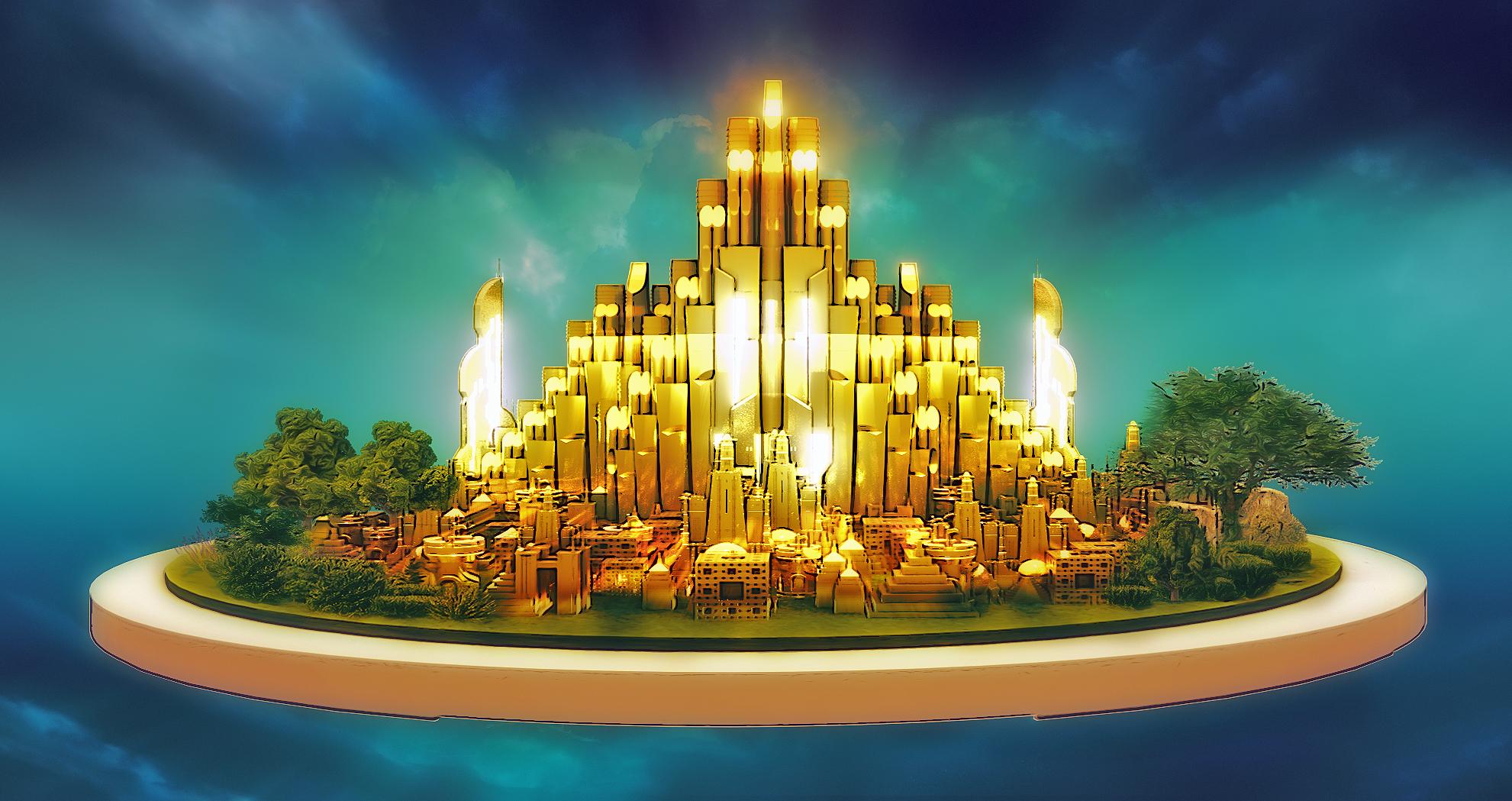
Here another base concept which created after learning about geo node in blender , Like always this one also use EEVEE multipass and photoshop
 More Non-photorealistic Renders (NPR III)
juvesatriani said:
@artini , Your NPR images getting awesome . And as Always @vrba79 very nice efforts using your toolls
Here some re-Edit version . Start with pwToon and multipass then getting color shift and post fx in Photoshop to create anime vibe
Thanks a lot.
Very nice anime look.
More Non-photorealistic Renders (NPR III)juvesatriani Thank you!
Oof! That scene has come out so fabulous! Unbelievable work to create such a anime feel from a render.

I'd come across your posts and npr renders before, and your work with pwToon is just great, but by then, it was evident that pwToon was no longer available here. Blah.
You npr work on your deviantart page is crazy good! Love the colors and great compositions, and how you've developed an insanely good process to create those anime style visuals. Spectacular work! Respect!More Non-photorealistic Renders (NPR III)@artini , Your NPR images getting awesome . And as Always @vrba79 very nice efforts using your toolls
Here some re-Edit version . Start with pwToon and multipass then getting color shift and post fx in Photoshop to create anime vibe
More Non-photorealistic Renders (NPR III)Thanks for the kind words! I never heard of Manga Markers before you mentioned it. I didn't realize you could use it on G8 males as well. @juvesatriani is another fellow who's contributed regularly to this NPR thread. He's good cool pwToon + !JSFLAT renders.
Hope to see more from you.
Cheers!
SapphireBlue said:
One thing led to another, and I created a male character preset "Kaito" for Sakura 8 yesterday. I was experimenting with some different graphic looks for some future projects and thought I'd share. (I have to tweak the lighting to get things more even, but this was just something quick to test out.)The first image is a regular render of Sakura and Kaito with filters in postwork. The second is rendered using manga markers, which I really like, especially since it's so easy to use, with added line work in post. The third image is the manga markers render with a high contrast BW filter etc. Any suggestions / feedback is welcome!
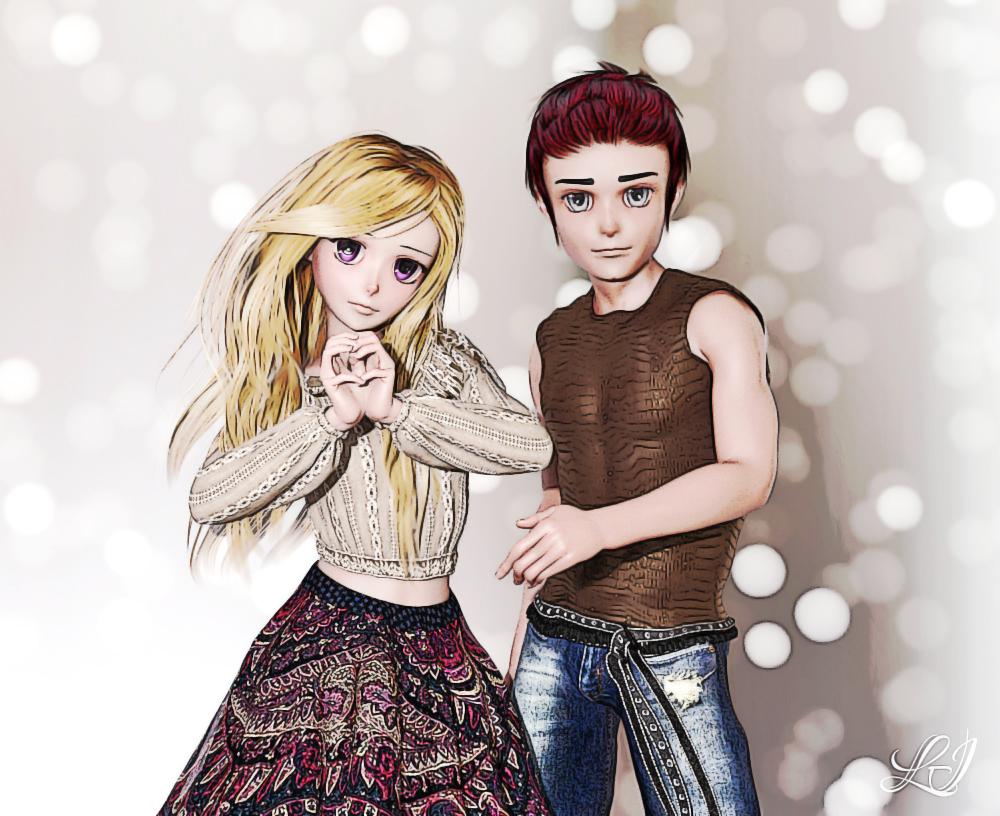

 More Non-photorealistic Renders (NPR III)
I've been trying to make Sketchy give me PWToon-style looks. Today I accidentally achieved a VSS-style look with it.
 More Non-photorealistic Renders (NPR III)
My Sketchy method is still very much a work in progress, but here is how it stacks up against PWToon.
 New pwToon Cel Shader Presets
Crescent said:
http://outpostecho.com/downloads/pwToon_CelShaders_r2.zip
I've redone my old pwToon cel shader presets, adding a lot more colors, shadow options and line width choices. As with the original set, you're welcome to redistribute them for free so long as I get credit for them. You must own pwToons for this to work: https://www.daz3d.com/pwtoon
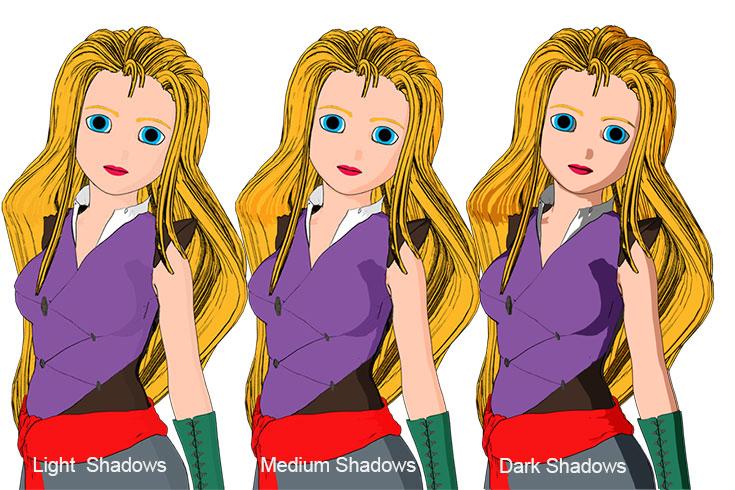
Cheers!
I, too, hope that the presets will be available for download once again.
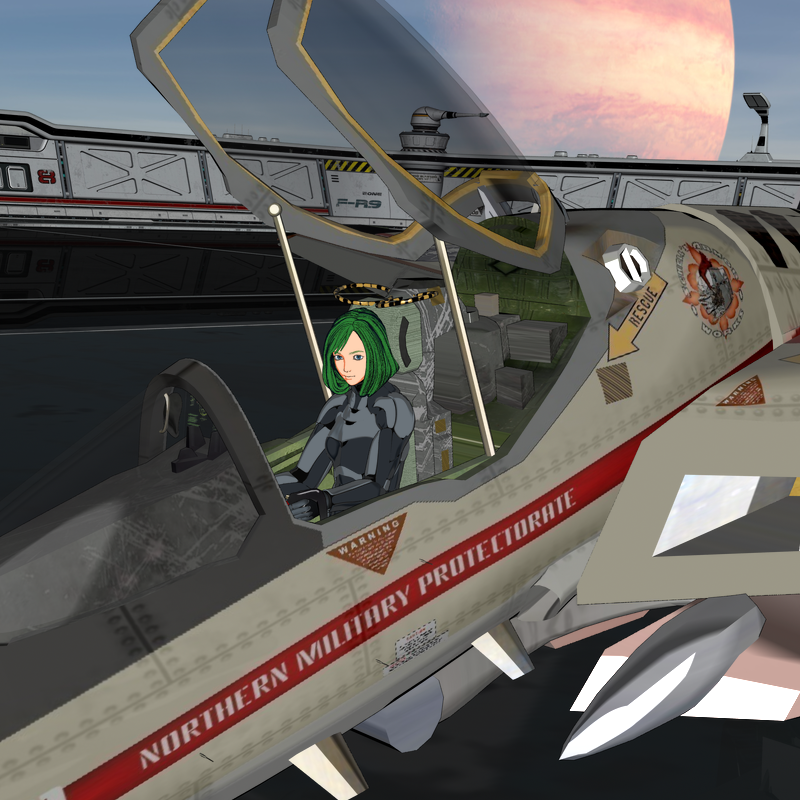 More Non-photorealistic Renders (NPR III)
Well that just confirms that I'm on the right path then. Judging by some of their work made with it, it looks like Sketchy can be a proper replacement for PWToon.
More Non-photorealistic Renders (NPR III)G8F using Sakura 8, but with her morphs set at 50% and some of her pre-packed morphs applied and 3D Outlaw's default eye morph added. If you own Sakura, buy 3D Outlaw's companion product. You'll be glad you did!
I like this. It's Iray Sketchy again, but I'm getting a similar effect to using PWToon after you've played with the Rim boundaries. I applied my sharpen/blur postwork and then bumped the vibrance up.
 More Non-photorealistic Renders (NPR III)
juvesatriani said:
@Artini , thanks again . Sorry I still dont have propper time to explore UNITY , but I will share my thinking process so you can emulate those tricks in any workflow you`ve prefer .
My method mostly borrowed from manual coloring technique from COMIC BOOK`s artist tutorials . Getting each element right should be your priority . And slowly build on top of it .
I.E. Dont bother with Shading or specular if your DIFFUSE TEXTURE /MATERIAL/BASE COLOR still not flat enough . Same rules applies with specular or Glossy FX .
- You can try plug them into ambient or emission to get proper flat illusion . Special Toon Shader( like pwToon) already doing something like that when Blending option set in value (below) 30% or 0 , find the equivalent setup for your render engine or software .
- After getting proper FLAT , you can start with shadow or shading . Depend on what NPR style you want to achieve, but general rules for CEL SHADING is CLEAR and HARD SHADOW especially in FACE or Head area . Use Strong Directional Light . Pay attention where the shadow fall . Remove all setting which designed for soft shadow or realism
- It still possible to use multi light setup as long you`ll using them to enrich shading for Wardrobe or props , but never point them in face or head area .
- For specular use specular maps if possible and control them with gradient ramp . Notice that how hard and soft the specular mostly controlled by blending value in FLAT part , thats why you should get proper flat in first place . The rules is simple , use soft ones if the area is BIG and set using hard ones if the area is small
- After all already setup , try play with blend value . You`ll surprise how work with Blend value after all already in place give you plenty of style variations including RIM LIGHT illusion
Thanks a lot for the tips.
Will try to find my way with them.
More Non-photorealistic Renders (NPR III)@Artini , thanks again . Sorry I still dont have propper time to explore UNITY , but I will share my thinking process so you can emulate those tricks in any workflow you`ve prefer .
My method mostly borrowed from manual coloring technique from COMIC BOOK`s artist tutorials . Getting each element right should be your priority . And slowly build on top of it .
I.E. Dont bother with Shading or specular if your DIFFUSE TEXTURE /MATERIAL/BASE COLOR still not flat enough . Same rules applies with specular or Glossy FX .
- You can try plug them into ambient or emission to get proper flat illusion . Special Toon Shader( like pwToon) already doing something like that when Blending option set in value (below) 30% or 0 , find the equivalent setup for your render engine or software .
- After getting proper FLAT , you can start with shadow or shading . Depend on what NPR style you want to achieve, but general rules for CEL SHADING is CLEAR and HARD SHADOW especially in FACE or Head area . Use Strong Directional Light . Pay attention where the shadow fall . Remove all setting which designed for soft shadow or realism
- It still possible to use multi light setup as long you`ll using them to enrich shading for Wardrobe or props , but never point them in face or head area .
- For specular use specular maps if possible and control them with gradient ramp . Notice that how hard and soft the specular mostly controlled by blending value in FLAT part , thats why you should get proper flat in first place . The rules is simple , use soft ones if the area is BIG and set using hard ones if the area is small
- After all already setup , try play with blend value . You`ll surprise how work with Blend value after all already in place give you plenty of style variations including RIM LIGHT illusion
More Non-photorealistic Renders (NPR III)@3diva thanks for nice words . Yeah that without postwork , if you have pwToon try my free presets (!JSFLAT) . You can find it in freebie forum .
About webcomic , unfortunately I dont have one . It seem ironic since I`ve learned Poser then DAZ to help my dream to make comic LOL .
Right now i`m just use those knowledge for storyboard or concept design works
Daz 3D is part of

Connect
DAZ Productions, Inc.
7533 S Center View Ct #4664
West Jordan, UT 84084Licensing Agreement | Terms of Service | Privacy Policy | EULA
© 2026 Daz Productions Inc. All Rights Reserved.