-
Ok, So this is Gen 9
PerttiA said:
PixelSploiting said:
Going to need morphs like Skin Folds & Creases, Auto Shape Enhancer and Ultimate Natural Bends. G9 mesh might need extra corrective JCM more than G8.
They said posing/bending was better than on previous generations... Still trying to figure out how.
Yes. On G8 extra corrective morph packages are basically a must unless a named character already comes with custom JCMs. Not to mention the upper mid-bicep twist making the character look like one of those expensive action figures built with rubber covering over the skeleton.
But Skin Folds & Creases are still missing on G9.
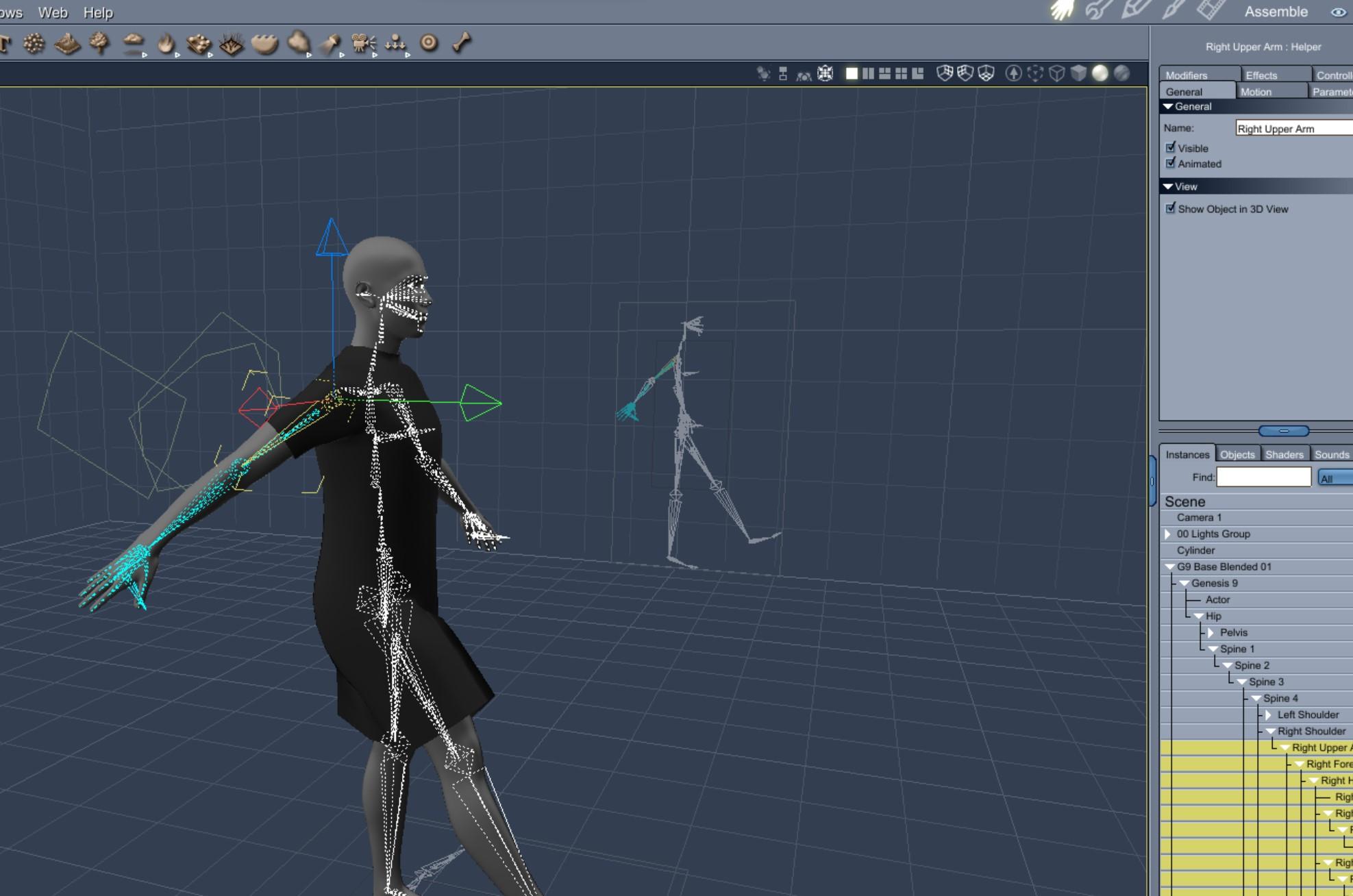
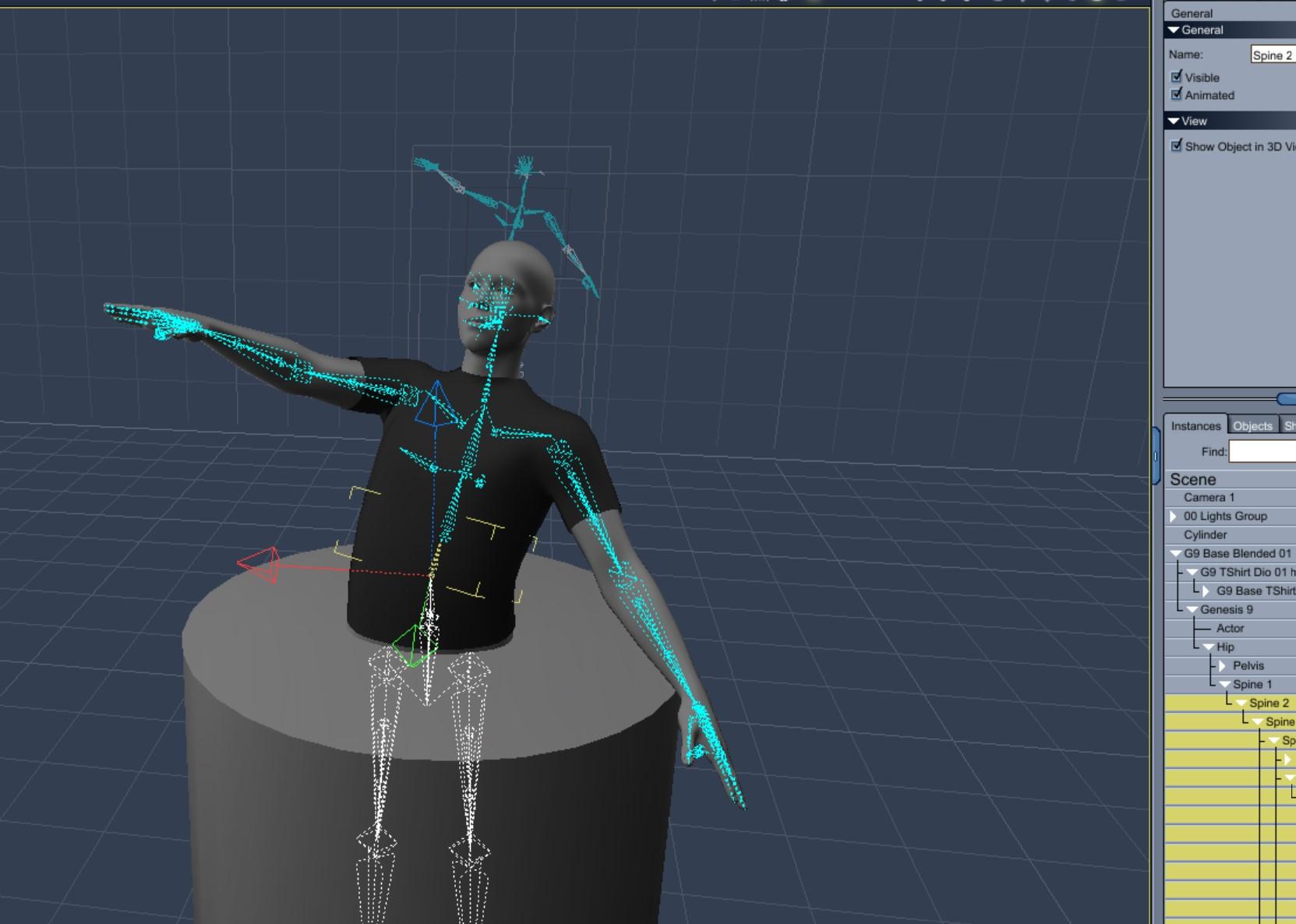
Genesis 9 we are back in the game Carrara usersRepetition. Simple dress by extending mesh of the TShirt.
Same workflow. Import to Studio, transfer utility to support asset conforming figure, convert to blended, save as character asset,
Note - when I tried to use Studio's template for dress in the transfer utility it caused Studio to crash. Not a Carrara issue though. Transfer utility worked fine not using any template.
 Import Skyrim .Nif files into Daz3d
Nifskope renders nice big images for Facegen, Face Transfer or Headshop
 Can't create clones of and for g9
Catherine3678ab said:
Really, all I did with Hexagon was use it as a method to get the object renamed and sent right back into D/S.
You can just export the .obj [no groups] out of D/S, rename the file, import that back into D/S using Morph Loader Pro and make the morph. I like using Hexagon because it tends to be more dummy proof for me ;-)
I just tried the tutorial, using G9 when it said G8 and the other way around and I can't proceed past one step as there is no hidden clone for G9 on G8, so this is not possible for me. If someone makes a tutorial for G9 clone to G8 for use G9 clothes on G8 I will try it, othewise I will have to hope that someone will sell such a clone at some point. I'm thinking of skipping G9 altogeter, try convert my character to G9 when it becomes possible just to test, but from what I see and hear, not sure if I remember correctly but I read she has less material zones, less bones in her face, and I see for myself people making artworks w spaghetti arms, weird elbow and wrist bending and I think to myself: in what world is this a step forward?? Not for me. So when the converter for characters G8 to G9, and skin converters come I will buy it and test, but most likely I will stay on G8.1 and buy all the stuff that will be released for converting G9 stuff, all kinds, to G8.1. And hope for a better G10 w proper backwards to G8.1 also compability. And a seperate female base.
Genesis 9 we are back in the game Carrara usersI created my own simple TShirt and used the transfer utility to make it conforming for base G9. Converted it to blended in Daz Studio. During the conversion in Daz Studio I was given the warning that a blend map already existed but I just ignored it and did not replace. I saved as a character preset. Opened the blended TShirt in Carrara. Conformed to a G9 base figure that was blended and saved to character preset. The TShirt does conform to the G9. The TShirt does morph when the G9 morph dials are changed (eg., base male or base female). The TShirt follows when the G9 limbs are rotated.
Very promising.
 Ok, So this is Gen 9
Tynkere said:
Still on the fence, but after seeing "Digitell's" render, males don't look quite so "cylon imitation human" or whatever. Smooth youthful skin sort of reminds me of "Lucas 8"
We've talked wrists & elbows. Call me odd but one of the first things I noticed was the lack of detail for the vaunted HD belly button. (Why bother to encrypt a belly button morph? Seriously. Is there some reason for it?)HD morphs are not encrypted-to-protect-the-data, they are in an unreadable format as it is proprietary technology.
Anyway, the following is a silly render meant for testing and very small audience, but what they hey. Provides side by side comparision with a customized V8/FSWA Elizabeth and RY Steve. It's sort of poking fun at G9F's buff looking athletic shoulders (swim team) then of course they compare HD bellybuttons.

Will continue to have an open mind about G9. I'm sure PAs will eventually give us quality male & female characters, face & body moprphs, etc.
Best wishes & happy renderingOk, So this is Gen 9I think the male body looks sufficiently male to build upon. The face, however, is where it breaks down for me. G9M looks VERY young. Like teenager young. Here's hoping we get some really good male sculpts :) And we need those morph packs!!
Whose characters for G9 you're expecting?lilweep said:
Serene Night said:
I think I'm going to have to be choosy about the things I buy since genesis 9 is likely to have double the morph problems with load times as gen 8 due to being unisex . So I'm not going to buy all figures on release like before or it's going to be super slow using them
I will stick to favorites such as Soto, Changeling Chick and others.
Soto released this recently: Side Spikes Hair for Genesis 3, 8, 8.1, and 9 | Daz 3D
how to prevent g8f legs deforming when bentThere is nothing wrong with the figure, that joint correction morph is doing what it is meant to do. Does the shoe have Smoothing applied?
Getting on the 9 train, or notI think they released now to get everything running smooth by the week of American Thanksgiving, when shoppers start really spending money.
My G9 problems: getting prior gen clothing to autofit right on male base shape (I've been trying the loose fit, I guess I should try the tight fit as loose fit is not flying), changing back & forth between "base" male & female shapes (eyes not in the correct place, ugh!, I am not sure how I did that but with these realistic G9 eyeball material sets, it's gross!), and the head, body, and expression morph products missing on generation release.
Genesis 9 clothing questions & answersMada said:
Here's a quick rundown - most are self explanatory and will give info when you click on them
Select Morph Verts
Put parameters window into edit mode, select a morph and then run the script - it will select all the vertices used in that morphClear Morph Verts
Dial up the morph, select vertices you want to delete, favourite the morph you want to work on, click clear morph deltas and it will delete those vertices from the morphClear HD Morphs
N/A for usersRemove empty morphs
If you have empty morphs that came across from templates you can select them in the parameter window and run the script. It will remove all empty morphs.
Resave with a new folder name so DS create a new data folder without those morphs included. If you simply resave in the same folder those morphs are already in there and will simply reload next time.Get Morph Delta Info
Select a figure/clothing/prop and click the button - DS will return a list with all the morphs in the figure, as well as the deltas in each morph, and the HD level of the morphTexture Convert : Single UDIM to Multiple
Will find out more info, since I don't use it I don't knowAdjust Eye Rigging
For character creators - will get more infoSet G9 to Shape
Select G9, run script and then select the shape you want for base.
Create follower
Quickly set up a follower from obj
Update Follower Base shape
Select base and run script to change base shapeSave current pane info
Will find outThis is a great start! Thank you so much.
Tim
Getting on the 9 train, or notMelissaGT said:
kervala said:
I plan to switch to Genesis 9 and convert my G8.1 characters once official morphs packs will be released. Since my characters are based on G8 characters (Gia 8, Rynne 8, Lucas 8, etc...), I'm pretty sure their G9 versions will be completely different, so I won't have choice that create morphs in Blender based on their previous apperance.
There are so many improvements in Genesis 9 (especially for expressions and poses) that'll be a pitty to not use them :)
Even with character conversion, the UV's and materials are different, so how would you get around that? You'd likely have to find a different skin altogether for them. Using the UV transfer tool to go from V7 to the base G8 UV is one thing...they aren't all that different...but the difference between G8 to 8.1 to 9 are B.I.G.
Like I made for previous generation, I looked for a similar texture and edited it in GIMP :) So I'll reuse Genesis 9 textures and modify them. What I like to do is using a light texture as a base for all my characters and apply a color to itso I'm saving a lot of VRAM ;p
THE LAZY GIRL OUTFIT PROMO IMAGE...HOW DO I..[THE LAZY GIRL OUTFIT PROMO IMAGE...HOW DO I]...CREATE THIS GIRL??...at this link... https://www.renderosity.com/rr/mod/bcs/lazy-girl-outfit-for-g8f/144438 I have the outfit I would just need to know how to create the girl like the hair and the body and face morph... I'm trying to create that girl from the 1990's Whale Music Video 'Hobo Humping slowbo BABE".. And this is the closest I've found so far if I could just create this girl cause the outfit matches!.. If you could help me can you give me links for the face and body Morphs and the hair on dazz 3-d.com
Ok, So this is Gen 9
Hahaha, I love this render (with no intention to diss G9 whatsover) OT mind if I asking if the background is a product in the DAZ store or an HDRI?Tynkere said:Still on the fence, but after seeing "Digitell's" render, males don't look quite so "cylon imitation human" or whatever. Smooth youthful skin sort of reminds me of "Lucas 8"
We've talked wrists & elbows. Call me odd but one of the first things I noticed was the lack of detail for the vaunted HD belly button. (Why bother to encrypt a belly button morph? Seriously. Is there some reason for it?)
Anyway, the following is a silly render meant for testing and very small audience, but what they hey. Provides side by side comparision with a customized V8/FSWA Elizabeth and RY Steve. It's sort of poking fun at G9F's buff looking athletic shoulders (swim team) then of course they compare HD bellybuttons.
Will continue to have an open mind about G9. I'm sure PAs will eventually give us quality male & female characters, face & body moprphs, etc.
Best wishes & happy renderingG8F/M Pose Transfer to G9Glad you like it. With the help of someone who contacted me through Renderosity, I'm hoping to add transfer of most pose controls too. That's taking a bit more work than expected, but we'll get there. An additional problem is that I am going to have to re-program the dialogue box, because adding one additional checkbox to enable the user to say they want/don't want pose controls has killed the formatting, leading to labels and check boxes overwriting each other. Not good. As I said, we'll get there. Regards, Richard.Getting on the 9 train, or notberegar said:
remcovanembden said:
Thanks for the comment. This is just 15 minute work in Zbrush. To see what i could do in a couple of minutes. The problem for me is the joints. I try to work with the existing joints. I will play with the model again somewhat later . I think i wil figure it out but takes a little bit more time.
For sure it looks good for 15 minutes of work. I couldn't do that in any number of minutes so consider at least me impressed. I'm also curious to see what solutions folks find for the rubbery bends and joints in general.
Yes me too, i can morph the mesh into anything I want, the problem are the rubbery joints. I think we just have to have a bit of patience to see what people come up with.
The missing toe joint on Genesis modelsI have an older one called "EZ Feet" I think. Doesn't have a morph for the width of the 'ball' of the foot that I'm aware of.
Since I'm 'updating' my G8 actors to 8.1, will happily pull the trigger if know of a "Narrow/WideFeet" product.
Long as playing footsie in DAZ, bottom of the foot gives the game away imo. No wrinkles. For example, would've liked the camera angle on a beach volleyball scene where player is in mid-air, legs& feet flexed, spiking the ball. Smooth soles of feet (with ping-pong ball toes)-- nada. Changed to different perpective. Products for wrinkles when flexiing? I admit it's probably a nich marketOk, So this is Gen 9Still on the fence, but after seeing "Digitell's" render, males don't look quite so "cylon imitation human" or whatever. Smooth youthful skin sort of reminds me of "Lucas 8"
We've talked wrists & elbows. Call me odd but one of the first things I noticed was the lack of detail for the vaunted HD belly button. (Why bother to encrypt a belly button morph? Seriously. Is there some reason for it?)
Anyway, the following is a silly render meant for testing and very small audience, but what they hey. Provides side by side comparision with a customized V8/FSWA Elizabeth and RY Steve. It's sort of poking fun at G9F's buff looking athletic shoulders (swim team) then of course they compare HD bellybuttons.
Will continue to have an open mind about G9. I'm sure PAs will eventually give us quality male & female characters, face & body moprphs, etc.
Best wishes & happy renderingFace/Genesis 8 model suggestions for model.I need help finding which mixture of Genesis 8 faces would you all recommend or suggest to get Acio's face (Pictured below) I thought I had it for a while but the more I look the too different they are.
So I have this character of mine, I tried using photo transfer but it didn't exactly work right.
Source here he is in his source game.

And here is the face transfer version.

I would be very grateful for any help. Thank you!
Genesis 8 or 8.1 shapes on genesis 9?terry_duquette said:
Richard Haseltine said:
franky85 said:
There's a freebie script at rendo here that takes a currently loaded G8F pose and applies it to a G9 character.
Also here https://www.daz3d.com/forums/discussion/598316/g8f-m-pose-transfer-to-g9#latest
Thanks, I have been leaving an invisible G8F in the scene, apply the pose I want, then use your script, works great! TD
That's a different, and much more useful, Richard.
Daz 3D is part of

Connect
DAZ Productions, Inc.
7533 S Center View Ct #4664
West Jordan, UT 84084Licensing Agreement | Terms of Service | Privacy Policy | EULA
© 2026 Daz Productions Inc. All Rights Reserved.