-
Ok, So this is Gen 9
MelissaGT said:
xyer0 said:
PerttiA said:
Poses were said to be better, but loading the "G9 Base Pose 02 Stretching G9F" left me wondering if that's the way she's supposed to bend...
Take a look at her elbow bend. Haven't seen that since Poser days.
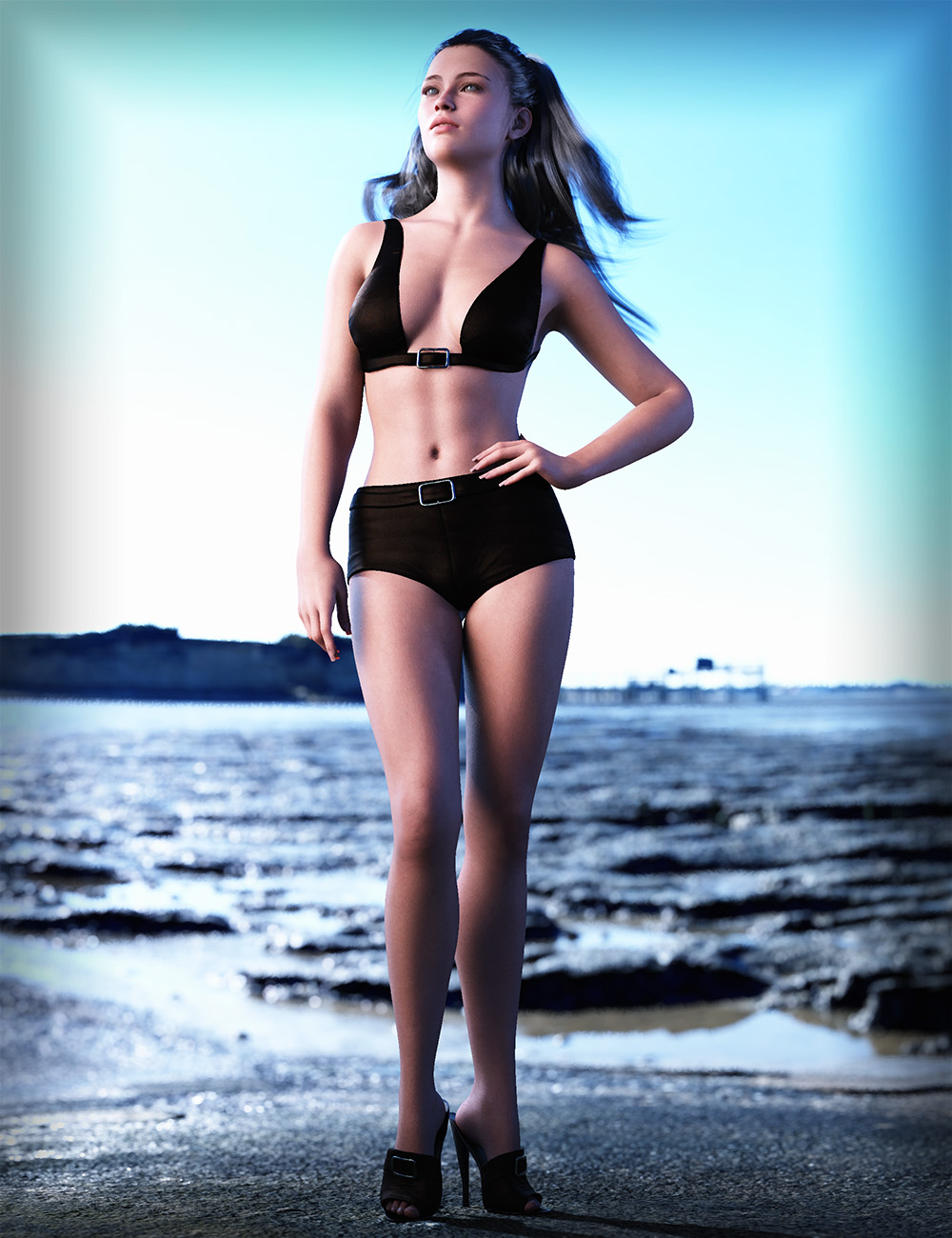

My biggest gripe about G9 so far. The head/face/eyes/lips is gorgeous...the rest of the body is...oofta.
+1

I was worried that the bends for G9 would be bad, but I never thought they would be such a big step backwards. V9 is such a great looking character, but several of the joint bends don't look a whole lot better than V4 (OK, yes they are easily better than V4, but seriously, IMHO the next generation should bend better than the last). It's difficult to make good looking bends with topology that doesn't reflect the underlying anatomy. I was hoping that creating HD morphs for the bends would negate the problems common with poor topology. I seems that I was very wrong. Maybe the morph pack will address this? I'm guessing though that we will have to rely on PA's here to fix the issues. I'm beginning to worry that getting G9 upp to par with what I have for G8 might be a bit too expensive
 Genesis 9 body shapes morphs
PixelSploiting said:
It'd be a minor issue if not for releasing products that require morph packages before releasing said morph packages.
+1 !!!
Setting morphs to not be inbetweenI would like a morph to either be at 0 or 1. How do I do this?
Genesis 9 clothing questions & answersWhat I would do in this case (there are other ways for sure but this would be my workflow) - dial up the G8 clone on G9, load the dress but don't fit the dress to a figure, just have it in the same space as your G9 with the G8 clone dialed so you can see where the legs are.
Select the thighs on the dress, move them inwards and turn on smoothing to get rid of any crunching. Export that as a base res obj.
Then follow the steps in the video using G9 with G8 Female as your base, import the dress obj, use the transfer utility with dress loose template - dial up the base G9 and turn on smoothing, then export that.
Now you can import the dress onto the base G9 and use transfer utility for the loose dress again.
So basically following the steps above will take your G8 dress, fix the legs, then take the G8 Female shape down to G9 base and then using the template you will get the best fit :)
AOBB's freebie male head morph Marc G9. No materials nor textures.EDIT: I have attached the zip file for the fixed version of Marc G9. He had a "crater" navel before, now he should have a normal tummy.
 Anyway, if you have downloaded and installed Marc G9 before 10/27/2022 in the evening PST then please reinstall him using the new zip file that is below this post.
 One guy isn't enough, so here is a second one - Marc G9. His left eye isn't set quite correctly but positioning them into place and learning how to link the eye position morph to the character head morph was really tough and exhausting, so I ask for forgiveness. The upside is that (if everything went right) you won't have to dial in the eye position - this should take care of itself automatically. Here he is:
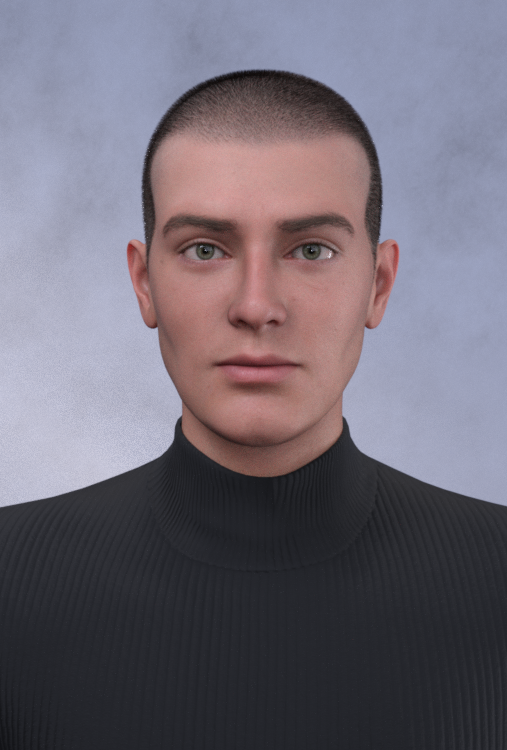

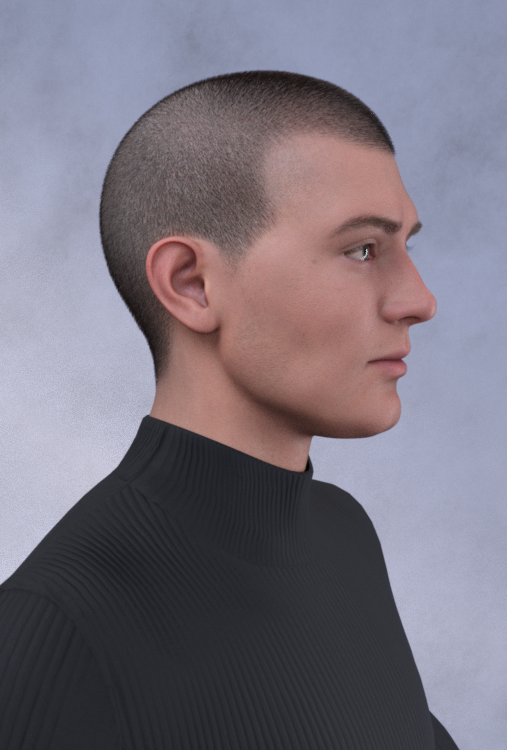
Assets used in image:
M Fashion Casual Outfit V1 G8M
G9 Eyebrows Fiber Style 01
LI Crew Cut Hair G8M
BOSS Pro Light Set
Commercial and noncommercial use.
Please post your renders with MarcG9 in this thread for our (my) enjoyment!
 Thanks!
Cheers,
AOBB
MimicMolly's Renders & WIPsI've tried to convert some more G8 morphs, now that I figured out how to "Show Hidden Properties" in the Parameters tab and access the clones. Here is one I did of InTheFlesh's DMC5 Vergil for G8M's head, and Dain 8's body. Unfortunately, since Vergil was a full body morph, the head wasn't a clean convertion and now the neck is weird. (So is the back of his head and jaw.)
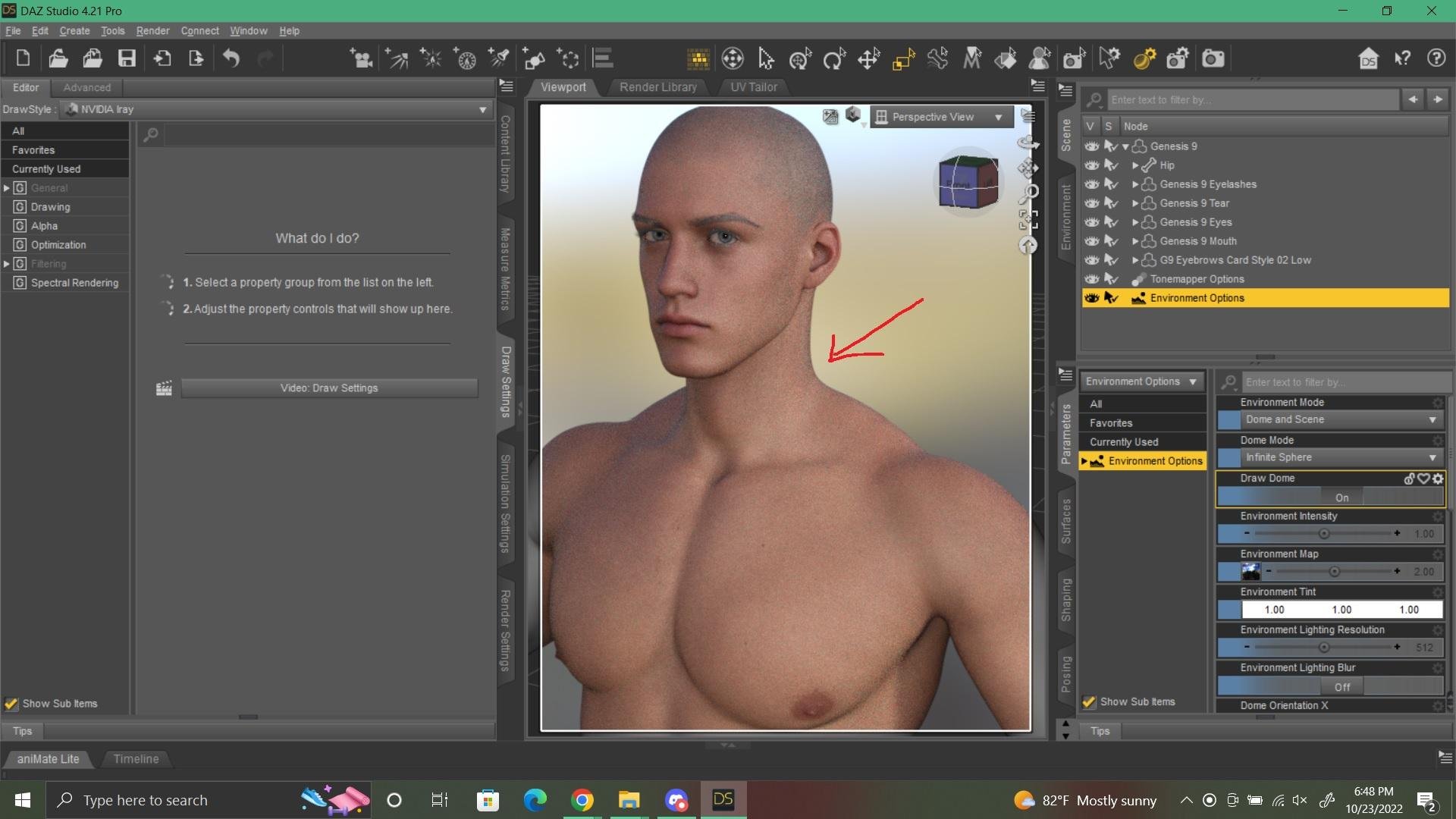
I've also converted other shapes. But this whole process has taught me a valuable lesson in which characters and morphs I consider essential. So far, I am not fond of the eyes and the colors being Layered Images. I also think with the DO Head and Body morphs, I'll be able to get the Cornea morph, but I am also in need of an Iris Concave morph, since those usually help with making the eyes reflect light more realistically. Also with the DO Head and Body morphs, I'll get a trapezius morph which would actually fix the weirdness with Vergil.
From my experiments in transferring, I don't think I'll be very successful with big-eyed toons. I tried my take on Aeon Soul's Alice and her eyes look very off up close.
Ok, So this is Gen 9I absolutely love this figure! Here is a quick render - Gen 9 female with V9 body and HD. Hair is Gen 8 OOT Liv Hair which fits nice. Figure bends great, more geometry to sculpt with so no longer have to anticipate a lower poly base to figure out how a morph might look.
Genesis 8 or 8.1 shapes on genesis 9?terry_duquette said:
Forgot to add, per WendyLuvsCats hint, I posed the legs on the donor G8 at -7 Degrees, also the Shape Rigger tool worked on G9 if you have it. Makes moving multiple morphs so much faster. TD
Added the tutorials and Render back.
One thing I noticed is that the transfer tool won't let you clone a Genesis 8 Female when you select Genesis 9 target until you apply the feminine morphs to the Genesis 9 character.
Genesis 9 Genitals?So I noticed that Victoria 9 has maps for bothe male and female genitals, but the doll doesn't seem to come with them... Nor is there a morph to make a guy have a package in his clothing were you to choose a male character, also no hip slection at all so you can't even make the hips wider...
Is there a way to get the genitalia or no?
Genesis 9 body shapes morphsPixelSploiting said:
It'd be a minor issue if not for releasing products that require morph packages before releasing said morph packages.
"Tomorrow, tomorrow, I love you tomorrow, you're always a day away!"
 Ok, So this is Gen 9
AllenArt said:
MeneerWolfman said:
AllenArt said:
This is G9 male with a G8 pose converted with richardandtracy's free pose converter and AOBB's Yves head morph. I turned both the head and body a little past 100 percent for base masculine. He looks a little doughy, but male. TBH, I think ALL the Genesis bases look a bit doughy, but then that's the point, right? Blank canvas ;)
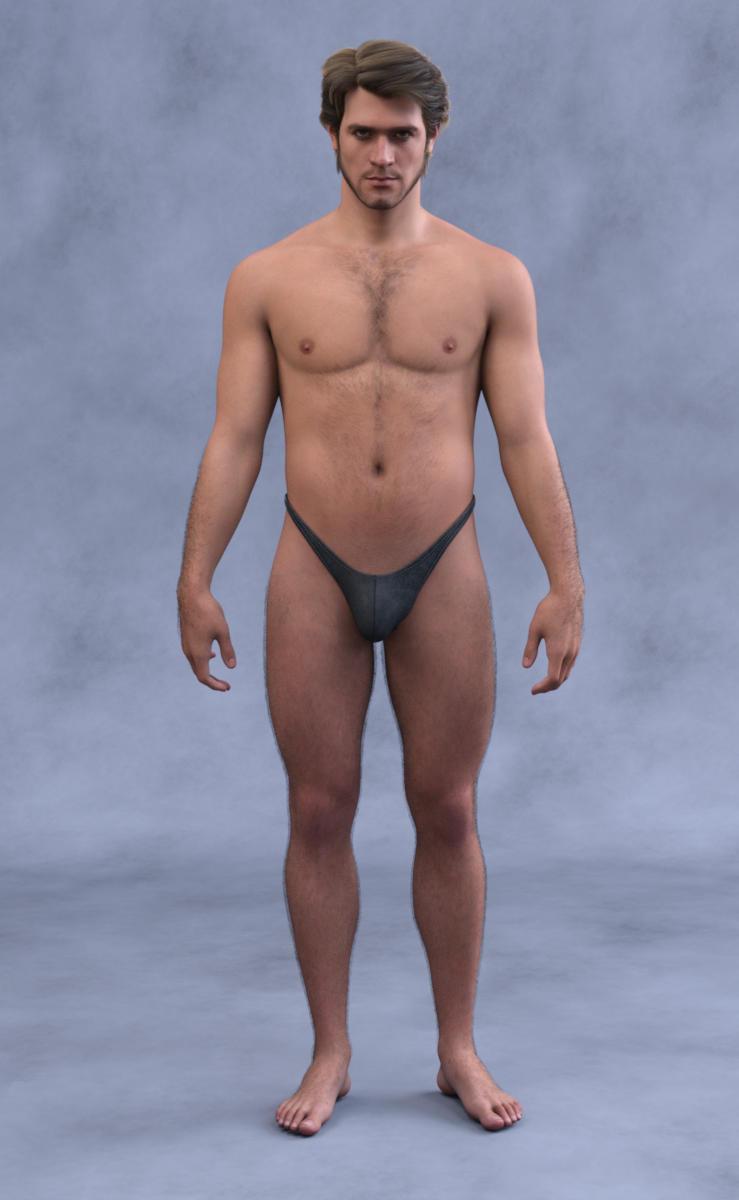
Lovely image, but that nipple placement is giving G2M PTSD flashbacks

would be really nice if the base morphs allowed them to be moved around a little ;) At least he doesn't have MOOBS as big as Michael 2 did. LOL
Yeah, there were some lovely characters for g2m, but lordie, was it obvious that base mesh was converted from g2f.
Ok, So this is Gen 9MeneerWolfman said:
AllenArt said:
This is G9 male with a G8 pose converted with richardandtracy's free pose converter and AOBB's Yves head morph. I turned both the head and body a little past 100 percent for base masculine. He looks a little doughy, but male. TBH, I think ALL the Genesis bases look a bit doughy, but then that's the point, right? Blank canvas ;)
Lovely image, but that nipple placement is giving G2M PTSD flashbacks
would be really nice if the base morphs allowed them to be moved around a little ;) At least he doesn't have MOOBS as big as Michael 2 did. LOL
Ok, So this is Gen 9AllenArt said:
This is G9 male with a G8 pose converted with richardandtracy's free pose converter and AOBB's Yves head morph. I turned both the head and body a little past 100 percent for base masculine. He looks a little doughy, but male. TBH, I think ALL the Genesis bases look a bit doughy, but then that's the point, right? Blank canvas ;)
Lovely image, but that nipple placement is giving G2M PTSD flashbacks
G8F/M Pose Transfer to G9Lonesome Cowboy (I think I replied to you on Renderosity under your 'Catweasle' guise iirc), I simply don't understand why it didn't work for you with G8M when it has for others here.
Also, I don't understand why it would work any differently simply by doing a text search and replace replacing 'G8F' with 'G8M'. Because all instances of that text are just in description strings and variable names, where I could have called it 'Rupert' or 'Fluffykins' for all it matters, just so long as it's consistent throughout the script. What I'm trying - pretty hopelessly - to say is that it doesn't surprise me it worked after the text replacement, because you were replacing things that didn't affect the pose transfer. It's why it didn't work in the first place that has me stumped.
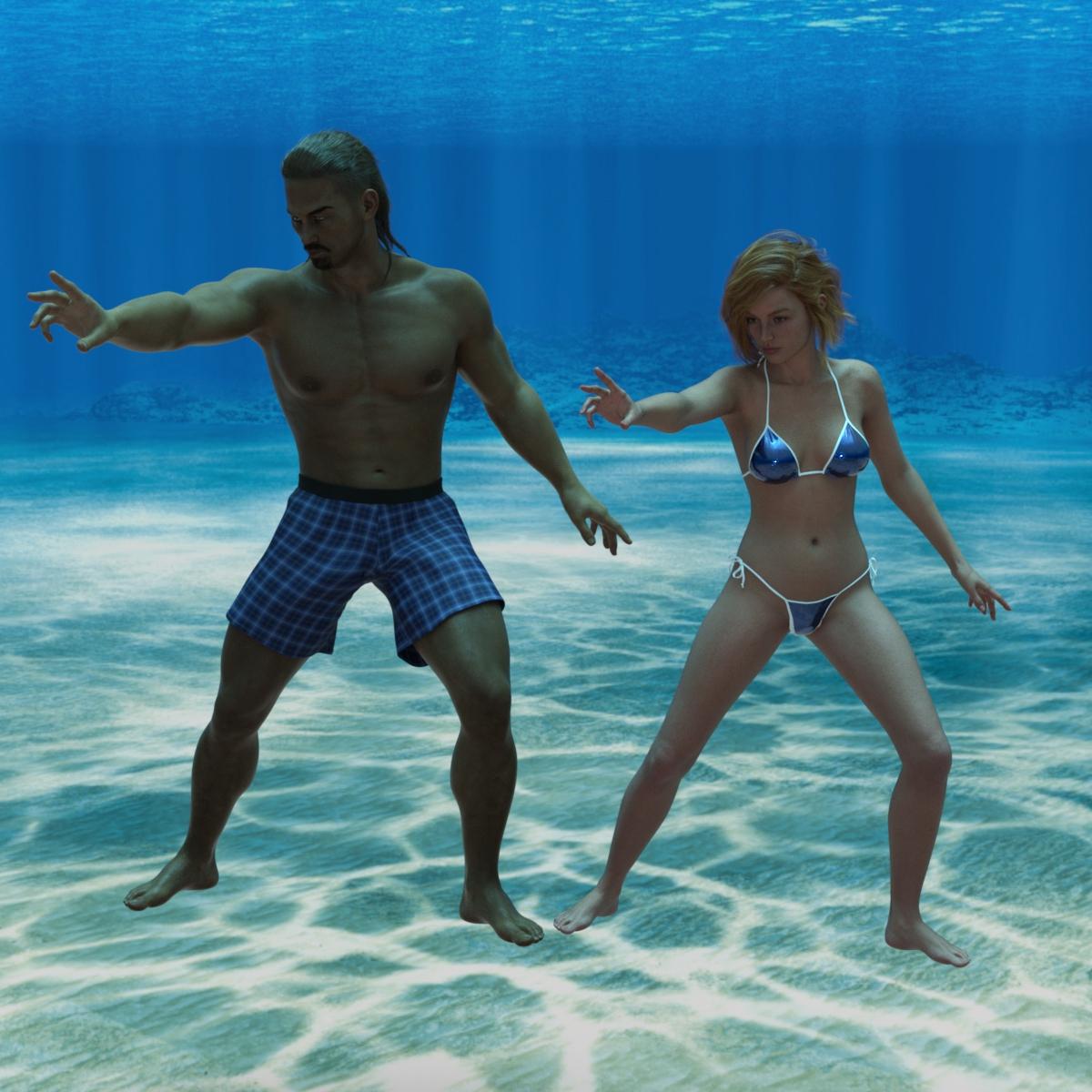
I have attached a pose transfer I did this morning with it, from Scar8 to V9.
Regards,
Richard
Ok, So this is Gen 9This is G9 male with a G8 pose converted with richardandtracy's free pose converter and AOBB's Yves head morph. I turned both the head and body a little past 100 percent for base masculine. He looks a little doughy, but male. TBH, I think ALL the Genesis bases look a bit doughy, but then that's the point, right? Blank canvas ;)
Will we get the head sliders back from Genesis 8.1 and 8?Moved to the Commons as it is a question rather than a Product Suggestion and closed as it has been asked several times already.
It is possible to use the transfer utility to mimic non-HD morphs, though in many cases you would need new JCMs to make a morph work with bends and expressions. I'm sure a PA will come out with a transfer tool in due course (but I don't recall anyone saying they are currently working on one) that might do a more comprehensive job.
Jeepers, Creepers... I gave G8 G9's peepers.Two other examples with everyone's fan favorite, Maxx.
The simplified instructions are as follows. Please note, you may have to individually scale the eyeballs manually for certain figures. This is just my first go at it, so I can't say these scales are 100% spot on, but works well enough to share.
- Load G9 and a G8M
- On G8M, turn off visibility on the left and right eye joint so they are hidden.
- Delete mouth, eyelashes, and tears
- Make sure hidden properties is checked and visible.
- Dial in the g8m clone under Hidden->Clones
- Make the g9 figure invisible and then select the g9 eyes and set resolution to base
- Select the left eye joint and scale the left eye joint to 125%, set y translate to -2.65 and X translate to .13
- repeat with right eye joint but make the X translate -.13
- At this point, I would eyeball how good the g9 eyes look on the g8 figure as they should be roughly the same height and size. These numbers are just my first couple of tests and what I found to be close.
- Export the g9 eyes with all setting at default and scale at 100%
- import the eyes with default and scale at 100%
- Asset transfer g8m to g9 eyes obj, leave all on default settings.
- Then hide the g8 body and select the new g9 eyes and go to geometry editor
- User the lasso tool and circle the left eye ball to high light all left eye geometry then assign to the lEye face group. Repeat the same for the right side assigning it the rEye face group.
- Under surfaces, remove the "_" in all the surface names and replace with " "
- Under the g9 eyeball, expand the joints and then select the left eye, now change the to the node weight map brush. Select general weight and paint the entire left eye red.
- Now select the right eyeball joint and repeat.
- With the new "g9 eyeball" prop selected, go to edit -> object -> geometry -> Convert to Subd
- You will need to do one last thing. On the original genesis 9 eye props. Select either the left or right eye surface and then in a folder in your content tree where you want this to live, do a "save shader preset" and save the eye surface (just one) as a g9 shader.
- Finally, in the same content tree folder, do a "save material preset" and then save the eyemoisture surfaces. Do not save the eye left or right one.
- At this point you can save this out as a prop.
Getting on the 9 train, or notI am weak I will admit it. I bought the bundle on the first day available. Yeah, not pleased with the roll out.
My opportunities to play have been spotty, but today I sat down and tried to use one of the G9 poses released that looks like a man on the G9 Masculine slider form. It was a kneeling pose from the Viking Sword and Sword Poses for G8 and G9. But when I tried to move the upper right arm, I couldn't seem to find the bone. Power Pose does work to a very limited degree, but that bone didn't appear, and the best I could do was move the upper body around. So not an expert in this, not even novice class. After six years you would think I would be able to do it. No bone showed up in the scene pane. Went to another pose from the sucky G9 set that is all ultra-fem stuff.
If the rest of the G9 offerings are like this, so not buying into it. I do have money reserved for the morph packs and for RiverSoftArt's G9 Bone Minion Pack. Already bought Growing Up for G9.
After seeing the damage to my upload times during G8, I will be extra choosy about any characters/morph packs I buy. And since the death of the old Core characters, with others based on them during G8.1, I don't think I will let myself get suckered into G9 Core Bundles this go round. I have a few favored character PAs I will watch for.
I have also used G8/G8.1 clothing on the characters, with only one problem, pair of flat sandals the shoe converter couldn't deal with. No big. So wardrobe not an issue, just buy shoes until SY & RiverSoftArt do their magic. Hair has been iffy.
I have tested G9/V9 on both Win10 1080/108Ti and now my MacBookPro M1 (render of V9 still converging 90%, 3:34:32, 6815 iterations) and may stop it. No issues with it, either during simulations or renders, other than my own mess-ups.
My biggest mark on this generation is against the poor quality control and management that failed to make sure all the elements were in place and WORKING before announcing the release and video. As one who was in a manufacturing company for 20 years, I am fully aware of the issues that can come up, but we also had QC breathing down our necks at every point. Of course our products were implanted into bodies and inspected by the FDA and had to pass their inspections before they touched a human.
But still, Tafi, you need to beef-up your QC department.
Ok, So this is Gen 9a little Morph Test :)
V9+42% G3F
+36% Mika 7 Head
+100% Josie 7 Ears 1The Morph Pack Release takes to long
$6999.97 For body shapes merchant resource and $6999.97 for the Head Shape merchant resource?Moved to the Commons as it is not a Daz Studio topic, closed as it has already been discussed.
These are merchnat ersource, pribcipally aimed at Daz PAs (who get a massive discount). There will be a non-Merchant Resource version for the rest of us (which people can use in creating characters and include shaping presets for, justa s with the existing morph sets).
Daz 3D is part of

Connect
DAZ Productions, Inc.
7533 S Center View Ct #4664
West Jordan, UT 84084Licensing Agreement | Terms of Service | Privacy Policy | EULA
© 2026 Daz Productions Inc. All Rights Reserved.