-
Celebrity Look-a-Likes for 3D figures part 3
sunnyjei said:
magikhs said:
Here's another classic beauty that I'd like to see, as there isn't a morph (to my knowledge) out there rn:
...
 Also: Erin Moriarty. Let's see a proper Starlight!
And last but not least:
..
Not sure if this one has been posted but there is one Starlight at least- here @ https://www.renderhub.com/redmagnet/starlight-character-for-genesis-8-1
Plus Celebrity Series 109 from AdamThwaites.
Does anyone know what schoolgirl (double pigtails) hair product is used in P3D Fabienne promo?sunnyjei said:
https://www.daz3d.com/turbulent-pigtails-hair-for-genesis-8-and-81-females
The ones there are really long but maybe there is a morph (or hand editing in the settings) for the length.
Tizzalicious did a render here: https://www.daz3d.com/gallery#image=1239656 using them shortened....
Original product:
Thank you for such a quick reply. I saw those, but based on the hair ties and the description wherein Outoftouch says, "Please note that this hair is created to be long. You will get a couple of morphs to shorten the pigtails and/or the front, but even with these options applied, the hair will still stay relatively long..." I figured it was a different product than what P3D used. Definitely looks very similar. I don't know how easy it would be to edit the geometry of the OOT product to get the tails to shoulder length or shorter, but it might work.
Celebrity Look-a-Likes for 3D figures part 3magikhs said:
Here's another classic beauty that I'd like to see, as there isn't a morph (to my knowledge) out there rn:
...
Also: Erin Moriarty. Let's see a proper Starlight!And last but not least:
..
Not sure if this one has been posted but there is one Starlight at least- here @ https://www.renderhub.com/redmagnet/starlight-character-for-genesis-8-1
Does anyone know what schoolgirl (double pigtails) hair product is used in P3D Fabienne promo?https://www.daz3d.com/turbulent-pigtails-hair-for-genesis-8-and-81-females
The ones there are really long but maybe there is a morph (or hand editing in the settings) for the length.
Tizzalicious did a render here: https://www.daz3d.com/gallery#image=1239656 using them shortened....
Original product:
HeadShop 13: I wasn't expecting perfection but....really?Just bought HeadShop 13 and tried it out on an "easy" image; i.e. no head rotation, mouth essentially closed. I wasn't expecting perfection, but this isn't even close!
I can only assume that I'm doing something wrong.
The source pic (left, below) is 1600x1600 pixels, so should be plenty large enough.
HeadShop places autodots on the source image in all the right places to identify eyes, nose, mouth etc. The image on the right of the HeadShop screen looked vaugely (very vaugely) like the source picture so I made no further adjustments or changes and exported the morph on to G8f.
The rendered result isn't even vaugely similar to the source image. I expected that at least the general head shape would be similar, but as you can see, it is not.
What am I doing wrong? Would anyone from DAZ or Abalone LLC care to comment?
Making Just Wet raincoat longerThe best would be to make a new morph in Blender or another modeling program, but while it seems easy to me now, it took me months to learn how to do it properly. I had to read and watch many tutorials and experiment a lot before I could do a good job. And I'm still learning.
Otherwise the Mesh Grabber plugin could help you, but I don't own it, maybe someone else can give advice?AIUTO...CHI CONOSCE L’ITALIANO? PARTE TREDICISiamo in periodo elettorale?

Scherzo ovviamente, io penso e spero che l'annuncio riguarderà il DS 5; con la possibilità di fare dei bei face transfer, benché odiati, aggiornati alla Gen 8.1.
A proposito, Sta scritto nel Genesi 8.1: "Dio si ricordò di Noè, di tutte le fiere e di tutti gli animali domestici che erano con lui nell'arca. Dio fece passare un vento sulla terra e le acque si abbassarono".
Please clarify something for me - a new Blender userThank you very much @Padone . It sounds like transfer to Blender is the end for most cases, except animation and morph adjustment. But I feel the result of Blender Cycles render is worse than the iray render.
Another thing I want to ask is, if I made a shoes or belt in Blender, how to bind bones or rig it so that the object can be auto weared in DAZ on a figure, like a normal DAZ asset? Do I need to transfer a basic DAZ G8 figure to Blender first to do the rig?
Clenched eyes morph for G8 figuresI sought a clenched eyes morph, one with stressed-looking crinkles all 'round. I want 'em for females and males. I grabbed Alive when it had a discount day, hoping it could deliver clenched eyes while still preserving some freedom to morph the mouth. Not sure that'll work, but the eyes looked promising.
Well, it's a fine product for its intended purpose, but I couldn't morph the eyes and keep the mouth independent. I need something else.
Question: Anyone know where I can find a clenched eyes, or better yet, clenched eye morphs for the G8 figures? I've pored through pages of shop searches and countless "Real Appendicitis Expressions for Mullywox 8.1" products and found not one respectable clenched eye.
[edit=7] I'm getting something close to the effect I want from Alive HD under certain conditions. Combining morphs with similar eyes but dissimilar mouths gives me some mouth shape freedom, as long as the shapes are in the grimace family. So Kasia Dolan can express her displeasure at her roommate for using up her phone's battery and not putting it on the charger... again, but if I want her eyes clenched while she strains to blow out too many birthday candles, that's a mouth shape I can't get.
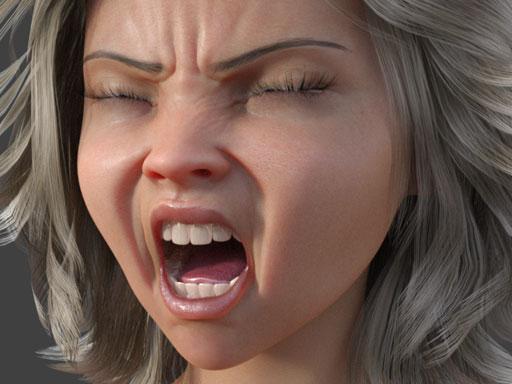
Plus, I got nothing for the G8 males. [/edit]
If you can help, thanks sincerely, and thanks for reading either way.
(Edited a lot. This isn't about a particular product after all.)
Hallelujah!
DiscipleFace match to body issue (Face transfer)Hello everyone!
I used a photo transfer of one of my 3D models, the face came out great! However the body is a little off in coloring in terms of the highlights of the face, should I edit the body to match the face with highlights or is it better to tweak the face?
My friend does textures so I guess it's what makes it more balanced because otherwise he's going to be wearing bodysuits.
 All morphs for all content suddenly gone
All the morph files are there, but it's not just that hair, but all figures, objects, everything, even just base Genesis 8. I can look through the content library and load new figures/props/etc. but they all come out like that
edit: Just uninstalled and reinstalled Daz, nothing
For reference, attached is what I get in the parameters pane when I just load base Genesis 8 and nothing else
Reinstalled the CMS and Genesis 8 Base from DIM, still nothing
edit: Uh, just started working correctly again, not sure what happened. Maybe the CMS needed time to refresh, I don't know
All morphs for all content suddenly goneOh, that is odd. Can you check that the morph files still exist on your computer - according to the ReadMe you should be able to find them here (three examples):
-
/data/second circle/SC Ana Hair/SC Ana Hair Rigged/Morphs/second circle/SC Ana Hair/Back Out.dsf
-
/data/second circle/SC Ana Hair/SC Ana Hair Rigged/Morphs/second circle/SC Ana Hair/Back up.dsf
-
/data/second circle/SC Ana Hair/SC Ana Hair Rigged/Morphs/second circle/SC Ana Hair/Behind Shoulders.dsf
Can you find them there? If not then a reinstall of the hair might be a good idea.
(If you install through Daz Central or DIM, that data folder will be in your main content library). If you installed with Daz Connect (i.e. from inside Daz Studio) then they will be a little harder to find.
Edit to add: I'm sorry, I just noticed the time and need to go now. If noone else drops in to help then I will be back tomorrow.
AI is going to be our biggest game changerPrefoX said:
bluejaunte said:
Well, apparently I was completely wrong about my earlier statement. Some people even in this thread do not seem to care that they are entering text instead of directly controlling pixels and they do seem artistically satisfied with it. Now I'm scared.

I guess some people just want nice images, no matter what. But most people want to control how their visions look and that is not possible with AI yet, you cannot control the camera angle, clothes etc. what if you wanna create the same character in different environments? not possible, zero control.
its great to get some ideas, but thats it.
The problem of reproducable characters is being worked on. One approach this person took is using Textual Inversion on a 3D rendered character that they rendered from 7 different angles/lighting and trained the AI on those images. They could then style transfer and edit this newly learned character:
https://www.reddit.com/r/StableDiffusion/comments/xia53p/textual_inversion_results_trained_on_my_3d/
Winged circlet or helmetThe Gem, its moulding, and its back plate are all conveniently separated, so you are really free to do whatever you want. I exported it to Blender and back with just some arbitrary change, and copied the materials over to the new model one at a time. There's probably a better way to do this in DS.
I forgot to convert to base res, so I couldn't use Morph Loader Pro, but I'm sure it would have worked fine.
Edit: And I just noticed that the PA apparently texture painted some changes after affixing the gem, and so there is a dark region under the gem once it is removed... So some work on the textures would be necessary.
Questions about MetaMixer--Plusinquire said:
And I could work with any figure, without using one of those MetaMixer heads or presets? Or, any combination of three heads, without using one of the MetaMixer heads? Are these two points correct?
If that's so, it's much like the morph brush in Poser, maybe even better, which I've been saying we needed for a long time.
I don't think I understood your second question well enough, but yes to the first one. MetaMixer Toolkit and its add-on, MetaMixer - PLUS, has a set of universal built-in morphs which work independently of the facial presets. Keep in mind though that PLUS is an add-on so you will need the MetaMixer Toolkit in order to be able to use it properly.
As far as your morph brush analogy you are correct. My initial intention was to create something similar but had some major hurdles with the SDK which seems to be outdated. Just having predefined morphs gave me the same level of control I wanted to have, so I went with that instead.
Questions about MetaMixer--PlusAnd I could work with any figure, without using one of those MetaMixer heads or presets? Or, any combination of three heads, without using one of the MetaMixer heads? Are these two points correct?
If that's so, it's much like the morph brush in Poser, maybe even better, which I've been saying we needed for a long time.
dForce Item disappearingI have creating clothing in Marvelous designer, imported the OBJ->Transfer Utility->Add Dynamic dForce Modifier and simutaled. (I am still learning and no expert)
I made a pair vintage nightgown bloomers and brought them in using the above process. The garment behaves well when adjust body shapers and applying poses.
Simulation: To keep the test simple, I am simulating current frame, with simulte from memorized poistion off. I see the the spring messages scrolling by and as soon as it starts "Stabilizing the Simulation" the garment vanishes. I have had them 'explode' before when there are too many collisions, but this one just disappears.
I did use remesh in Marvelous Designer, though I have not taken it into ZBrush yet for zRemesh or Retop. As the garment is loose, thin material, there are a fair amount of wrinkles between the legs.
Any ideas?
Show us your Blender Rendersnevermind, i think i fixed it.
Now just have to fix the deformed morph.For posterity, i just stole/repurposed jcade's shader from this thread.
The big announcement on September 21, 2022 - place your bets!I also played with the Squishy Human morph, and wasn't too impressed...too many dforce explosions. Hopefully if Gen 9 is going to incorporate soft body, they take that into account.
Is it possible to achieve such levels of realisticity simply with Daz Genesis 8 figure?Basically Genesis 2 is indiginous to Daz Studio and no other software out there or game engine has the technology to use it properly. Genesis 3/8/8.1 can be used in other softwares easily.
I can not speak on the game engines.( I dont use them)
However here is the Genesis 2 female imported in to Maxon C4D as a straight FBX with body and facial animation intact
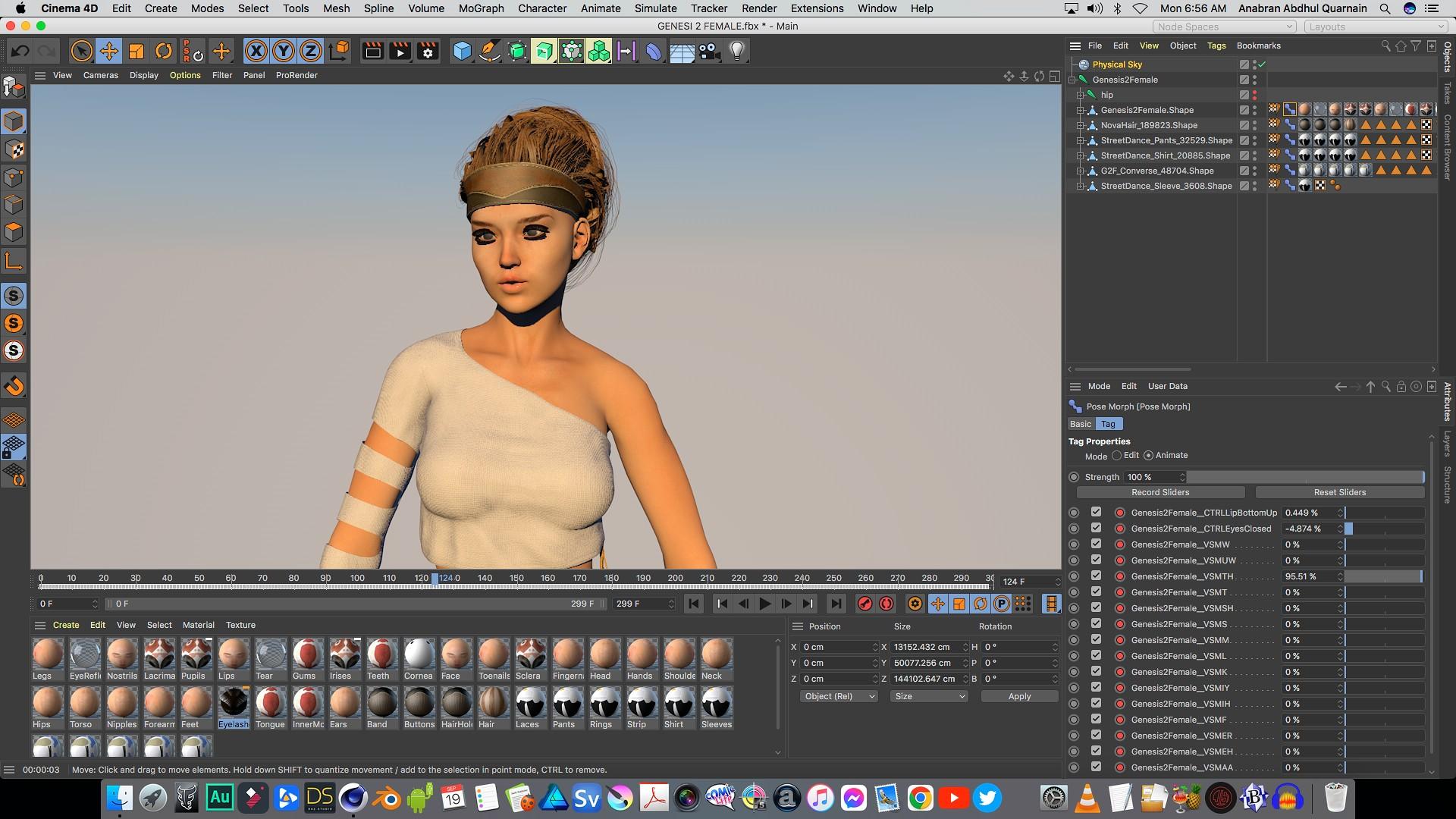
Here is the Genesis 2 female imported into Blender as a straight FBX with body and facial animation intact.

Here is the Genesis 2 female imported into Blender via Diffeomorphic converted to rigify
ready for key framing or mocap retargeting.
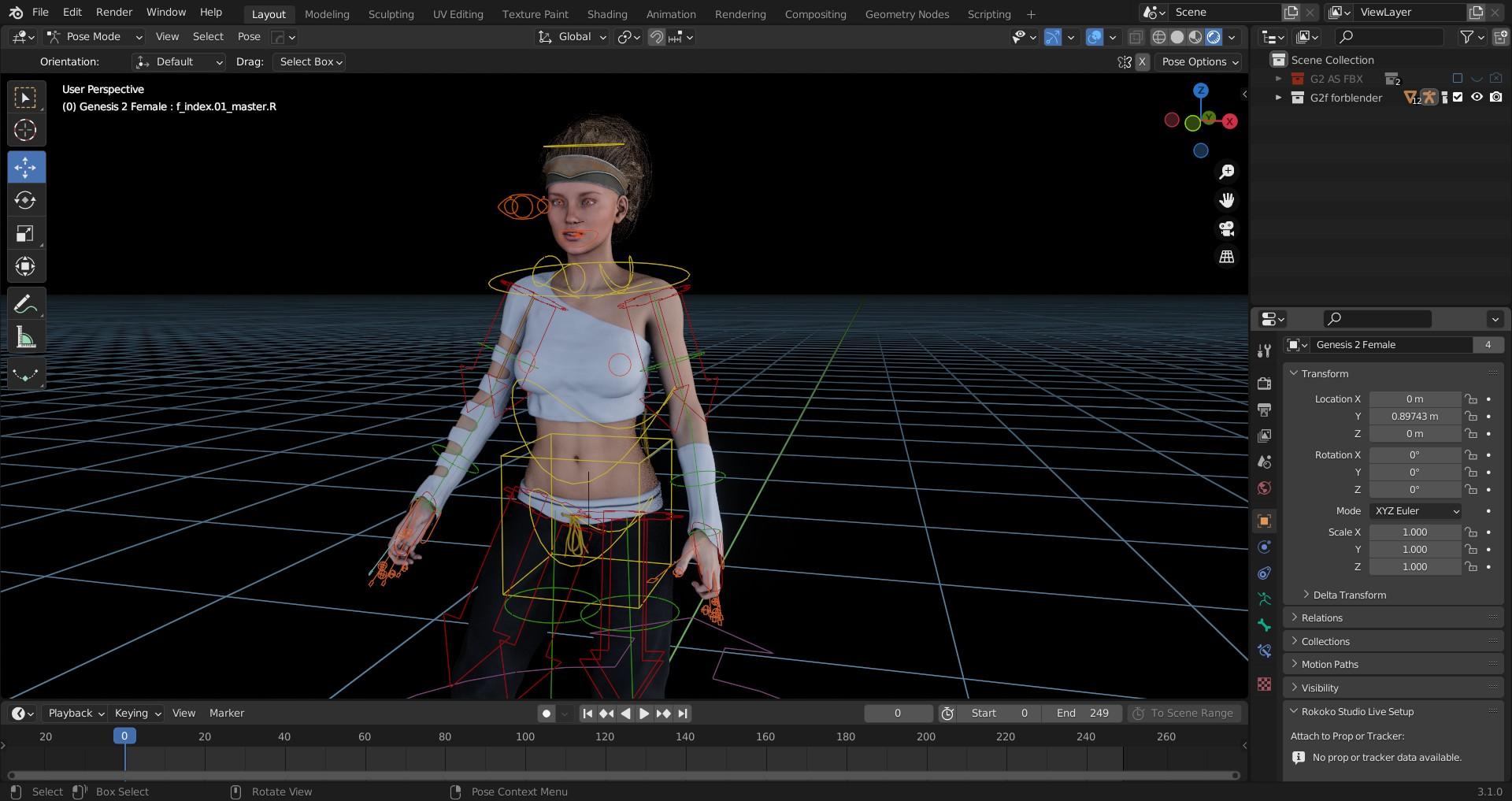
The only difference between G2 and G3,8, in other applications, is the lack of the FACS face rig because G2 Never had a face rig .
However her morph based visemes transfer to external applications for use of Daz generate facial & lipsync data (mimic,Anilip2 ).
Daz 3D is part of

Connect
DAZ Productions, Inc.
7533 S Center View Ct #4664
West Jordan, UT 84084Licensing Agreement | Terms of Service | Privacy Policy | EULA
© 2026 Daz Productions Inc. All Rights Reserved.