-
Questions about MetaMixer--Plus
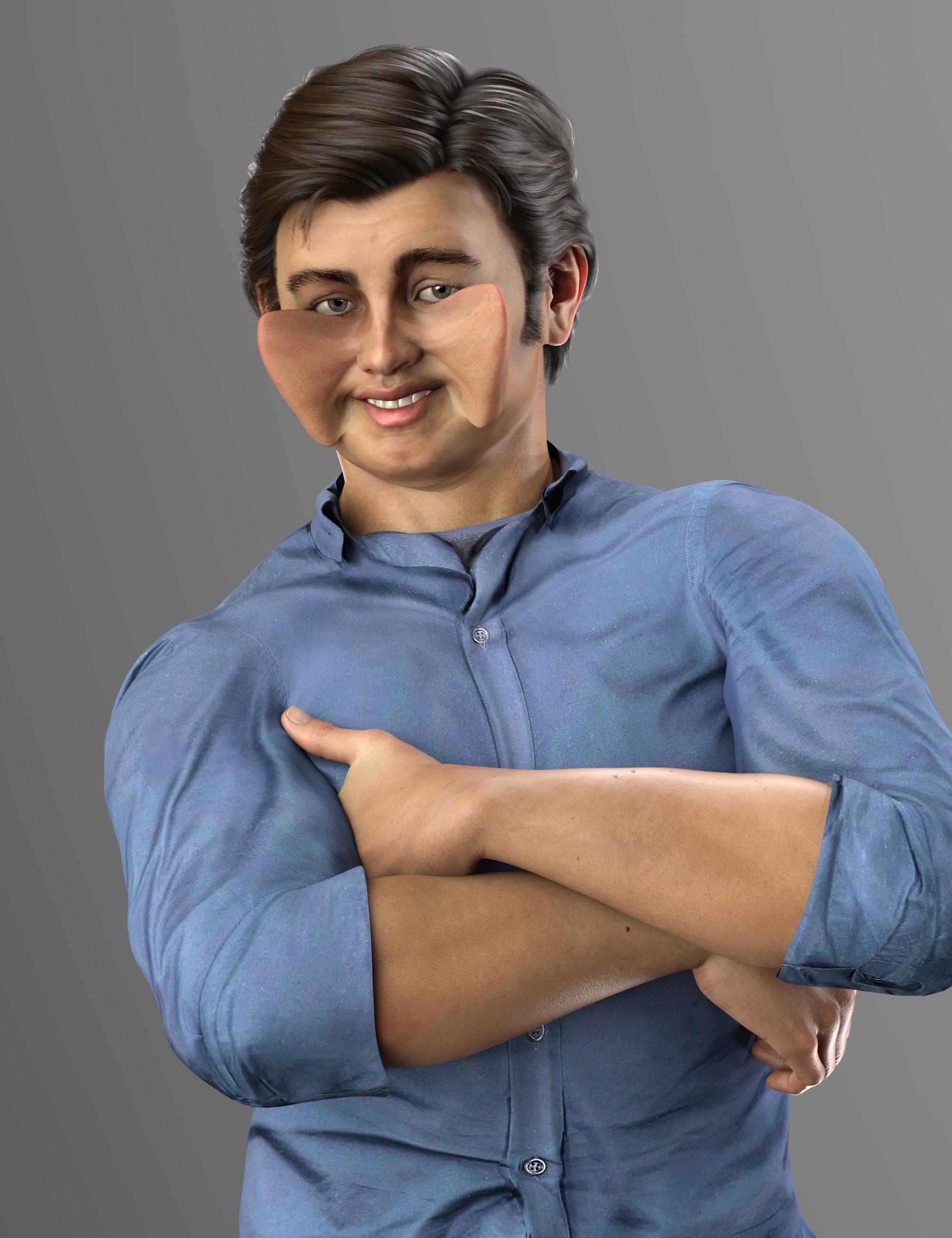
Since I was trying extreme cheek morph values, I made Butterfly Man.
 Genesis 9 Coming Soon! Preorder Victoria 9 HD Today
I'm sorry I haven't read through all the comments yet but I really feel like I already have everything G9 offers. I have the trans morphs to change sexes and the male/female UV maps, I have clones so I can have unisex clothes, I have various face control products to create asymmetry and any expression, additional asymmetry morphs and facial morphs for expressions, I have every morph set and detail HD morph ever made for G8/G8.1 (which is why it takes like an hour to load!) I have hundreds of textures and Skin Builder, I guess it's great for people who are new to DAZ and didn't invest heavily into G8, but for me it wasn't a big "Oh wow!" or anything.
I've said this elsewhere but the only thing that interests me are the animal morphs IF they give us the ability to purchase morph packs so we can create our own animals and creatures. I'm less interested in purchasing PA created full animals, but would love a 500 or more morphs set to create whatever animals our imagination can come up with. If that happens, I'll definitely be into G9. But the human figure doesn't offer me much since I already have all that it offers. Also, it's ridiculously easy to bump up skin details if needed in ANY photo app, even free mobile apps like Snapseed. For people new to DAZ, I guess G9/V9 is great, but doesn't seem to offer much for people like me who already has purchased all the separate bells & whistles for G8/G8.1.
Questions about MetaMixer--Plusinquire said:
Yep, that is an iRay render.
I thought so, but wasn't sure.
If you select G8M and look on the parameters pane at Currently Used, pick one of the used MetaMixer Plus morphs and look at what value it is set to. Is it something reasonable or something ridiculous. I pulled one dot of the cheeks way way out with PowerPose. I looked at morph Move X - l_Cheek_G. It had a value of 1538%, which seems reasonable for this amount of movement.
Luna HD Morph Trouble (Solved)Dev load zeroed does the same thing. Trying one last thing, before reposting eventual screenshot. Have a freebie character called 'Luna' manually installed. Morph doesn't normally activate by default, but maybe it has something to do with that. My suspicion at least. Other than that, I really have no idea what could be wrong xD
Anyway I will update on the result after manually deleting those freebie assetsLuna HD Morph Trouble (Solved)"Currently Used" shows only the dials that have their value set at something else but "Default", it isn't "Show all the dials with non-zero value"
If a character or a morph has been distributed with a non-zero default value, the character or morph will be active for every G8.1F figure loaded or opened in previously save scene.
To find, which character or morph it is, load the "Genesis 8.1 Female Dev Load" into an empty scene, Zero the figure (Right Click at Parameters Tab->Zero->Zero Figure) and check "Currently Used", the dial should now have a zero value but the label of the dial is shown in white as it is not at it's default value.
Or, one could follow this procedure to fix the ill-behaving character/morph without needing to figure out, which one it is;
1. Open DS and load "Genesis 8.1 Basic Female" (to an empty scene)
2. Right Click at Parameters Tab->Preferences->Choose "Show Hidden Properties" (part 3 zeroes only 'visible' dials)
3. Right Click at Parameters Tab->Zero->Zero Figure (Zeroes the value of all the 'visible' dials)
4. Right Click at Parameters Tab->Memorize->Memorize Figure (Sets the current value of all the dials as their default value)
5. Edit->Save As->Support Asset->Save Modified Assets (Writes the changed default value to the morph files that were changed)When saving "Modified Assets" DS shows a dialog and asks for confirmation;
"The following file(s) will be permanently modified:" - "Accept/Cancel" - Choose "Accept"Diffeomorphic: Adding Custom Morphs to clothingto transfer the custom morphs to the outfit it's setup > morphs > transfer shapekeys
Luna HD Morph Trouble (Solved)Having some issues with Luna HD
https://www.daz3d.com/luna-hd-for-genesis-81-female
Attached images are Luna morph 100% vs 0%
Looks like som random morph is causing it, but when I revert back to base Genesis 8.1 the issue with lashes is gone.
Also Body and Face morph looks like a 'Light' version from the product images. Setting morph limit off and exceeding 100% Only deforms it even more.
Tried Installing with DIM first. Then uninstalled and used Daz Central. Nothing changed.
Kinda curious if anyone else had this issue too? Impossible to find anything with Daz' amazing forum search! :D
Thanks for any help you can give!Help with HothradaunPixelSploiting said:
IIRC nose horns are either standard morph for Daz Dragon 3 or they come in Daz Dragon HD morphs.
Thank you! I think I found the horns in the following product:
https://www.daz3d.com/daz-dragon-3-morphs
Kind of disappointed because the Hothradaun looks incomplete without the nose horns, but I don't want to purchase another product at this time.
Oh well.
Help with HothradaunIIRC nose horns are either standard morph for Daz Dragon 3 or they come in Daz Dragon HD morphs.
Thank You Daz & Vendors for Making Genesis 8 Great!I was just working with Mal3Imagery's Two-Piece Business Suit, and I felt so grateful that he persevered until he got this versatile, much-needed essential to us. Then I thought about the complementary Gentleman Suit that was released shortly thereafter by debut vendor Jason Fang, and I could see that the Genesis 8 line---along with being able to autofit & Fit Control (Thanks Zev0 for making our lives better!) Generation 3 (Thanks Shay), 4, Genesis 1-3 items---is almost comprehensive in its scope.
All of the character types that are available, the smorgasbord of Core Figures from both versions, and the abundant variety of morph packs bring Genesis 8 far beyond the hopes I had for it 5 years ago when we were making threads about what we needed. Just about everything I needed to make stories visible is available for Genesis 8.
And I wanted to say congratulations for a job well done, and THANK YOU ALL for your dedication and hard work! Thanks.
Genesis 9 Coming Soon! Preorder Victoria 9 HD TodayI'm sure when Genesis 9 is released there will be mortal-priced, non merchnat resource versions of the packs - though I am not sure if they ar the exact equivalent of the standard haad/body morph packs.
Opportunity here - Can we get Genesis 9 to start on a nice new clean slate?The problem is to do with the internal asset ID that you find in every single DSF file, that ID has to be unique to the figure and not just to one content maker, but to the whole ****in' world, no body else can use it for the same base figure.
"FBM_Bejaymac_G8F_Samay_001"
^^^^^ That is the sort of naming convention I'd like to see adopted by everybody for G9, and that has to be done in Morph Loader, can be done with the OBJ if you are making an all in one full figure morph.
Zenty Cool Hairstyle Male Model info?AllenArt said:
MAC-X said:
I'm in love with the male character they are mainly using in the Zenty Cool Hairstyle promos. Does anyone know what the chacters name is and if he's available here? Thanks!
It's a custom morph of the PA who made the hair and isn't available.
I was figuring as much cause I thought maybe possibly used metamixer or something. Maybe they will release him at some point. Thanks for the info.
Is it possible to bake face Bone rig animation to shape key animation with diffeo?Yes, you don't transfer from bones to shapekeys, but from morphs (driving bones) to shapekeys. This works fine but there are a lot of tracks to copy and paste by hand, one for every shapekey.
update. The new commit by Thomas can trasfer mimic, facecap and livelink facial animations to shapekeys and load them to custom rigs, so you can use any commercial rig not only mhx/rigify.
Is it possible to bake face Bone rig animation to shape key animation with diffeo?The option provided by Diffeomorphic to transfer face rig controls to shape keys is very useful, it's essential to make interactive expressions for G8 characters in Unreal games.
It would be desirable to transfer pre made facial rig based animations to pure shape key animations, if for some reason the G8 skeleton needs to be replaced.
I like to keep G8 original deform bones in game and retarget other animations including those made with AutoRig to original G8 deform bones, and bake the facial animations before importing to UE5. These animations can be used as animation layers for different bone groups in UE5.
- load the daz animation on the genesis figure
- convert morphs to shape keys
- cut and paste the timeline from the morphs to the shapekeys
- delete or disable the original rig
Transferring rig animations to shape key animations would be very complex if possible, and doubt that transferring keyframes from bone channels to shape key channels would be enough to transfer different types of animations. Baking animations should work for shape keys but the purpose is to keep the keyframes.
Found that you already test this on Bitbucket, so transferring tracks actually works and that it's possible to be automated.
Buy Something That Doesn't Work in Carrara? Post your Questions and Workarounds here. (please)WendyLuvsCatz said:
UnifiedBrain said:
Wendy, thanks for the response. Since I have never used Zbrush, I don't know what I don't know. It would be "logical" to assume that the plugin has features which allow a more complete transfer of infermation between the two programs - more than a simple OBJ import/export.
Is that incorrect?
For sure, it is a challenge to find someone who actually uses the plugin.

well the DAZ studio one is worse than an obj as it loses the UV mapping especially UDIM
No, but it does lose all grouping which makes it harder to work with (you essentially need to regroup in Zbrush - there is a one-click tool but that will give each UV island its own surface group, so each nail and tooth for example, which can be undesirable)
I don't have the Carrara one so cannot speak for that
it might have more funtionality but since the D|S one doesn't that did not encourage me to spend money finding out
Buy Something That Doesn't Work in Carrara? Post your Questions and Workarounds here. (please)UnifiedBrain said:
Wendy, thanks for the response. Since I have never used Zbrush, I don't know what I don't know. It would be "logical" to assume that the plugin has features which allow a more complete transfer of infermation between the two programs - more than a simple OBJ import/export.
Is that incorrect?
For sure, it is a challenge to find someone who actually uses the plugin.
well the DAZ studio one is worse than an obj as it loses the UV mapping especially UDIM
I don't have the Carrara one so cannot speak for that
it might have more funtionality but since the D|S one doesn't that did not encourage me to spend money finding out
SereneNight’s Sci-Fi Fun Thread 3I think he's going to probably work best with his own head HD and almost anyone else's body HD. (Well ... Maybe not, say, Wolfgang's HD. But you know what I mean.)
I'm mildly surprised that nobody thought that with a character that's relatively muscular, his HD wouldn't need some additional definition and veins in his body.
Anyway, I tried him with his own head's HD, Torment's body HD, and pretty much everybody's veins HD -- Brute, Torment, Dain, Juan Carlos, Kwan. Might be just a touch of overkill, but otherwise, Torment's body HD seems to work OK for him. The trick is going to be that his normals don't support whichever HD is being used, and I don't know that using his head normals and someone else's body normals (never mind everybody else's body normals) will necessarily work as well. You'd also need to do a map transfer to get the 8.0 normals to work properly.
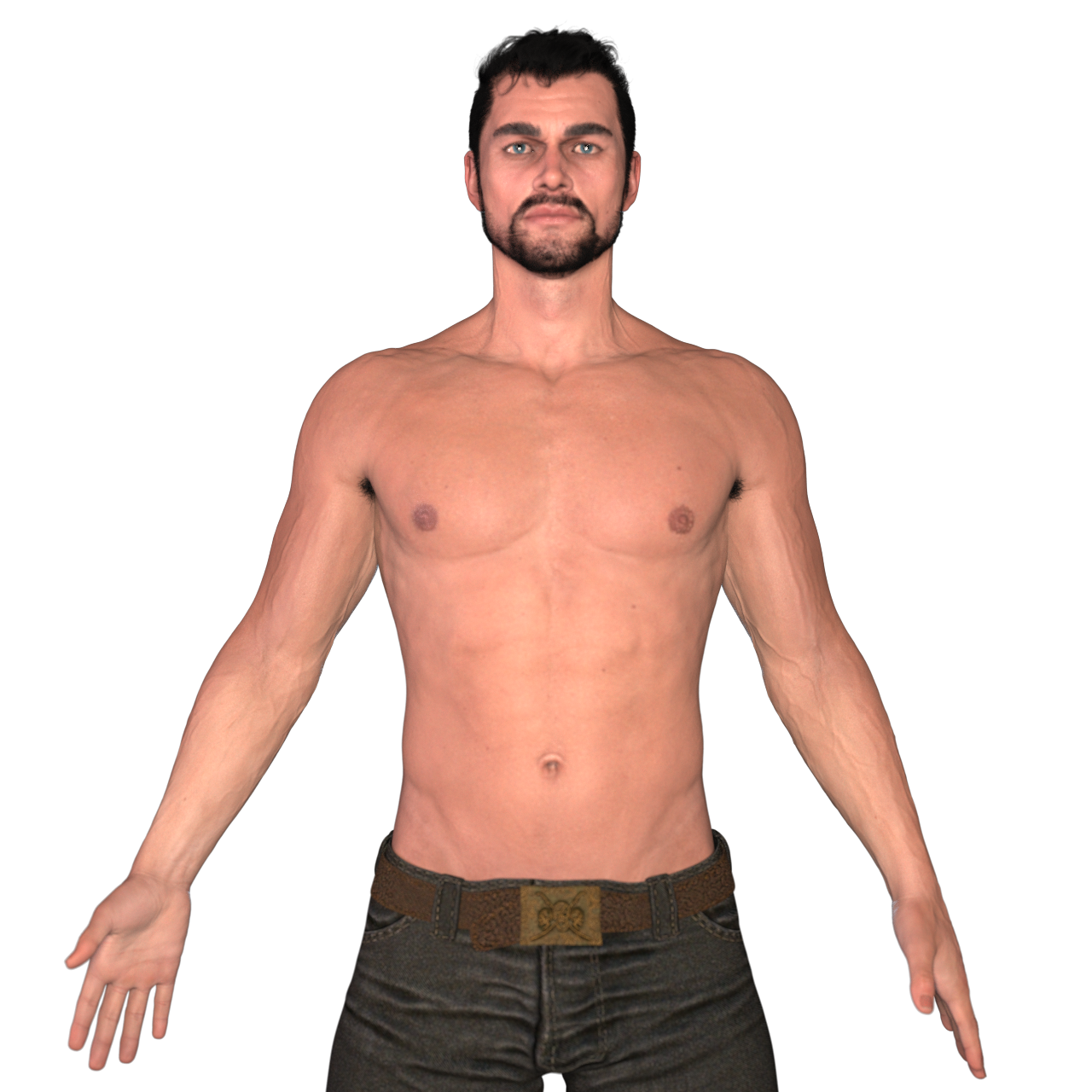 UltraScenery - new territory [Commercial]
barbult said:
paulawp (marahzen) said:
This is probably the best of my "US-stuff through the window" renders. This one uses USC/USXT. I've been dabbling with Daz for a little over a year now, and was lucky enough that I could grant myself the luxury of getting my art computer (with a 3060 and 32GB RAM) a few weeks into learning.
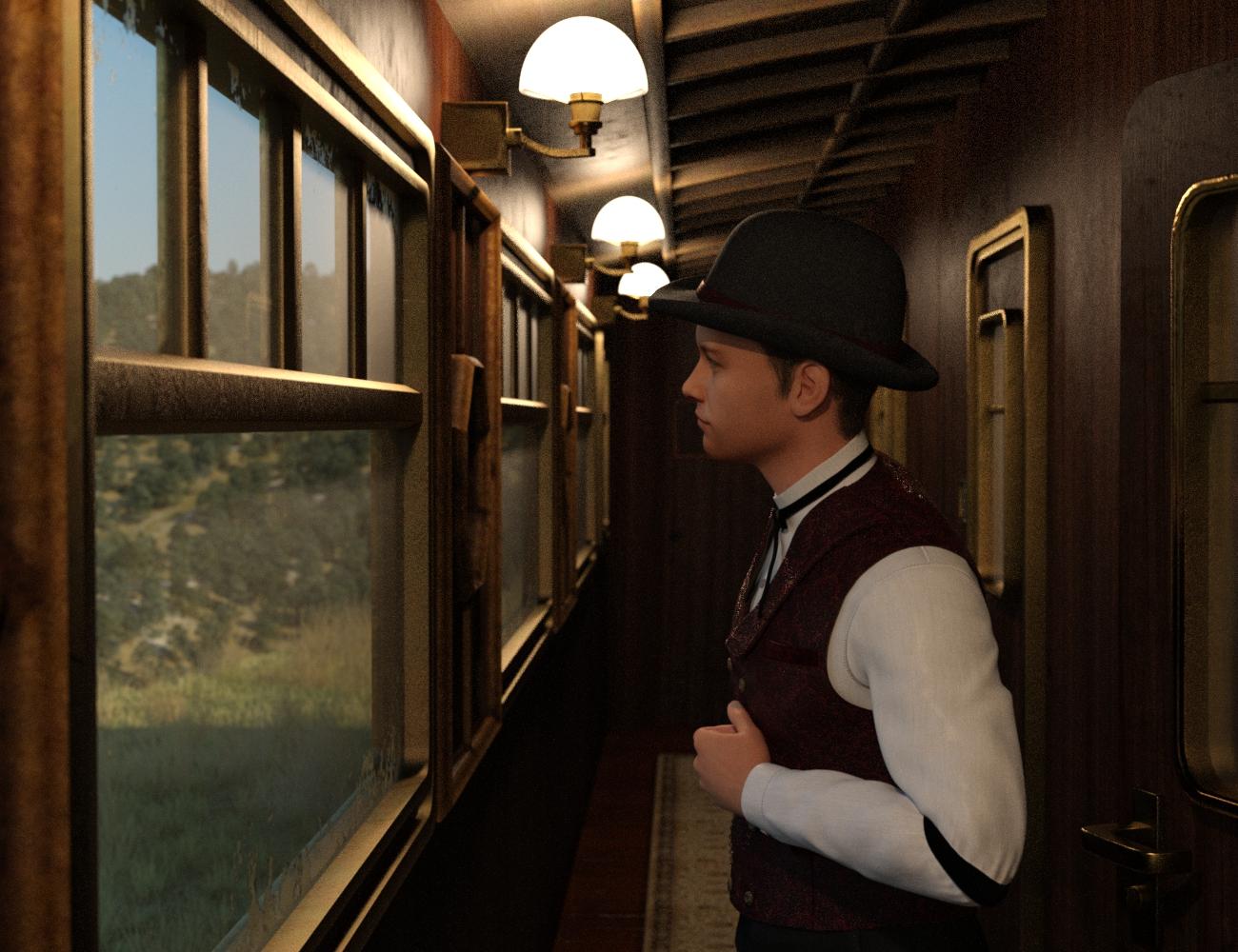
That is a super render!!!!
Aw, thanks! That one was from a couple of months ago when the Western Trains first came out. I had it in my gallery, but I don't think I posted it anywhere on the USC/USXT threads. I humbly think it was the best of my USC/USXT "Sun-Sky on the outside"/Indoor lighting hybrids, and - although off-topic here - also one of my best Face Transfer characters
Buy Something That Doesn't Work in Carrara? Post your Questions and Workarounds here. (please)Wendy, thanks for the response. Since I have never used Zbrush, I don't know what I don't know. It would be "logical" to assume that the plugin has features which allow a more complete transfer of infermation between the two programs - more than a simple OBJ import/export.
Is that incorrect?
For sure, it is a challenge to find someone who actually uses the plugin.
Daz 3D is part of

Connect
DAZ Productions, Inc.
7533 S Center View Ct #4664
West Jordan, UT 84084Licensing Agreement | Terms of Service | Privacy Policy | EULA
© 2026 Daz Productions Inc. All Rights Reserved.