-
Novica & Forum Members Tips & Product Reviews Pt 8
Ahh this one : ULTRAGENESIS : Faces of G ?
YES!!!
We have a winner!@Ferretmania I will PM you the GC code immediately. Please let me know if you have any problems with it.
The product is UltraGenesis Faces of G.I used the Gumdrop Granny preset. A double click on that preset automatically dials a bunch of morphs. That is how shaping presets usually work. That is why you see so many products requiring the Daz Genesis 3 Female Head Mophs and Body Morphs. This product dials Eva 7, Karen 7, and/or Victoria 7 morphs as well. But, as I said, I started with the basic G3F, not one of those characters. All the morph dialing was done automatically when I clicked the preset.
I got this product back in December. I think it was free at the time (or free with some purchase maybe??) I bet a lot of you have it, too.
Congratulations @Ferretmania! :)
One of the reasons I haven't bought this product and others--or guessed it in this contest--is the confusion (at least for me) between "compatible figures" and "required products." It says it's compatible with G3F, but V7, Eva 7 and Karen 7 are required. Just like I wouldn't buy an add-on unless I had the main product it extends because it would be useless, I don't own Eva 7 or Karen 7, so in my thinking it won't function without them.
If you look at the "Whats included and features" section, it only says it includes 12 face shapes for Eva and 12 face shapes for Karen. It says nothing about facial shapes for the G3F base, yet another reason I wouldn't think to buy it without Eva 7 and Karen 7.
I wish Daz would come up with a better way to describe exactly what you need to have in order to use it.
A lot of character and morph products work really well on the base even if they are listed for a specific character. They won't look exactly like the promo if you don't use the required product but you can get some really nice results that way. The best way to find out if something actually needs the required products or not is to ask in the Commons or even here in Novica's thread. Lots of people who have the product are more than happy to share shots of what a particular morph product will look like on the base figure without the required product so you can see what it would look like before you buy. Even some vendors are more than happy to show off what their morphs look like on the base figure. All you have to do is ask. There are plenty of people to help you out.
Novica & Forum Members Tips & Product Reviews Pt 8Ahh this one : ULTRAGENESIS : Faces of G ?
YES!!!
We have a winner!@Ferretmania I will PM you the GC code immediately. Please let me know if you have any problems with it.
The product is UltraGenesis Faces of G.I used the Gumdrop Granny preset. A double click on that preset automatically dials a bunch of morphs. That is how shaping presets usually work. That is why you see so many products requiring the Daz Genesis 3 Female Head Mophs and Body Morphs. This product dials Eva 7, Karen 7, and/or Victoria 7 morphs as well. But, as I said, I started with the basic G3F, not one of those characters. All the morph dialing was done automatically when I clicked the preset.
I got this product back in December. I think it was free at the time (or free with some purchase maybe??) I bet a lot of you have it, too.
Congratulations @Ferretmania! :)
One of the reasons I haven't bought this product and others--or guessed it in this contest--is the confusion (at least for me) between "compatible figures" and "required products." It says it's compatible with G3F, but V7, Eva 7 and Karen 7 are required. Just like I wouldn't buy an add-on unless I had the main product it extends because it would be useless, I don't own Eva 7 or Karen 7, so in my thinking it won't function without them.
If you look at the "Whats included and features" section, it only says it includes 12 face shapes for Eva and 12 face shapes for Karen. It says nothing about facial shapes for the G3F base, yet another reason I wouldn't think to buy it without Eva 7 and Karen 7.
I wish Daz would come up with a better way to describe exactly what you need to have in order to use products.
GenX2 Update / Genesis 3 Add-On [Commercial]Jeesh!! Me neither! Now I really need to read the PDF help file to really learn the tool.
I'm struggling with some of the overall process, not the details. I can transfer no problem, just making it meaningful once it gets there. For instance, I'm trying to move my favorite Victoria 4 characters over to G2F and G3F. A lot of them are just Morphs++ settings. Is it better to save those characters as a complete morph or to export all Morph++ components individually and then transfer the character as it was originally created? In my mind, the disadvantage of creating a complete face morph is that you can only dial in a % of that character. Kind of like the built faces in Morphs++ (e.g. Becky, Samantha) . The disadvantage of transferring the complete Morphs++ package is that there are a lot of components and I'm sure a bunch are already in the Genesis bases. Any suggestions?
RRRR - It could be true - 5th anniversary contesttag: luci45 #9
The Matriarchs
"Yes, my dear Dominia, I know Vicki does not understand now, but she will be grateful when she is my age to able to run the Kingdom without distraction from males. She ought to be grateful now that you have found a use for these big, stupid, pretty boy trouble-makers so I didn't have to imprison them or worse."Victoria 7
Blue Steel Poses for Michael 7
RESURRECTION: Domina
Skin Overlay for V5 and M5 Skin Sets
Medieval Cloaks for Genesis 3 Female(s) (LB)
Tera Poses For Hiro 5 (LB)Also used:
Singhi
Red Queen
Aging Morphs
Augusta Hair
medieval Accessories
Garden party Hair
Water Spirit Warrior
Genesis Creature Creator
Hector
Basic Hair
Moon Gate
Jepes PlateZ 1
Nature Shaders
Various Morphs
HDRI 001 Forest from www.nordicfx.net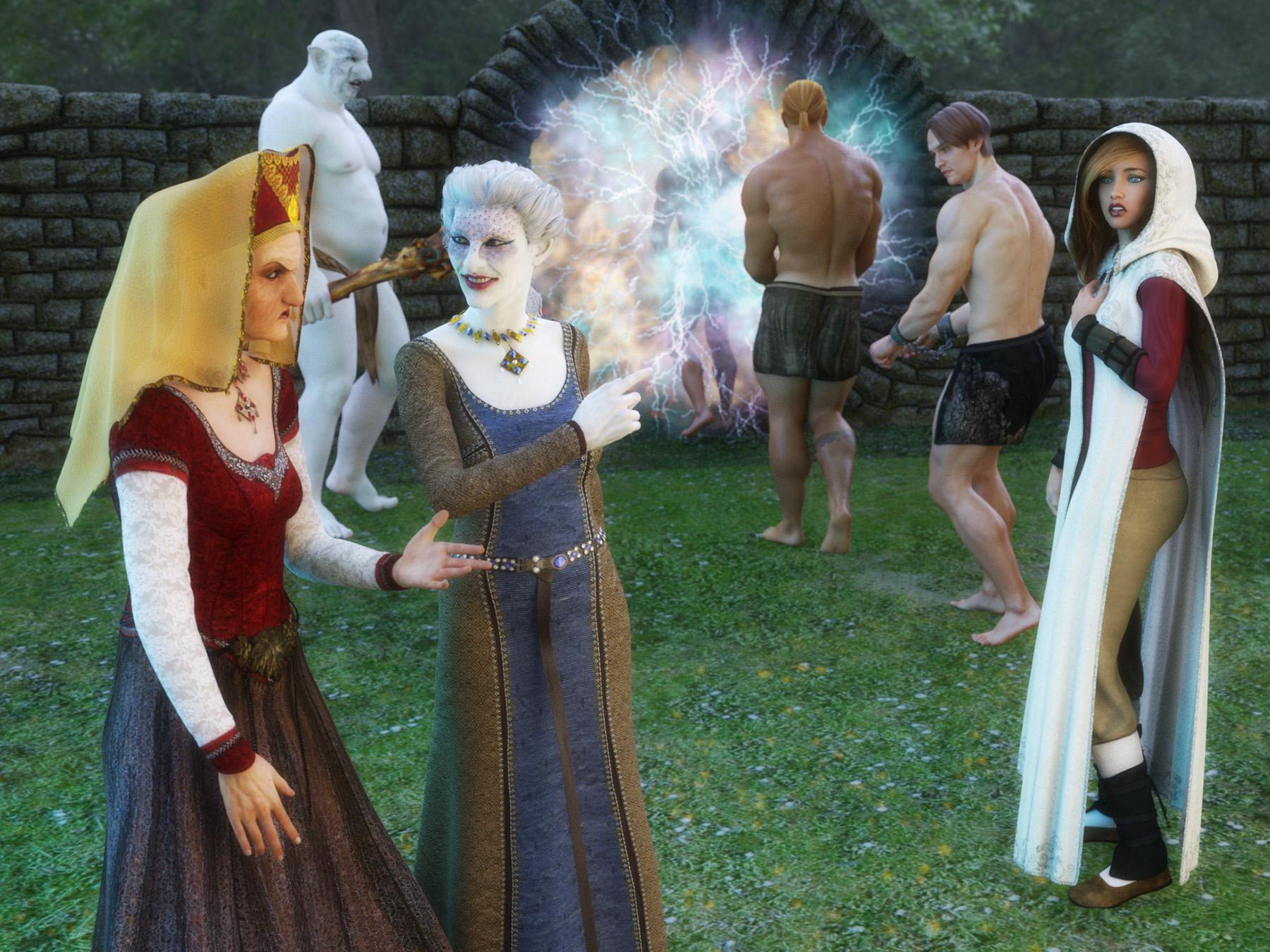 Novica & Forum Members Tips & Product Reviews Pt 8
Ahh this one : ULTRAGENESIS : Faces of G ?
YES!!!
We have a winner!@Ferretmania I will PM you the GC code immediately. Please let me know if you have any problems with it.
The product is UltraGenesis Faces of G.I used the Gumdrop Granny preset. A double click on that preset automatically dials a bunch of morphs. That is how shaping presets usually work. That is why you see so many products requiring the Daz Genesis 3 Female Head Mophs and Body Morphs. This product dials Eva 7, Karen 7, and/or Victoria 7 morphs as well. But, as I said, I started with the basic G3F, not one of those characters. All the morph dialing was done automatically when I clicked the preset.
I got this product back in December. I think it was free at the time (or free with some purchase maybe??) I bet a lot of you have it, too.
Sadie vs. Sadie for GenesisNope, completely different figures. However, all morphs and skins made for Genesis work on them, and Victoria 4 and Michael 4 skins as well, and all Genesis clothes.. so they (Sadie and Sam for Genesis) are a lot more versitile.
RRRR - It could be true - 5th anniversary contestOh gosh, I'm addicted! I couldn't resist the urge to do another pull!
Pull #2
Not sure I've actually used any of these in a render yet, so double yay!
Tag: Morana #2
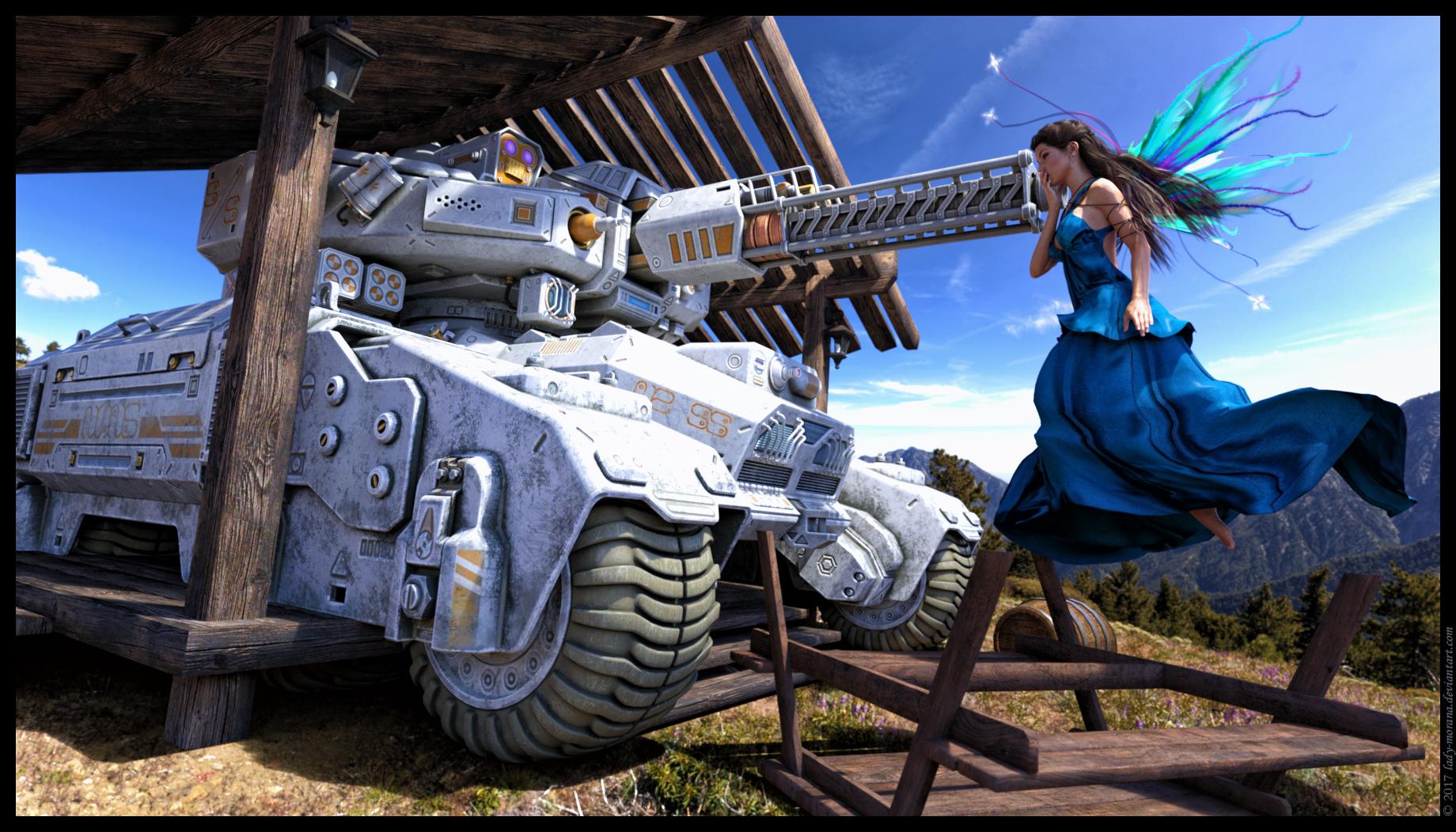
Bibbidi Bobbidi Doh!
Pumpkin-into-carriage transfiguration is one of the hardest tests during the Fairy Godmother school final exams. Practice makes... oops, not so perfect.
 Jenn HD Trish HD
Startling eyes!
If I were to go for one of these Kayleyss characters, which would you recommend. From what I've read so far, most seem very happy with https://www.daz3d.com/gwennili-hd-for-victoria-7 ;
Gwenelli is very good. She has some features that the others don't have... namely, scars and a tattoo in an intimate area. These features are all part of the background of the character that she is based on (Cirilla, the child of destiny, from the Witcher stories).
The thing about Cirilla is that those features are so tied to the Witcher stories, I don't know how much you'd get out of those things. If you put the thigh tattoo on, maybe that's okay, but the scars are a little less useful since they're so particular.
Trish HD is probably easier to use because she's less specific than Gwenelli. Trish HD doesn't have scars or tattoos that mark her as a specific character. I think Trish HD also has a more general body type, whereas Gwenelli is supposed to be based on a young woman in her early 20s who has led a tough life... so her body shape is very lean and towards the muscular.
Trish HD is based on Triss Merigold, who is a sorceress in her 30s (and who can maintain a magically youthful appearance)... she just doesn't have the lean, hard body type that Gwenelli/Cirilla has.
So... if I were to recommend one figure to someone who doesn't need a specific character from the Witcher series?
Probably Trish HD. https://www.daz3d.com/trish-hd-for-victoria-7
(She does have that line on the lips, so you'll need to go into GIMP or Photoshop to smudge out the line in the Normal map.)
EDIT: Jenn HD is also very good, but since Trish is based on a ginger, I went with Trish... but I'm happier with where I'm at with the Jenn HD figure right now in terms of skin, morph dials, and hair. I still need to work on Trish to get her where I want her to be. I do have Gwenilli pretty well dialed in, and haven't worked much with Gwenbleidd. (The pronounciation in the game was kind of annoying. "DD" is not a hard "D" sound.)
Jenn HD Trish HDA comment about the "licensing"... I was just on Amazon, and there are all sorts of products that are clearly labeled "Witcher", "Triss, "Yennefer of Vengerberg", but many/most do not have anything that says "Officially Lilcensed". So if someone can make a poster of Triss Merigold, and sell it as Triss without paying CDPR, then I think we're good with "Trish".
(Of course, I did manage to purchase a couple licensed FunCo POP! figures...)
One more with Trish/Triss. Just a test render, nothing special. I think I can eliminate that lip line altogether. Something about this took a lot longer to converge than Yennefer. I am using an old V4 hair on Yen, so maybe it's the hair...
Startling eyes!
If I were to go for one of these Kayleyss characters, which would you recommend. From what I've read so far, most seem very happy with https://www.daz3d.com/gwennili-hd-for-victoria-7
Unable to use character presets, "missing assets"YOU ARE A WIZARD. Thank you thank you thank you! I'm only just getting into using Studio 4+ and Genesis/2/3 within the past month, after having been on Studio 3 and Victoria/Michael 4 (because, frankly, my computer was a lurching zombie and I've finally upgraded to a system that isn't mumbling "byyyyyytessss"), so I've got quite a lot of learning to do, and you've just helped me IMMENSELY :D
Novica & Forum Members Tips & Product Reviews Pt 8Let me help you folks a little bit by doing a summary. So far, you know
1. It is not a male
2. She gave the clue that you could "Tell the generation by the clothing and the hair"
3. It is a Genesis, Genesis 2 or 3 based character
4. The preset is applied to a free base model like those listed in #3. It's not something like Victoria 7 for the base.
5. The product containing the shaping preset is made for that female base, no cross gender tools used.
6. It is a single shaping preset, applied at 100%
7. The preset has a nice thumbnail and even a tip file with a larger view of the shaping preset
8. The promo in the store also shows the same view
9. It is a shaping preset and NOT A CHARACTER.
10. At least one of the vendors (there are multiple) last name is in the last half of the alphabet. Not all of them are, however.
11. The product name is in the last half of the alphabet.
12. The product contains more than one shaping preset.
You also know it isn't: (and if I missed anyone, let me know)
200 Plus Head Face Morphs (Gen3F)
Abel
Aging Morphs (Zev0)
Barbarian and Succubus for Bethany 7
Barbult (LOL) No FaceGen or OneClick
BD Elena
BD Rajni
Bellatrix
Bethany
Big Beautiful Gen2F
Body by Sublime IV Fantasy Edition
Ceridwen
Cosette
David 5
Daughters of Eve 2
Demora
Draupadi
Erin (Gen3F)
Fantasy Creature Morphs
FW Caoimhe
FW Joanie
FWSA MeMoo
FWSA Zarina
Genevieve
George
GHD Faces 11 + 1 (Gen3F)
Gwenbleitz
Hag
HFS Fantasy Shapes for Gen3F
Leo 7
LLoya's Lovely Ladies
LY Nicolette
Metamorphosis for Gen3F
Opal
People of the Earth
People of Earth Faces of Europe
Pix Ageera
Priya
Sassafrat
Talisken
The Many Faces of Nelly
Toon Generations 2 for Genesis 3
Tween Julie
Ultragenesis: Faces of G WINNER! Ferretmania!
V2 Dragonessa
VYK Bessie
VYK Morwenna for LaviniaSO IF YOU CAN TELL BY THE CLOTHING AND HAIR, START THERE! Let's identify that. (And I don't know the answer BTW as to who this is. I rather liked Bellatrix or Opal as my first thoughts.) As a refresher, here she is again.
Your characters you guess will have to have:
1. thin lips, with distance between the peaks of the upper lip
TOOK OUT. Thanks Barbult!
3. puffy, lowered cheeks
4. sagging chin and jaw
5. fleshy neck
6. on the nose, the nostrils are mostly hidden and the nose tip is very filled out, bulbous but not defined.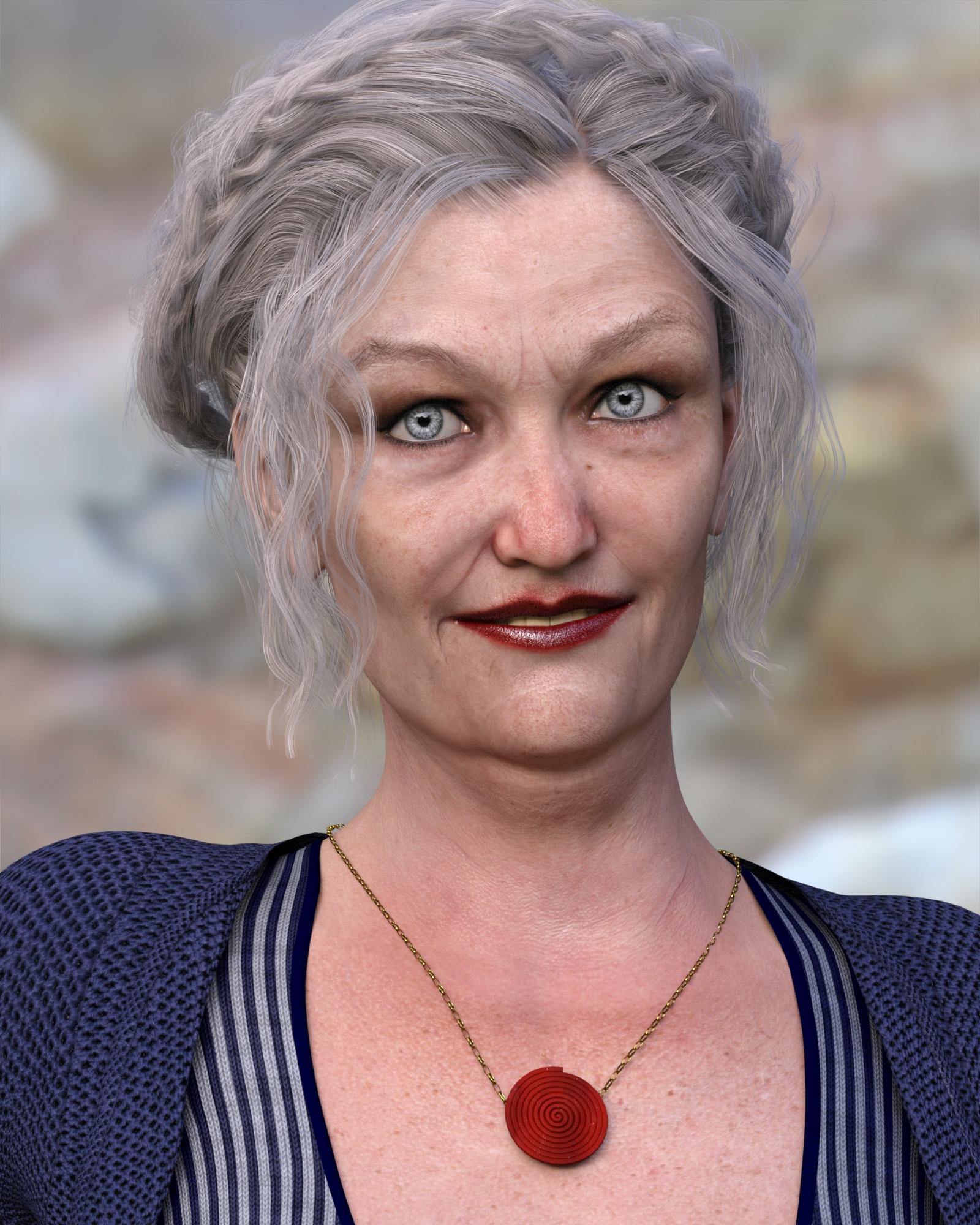 Novica & Forum Members Tips & Product Reviews Pt 8
Not Priya. Remember there is only one shaping preset applied to the base model. No extra aging morphs were used. You need to find a shaping preset that already has that sagging jawline and neck.
You mean the character itself comes with the morph?
I mean that I did not load any character and manually twiddle a bunch of different parameter dials. I loaded the base model for my selected generation (the model Daz gives us for free, not a character like Victoria anything, or Opal, or Joanie, or Abel, or George, or FWSA anything). Then I opened the product that contains the shaping preset I used in the Content Library (you could also do it from Smart Content) and double clicked on a single thumbnail to apply that shaping preset to my base character. The product has a nice thumbnail and even a tip file with a larger view of the shaping preset. The product promo images in the Daz store also show the same view of the shape as the installed product, so even if you don't own this product, you can find it in the store with some digging.
This seems to be harder than I had anticipated. If nobody figures it out, I'll have to give some clues later in the weekend,
importing Daz figure to Carrara 8.5It depends on the figure.
Older Daz figures were rigged to be used in Poser natively. For convenience, let us use Michael and Victoria as the benchmarks, with the numbers corresponding to the order they were released. Victorias 1, 2, 3, and 4 were deisgned to be used in Poser. Their basic installation structure was to be put in a "Runtime" folder because that is how Poser organizes content. A runtime folder has subfolders for Geometries (obj mesh), figures (character sets), Poses, etc. If you look in your Carrara content room under the Content tab (sorry for using same word twice), you will see a few folders. At least one has the word "Runtime" in the name.. It is organzed for Poser stuff to be available in Carrara (or in Daz Studio for that matter). If you open this folder, you will see subfolders for "Faces," "Figures," Hair," "Hands", "Poses," and "Props." By default, Victoria 1, 2, 3, and 4 are installed in ...Runtime\Figures\Daz People. Older Daz content and content from RuntimeDNA and many other sourcs also use Poser installation as the standard, and install in a similar way. This isn't a Carrara thing. It is an old hobbyist industry standard.
Daz changed its basic organization of content around the time it released Genesis 1. Daz abandoned the Poser standard at that time, and Genesis was not initially compatible with Poser. Thus, genesis and genesis 2 will not work properly in Carrara if loaded from the Runtime folder. For Poser, the DSON conversion files followed shortly thereafter, but Carrara users are much better off loading Genesis and Genesis 2 natively rather than using the DSON conversons.. The figures Victoria 5 and Michael 5 are both based on Genesis 1, thus confusion of the numbers. Victoria 5, 6 and Michael 5, 6 should NOT be loaded from the Runtime folder even if they appear there. In Carrara, load anything based on genesis and genesis 2 from the file folder that does NOT have the wod Runtime in it. Daz now uses its DUF files as its standard and encourages its users to use a smart content system.
More trivia than necessary, and someone may come along and correct a small detail or two. The bottom line is
Load Victoria 4, Michael 4, and related content from a subfolder of the Runtime folder.
Do NOT load genesis and later, including Victoria 5,6 and Michael 5,6 from a Runtime folder.
RRRR - It could be true - 5th anniversary contestOh gosh, I'm addicted! I couldn't resist the urge to do another pull!
The withdrawer syndrome that sets in during voting can be very painful, just ask Luci and barbult ;-)
Yes, Totte is right. It is terrible - I am addicted to randomness and RRRR and can't seem to do much between contests.
 Nothing else is this much fun.
 Pull #9 (Yikes, my last one already. Oh no!):
Victoria 7
Blue Steel Poses for Michael 7
RESURRECTION: Domina
Skin Overlay for V5 and M5 Skin Sets
Medieval Cloaks for Genesis 3 Female(s) (LB)
Tera Poses For Hiro 5 (LB)Genesis Generation ConfusionThe default UV sets for the Genesis 2 figures are the Victoria 5/Michael 5 sets, and so the dfeault maps use those.
Whether a particular character set includes texturs for the anatomical elements is up to the PA - presumably whoever made Jeremy chose not to include any.
Where can I find "The Zombie"?I could be completely wrong just guessing cause it looks old BUT there is ghoul girls for victoria 4 https://www.daz3d.com/ghoul-girls

there is also poses for them and I got this ages ago the vampire castle bundle now the undead charcter is a vampire but the style is similar to that zombie https://www.daz3d.com/vampire-castle-bundle

he is also sold seperately btw so amybe just maybe this zombie that is needed is michael 4 based as I have also located one completely different look but since that one you asked about bears a resemblence to the above vamp this zombie could be the base https://www.daz3d.com/zombie-for-genesis-and-m4

there is also this ghoul again style is similar https://www.daz3d.com/the-ghoul

and finally this is all the other m4 zombie/ghoulies types that came up under m4 https://www.daz3d.com/catalogsearch/result/?q=horror
RRRR - It could be true - 5th anniversary contestOh gosh, I'm addicted! I couldn't resist the urge to do another pull!
Pull #2
Not sure I've actually used any of these in a render yet, so double yay!
Where can I find "The Zombie"?think it was a really old one before Michael 4 like 2 maybe lot of the older stuff prior to michael 4 and victoria 4 gone now figure wise but lot of clothing and props still in pc
That stinks. I like the look. A less realistic type.
Hair for Trish for Victoria 7So I really like this character and I got it right away because I'm a sucker for Witcher stuff, but I can't find the hair that they used that is supposed to be the same as her hair in the Witcher (the one with the two buns in the back) Can anyone tell me which hair it is? It isn't listed in the "Products used in Promo Images" list And while I'm asking, could anyone also tell me where to find the ponystail style for Gwennili? I really want that on as well.
Where can I find "The Zombie"?think it was a really old one before Michael 4 like 2 maybe lot of the older stuff prior to michael 4 and victoria 4 gone now figure wise but lot of clothing and props still in pc
Daz 3D is part of

Connect
DAZ Productions, Inc.
7533 S Center View Ct #4664
West Jordan, UT 84084Licensing Agreement | Terms of Service | Privacy Policy | EULA
© 2026 Daz Productions Inc. All Rights Reserved.