-
Getting on the 9 train, or not
Art2Eager said:
I'm honestly not sure what to do with this, now that I've seen it. Victoria 9 looks more or less "normal?" That is, it looks how you'd expect a regular Daz character to look? But Genesis 9 looks more like a base mesh you'd use to start sculpting a Daz character. I don't see how it's useable for any purpose out-of-the-box. Maybe it plays nicely with clothing, or something, due to the simplicity of the mesh? But we won't really know that until people have used it extensively. I've heard the facial expressions are better than Genesis 8, but I'm still learning 8.1, so can't personally confirm.
Final answer: wait and see.

G9 is really not supposed to be used out-of-the-box. :) Its a genderless base that is optimised to work as efficient as possible for both male and female genders, as well as any other shape users want to make.
A base model cannot have features that are too strong, or it will make it hard to change the look of a character - anyone remember the first Michael morphs? It took an extreme effort to make the face look like anything other than Michael. Having a base that's easy to sculpt, change and morph helps to give variety to gene pool.
Genesis 9 Males?I'm still concerned about the G9M chest. I haven't seen a render yet where I think it doesn't have a compressed mesh look under the breast, or looking like undeveloped muscle. My fear is that will transfer over to clothes and they will look odd on him. I'm wagering many clothing vendors will try to make G8M clothes also look good on G8F (like they do with hair) and it's not going to be pretty.Getting on the 9 train, or notyeah. As i use it, my thoughts go to the fact i can do what i need to do using G8. Everyone has different needs, of course. Now what can I do with the morph package if not on G9? Let it clutter dust or send it all back for a refund? It would be the second $6 DAZ+ coupon I would lose because of G9, so even if I don;t use G9, it has cost me $12.
Zbrush related questionsfelis said:
I don't think I understand.
You are mentioning a morph. Are you trying to morph the hands so they come out of the plane?
Reply to you.
Face TransferI upgraded from 4.11 to 4.20 specially to try Face Transfer. What I would like to try is to transfer two G7M faces to G8M faces and to combine both G8M faces and see if the combined G8M face matches the combined (with the same percentages) G7M face. Honestly I don't want to spend my three free saves If I'm not sure I'm making the saves in a correct way. And I watched the video tutorail but it mixed the transfered face with a goblin face etc, which is not want to achieve.
Please advise:-)Head gamesI barely know what I'm doing, and that's being generous. :)
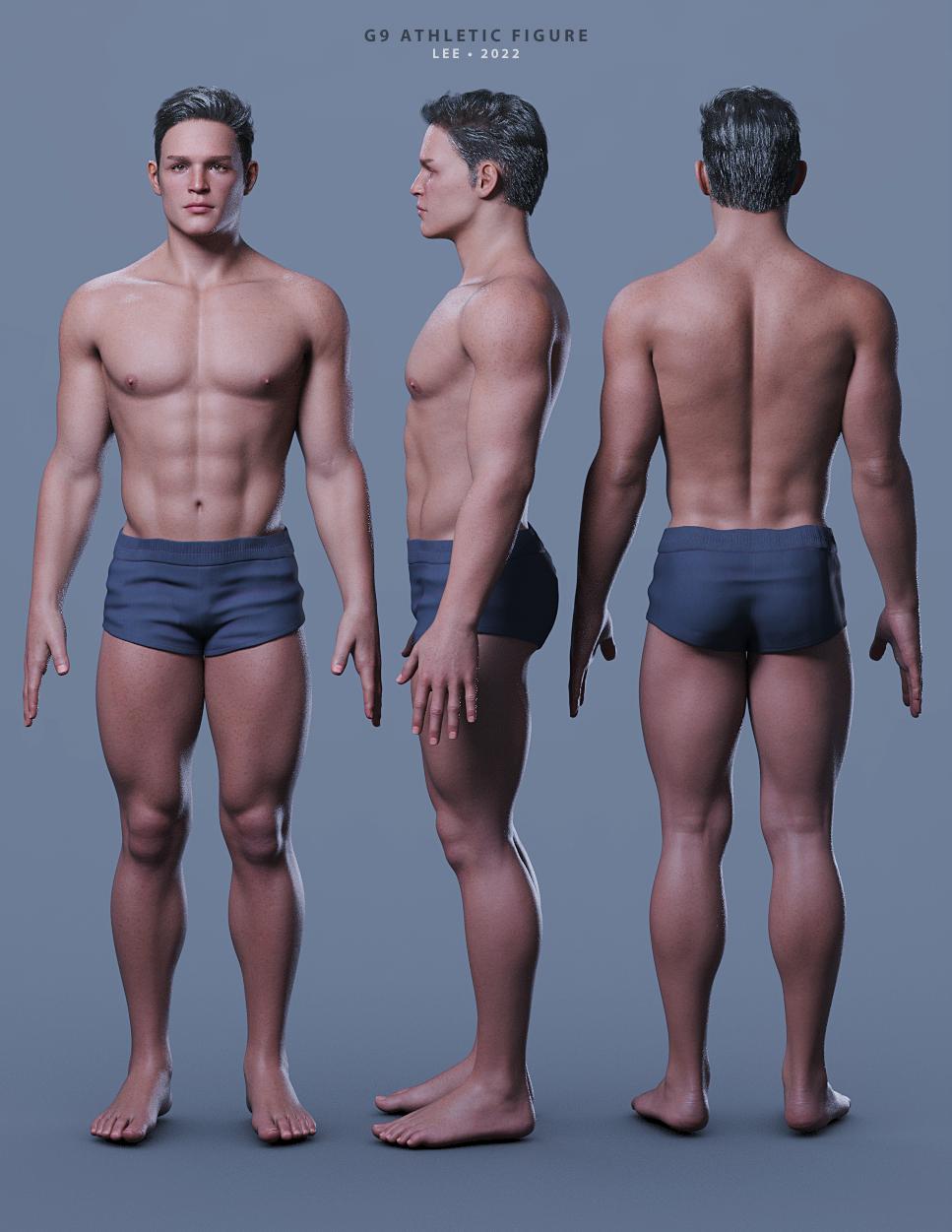
Did a transfer of a custom-dialed G8.1M character over to G9. Used additional G9-specific products to further refine the character. Ended up with this fellow.
The textures are V9, hair is Martin hair, and shorts are from the G9 base set.
Lee
 Zbrush related questions
I don't think I understand.
You are mentioning a morph. Are you trying to morph the hands so they come out of the plane?
Toon SantaIf you have a suitable pose in G8F/M format then I have done a freebie pose transfer script that does G8 to A3/V3/H3/M3 transfer if that's any use. Apply the pose to a G8 character, use the correct transfer script and the Generation 3 character will have a similar pose. https://www.daz3d.com/forums/discussion/446941/g8f-pose-transfer-to-aiko-3-victoria-3-gv3 . G8M to M3 work with the script even though not mentioned. Regards, RichardGenesis 8 or 8.1 shapes on genesis 9?extended options shows up if you click on "morph targets" (not the checkbox but the text). Uncheck "fit to" at the bottom.
if those dont work, It will help a bit if you show me screenshots of where you're at, if you still wanna get this working.
AIUTO...CHI CONOSCE L’ITALIANO? PARTE TREDICIChe figura è ? G8 ? G9 ?
Per gli occhiali ti conviene metterli direttamente sulla figura base senza morph (così togli il reverse sorce shape in Transfer Utility). Di solito basta solo scalarli per adattarli.Una volta fatto il transfer Utility dovresti fare anche un altro paio di cose:
- eliminare dagli occhiali tutti i joint di bocca, occhi e ciglia (lasciare solo il joint Head).. perchè altrimenti come applichi una qualsiasi espressione o ruoti gli occhi gli occhiali si deformeranno
- verificare che la geometria sia unita.. basta provare ad aumentare ed abbassare lo smotthing (a 0 non hai smoothing e tutto dovrebbe essere OK). Se non va la colpa è dei vertici che non sono uniti
- settare una rigidy map. In questo modo puoi "bloccare" parti dell'oggetto che non vuoi si deformino a causa dei morph: https://youtu.be/9L3srVYivaUPS se non devi applicare particolari morph puoi anche solo imparentare gli occhiali con il joint head della figura e non usare Transfer Utility
Genesis 9 clothing questions & answersMada said:
barbult said:
Why do I get this morph when I auto fit something?
I added some extra morphs that's not in Genesis 9 but help with clothing movements... I forgot to move that into the hidden folder - you can just drag it to hidden - I will note for it to be updated in the templates :)
Thank you for the explanation.
What is the most extreme thing you've ever done with dForce?Sven Dullah said:
G1 morph made with dForce...not very extreme of course, I spare you the hardcore stuff:))

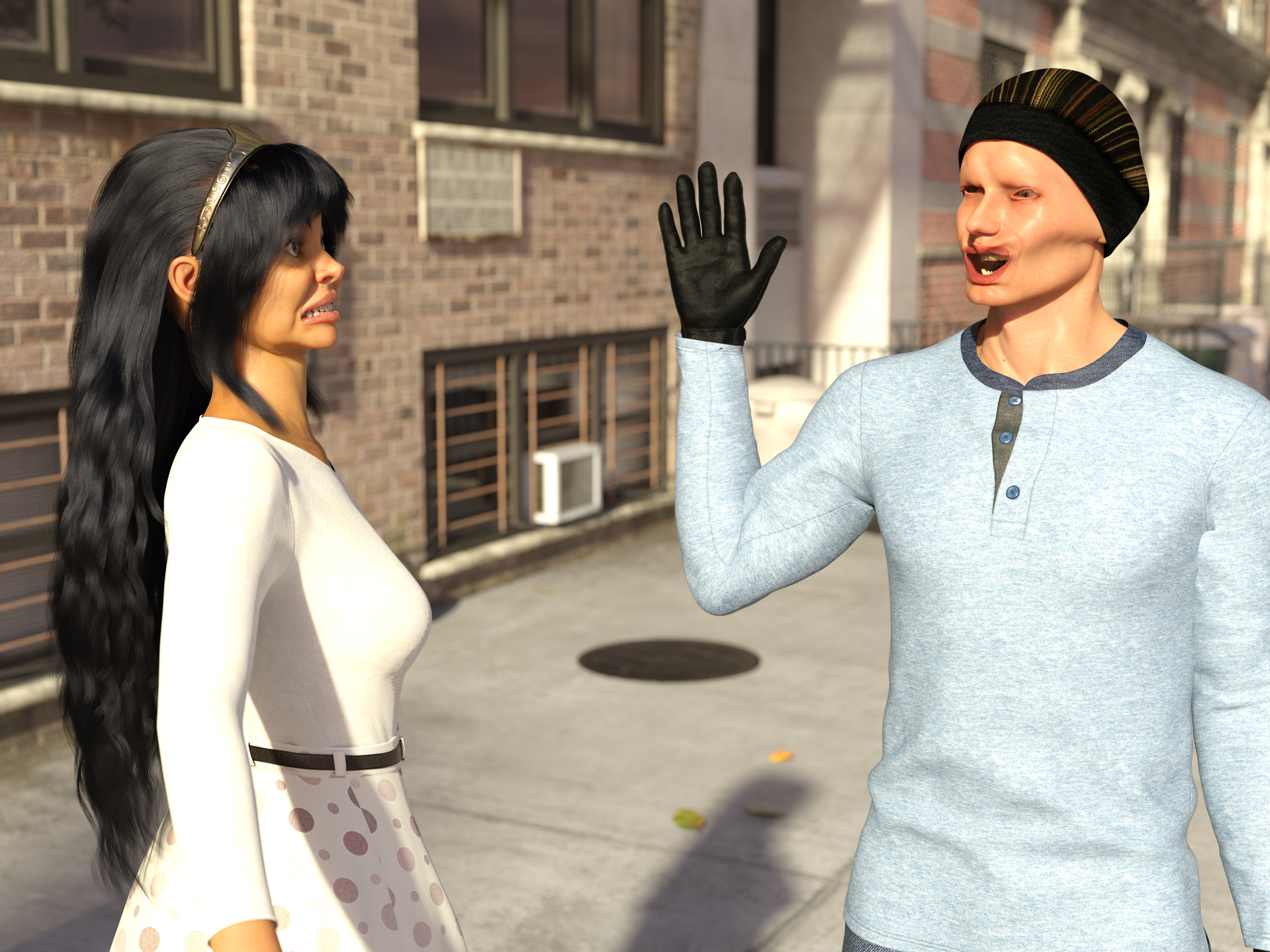
I did something similar:
 Genesis 9 clothing questions & answers
barbult said:
Why do I get this morph when I auto fit something?
I added some extra morphs that's not in Genesis 9 but help with clothing movements... I forgot to move that into the hidden folder - you can just drag it to hidden - I will note for it to be updated in the templates :)
Genesis 9 clothing questions & answersCatherine3678ab said:
Lyoness said:
Diomede said:
I am still getting the Daz Studio crash when I try to use a dress template for the transfer utility. The transfer utility does work without the template, but get the undesirable result in the lower center of the tunic skirt. Can be fixed with weights and morphs, but I assume that is what the template helps with. I was making a simple tunic for the G9 Basic Masculine shape. Used Marvelous Designer but very simple shape. All quads. Only 2 material zones (collar and everything else).
Showing result without template, but with smoothing set to one and default DForce applied and simulated.
EDIT: This tunic was designed for the Genesis 9 basic masculine shape as an avatar in MD. In the transfer utility, I set source to 'current' and checked the options for reverse shape.
EDIT 2: I did submit a ticket with a copy of the zip file that accompanied the crash.
I didn't keep reading to see if anyone else has commented on this.
The key is: have Genesis 9 selected in your scene tab. THEN open the transfer utility and run.
For some reason, that avoids the crashing.edit:
I see that you did manage to get the transfer utility to work for you. I'm thrilled.
And now, you know how to prevent it from crashing next time!!? No, there are some of us who have been finding one must have 'nothing' in the scene selected before running the T.U. Applied to Mac and Windows.
I'm working with Windows, and I've tested selecting various things before opening the TU. Consistently, I do not have crashing if the g9 is selected
to me, unselecting everything is a hassle.AIUTO...CHI CONOSCE L’ITALIANO? PARTE TREDICICiao ragazzi. Ho nuovamente un problema con il Transfer Utility. Nello specifico, dovrei adattare al mio personaggio degli occhiali da sole. Li posiziono correttamente sul personaggio, come dovrebbero essere e li esporto in obj. Importo nuovamente gli occhiali in formato obj e sono nella posizione corretta, poi utilizzo il transfer utility, flaggando reverse source shape from target e poi sicuramente commetto qualche errore perchè sebbene gli occhiali rimangano nella posizione corretta, le lenti e la montatura si deformano un pò e il risultato non mi piace. Secondo voi cosa sbaglio? P.s. purtroppo non riesco a postare le foto. L'alternativa a cui ho pensato è quella di applicarli semplicemente senza usare il transfer utility, ma poi temo sia un problema spostarli quando metto in posa in personaggio
Genesis 9 clothing questions & answersLyoness said:
Diomede said:
I am still getting the Daz Studio crash when I try to use a dress template for the transfer utility. The transfer utility does work without the template, but get the undesirable result in the lower center of the tunic skirt. Can be fixed with weights and morphs, but I assume that is what the template helps with. I was making a simple tunic for the G9 Basic Masculine shape. Used Marvelous Designer but very simple shape. All quads. Only 2 material zones (collar and everything else).
Showing result without template, but with smoothing set to one and default DForce applied and simulated.
EDIT: This tunic was designed for the Genesis 9 basic masculine shape as an avatar in MD. In the transfer utility, I set source to 'current' and checked the options for reverse shape.
EDIT 2: I did submit a ticket with a copy of the zip file that accompanied the crash.
I didn't keep reading to see if anyone else has commented on this.
The key is: have Genesis 9 selected in your scene tab. THEN open the transfer utility and run.
For some reason, that avoids the crashing.edit:
I see that you did manage to get the transfer utility to work for you. I'm thrilled.
And now, you know how to prevent it from crashing next time!!? No, there are some of us who have been finding one must have 'nothing' in the scene selected before running the T.U. Applied to Mac and Windows.
Genesis 9 clothing questions & answersDiomede said:
I am still getting the Daz Studio crash when I try to use a dress template for the transfer utility. The transfer utility does work without the template, but get the undesirable result in the lower center of the tunic skirt. Can be fixed with weights and morphs, but I assume that is what the template helps with. I was making a simple tunic for the G9 Basic Masculine shape. Used Marvelous Designer but very simple shape. All quads. Only 2 material zones (collar and everything else).
Showing result without template, but with smoothing set to one and default DForce applied and simulated.
EDIT: This tunic was designed for the Genesis 9 basic masculine shape as an avatar in MD. In the transfer utility, I set source to 'current' and checked the options for reverse shape.
EDIT 2: I did submit a ticket with a copy of the zip file that accompanied the crash.
I didn't keep reading to see if anyone else has commented on this.
The key is: have Genesis 9 selected in your scene tab. THEN open the transfer utility and run.
For some reason, that avoids the crashing.edit:
I see that you did manage to get the transfer utility to work for you. I'm thrilled.
And now, you know how to prevent it from crashing next time!!Genesis 8 or 8.1 shapes on genesis 9?davidtriune said:
Yep, finally found that, had to figure out where the correct "unhide" was located, once found I was able to follow the steps... My next question is where does it put said Morph in the G9 Heiarchy, I don't find anything resembling the name of what I am trying to convert.
So did you transfer the morph yet? if you did, it should show up in the parameter tab (i just like to filter by "all"). It will start with FBM if it's a body and FHM if it's a head.

No success at all, I think the major difference is the tool, in the image I'm trying to follow, there is a section that does not light up or have options for me, and that is the extended options box. My only option is to select an item shape from under where I specify Genesis female 8.
My last attempt did do Something, looked like maybe it tried to fit GF8 onto G9... but the head was completely messed up, with eyes coming out of the top of ones head and whatnot... Might be longer and more drawn out, but I think I'll try the clone option, as was previously mentioned.
Zbrush related questionsI don't really know the right wording for this. Sorry if this is hard to read or something.
I would like to create hand morph on this plane. I know I can scrupte a hand on zbrush, but I already have the hand model from genesis 8,it is possible to do this on Zbrush without sculptuing?
New Release: Bringing Daz figures To Life in UE5catmaster said:
Using python script to generate JCMs is quite cool, I'd wait for DTL to further improve the results. Have manually sculpt some JCMs and keep using the modified DTU Daz Morph Driver nodes for now, there are too much other work to do after the characters have been imported.
We can use script to replace manual sculpting. Just adjust the bone angle, create a new shapekey, make it active and let vertivces of model which without JCMs and DQS automatically snap to DTU model with JCMs and DQS based on their topology. I think it's a convenient way. In fact, my sript works like this.
Daz 3D is part of

Connect
DAZ Productions, Inc.
7533 S Center View Ct #4664
West Jordan, UT 84084Licensing Agreement | Terms of Service | Privacy Policy | EULA
© 2026 Daz Productions Inc. All Rights Reserved.