-
Getting on the 9 train, or not
Mada said:
Timbales said:
I don't agree it's a genderless base. It seems like it's optimized for female figures, which makes perfect sense given sales figures and popularity. Maybe I'll be proven wrong and we'll see some morphs in the store that make the chest look undeveloped, but it very much looks like G9 was made to have nice looking breasts.
Its split 50/50 between the male and female shapes so that you only have to dial 50% either way. With the original Genesis figure you had to dial 100% to get the female shape and it caused stretching issues.
Image shows Breasts Gone morph applied to the base figure with a texture map that shows up distortions
...the new unimesh is about the only thing that interests me as with previous generations, using "Breasts Gone" morph often results in collapse of the mesh in the nipple/areola region (which can affect clothing fits) as well as does nothing to reduce the diameter of the breast area (often resulting in an unnatural curved "ridge" at the bottom). Even reducing the breast size with "Breast Small" causes these distortions as the diameter of the default breast mesh in G3 and G8 is rather large and again is not adjusted accordingly.
Genesis 8 or 8.1 shapes on genesis 9?davidtriune said:
extended options shows up if you click on "morph targets" (not the checkbox but the text). Uncheck "fit to" at the bottom.
if those dont work, It will help a bit if you show me screenshots of where you're at, if you still wanna get this working.
OMG!!!

Do they have a face palm emote on here... That was it, I didn't have the text for morphs highlighted... once the Extended options showed up, I went with all.... and it took about 10 minutes, but all them that morphs appear to be there.
Purple = G*.1F,, Green = G9
Couple issues I see, is the toes and hands just went nuts, and Amira appears to have aged quite a bit in the transfer... But then again, the morphs were applied While the G8F morph was still active, so I get to play with it...
So now, I read somewhere about a save! Save, save, save... Where and how, am I exporting from G9, and reimporting as a morph. (using the characters not any Dev loads, do I get to do it over again?)
Read the HD details do not work, okay, so how do I go about getting rid of those morphs? No point in cluttering this up with things that cannot be used right?
And thanks a Heaps, now I have something to play with.
V
P.S. the morphs come in with no limits, so Amira looks really weird due to being dialed in at 285%... no something that was intended. Her toes and fingers cleaned up very well at 100% :D
Any G8 female morphs or add ons that bring the toes to a point?It might be better accomplished with a geograft than a morph, if all the toes and lower foot needs to disappear without distortion. If it's like turning a foot into a claw.
Getting on the 9 train, or notTimbales said:
I'm not going to render a checkboard skin either. Thank you.
OK here's an image with the shoulder bend down. It looks like you don't have joint correctives turned on.
edit : added an image with the shoulder bend down and a male skin, as well as a clothing item with both shoulders bend down and breast gone morph. I do use the checkerboard texture because it shows up problems right away.
Getting on the 9 train, or notMada said:
Timbales said:
I don't agree it's a genderless base. It seems like it's optimized for female figures, which makes perfect sense given sales figures and popularity. Maybe I'll be proven wrong and we'll see some morphs in the store that make the chest look undeveloped, but it very much looks like G9 was made to have nice looking breasts.
Its split 50/50 between the male and female shapes so that you only have to dial 50% either way. With the original Genesis figure you had to dial 100% to get the female shape and it caused stretching issues.
Image shows Breasts Gone morph applied to the base figure with a texture map that shows up distortions
and with no textures as it loads
Getting on the 9 train, or notTimbales said:
I don't agree it's a genderless base. It seems like it's optimized for female figures, which makes perfect sense given sales figures and popularity. Maybe I'll be proven wrong and we'll see some morphs in the store that make the chest look undeveloped, but it very much looks like G9 was made to have nice looking breasts.
Its split 50/50 between the male and female shapes so that you only have to dial 50% either way. With the original Genesis figure you had to dial 100% to get the female shape and it caused stretching issues.
Image shows Breasts Gone morph applied to the base figure with a texture map that shows up distortions
Celebrity Look-a-Likes for 3D figures part 3I'd love to see a morph for Dafnee Keen, X-23 from "Logan" and Lyra from his Dark Materials
Getting on the 9 train, or notArt2Eager said:
I'm honestly not sure what to do with this, now that I've seen it. Victoria 9 looks more or less "normal?" That is, it looks how you'd expect a regular Daz character to look? But Genesis 9 looks more like a base mesh you'd use to start sculpting a Daz character. I don't see how it's useable for any purpose out-of-the-box. Maybe it plays nicely with clothing, or something, due to the simplicity of the mesh? But we won't really know that until people have used it extensively. I've heard the facial expressions are better than Genesis 8, but I'm still learning 8.1, so can't personally confirm.
Final answer: wait and see.

G9 is really not supposed to be used out-of-the-box. :) Its a genderless base that is optimised to work as efficient as possible for both male and female genders, as well as any other shape users want to make.
A base model cannot have features that are too strong, or it will make it hard to change the look of a character - anyone remember the first Michael morphs? It took an extreme effort to make the face look like anything other than Michael. Having a base that's easy to sculpt, change and morph helps to give variety to gene pool.
Genesis 9 Males?I'm still concerned about the G9M chest. I haven't seen a render yet where I think it doesn't have a compressed mesh look under the breast, or looking like undeveloped muscle. My fear is that will transfer over to clothes and they will look odd on him. I'm wagering many clothing vendors will try to make G8M clothes also look good on G8F (like they do with hair) and it's not going to be pretty.Getting on the 9 train, or notyeah. As i use it, my thoughts go to the fact i can do what i need to do using G8. Everyone has different needs, of course. Now what can I do with the morph package if not on G9? Let it clutter dust or send it all back for a refund? It would be the second $6 DAZ+ coupon I would lose because of G9, so even if I don;t use G9, it has cost me $12.
Zbrush related questionsfelis said:
I don't think I understand.
You are mentioning a morph. Are you trying to morph the hands so they come out of the plane?
Reply to you.
Face TransferI upgraded from 4.11 to 4.20 specially to try Face Transfer. What I would like to try is to transfer two G7M faces to G8M faces and to combine both G8M faces and see if the combined G8M face matches the combined (with the same percentages) G7M face. Honestly I don't want to spend my three free saves If I'm not sure I'm making the saves in a correct way. And I watched the video tutorail but it mixed the transfered face with a goblin face etc, which is not want to achieve.
Please advise:-)Head gamesI barely know what I'm doing, and that's being generous. :)
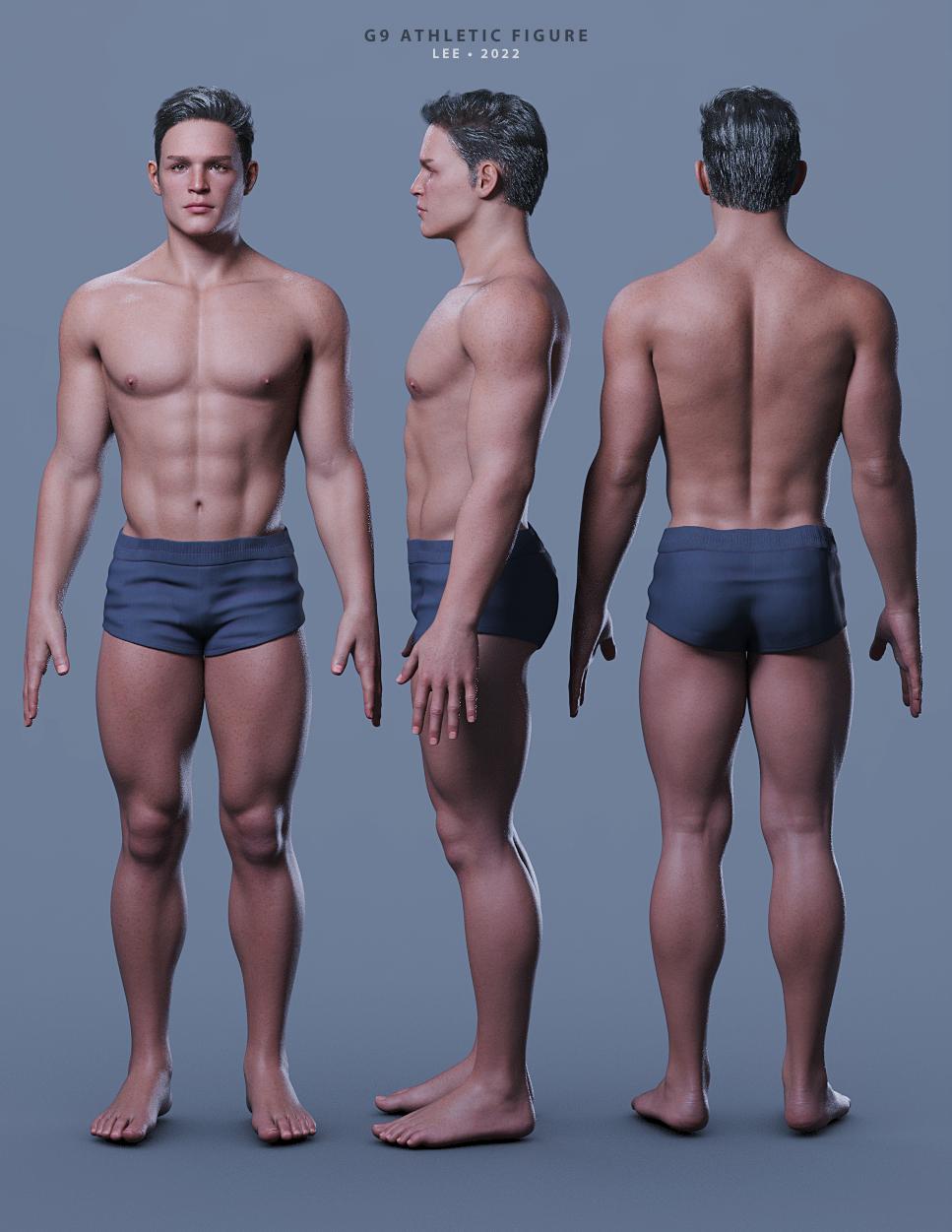
Did a transfer of a custom-dialed G8.1M character over to G9. Used additional G9-specific products to further refine the character. Ended up with this fellow.
The textures are V9, hair is Martin hair, and shorts are from the G9 base set.
Lee
 Zbrush related questions
I don't think I understand.
You are mentioning a morph. Are you trying to morph the hands so they come out of the plane?
Toon SantaIf you have a suitable pose in G8F/M format then I have done a freebie pose transfer script that does G8 to A3/V3/H3/M3 transfer if that's any use. Apply the pose to a G8 character, use the correct transfer script and the Generation 3 character will have a similar pose. https://www.daz3d.com/forums/discussion/446941/g8f-pose-transfer-to-aiko-3-victoria-3-gv3 . G8M to M3 work with the script even though not mentioned. Regards, RichardGenesis 8 or 8.1 shapes on genesis 9?extended options shows up if you click on "morph targets" (not the checkbox but the text). Uncheck "fit to" at the bottom.
if those dont work, It will help a bit if you show me screenshots of where you're at, if you still wanna get this working.
AIUTO...CHI CONOSCE L’ITALIANO? PARTE TREDICIChe figura è ? G8 ? G9 ?
Per gli occhiali ti conviene metterli direttamente sulla figura base senza morph (così togli il reverse sorce shape in Transfer Utility). Di solito basta solo scalarli per adattarli.Una volta fatto il transfer Utility dovresti fare anche un altro paio di cose:
- eliminare dagli occhiali tutti i joint di bocca, occhi e ciglia (lasciare solo il joint Head).. perchè altrimenti come applichi una qualsiasi espressione o ruoti gli occhi gli occhiali si deformeranno
- verificare che la geometria sia unita.. basta provare ad aumentare ed abbassare lo smotthing (a 0 non hai smoothing e tutto dovrebbe essere OK). Se non va la colpa è dei vertici che non sono uniti
- settare una rigidy map. In questo modo puoi "bloccare" parti dell'oggetto che non vuoi si deformino a causa dei morph: https://youtu.be/9L3srVYivaUPS se non devi applicare particolari morph puoi anche solo imparentare gli occhiali con il joint head della figura e non usare Transfer Utility
Genesis 9 clothing questions & answersMada said:
barbult said:
Why do I get this morph when I auto fit something?
I added some extra morphs that's not in Genesis 9 but help with clothing movements... I forgot to move that into the hidden folder - you can just drag it to hidden - I will note for it to be updated in the templates :)
Thank you for the explanation.
What is the most extreme thing you've ever done with dForce?Sven Dullah said:
G1 morph made with dForce...not very extreme of course, I spare you the hardcore stuff:))

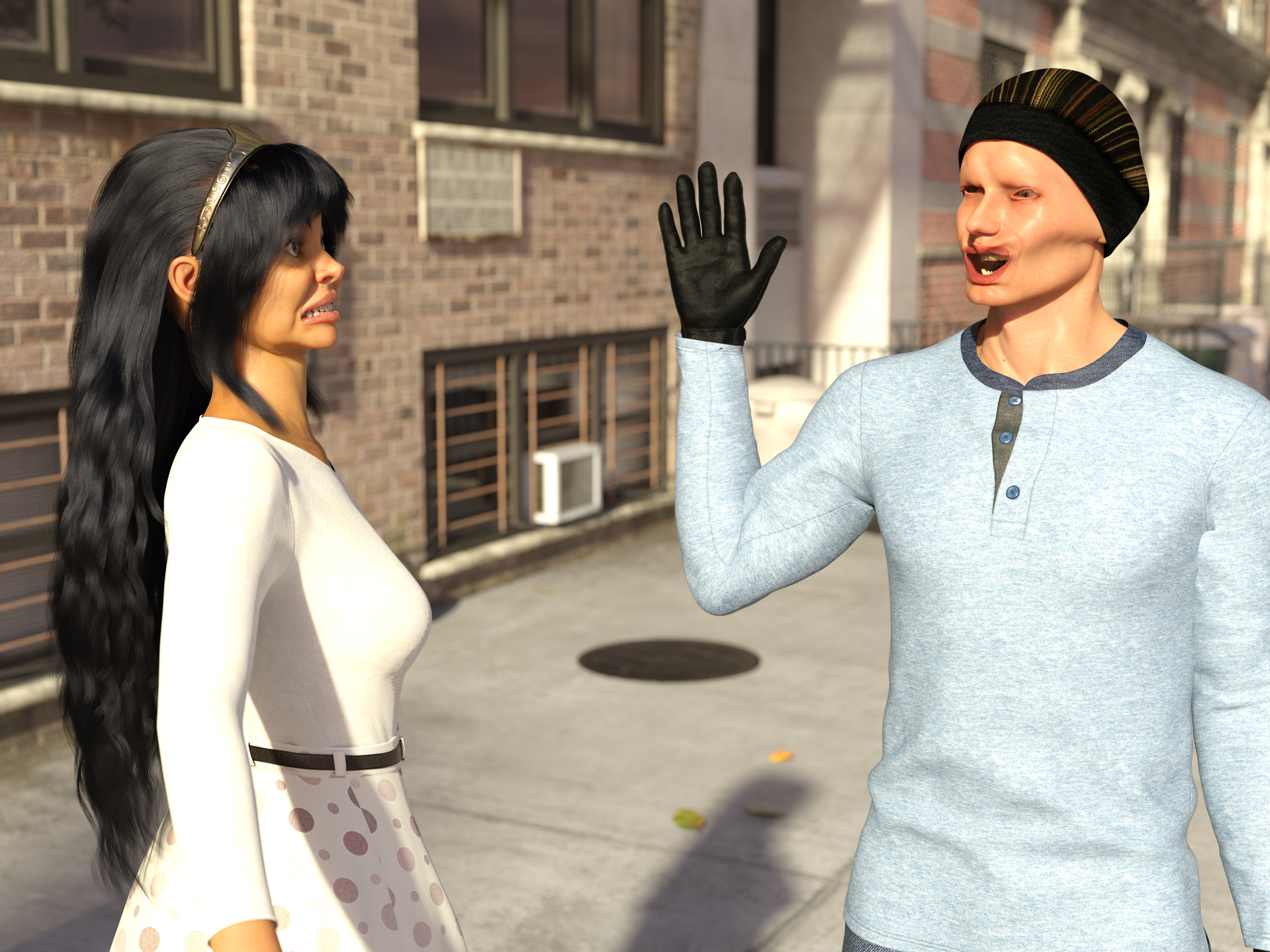
I did something similar:
 Genesis 9 clothing questions & answers
barbult said:
Why do I get this morph when I auto fit something?
I added some extra morphs that's not in Genesis 9 but help with clothing movements... I forgot to move that into the hidden folder - you can just drag it to hidden - I will note for it to be updated in the templates :)
Daz 3D is part of

Connect
DAZ Productions, Inc.
7533 S Center View Ct #4664
West Jordan, UT 84084Licensing Agreement | Terms of Service | Privacy Policy | EULA
© 2026 Daz Productions Inc. All Rights Reserved.