-
Modify Daz character rig for Unreal skeleton
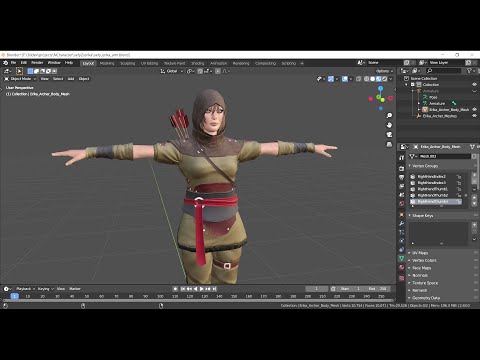
Seems like Uefy2 is needed to convert Daz rig to UE4 and keep the original weights. Other plugins typically throw the original weights and rebind the new armature to the mesh.
Its Youtube playlist for Uefy2 is very useful to learn character rigging for Unreal, the plugin worked for some initial tests, need more tests for shapekeys and compatibility with Diffeomorphic, because it's designed to use with DazToBlender bridge as described from some of the comments: "The workflow shown in this video assumes you used the Daz to Blender bridge and followed all the steps in the order shown. Doing so results in specific names for bones and vertex groups along with other options. If you imported the character a different way you will probably need a custom mapping for the bone names as shown in the video:
---------------------------------------------------------------------------------------------
The bone names imported by Diffeomorphic are exactly the same as imported by DazToBlender, no custom mapping needed if using Diffeomorphic. Also using Diffeomorphic can avoid extra process of unrig the unneeded controlling rig provided by DazToBlender, and using Diffeomorphic can avoid the extra process to transfer back shapekeys. The next post describes the summary of the workflow using Diffeomorphic, Rigify, Uefy2.
Is there a scripting option for Transfer utility?How can i launch the transfer utility via script and pass parameters as an option.
Secect figure and an object
Launch utility with selected figure as source and object as target using predefined parameters.
is such a thing possible. I think i know a way to do the selection but not launch the transfer utility.
Cheapest way to go about a scene.There is lots of free content available have a look on ShareCG and at Renderosity's freebie pages.
I would suggest looking for clothing for the character you want to use. So if that's Genesis 8 female only download things that say they are specific to her. Otherwise you will have problems with the fit of clothing and would need to use the autofit which is probably not something a total beginner would know about.
So I would search the net for clothing freebies for your model that you're using.
I would if you download freebies extract them to a folder that you can check prior to installing as sometimes they include things like a My library folder or a content folder and you don't want to create nesting folders.
So have a look at the file structure on your downloads you are most likely looking for ds specific content at this point so when you open it up you should see a people folder and a runtime folder and possibly a readme folder. These are the folder you'll need to transfer across to where your content folder is.
Make a note of looking at the file structure in the file you've downloaded so you can find it when it's installed. If you need any help, ask I'm happy to help and I'll favourite the thread so I see if you ask.
Edited to add: the link to shareCG is in my signature. I do have a dress for Genesis 8 but it's more sundress than office wear. I am working on a dress that could be used for office wear but that will be released in the Fantasies Attic Christmas freebie event.
DAZ script for erc-bake multipel filesgerster said:
Richard Haseltine said:
I'd add soem error-checking to the script, especially I would break down var modifier = nodeDzObj.getPropertyGroups().findPropertyByLabel( 'Morph name'); into separate steps and check that each strep of the process was giving a valid return.
Yes, I already checked that one.
findPropertyByLabel() returns the morph, I tested even reading the current value of the morph.
However, the thing I don't get is:
findPropertyByLabel() returns a value from from the type DzProperty
getControllerProperty() expects a DzNumericProperty.property.getValueChannel();
How can I utlize the result of findPropertyByLabel() for getControllerProperty() ?Daz Studio 4.21[.0.x] Pro, General Release!akiraxsojiki said:
anyone try importing a new garment that you created from like lets say MD? My usually workflow seems bugged
Export Base Model to MD
Create Garment > Export out to substance > Import into Daz
Click on the obj from the scene tab > Select the menu drop down to transfermorphs>
Throws error Tried a few things but iono lol many issues much confuse.
how do you go back a build lol >.>I'm not following what you are trying to do - tranferring morphs usally requires that the target be a figure rigged to fit to the source, via Transfer Utility, and you don't seem to be doing that.
DAZ script for erc-bake multipel filesok I found a solution:
var nodeDzNode = Scene.getPrimarySelection();
var nodeDzObj = nodeDzNode.getObject()
var modifier = nodeDzObj.getPropertyGroups().findPropertyByLabel( 'Morph Name');
debug(modifier)
var bake = new DzERCBake();
bake.setControllerProperty(modifier);
bake.doBake();
I used DzERCBake in a wrong way.
So... no I have to figure out how to get a list all favourite morphs, any idea?DAZ script for erc-bake multipel filesRichard Haseltine said:
I'd add soem error-checking to the script, especially I would break down var modifier = nodeDzObj.getPropertyGroups().findPropertyByLabel( 'Morph name'); into separate steps and check that each strep of the process was giving a valid return.
Yes, I already checked that one.
findPropertyByLabel() returns the morph, I tested even reading the current value of the morph.
However, the thing I don't get is:
findPropertyByLabel() returns a value from from the type DzProperty
getControllerProperty() expects a DzNumericProperty.
How can I utlize the result of findPropertyByLabel() for getControllerProperty() ?DAZ script for erc-bake multipel filesI'd add soem error-checking to the script, especially I would break down var modifier = nodeDzObj.getPropertyGroups().findPropertyByLabel( 'Morph name'); into separate steps and check that each strep of the process was giving a valid return.
DAZ script for erc-bake multipel filesI made asmall progress:
var nodeDzNode = Scene.getPrimarySelection();var nodeDzObj = nodeDzNode.getObject()
var modifier = nodeDzObj.getPropertyGroups().findPropertyByLabel( 'Morph name');
debug(modifier)
debug(new DzERCBake().getControllerProperty(modifier));
The main issue is, that getControllerProperty doesn't accept my Property, return is always null:Executing Script...
[object Object]
null
Result:
Script executed in 0 secs 1 msecs.
Any idea what I have to do here?
The docu is not pretty helpful here http://docs.daz3d.com/doku.php/public/software/dazstudio/4/referenceguide/scripting/api_reference/object_index/ercbake_dz#a_1a0fa552d18aa130c9ad8ac83f17d1f89dBetter controls for Male Anatomical ElementsAnxious3102 said:
Gordig said:
Meipe's add-on really is (no pun intended) head and shoulders above what the Daz gens offer you. It offers so many morphs and pose controls that you're sure to get the look you're after, and it doesn't have to look porny or unrealistic.
I have Meipe's products, and while it does have huge versatility, it takes a LOT of tweaks to get things proportionally looking normal. There are times also with certain character models, where I'd really enjoy being able to keep the default model and textures, if only it had slightly more functionality
Go to the store where you buy Meipe things and look at LK morph packs. There's one that adds posing and shaping to the standard G8 male items. Also one for the female. They work and don't look as outlandish as the add-ons tend to.
What is the difference between a HD G8 character and regular G8 characterHD morphs can move the additional vertices created by sub-division, up to a certain limit. Normal morph move only the vertices of the base geometry, though the result will then be smoothed by SubD. Generally an HD morph will have HD in its name.
[Released] dForce2Morph [Commercial]generalgameplaying said:
RiverSoftArt said:
It creates a morph from the base shape of the clothing/hair item to the shape at the frame you use it on. The morph is an interpolation between those two shapes and would not follow the changes the clothing did over the timeline.
Alright, absolutely makes sense. Can dforce2morph be run from within another script without interaction, similar to batch processing, again thinking of a timeline?
No, it can't. Sorry.
[Released] dForce2Morph [Commercial]RiverSoftArt said:
It creates a morph from the base shape of the clothing/hair item to the shape at the frame you use it on. The morph is an interpolation between those two shapes and would not follow the changes the clothing did over the timeline.
Alright, absolutely makes sense. Can dforce2morph be run from within another script without interaction, similar to batch processing, again thinking of a timeline?
Oh, Misty, I forgot my Complaint ThreadMcGyver said:
kyoto kid said:
...complaint: checkout aisle vultures.
Tonight I sopped at the local Safeway on the way home, only needed to pick up a few items. As I was nearly at the checkout lane with nobody in line, this couple with a full trolley barged in front of me even though they saw I only had about 6 items.
Hope they get caught waiting for a two mile long freight train ,a presidential motorcade (Biden arrived in town this evening), or a protest march and their ice cream melts.
I call people out when they do that to me or other people, which I realize is not for everybody, but I've perfected sarcasm to the point where even the most belligerent a***ole doesn't know if I'm being nice or annoyed.
A couple of days ago there was some old fella on the self checkout line next to me at Shoprite, and this buffalo just crosses over in front of him pretending not to see him, so I did the "Hey I know you are in a hurry, why don't you just cut that nice gentleman off... Oh, I see you already did!... Nevermind..." so they are like real fakely surprised "Oh, I didn't see him" (yeah, my butt, you steered in front of him... what, you thought he was a cash register display for old age cream?)... so the old guy is like "oh no problem... you go"... so they instantly started to scan their stuff, no pause, or "no, you go"... which was BS because, One- it was a full shopping cart and the self check out is only for 20 items or less... granted, they looked like math or counting wasn't their forte, but apparently neither was Two, their ability to use a self checkout machine... like a street pigeon would probably do a better job and pigeons can only use one foot... literally each item was a new experience, I honestly don't think they understood the concept of a barcode, because it looked like they were just randomly scanning the surface... so the cashier in charge of the checkout line comes over and tells her to use the hand scanner instead of the built in one, and they are still randomly pointing the scanner at random spots... I had offered the old guy to go in front of me since I only had like six things, but he just smiled "no thanks" and continued watching the ethically challenged individual struggle with the concept of doing something for herself...
So the cashier comes over and starts to scan items for her, essentially doing the whole cart for her, but in the meantime the person in front of me has a problem with a coupon or something and since the other register for that line is out of service, my line is stuck... so we have to wait for the cashier to finish taking care of belligerent buffalo*, so she can move on to take care of the issue on my line... in the meantime, being both ethically challenged and technology impaired, she decides to add "full service" to her resume by waiting there for the cashier to pack her groceries, which she doesn't even lift a finger to arrange the bags or anything, just stands there waiting... I can hear the guy in back of me say to his wife "are you f***ing kidding me" and other people grumbling, but the cashier finishes with the person in front of me and goes over to Princess Doesnothing thinking she needs help with paying, realizes she wants her bags packed, says something to her which seems to annoy her (probably something like "this is self checkout, you pack your own bags") which put Princess Pissypants in huff...
At that point though, the other person in front of me has moved on, the old man and others in back of her on that line have moved on and I'm done watching that sad dumpster fire play out so I quickly scan my stuff, pay and head out.
So I go back to my van to put my stuff in the crates that I carry for groceries or loose items (which I do to save time on line, so I can arrange and transfer my stuff without inconveniencing others)...(I should mention that right before Covid hit, our county banned plastic bags, so the only sensible alternative most people opt for is bringing their own reusable bags which they pack themselves... which sucks for everyone in back of them 90% of the time)... (I prefer to just put my stuff back in the cart and deal with it at my leisure in the parking lot).So I take my time moving stuff around in the back, as I'd just bought a bunch of lumber and stuff at Home Depot and I need to make room for the folding crate I use... (grapes and gallon bottles of concrete fortifier don't go well together)... so a good leisurely time later I'm leaving the parking lot and I pass the aforementioned individual putting her groceries into the trunk of her prissy pearl white BMW... of course parked crookedly, partly on the striped wheelchair zone of the handicapped parking space up front...
Some people are so clueless, self entitled and tone deaf it's almost baffling... its almost like they are so deep in their own heads nobody else exists...
I hate to say it, but around here since there is a HUGE income difference between those who live directly on the water or within two or three blocks of it, so you get to see A LOT of entitlement where it don't belong... I feel bad for my kids because their high school is full of the junior jerks from that part of town who think everyone is beneath them...which until 9th grade wasn't an issue because the rich kids went to a different elementary and middle school... now they have to deal with their crap all the time especially since both of my daughters run a woman's empowerment club which apparently is something a lot of the jerky kids are morally opposed to... Some of these kids are literally 80s B-movie caricatures of the "mean kids" in coming of age flick.
Megh... I wrote a tome to commiserate, sorry for the novel length reply.
*Belligerent Buffalo- Not a dig at someone's physical appearance or weight, it's a dig at behavior... Buffalos and many bovine variants tend to just plow forward, pushing other herd members aside... some people tend to mimic that behavior. It was also a character I made up for bedtime tales for my girls when they were little... I have no idea if it's been used before, but it wouldn't be surprising since most of the barnyard creatures I made up have preexisting character names.
...yes, When I have a number of items and the person behind me only has hs a couple I let them go ahead me.
That said, often those idiots who barge ahead with a trolley brimming full of items also tend to have "problems" when they scan their card to check out which only makes the situation more infuriating.
I personally tend to avoid the self checkouts as I often buy produce which I don't know the codes for which people at the checkout stands know by heart. Also I'm paying higher prices to pay the wages of those people at the checkout lines, so I like to get my money's worth.
Daz Studio 4.21[.0.x] Pro, General Release!cain-x said:
bishbosch said:
Is there up-to-date documentation for the new (and old) FBX export settings? The environment I'm trying to transfer to Unreal as an FBX is exploding, with parented things like windows and doors scattering, which wasn't happening before.
Is this using the DAZ to Unreal bridge? FBX export from DAZ has always been a crapshoot as there hasn't been a way to apply the transforms on export. Has this changed now? Also FBX import into DAZ usually ends up with a spegetti monster in the Scene.
http://docs.daz3d.com/doku.php/public/software/dazstudio/4/change_log_4_21_0_5
Search for FBX
Daz Studio 4.21[.0.x] Pro, General Release!bishbosch said:
Is there up-to-date documentation for the new (and old) FBX export settings? The environment I'm trying to transfer to Unreal as an FBX is exploding, with parented things like windows and doors scattering, which wasn't happening before.
Is this using the DAZ to Unreal bridge? FBX export from DAZ has always been a crapshoot as there hasn't been a way to apply the transforms on export. Has this changed now? Also FBX import into DAZ usually ends up with a spegetti monster in the Scene.
What is the difference between a HD G8 character and regular G8 characterStrictly speaking, any Daz figure can be made HD just by increasing subD. The difference between an HD and non-HD character is whether they include details sculpted at a higher resolution. You could select a character, go to the Currently Used morphs and search HD, but that won't always get results if the morph isn't explicitly labeled as HD.
Genesis 9 Coming Soon! Preorder Victoria 9 HD Todaybarbult said:
N-RArts said:
$6999.97?! I hope that's a test price!
https://www.daz3d.com/genesis-9-body-shapes-merchant-resource
https://www.daz3d.com/genesis-9-head-shapes-merchant-resource
Those are for PAs and we've been told they don't pay that price. I guess that price is to scare non-PAs away from those assets to buy to corresponding user assets that will be available later.
Catherine3678ab said:
It's a "don't buy these" indicator ;-)
For the PAs only, and no, they aren't being asked to spend that much either.
*Phew* That's a relief. Thanks to both of you for explaining.
The indicator price/scare non-PAs thing works. I just hope they'll be releasing similar morph packages for us non-PAs (like they have done with the beginning of past, new Genesis generations).
I'm not having a great evening on the Daz site. Back to Blender I go.
Clothing for Grim?I'm not sure if this is what you wanted @Mage 13X13 but if it isn't let me know. I've been enjoying myself playing with this outfit and now have a render in mind for him.
I can package this up relatively quickly either as a cr2inj or morphs that you can add to a converted figure by adding them to the morph folder in the Data section if this is what you wanted.
No shoes as of yet though.
 Clothing for Grim?
if you can use the fitting room in Poser, those clothes will work in DAZ studio too as long as the figure wearing the clothes is legacy rigged not Poser weight mapped.
a combination of scaling, dynamic simulation and morph brush helps shape stuff to fit
Daz 3D is part of

Connect
DAZ Productions, Inc.
7533 S Center View Ct #4664
West Jordan, UT 84084Licensing Agreement | Terms of Service | Privacy Policy | EULA
© 2026 Daz Productions Inc. All Rights Reserved.














