-
No thread on Michael 9. Really?
I didn't use Michael 9 at full strength, and I mixed a tiny bit of Toon Heroes and Growing Up in with him. There's also some physique shaping going on with various morph add-ons. Hair is the dForce Ultimate Buzzcut Hair, pants and boots are from The King's Guard Outfit, and the vest is from the dForce Dark Assassin outfit (with the shirt opacity turned off.)
Lee
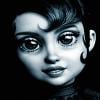
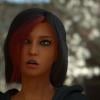
 AOBB's Luminous v4 for G8.1F (aka Audrey Hepburn). No materials nor textures included.
@crp - thank you for your render!
 I'm glad you like the morph.
  I still think Luminous' nose is too big, so if you want to rerender the image with DOF, then you might use this opportunity to decrease her nose and slim its ridge a bit (if you have the morphs). Anyway thank you again for posting your image here. Great fun!
  AOBB's Luminous v4 for G8.1F (aka Audrey Hepburn). No materials nor textures included.
Great morph. Thank you for this!
Tried to recreate this pic, but I think the eye material I used is too light & I have to add DOF obviously:
https://www.imdb.com/name/nm0000030/mediaviewer/rm1247654657?ref_=nmmi_mi_all_sf_24
 Genesis 8 or 8.1 shapes on genesis 9?
Thanks. I'll give it a shot. I want to remake specific characters whose faces combine morphs. I can transfer the morphed head. But I find I may want to adjust some morph strengths which don't work as well on 9. Eye morphs in particular since the eye structure is so different.
I agree about the muscle morphs. That would be a big project but genesis 9 male does need them. Badly.
SereneNight’s Sci-Fi Fun Thread 3Serene Night said:
Mike 9 does not need the Masculine morphs, his base figure does not come with them.
his base figure is Genesis 9 which does come with a Masculine morph tho
Shouldn't both sex promos for G9 become standard?There's a couple things to keep in mind here :)
PAs don't have to support both genders if they don't want to. As long as it fits on the gender they designed it for and advertise for - that's good enough.
The morph projections works pretty well for the opposite gender on the G9 mesh, so as a rule if it fits on the base shape it will fit reasonably well on both genders
BUT if the product wasn't designed with the other gender in mind there's no reason to expect the PA to support all the shapes.So if there HAS to be a standard then I would say yes - have one promo on the base shape, and a promo to show off the gender it was created for. If it works on the other gender, great - that's a bonus - show it off by all means, but its not required.
[Released] Turbo Loader for Genesis 8 and 8.1 [Commercial]Um-m, we're up to version 1.2, which I believe uses an entirely different approach, scanning the morph folders instead of a loaded figure. The "Scan for Morphs" button starts the process.
Genesis 8 or 8.1 shapes on genesis 9?Serene Night said:
Very helpful. Is there a way to transfer just a single morph, such as a chin morph or something, without getting the entire figure?
same method and you can use attenuate by in morphloader too for separate body parts
[Released] Turbo Loader for Genesis 8 and 8.1 [Commercial]Okay, now probably slightly more confused.
According to the script when run without G8F loaded, I am running v1.10 (re-un/reinstalled upon noticing issue 1 below).
1. I do not have the button to scan for morphs as seen in the video (this button is also missing in the G8M script, unsure if that means anything or is helpful).
2. I do not have any G8F-related entries in the Options/Filtered Products area
3. While I can Reset Morph Directory to my morph location, it will scan for ~ 11-12 seconds, then tell me it enabled 0 of 0 morphs (0 failed) (This also occurs in the G8M script, which I assume is normal due to shared logic).
Since I've never been able to successfully do a scan, I can't imagine how my config could be bad, per se, but I am open to the idea I may have clicked something on accident, somewhere, and am just not understanding which troubleshooting step I am getting wrong.
I can post the log file, but it literally just says I opened the script, many, many lines of "2022-11-17 19:34:30.426 [INFO] :: Getting files from {...}" {...}} being each of the folders that in fact contain my morphs), and that the script executed successfully. No errors, just nothing actually doing anything in the end.
For all intents and purposes, it almost seems like I don't really have the script, or it doesn't recognize anything on my system at all as valid anything. Very weird, and kinda frustrating.
Genesis 8 or 8.1 shapes on genesis 9?I'm going with the "it should" concept - basically, when G9 is fit to G8.1, you should be able to dial up said morph towhatever it's maxe value is, on G8.1, and G9 would follow.
From there it would be a matter of saving the morph shape off from G9, and reloading it as a morph.
Quite a few steps, but as I said it "should" work.
Remember that all these characters from G8.1 are in fact just a bunch of Morphs and dial changes. So if it can be done for the full character, should be able to do it for a single Morph.
I'm atcually looking at the $40, full muscle morphs on G8.1 right now and thinking pretty much the same thing, Since I really do not want to have to spend another $40 just to get them on G9 if they can be transfered. These character 'upgrades' always take a huge chunk out of the ole pocketbook, just to get back to the basic functionality the previous character had.
No thread on Michael 9. Really?algovincian said:
Petra said:
algovincian said:
Petra said:
Hylas said:
@Petra: I love it!
He has lady-hips, though?
I think it is the T.shirt.
Very cool image, @Petra! Are you suggesting that it's because the tshirt is designed to fit over a pair of pants? Or is it just something that happens to clothing when dialing in the base masculine morph on G9 (meaning he doesn't actually have larger hips - it's just the way clothes fit that makes him look like he has larger hips)?
- Greg
He also has Toon Heroes dialled in and that might also contribute to the look of the hips.
I need to bring the scene back up and take his clothes off to see.
True. Thanks for responding, and please don't go through any trouble. I can run some tests myself using just plain G9 once my machine is done training a network.
- Greg
ETA: Just DLed and installed DS on another idle box and tried dialing in the base masculine morph on G9 while it was wearing the Every Day 2 shirt (both the G8F and G8M versions of the shirt). Did not notice this issue, so you're probably right.
Out of curiosity, what shirt is that?
Hi :)
The Shirt is the one that comes with the essentials for G9.
SereneNight’s Sci-Fi Fun Thread 3Are you dialing the Masculine morph in on Michael 9? I haven't purchased him, but on V9, I don't think the Feminine morph is supposed to be dialed in in addition to V9.
SereneNight’s Sci-Fi Fun Thread 3So, having messed around in Genesis 9, I am somewhat struggling.
The chest and torso region can easily become strange on men, the shoulders can look very wide with the Masculine morph, and sometimes the pecs and armpit area look weird. The torso itself lacks a lot of detail and is this strange trapezoid with big coat-hanger shoulders. There needs to be more detail. The fitness and Muscular morphs lack real muscularity, so the body doesn't look as cut as 8.
Michael 9, his face is not to my personal preference. The nose in particular, is large, so I find him challenging to dial in with other morphs. I have nothing against bigger noses, just if I want to mix and match, I prefer less dominant features.
I don't care for the skin, as it doesn't recolor as well as other skin, due to the dark areas around the eyes. For me Michael 9 is a nice add-on character, but as a base to dial-in other figures, its sort of a wash.
The head itself, is different structurally than 8. The ears are different and differently shaped as well.
I find the gender-neutral base to be rather confusing since Dialing in the masculine can sometimes produce odd results and distorts the morphs of figures. Masculine also turns the pecs to strange seams so it just isn't great.
I do like the ability to add female content and clothing and hair to men, but I think all the things I presently struggle with are the result of the unisex mesh which I'm not keen on from a character perspective.
No thread on Michael 9. Really?AllenArt said:
algovincian said:
Petra said:
Hylas said:
@Petra: I love it!
He has lady-hips, though?
I think it is the T.shirt.
Very cool image, @Petra! Are you suggesting that it's because the tshirt is designed to fit over a pair of pants? Or is it just something that happens to clothing when dialing in the base masculine morph on G9 (meaning he doesn't actually have larger hips - it's just the way clothes fit that makes him look like he has larger hips)?
- Greg
Mike 9...no lady hips ;)

Thanks for taking the time to post. Please tell him I'm sorry for bringing it up. He looks looks kind of pissed! lol
Maybe a clay render like this should one have been included in the promos. Looks so different than the promos . . .
- Greg
No thread on Michael 9. Really?Petra said:
algovincian said:
Petra said:
Hylas said:
@Petra: I love it!
He has lady-hips, though?
I think it is the T.shirt.
Very cool image, @Petra! Are you suggesting that it's because the tshirt is designed to fit over a pair of pants? Or is it just something that happens to clothing when dialing in the base masculine morph on G9 (meaning he doesn't actually have larger hips - it's just the way clothes fit that makes him look like he has larger hips)?
- Greg
He also has Toon Heroes dialled in and that might also contribute to the look of the hips.
I need to bring the scene back up and take his clothes off to see.
True. Thanks for responding, and please don't go through any trouble. I can run some tests myself using just plain G9 once my machine is done training a network.
- Greg
ETA: Just DLed and installed DS on another idle box and tried dialing in the base masculine morph on G9 while it was wearing the Every Day 2 shirt (both the G8F and G8M versions of the shirt). Did not notice this issue, so you're probably right.
Out of curiosity, what shirt is that?
License question for gaming contentI just want to be sure not to violate any copyright, that's why i am asking.
To use a 2d model as reference is not an exact 1 to 1 copy of the original, it will be different as i would still go through the full process of sculpting, modeling, do retopology for a low poly model, do own UV Mapping for that figure, create own textures, own bones and own rigging at the end.
So the figure will get details that won't be on the reference or original figure as it is bound to it's limitation of morph targets and sliders.
Reference images are not easy to find and for many high res reference photos/scans you also have to pay money. All my Daz Figures are already paid and i am allowed to use them for rendering images or doing movie animations. Reference would be a 2d image of the figure and only be there for the sculpting out of a box to an independent character.
For what i am planning i want to create my own assets, props and characters, i don't want to use paid assets or anything as there are games out there with purchased assets and people thinking it's taken from this or that game but at the end it's just free or paid assets, that's one of the reasons why i don't want to use already created content from others.
For V4 for example, it would be +50$ for interactive licence, if i use Sapes++ it would be additional 50$ for the shapes++, if i would use a mix between different figure morphs like from Grace, Helena and Angel (about 5% of each morph) that would be another +50$ for each, using elite body shapes would be another 50$. These alone would be 300$ just for interactive licence which would be too much to spend for me to be able to use these within a game and there would still be the textures to be used. If i than would also use hair and clothes, that would be even more than which i can't and don't really want to afford, that's also the whole point of creating everything on my own just using reference images set up in Daz or Carrara, the end figure will still differs from the Daz figure, Textures also won't be possible to reuse as it will have it's own UV Mapping.So my question was just if i violate any copyright doing it that way or if the images are allowed to use them for whatever you wish to do with them.
No thread on Michael 9. Really?algovincian said:
Petra said:
Hylas said:
@Petra: I love it!
He has lady-hips, though?
I think it is the T.shirt.
Very cool image, @Petra! Are you suggesting that it's because the tshirt is designed to fit over a pair of pants? Or is it just something that happens to clothing when dialing in the base masculine morph on G9 (meaning he doesn't actually have larger hips - it's just the way clothes fit that makes him look like he has larger hips)?
- Greg
He also has Toon Heroes dialled in and that might also contribute to the look of the hips.
I need to bring the scene back up and take his clothes off to see.
Saved Custom Morph Changes Reverting BackRichard Haseltine said:
It sounds as if the chnages are not being saved to the saem content directory as the original, and that the one with the chnages is later than the one with the original - Daz studio therefore finds and loads the old one first. The new morph worked because it is going to the same directory both on first save and update. If that is the case, find the older .dsf files and remove them.
I'm afraid that's not the case. I have performed a thorough manual search through my directories. These morphs only exist in one of them. And I've saved and resaved with extra vigilance more many times already. I assure you, I'm saving them all to the right directory.
No thread on Michael 9. Really?I for one am super-stoked that it will be easier for me to use male armor on my female warriors...because honestly...they're sick of scraping the botton of the barrel and having to kitbash around metal bikinis and boob plate. Male armor made for male base figures never worked quite right across the chest area when trying to covert using the cross-figure resource kit. Never. Now hopefully...they will! I just need a way to transfer my custom G8 skins over to G9.
pupils won't morphDaventaki said:
Do they work on a default G8M?
I'm glad you had me check that. The morphs do work on the default G8M. But when I applied the desired eye color from the Frogol set, it overrode any morph. Ideas on a workaround? Finding another 3DL red-eye like that will be crazy..
Related question ... Most of my cool eye sets are for iray, but because I can't get LAMH to work as it should in iray, I had to convert everything to 3DL. Do the tools I have that note iray, as well as, 'Daz Studio Geoshell Presets (.DUF)' ... would they also convert to 3DL? What render engine is 'Daz Studio Geoshell Presets' for?
Or do I save myself the stress and choose another eye set?
Daz 3D is part of

Connect
DAZ Productions, Inc.
7533 S Center View Ct #4664
West Jordan, UT 84084Licensing Agreement | Terms of Service | Privacy Policy | EULA
© 2026 Daz Productions Inc. All Rights Reserved.