-
Where can i find the filatoon shader
In Smart Content, it's going to be under Shaders->Filament, and you should see Daz Default Resources there. If there are no toon shaders there, uninstall and reinstall Daz Default Resources.
Anime Toons and Filatoon Shader Q&ADartanbeck said:
rokkr said:
There seems to be some erratic behavior with this shader... I was (and still am) converting an old filament scene I did to an all-FilaToon-shaded scene and I couldn't make my character cast shadows not in a million years... Then, I decided to import it to an all-FilaToon scene I made yesterday from scratch (I did it by saving the character as a subset). When I imported, the shadows were there, but the skin was completely different (for instance, I couldn't activate glossiness in my old scene, but, when I imported the character, the glossiness showed up; also, the colors were totally different). Some things could be due to the lighting of the old scene (e.g., the colors) but some things, like the glossiness, I doubt it. Nothing too dramatic, since I'll redo the work in a new scene, but, if someone has experienced this and knows some workaround, I'd like to know.
I've also noticed some weird behaviors between the old filament and the new FilaToon. For instance, in my old scene, I was using an environment (HDRI) for lighting (draw dome off, with a skydome for the sky), but there was also a distant light to cast shadows. If I turned the environment light off, everything that had the old shader would go dark, but the surface I've already applied the toon shader would be lightened by the distant light...
EDIT: another weird thing... In the old scene, I've used the FilaToon - Constant shader for the eyelashes, as Dartanbeck taught us. When I imported my character to the new scene, the eyelashes were gone! The trick I used to make it show up was to set the Cutout Opacity to 2. I don't think this has anything to do with lighting...
Were all those weird behavior caused because the old scene had written in it some configuration that were affecting the FilaToon shading?
Well, when coverting older scenes, many things that are even a little bit different will make a big difference in Filament. The shader is the tool, but not the culprit here. There's something else going on that is so easy to overlook it wasn't caught (yet).
Shadows - makes sure you have lights in the scene with Deep Shadows enabled. I'm sure you've checked this, but... well... I don't know. I caught that one myself yesterday. It was a simple scene so it was easier for me to actually find and fix.
Sometimes one light (Distant?) can be a bit too strong which makes the shadows disappear. I caught that one myself yesterday. It was a simple scene so it was easier for me to actually find and fix.
Filament setting possibilities have changed Dramatically with this release. So some subtle (or major) differences in how those are set up can make all the difference in the world too.
It's very difficult to pinpoint without having the two scenes to compare on screen. Just comb through with open eyes and a patient mind - you'll discover the issue.
One thing that kept getting me is that I was making changes when I wasn't on frame 0, so my lights were all buggered up. It was a silly thing, but it had me scratching my head for an embarrassingly long time! :)
Thanks for answering again. Indeed, many things could be happening. The old Filament Draw Options were there, and though it was updated, some old configurations may be written under the covers that I'm unaware of. And, to be honest, I was having problems with shadows in this scene even before the update. I had this idea to convert everything to FilaToon to try to solve it, so, since it was already kinda broken, I think it's better to import the parts into a new scene and convert it from there. I just wanted to share my experience because other people may have not so nice surprises when converting old filament scenes to FilaToon, so I'm leaving the warning.
Anime Toons and Filatoon Shader Q&AMada said:
Taoz said:
It is filament yes. I know it quite well, experimented a lot with it a few years years ago. Just trying to figure out this new toon thing.
Here I just used the filatoon base shader, while experimenting. Attached the final one with outlining. Note that the character I use (Snowflake for A7) has a very bright skin, so nothing wrong here.
oh yes - now I can see the outline :) great.
For the hair - that's using the iray shader now since you applied it again, and you'll notice that the edges of the fringe is black since opacity doesn't work in Filament. Doesn't look bad however so if you're happy with the look I would call it good enough. If you do want to use the hair shader itself, instead of applying the hair textures again after adding the toon shader, simply drop the maps into the correct channels (I think the hair shader does keep the maps intact when you apply it - but you have to play with rim lighting a lot in my experience)Thanks, will try experimenting with that. And you're right about the Iray shader, just didn't recognize it because the outlining is making it look very different. :)
I also discovered some artifacts on the suit which are parts which I had hidden using Opacity Cutout. Apparently it is the outlining that is causing these as they disappear if I remove the shell from the suit.
Anime Toons and Filatoon Shader Q&ACould this be rewitten for filatoon https://www.daz3d.com/rssy-3delight-and-iray-to-filament
Anime Toons and Filatoon Shader Q&ATaoz said:
Mada said:
Taoz said:
Trying to figure out what's going on here:
1st render - no toon shaders
2nd render - base shader on everything
3rd render - base shader on hair only
Why do her eyes disappear?
Why does the hair disappear if I only apply the base shader to that?Looking at your renders there's no outline - how are you applying the shaders? And are you using Filament to render?
It is filament yes. I know it quite well, experimented a lot with it a few years years ago. Just trying to figure out this new toon thing.
Here I just used the filatoon base shader, while experimenting. Attached the final one with outlining. Note that the character I use (Snowflake for A7) has a very bright skin, so nothing wrong here.
oh yes - now I can see the outline :) great.
For the hair - that's using the iray shader now since you applied it again, and you'll notice that the edges of the fringe is black since opacity doesn't work in Filament. Doesn't look bad however so if you're happy with the look I would call it good enough. If you do want to use the hair shader itself, instead of applying the hair textures again after adding the toon shader, simply drop the maps into the correct channels (I think the hair shader does keep the maps intact when you apply it - but you have to play with rim lighting a lot in my experience)Anime Toons and Filatoon Shader Q&AMada said:
Taoz said:
Trying to figure out what's going on here:
1st render - no toon shaders
2nd render - base shader on everything
3rd render - base shader on hair only
Why do her eyes disappear?
Why does the hair disappear if I only apply the base shader to that?Looking at your renders there's no outline - how are you applying the shaders? And are you using Filament to render?
It is filament yes. I know it quite well, experimented a lot with it a few years years ago. Just trying to figure out this new toon thing.
Here I just used the filatoon base shader, while experimenting. Attached the final one with outlining. Note that the character I use (Snowflake for A7) has a very bright skin, so nothing wrong here.
Anime Toons and Filatoon Shader Q&ATaoz said:
Trying to figure out what's going on here:
1st render - no toon shaders
2nd render - base shader on everything
3rd render - base shader on hair only
Why do her eyes disappear?
Why does the hair disappear if I only apply the base shader to that?Looking at your renders there's no outline - how are you applying the shaders? And are you using Filament to render?
Anime Toons and Filatoon Shader Q&Aainm.sloinneadh said:
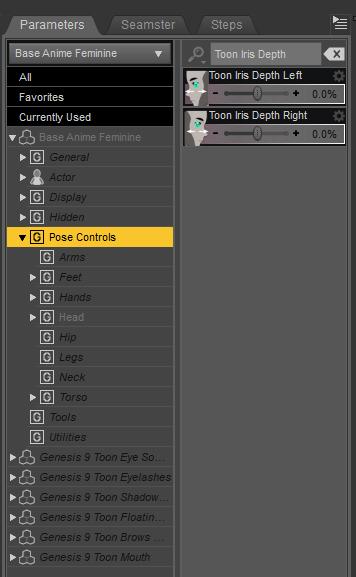
I'm not quite grasping how to overcome the optical illusion eyes. With filament rendering from the viewport, I can't figure out how to change what is seen in the render. There are no sliders to change the direction the eyes point in - only how well they stick together in the same direction. I've been mostly using them on the G9 mesh (not the anime G9 mesh). I wonder if that's why I'm missing something here.
If you load a Toon figure and zero out the anime morph to get the default Genesis and that happens, you can use Toon Iris Depth Left and Right to fix it :)
 Filatoon tips and tricks
I don't know if I'm applying the Filatoon presets incorrectly, but when I add them to a Gen 8 figure I get blank eyes. I can sorta fix that by setting the Cornea base color to black, but I still lose the eye color and detailing. Found a lazy fix with the Dotify products - apply the Filatoon shader first, then the Dotify shader.
It seems to create a new PBR Metallicity/Roughness node that renders above the Filatoon node, but in a complementary way. The dotify dots don't render in Filament, but that product sets up some mats that really pop the lips, eyes and fingernails, and lets me quickly toggle a few eye colors. Can adjust the hue and intensity of the lips and nails in the Surfaces of the added "Dotify - Decal Blocker" node.
https://www.daz3d.com/dotify-for-genesis-8-female
https://www.daz3d.com/dotify-for-genesis-8-male
https://www.daz3d.com/dotify-Image removed Acceptable Ways of Handling Nudity
 Anime Toons and Filatoon Shader Q&A
Elor said:
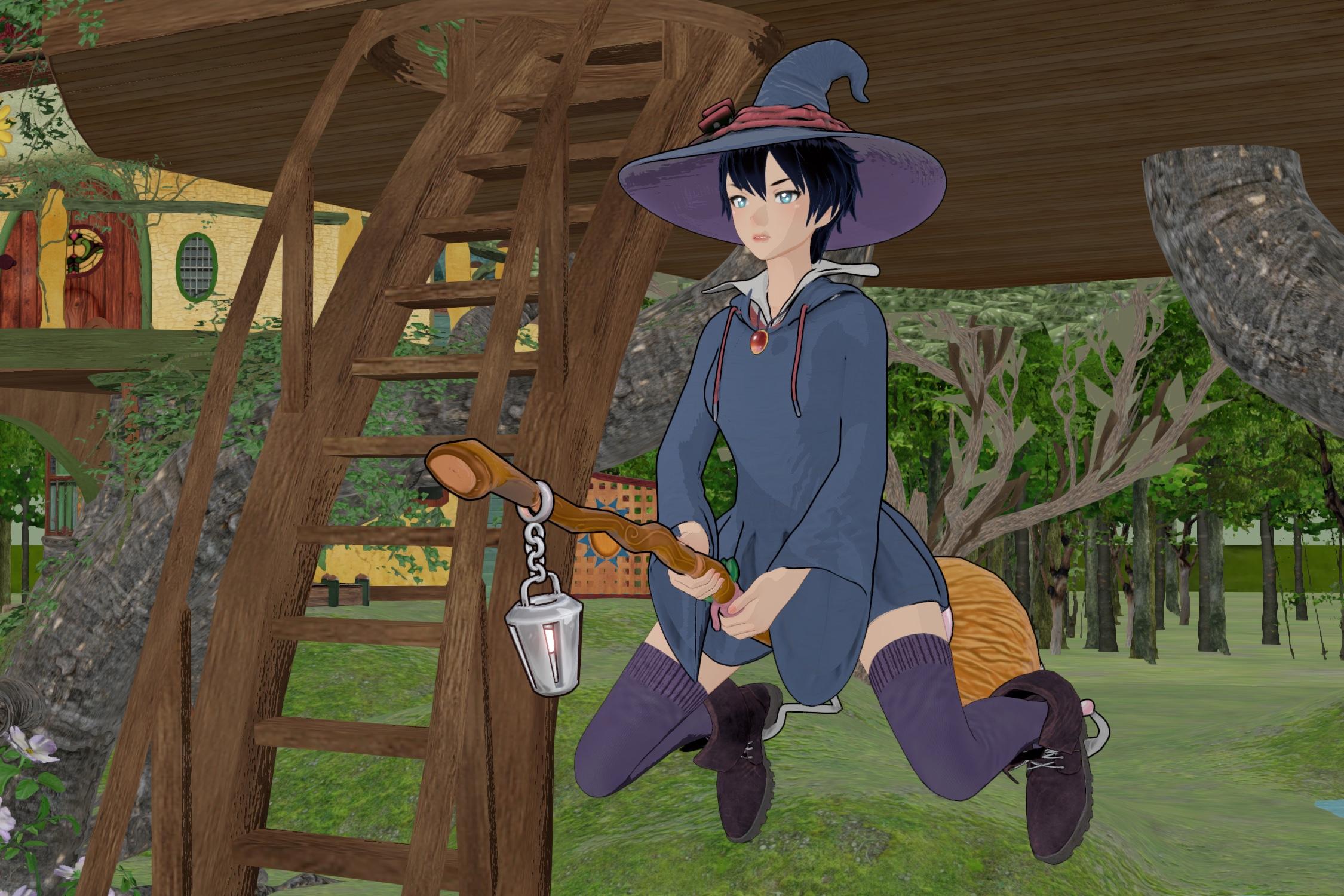
I don't know why I wasn't able to get outline on the trees or the houses while I had to hide the vines because they were drowned in outlines.
I have also absolutely no idea how to light a scene in Fila-toon: I have a spotlight on the right of the character (configured following Mada's advices) but I had to get it almost on top of the character to see a difference and when I tried to get one behind the character all I could get was glowing eyes (with or without setting them as Mada recommanded).
The outfit did convert nicely, I think, to Fila-toon (well once I remember that I had hidden the outline geoshell
 )
)At least the renders were fast but the outline seems to make it especially critical that clothes have some distance between them and the skin and I was not able to find how to get it around the end of the sleeves or between the skirt and the leg: Daz crashed two times when I tried to use Hexagon to correct the situation and the usual Push Modifier + Weight map failled almost as badly (no crash at least). On top of that, I had a problem with exporting the pose and the timeline for simulation is a mess, but that's a problem for another discussion
One last question: is there a way to filter elements like poses / morphs made for the anime base ? A small number of them have anime (or something like that) in their name, but I saw a couple of them to get 'anime' mouth but I don't think they were labeled anime.
It's all just growing pains, my friend. It's new. It takes a little time to get the muscle-memory going. This was a nicely ambitious scene, so yeah... it'll take some time and patience in these early stages - but you'll figure out that it gets easier and faster as we push forward.
So, Vines probably could have stayed. If there are multiple Toon Outlines, select them all and then select them all in the parameters pane and lower their mesh offset all at once to make the outline tighter.
As for the other parts, like trees and houses, here's a common mistake that I was making when doing full scenes like this: When we apply the FilaToon shader, if we want the Toon Outline, we need to make sure that, not only the material is selected, but also the object in the scene tab. All too many times I'll have all of the materials selected, but the actual prop isn't actually selected in the scene tab.
One fix is to select the item you want an outline on and run the preset again. If it doesn't see a Toon Outline, it'll add one.
Another way - if all else fails - add a Geometry Shell to the item (Create > Create New Geometry Shell) - select the GeoShell and apply the Outline Preset, which you can find if you just select Shader Presets > FilaToon (without going into Presets)
It looks cool, what you've got going on! I agree that the dress looks awesome!
Lights are lights. If it only works when it's too clode to the figure, back it off again and keep making it stronger until it works. For FilaToon, since we can see the render as we work, instead of typing in values like I did before, I just grab hold of that Luminance slider and start dragging - not watching the slider's numbers, but the scene. A lot of times I purposely go way too bright for a while so that I can really hone in on how I want it placed in the scene - then turn it back down to how I want it to look.
Having at least one Distant Light in the scene helps - then go to your Filament Draw Options node and turn off the headlamp slider (0.00) or just adjust it to your liking. In truth, I haven't played with the Headlamp much.
Don't be afraid to add a touch of color to your lights. We can always put it back if we want - but it can be helpful for getting a good comic look.
Anime Toons and Filatoon Shader Q&Arokkr said:
There seems to be some erratic behavior with this shader... I was (and still am) converting an old filament scene I did to an all-FilaToon-shaded scene and I couldn't make my character cast shadows not in a million years... Then, I decided to import it to an all-FilaToon scene I made yesterday from scratch (I did it by saving the character as a subset). When I imported, the shadows were there, but the skin was completely different (for instance, I couldn't activate glossiness in my old scene, but, when I imported the character, the glossiness showed up; also, the colors were totally different). Some things could be due to the lighting of the old scene (e.g., the colors) but some things, like the glossiness, I doubt it. Nothing too dramatic, since I'll redo the work in a new scene, but, if someone has experienced this and knows some workaround, I'd like to know.
I've also noticed some weird behaviors between the old filament and the new FilaToon. For instance, in my old scene, I was using an environment (HDRI) for lighting (draw dome off, with a skydome for the sky), but there was also a distant light to cast shadows. If I turned the environment light off, everything that had the old shader would go dark, but the surface I've already applied the toon shader would be lightened by the distant light...
EDIT: another weird thing... In the old scene, I've used the FilaToon - Constant shader for the eyelashes, as Dartanbeck taught us. When I imported my character to the new scene, the eyelashes were gone! The trick I used to make it show up was to set the Cutout Opacity to 2. I don't think this has anything to do with lighting...
Were all those weird behavior caused because the old scene had written in it some configuration that were affecting the FilaToon shading?
Well, when coverting older scenes, many things that are even a little bit different will make a big difference in Filament. The shader is the tool, but not the culprit here. There's something else going on that is so easy to overlook it wasn't caught (yet).
Shadows - makes sure you have lights in the scene with Deep Shadows enabled. I'm sure you've checked this, but... well... I don't know. I caught that one myself yesterday. It was a simple scene so it was easier for me to actually find and fix.
Sometimes one light (Distant?) can be a bit too strong which makes the shadows disappear. I caught that one myself yesterday. It was a simple scene so it was easier for me to actually find and fix.
Filament setting possibilities have changed Dramatically with this release. So some subtle (or major) differences in how those are set up can make all the difference in the world too.
It's very difficult to pinpoint without having the two scenes to compare on screen. Just comb through with open eyes and a patient mind - you'll discover the issue.
One thing that kept getting me is that I was making changes when I wasn't on frame 0, so my lights were all buggered up. It was a silly thing, but it had me scratching my head for an embarrassingly long time! :)
Anime Toons and Filatoon Shader Q&AThere seems to be some erratic behavior with this shader... I was (and still am) converting an old filament scene I did to an all-FilaToon-shaded scene and I couldn't make my character cast shadows not in a million years... Then, I decided to import it to an all-FilaToon scene I made yesterday from scratch (I did it by saving the character as a subset). When I imported, the shadows were there, but the skin was completely different (for instance, I couldn't activate glossiness in my old scene, but, when I imported the character, the glossiness showed up; also, the colors were totally different). Some things could be due to the lighting of the old scene (e.g., the colors) but some things, like the glossiness, I doubt it. Nothing too dramatic, since I'll redo the work in a new scene, but, if someone has experienced this and knows some workaround, I'd like to know.
I've also noticed some weird behaviors between the old filament and the new FilaToon. For instance, in my old scene, I was using an environment (HDRI) for lighting (draw dome off, with a skydome for the sky), but there was also a distant light to cast shadows. If I turned the environment light off, everything that had the old shader would go dark, but the surface I've already applied the toon shader would be lightened by the distant light...
EDIT: another weird thing... In the old scene, I've used the FilaToon - Constant shader for the eyelashes, as Dartanbeck taught us. When I imported my character to the new scene, the eyelashes were gone! The trick I used to make it show up was to set the Cutout Opacity to 2. I don't think this has anything to do with lighting...
Were all those weird behavior caused because the old scene had written in it some configuration that were affecting the FilaToon shading?
Anime Toons and Filatoon Shader Q&AYou're there. Just try this:
Instead of "Setting the Intensity to..." grab hold of that slider and drag it left or right.
Create > Create New Filament Draw Options Node
Select that and play with color grading, contrast, exposure, scene and/or distant light strengths....
I use additional spot lights to add this color here, that color there and a sharp highlight.... yeah.... right there... sort of thing.
As you play with your distant light intensity, notice the changes. After it gets closer to what you want, try rotating it around for different effects.
For my lighting rig I load in a spot and set it to mimic the view I'm looking through. Then I look through the camera and aim it. One thing that I've found to work rather nicely for that with Rosie (since she has such big hair) is to select her hair and target that while looking through the spot so that I have better control over how I'm aiming - then back off to where I'd actually like the light to be.
It's nicer doing these things in Filament with FilaToon since we see the immediate results.
If I'm not seeing the results of the light I'm working with, I grab that Luminosity slider and drag it - and keep dragging until change occurs.
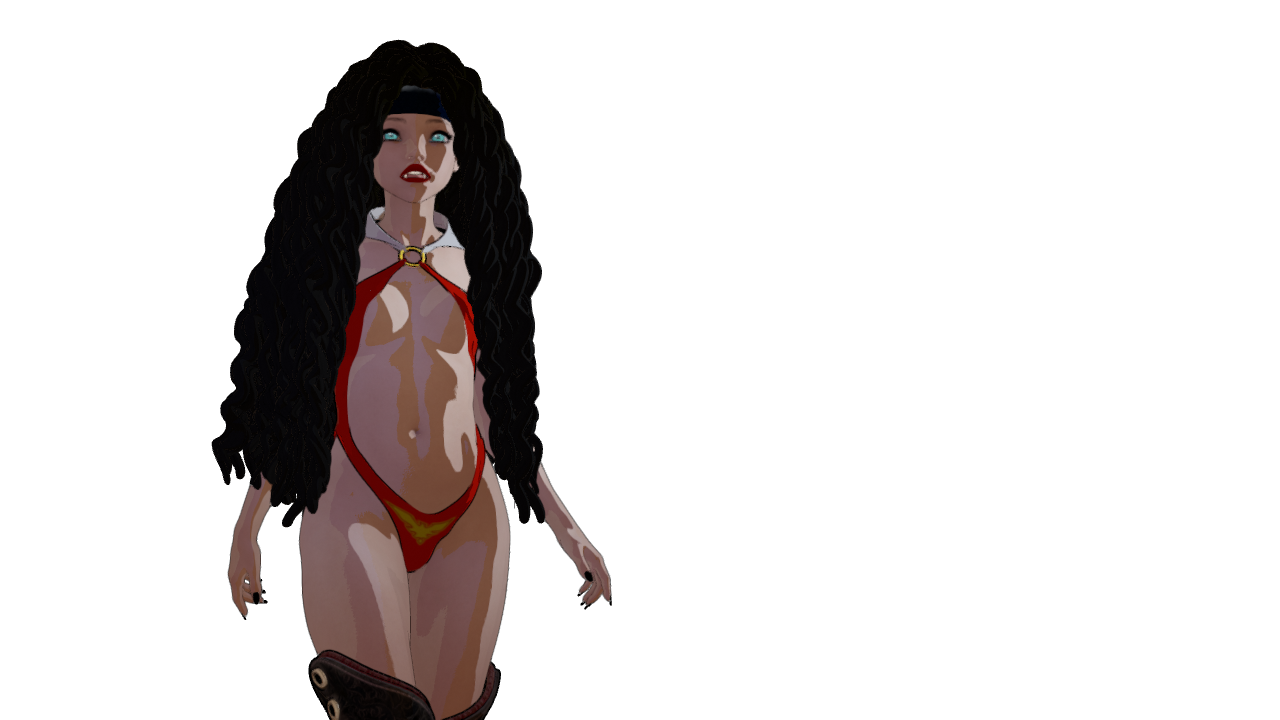 Anime Toons and Filatoon Shader Q&A
ArtsyDragon said:
For the first question answered with screenshots 1,2,3.... YAY, Thank you
For the second question answered with screenshot 4 ... yikes, I don't have the purple stuff except when I click on the anime boy or animae girl. If that's what is to be expected, then I'm all set. If it's supposed to be around for other things (like clothing I've applied the filatoon general shader to it's not.
Depend on the case you're work on. For instance, if you're converting Iray Uber shader to Filatoon shader. Check screenshot 1 ~ 3
For the last question answered with screenshot 5 ... yikes. Daz Studio returns nothing when I'm doing a Surface search for Filatoon. It doesn't matter what I have selected in the scene (either clothing or the anime figure itself.)
If you could get shader presets by going for Option 1 in above screenshot 5, you could've got them under Surfaces pane > Preset tab. Post me a screenshot...
Here is a basic question: How does one go about converting an Iray item to Filament? I have been applying the Filatoon shader to an object thinking that's all I had to do.. Now I'm wondering if I'm doing something wrong.
You must select a surface or surfaces in Surfaces pane before applying Filatoon shader. Be noted, a Shader or Shader Preset can only be applied on selected surface(s). Also check below screenshot 1 ~ 3.
I'm sorry for all the questions. I'm just trying to learn this and I'm a bit on the dim side.
pre-paid Daz membership taken away!doubledeviant said:
Richard Haseltine said:
Ron Knights said:
So now again, we have a paid version of DAZ Studio. Many years ago I paid extra for DAZ Studio Advanced (was that the name?). Right after that, DAZ Studio went free.
I just don't see any compelling new features for the paid version of DAZ Studio. It's nothing that interest me. And all those sale prices and coupons continue to confuse me.
I can't help wonder if this new paid version is a step toward DAZ Studio version 5. Will DS v5 be a subscription only version?
It isn't a paid (subscription) version of daz Studio - it is a subscription set of additional plug-ins, and content, and possibly other things on top of the standard daz Studio - which has had updates in the latest build and has just gained a Filament-based toon shader, so clearly not being neglected in favour of the subscription strand.
More accurate to say that it's the removal of tools from the market - that were available under perpetual license for a fair price - and the moving of those tools to an expensive subscription/rental model. It does actually detract from the base version of Studio as users can no longer purchase those tools if needed.The subscription does, of course, include far more than just the plug-ins - though equally obviously not everyone is going to have use for more than one of the benefits.
Anime Toons and Filatoon Shader Q&Acrosswind said:
ainm.sloinneadh said:
crosswind said:
ainm.sloinneadh said:
I'm not quite grasping how to overcome the optical illusion eyes. With filament rendering from the viewport, I can't figure out how to change what is seen in the render. There are no sliders to change the direction the eyes point in - only how well they stick together in the same direction. I've been mostly using them on the G9 mesh (not the anime G9 mesh). I wonder if that's why I'm missing something here.
If you don't own Look At Me II scripts... https://www.daz3d.com/look-at-me-ii-pose-control you either can tweak eyes rotation by using Point At to a Camera or a Null node. Or, tweak eyes rotation by using Eye Look... Pose Control properties.
Thank you kindly! Seems I can only get them to work when I load a new figure. The posing controls don''t do anything if I add the toon socket and iris onto an existing genesis 9 save, which was what I was trying to do.
I checked... it works on my side with adding socket / floating iris to the existing G9 figure. And you also need to delete Genesis 9 Eyes node ~~ as below SS.
Ugh. I think it was because I was being lazy and just hiding the eyes. At this rate, I'll owe you a salary! Thanks (yet) again
 Anime Toons and Filatoon Shader Q&A
For the first question answered with screenshots 1,2,3.... YAY, Thank you
For the second question answered with screenshot 4 ... yikes, I don't have the purple stuff except when I click on the anime boy or animae girl. If that's what is to be expected, then I'm all set. If it's supposed to be around for other things (like clothing I've applied the filatoon general shader to it's not.
For the last question answered with screenshot 5 ... yikes. Daz Studio returns nothing when I'm doing a Surface search for Filatoon. It doesn't matter what I have selected in the scene (either clothing or the anime figure itself.)
Here is a basic question: How does one go about converting an Iray item to Filament? I have been applying the Filatoon shader to an object thinking that's all I had to do.. Now I'm wondering if I'm doing something wrong.
I'm sorry for all the questions. I'm just trying to learn this and I'm a bit on the dim side.
Anime Toons and Filatoon Shader Q&AFinding the right hair is going to be the trick with Filament. Transmapped surfaces and Filament go together like chocolate and creamed spinach.
MANGA STYLE & VISUAL STYLE topic - Update Sept 23rd 2017: Fixed Dropbox links! [Commercial]Seeing as Filament is on its way to becoming the defacto alternative for NPR rendering, more solutions that use it will be welcome.
Anime Toons and Filatoon Shader Q&AArtsyDragon said:
Hello Everyone! I'm back with a couple of questions after reviewing the FAQ post at the beginning of this thread.
Mada said:
You will find a new folder called Genesis 9 Toon with 2 figures - Genesis 9 Base Anime Feminine and Genesis 9 Base Masculine. MallenLane did an absolutely amazing job on sculpting and rigging the toons, everytime I use them I smile because its such a pleasure to work with :)
I don't know where to look for this folder called G9 Toon. The only place I have the anime feminine and male figures is within the group called "Genesis 9 Starter Essentials." In the figures filter, I get 12 figures, 2 of wich are the G9 Anime male and female. If there is another place where I can find them faster, I'd love it.
Check screenshot 1 ~ 3
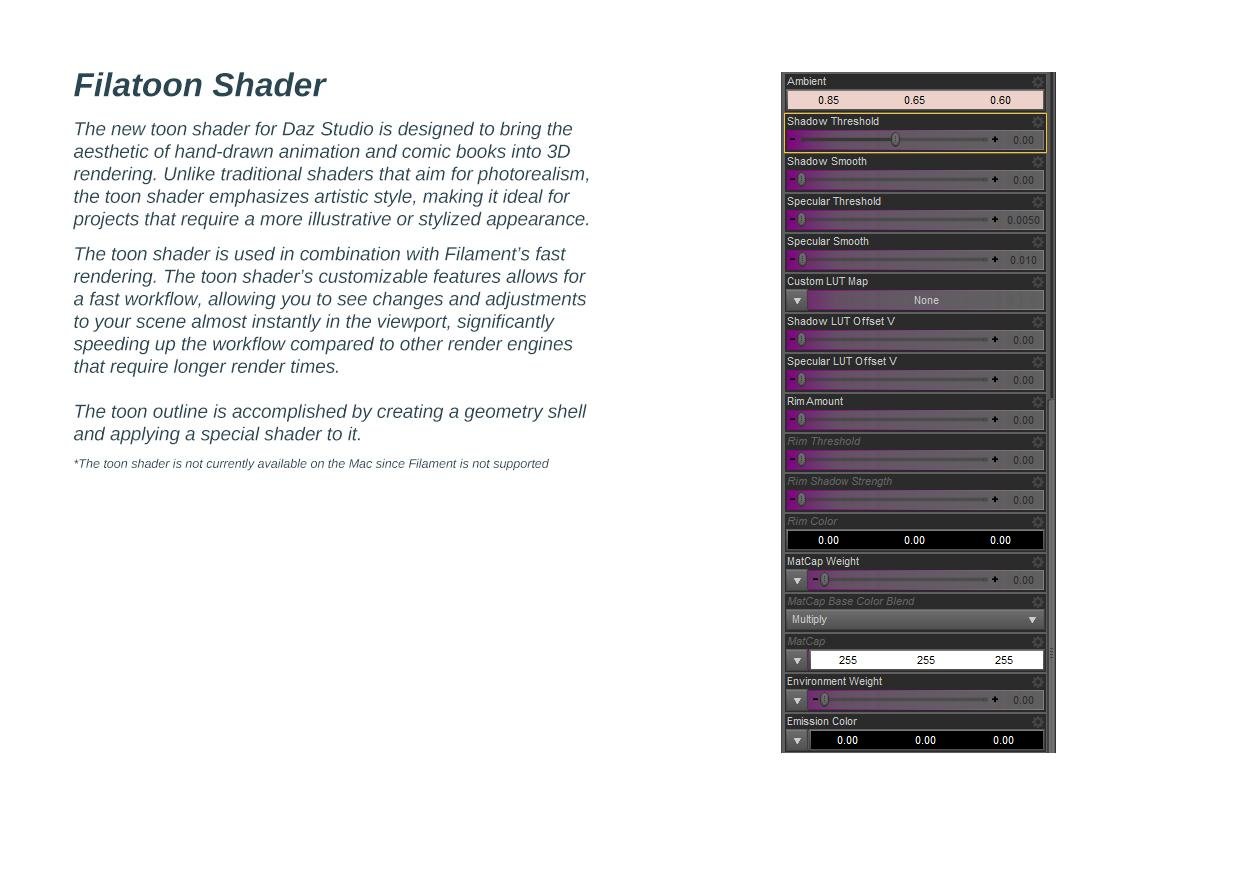
The Filatoon shader is used in combination with Filament’s fast rendering. The toon outline is accomplished by creating a geometry shell and applying a special shader to it.
I found the outline geometry shell (or rather how to get it into the scene) but my question is about the purple list below in the next image. I don't know where to find that particular goodie.
Check screenshot 4
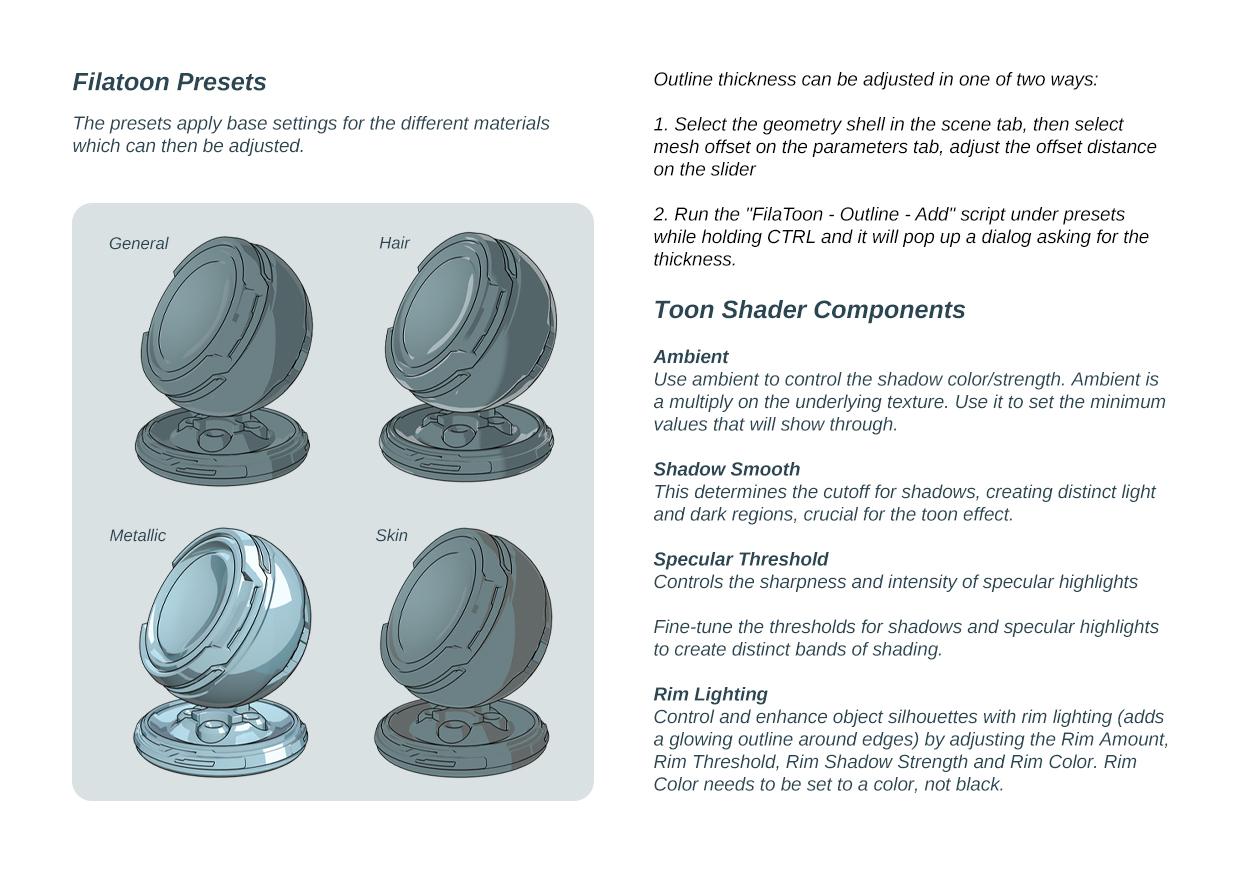
Under Filatoon Presets, the guide says there are two ways to adjust the outline thickness. I cannot find option 2 anywhere. No preset filter I found had the mentioned 'Filatoon > Outline > Add' Script. Please let me know what I'm doing wrong in searching for this preset folder.
Check screenshot 5.
Q : Where can I find the FilaToon shader scripts
A : My DAZ 3D Library > Shader Presets > Filatoon. Under that you will find FilaToon - Base and Filatoon - Outline. You can also apply any of the presets and it will create the outline geoshell if it doesn't exist (except for FilaToon - Constant, it will apply the shader without the outline). If everything is black after you apply the preset make sure you're in the Filatoon renderer, and either turn on Auto Headlamp or add some lights.On my machine, I find the filatoon shaders by being in my Smart Content panel and selecting Shaders > Filament > Default Resources. I assume not all machines are the same so I just wanted to mention my peculiar machine's set up in case anyone else was scratching their head because they don't have the other folder.
I really sincerely appreciate all those who have been digging into this product and helping the community by posting this knowledge. Thank you Thank you!
Daz 3D is part of

Connect
DAZ Productions, Inc.
7533 S Center View Ct #4664
West Jordan, UT 84084Licensing Agreement | Terms of Service | Privacy Policy | EULA
© 2026 Daz Productions Inc. All Rights Reserved.