-
Michael 8
Hah, so you're saying Victoria isn't expensive, but it's her wardrobe that'll get you?

Yup. Should have named her Barbie.
Skin way darker in renders than in store@EcVh0 "Heavy Photoshop Post-Working: To further make their product appealing, they added in heavy post works"
Are you sure about that? I am under the impression that DAZ does not allow "heavy postwork" in promos.
Actually my apologies, I over-exaggerated the "Heavy" bit, I will correct that. What I don't understand is, you can create a good lighting effect by complex lights, but how can you change skin tones so dramatically? I do not believe V8 was pale when she was loaded into my scene

You own promos show "advertising style lights". Frankly, the term "natural lights" doesn't make any sense in this context, particularly with regard to "emissives". An emissive light in Studio is no different than a photometric spot with geometry.
FWIW, Victoria 8's promos don't look olive skinned to me.
To my definition which I totally forgot to mention, "natural light" is any lights that "make sense" of appearing in a scene, for example ceiling lights, lamp lights, or even camera light itself, so an realistically placed photometric spot with geometry is just as natural as an emissive in the scene.
The lights that doesn't make sense to exist in a scene would be called forced lights to me, things such as ghost lights in front of your character, to the side of your character, or three point plane lights coming out from nowhere floating above the ground sort of things. These are quite common in a complex light set to make a particular object look good, but it is forced because it does not belong into the scene
Hope I explained myself a bit better this time
 What is Genesis 8?
Genesis 8 is what Genesis 4 would have been. 8 was chosen because as you saw the next version of Victoria due was Victoria 8 and the next version of Michael due is Michael 8. That makes finally the Genesis versions match up with the total number of DAZ 3D model generations since 1999 I believe was when Victoria (Victoria 1) debuted.
Skin way darker in renders than in store@EcVh0 "Heavy Photoshop Post-Working: To further make their product appealing, they added in heavy post works"
Are you sure about that? I am under the impression that DAZ does not allow "heavy postwork" in promos.
You own promos show "advertising style lights". Frankly, the term "natural lights" doesn't make any sense in this context, particularly with regard to "emissives". An emissive light in Studio is no different than a photometric spot with geometry.
FWIW, Victoria 8's promos don't look olive skinned to me.
Anatomical Elementshi,
what do i have to buy to get the genesis 8 female genitalia?
victoria 8 starter or pro bundle?
Michael 8Hah, so you're saying Victoria isn't expensive, but it's her wardrobe that'll get you?
Like most women, right? ;) LOL
Laurie
I'm a gentleman, and wasn't going to go there. Although I did pretty much point the way, didn't I?

But I do celebrate the differences between the genders!
Victorias 4 and 6 hdVictoria 6 is Gen(esis) 2, Victoria 4 is pre "Genesis" (also often refered to a generation 4 - which often causes confusion for newer users). Victoria 4 doesn't use the same andvance technology as the Genesis figures.
Show Us Your Iray Renders. Part VIVictoria 8 (with minor morph mods and my shader settings) relaxing in the great new set by Jack Tomalin - Deco Downtime.

This is really, really well done. Great mood and lighting!
Michael 8Hah, so you're saying Victoria isn't expensive, but it's her wardrobe that'll get you?
Like most women, right? ;) LOL
Laurie
Victorias 4 and 6 hdHi gang:
Im trying to clarify something and I need a quick question answered. Are the above Victoria variants considered to be Gen 2 or Gen 3. Reason Im asking is because I've notived sometimes some equipment intended for gen 2 works on my Gen 3 models and vise versa. Anyway as always I thank you in advance for answering this, cause it is kind of confusing. Cheers and have a great rest of the weekend:)
Legacy UVs for Genesis 8 [Commercial]Is this likely to be updated for other Genesis 2 Daz characters? Doesn't seem to work with Aiko, Gia, Giselle, Monique etc. It is particularly bad with Monique. Is only Genesis 2 base supported? Even for Victoria 6, the eyes are a bit off. I have the IG Iray essentials for the various characters and they don't seem to work well either.
Sam, this is for those textures which use the Genesis 2 Base Female UVs. I have done sets for Victoria 5 and Victoria 6 which should be out in the next few weeks, but for other UVs you can use the Map Transfer tool to convert to the Base Female texture first. There is a very useful tutorial by RobotHeadArt on how to do this:
https://www.daz3d.com/forums/discussion/95701/tutorial-converting-custom-genesis-2-uvs-to-genesis-3
The IG Iray Essentials, for the most part use UVs other than the Base Female UVs, I believe.
Michael 8Hah, so you're saying Victoria isn't expensive, but it's her wardrobe that'll get you?
Legacy UVs for Genesis 8 [Commercial]Is this likely to be updated for other Genesis 2 Daz characters? Doesn't seem to work with Aiko, Gia, Giselle, Monique etc. It is particularly bad with Monique. Is only Genesis 2 base supported? Even for Victoria 6, the eyes are a bit off. I have the IG Iray essentials for the various characters and they don't seem to work well either.
Legacy UVs for Genesis 8 [Commercial]Hello,
I'm not getting the results expected. This is Gen8 with Cassie Gen2 mats applied.
I don't know what I could be doing wrong since the process has only 3 steps after loading Gen8
Any suggestions?
Michael Grant
Michael, Cassie uses the Victoria 5 UV Set. If you load the MATs onto the original Genesis 2 you can see what the UVs are for each property in the Surfaces tab. In fact some of the eye surfaces for Cassie are Genesis 2 Base Female UVs, but the differences are so slight as to make little practical difference.
I put a provisional list of V5 and V6 textures in the "Legacy UVs for Genesis 3" thread. If a figure is not listed there it is probably a Genesis 2 Base Female texture, unless it is one of the iconic figures, like Monique.
Legacy UVs for Genesis 8: Victoria 5 is currently in Testing, so hopefully should be available in a few weeks. I have attached a picture of Cassie on Genesis 8 Female.
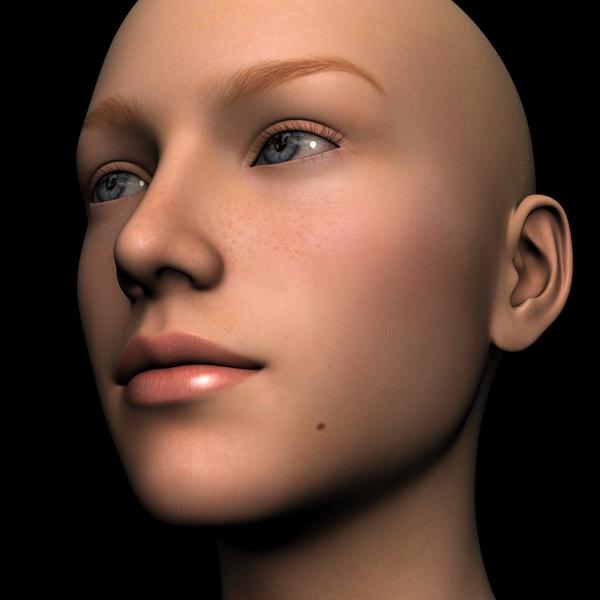 No mouth Daz Studio 4.9 Windows 8
It installed automatically when I installed the latest DAZ version and I purchaed Victoria 8. I did not installed anything related to Power Pose and I wish I could downgrade and use the old version of DAZ. How can this hapend? HOw is possible that such basic tabs just dissappear?
I keep havng this isssue and no one seems to have any idea what could cause it .... There seem to be no way of mooving the mouth in my DAZ setup ...
I am very frustrted.
I hope someone could give me at least a clue of what can I do to fix it.
I did unistalled and re-installed DAZ twice ....
Skin way darker in renders than in storeSo I continue to be really upset that the renders you get from models bought from the Daz store don't look at all like their store photos (especially models from Daz). It really sucks that Daz and other artitist do not include their lighting and render settings in their models. I do not have the time or expertise to tune 10 different settings and spend hours with lights for a render.
Looking at the lighting affects available in the store, would any of these give renders similar to the renders for Victoria 8 and others?
Perhaps this one?
https://www.daz3d.com/illumination-iray-lights
Can anyone recommend a good **easy to use** presets products for lighting and render settings.
mod edit to remove obscenity
It's quite funny how this thread is revived after nearly a year and nothing in between
Anyhow check out this thread
on skin realism and how lighting isn't the most important thing
Show Us Your Iray Renders. Part VILoving Genesis 8! I'm having a lot of fun learning how to do custom morphs of G8F. Here's one of my morph characters, Karli, mixed with about 50% Victoria 8 dialed in.
 Michael 8
For me to justify her expense, Victoria 12 is gonna have to be able to make my coffee in the morning and provide maid services while I'm at work.
[Links] Victoria2 / Michael2 V2/M2 freebie listHow Do I Download Michael 1 & 2, and, Victoria 1 & 2
Test a new character Morph?Just save. You can use the Properties Heirarchy to add or remove ERC links, they are frozen without further action. The reason it's not too good for making many adjustments is because there are so many things in the list. It's more useful for making small changes, or for making tricky controller chains.
But once you change something here, it is basically "frozen" so you can just save it. Remember to save over the existing file. Otherwise, you'll have two copies of the same morph, and studio will load which ever one it finds last.Thank you for your help! Your patience is much appreciated! :D
Here's the updated file (attached). Let me know if you still get the error message still, if you would. :)
Also, I get that error message when I just load the Base Genesis 8 Female. Just clicking on the G8F female icon and trying to load that gets me that error message:

Do you know how to fix that or do I need to uninstall and reinstall the Genesis 8 Female files?
Edit - It also gives me that error message when I just try and load Victoria 8 too. I think maybe it might be caused (maybe?) by one of the other morphs I created. I probably did a double ERC freeze on one or two of the other morphs I made. I'll see about going through the new morphs I've created and see if I can't find the issue. If that doesn't help I'll try uninstalling and reinstalling the Genesis 8 Female files with the Install Manager and see of that fixes the issue.
Daz 3D is part of

Connect
DAZ Productions, Inc.
7533 S Center View Ct #4664
West Jordan, UT 84084Licensing Agreement | Terms of Service | Privacy Policy | EULA
© 2026 Daz Productions Inc. All Rights Reserved.