• Daz 3D
  • Shop
  • 3D Software
    • Daz Studio Premier
    • Daz Studio
    • Install Manager
    • Exporters
    • Daz to Roblox
    • Daz to Maya
    • Daz to Blender
    • Daz to Unreal
    • Daz to Unity
    • Daz to 3ds Max
    • Daz to Cinema 4D
  • 3D Models
    • Genesis 9
    • Genesis 8.1
    • Free 3D Models
    • Game Ready
  • Community
    • Gallery
    • Forums
    • Blog
    • Press
    • Help
  • Memberships
    • Daz Premier
    • Daz Plus
    • Daz Base
    • Compare
  • AI Solutions
  • Download Studio
  • Menu
  • Daz 3D
  • Shop
  • 3d Software
    • Daz Studio Premier
    • Daz Studio
    • Install Manager
    • Exporters
    • Daz to Roblox
    • Daz to Maya
    • Daz to Blender
    • Daz to Unreal
    • Daz to Unity
    • Daz to 3ds Max
    • Daz to Cinema 4D
  • 3D Models
    • Genesis 9
    • Genesis 8.1
    • Free 3D Models
  • Community
    • Our Community
    • Gallery
    • Forums
    • Blog
    • Press
    • Help
  • Memberships
    • Daz Premier
    • Daz Plus
    • Daz Base
    • Compare
  • AI Solutions

Notifications

You currently have no notifications.

Loading...
Daz 3D Forums > Search
  • Off Topic Thread #2

    Ha ha that's a scream Stezza ;)  and very interesting Wendy;)


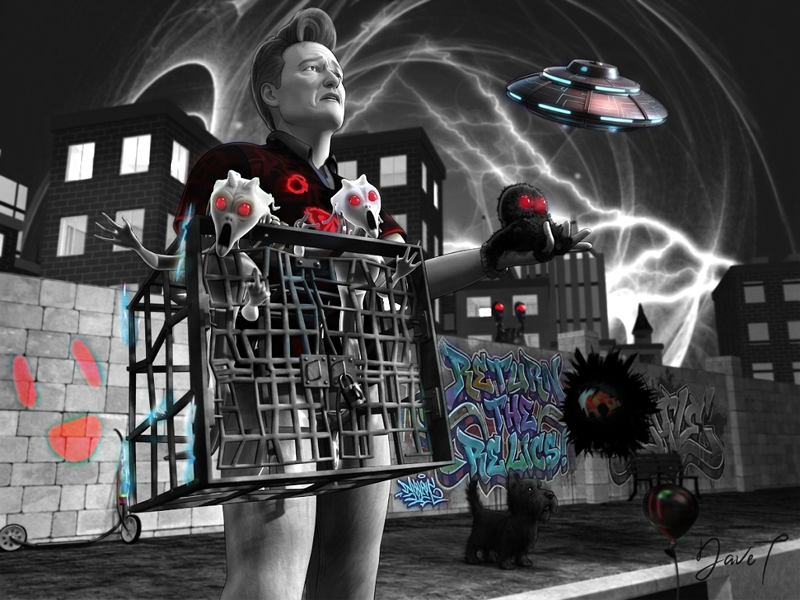
    I posted this on a surfing site and was accused of it being ai generated 


    Imagery on the board is carrara and brushes Ron's , hair I borrowed , the sixth toe is mine 


    By

    Headwax Headwax May 24 in Carrara Discussion
  • Need help rendering characters in Carrara?

    Let's face it, Carrara is truly magical in how it allows us to load Poser/Daz3D products directly through the same sort of methodology, and then they behave very much the same way - if not even a bit easier to manage within Carrara since it's tools are so efficient and handy.

    The biggest thing in the opinion of most, I believe, is that all of the materials - shaders - need to be enhanced or even completely redone.

    I have put together this simple process for myself that works well for speedy-fast animation renders, so you may not agree with some of my techniques. Use what works for you!!!

    Either way, this video should hold the clues needed to help get your character's shaders sorted out quickly and easily!

    See the description of the video for a link to the support page for the article on my website, where you may also download the free "Base Scene" file that I use.

    By

    Dartanbeck Dartanbeck May 24 in Carrara Discussion
  • It has been a while.

    mmoir said:

    WendyLuvsCatz said:

    we missed you heart

    consider selling your Carrara content on Renderosity too enlightened

    are still a few of your sets I never picked up (though I do own quite a lot)

    I don't even know where to look to find the files for those Products anymore.

    If you ever decide to make them freebies, I'd be happy to host them on my site :)

    If you want the DIM-ready files, just download them from your Daz 3D account ;)

    By

    Dartanbeck Dartanbeck May 24 in Carrara Discussion
  • Trying to find settings for greater accuracy

    Headwax said:

    Good to see Carrara and 3D printing together 

    yes Agreed!

    By

    Dartanbeck Dartanbeck May 23 in Carrara Discussion
  • It has been a while.

    I've been quiet in this (and all) forum lately. Well... for a while now.

    Not for any real reason other than the fact that I'm constantly working on animations, simulations, tweaks, and rendering now.


    I've mostly switched things up. I have bought and built tools in an attempt to get Daz Studio my new Carrara-like animation studio and it accidentally really worked!

    I still use Carrara, but more like the way we used to use Daz Studio - as a plugin. I still find it to be the fastest and most beneficial way for me to create custom models. I started dabbling in Hexagon for that, since I have it and that it. too was made by Eovia/Daz 3D, but I don't really know my way around - whereas Carrara just lays everything right at our fingertips. I seem to have forgotten my UV Mapping tricks though. I used to just fly through custom UV Mapping in Carrara, but I seem to have lost a step or three in that regard. I'll get it back!


    I still hound the higher-ups at Daz 3D/Tafi to dust off the old Carrara Dev specs... but... well... you know....


    As I got older, however, I really found a liking to being able to buy assets and toss them into a scene and it all just works. That kind of still blows me away at how that has evolved. Scenes are lit and render ready, characters are packed full of functionality and I give them a TON more, which was my key to unlocking my favorite way to animate ever. 


    Something like this, which has 109 Predatron LoREZ figures animated throughout

    ...and this little side project:

    By

    Dartanbeck Dartanbeck May 23 in Carrara Discussion
  • Carrara Cafe part ways with DAZ3D

    You probably already have Fenric's and Inagoni's plugins, right? If not, let me know. I am hosting them on my site.
     

    Feel free to download and host any of my stuff, example:

    • Starry Sky for Carrara
    • Carrara EnvironKit - Woodlands
    • Carrara EnvironKit - Underwater Realms
    • Carrara EnvironKit - Badlands
    • Carrara Kanji Kit 1


    This page has links to two of my articles that include videos along with Base Scene files that can be downloaded - the scene that is demonstrated in the videos. Feel free to copy any of this information if you like.


    This page is my Cripeman Memorial, where I have an index to his videos


    This page is my index for all of GKDantas' Carrara tutorial videos (silent)


    I have a ton of info about Carrara on my site. Browse around Carrara Zone from the top navigation and let me know if I can help in any way - PM me here if you need help.

    Dartanbeck.com

    By

    Dartanbeck Dartanbeck May 23 in Carrara Discussion
  • more....Wacky Modelling ~ In Carrara ~

    laugh

    I posted the Carrara Cats render on another site and one of the comments was "Aww, no Simon's cat"

    not knowing who Simon's cat is or who Simon is I needed to know....

    The cube came forth and pushed and pulled polygons became Simon's cat.... boned and morphed

    That's Saturday done and dusted smiley


    By

    Stezza Stezza May 23 in Carrara Discussion
  • more....Wacky Modelling ~ In Carrara ~

    here's something different... my songs on soundcloud

    listen to my album smiley

    Carrara Alphabet Riot in Sounds of Times Gone By

    By

    Stezza Stezza May 22 in Carrara Discussion
  • more....Wacky Modelling ~ In Carrara ~

    Stezza said:

    Stezza said:

    I've cubed a few Carrara Cats!

    eeeeew! laugh


    but who let the dogs out!

    Awesome, all my favourites! Well done, well done indeed! 

    By

    wsterdan wsterdan May 20 in Carrara Discussion
  • more....Wacky Modelling ~ In Carrara ~

    Stezza said:

    I've cubed a few Carrara Cats!

    eeeeew! laugh


    but who let the dogs out!

    By

    Stezza Stezza May 20 in Carrara Discussion
  • A View Through The Mirror

    WendyLuvsCatz said:

    background said:

    I totally cheated, in a way. I tried drawing them onto the hdri, a few times but it looked terrible. The tyre tracks are actually two large diameter thin ring objects that I created and then cut in half and put in the image like the car, and set the opacity very low. The full ring had 512 segments to get a smooth curve. I did mess up though because I think the tyre marks appear to be from the front wheels, but the Toyota 2000GT is a rear wheel drive car. I never owned one, but I liked the open topped one in 'You Only Live Twice', and it makes a change from an Aston Martin.DB5. 

    well that is how I edit HDR 

    I render spherical camera 2:1 images to match in size, dome only in Environment but uncheck the HDR being visible in DAZ Studio or Carrara Octane (EXR there) then add the Tiff or EXR image as a layer to the HDR in Gimp keeping the metadata etc

    That's clever, I will have to try that. I'm sure there will be other places in the story where a hdri is needed and often they don't contain everything I would like. On these ones. I was happy to get the car on the left side of the road, or at least appear not obviously in the middle.

    By

    background background May 17 in Art Studio
  • A View Through The Mirror

    background said:

    I totally cheated, in a way. I tried drawing them onto the hdri, a few times but it looked terrible. The tyre tracks are actually two large diameter thin ring objects that I created and then cut in half and put in the image like the car, and set the opacity very low. The full ring had 512 segments to get a smooth curve. I did mess up though because I think the tyre marks appear to be from the front wheels, but the Toyota 2000GT is a rear wheel drive car. I never owned one, but I liked the open topped one in 'You Only Live Twice', and it makes a change from an Aston Martin.DB5. 

    well that is how I edit HDR 

    I render spherical camera 2:1 images to match in size, dome only in Environment but uncheck the HDR being visible in DAZ Studio or Carrara Octane (EXR there) then add the Tiff or EXR image as a layer to the HDR in Gimp keeping the metadata etc

    By

    WendyLuvsCatz WendyLuvsCatz May 17 in Art Studio
  • Holding hands

    3DIO said:

    @Wendy
    It's jaw dropping to think you don't have it.  It's a 'Wendy Toolkit Essential' for sure is that one  :-D
    Out of curiosity, are the videos attached to my post not showing in your browser?  If they are and you've not seen them, at least watch the second video which is less than a minute and shows a couple walking and holding hands among other examples.  


    videos show, no hadn't clicked blush

    I haven't used it because I didn't really render many videos in DAZ studio  until Filament and then when I was given a decent video card by TheMysteryIsThePoint

    before that, nearly every thing I did was Carrara, Unreal, iClone, Poser and everything else except DAZ studio 

    it was just too slow

    even now I mostly use Twinmotion backgrounds and png series rendered in DAZ studio added in post

    I have asked a lot about Limbstick and other plugins, scripts etc but the answers I get are very vague and unhelpful 

    I even asked specifically if it could do stuff like hold hands only to be told by people who own it I don't think so

    so yeah

    its quite amazing how many people buy stuff and don't actually use it

    and I can't afford to buy stuff I can't use so pick and chose carefully 

    By

    WendyLuvsCatz WendyLuvsCatz May 12 in The Commons
  • Holding hands

    it's a lot more difficult in DAZ studio than other softwares 

    Carrara and iClone one can at least track and pin bones from 2 figures to each other so one only needs to sort out the posing of the fingers

    D|S has never had a good solution for this

    By

    WendyLuvsCatz WendyLuvsCatz May 12 in The Commons
  • Trying to setup AI on my PC

    the only way you could download the standalone apps I use would be to use a different PC then copy them over

    but things get written and verified so not sure how you would go

    a Dlink or other WiFi USB dongle isn't that dear

    you could even use your phone to hot spot if you have enough data

    or buy a prepaid sim card with lots of data

    I actually was on mobile internet in 2009 when I first used iClone, then Carrara  DAZ and Poser,

    first a dongle with a sim card then my Samsung Galaxy tablet as a hotspot

    used it for years because my landline wasn't connected to the internet, then naked ADSL eventually came here

    now I am on 5G, so on mobile again


    as an aside

    you know those 40K posts I have...

    35K of them were reached 10 years ago because I was continuously chatting to about 5 people all day on my tablet in a handful of threads!

    I was on it all day, on social media too

    I actually stopped using a phone or tablet outside of my house, am the only person without a phone on me now


    By

    WendyLuvsCatz WendyLuvsCatz May 11 in The Commons
  • more....Wacky Modelling ~ In Carrara ~

    I've cubed a few Carrara Cats!

    eeeeew! laugh


    By

    Stezza Stezza May 8 in Carrara Discussion
  • Twinmotion renders

    not a Twinmotion render but a gripe

    Why the heck does one Genesis 9 FBX import animated but another one doesn't 

    in any version 

    I am so baffled and frustrated by this

    they are even wearing identical clothing just different characters 

    yes, are both animated, import into Carrara as FBX animated even and that's fussy

    By

    WendyLuvsCatz WendyLuvsCatz May 7 in Art Studio
  • ChatGPT and I are creating an Alice In Wonderland Scene!

    ChatGPT and I are creating an Alice In Wonderland Scene!

    Over a week ago, ChatGPT created a scene after I gave instructions for.

    I have been rounding up all of my Daz Products and Kit-Bashing everything.

    I sometimes have ChatGPT look for things that maybe I have missed...even though I use a LOT of searches for items.

    You would NOT believe the things I have come up with.

    For this wonderful tree in the foreground with twines, I asked ChatGPT to make me a texture map, displacement map and normal map for my tree.

    After looking at my many products, I decided to use a LB Creepy Tree.  I cut the roots and the twigs off in Carrara to use as my main tree.

    Then, I textured the LB Beanstalk like the tree!!!  I used 3 of the beanstalks to go around the tree.  The wonderful vines are ok as is.  

    Changing everthing to Iray, as best as I can.

    RDNA has Topiaries in a heart shape.  That is just precious for my scene.

    I have taken Kings Cottage and Iray Worlds | Daz 3D to use for my 2 hills and checked stairs and paths.  I cut up the terrain in Carrara to just have those parts.

    I cannot make anything, but I can put things together and take apart stuff LOL

    I have a long ways to go and have thought about quitting so many times.

    Anyway, I have asked ChatGPT many things...even camera angles and such.  Today, I told her...yes,  now ChatGPT is a her...I told her to that I was trying to create this scene in Daz Studio.  So, she gave me a very detailed outline that I thought you guys might get a giggle from:


    ***************************************************************************************************************************************

    Yes — this scene can be recreated in Daz Studio, but the easiest way is to build it in layers, almost like a theater set.

    Scene setup

    Use a 4:3 landscape render. A good high-resolution setting would be:

    2048 × 1536 px or 3000 × 2250 px

    Camera style:

    Eye-level, straight-on camera angle with a centered one-point perspective.

    Suggested Daz camera settings:

    • Focal length: 28mm–35mm

    • Camera height: about human eye level

    • Depth of field: light or moderate

    • Focus point: the open iron gate / center path

    • Composition: path starts large in foreground and narrows toward the castle

    Build the scene in layers

    1. Background layer

    This is the distant fantasy world.

    Use:

    • A pastel fantasy sky HDRI or painted backdrop

    • Distant castle or fairy-tale palace

    • Rolling green hills

    • Large oversized mushrooms placed far back

    • Small cypress/topiary trees

    • Atmospheric haze or fog plane for softness

    The castle does not need to be fully 3D unless the camera will move. For a still render, a background image plane works very well.

    2. Middle layer

    This is the garden path and main gate area.

    Use:

    • Winding stone path

    • Grass terrain

    • Iron garden gate

    • Ornate arch or arbor

    • Stone pillars

    • Small tunnel / hobbit-style doorway under the arch

    • Rose bushes around the gate

    • Hanging lanterns

    • Playing-card signs: heart and spade

    The arch and gate are the most important pieces because they frame the whole scene.

    3. Foreground layer

    This gives the image its Wonderland tea-party look.

    Use:

    • Large red-and-white mushroom on the left

    • Teapot and sugar bowl/tea urn on the left

    • Teapot, teacup, saucer, and small table/stool on the right

    • Large roses in pink, cream, and red

    • Purple flower spikes

    • Checkered black-and-white garden tiles

    • Large antique wall clock on the right

    • Twisted tree trunk and vines on the left

    This foreground should feel oversized and close to the camera.

    Assets to look for

    For Daz Studio or Renderosity, search for these types of assets:

    Architecture / props

    • ornate iron garden gate

    • rose arch / garden arbor

    • wrought iron fence

    • fantasy castle

    • fairy-tale castle

    • hobbit door / round door

    • garden lantern

    • vintage clock / antique wall clock

    • playing cards / Alice props

    • tea set / porcelain teapot / teacup

    • chessboard or checker tile floor

    Nature

    • fantasy mushrooms

    • oversized mushrooms

    • toadstools

    • rose bushes

    • climbing roses

    • ivy vines

    • topiary trees

    • cypress trees

    • flower beds

    • foxglove / lupine flowers

    • fantasy garden plants

    Terrain

    • curved stone path

    • garden path

    • mossy stones

    • rolling hills

    • grass props

    • flower meadow

    • garden steps

    Materials and colors

    Use a soft pastel palette:

    • Blush pink roses

    • Cream roses

    • Deep red accent roses

    • Mint green leaves

    • Soft lavender flowers

    • Pale blue sky

    • Aqua and pink mushroom caps

    • Warm antique brass for lanterns and gate details

    • Blue-and-white porcelain for the teapot

    • Black-and-white checker tiles

    For the mushrooms, you can recolor the diffuse/base color maps in Daz Studio or apply new Iray shaders. The scene in your image uses fantasy colors, so even realistic mushroom models can be made pastel.

    Lighting setup

    Use warm, magical lighting:

    • Sun/Sky or HDRI: soft late-afternoon light

    • Key light: warm light from upper left

    • Lanterns: point lights or emissive Iray shaders inside the lamps

    • Fill light: soft cool fill from the sky

    • Bloom: subtle, especially around lanterns

    In Iray, make the lantern glass slightly warm and glowing. Add a small point light inside each lantern.

    Best Daz workflow

    1. Set the camera first.

    2. Add the path, gate, and arch.

    3. Place the castle and hills in the background.

    4. Add large mushrooms at different scales.

    5. Add trees, topiary, roses, and vines.

    6. Add tea props, clock, lanterns, and playing-card signs.

    7. Apply pastel shaders and floral textures.

    8. Add haze, bloom, and depth of field.

    9. Render in 4:3.

    Most important pieces to recreate the look

    The scene will read correctly as long as you include:

    Ornate iron rose gate + winding stone path + oversized mushrooms + castle in distance + tea-party props + roses/vines + antique clock + warm glowing lanterns.

    Those elements will immediately give it the same Wonderland fantasy garden feeling.


    By

    Jan_Scrapper Jan_Scrapper May 7 in Art Studio
  • Carrara 8 Pro OSX Download link is broken

    there are issues with Carrara and the later version of Mac

    I am not a Mac user so cannot tell you what they are, just that there are some

    I know there is something to do with reading files from the Carrara browser

    By

    WendyLuvsCatz WendyLuvsCatz May 7 in Carrara Discussion
  • Carrara 8 Pro OSX Download link is broken

    My old backup does not open and the download link fails. The windows link works but I'm using OSX

    By

    shawn_vachon_63e8dcd8cc shawn_vachon_63e8dcd8cc May 7 in Carrara Discussion
Previous Next
Adding to Cart…

Daz 3D is part of Tafi

Connect

DAZ Productions, Inc.
7533 S Center View Ct #4664
West Jordan, UT 84084

HELP

Contact Us

Tutorials

Help Center

Sell Your 3D Content

Affiliate Program

Documentation Center

Open Source

Consent Preferences

JOIN DAZ

Memberships

Blog

About Us

Press

Careers

Bridges

Community

In the Studio

Gallery

Forum

DAZ STORE

Shop

Freebies

Published Artists

Licensing Agreement | Terms of Service | Privacy Policy | EULA

© 2026 Daz Productions Inc. All Rights Reserved.

Create An Account