-
Gaz3D to Blender issues
I installed the Daz to Blender exporter, but all exported models transfer-in severly warped while Genesis figures transfer in standard T-pose with hair/props deconstructed and dumped at random everywhere. The models/props are also locked and don't allow repositioning or correcting the perverted bones. I tried installing the Diffeomorphic plug-in as recommended in multiple other threads but the plug-in gives error codes and will not allow me to program in the correct paths.
I hate the lighting and cameras in Daz. So. Much. These lack the ease of control I find in Blender and don't look as realistic to me when it comes to rigging complex lighting systems, unless I use HDRIs, but these limit my options (can't light an indoor scene etc). I want to use the pose, morphs, and shader libraries I have in Daz and export the completed models/scenes to Blender for final renders.
How do I do this without the models becoming contaminated?
daz obj fitted in MD got geometry not match* EDIT: Nevermind, after writing all that I remembered all the times Morph Loader Pro still imported OBJ's for morph targets with corrupted vertex ordering, and MLP did not fail with a Geometry Not Match error.
Hope you get it sorted, because it should work, but without someone trying the with the same meshes and same instances of DS/MD, it is a crapshoot in the dark...
Skunk Peopleanaximanes_2000 said:
WendyLuvsCatz said:
could the fox people use another texture and a bit of morph dialing?
reduced ear size maybe some ratking dialed in
No lobster people, no matarays. There are no roach people, or actual fly people. Even with mammals, there are so many from camels to zebras that no one ever made humanoids for. Kind of interesting since there are just so many animals that could be made into humanoids (for RPGs or anything)
To be fair, there aren't many options for the actual animals, either. There's no lobster in the Daz store (at least not anymore), the manta ray is over 20 years old, there are only a handful of insects available, most also very old, there's one camel and no zebra (although apparently there used to be a Daz camel and zebra). There are also only two creators making anthro characters with any frequency, so even if they dedicated themselves entirely to making anthros, they might never get around to the specific things you wanted.
Skunk PeopleWendyLuvsCatz said:
could the fox people use another texture and a bit of morph dialing?
reduced ear size maybe some ratking dialed in
Oh, thank you, but I really meant this more as a product suggestion as opposed to asking in the other forums how to kitbash/make one. Still appreciate it. It's suprising the number of animals from mammals down to insects that have never been made. No lobster people, no matarays. There are no roach people, or actual fly people. Even with mammals, there are so many from camels to zebras that no one ever made humanoids for. Kind of interesting since there are just so many animals that could be made into humanoids (for RPGs or anything)
Building and Designing clothes for characters?There are a lot of options - modelling in a 3D application like Hexagon or Blender, using the same methods as any other kind of model, or usign Marvellous Designer to go from a pattern to clothing. Importing and rigging with the Transfer Utility, or just importing and simulating through dForce. Therea re ttuorials, both free and in store, covering all of these and more. It might help to give some mor specific examples of what you want to create, any existing skills you have, and what siort of budget (if any) you have.
Genesis 8 or 8.1 shapes on genesis 9?Yes, everything is possible and there are infinite ways to reach your goal, but...,
at what price?
From the point of view of the DAZ community, Genesis 9 is a true (evolutionary) miracle because the number of vertexes has been drastically reduced while the number of bones has increased, bringing the entire anatomy to a very high level.
Now, one would like to see their favorite Gen 8/8.1 characters reach Gen 9 level, but that is NOT possible! This is possible via detours and an equally drastic increase in the vertex, but what is the point of that? It is NOT possible to maintain the number of polygons if a Genesis 9 figure wants to implement even ONE morph from G8/8.1! The alternative would be to create an environment calibrated for Genesis 9 which can mathematically "match" (project) a bridge to prominent face and body morphs.
Be glad that your graphics cards don't start to boil so quickly anymore!I would like a "Flushed" product for Genesis 9Could always export the file as an OBJ with the collect maps checked on. Then go modify the face map in the image editor of your choice. Go back into studio, go to the surfaces tab, click the character/surfaces scroll to the face tab and swap the occurance(s) of that map with your modified map. I mean idf you need that and don't want to wait. If you are doing a still image, may be easier to spot an orange-red with a soft , elongated brush onto a new layer, check it to multiply (transfer mode) and slide the opacity to your liking.
Genesis 8 or 8.1 shapes on genesis 9?WendyLuvsCatz said:
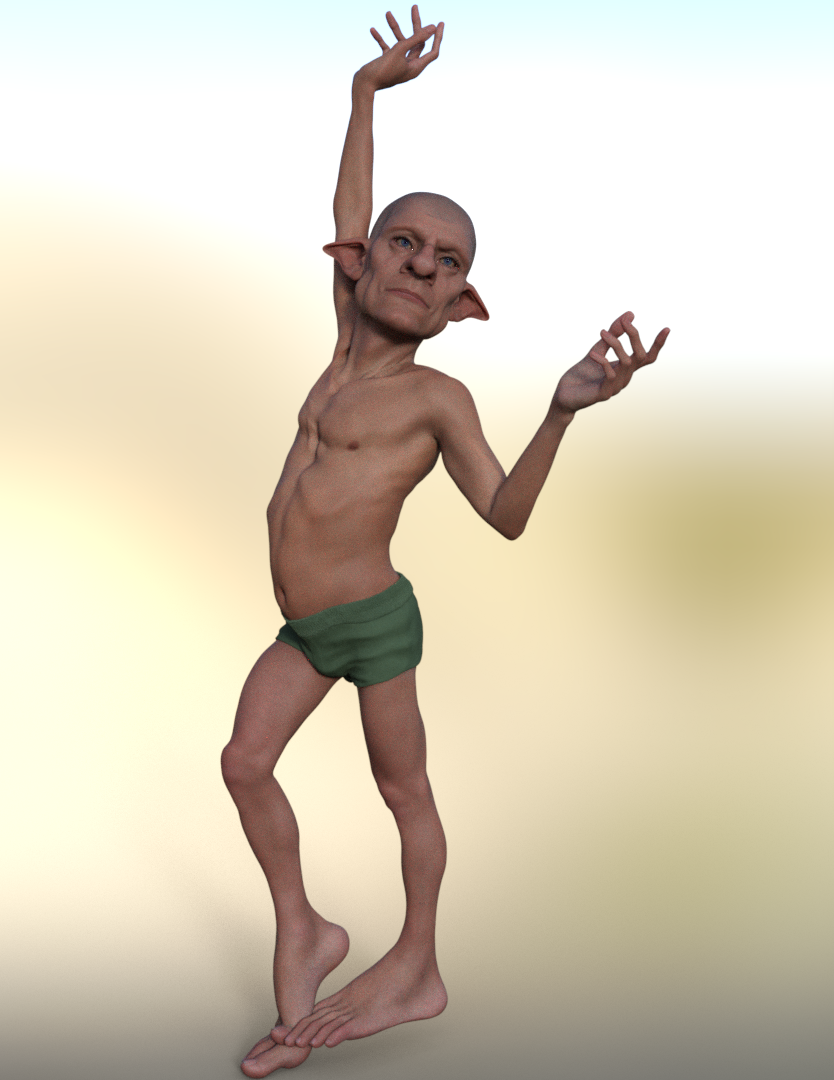
I just did it
took 10 mins
dial in clone shape
base resolution convert to prop, G8m transfer utilty (did need to pose legs-6.35)
dial up Dolb hide G8M
export obj
morphloader G9
adjust rigging to figure shape
select morph edit mode ERC freeze
save as support asset morph
 What character ?
aristarh1970 said:
I have asked the author about this model (in the product "Red Seraphim Suit for Genesis 8 and 8.1 Female"), some months ago.
The answer was: "Its some girl morph dialed from Sangriart".
I suppose it is Sangriart's character "Gertha for G8 and G8.1 Females".
I think its Emmeline Adult for Genesis 8 Female 3D Figure Assets Sangriart (renderosity.com)
Rude Gen 8 poses wanted!richardandtracy said:
While there is no G8 version, there are pose convertors & transfer scripts that convert poses quite well. I have done a script here https://www.daz3d.com/forums/discussion/448391/v4-a4-pose-transfer-to-g8f that allows you to apply the pose to V4, and after loading G8F, the script will transfer the pose to the G8F character. There are others around, including n_Alexandru's one that doesn't actually cover V4 poses here: https://www.daz3d.com/forums/discussion/605941/genesis-1-2-3-8-9-to-genesis-3-8-9-pose-converter
If you want a list of my freebies (including all the pose transfer scripts I've done), they're listed on the PosedDAZ Freebies site here: https://poserdazfreebies.miraheze.org/wiki/Category:Richardandtracy
Regards,
Richard
Thank you for the info. Very helpful!
Getting Photorealistic Results?lilweep said:
There is a thread here which may be useful? https://www.daz3d.com/forums/discussion/313401/iray-photorealism#latest
That is a really good thread and certainly worth checking out, jeff_someone's stuff is amazing. The problem with photorealism is there are different kinds. What you see on the cover of a magazine may be classified as photorealistic but differs greatly from a photo you have made with your phone, and getting similar results will also require two different set-ups in Daz. It's hard to give you an answer without an example. What you could try is going through the gallery and ask the one who made the image how they made it. There are plenty of people willing to share in the gallery.
Minimum requirements IMHO are:
- A high quality character with HD morph and great materials (I prefer the G8.1/G8 Daz Core characters and characters of Raiya, Bluejaunte though I usually mix them with morphs from Mousso)
- Rendering at SubD 4 or 5
- A good HDRI (I got really good results with this free HDRI for "indoor" renders, I usually add one or two light sources to compliment it)
- Vellus hair (I use Iray Vellus Horizon Shader System for Genesis 8 and 8.1 Female)
- High quality hair (I really like Windfield and OOT) + Hair shaders
- High quality clothing (I like Linday and Sprite)
Now I'm not saying this will automatically get you to photorealism, but it helped me to get as close as i could get to someting that could be classified as such:

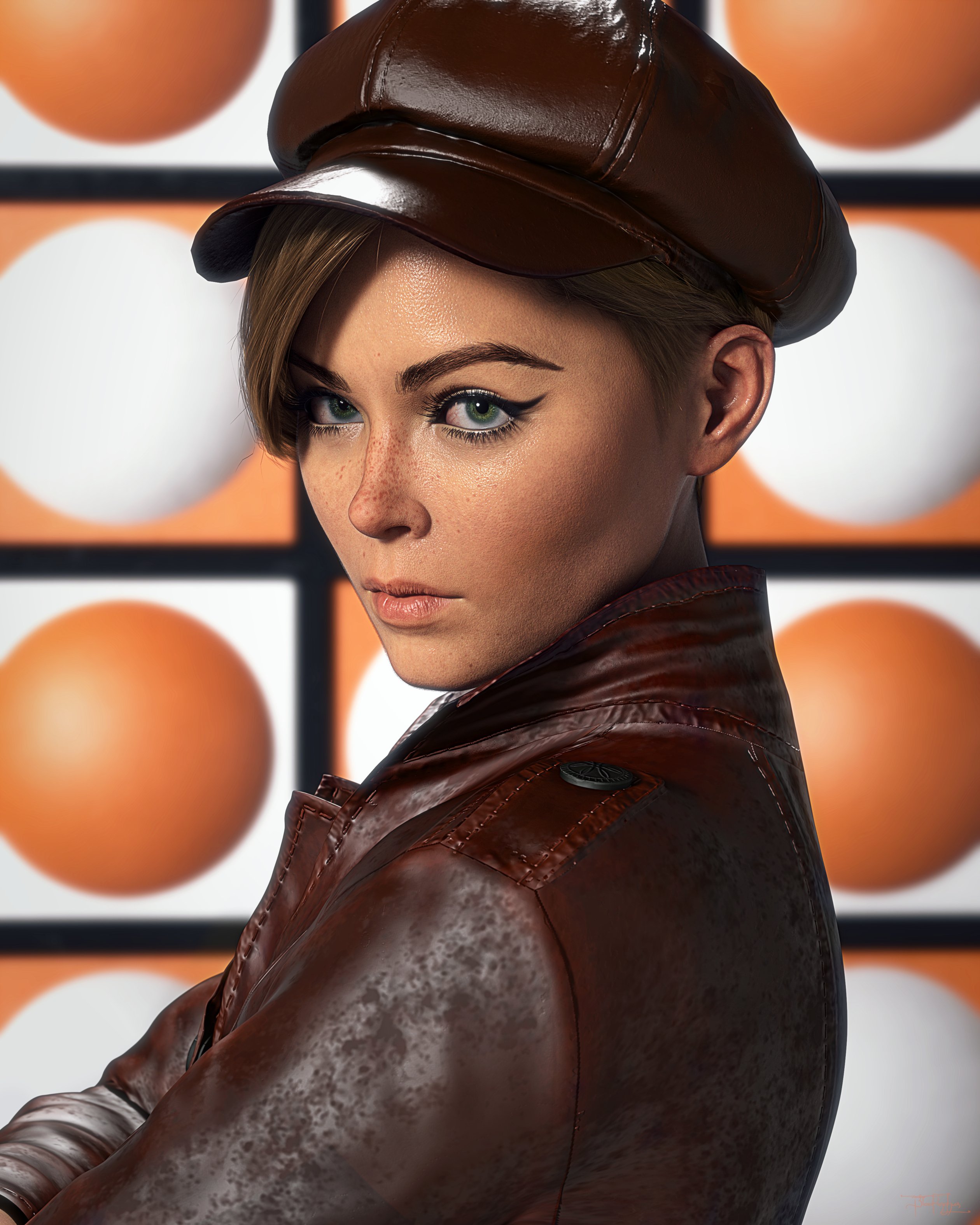
There are folks out there that got better results than I did, but I haven't uncovered their secrets yet.
daz obj fitted in MD got geometry not matchWhich sports bra is that? It's set up as a GeoGraft, judging by the scene info, and that may be the root of your problem. Morph Loader pro does have an option for handling grafts.
Transfer utility for rigid objectsIf you want it rigid you coudl either just aprent it or you could edit the weight maps genrated by the Transfer utility to make them consistent across the mesh - in that case you would probably need to add some morphs to move it correctly in response to poses.
[Released] Character Converter from Genesis 2 Male to Genesis 8 Male [Commercial]Eboshijaana said:
RiverSoftArt said:
Eboshijaana said:
So I had trouble converting Bearlord Transformed from Ghostofmacbeth. Every time I tried, the arms would become squiggly and malformed.
Until I tested the method used in this video: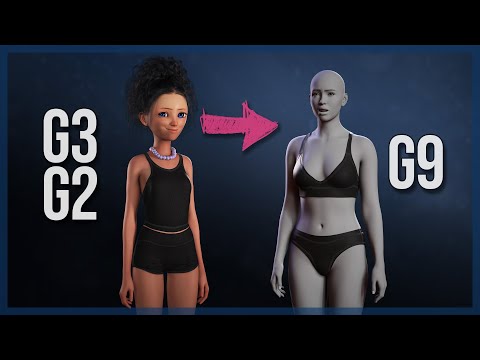
I could convert the transformed bearlord with -very- minimal distortion to genesis 8. So I figured I'd share this here in case it will be useful for you, Riversoft.
I appreciate you sharing the link. I have tried that method for G8-G9 and was not 100% satisfied with the results (eyes not great, pose baked into morph, all the morphs converted together).
Could the way the G2 is made to fit into g9/g8 and the baking of it into that shape might be useful, thought?
I am sure it is useful. But I am working out how
 [Released] Turbo Loader for Genesis 8 and 8.1 [Commercial]
Mark_e593e0a5 said:
Rod Wise Driggo said:
Damn. I wanted to Re-Scan my Morphs. But had 75% of Morphs disabled before I cleared things. Once I do a scan now Turbo Loader seems to not find the disabled morphs. What do I need to select/change to have TL recognize disabled morphs again?
Easiest is to start the respecive "Manager" script - e.g. "TurboLoader Manager for Genesis 8 & 8.1 Females". It might first scan your current list of morphs, but should present you with the user interface right after.
On the "Options" tab, select "Reset Morph Directory". This will reset all modified morphs in that directory to its original file ending. (See also the TurboLoader manual on page 7, esp. if you are using Daz Connect)
Thanks @Mark_e593e0a5! That is correct. (It looks like the forums are not notifying me again)
Transfer utility for rigid objectsHello everyone! I created the armor for a shoulder in 3d. To use it with genesis I use the transfer utility. But now the object deforms like a fabric when I move my shoulder, I would like it to remain rigid like a metal object. How can I do? Thank you.
Rude Gen 8 poses wanted!While there is no G8 version, there are pose convertors & transfer scripts that convert poses quite well. I have done a script here https://www.daz3d.com/forums/discussion/448391/v4-a4-pose-transfer-to-g8f that allows you to apply the pose to V4, and after loading G8F, the script will transfer the pose to the G8F character. There are others around, including n_Alexandru's one that doesn't actually cover V4 poses here: https://www.daz3d.com/forums/discussion/605941/genesis-1-2-3-8-9-to-genesis-3-8-9-pose-converter
If you want a list of my freebies (including all the pose transfer scripts I've done), they're listed on the PosedDAZ Freebies site here: https://poserdazfreebies.miraheze.org/wiki/Category:Richardandtracy
Regards,
Richard
Transfer Utility expands breast area for a shirtThank you all.
I used a G8F with breast morphed.
As Richard suggested, the morph load works fine after I checked Reverse deformation.
Best,
Josh
GoZ, ZBrush, DAZ Studiobicc39 said:
Steps
1. Goz must be installed properly (try with a cube)
2. When sending figure to Zbrush mesh reolution must be set to base. sub divisions lowest level(0)
3 When in Zbrush make sure that figure is selected in ztools.
4.MOST INPORTANT YOU CANNOT ADD OR SUBTRACK POLYGONS, AT THE MOMENT YOU DO THIS YOU HAVE, IN ESSENCE,
CREATED A NEW FIGIRE!!!
5.iF YOU ARE SUCCESSFUL THE DAZ PROGRAM WILL SHOW A SIGN ASKING YOU TO CREATE NEW MORPH
6.AFTER NEW MORPH IS APPLIES YOU CAN REDO MESH
7. Again.....most important ....while in Zbrush you cannot add or subtract polygons at all
(In Zbrush there is a folder called C/users/public/pixologic/gozprojects/default.....make sure to delete the old files they build up and
sometimes cause problems.....use a lot of memory also!!!!!
Luck!!!!
Cool info, though the FWD Slash is for internet addresses, and the BWD Slash for local explorer: ⇐ Disregard, you need to have a colon ⇒ c:\users\public\pixologic\gozprojects\default
Problem with easy pants and Dforce hips.Hameleon's "Easy X" products all use specialised UVs that will not be available to any geograft, and therefore not to any geoshell over the grafted area; these parts will not work together properly by default..
Your three options are:
- If you know how to transfer UVs in a program such as Blender, do so to provide the geograft the correct UVs for the geoshell.
- Bake the textures for the Easy Pants back onto the default UVs using map transfer in order to make them compatible with the graft
- Simulate the hips, bake that to a morph, then transfer the morph back onto the figure in order that the graft is no longer necessary.Daz 3D is part of

Connect
DAZ Productions, Inc.
7533 S Center View Ct #4664
West Jordan, UT 84084Licensing Agreement | Terms of Service | Privacy Policy | EULA
© 2026 Daz Productions Inc. All Rights Reserved.