-
Shape Splitter - Divide, Combine and Save (The new version is already available. 1.2.1)[Commercial]
When combining morphs with Shape Splitter, to what degree is the rigging preserved?
If Morph A changes the rigging, and Morph B changes the same rigging, the rigging for the two morphs together has a unique rigging produced by both morphs. Call this “rigging A+B”.
If I use Shape Splitter’s combining feature to unify Morphs A and B, will the resulting rigging be exactly equal to “rigging A+B”?
Or, could the resulting rigging be slightly different from “rigging A+B”?
Genesis 9 bug...just wondering if I'm alone...Pardon me but using an alternative option does not equate to a solution. The zero figure option (which works with all previous figures) is a workflow norm for most of us. Honestly "reset" and other options does not always fully zero (and I mean absolute zero) a figure out (previous ones) so at times the zero figure is the only method to completely turn off all the myriad of options that are on by default - which is an imperative function for those of us who make exportable morph targets. So this is clearly a problem and bug. The answer is not to work around it. Working around it is a method of coping while the bug gets fixed. I'm still waiting since December 19th for a response from DAZ technical support. I really feel I'm just being ignored as usual because it's a known bug and they don't have a fix for it. If an option in Studio does not work with a DAZ figure and utterly turns off functionality indefinitely for that figure if applied - that's a bug. Why do all companies just ignore failures these days and refuse to even acknowledge an issue let alone try and openly fix it? So I guess my report will be utterly ignored indefinitely. Not surprised.
Well anyway, using zero figure option turns off the BJC's for your Genesis 9 figures and you can't turn them back on. I'm going to see what NORTHOF45 is talking about.
By the way, everyone likes to go on and on about BJC's but all they are - is simple corrective morphs that are hidden by default and are paired (controlled) by the movement dials. There's nothing magical about them. They are just bending correction morphs and Genesis figures are riddled with them and they are generally hidden by default - and this is why Genesis figures get slow to load and move after you've installed a large number of custom figures. Moving activates these morphs - so the more there are installed, the more computing power needed for the moving dials to work. Base joint correctives - fancy name for not so fancy of a thing.
Assortment of Beards/Mustaches/Facial HairBest of luck with that. Not sure Cararra can do it, but many transfer to blender then to Daz, mind you morphs and bones would have to be recreated, 2 things I haven't learned yet lol
Ivar 9 Mega Bundlemal3Imagery said:
Here's a render of I did of Ivar in DAZ + Post. Used the masculine morph + ivar.
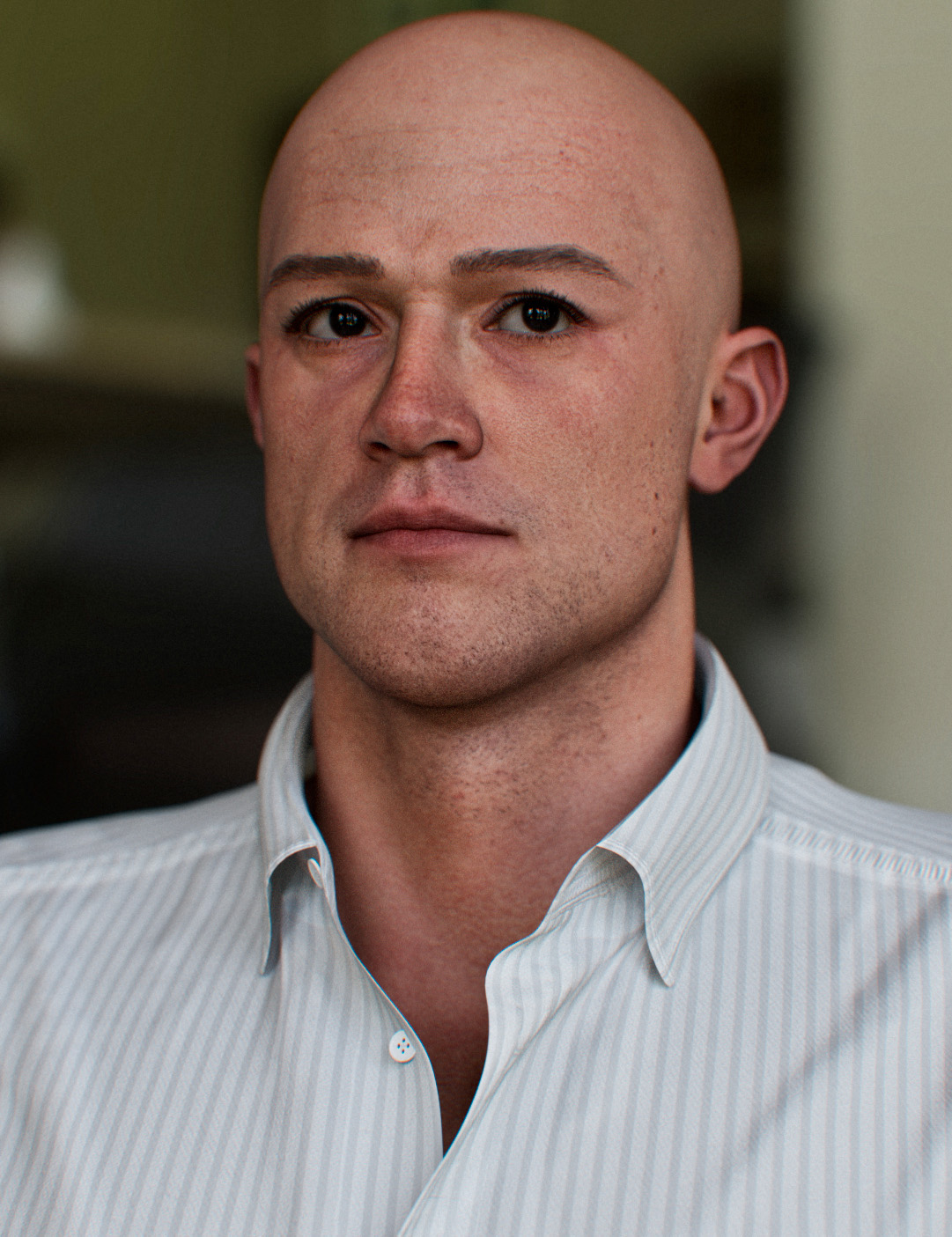
That's what he needed. I haven't worked with Genesis 9 much; are the Core Figures modeled on the Base without the male or female dials?
Morph vs ShapesNone. "Shape" is simply a term used to refer to a morph (or parameter controling various morphs) whose main purpose is to change the shape of the figure, as opposed to morphs used to control expressions, correction morphs, clones morphs used by autofit...
Morph vs ShapesWhat is the real difference between Morph and Shapes?
Ivar 9 Mega Bundlemal3Imagery said:
Here's a render of I did of Ivar in DAZ + Post. Used the masculine morph + ivar.
I like what you did.
Overall, I think he looks like a regular guy you could find anywhere, and depending on the outfit, take him to space or put him on the runway or on a tractor. Versatile.
Ivar 9 Mega BundleHere's a render of I did of Ivar in DAZ + Post. Used the masculine morph + ivar.
DAZ Studio to Nomad Sculpt Workflow | Create your own Genesis 3 and 8 morphs.Thanks for this tutorial. I found it enlightening. Have you tried it with Genesis 9 yet? No matter how I export when I use Morph Loader Pro it always says the geometry doesn't match. THoughts?
There's Always Another Sale Thread -- Discussions Onlymiladyderyni_173d399f47 said:
I still have no idea what the Game of Thrones thing is, even after reading the linked page out of idle curiosity. Except I won't be buying any as not a fan of the IP. (1.5 books didn't make me one so went on to something better.)
****
And yet another G9 orange banner...I wish it wasn't against the rules to transfer the offer to someone who is into G9.
****
On the plus side, I did get a "manually applied" $10 store credit mid-December, which was a happy surprise. I don't know where it came from. Maybe I bought something that I didn't realize was in a "buy now/get store credit later" deal or missed an email/site message about it? Either way, a belated Thank you!
Game of Thornes promo - 3rd party website to purchase online trading cards and Avatars in the Game of Thrones theme, no Daz Studio asset products. pay with Crypto currency. NFT trading card thing.
I have so many perm orange banners, I think I have 4 banner messages in my account right now. I wish there was a way to delete the messages or offers in my account but no they just keep poping up and screwing up my navigation of the site.
The $10 store credit given in december was arond the time of the $10 bundle flash sale hichup, I thought that was what I got it for, may be it was just a bouus thing , no mention , just appeared with no anouncment or why I got it. <shrug>
Eyelids messed up and wont close the eyes!I assume there should be an image.
Which figure, and does it have any morphs aplied? If it does are they add-on morphs used straight, or a custom morph or multiple add-ons baked to a single morph (e.g. exported as OBJ and then loaded as a new morph)?
There's Always Another Sale Thread -- Discussions OnlyI still have no idea what the Game of Thrones thing is, even after reading the linked page out of idle curiosity. Except I won't be buying any as not a fan of the IP. (1.5 books didn't make me one so went on to something better.)
****
And yet another G9 orange banner...I wish it wasn't against the rules to transfer the offer to someone who is into G9.
****
On the plus side, I did get a "manually applied" $10 store credit mid-December, which was a happy surprise. I don't know where it came from. Maybe I bought something that I didn't realize was in a "buy now/get store credit later" deal or missed an email/site message about it? Either way, a belated Thank you!
Gaz3D to Blender issuesI installed the Daz to Blender exporter, but all exported models transfer-in severly warped while Genesis figures transfer in standard T-pose with hair/props deconstructed and dumped at random everywhere. The models/props are also locked and don't allow repositioning or correcting the perverted bones. I tried installing the Diffeomorphic plug-in as recommended in multiple other threads but the plug-in gives error codes and will not allow me to program in the correct paths.
I hate the lighting and cameras in Daz. So. Much. These lack the ease of control I find in Blender and don't look as realistic to me when it comes to rigging complex lighting systems, unless I use HDRIs, but these limit my options (can't light an indoor scene etc). I want to use the pose, morphs, and shader libraries I have in Daz and export the completed models/scenes to Blender for final renders.
How do I do this without the models becoming contaminated?
daz obj fitted in MD got geometry not match* EDIT: Nevermind, after writing all that I remembered all the times Morph Loader Pro still imported OBJ's for morph targets with corrupted vertex ordering, and MLP did not fail with a Geometry Not Match error.
Hope you get it sorted, because it should work, but without someone trying the with the same meshes and same instances of DS/MD, it is a crapshoot in the dark...
Skunk Peopleanaximanes_2000 said:
WendyLuvsCatz said:
could the fox people use another texture and a bit of morph dialing?
reduced ear size maybe some ratking dialed in
No lobster people, no matarays. There are no roach people, or actual fly people. Even with mammals, there are so many from camels to zebras that no one ever made humanoids for. Kind of interesting since there are just so many animals that could be made into humanoids (for RPGs or anything)
To be fair, there aren't many options for the actual animals, either. There's no lobster in the Daz store (at least not anymore), the manta ray is over 20 years old, there are only a handful of insects available, most also very old, there's one camel and no zebra (although apparently there used to be a Daz camel and zebra). There are also only two creators making anthro characters with any frequency, so even if they dedicated themselves entirely to making anthros, they might never get around to the specific things you wanted.
Skunk PeopleWendyLuvsCatz said:
could the fox people use another texture and a bit of morph dialing?
reduced ear size maybe some ratking dialed in
Oh, thank you, but I really meant this more as a product suggestion as opposed to asking in the other forums how to kitbash/make one. Still appreciate it. It's suprising the number of animals from mammals down to insects that have never been made. No lobster people, no matarays. There are no roach people, or actual fly people. Even with mammals, there are so many from camels to zebras that no one ever made humanoids for. Kind of interesting since there are just so many animals that could be made into humanoids (for RPGs or anything)
Building and Designing clothes for characters?There are a lot of options - modelling in a 3D application like Hexagon or Blender, using the same methods as any other kind of model, or usign Marvellous Designer to go from a pattern to clothing. Importing and rigging with the Transfer Utility, or just importing and simulating through dForce. Therea re ttuorials, both free and in store, covering all of these and more. It might help to give some mor specific examples of what you want to create, any existing skills you have, and what siort of budget (if any) you have.
Genesis 8 or 8.1 shapes on genesis 9?Yes, everything is possible and there are infinite ways to reach your goal, but...,
at what price?
From the point of view of the DAZ community, Genesis 9 is a true (evolutionary) miracle because the number of vertexes has been drastically reduced while the number of bones has increased, bringing the entire anatomy to a very high level.
Now, one would like to see their favorite Gen 8/8.1 characters reach Gen 9 level, but that is NOT possible! This is possible via detours and an equally drastic increase in the vertex, but what is the point of that? It is NOT possible to maintain the number of polygons if a Genesis 9 figure wants to implement even ONE morph from G8/8.1! The alternative would be to create an environment calibrated for Genesis 9 which can mathematically "match" (project) a bridge to prominent face and body morphs.
Be glad that your graphics cards don't start to boil so quickly anymore!I would like a "Flushed" product for Genesis 9Could always export the file as an OBJ with the collect maps checked on. Then go modify the face map in the image editor of your choice. Go back into studio, go to the surfaces tab, click the character/surfaces scroll to the face tab and swap the occurance(s) of that map with your modified map. I mean idf you need that and don't want to wait. If you are doing a still image, may be easier to spot an orange-red with a soft , elongated brush onto a new layer, check it to multiply (transfer mode) and slide the opacity to your liking.
Genesis 8 or 8.1 shapes on genesis 9?WendyLuvsCatz said:
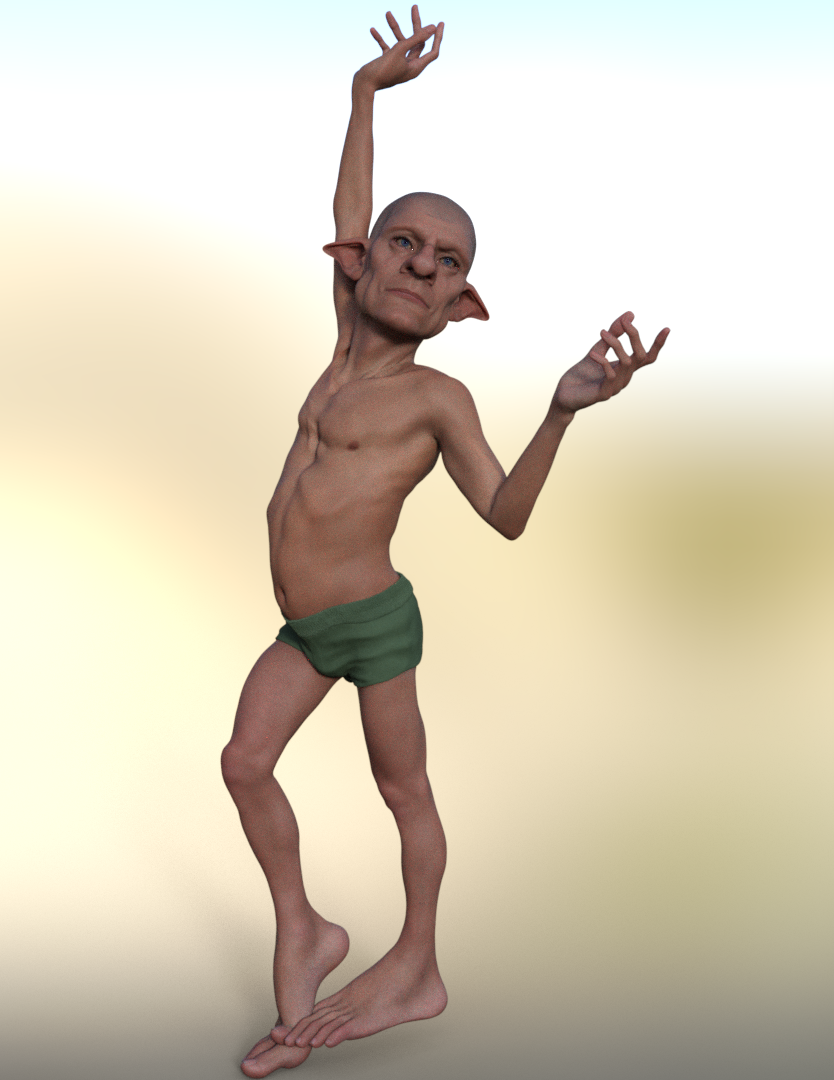
I just did it
took 10 mins
dial in clone shape
base resolution convert to prop, G8m transfer utilty (did need to pose legs-6.35)
dial up Dolb hide G8M
export obj
morphloader G9
adjust rigging to figure shape
select morph edit mode ERC freeze
save as support asset morph
Daz 3D is part of

Connect
DAZ Productions, Inc.
7533 S Center View Ct #4664
West Jordan, UT 84084Licensing Agreement | Terms of Service | Privacy Policy | EULA
© 2026 Daz Productions Inc. All Rights Reserved.