-
Waiting for Gen 8 Upgrades
Question is if Aiko 8 will look actually anime-ish.
3 and 4 did.
5 looked like young victoria.
6 definetly nailed the body but the head was completly off.
7 had a face of a violonist.
There are different styles of Anime.
Cat people tail with several textures or texture transfer?Don't know if it's any help, but Oskarsson has a G3 tail set:
https://www.renderosity.com/mod/bcs/easypose-tail-for-genesis-3-females/120299/
There's also this Cheetah girl, but it doesn't seem to have any tail.
https://www.daz3d.com/catalog/product/view/id/31559
Thanks, but the EasyPose Tail is the one I wrote about. It only comes with materials for daz character default skins (Victoria, Olympia, Aiko and such).
Update on using Agent Unawares idea: I tried the workaround with big cat and overall it is working pretty nicely (even stays in place after posing), but I still suck at manually adjusting skins, so I can't figure out right now how to match brightness and reaction to scene light. Since I also found out that the character I use doesn't really have good fur bump/displacement map settings, I have to look into that anyway, so not gonna bother anyone here and instead gonna look up tutorials for that.
Waiting for Gen 8 UpgradesQuestion is if Aiko 8 will look actually anime-ish.
3 and 4 did.
5 looked like young victoria.
6 definetly nailed the body but the head was completly off.
7 had a face of a violonist.
New guy full of questionsIs it normal that I prefer both Victoria7 and Genesis8 female to Victoria 8 ? :D She looks very realistic but I just don't like her features...
I prefer this version for instance : https://www.daz3d.com/fw-rebekah-hd-for-victoria-8 or her : https://www.daz3d.com/fwhp-eris-hd-for-genesis-8-female
When it says :Compatible Figures: Genesis 8 Female ; Required Products: Victoria 8
Does it mean that I can use it with Genesis 8 Female even if I don't own V8 or not ?
Abnd if it says :
Required Products:
Do I need ALL of those for it to work ?
Speaking of which, the Body Morphs, Head Morphs and maybe the one below too seem pretty essential if you really want to personalize your characters, except if you do it in Blender or such, am I right ?
https://www.daz3d.com/easy-shape-master-age-control-and-body-tuning-for-genesis-8-femaleNew guy full of questionsYes and no (great answer huh). If you are talking about props specifically (meaning things like swords, guns, crowns, etc), they "parent" or attach to a specific body part on a character. Due to the changes in the base pose from G3F and G8F (from a "T" pose to an "A" pose), hand held props don't end up in the proper location, but props for the head like hats don't have that problem. However, just because they don't end up in the right place autmagically, doesn't mean they aren't usable, you just need to manually move them to the right location, then they will work with no problems.
Clothes can be used from one generation to the next, as long as you have an autofit clone for them. G8F comes with clones for G3F and G2F, so autofit will work to fit clothing from G3F and G2F to G8F (shoes can be problematic though). However, G8F doesn't come with autofit clones to fit G8F clothing to any other Genessis generation. Thankfully, there are some great tutorials that will help you do this on your own. They are:
Redz's Tutorial for Adding Clones to G8F
Sickleyield's Tutorial to Convert Clothing from G3 to G8 and G8 to G3
Plus, here is a good thread to read and download an pre made "A" pose for the above tutorials for G3F :https://www.daz3d.com/forums/discussion/189366/resolved-dragon-tamer-outfit-for-g8f-on-g3f
When you read in a description for a product something like "Supported Shapes: Olympia 8, Victoria 8", that means the clothing comes with morphs specific to those shapes, so the fit will be "better" than just using autofit. Typically though, unless the character shape is extreme, autofit will do quite a good job with minimal distortions. So the short answer is yes, those cloths will work on other G8F characters, not only those mentioned.
Ok, but the "named" characters are a bit better than the "base" ones ? Or just they have skins etc ? Because now I own Victoria 7 but also have Gen8 base female, so is there an advantage at chosing one rather than the other ?
Typically, the named characters will have better texture maps and shaders than the base G8f ot G3F (though with a little work on the part of the end user, these texture maps can look quite good). I like V7 alot, and she has great shaders/texture maps. It really comes down to which characters you like best, both for their shape and their textures/shaders. The one thing to watch for though is what UV set a character uses. with G2 and G3 most (all??) of the DAZ numbered figures like V6, V7, Olympia 7, Gia 7 used unique UV mapping (how the texture is place on the figure) to minimize distortion (so far I don't think DAZ has done this with V8 or Olympia 8). So you need to make sure that you have the UV set that a character was designed for. This is not a problem if you are buy one of the DAZ numbered figures, as it comes with the UV set, but something to watch out for if you are getting a character from a PA that says something like "Jossette for the Girl 7" (made up name), you just want to make sure you have the proper base figure ofr the character to work properly (it's always listed in the product description what base figure is required).
I hope all this helps, and didn't just confuse you even more
 Waiting for Gen 8 Upgrades
Genesis 3 had roughly two naem figures per month, I can't imagine Genesis 8 will go faster and it may be slower (not sure how many we have had so far).
Two so far; Victoria 8 and Olypmia 8. Josie 8 and G8M have been hinted at, but not yet seen, so one of them is the next figure likely to appear.
How to save a Layer Image Editor (L.I.E.) Preset?Hey Diva, I think you have at least one character set that uses LIE for eyebrows. Check my Iray Toon Styles for Genesis 2. I did the eyebrows using LIE on that, and the way I dealt with Mac's issue of LIE images stacking was to make a face (or character skin) reset preset to turn off all the LIE settings and go back to blank base. Be sure to put the eyebrow image in both the base color and translucency color, or you'll end up with red eyebrows.
If you want to use the diffuse overlay for the eyebrows, you would need a .png image with transparency in the Diffuse Overlay Weight, and Diffuse Overlay Color. I'm guessing you had a .jpg with a white background in there, and that is why the face turned white?
I'm looking at Daz's texture folder and it appears for Victoria 8 that they did diffuse overlays for eyebrow or no eyebrows for each makeup option, because the makeup is also changed on the diffuse overly. I'm not sure how that would affect your desire to cut down on the amounts of maps needed if you have to basically do one for every combination.
One other thing I just thought of is that maybe you want to do the eyebrow presets on a geometry shell. That would give you an extra layer to work with.
Using LIE or Diffuse overlay both have pros and cons.There isn't any one ideal combination that will work for every user, so there will come a point where you just have to decide how you want to proceed, and go with it.
Good luck!
Edit: You know, the more I think about it, the more I like the geometry shell idea for the eyebrows. That would make it really easy for the end user to switch in their own favorite eyebrow package, if desired, just by deleting the geometry shell. No fuss. I'd put a note on the .tip image to make sure you have the geometry shell selected when using the eyebrow presets, and it should be pretty straight forward. PM me if you'd like someone to give your thing a quick once over before you try to submitt it.
New guy full of questionsAre the props / add-ons for, say, Victoria, Olympia and Gen3 female normally compatible or uncompatible ?
If I get some props for Gen3 they might not work with Gen8 if it isn't specified, right ? And Gen8 won't work with Gen3 for sure ?
If it says : Supported Shapes: Olympia 8, Victoria 8 ; does it mean it won't work with Gen8 base ?
This seems like some kind of jigsaw puzzle...
New guy full of questionsOk, but the "named" characters are a bit better than the "base" ones ? Or just they have skins etc ? Because now I own Victoria 7 but also have Gen8 base female, so is there an advantage at chosing one rather than the other ?
Modest Skirts?For skirts and dresses, you can't beat it, just make sure to buy the control pluging for Studio. The free version does not let you change the draping settings on the cloth, so you are stuck with whatever settings it was built with. This is not much of an issue with the clothing sets when you are using it on the original figure it was designed for (most are Victoria 4.2), but when using a newer Genesis figure or a morphed V4, you need to be able to play with the fabric.
How to save a Layer Image Editor (L.I.E.) Preset?There's a product (I think it's called LIE Baker or something like that) That you'll need in order to combine the layered images into a single texture :(
*edit*
On the other hand, I believe it saves a temp copy of the layered effects in the Studio temp directory. I could be remembering wrong though
Yeah, that product is LIE Baker and all it does is permanently save a LIE image. Which isn't what I need (that would just create the 72 images that I didn't want bloating the texture file for my character lol).
I wonder how Daz vendors do multiple brow options (I don't think I own any characters that have multiple brow options but I know some vendors do it).
I know that Victoria 8 uses Diffuse Overly to add the brows to her face, but when I try to use that layering option on my character it turns the entire face white for some reason. :(
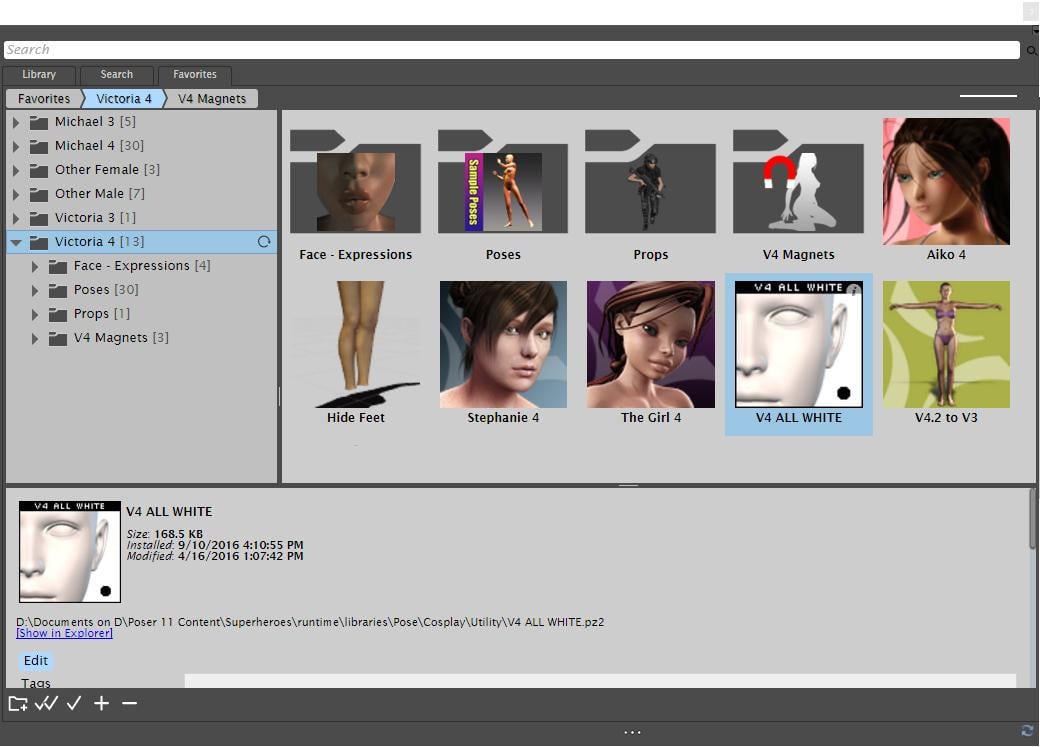
V4 All White -- anyone remember where it comes from?I have a pose that resets all of Victoria 4's materials to white, and it turns her eyelashes transparent.
I'm writing a tutorial and would like to give attribution, and a link to the original source.
I've had it for a long time, and I just can't recall where I found it. The file is called V4 All White.pz2
 Show Us Your Iray Renders. Part VI
Since the free Octane renderer for Unity is available - https://unity.otoy.com/guides/installation/
I have rendered free sample scene - The Forest | OctaneRender for Unity Sample Asset
https://www.assetstore.unity3d.com/en/#!/content/96587with spherical camera and used the EXR render file in Daz Studio iray.
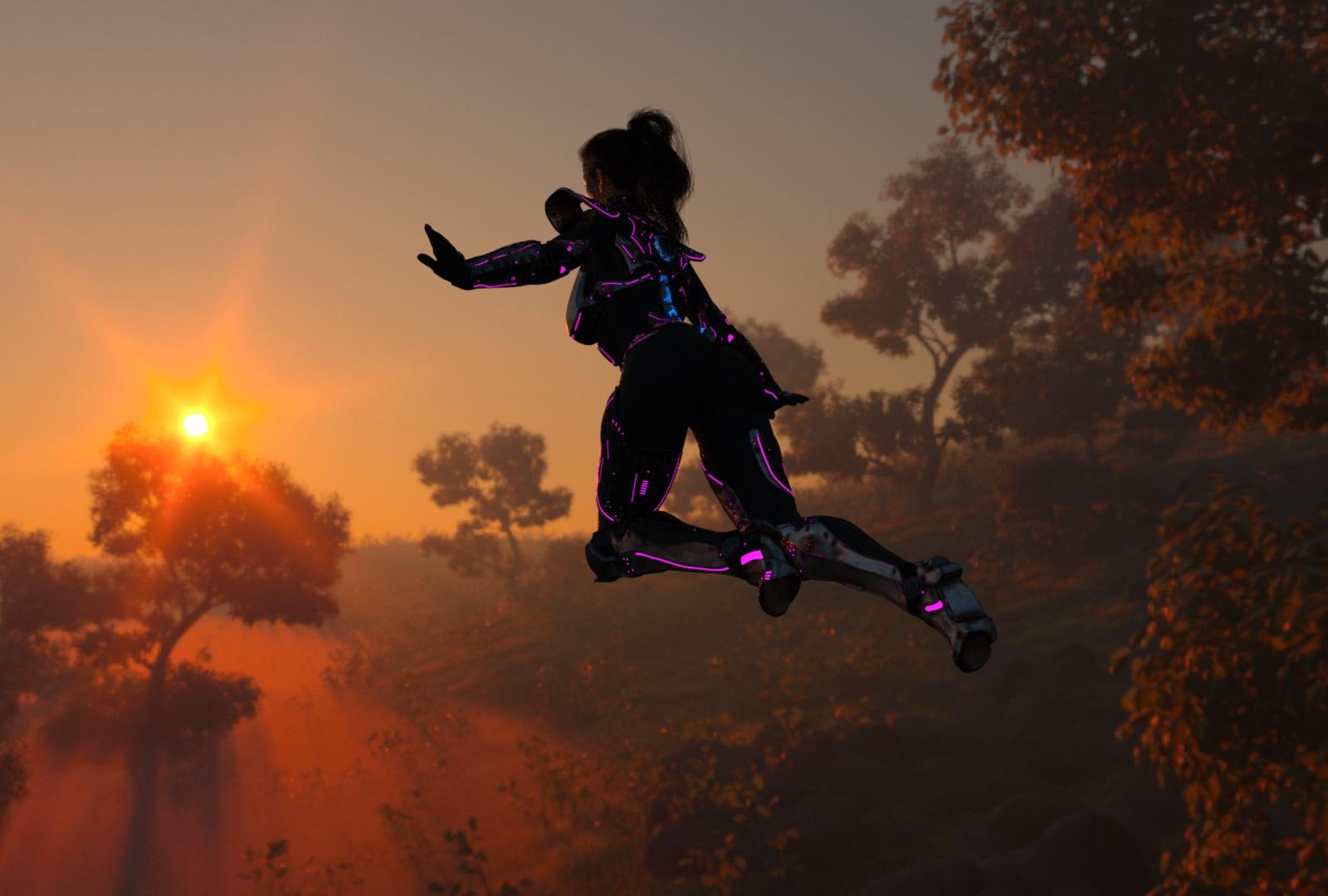
Below is the example render of https://www.daz3d.com/fwsa-elizabeth-hd-for-victoria-8
wearing https://www.daz3d.com/sci-fi-samurai-for-genesis-8-female-s
 Non-photorealistic Renders (NPR)
Good day all,
I am learning to do toon shading in preparation for a series of animations I will be making. I am realizing that any and all generations are optional with toon shading. This is Victoria 3 with the Firedancer outfit ... simply done with Visual Style Shaders and Toonycam Pro. I like the effect, but what would improve this in terms of proper toonifying? Thanks.
 New guy full of questions
To help answer the Victoria question. Victoria was the name of the first stand-alone character that DAZ3D made (actually, was Zygote at the time, not DAZ). The original Victoia(s) (and Michael) was designed for use in Poser, another application similar to DS (DAZ Studio). DAZ3D created DS when there was an issue with licensing figures for use in Poser 5 (which was "fixed" in a few months). The Victoria's were designed around "Poser technology" (i.e. to be used primarily in Poser) up through Victoria 4. With the introduction of the Genesis line, DAZ had to break Poser compatibility to implement the new tech in Genesis (but that was later fixed with an add-on for Poser). With the Genesis line, DAZ kept the Victoria name for their "primary", or first Genesis figure.
If you want to use DAZ figures in Blender, the best option would be to use one of the Genesis figures, not Victoria 4 or earlier (if you want to animate in Blender). The Genesis figures are a bit easier to convert than the earlier figures due to the way they are constructed (not that the earlier figures can't work, it just requires a lot more work and jumping through hoops to do it). If your primary goal is animation, there are some plugins available here for DS that make animation easier. Animate 2, Graphmate, and Keymate will extend the animation capabilities of DS a great deal. There is no true strand based dynamic hair for DS like there is in Blender, but there is a plugin called Virtual World Dynamics (VWD) available at Renderosity that can use dynamics on many transmaped hair models, as well as create dynamic cloth from many (most?) of the clothing models available here and else where (you will need the base product, which was designed for Poser, and the DS Plugin for it). There is also a dynamic cloth plugin available here, but it has rather limited use and can only be used on clothing items (there is a script available at Renderosity that can be used to make other clothing items work with the Optitex plugin here, but I think it broke with the latest version of DS).
Another option that might be worth investigating is Carrara (another product owned by DAZ3D and sold here). It has better animation tools than DS, but can only natively use DAZ figures up to Genesis 2 (though there is a utility at Renderosity that will let you use Genesis 3 figures in Carrara). Carrara is a general 3D "suite" type software like Blender, and has many features that DS doesn't, but not as many as Blender. Unfortunately it seems that DAZ has decided to stop development on Carrara, so this might make it a less attractive option compared to Blender. But, unlike Blender, you can use most DAZ figures and content natively in Carrara, which vastly streamlines the process compared to Blender.
Hope all this helps, and makes sense.
Novica & Forum Members Tips & Product Reviews Pt 9While the Filter settings will work for you regardless of the light set you use, the Tone Mapping will have to be tweaked if you're not using Pro-Studio HDR Lighting System
BTW, I don't know if you folks saw it, but one of the products used the Pro-Studio lighting for the promos (and it was so nice to see credit given to all the products, not just the lighting. It was lightly printed on the last promo.)
Aha, found her. Kudos to @fredwinklerart and @sabby We appreciate knowing the products! See last promo.
FWSA RoseCan you make a head follow an object/person?I almost always create a null called 'Victoria Gaze' (or whatever) and point the character's eyes at it. I then position the head manually; sometimes I will even rotate the entire character depending on the composition and pose. If the head is not 100% pointed at the target, that's OK, since the eyes being slightly off-axis is probably more realistic anyway.
New guy full of questionsOh, and why is Victoria always cited, Olympia is less popular for some reason ?
And you mentionned two sales months, that would be october and... ?
animation clothes changingI am trying to set up a magician's illusion. I have set up Victoria 7 with all the clothes, half of them hidden at the start of the animation. Midway through the illusion, I want to hide her current clothing and reveal her hidden clothing. I am trying to use the hide/unhide (eyes shut/eyes open) feature. This does not appear to be working. I have NVIDIA Iray engine selected. I am still in the setup stage. I have not got as far as rendering. Please help.
Character specific products work on other characters?Maybe this will help. When you look at a product, they normally show what's needed. This one shows Victoria 8 is needed.

So then you look up Victoria 8 and it shows you if it needs anything which it does need Genesis 8 Female (which is free through the Genesis 8 Female Starter Essentials).

Daz 3D is part of

Connect
DAZ Productions, Inc.
7533 S Center View Ct #4664
West Jordan, UT 84084Licensing Agreement | Terms of Service | Privacy Policy | EULA
© 2026 Daz Productions Inc. All Rights Reserved.