-
Josie 9 Botox lips
IceCrMn said:
What morph package are you using?
it looks like this:
https://www.daz3d.com/genesis-9-head-shapes

The highlighted morphs are the ones mentioned but there looks to be a few other morphs that would help.
DAZ, MD, and Traditional Pattern Making - GraduationHiya @barbult - if you go back to the very first video at around 2:38 it covers importing the base G9 base morph into Marvelous designer - You need to "shrink wrap" to that G9 base. Then back in DAZ you'll load the Victoria9_body_bs_Body figure shape back in DAZ after you've done the transfer utility and your weight mapping. The rest of the first video covers that Hope that all makes sense. Lots of steps, I know. I'm working on yet another video on working with multiple shapes - you're always one step ahead of the game !

Also, if you are working with dresses, There are better projection templates in this product:
https://www.daz3d.com/sy-ultra-templates-for-genesis-9
barbult said:
I tried the tight/loose scheme with the V9 Sloper, but I can't figure out how to do the process in the transfer utility, because the shape is V9, not the G9 Base. I assume since the transfer utility is involved, that the intent is to make a garment that is fit to the character and moves with the character poses.
Parameters Sub Directory Creation SavingI have bought quite a few morphs from different vendors and some of them dont organize them well meaning all the morphs are in one directory under the parameters tab and I was hoping to separate the morphs into sub folders within the parameters tab or the shaping tab either one that allows this to work. what I do is edit the Parameters of a specific morph and set a new directory in the file path name. it creates a new subdirectory afterwards and the morph works fine. the problem is when I either delete the model or close the program that director setup is not saved. what can I do to organize the morphs and create sub directories to help to organize these files.
Josie 9 Botox lipsDaventaki said:
And with some other morphs dialed in.

What morph package are you using?
You made her look usable in this image.
If I can get the rest of her sorted out with the available morphs packages; I would have at least one anime style character I can build with.
I still don't like the skin materials she comes with, but I could use V9's instead.
V9 has the only good materials so far in my opinion.
Hopefully I'm not stuck with a single materials set for all of G9's life span.
DAZ, MD, and Traditional Pattern Making - GraduationI tried the tight/loose scheme with the V9 Sloper, but I can't figure out how to do the process in the transfer utility, because the shape is V9, not the G9 Base. I assume since the transfer utility is involved, that the intent is to make a garment that is fit to the character and moves with the character poses.
Genesis 8 Female Facial Elasticity MorphsInstalled program to use the morphs. The program installed and I seem to have the rest morph, The product said their was 48 Sculpted HD original expressions. I can not seem to find those files. Any help would appeciated.
Cloth distorted on some character modelsHello Catherine, thanks for the reply. I tried and it doesn't look like a good method due to several reasons
1. If manually dial those morphs out is really the only option, that mean's I have to dial in morphs for every single character and I do not own all the characters ever made in the world for G8F
2. I'd like to keep glove fitted into the character, but by doing "dialing the morph out", glove will be 'floating' around.
I can imagine that doing this on morphs that make character bigger will be problematic for being too smallI wonder if there is another method available...?
No one asked me - Diomede screenshots on whatever - Warning AI Discussion OKApply New Morph in Carrara
- open a new Carrara scene and load your blended weight G9 character preset. Conform your blended weight eyes etc to G9.
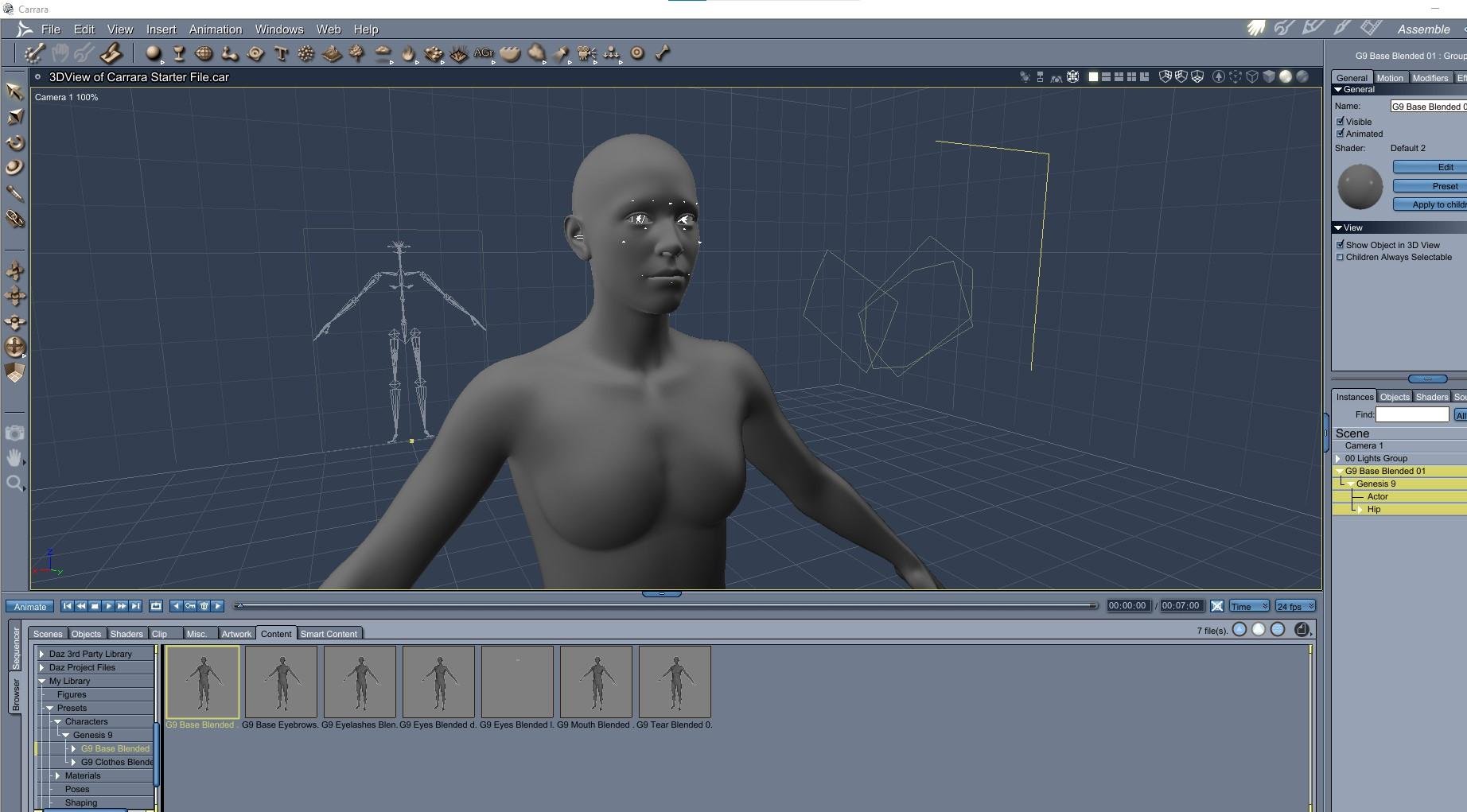
- locate the morph. it could be on figure menu or actor menu depending on where you saved it in Daz Studio.
- Yay, custom morph seems to work in Carrara.
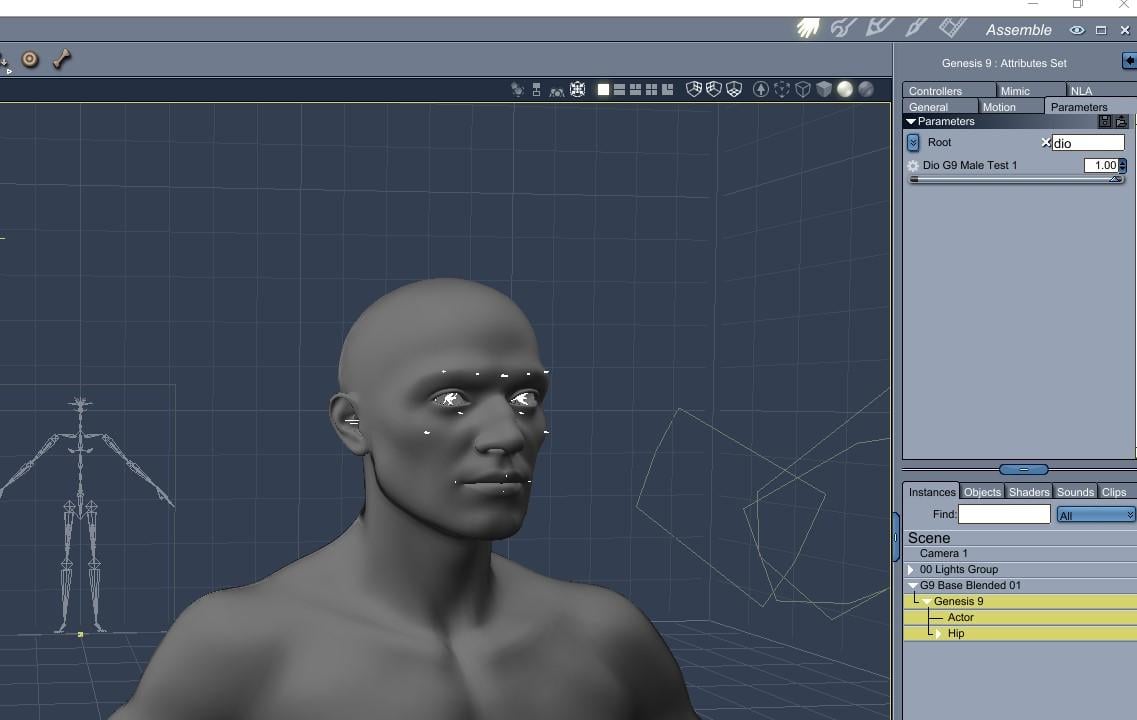 No one asked me - Diomede screenshots on whatever - Warning AI Discussion OK
Test New Morph in Daz Studio
- open a new fresh Daz Studio scene and load the default G9 (or any other G9 character I guess)
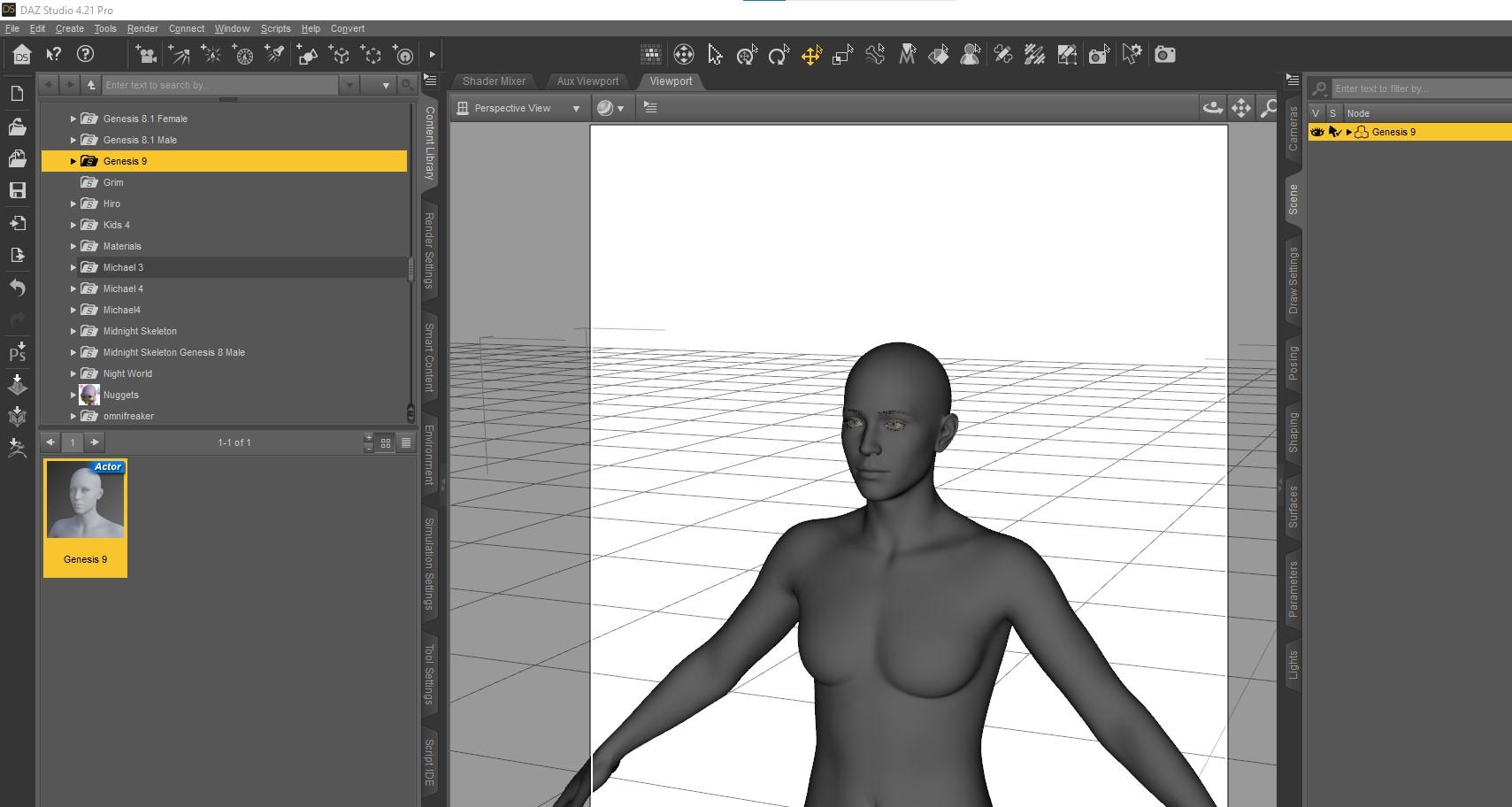
- locate the new morph in the parameters pane and dial all the way up
- My test appears to be working. See that the eyes, eyebrows etc moved with the morph changes
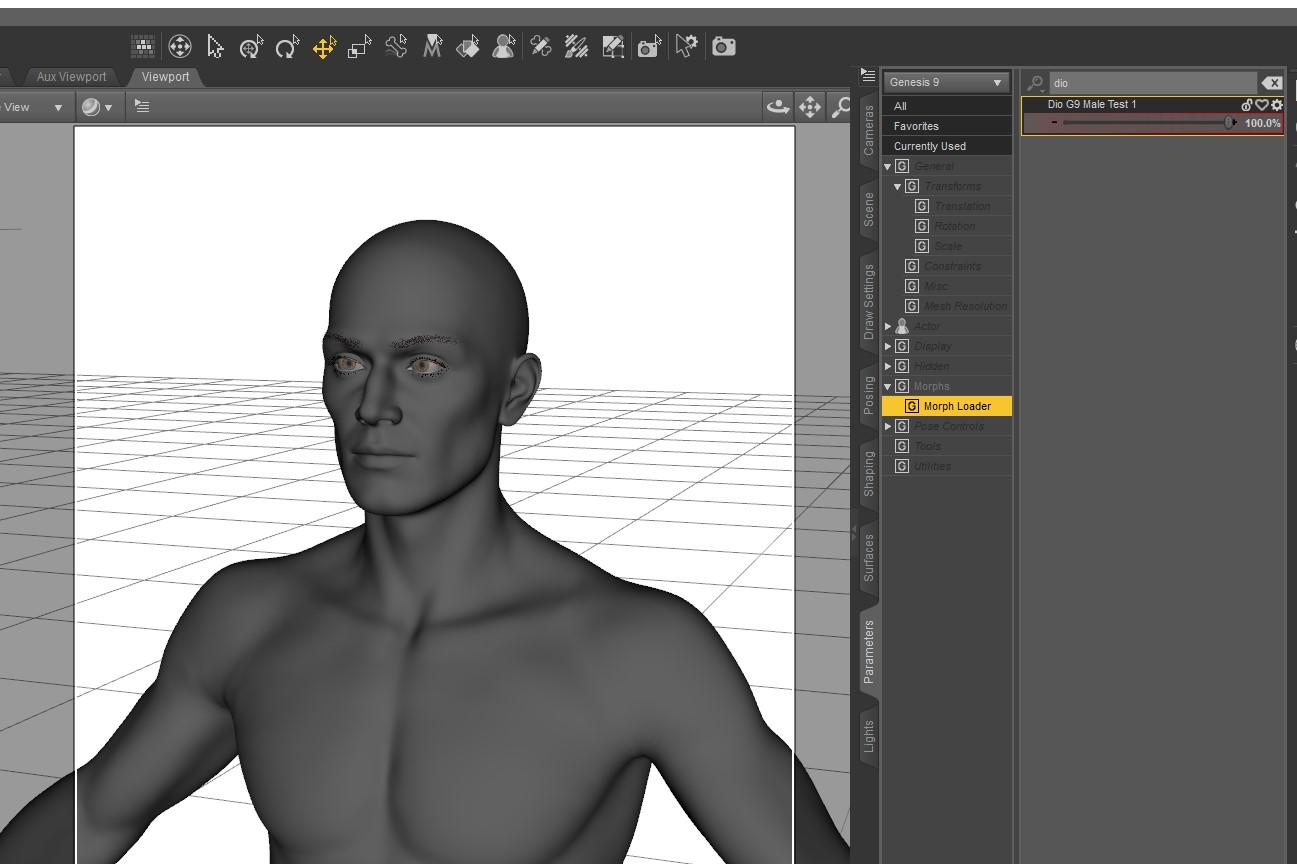 No one asked me - Diomede screenshots on whatever - Warning AI Discussion OK
Save Morph for Future Use
- Save File As Support Asset
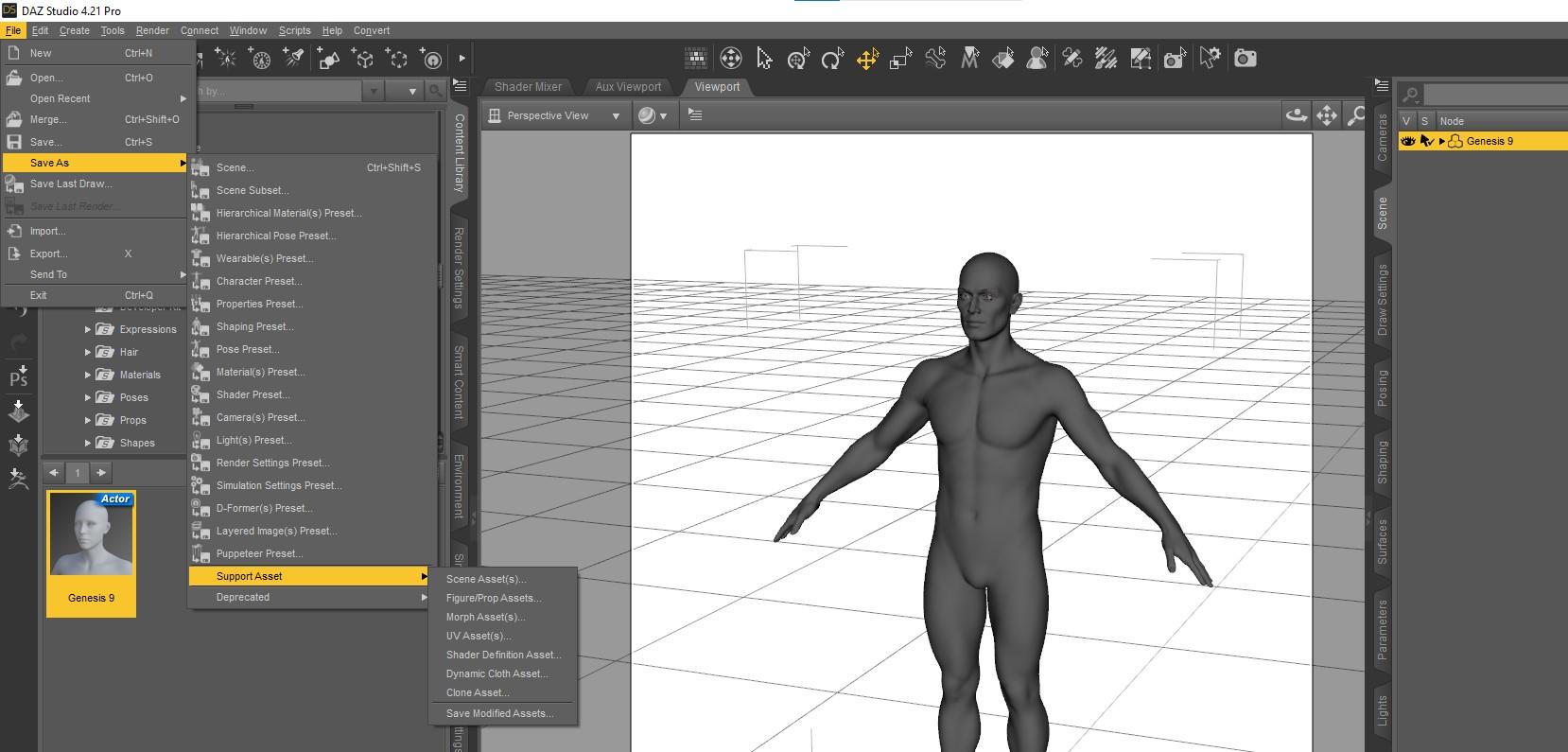
- !!! - in save morph menu make sure check only the new morph. Find it in the file tree. - !!!!!
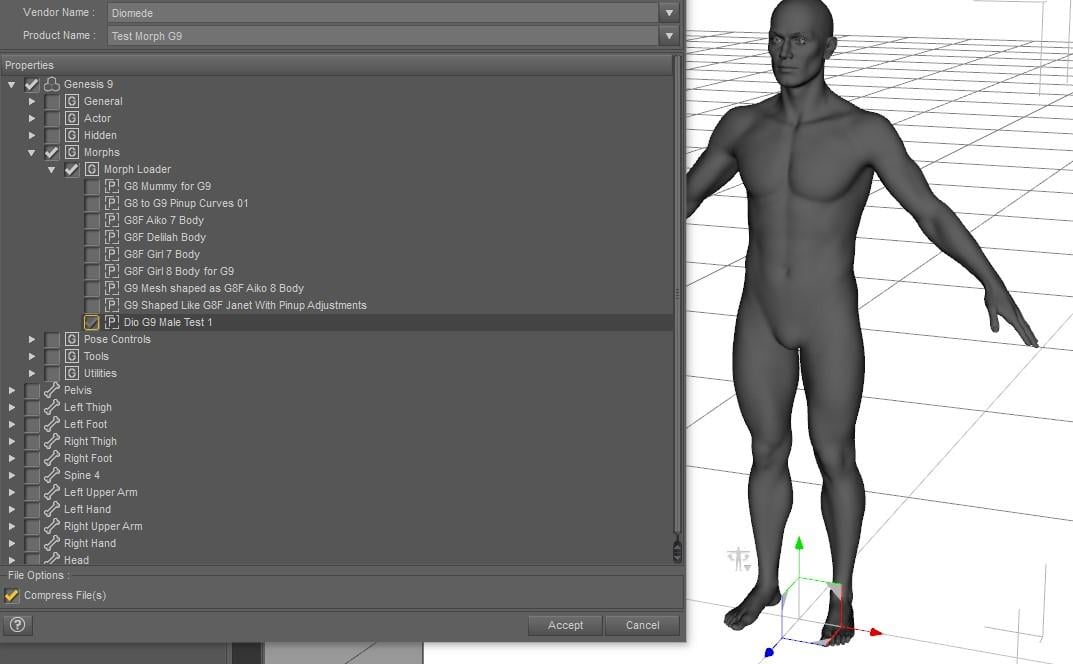
- Get a vendor menu, so choose your vendor name, etc.
No one asked me - Diomede screenshots on whatever - Warning AI Discussion OKERC Freeze and Morph Dial Adjustments
- the changes need to be saved through ERC freeze
- In parameters pane, right click on morph dial to start Edit mode
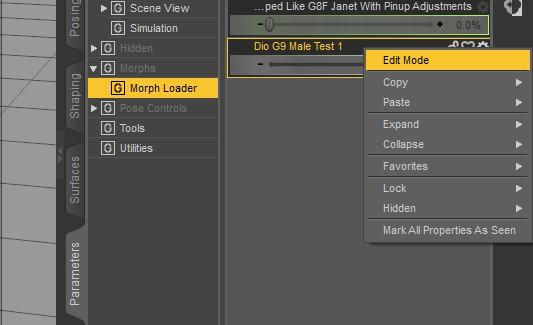
- right click on the morph dial a second time to select ERC Freeze
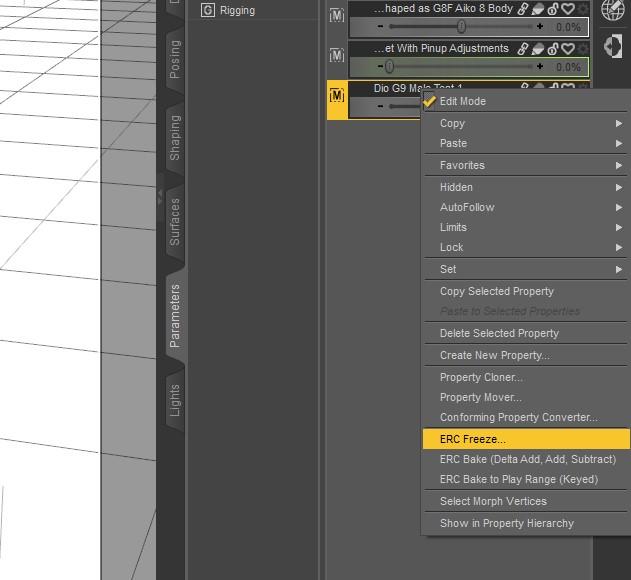
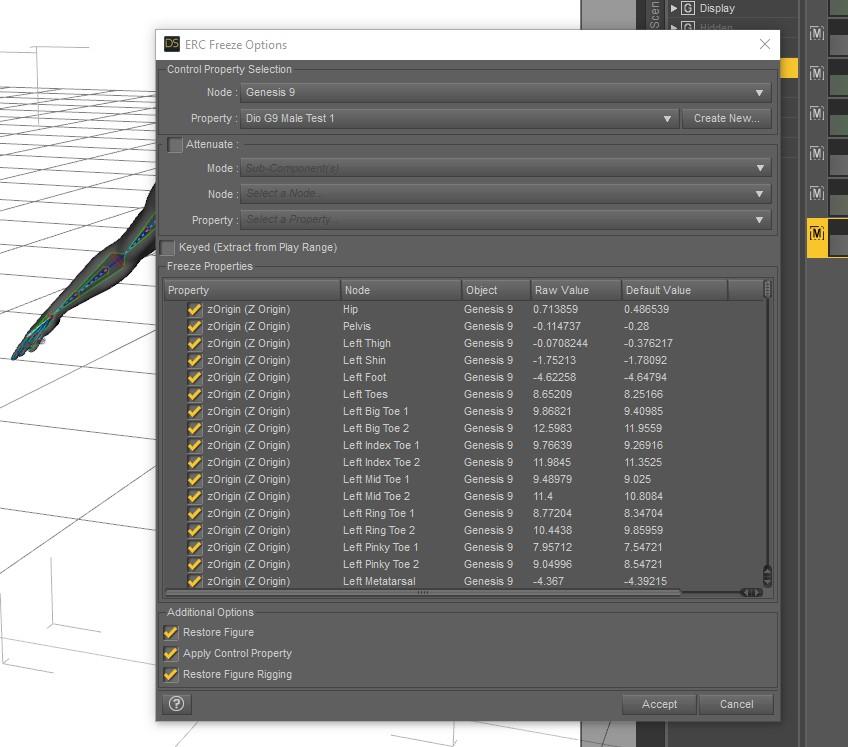
- accept the ERC freeze menu
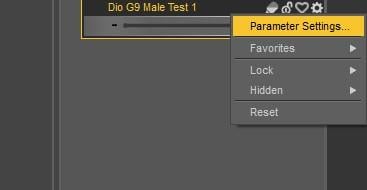
- while here, can change other parameter settings by clicking the gear icon
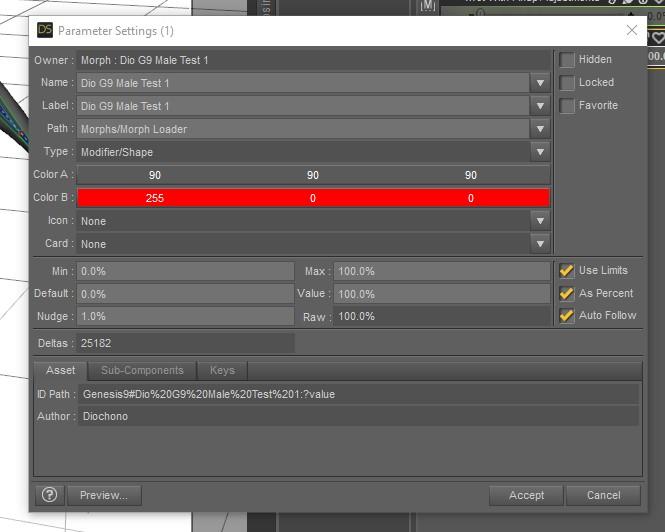
- I like to change the color of my custom morphs so they are easier to find. Made this one red. Can make other changes.
- Remember to right click and uncheck Edit mode when finished.
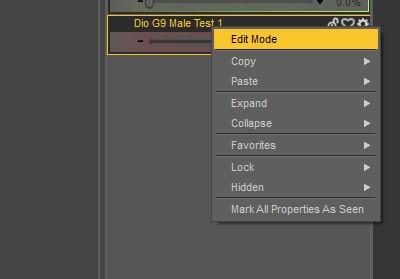 No one asked me - Diomede screenshots on whatever - Warning AI Discussion OK
Adjusting Rigging to Morph Shape
- The skeleton no longer matches the geometry. Use the joint editor tool.
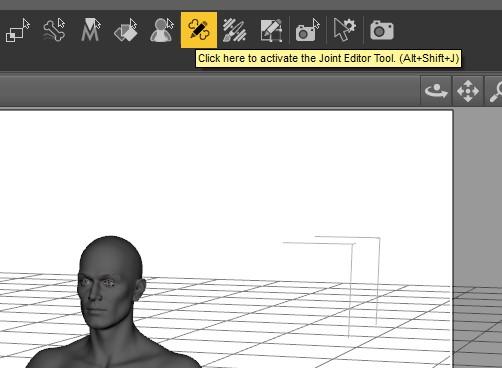
- With joint editor activated, right click on any bone to bring up the menu
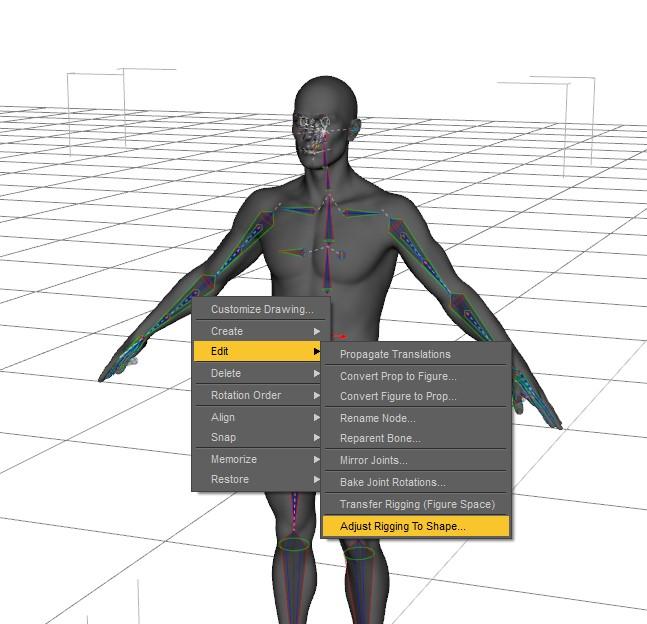
- Use adjust rigging to shape
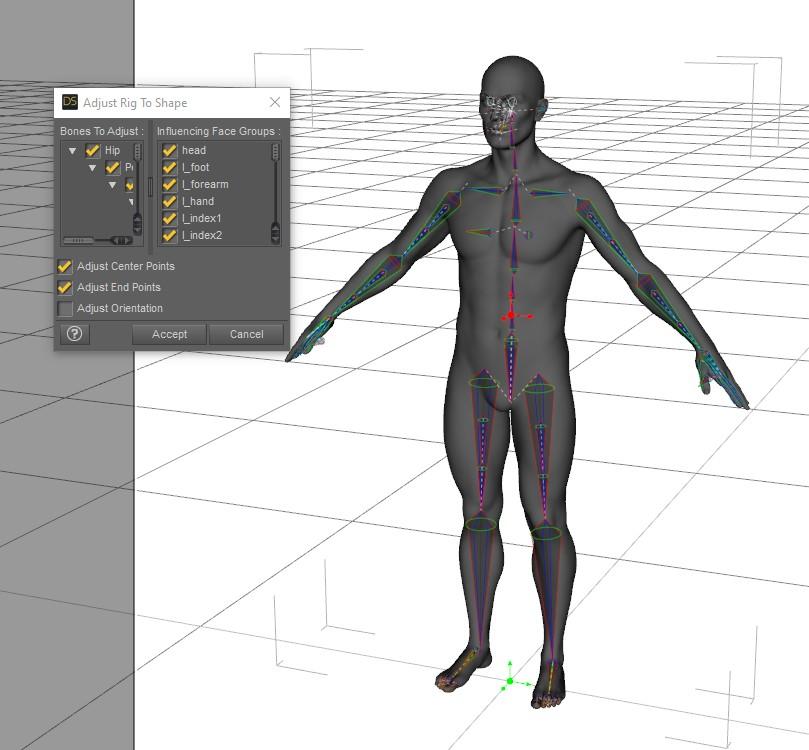
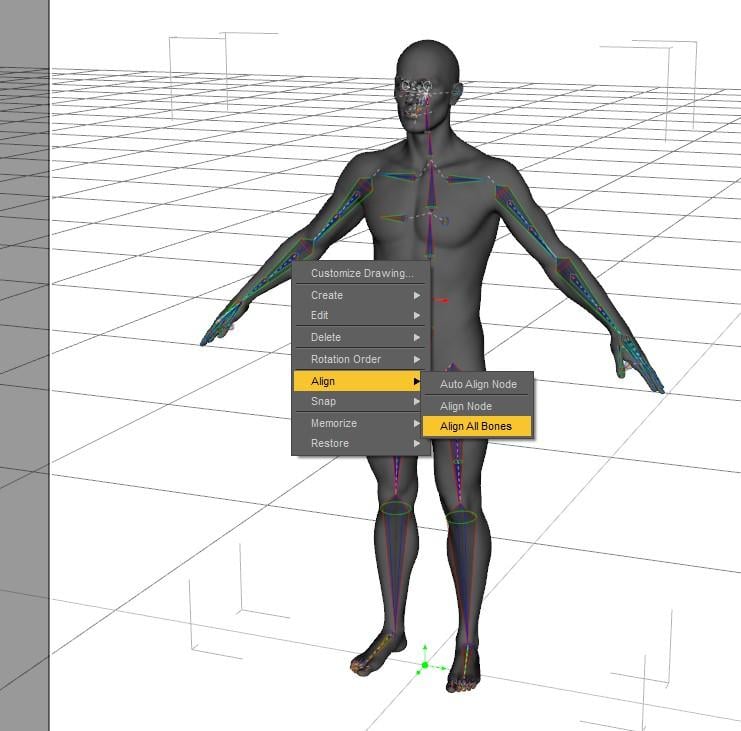
- Accept the adjust rigging to shape menu. Some people check orientation here. Instead, I right click again and choose align bones. I might be wrong but worked so far.
 Start animation from A-Pose
I enjoy animating using aniMate Lite. I use Genesis 8 Female.
I would like to add A-Pose to the beginning of the animation so the character would morph from it to the beginning of animation.
Is there a clean way of doing this in Daz?
I am going to export the animation to Maya but I dont want to start mess with the keys there.No one asked me - Diomede screenshots on whatever - Warning AI Discussion OKExporting the Morph from Carrara and Loading on G9 in Daz Studio
- I exported the morphed G9 from Carrara using the obj preset (Daz Studio Morph). See other settings below for this example.
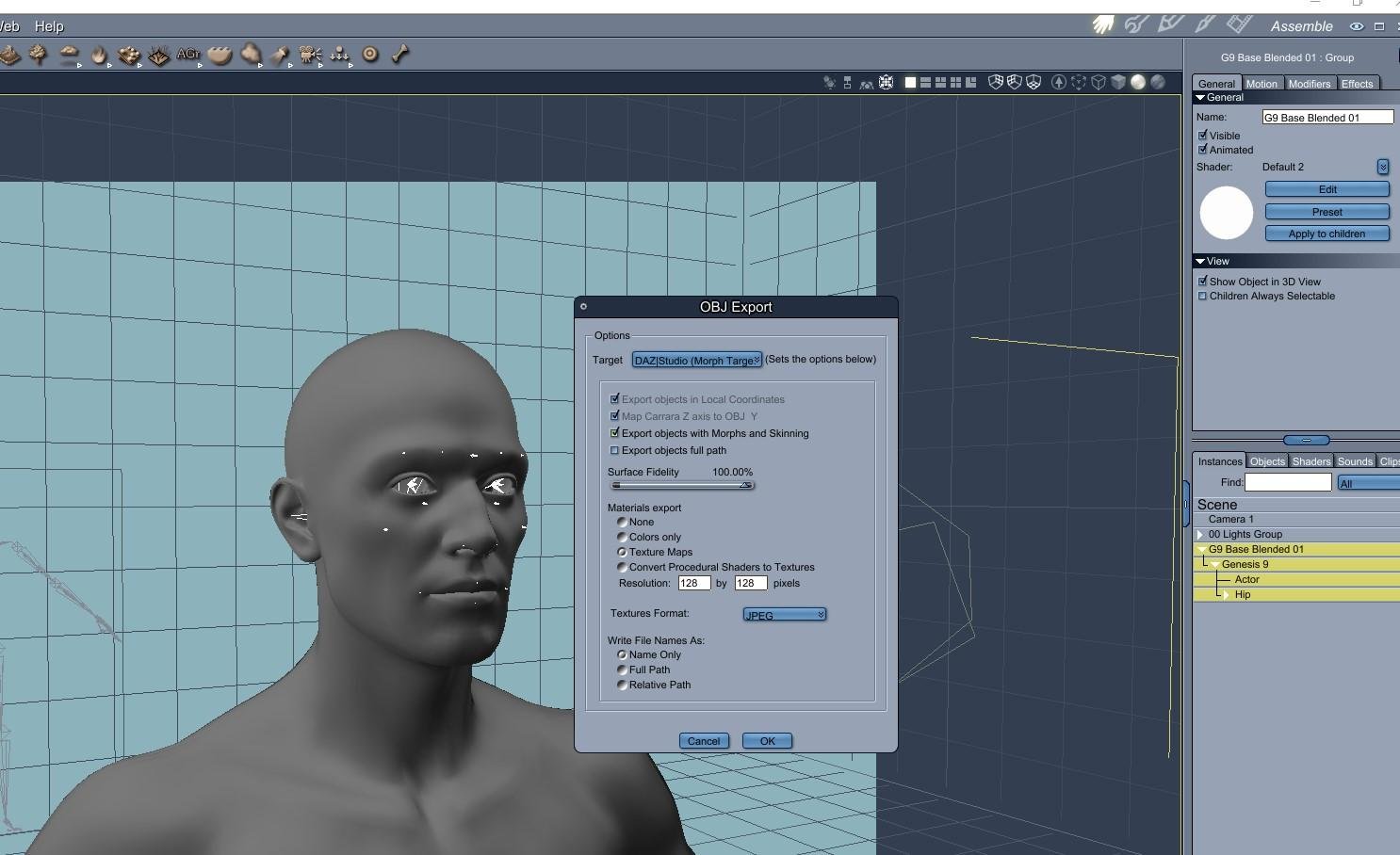
- Opened a Daz Studio scene and loaded the default G9. Note - I did not load the G9 from the development folder. I wanted the eyes to be loaded with the figure in Daz Studio.
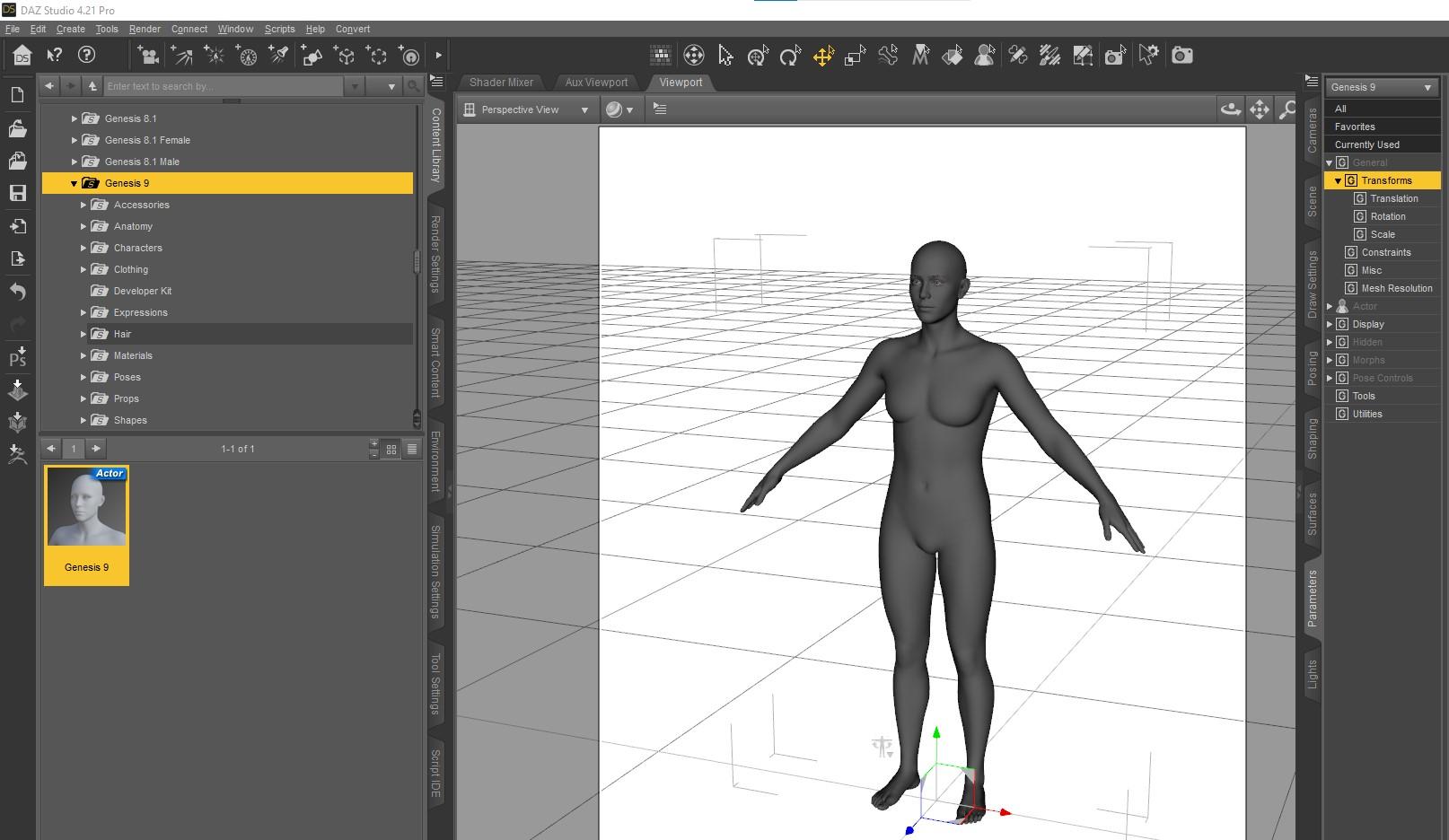
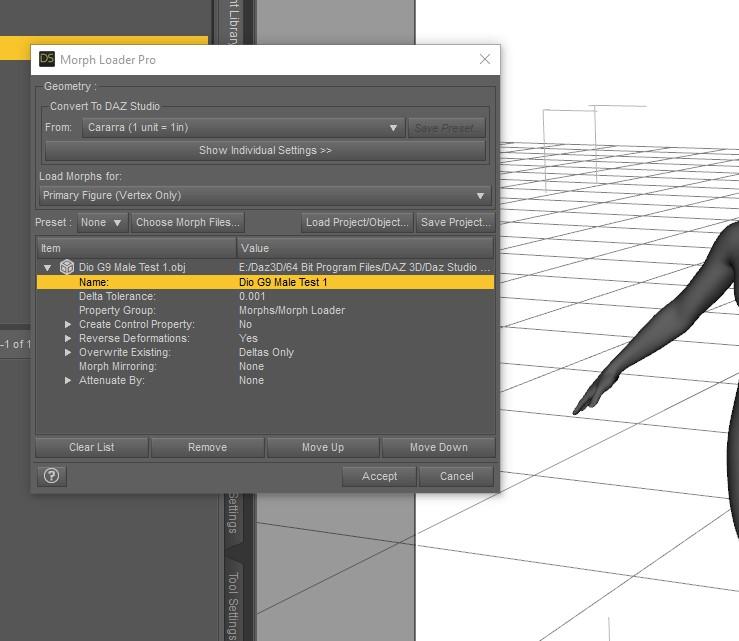
- Use morph loader pro. I load it from the edit menu. There are several places to find it.
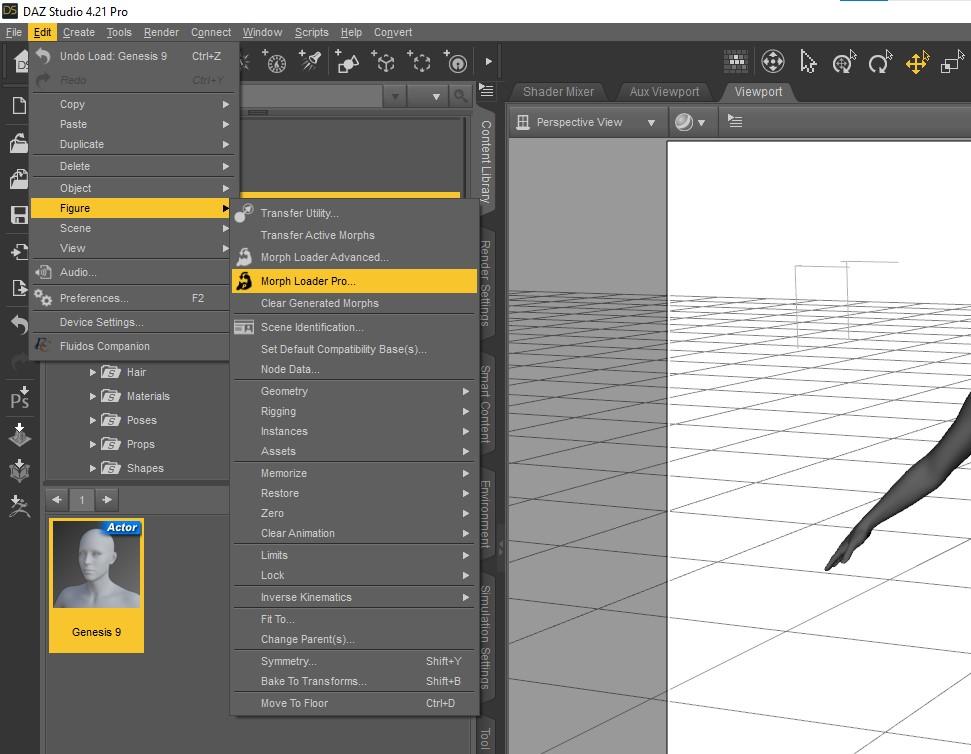
- Load your exported morph. Use Carrara scale. As a habit, I set change deltas only and reverse deformations to yes. You can change names, locations, not doing that here.
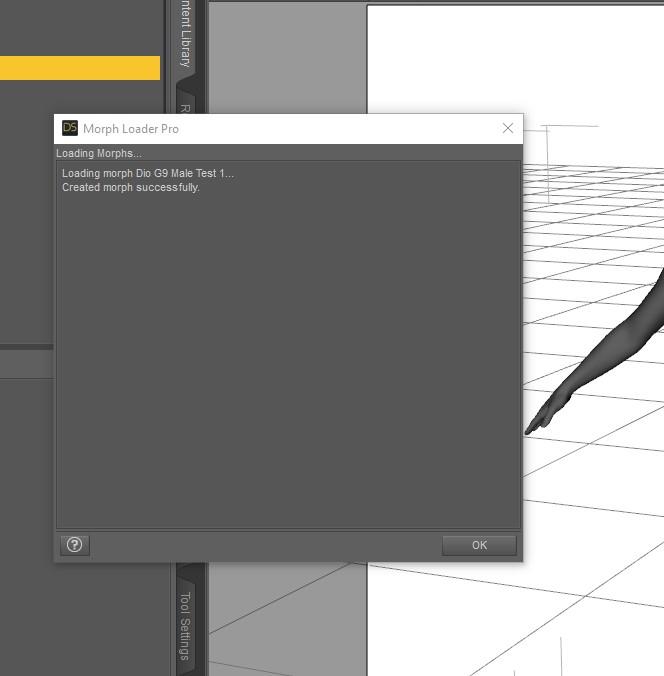
- Should get a message confirming morph creation. If not, likely wrong number of vertexes, such as if forgot to turn off smoothing before exporting from Carrara. Or if you had a stray object exported with it.
- Can now confirm morph is in location in parameters tab.
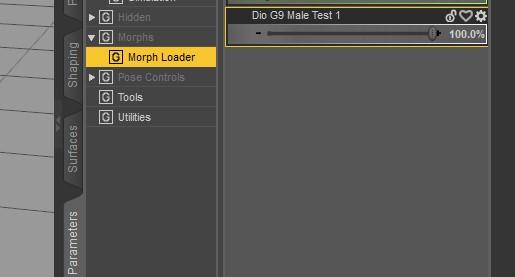
- Set Morph to 100 and confirm is working.
- Note that because I changed height, etc, the figure bone skeleton no longer matches the geometry so have to adjust rigging in next step.
No one asked me - Diomede screenshots on whatever - Warning AI Discussion OKCreating a G9 Morph in Carrara
- I created the following head morph in Carrara. Note that I also morphed the body a little, making sure to change height so that I knew the conforming eyes would also have to change.
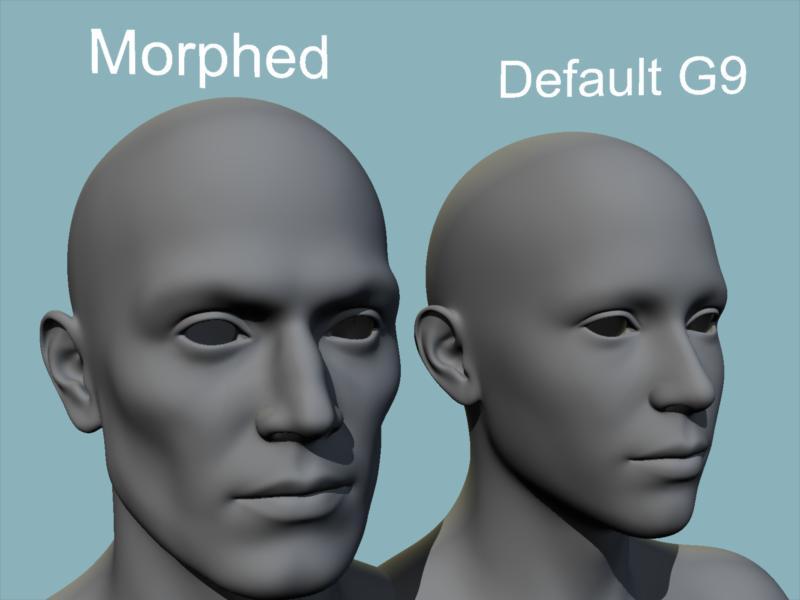
- To create the morph, I used a combination of the displacement brush and manipulating polygons in the vertex modeler.
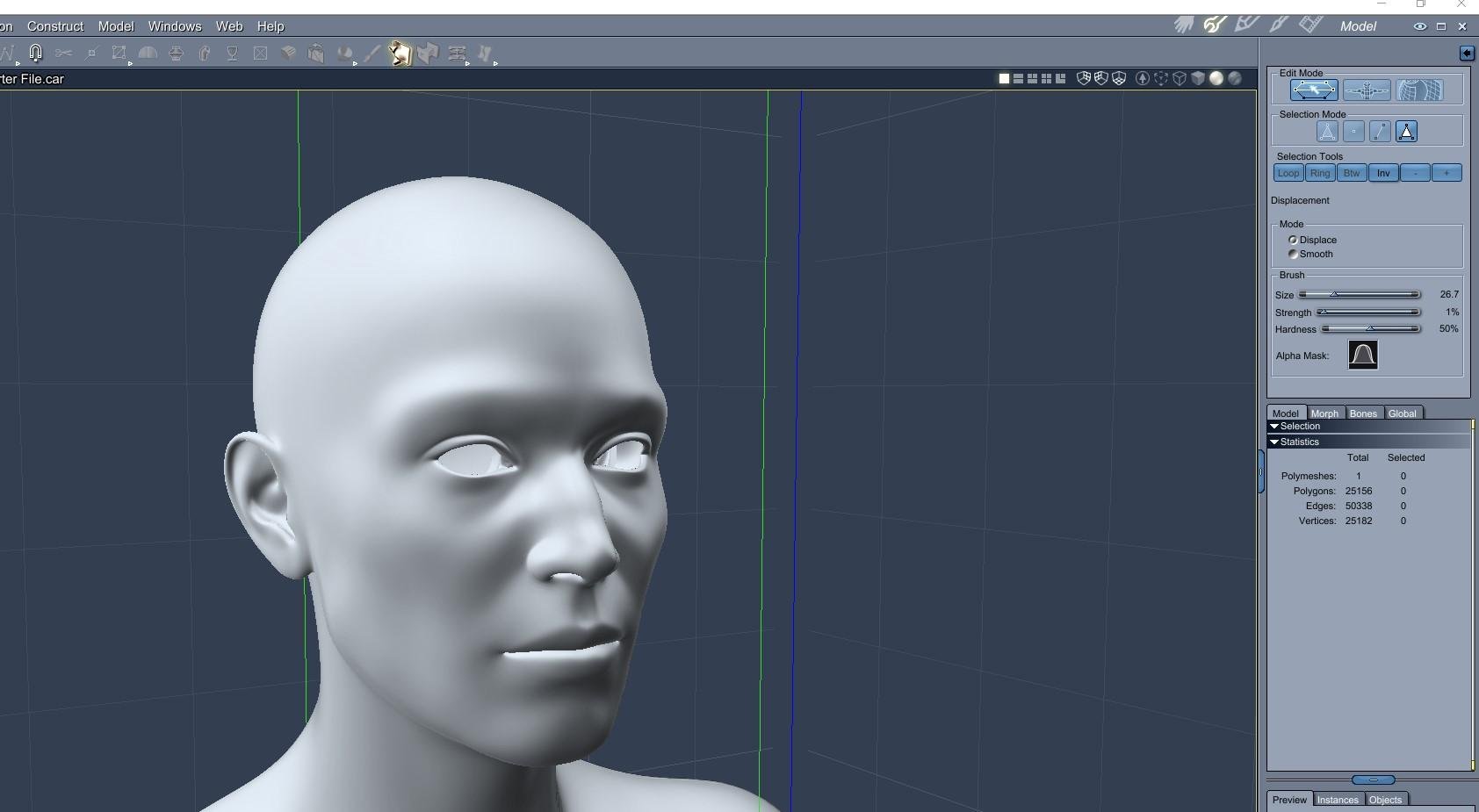
- I set subdivision smoothing to none because it has to be none when transferring to Daz Studio. I did not want to have to deal with the steps of creating a separate detail normal map for this test.
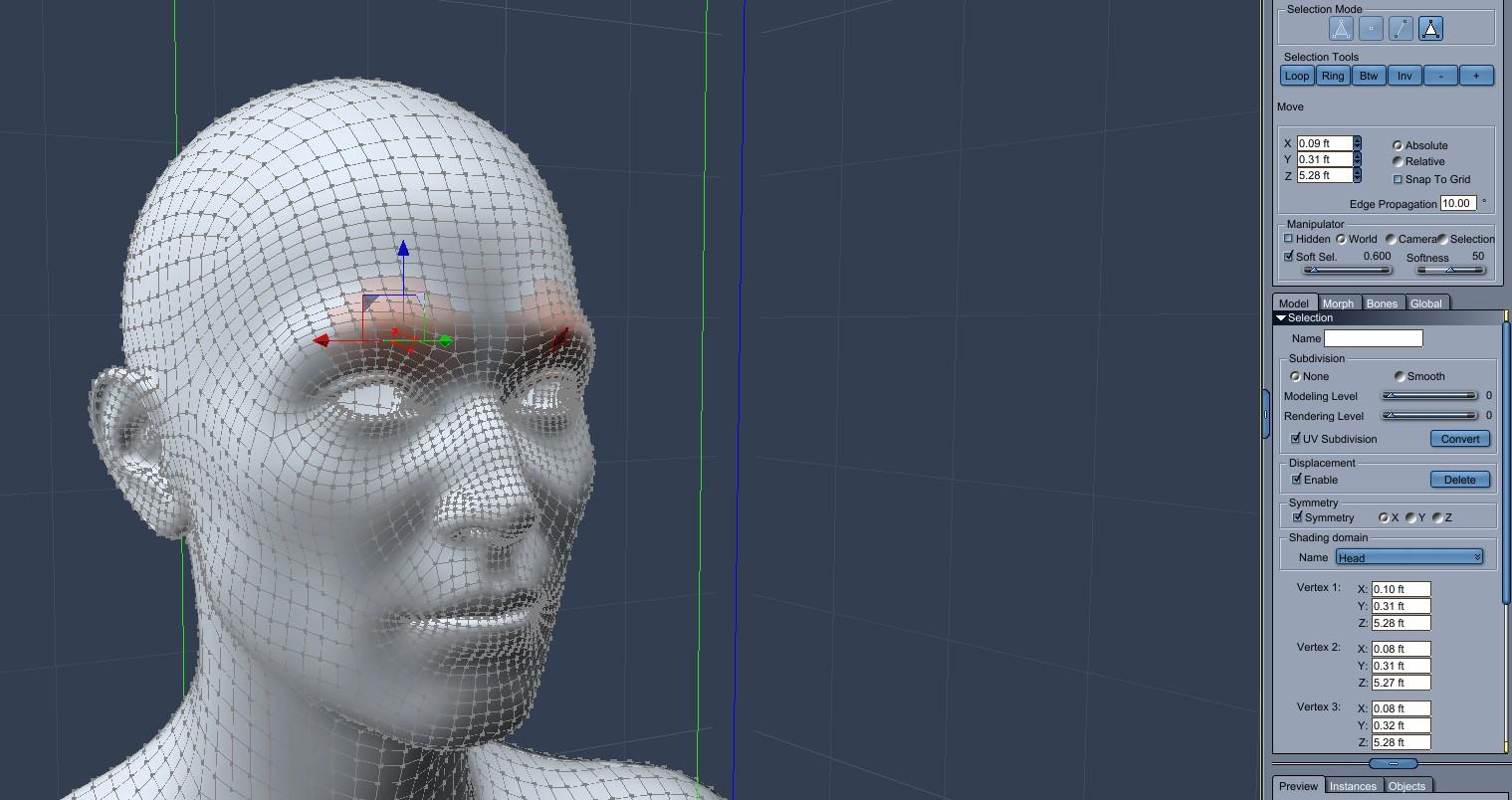
- So the unsubdivided result lost some detail but the changes to the brow ridge, etc are still pronounced enough for this test
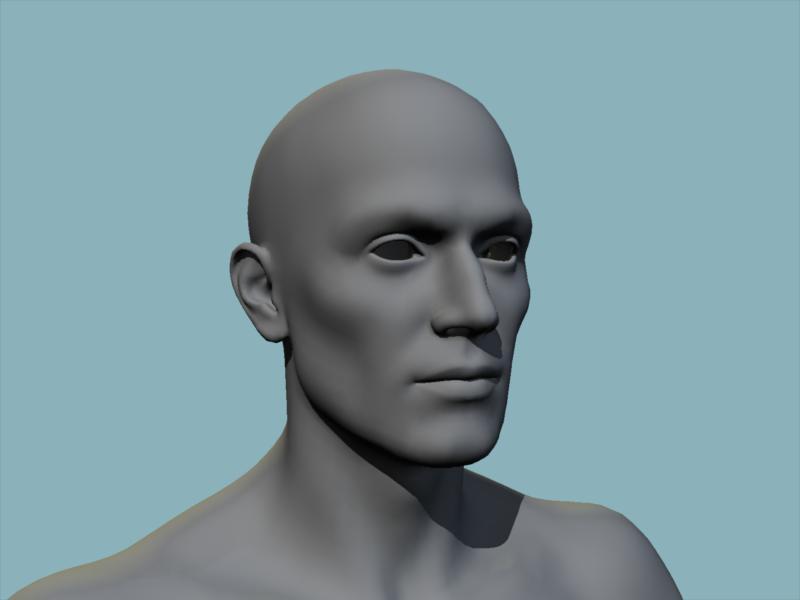 No one asked me - Diomede screenshots on whatever - Warning AI Discussion OK
Using Carrara to Create a Morph for G9 and Saving for Future Use - With Expression Test
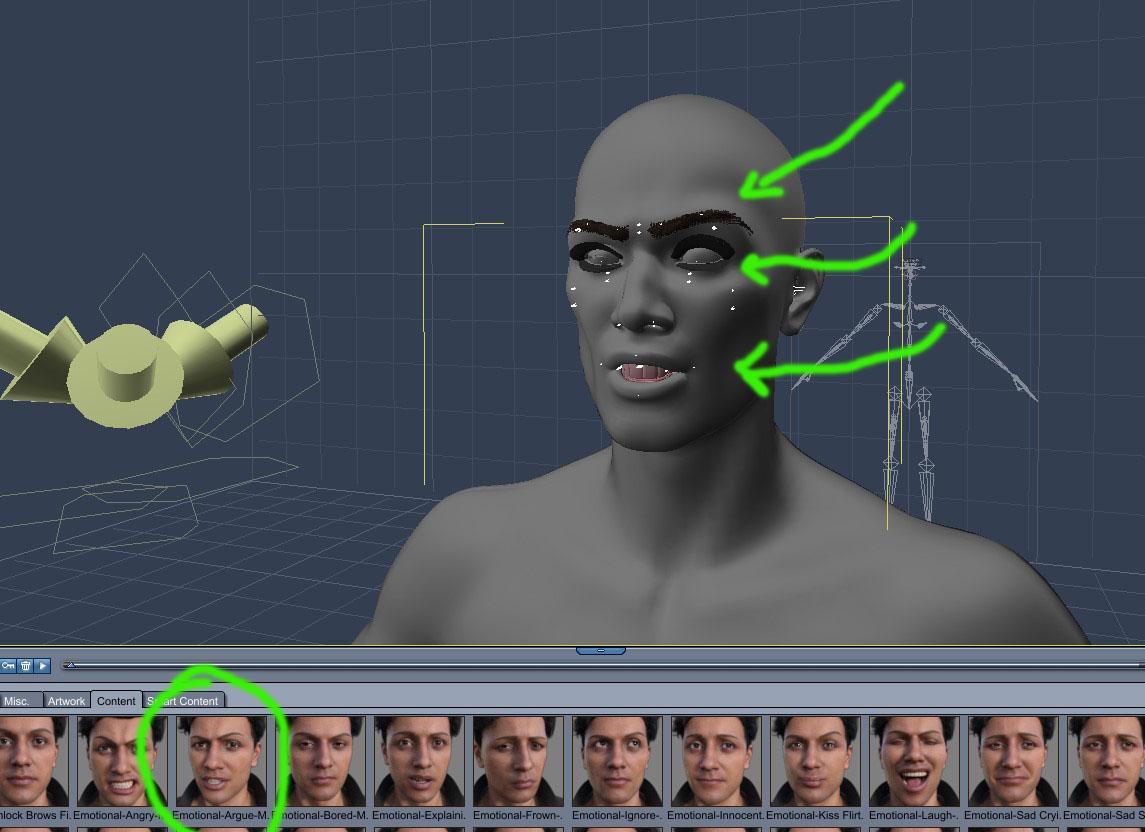
Newer Genesis figures use both geometry morphs and facial bone poses for expressions. Genesis 9 separates several of the facial features from the main figure. This includes the eyes, eyebrows, eyelashes, and mouth. I wanted to test Carrara's ability to conform the detail eyes, etc to the face for a custom made morph and an expression pose. I think this was a reasonable success. Excuse the lack of textures. In the posts below, I will show the steps to create the morph in Carrara, load it in Studio for future use, then apply an expression in Carrara. Here is the result.
 Genesis 9 we are back in the game Carrara users
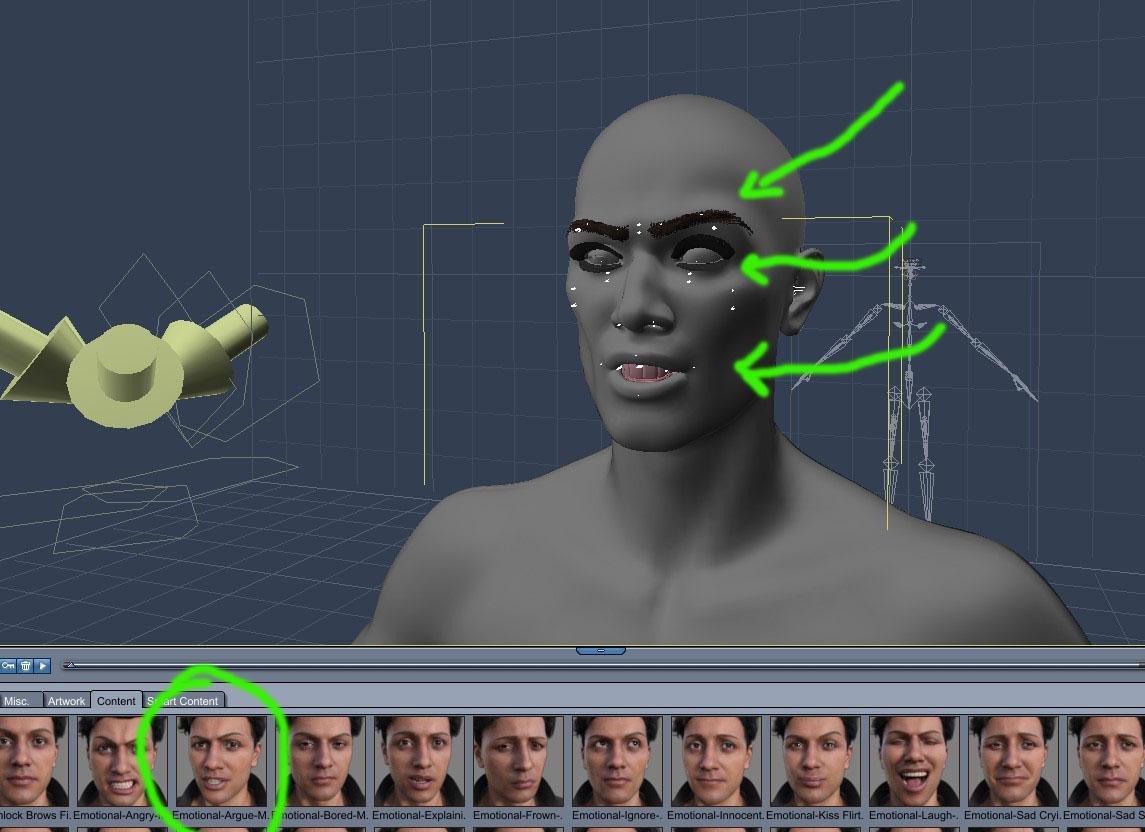
Test of Face Morphs and Canned Expressions
This is just a test of applying a pose expression to a face that has been morphed with a custom morph. Recent genesis figures combine geometry morphing with manipulating facial bone rigs. I created a full body morph for G9 making sure to change the height so the eyes etc would have to move with the morph. Changed some other facial features like the brow ridge, cheeks, jaw, etc that could be affected by facial bones for arching the brows and opening the mouth. Then I applied an expression for G9 acquired from Daz. The eyes, eyelashes, eyebrows, and mouth appear to have morphed reasonably well with the FBM I created, and matched the pose expression change. I will put the steps in my 'No One Asked Me' thread.
 Jeepers, Creepers... I gave G8 G9's peepers.
SolitarySandpiper said:
lilweep said:
Maybe you are color blind, there is clearly blue there in your screenshots...
Look at the Head bone, there will still be some red weight assigned to that. So you need to paint it so eyes are all red (which will mean no other bones have any red weighting)
Also pro tip dont follow these two steps of the tutorial. Scale and position each eye individually (probably best to do it in Blender in Xray or Wireframe mode using a native G8 set of eyes as a guide), otherwise the G9 eyes will end up in the wrong position and it will become more obvious with eye poses and face morphs
MeneerWolfman said:
- Select the left eye joint and scale the left eye joint to 125%, set y translate to -2.65 and X translate to .13
- repeat with right eye joint but make the X translate -.1
Yes i can see that but none of these eyeballs have been painted yet... how can you possible tell when the eye has been completely painted red with the brush when 95% was red to begin with?
Edit: or am i misunderstanding and the eyes already come mostly weighted and i just need to fill in the bits missing?
you did Transfer Utility in a previous step, which will transfer most of the weights to your G9 eyes, but it wont be perfect (some of the weights will be assigned to the Head bone instead of the Eye bones)
to make it perfect, you need to manually paint any parts of the mesh that arent already red for the Eye bone to red (95% of it will already be red from Transfer Utility).
Cloth distorted on some character modelsAfter you have dialed in the character morph to G8F, select the Glove, on the Parameters Tab, show hidden, find any reference "generated" morphs caused by the dialing in of the figure. Dial those out. If this solves the problem, then make these into replacement morphs on the gloves, named the same as the generated morphs so that next time when the same character is dialed into the figure, instead of generating a new morph, it will use the one you have made.
Cloth distorted on some character modelsHello all, I'm currently having some issue with ths pair of gloves I'm making.
I notice that some characters with hand/finger bones changed, it distorts the shape of glove very severely.
Screenshot is shown without mesh smoothing but even mesh smoothing won't help much due to how severe distort is.
How should I approach this issue so it won't distort unless the character morph is really really severe?
I tried Rigidity Group, but I feel like I'm doing it wrong because it doesn't do anything for me
Base figure is Genesis 8 Female.
And before you ask, this glove has no hand or finger related bones and polygroups. It only shares lForearm so that it can receive movement from the parent figure.
Thanks.
Daz 3D is part of

Connect
DAZ Productions, Inc.
7533 S Center View Ct #4664
West Jordan, UT 84084Licensing Agreement | Terms of Service | Privacy Policy | EULA
© 2026 Daz Productions Inc. All Rights Reserved.