-
Toonish for G9 (Free full Character)
I think something was packaged right. The morph does not show up.
Jeepers, Creepers... I gave G8 G9's peepers.SolitarySandpiper said:
i could do with clarification on the following steps...
10, export as what?
12, via transfer utility?
15, does this mean remove the _ but leave a space?
Thank you.
10.) You would export as an obj with the default settings.
12.) Correct, via asset transfer utility
15.) Correct, this is so the surface has the same name as the default g9 eye surfaces so you can apply materials to it.
DAZ, MD, and Traditional Pattern Making - GraduationWow!
Watched it right away. Another great video. Had no idea you could use a different versions of the mesh for weightmapping. Or if I did, I forgot long ago. Brilliant. And this video has a nice potential solution for Barbult's earlier questions about seams. Fantastic.
Thanks again.
In my Art Studio Forum thread here at Daz, I have been posting screenshot series documenting my workflows for various tasks. Easier for me to go back and find something than searching a video. One example was using Mada's method for a DForce dynamic add-on for thickness for DForce objects. Another is the steps in trying to implement videos by Jay Versluis and Mada for using the transfer utility for a character shape instead of base shape. Another was using Carrara's 3D paint to create opacity maps for geoshells. I hope you wouldn't mind if I post a similar series based on my attempts to implement some of the insights from your videos. I would combine it with what I have learned from sources such as MD's videos and a video by Jay and Fugazi in the Daz+ area and....
Jeepers, Creepers... I gave G8 G9's peepers.i could do with clarification on the following steps...
10, export as what?
12, via transfer utility?
15, does this mean remove the _ but leave a space?
Thank you.
Free Flexion Enhancement for G8/8.1F. Also SWM Flex Vein Control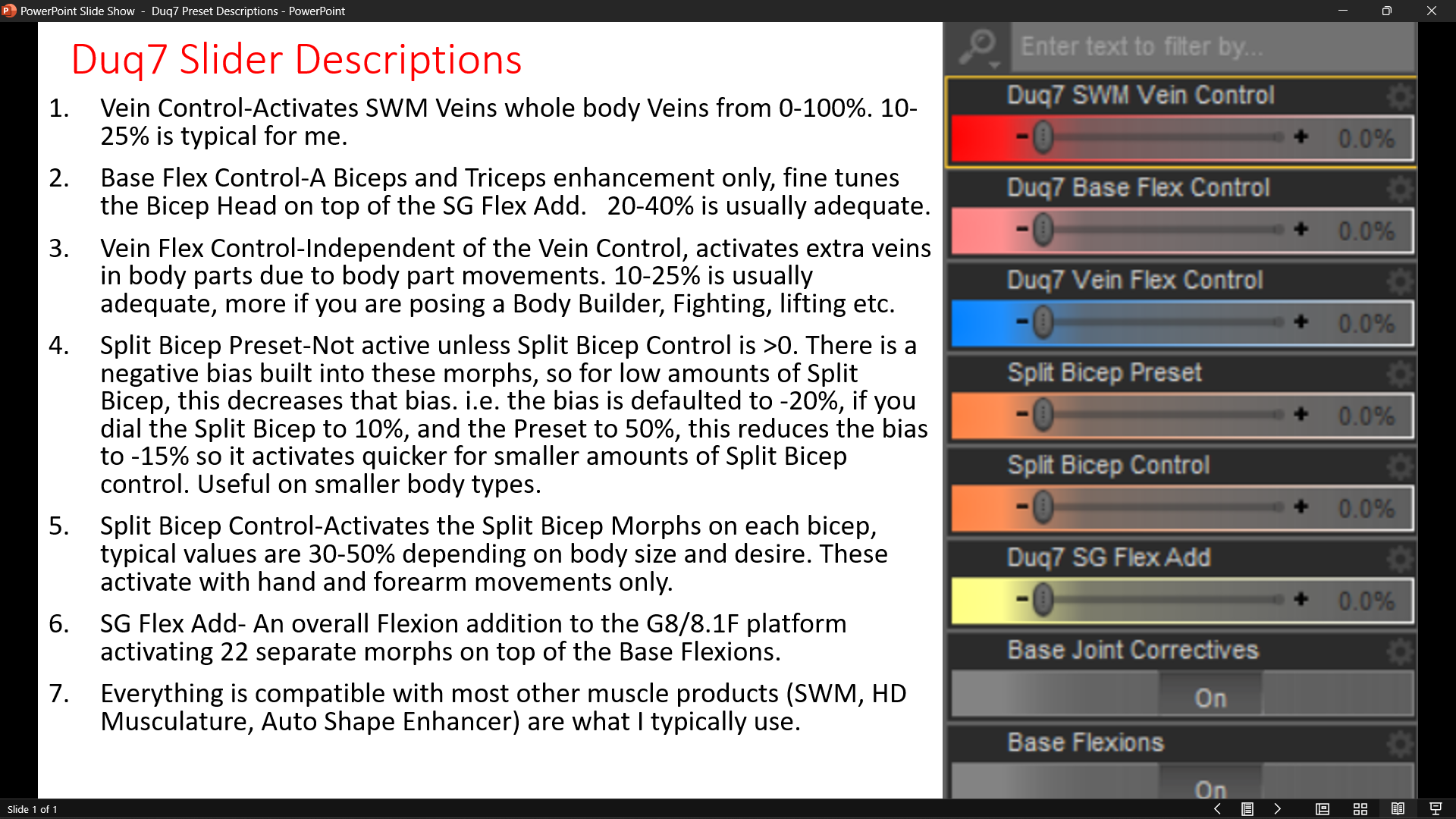
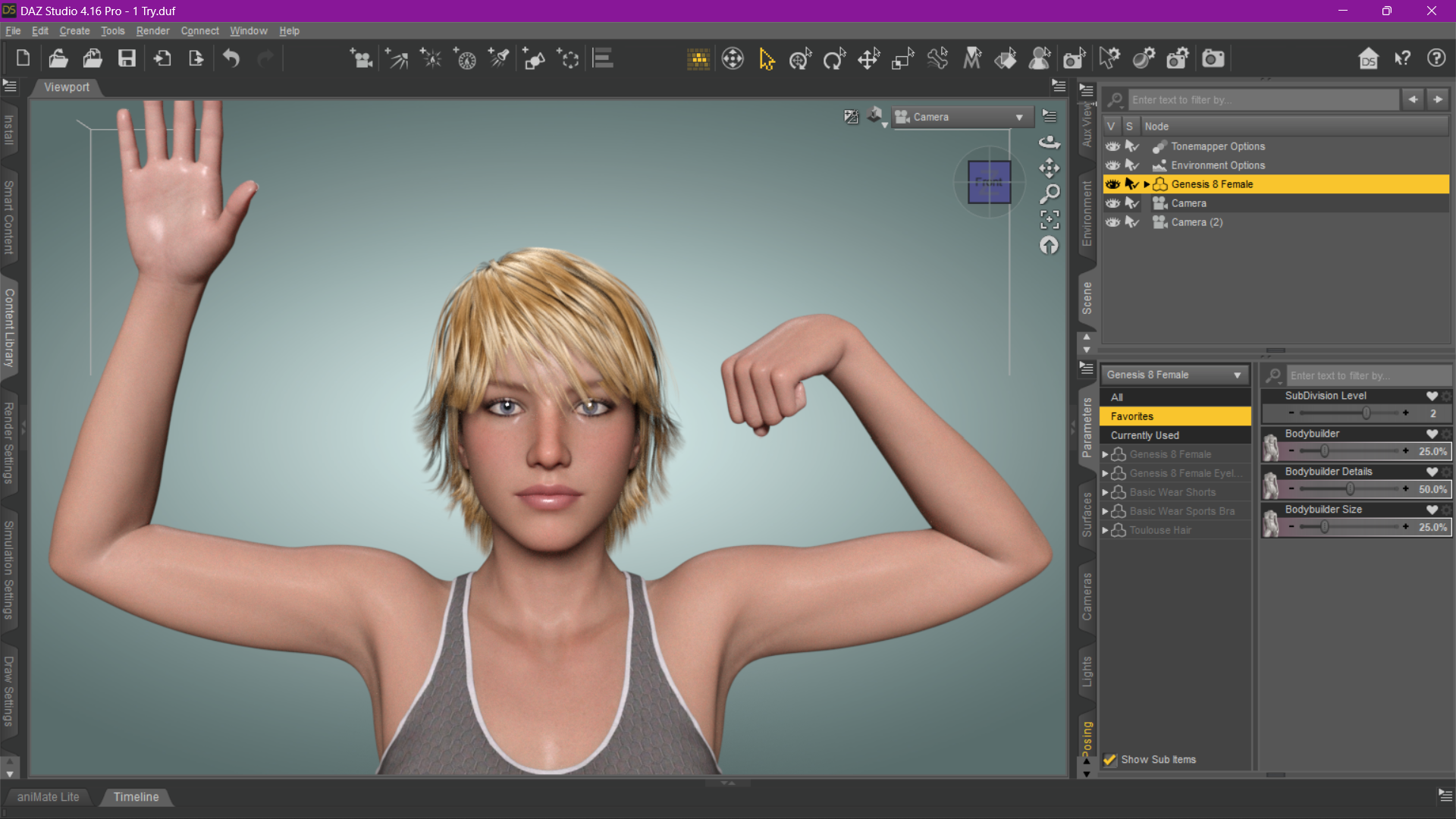
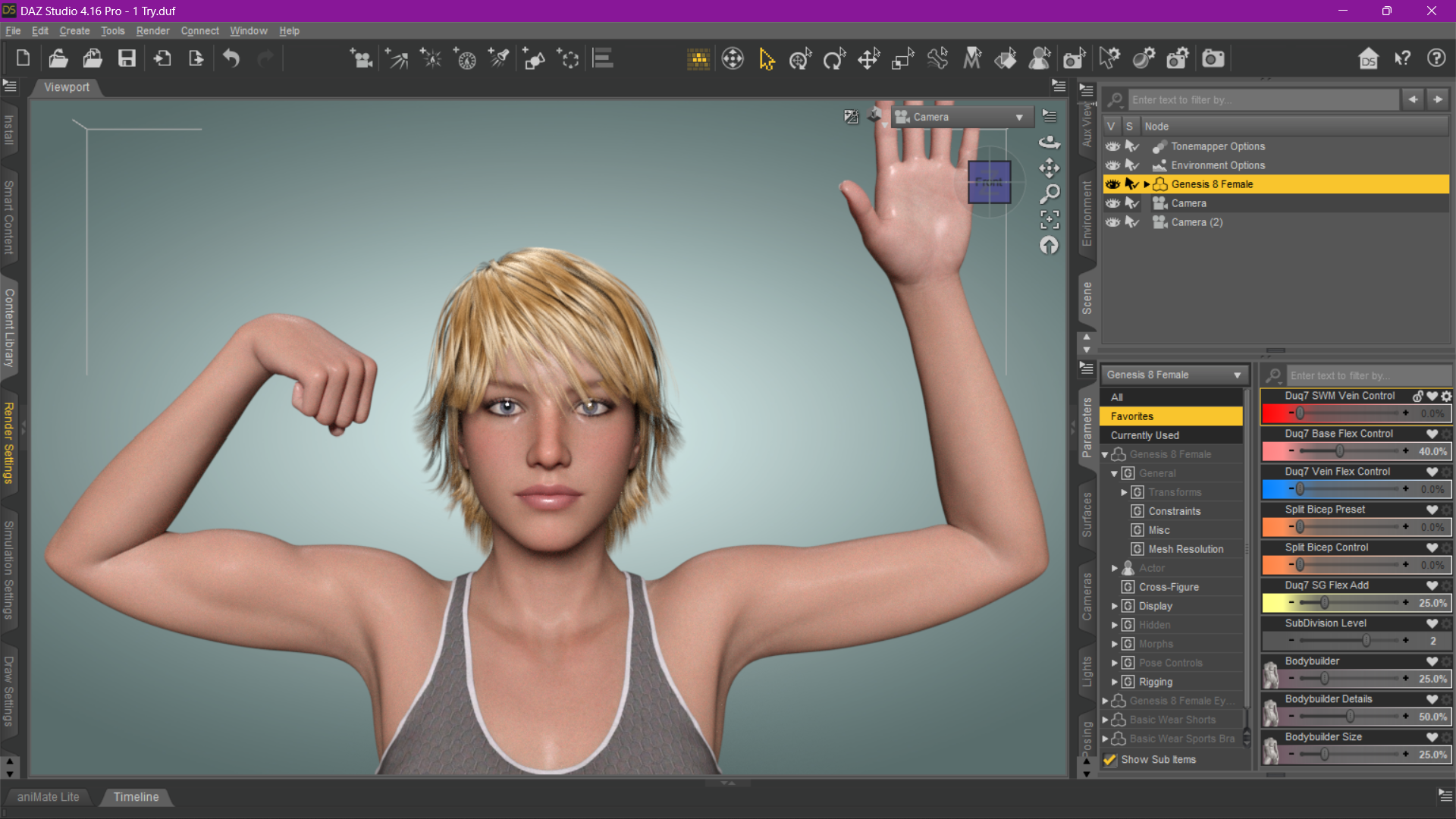
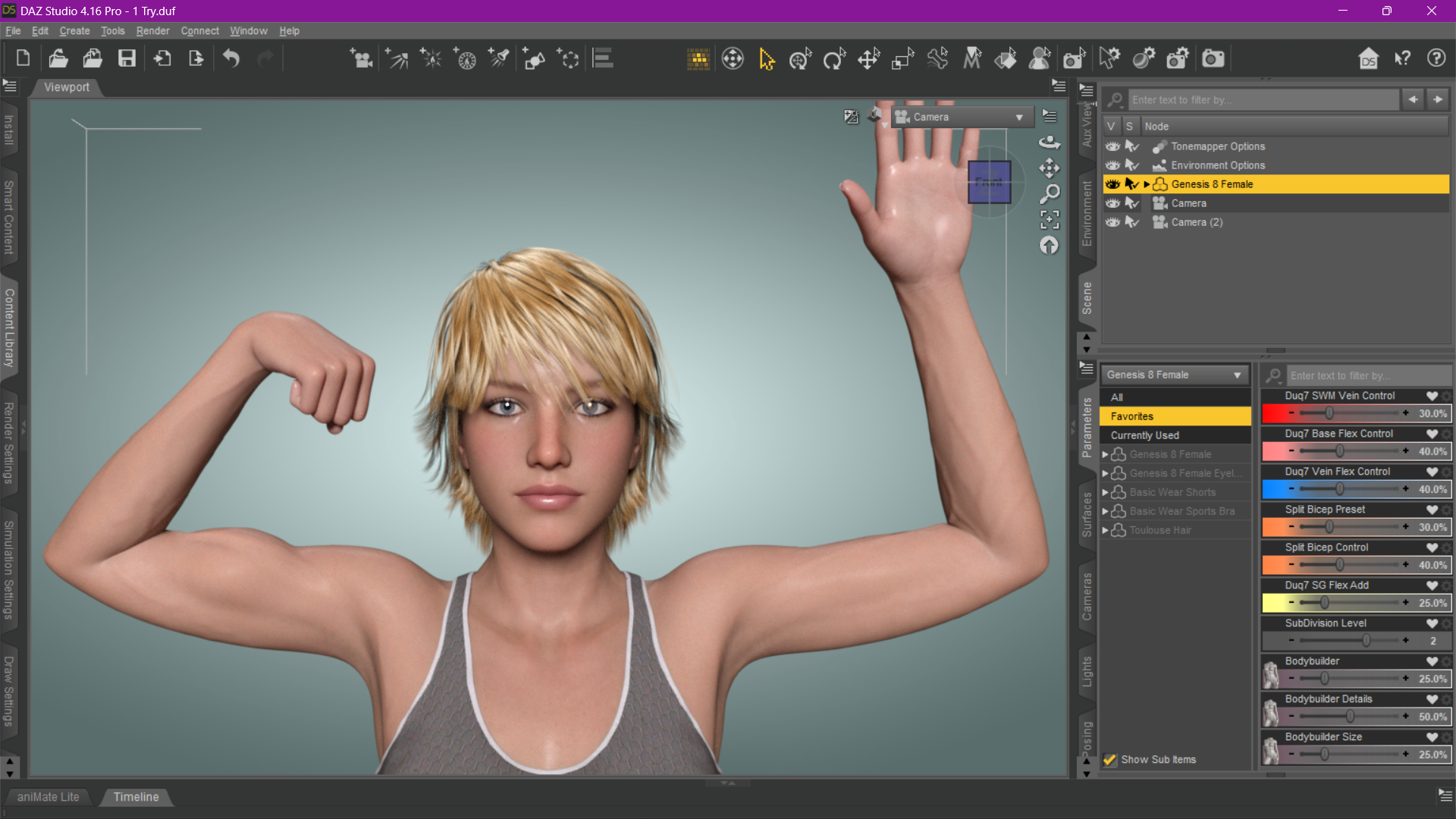
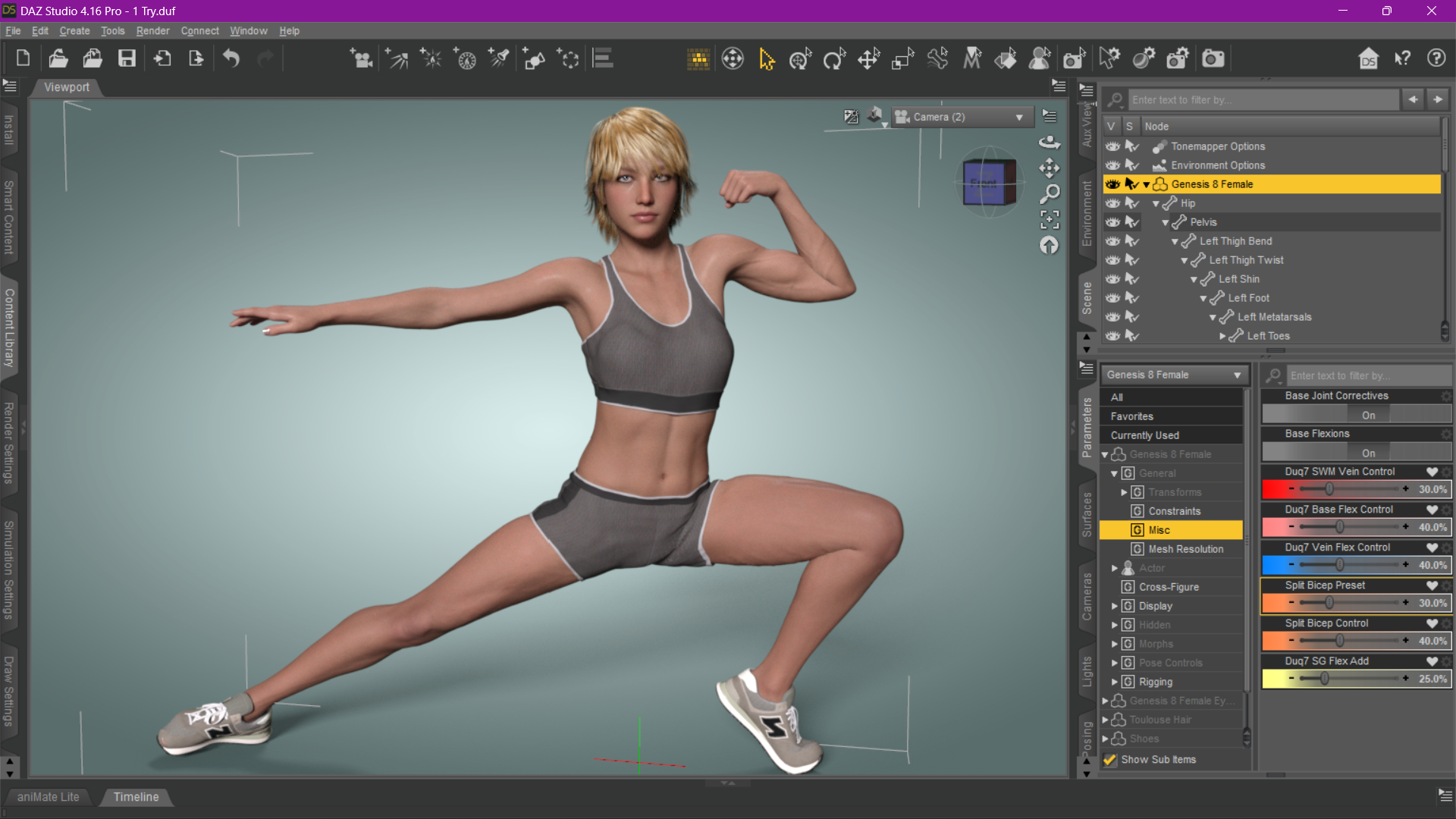
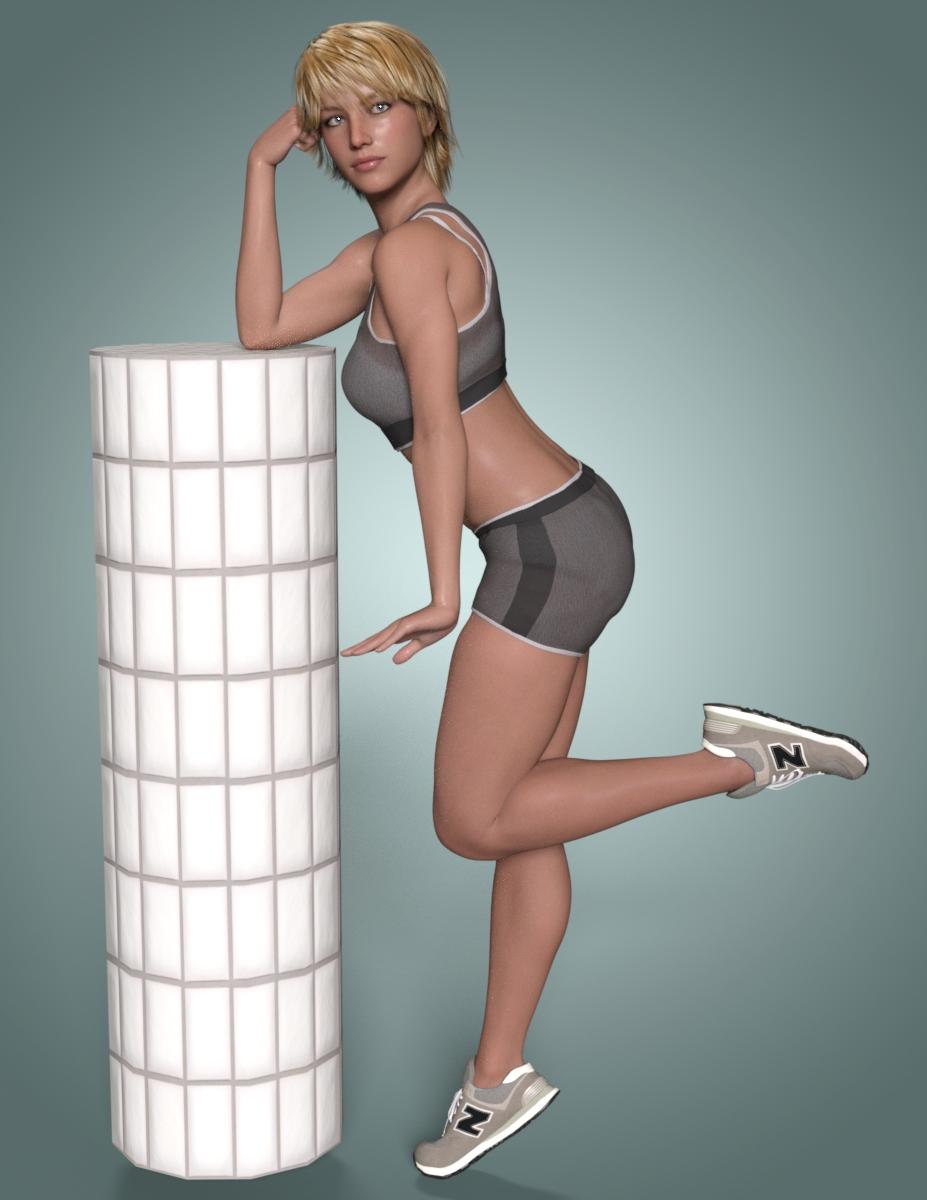
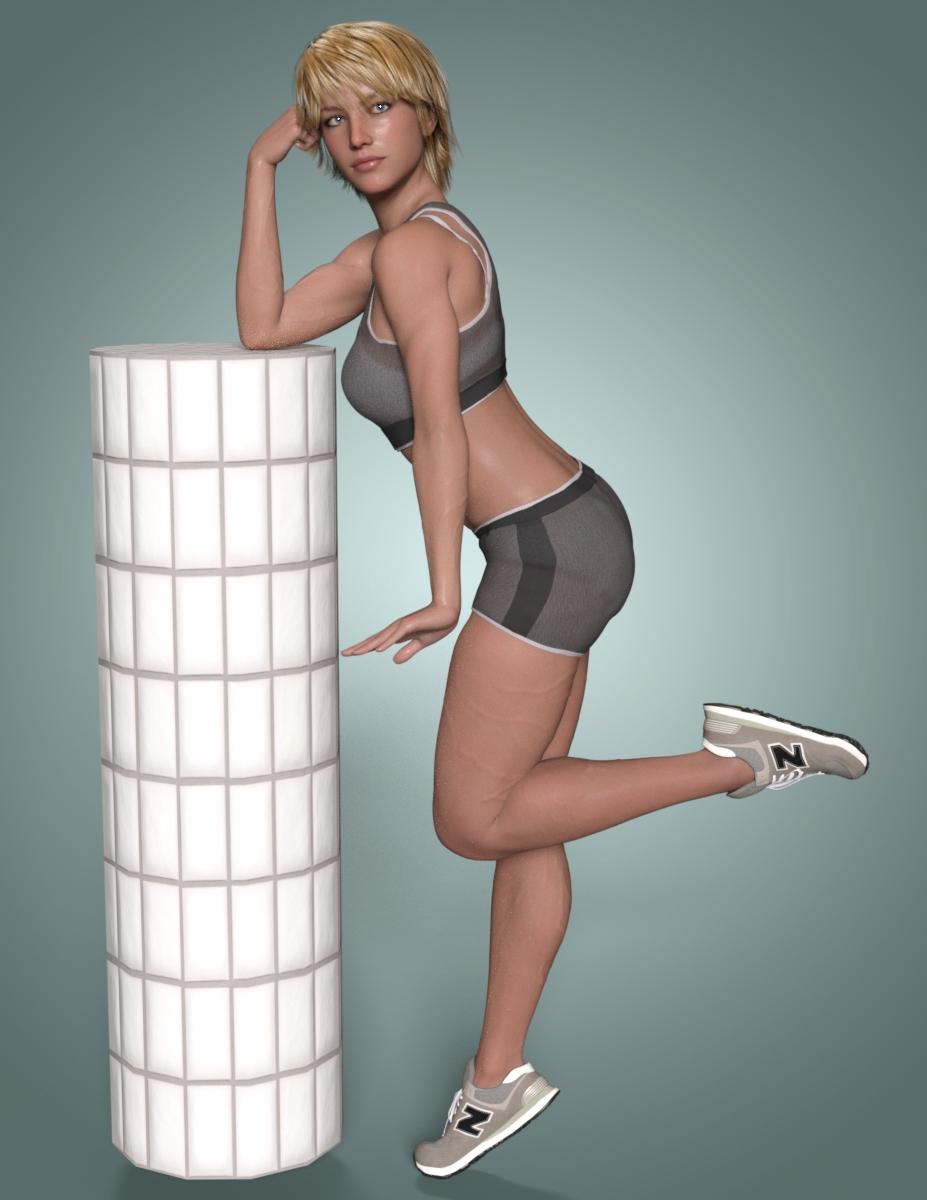
From Discussions on this thread:
unrealistic biceps and arm muscles in general, any hope for gen8/8.1? - Daz 3D Forums
and all my work and tutorials over on:
Auto Muscle Enhancer HD [Commercial] - Page 38 - Daz 3D Forums
Several folks have asked for my files on creating a Split Bicep Morph on the G8/8.1F Platform. I have come up with a somewhat useable solution and it is presented here. for the Flexion morphs, these can be used on any G8/8.1 Female character. The sliders allow for larger body types and greater musculature as desired. The Duq7 SG Morph control enhances the whole figure (Biceps, Triceps, Chest, Back, Thighs, Hamstrings and Calves). The Duq7 Flexion Enhance is a Bicep/Tricep additional focus using the forearm and hand movements to control.
To use the second file you must own:
Add Some Veins HD for Genesis 8 | Daz 3D
The second file has a preset slider to control how much total body veins is dialed in, rather than the supplied preset of only 100%. In addition I created controls that use the supplied individual area sliders to "increase the Flex of the Veins for the Upper Arms, Fore Arms, Chest, Back, Thigh, Hamstring and Calves.
RenderPretender and windl3356 both personally requested these files, so I thought I would put them up as Freebies. These morphs and controls were created by me using various other morphs, D-Formers, and the Awesome Mesh Grabber Bundle (Win) | Daz 3D tools. All this was done completely inside DAZ studio, as I don't have a clue on some of the other tools available out there. These are not perfect, but I think you will get some farily favorable results. These must be manually installed. Have fun, I think this really brings the G8/8.1F platform to life, especially if you like Fit or Muscular characters. TD
Edit: added some descriptions for the sliders in the attached picture. Sorry for the delay or confusion. TD
Second Edit: Added a short PDF user guide showing my process on applying and using these packages. TD
Third Edit: Deleted extra files accidentally included in the original file. Apologies to anyone that downloaded that file. TD
AOBB's freebie head morph Dashing for G8.1M based on Cary Grant. No materials nor textures.Dear SapphireBlue! Your support is invaluable. You always have such nice things to say about my work. Thank you!
 I don't find Dashing very similar to Cary Grant but it is a nice head morph, so I posted him.
  I think he has a warm, soft gaze...
Thank you for you lovely comments in my gallery!
Always good to hear from you and I am looking forward to seeing your render with Dashing! I know it will be awesome.
 G8.1 M Morphs and Materials on G8M?
inquire said:
I thought that the G8.1M morphs and materials could also be applied to G8Ms. I tried this with Trance, and nothing gets applied. Here's Trance: https://www.daz3d.com/trance-hd-for-genesis-81-male
Is there a way to apply this to a G8M?
Not offhand. G8.1 morphs and textures are not backward-compatible with 8.0. The UVs are different, and 8.0 can't "see" the 8.1 morphs, although 8.1 can see and use the 8.0 morphs.
You can probably do a map transfer to write new versions of the 8.1 textures to work with 8.0, but that doesn't help with the morphs/shapes, I'm afraid.
G8.1 M Morphs and Materials on G8M?The morphs should appear in your shaping tab. 8.1 has both 8 and 8.1 UV's while 8 just has 8 UV's so some elaborate map transfer would have to be done to apply materials.
Artists and their ToolsI chiselled stone for more than thirty years. I also like to paint, sketch and create digital art. Each of these forms require different tools.
I could try and sketch with my stone tools and I can sketch on stone. Taking my chisels to my computer would be a disaster!
That said I'd like to try and explain that, although I did spend a good amount of time lately learning Daz Studio, I'm never 'jumping ship' from Carrara, like some folks might have thought. Just expanding the tool range. Why?
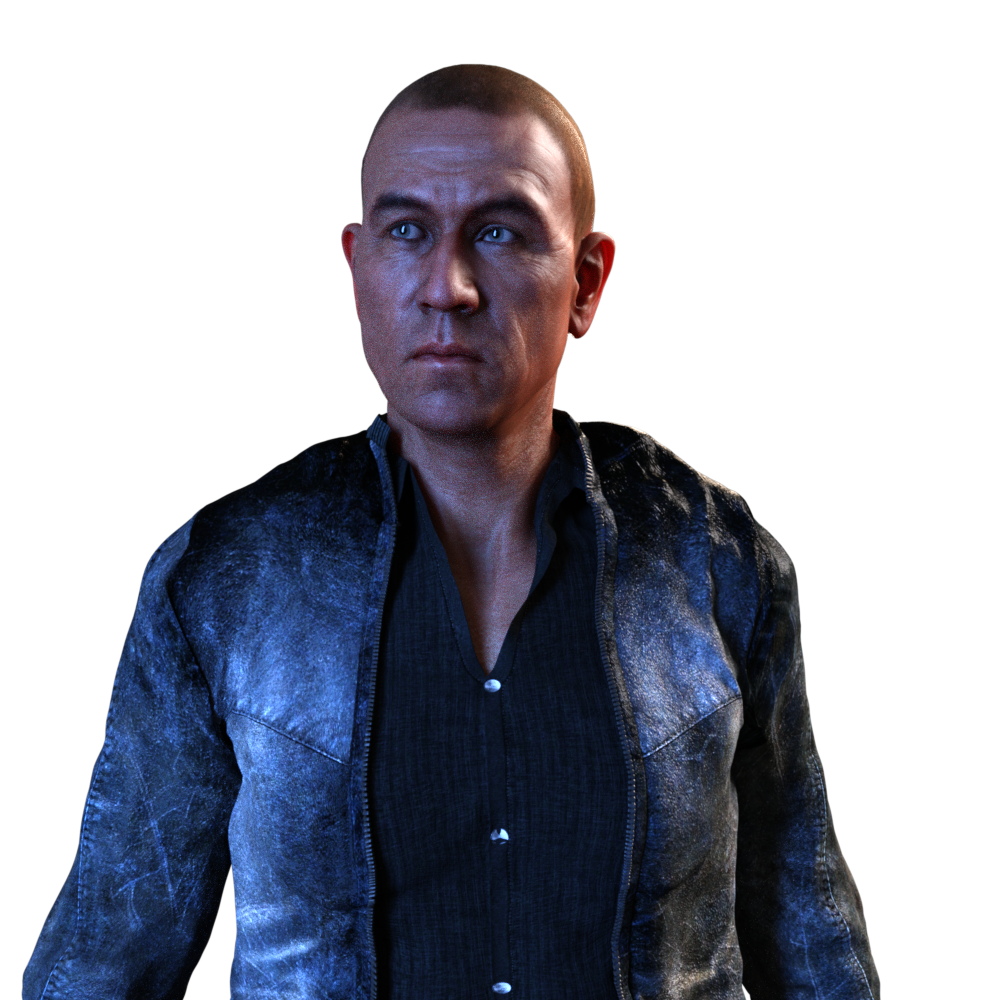 There's a thread in this forum regarding the use of Genesis 9 in Carrara, and it's a good one. I think it's really cool that we can get Genesis 2 through 9 to work in one way or another in Carrara.
 I bought Misty's Genesis 3 presets for Carrara and also have the ones she made for Genesis 8. They do allow me to bring Genesis 3 and 8 figures into Carrara, and I've done so on many, Many occasions.
Now, when I load Genesis 3 through 9 into Daz Studio, I can literally give them a pose and render them in Iray, and not only do they work, they really look good!
So I took the time to learn how to animate in Daz Studio along with getting (at least a little) familiar with Iray and OctaneRender within. Compared to Carrara, Daz Studio is a cludgy, headachy disappointment when it comes to animating. It's like it tries hard to diminish my attempts to do so.
Before this whole endeavor I used Daz Studio for other things like adding Triax rigging to older Poser-style rigging, adding new morph target posibilities to the figure so that I could more easily add full-body morphs while working in Carrara, without having to unloack the figure, creating custon aniBlocks and so forth. It was, as Haedwax
calls it: my Carrara Plugin.
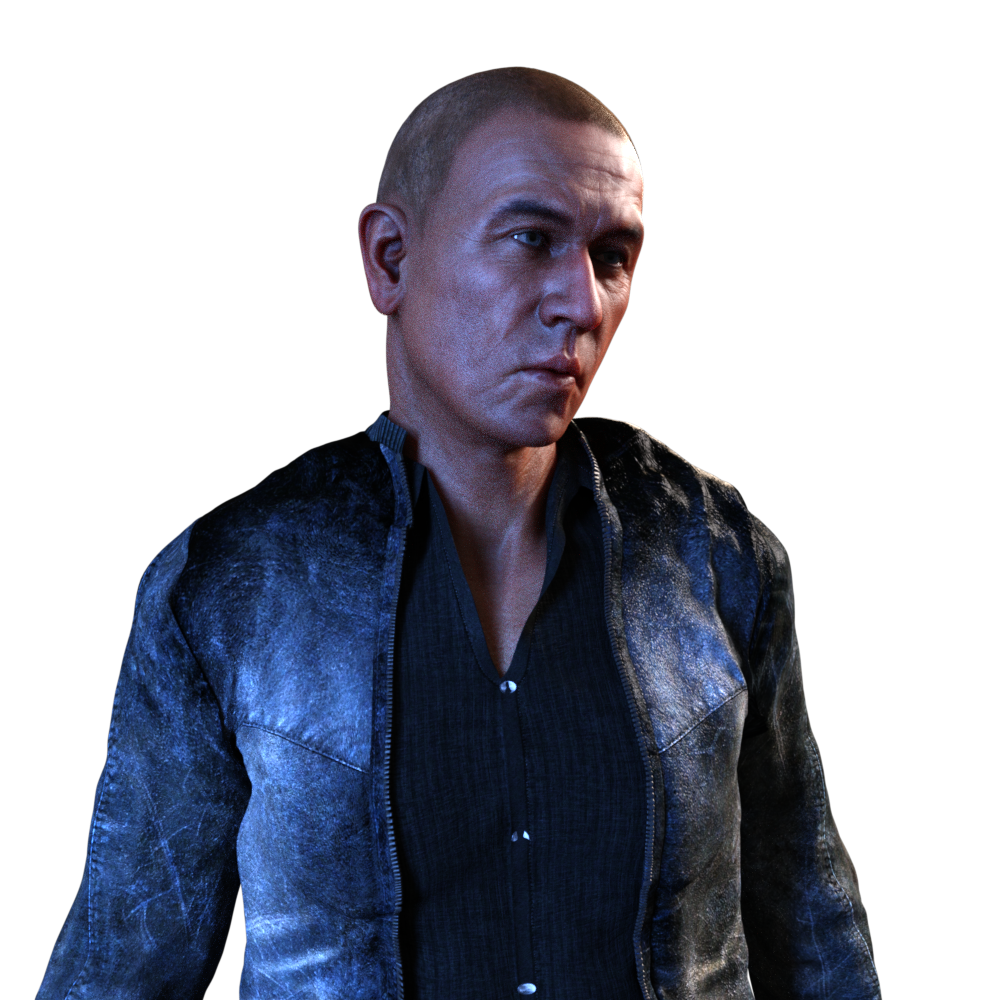
Using what I've learned over the years on working in Daz Studio in this limited way, I was able to create my own custom tools to help me animate directly within Daz Studio in a much more efficient, less headachy fashion. For how I work, this was a lot easier and faster for me than trying to get any one of those figures to do in Carrara what I need them to do - and the end results are a lot better, in my honest opinion.
Genesis 3 introduced a whole new figure architecture that plays more and more toward what professional filmmakers are expecting to see in a commercial figure. Big difference that the average user might not notice much aside from the fact that it's a new, different figure setup. Genesis 8 took that many steps further and then came Genesis 8.1 and now 9. This not only helps Daz 3d get these figure more widespread into cinema and professional use, but it also adds a whole set of newly improved system to the software that's meant to make it shine - Daz Studio.
So that's why the
analogy at the into of this message. I could paint with my chisels and get it to work - and maybe I will from time to time.
Carrara is still my Powerhouse when it comes to everything that doesn't include working with Genesis 2 - 9. So I'm grateful that I have it.
Daz Studio renders to alpha by default. Bonus! Didn't need to learn that!
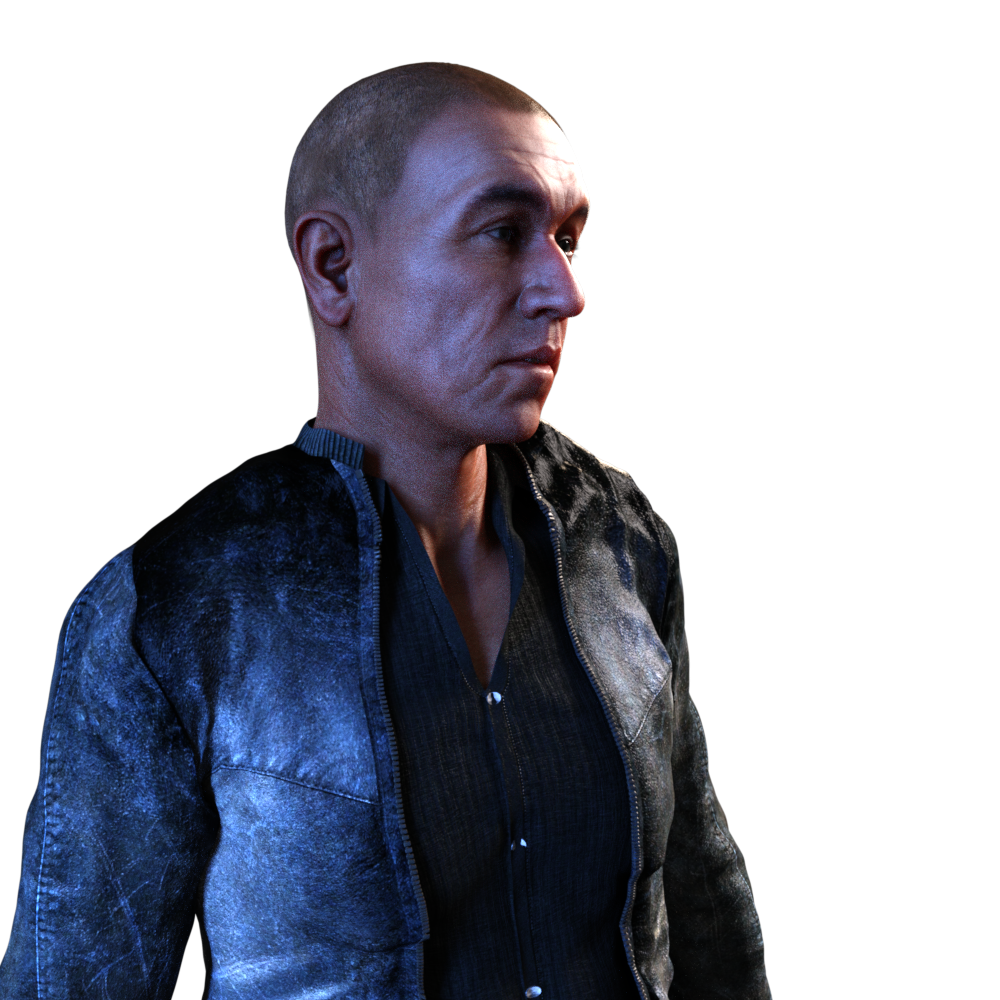
In my early tests with this process, I would take my resulting animated renders from Daz Studio, apply them as an animated texture map to a plane in Carrara, and have my actor directly in the Carrara scene as I work and ultimately render. I can still do that and in fact I plan to be doing a Lot of that. But when it comes to my main heroes, it's really nice to keep them as separate 'layers' to be used in my movie composites. Since they're not being baked into the final render, I get a Lot more flexibility on how the end result turns out.
Genesis 3 came out at a time when Iray was introduced to the world and was incorporated into Daz Studio, so it's the
generation that started getting these amazing Iray shaders thqat came with the character products we buy from Daz 3d. Genesis 2 can work in Carrara, but the auto-fit mechanism in Carrara sees it as "Genesis" and doesn't know that Genesis 1 items should be changed to fit. For me this poses a Huge problem working with that generation in Carrara. I will use Genesis 2 in Carrara, but only if I'm okay with using Genesis 2 (only) conforming items with it.
In Daz Studio, auto-fit can literally work with any figure - period. It is what contains the toolset to make it so - and it works brilliantly.
Diomede and I attended a webinar that shows how to create a character convertor that takes Genesis 8 character shapes to the new Genesis 9 as a new morph. The process for making Auto-fit Clones is incredibly similar to that same process.
Once made, Daz Studio will know what to do from there.
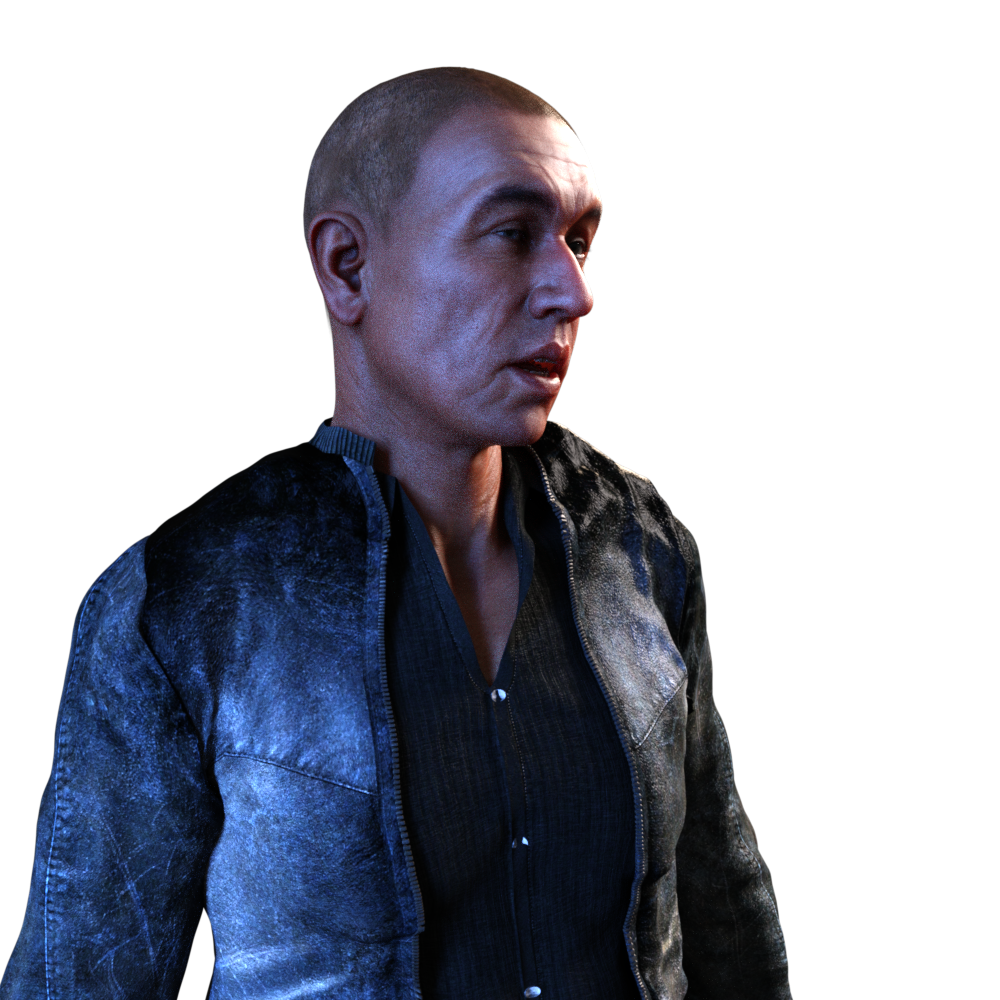
I'm using very similar techniques to be able to make my own animation tools that reside directly on the base figure as morph dials, even though they aren't morphs at all. This took a bit of hit and miss attempts and a lot of head-scratching. But it
was So worth it.
So when it comes to making figure compsatible with Carrara, the best solution for me is to simply use the best tool for the job at hand. I use "Animation" as my reason, but these same techniques work very well for the still artist. Most professional illustrators using these tools will take their renders into an image editor like Affinity Photo along with other elements, sometimes (always for me) with other renders and combine them using layers, crafting them into their final result. VFX artists do the same thing for films. The tools are different because they're working with many frames instead of one, but they're So Incredibly Similar in how they work and how we use them.
Blade Runner was released in 1982. If you watch the Behind the Scenes of that, you'll notice right away that somebody made that look a Lot more interesting than what came from the original camera footage. "Colorists" use software like DaVinci Resolve to color grade films to make sure that the colors from one shot match the colors from those that have to be cut into it. It's a lot of work and they love it. Color is what they do. Color matching is only the first step, however. They follow that with giving the film what's called a "Look", which is to enhance the contrast, alter the color - sometimes only for part of the image, like the irises of the eyes of one person, for example. Sometimes there's a whole lot of this that ultimately make the movie look the way it does.
...and since the very beginning, nobody has Ever expected the camera operator to get this final look using nothing more than the camera.
So while I did stray from Only using Carrara for my work, I only did so to make my Carrara results even better.
Cheers all, and I hope you enjoy my little explanation that I truly did Not "Jump Ship"! :)
 The History of Daz 3D - Where We Have Been and Where We Are Going
RobotHeadArt said:
Isn't the history of Daz basically them repeatedly trying to branch out of 3D content sales or ways to repurpose the existing assets and failing?
- Attempt at 3DCC tools and the acquisition of Bryce, Hexagon, Carrara
- Attempt at repurposing Genesis 2 for Unity under the Morph 3D platform
- Attempt at repurposing assets for 3D printing
- Tafi avatar system
- NFTs
The huge problem is, Daz assets are designed and work best when using and rendering in Daz Studio and are unfit for basically any other purpose. "How Many Times Do We Have to Teach You This Lesson, Old Man?"
LOL!!

However to be fair Genesis 8 along ,with diffeo exporter to Blender, is quite useful for getting decent figure meshes into Blender for animation as long as you replace the Daz rig with a proper human IK control rig from Autorig pro or Rigify Is it possible to create an interesting G9-Character?
I doubt. Or at least - I doubt, if we don't have access to the HD-Tools. I tried to transfer several G8 characters to G9 - it is possible, but the resulting characters have a flat face and body. Not so surprising, because the morph transfer tool does not work with HD morphs. But perhaps it's a more general problem - I think so far the only convincing G9 character is Victoria 9; which indeed is beautiful. But that seems to be a result of HD-morph and texture. Many new g9 characters are looking strange or flat, with thick lips and flat face. In the best case they look like a Victoria 9 modification.
Perhaps I am wrong. Perhaps it is possible. (Stella HD is a positive exemption...) Perhaps we need some morph kits to create interesting faces with flaws and wrinkles. Or perhaps it is the lack of HD tools, or is there a lower resolution in the model mesh? I am rather clueless at the moment.
G8 prehensile tongue?G8 prehensile tongue?
Trying to make a creature with a very nonhuman tongue that is long and prehensile. The only tongue controls I can find only morph the tongue to a slider of a preset pose.
Are there any G8 tongues that gives them bones or something to allow for more flexibility?
Thanks!
The History of Daz 3D - Where We Have Been and Where We Are GoingIsn't the history of Daz basically them repeatedly trying to branch out of 3D content sales or ways to repurpose the existing assets and failing?
- Attempt at 3DCC tools and the acquisition of Bryce, Hexagon, Carrara
- Attempt at repurposing Genesis 2 for Unity under the Morph 3D platform
- Attempt at repurposing assets for 3D printing
- Tafi avatar system
- NFTs
The huge problem is, Daz assets are designed and work best when using and rendering in Daz Studio and are unfit for basically any other purpose. "How Many Times Do We Have to Teach You This Lesson, Old Man?"
AOBB's freebie head morph Dashing for G8.1M based on Cary Grant. No materials nor textures.Wow, he is truly dashing! What a great morph, AOBB! I have to confess. Even though I've seen enough Cary Grant movies, I could never quite warm up to him. He always seemed a bit 'cold' or aloof, unlike Gregory Peck for instance. But your morph immediately comes across as more warm. Have to try him out in a render and see!
Btw, just spotted your latest renders in your gallery. Beautiful work as always!
G9 product wish listA 3D Sugar character morph, either Bianca or something new.
Josie 9xyer0 said:
The space/bend between the nose & the philtrum has always bugged me with this type of head morph. It's difficult to remove that bend sometimes regardless of how many septum/philtrum morphs I have. And I have very few since this is Genesis 9.

...she almost looks like The Girl - Teen Version.
unrealistic biceps and arm muscles in general, any hope for gen8/8.1?terry_duquette said:
RenderPretender said:
terry_duquette said:
Hope exists!!
Well came up with something useable for a Split Bicep on the G8F/G8.1F platform, willing to put these three files up as a Freebie if anyone is interested. This is a combination of a few morphs, Mesh Grabber, and DFormers. The files are layered on other products, and ERC frozen to the hand bend, and forearm bend/twist movement, with a master controller to control the blending. I have never shared files before, so may take me a day or two to package and zip them correctly. TD
Terry, I must have missed this. Looks fantastic! Did you ever make the files available? I'd love to have them if you're still offering. Are there any software/product requirements for them to work? Looks like the best option currently available for G8F.
RenderPretender,
I never published these files, I only had one other response months ago, and this thread seemed to have died. I have since continued to "tweak" on my files, and am pretty happy with the results. I will look at cleaning up all the files and packaging it for you. IAdditionally I created a vein flex control system requiring the SWM Veins product if you are also interested in that. I have also done a basic flex enhancement and split bicep morph set for the G9 figure which definitely helps with there being so few products available for that platform yet. Let me know, I can package them separately, or as one overall package that you can then pick and choose from. Thx for the continued interest! TD
Terry, I'm definitely interested. As much as I've experimented with the G8M platform with good results, thanks to your efforts, it's a non-starter in the end for me because of all the fitment issues in terms of clothing and hair, particularly footwear. G9 is not in the near term for me because of the fiscal impracticality, and because I really don't see that it's addressed the major shortcomings of G8 and G8.1. But I haven't ruled it out. I own the SWM product, so that's not an issue. I'd be happy for your files if you're so inclined. It's very hard for me to part with G8F (see Madi below) without a palpable incentive, and I don't see it in G9 right now. Thanks and cheers. I'm happy to put your work to use. Your latter suggestion might be best. I'm happy to provide examples of what I produce, with credit to you.
unrealistic biceps and arm muscles in general, any hope for gen8/8.1?RenderPretender said:
terry_duquette said:
Hope exists!!
Well came up with something useable for a Split Bicep on the G8F/G8.1F platform, willing to put these three files up as a Freebie if anyone is interested. This is a combination of a few morphs, Mesh Grabber, and DFormers. The files are layered on other products, and ERC frozen to the hand bend, and forearm bend/twist movement, with a master controller to control the blending. I have never shared files before, so may take me a day or two to package and zip them correctly. TD
Terry, I must have missed this. Looks fantastic! Did you ever make the files available? I'd love to have them if you're still offering. Are there any software/product requirements for them to work? Looks like the best option currently available for G8F.
RenderPretender,
I never published these files, I only had one other response months ago, and this thread seemed to have died. I have since continued to "tweak" on my files, and am pretty happy with the results. I will look at cleaning up all the files and packaging it for you. IAdditionally I created a vein flex control system requiring the SWM Veins product if you are also interested in that. I have also done a basic flex enhancement and split bicep morph set for the G9 figure which definitely helps with there being so few products available for that platform yet. Let me know, I can package them separately, or as one overall package that you can then pick and choose from. Thx for the continued interest! TD
Getting on the 9 train, or notDid you have any of the morphs in mind you particularly wanted to see with the masculine morph dialed in? My thoughts on this product are that, despite the promos all showing feminine dialed in, the changes shown should be equally helpful on adjusting a body with masculine features also dialed in (adjusting height/width/depth of areas doesn't really care about what other morphs are dialed in, which is what made this series of products very flexible in the past). To me, this means that I can get one shape shift product that covers the whole G9 range, instead of needing two sets one for male and one for female.
All that said, I've got the product though I haven't had a chance to try it out yet, but if you're curious about anything in particular I could do a few quick renders.
No one asked me - Diomede screenshots on whatever - Warning AI Discussion OKModeling for a Targeted Shape of Genesis 9 - Marvelous Designer
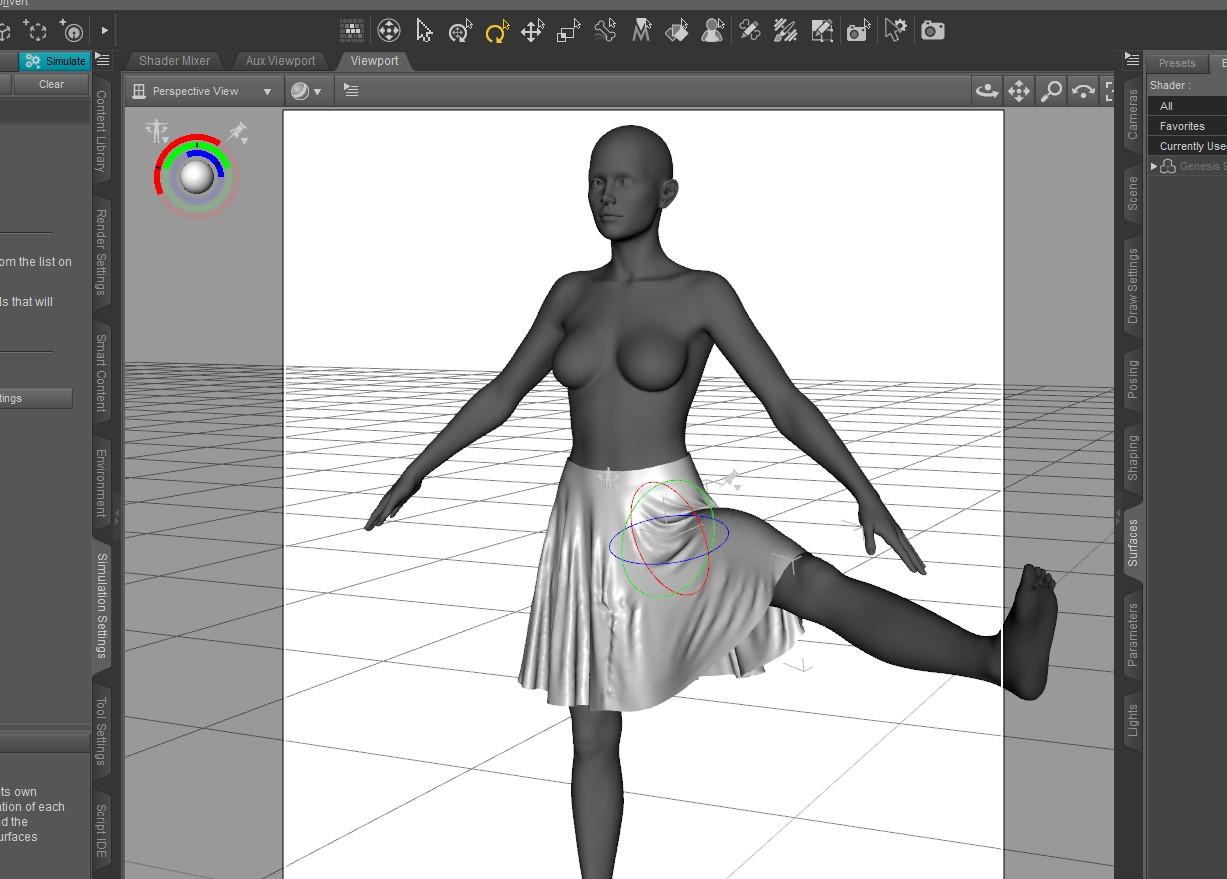
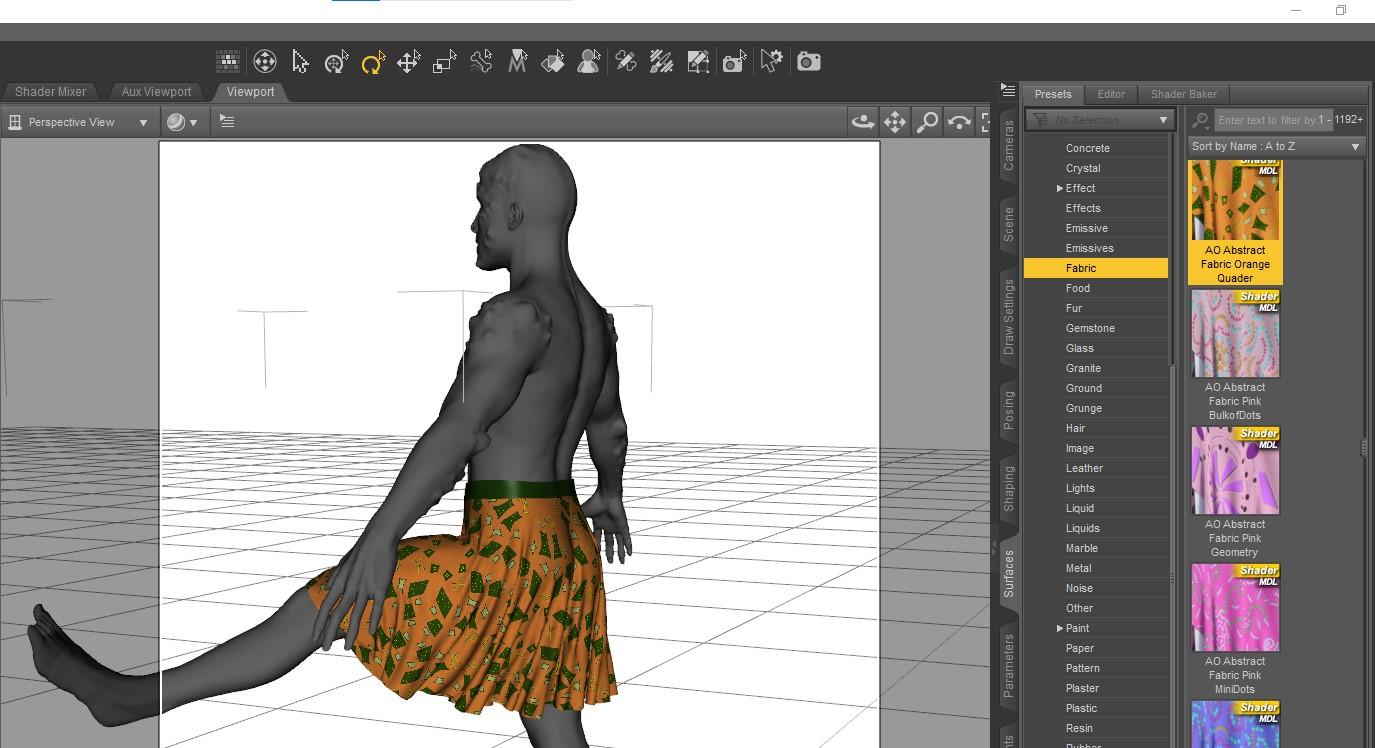
I posted another screenshot tutorial in the Art Studio Forum. Before the release of Genesis 9, I went through an example of creating a skirt for Genesis 1 because G9 was rumored to be like G1 in a unified shape. Rumour turned out to be true. In this screenshot turoial, I use Marvelous Designer to create a simple loose skirt with many folds designed for the Victoria 9 shape. The resulting figure might be optimized for Victoria 9, but it can also be used with any G9 shape, such as a kilt for Michael 9, or a battle dress for a male demon. The tutorial also includes creating shader domains and UV Mapping in Marvelous Designer. I then export the OBJ to Studio where I rig from the V9 shape back to the base shape. Demonstrate a couple DForce posing and morph shape examples.
Might be useful for Carrara users intending to make G9 items for use in Carrara as conformers or with VWD.
https://www.daz3d.com/forums/discussion/comment/7884426/#Comment_7884426
Daz 3D is part of

Connect
DAZ Productions, Inc.
7533 S Center View Ct #4664
West Jordan, UT 84084Licensing Agreement | Terms of Service | Privacy Policy | EULA
© 2026 Daz Productions Inc. All Rights Reserved.